
 By saman zahra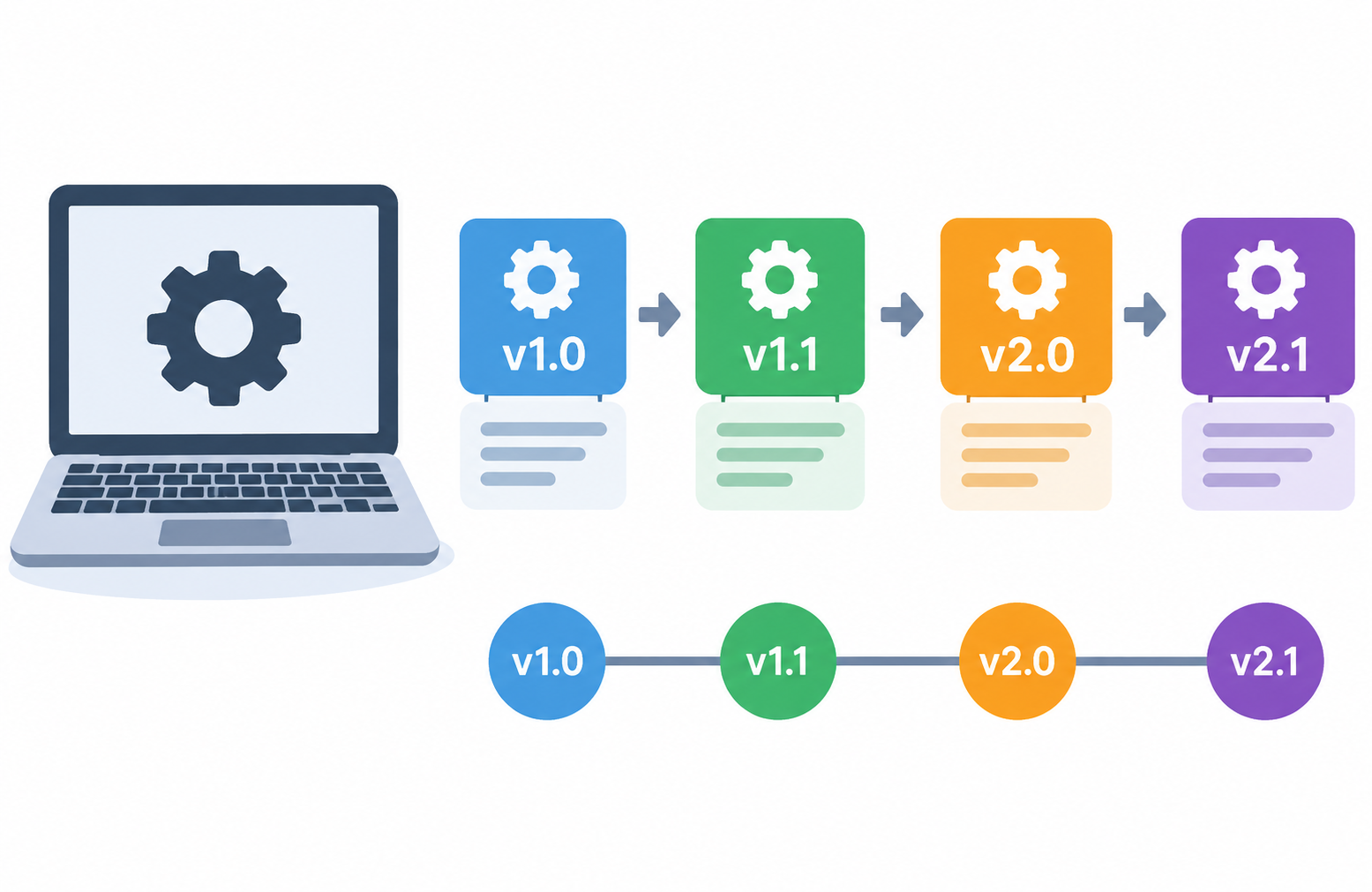
Introduction
Every piece of software you use has a version number. It might be a string of digits like 3.14.2, a year-based label like 22.04, or a name paired with a number like macOS Sonoma 14.x. These numbers are not random. They carry meaning about what changed, when it changed, and how significant those changes were.
For most people, version numbers appear briefly in update notifications or settings screens and are quickly ignored. But understanding what they mean can help you make better decisions about updates, troubleshoot problems more effectively, and understand why some updates feel minor while others change everything about how a program works.
This guide explains what software versioning is, how version numbers are structured, what the different labels mean, and what everyday users need to know.
What Is Software Versioning?
Software versioning is the process of assigning unique identifiers, typically in the form of numbers or labels, to different releases or states of software as it is developed and updated over time.
These identifiers, called version numbers, help developers, users, and systems identify exactly which release of a software product is being used at any given time.
Version numbers serve several purposes at once:
- They communicate what has changed between releases.
- They help manage compatibility between software components.
- They support troubleshooting by identifying the exact software state.
- They give users and systems information to make informed decisions about updates.
Version numbers appear in familiar places every day:
- A web browser showing a version number in its About screen
- An operating system labeled with a version such as Windows 11 version 23H2
- A mobile app displaying version 3.2.1 in its settings
- A game client showing an internal build number
The key point is that version numbers are not arbitrary. They follow conventions that communicate the nature and scale of changes between releases, so that anyone reading them can understand what kind of update they are looking at.
To understand software more broadly, see What Is Software and How Does It Work?
Why Is Software Versioning Important?
Software versioning matters for reasons that affect everyone from casual users to large organizations.
It communicates the scale of changes. A version number tells you whether an update is a small bug fix, a new feature addition, or a major redesign. Without this, every update would feel uncertain in terms of what to expect.
It helps manage compatibility. Software components that interact with each other need to know which versions are compatible. When a library is updated and its version number changes in a specific way, dependent software knows whether it needs to be updated too.
It supports troubleshooting. When a user reports a problem, knowing the exact version they are running helps support teams identify known issues and provide accurate solutions. The same symptom may be a known fixed bug in an older version and not a bug at all in a newer one.
It enables rollback. If a new version introduces unexpected problems, version numbers allow developers and administrators to identify and return to a previous stable version. Without clear versioning, this would be extremely difficult.
It supports update decisions. Users can decide whether to install an update based on what the version number indicates about the nature of the change. A security patch is more urgent than a cosmetic update.
It tracks development progress. Version numbers provide a historical record of how software has evolved. Looking at a software’s version history tells the story of its development.
It is essential for dependency management. Software that relies on other software components needs to specify which versions of those components it requires. Version numbers make this specification possible and precise. This is closely related to how software components communicate through interfaces, a topic explored in What Is an API?
How Do Software Version Numbers Work?
Most software version numbers consist of a series of numbers separated by dots, such as 2.4.1 or 10.15.7. Each position in the version number typically communicates a different level of change.
Reading from left to right, the numbers generally represent decreasing levels of significance:
- The leftmost number reflects the most significant changes.
- The middle number reflects moderate changes.
- The rightmost number reflects small corrections.
When a number in one position increases, the numbers to its right typically reset to zero. This signals a fresh starting point for smaller increments at that level.
A simple illustration of how a version number evolves:
| Version | What Changed |
|---|---|
| 1.0.0 | Initial release |
| 1.0.1 | Small bug fix (patch) |
| 1.1.0 | New feature added (minor); patch resets to 0 |
| 1.1.3 | Three subsequent bug fixes |
| 2.0.0 | Major redesign or breaking changes; minor and patch reset to 0 |
This structure gives anyone reading the version number an immediate sense of what happened between two releases without needing to read a full changelog.
Types of Software Versioning Schemes
Different software projects use different approaches to versioning. Here are the main ones.
Semantic Versioning (SemVer)
Semantic versioning is one of the most widely adopted versioning conventions, particularly in software development and open-source projects. It uses a three-part version number in the format MAJOR.MINOR.PATCH. The official specification is published at semver.org.
Major Version
The first number is the major version. A major version increment signals breaking changes, meaning the new version is not backward compatible with the previous one. Code or systems written to work with version 1.x.x may need updates to work correctly with version 2.0.0.
For everyday software users, a major version change often corresponds to a significant redesign, a new feature set, or changes that alter how the software is used.
Minor Version
The second number is the minor version. A minor version increment means new features or improvements have been added in a backward-compatible way. Existing functionality continues to work as before, and new capabilities have been introduced alongside it.
A change from 1.2.0 to 1.3.0 tells you that something new was added, but nothing was removed or broken.
Patch Version
The third number is the patch version. A patch increment signals bug fixes or small corrections that do not add new features and do not break existing functionality. Patch updates are the most routine kind and the ones most likely to include security fixes.
A change from 1.3.4 to 1.3.5 means a specific bug was fixed.
Semantic versioning is widely adopted, particularly in open-source software. See What Is Open-Source Software? for more on how open-source projects manage releases. Not all software follows semantic versioning precisely, so always check the specific project’s documentation.
Calendar Versioning (CalVer)
Calendar versioning uses dates as the basis for version numbers rather than sequential numbers that indicate the scale of changes. Version numbers typically include the year and sometimes the month or day of the release.
Ubuntu Linux is a well-known example of calendar versioning. Its releases are named by year and month:
- Ubuntu 22.04 was released in April 2022.
- Ubuntu 24.04 was released in April 2024.
Calendar versioning communicates when a version was released clearly, which is useful for understanding how current a release is. However, it does not directly communicate the nature or magnitude of changes. Some projects combine calendar versioning with other elements to provide more information. Ubuntu’s release cycle information is documented at ubuntu.com/about/release-cycle.
Sequential or Build Numbering
Some software uses simple sequential numbers that increment with each release or internal build. Build numbers provide a unique identifier for a specific compiled instance of the software. They do not directly communicate the nature of changes but serve as precise identifiers for support, tracking, and debugging purposes.
Build numbers are commonly seen alongside other versioning information in operating systems and game clients. The Windows operating system, for example, exposes internal build numbers that identify precise system states at a more granular level than the user-facing version label.
Version Naming with Words
Some software uses names, code names, or combinations of names and numbers:
- Ubuntu combines calendar versioning with a code name such as Ubuntu 22.04 LTS Jammy Jellyfish.
- macOS uses release names such as macOS Sonoma or macOS Ventura alongside version numbers.
- Android has historically used dessert names such as Android Pie and Android Oreo alongside numerical version numbers, though Google has moved away from publicly emphasizing the dessert names for more recent releases.
Names serve primarily for marketing and user recognition. Version numbers are used for technical identification. The name helps users remember and refer to a release conversationally, while the number is what software systems use to make compatibility decisions.
Microsoft Windows Versioning
Windows versioning has evolved over time and does not follow a single consistent scheme across its history. Consumer users know releases primarily by name: Windows XP, Windows Vista, Windows 7, Windows 8, Windows 10, and Windows 11. Internally, Windows versions have always had numerical build identifiers.
Windows 10 and Windows 11 use a version numbering system that includes a year and release period. For example, version 23H2 indicates the second half release of 2023. This tells users approximately when a feature update was released.
Internal build numbers provide more granular version identification and are used in support contexts. Microsoft’s official documentation at learn.microsoft.com provides detailed Windows versioning information.
Pre-Release Version Labels
Before a final release, software often goes through stages that are labeled to communicate how complete and stable the software is.
Alpha
Alpha versions are early development releases that are typically incomplete and unstable. They are usually shared only with internal teams or a small number of selected testers. Alpha software may have missing features, known bugs, and is not intended for general public use.
Beta
Beta versions are more complete than alpha but are still in testing before the final release. Beta releases may be shared more broadly, sometimes through public beta programs that allow interested users to test upcoming features and report issues.
Beta software may still contain bugs and is not considered production-ready. Many software companies, including Apple, run public beta programs for iOS and macOS that allow technically comfortable users to test upcoming releases. For context on how apps reach users through official channels, see What Is an App Store?
Release Candidate (RC)
A release candidate is a version that is considered potentially ready for final release. It has passed significant testing and unless critical issues are discovered, it may become the final release. Release candidates are labeled with RC followed by a number, such as RC1 or RC2, if additional candidates are needed before the final release.
Stable or General Availability (GA)
The stable or general availability release is the final release intended for general public use. It has passed the necessary testing stages and is considered ready for everyday use by all users.
Long-Term Support (LTS)
LTS versions are designated releases that receive extended support, security updates, and bug fixes for a longer period than standard releases. They are intended for users and organizations that prioritize stability and long-term reliability over access to the newest features.
Examples:
- Ubuntu LTS releases are officially supported for five years from release. Ubuntu 22.04 LTS will receive updates until April 2027.
- Some software frameworks designate specific versions as LTS, guaranteeing support for a defined extended period.
LTS versions are particularly valued in business and server environments where stability and predictable long-term maintenance matter more than the latest features.
Software Versioning vs Version Control
These two terms are related to software development but describe very different things, and the distinction is worth understanding clearly.
Software versioning, as discussed in this article, refers to the version numbers assigned to releases of software products that users download and use. It is the system that tells you whether your web browser is on version 120 or 121, and what that difference means.
Version control is a concept used in software development. It refers to systems that track changes to source code during the development process, allowing developers to manage the history of changes, collaborate with other developers, and revert to earlier states of code if needed.
Common version control systems include Git, Subversion (SVN), and Mercurial. Git is the most widely used version control system. Platforms like GitHub and GitLab provide hosting for Git repositories where developers collaborate on code.
Version control is what happens inside the development process. Software versioning is what end users see as the result of that process.
| Factor | Software Versioning | Version Control |
|---|---|---|
| Definition | Numbers assigned to software releases | System for tracking code changes during development |
| Purpose | Communicate what changed between releases; manage compatibility | Manage development history; enable collaboration on code |
| Used by | Developers for releases; users for identification | Software development teams |
| Examples | 3.2.1, 22.04, Windows 11 23H2 | Git, SVN, Mercurial |
| Visible to end users | Yes, in app settings and update screens | Generally no; internal to development workflow |
What Do Version Numbers Tell You?
Understanding version number changes helps you make better decisions about updates.
Major Updates
A major version increment signals significant changes. These may include a redesigned interface, removed or renamed features, or changes to how the software works in ways that could affect your workflow. Major updates may affect compatibility with existing files, plugins, or connected systems.
In professional or business environments, reviewing the release notes before applying a major update is advisable. See What Is Software Compatibility? for more on how updates interact with compatibility.
Minor Updates
A minor version increment means new features or improvements have been added. Existing functionality should continue to work as before. Minor updates are generally safe to apply without significant concern about disruption, though reviewing what was added is still worthwhile if you work in a managed environment.
Patch Updates
A patch version increment means bug fixes and small corrections. These updates are generally important to apply promptly because patches frequently include security fixes. The risk of disruption is low, and the benefit of staying current on patches is meaningful for security.
How to Check Your Software Version
On Windows
- For the operating system: Open Settings, navigate to System, then About. The Windows edition and version are listed there.
- For installed applications: Open the application, look for Help in the menu bar or click the application name, and select About. The version number is displayed there.
- Many applications also show their version in the title bar or splash screen on launch.
On macOS
- For the operating system: Click the Apple menu in the top-left corner and select About This Mac. The macOS version is displayed prominently.
- For applications: Open the application, click the application name in the menu bar, and select About to see the version number.
On Android
- For the operating system: Open Settings, navigate to About Phone or About Device, and find the Android version listed there.
- For apps: Open Settings, navigate to Apps, select the specific app, and the version number is displayed in the app information screen. See What Is an Android App? for more on Android app management.
On iPhone and iPad
- For the operating system: Open Settings, navigate to General, then About to find the iOS version.
- For apps: The App Store app shows version information on each app’s detail page, including what changed in the most recent update. See What Is an iPhone App? for more on how iOS apps are managed.
Software Versioning and Security
Version numbers have a direct relationship with security. Understanding this connection helps you make safer decisions about your software.
Security vulnerabilities are discovered and reported against specific software versions. When a vulnerability is disclosed, the advisory typically states which versions are affected and which version contains the fix. Knowing your version number lets you determine whether your installation is at risk.
Patch updates in particular frequently contain security fixes. Because patch-level changes are low-risk in terms of disrupting functionality, there is rarely a strong reason to delay applying them. Keeping software current at the patch level is one of the most straightforward security practices available to everyday users.
Running significantly outdated versions of software can expose users to vulnerabilities that have been publicly disclosed, analyzed, and for which working attack methods may be widely known and available.
End-of-life software presents a specific and serious security risk. When a software version reaches end of life, the developer no longer releases security patches for it. Any new vulnerabilities discovered after that point will not be fixed for that version. Users still running end-of-life software cannot receive these fixes, regardless of how serious the vulnerabilities are.
For more on protecting your system, see What Is Cybersecurity? and What Is Antivirus Software?
Software Versioning and Compatibility
Version numbers are essential tools for managing compatibility between software components. When software specifies that it requires a particular version or range of versions of a dependency or library, it uses version numbers to express that requirement precisely.
For example, an application might specify that it requires version 4.2.0 or later of a particular library, but not version 5.0.0 or later because that major version introduced breaking changes. Without version numbers, this kind of precise dependency specification would be impossible.
Upgrading one component to a new major version may break compatibility with other components that depend on the previous behavior. Understanding versioning helps users evaluate whether an update might affect other software they use alongside it.
For a full explanation of how software components work together, see What Is Software Compatibility?
Software Updates and Version Numbers
Every time software is updated and released, a new version number is assigned. The type of version number change communicates the nature of the update in a way that both humans and systems can understand.
Modern operating systems and devices often handle updates largely in the background through automatic update systems. Users may only notice a version number has changed when they check their settings or read an update notification. Understanding what the change means helps users interpret those notifications rather than ignoring them.
In managed environments such as businesses, schools, or enterprise organizations, IT administrators often control which software versions are deployed across their devices. This ensures stability, compatibility, and security across many machines simultaneously. Rolling out an update to thousands of machines requires confidence that the new version will not break critical workflows, which is why version-aware compatibility testing is a standard part of enterprise IT operations.
Reading Real-World Version Numbers
Web Browsers
Modern web browsers such as Google Chrome and Mozilla Firefox release updates frequently. Chrome uses a version number format that includes major, minor, build, and patch components. Firefox follows a similar rapid release cycle.
For browsers, a higher major version number simply reflects a more recent release. Unlike library versioning where a major increment signals breaking changes for dependent software, browser major version increments represent scheduled release milestones rather than warnings about incompatibility for users. Most browser updates are transparent to everyday users and happen automatically.
Understanding the browser’s role in running web-based software is covered in What Is a Web Browser? For context on cloud-based software that runs through browsers, see What Is Cloud Computing?
Operating Systems
- Windows 11 uses version numbers that include a year and release indicator such as 23H2, meaning the second half of 2023.
- macOS uses a numerical version in the format of major.minor.patch alongside the release name.
- Android uses integer version numbers such as Android 14 alongside internal build identifiers.
- iOS uses version numbers in a format such as 17.x.x where the first number represents the major iOS generation.
For more on operating systems and how they relate to the software that runs on them, see What Is an Operating System? and What Is System Software?
Mobile Apps
Mobile apps displayed in app stores show version numbers that vary widely in format between developers. Some use semantic versioning style numbers. Others use date-based formats or sequential integers. The app store listing for an app typically shows the current version number alongside a description or changelog of what changed in that version, which is often more useful than the number itself for everyday users.
For an overview of how mobile apps work and are distributed, see What Is a Mobile App?
Software Versioning for Everyday Users
You do not need to understand every technical detail of versioning to benefit from knowing the basics. Here is what matters most in everyday use:
- Check your software version when reporting a problem. Support teams almost always ask for your version number. Having it ready speeds up the process and ensures they give you accurate advice.
- Apply patch updates promptly. Patch-level updates frequently include security fixes. They are low-risk in terms of disrupting functionality and important for security.
- Read release notes before major updates. When a major version update is available, a quick review of what has changed tells you whether the update affects features you rely on, removes something you use, or changes the interface significantly.
- Be aware that major updates can change things. A major version change can alter the interface, remove features, or change workflows. This is not necessarily bad, but it is worth knowing before updating in a critical environment.
- Check compatibility before updating business-critical software. If you rely on plugins, integrations, or connected systems, verify that they are compatible with a major new version before updating. This is particularly relevant for application software used in professional contexts.
- Consider LTS versions for stability. If you need reliable, long-supported software and do not need the latest features, LTS versions are designed precisely for that need.
Common Misconceptions About Software Versioning
Higher Version Number Always Means Better Software
A higher version number means a more recent release, not necessarily better quality. Some releases introduce bugs alongside improvements. Some major updates remove features that users valued. Version number alone is not an indicator of quality or reliability.
Version 2.0 Is Always Twice as Good as Version 1.0
Major version numbers are milestones that mark significant changes, not quality multipliers. A version 2.0 release might be a dramatic architectural overhaul or might be a modest evolution accompanied by some breaking interface changes. The number communicates the category of change, not the degree of improvement.
You Should Always Use the Latest Version
Keeping software current is generally the right approach for security and functionality. However, in professional or enterprise contexts, stability and compatibility may mean staying on a tested and proven version rather than the absolute latest. LTS versions exist specifically for users and organizations that need long-term stability. Automatic updates are appropriate for most everyday users, but managed deployment requires more careful consideration.
Version Numbers Follow a Universal Standard
No single versioning standard is universally required. Semantic versioning is widely adopted and well-documented at semver.org, but many projects use their own conventions. Calendar versioning, sequential numbering, and hybrid systems are all in common use. Always refer to a specific project’s documentation to understand what their version numbers actually represent.
Frequently Asked Questions
What is software versioning?
Software versioning is the practice of assigning unique identifiers, typically numbers or labels, to different releases of software as it is developed and updated. These identifiers help users, developers, and systems identify exactly which release is being used.
What do software version numbers mean?
Version numbers communicate the scale and nature of changes between software releases. Different positions in the number typically represent major changes, minor additions, and small bug fixes, reading from left to right.
What is semantic versioning?
Semantic versioning is a widely used versioning convention that uses a three-part number in the format MAJOR.MINOR.PATCH. Each part has a defined meaning: major for breaking changes, minor for new backward-compatible features, and patch for bug fixes. The full specification is at semver.org.
What is the difference between major, minor, and patch versions?
Major versions signal breaking changes. Minor versions add new features without breaking existing ones. Patch versions fix bugs without changing features or breaking compatibility.
What does a major version update mean?
A major version update signals significant changes that may include a redesigned interface, new core features, or changes that break compatibility with the previous version. It is worth reviewing release notes before applying major updates.
What does a patch update mean?
A patch update fixes specific bugs or security issues without adding new features or changing existing functionality. Patch updates are generally safe to apply promptly and are important for security.
What is an LTS version?
An LTS, or Long-Term Support, version is a release designated to receive extended security updates and bug fixes for a longer period than standard releases. LTS versions are suited to users and organizations that prioritize stability over access to the latest features.
What is an alpha version?
An alpha version is an early, typically incomplete development release shared with internal teams or selected testers. It is not intended for general use and may be unstable or missing features.
What is a beta version?
A beta version is more complete than alpha and is released for broader testing before the final release. Public beta programs allow interested users to test upcoming features and report issues.
What is a release candidate?
A release candidate is a version considered potentially ready for final release. It has passed significant testing and may become the final release unless critical issues are found. Release candidates are labeled RC1, RC2, and so on.
How do I check my software version?
On Windows, go to Settings then System then About for the OS version, or check the About option within any application. On macOS, use About This Mac from the Apple menu. On Android and iOS, check Settings and navigate to About Phone or General then About respectively.
Why should I keep software updated?
Updates fix bugs, add features, and crucially include security patches. Running outdated software can expose your system to vulnerabilities that have already been fixed in newer versions.
What is the difference between software versioning and version control?
Software versioning refers to version numbers assigned to software releases that users download and use. Version control refers to development tools like Git that track changes to source code during the development process. They are related but distinct concepts.
What is calendar versioning?
Calendar versioning uses dates as the basis for version numbers. Ubuntu Linux uses calendar versioning, with releases named by year and month such as Ubuntu 22.04 for April 2022.
Why do browser version numbers increase so quickly?
Modern browsers like Chrome and Firefox follow a rapid release cycle, pushing updates frequently. Each scheduled release increments the major version number regardless of the magnitude of changes. This reflects a release schedule rather than the traditional meaning of major version increments.
What does end-of-life mean for a software version?
End-of-life means the developer will no longer release updates, including security patches, for that version. Running end-of-life software is a security risk because new vulnerabilities discovered after that date will not be fixed.
Is it safe to use older software versions?
Using slightly older versions is generally acceptable, particularly if they are still within their supported period. Using end-of-life versions, or versions known to have unpatched security vulnerabilities, carries meaningful security risk.
What is a build number?
A build number is a unique identifier for a specific compiled instance of software. Build numbers are more granular than version labels and are used in support and debugging contexts to identify exact software states.
For further reading on related topics, explore What Is Utility Software? for the tools that help maintain software on your system, What Is App Cache? and What Is App Data? for how apps store information on your device, and What Is a Firewall? for another important element of keeping a system secure alongside keeping software current.
Disclaimer
This article is intended for educational purposes and provides a general overview of software versioning for beginners and everyday users. Versioning conventions and numbering systems vary between software projects, developers, organizations, and industries. Not all software follows the same versioning scheme. Examples used in this article are for illustrative purposes only. Always refer to the official documentation of the specific software or project for authoritative versioning information.
Author: Laraib
Laraib is a technology writer and research contributor covering AI, programming, software, cybersecurity, cloud computing, and the latest developments in technology. She focuses on creating clear, practical, and well-researched content that makes complex tech topics easy to understand.