
 By saman zahra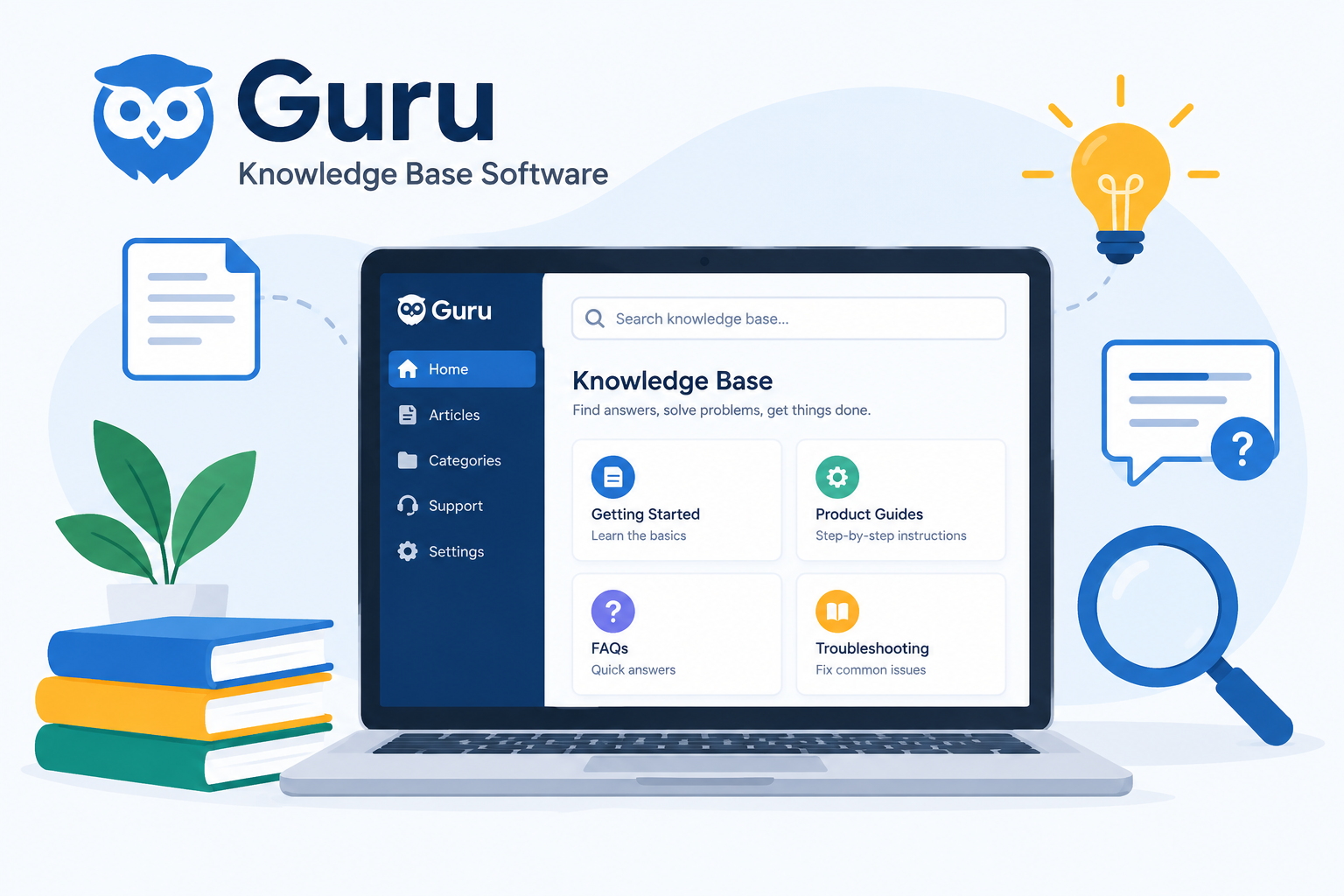
Introduction
Finding accurate information quickly is one of the most persistent challenges in modern organizations. Employees search through shared drives, scroll through old email threads, and ping colleagues for answers that should already be documented somewhere. Guru knowledge base software is designed to solve exactly that problem by creating a single, verified, and instantly accessible source of truth for entire teams.
This guide covers what Guru is, how it works, its core features, who it suits best, and what you should know before adopting it for your organization.
What Is Guru Knowledge Base Software?
Guru is an AI-powered knowledge management software platform designed to serve as a centralized, verified source of truth for organizations and enterprise teams, delivering accurate information directly within the tools employees already use.
Rather than requiring employees to stop what they are doing and search through scattered documentation, Guru integrates with existing workplace applications to capture, verify, and surface relevant information right within daily workflows. Whether a customer support agent is handling a ticket in Zendesk, a sales representative is working in Salesforce, or a team member is responding in Slack, Guru brings verified knowledge to them without requiring a tool switch.
The core problem Guru addresses is familiar to most organizations: information scattered across multiple systems, documentation that becomes outdated without anyone noticing, and employees wasting meaningful time searching for answers that should be easy to find. Guru addresses this by building a single knowledge hub where every piece of information has a designated owner, a verified status, and an organized location.
Guru is built for teams and organizations where consistent, accurate information directly affects how work gets done. That includes:
- Customer support teams that need fast, accurate product and policy information while handling live customer interactions
- Sales teams that need current competitive intelligence, product knowledge, and messaging
- HR and people operations teams managing company policies, benefits information, and process guides
- Onboarding teams helping new employees get up to speed with consistent, verified information
- Any organization where employees regularly need accurate answers to do their jobs effectively
Understanding Guru starts with understanding that it is a software platform built to solve a specific operational problem. If you are new to what software is and how it works, this foundational overview of software provides helpful context before diving into a specific platform like Guru.
What Is Knowledge Management Software?
Knowledge management software is a category of business tools designed to help organizations capture, organize, store, and share information and expertise so that employees can access what they need when they need it.
Traditional approaches to knowledge management include company wikis, shared document folders, internal intranets, and email threads. These approaches work reasonably well for small teams in their early stages, but they consistently run into the same problems as organizations grow:
- Information becomes outdated without anyone taking responsibility to update it
- Content is scattered across multiple locations with no single authoritative source
- Finding a specific answer requires navigating through large documents or asking a colleague
- There is no signal to tell employees whether the information they are reading is still current
AI-powered knowledge management software like Guru goes beyond simple document storage. It actively verifies information accuracy, uses intelligent search to surface relevant answers, and delivers knowledge directly within the tools employees are already using. These capabilities meaningfully change how organizations manage and access institutional knowledge.
The key difference between Guru and a traditional company wiki comes down to one fundamental question: who is responsible for keeping content accurate, and how are they reminded to do it?
A traditional wiki relies entirely on individual human initiative. Someone has to notice that a page is outdated, remember to update it, and find the time to do so. In practice, this often does not happen consistently, and wikis become increasingly unreliable over time.
Guru’s verification workflow solves this directly by automatically prompting content owners to review their assigned Cards on a regular schedule. This shifts knowledge maintenance from a passive hope to an active, structured process.
How Does Guru Knowledge Base Software Work?
Guru works by allowing organizations to create a centralized library of verified knowledge stored in modular units called Cards, which employees can access instantly through integrated tools and AI-powered search. The process follows a clear sequence from content creation to delivery.
Step 1: Creating Knowledge Cards
Information in Guru is stored in modular, digestible units called Cards rather than long-form documents or pages. Each Card is designed to contain one specific piece of information, such as a product FAQ, a company policy, a process step, or a customer response template.
This modular format makes individual pieces of information quicker to read, easier to update, and simpler to locate than searching through a lengthy document. When information changes, only the specific Card containing that information needs to be updated rather than editing a large multi-section document.
Step 2: Assigning Ownership and Verification
Each Card is assigned to a content owner or subject matter expert who is responsible for keeping it accurate. Guru’s automated verification system prompts content owners to review their assigned Cards on a regular cadence configured by administrators.
When a Card is reviewed and confirmed as accurate, it receives a verified status indicated by a visible trust badge. Cards approaching or past their verification due date are flagged, signaling to users that the information may need confirmation before being relied on.
Step 3: Organizing Knowledge into Collections
Cards are organized into Collections, which are structured groupings of related knowledge. Collections function similarly to folders but with more sophisticated organization capabilities and granular permission controls. Different teams, departments, or topic areas can each have their own dedicated Collection with appropriate access settings.
Step 4: Searching and Accessing Knowledge
Employees access Guru knowledge through AI-powered semantic search that understands the meaning and intent of a query rather than relying on exact keyword matching. A customer support agent searching for information about a refund policy does not need to remember the exact title of the relevant Card. Guru’s search surfaces the most relevant results based on the meaning of what they typed.
Critically, Guru’s search is permission-aware. Results are filtered through the organization’s predefined access control rules, ensuring employees only see Cards they are authorized to view.
Step 5: Delivering Knowledge in Existing Workflows
Through browser extensions for Chrome and Microsoft Edge, Guru surfaces relevant Cards automatically based on the page or content the employee is currently viewing. Through integrations with Slack, Microsoft Teams, Salesforce, and Zendesk, employees can search and retrieve Guru knowledge without switching applications. The information comes to the employee within their existing workflow rather than requiring them to navigate to a separate tool.
Core Features of Guru Knowledge Base Software
Knowledge Cards
Knowledge Cards are the fundamental building block of the entire Guru platform. Instead of storing information in long documents or wiki-style pages, Guru breaks knowledge into individual focused Cards, each covering one specific topic or answer.
Cards can include text, images, links, embedded content, and structured formatting. This makes them flexible enough to represent a wide range of knowledge types, from a simple FAQ answer to a step-by-step process guide with embedded screenshots.
The single-topic focus of each Card delivers two practical benefits. First, finding an answer is faster because employees retrieve the specific Card they need rather than scanning a long document for the relevant section. Second, maintaining accuracy is easier because updating a piece of information means editing one focused Card rather than tracking down where that information appears across a large document.
Verification Workflow
The verification workflow is one of Guru’s most distinctive features and the one that most directly addresses the core limitation of traditional knowledge bases.
Each Card has a designated content owner or subject matter expert who is automatically notified on a configured schedule to review their assigned Cards. When they confirm that a Card is still accurate and current, it receives a verified status marked by a visible trust badge. When a Card is approaching or has passed its review date without being confirmed, it is flagged so users can see that the information may need validation.
This system transforms knowledge management from a passive shared repository that degrades over time into an actively maintained source of truth. Instead of relying on someone to notice that documentation is outdated, Guru builds the review process into the platform systematically.
The practical result is that employees can look at any Card and immediately understand whether it has been recently verified by someone with expertise in that topic, which removes a significant source of uncertainty when acting on information.
Permission-Aware AI Search
Guru uses semantic search technology that understands the meaning and context behind a search query rather than matching exact words. This matters practically because employees often do not know the precise terminology used in a Card. Semantic search bridges that gap by surfacing relevant results based on the intent of the query.
The permission-aware component is equally important for organizations that handle sensitive or confidential information. Search results are filtered in real time through the organization’s access control rules. An employee searching Guru will only see Cards that their role and permissions allow them to access. Employees in different departments or with different access levels automatically receive results appropriate to their authorization level.
This combination of intelligent search and enforced access control makes Guru suitable for organizations where both information accessibility and information security are genuine operational requirements.
Deep Integrations with Workplace Tools
Guru integrates with the tools employees use daily, which is central to its value proposition. The goal is that employees should rarely, if ever, need to leave their primary work tool to find an answer.
Key integrations include:
- Slack: Employees can search Guru and share Cards directly within Slack conversations, making knowledge accessible within the communication tool most teams use throughout the day
- Microsoft Teams: Similar functionality for organizations that use Teams as their primary communication platform
- Salesforce: Sales representatives can access relevant Guru knowledge directly within their CRM interface while managing leads and opportunities
- Zendesk: Customer support agents can retrieve verified Guru answers within their support ticket interface without switching applications
The browser extensions for Chrome and Microsoft Edge add another layer of contextual delivery, surfacing relevant Cards automatically based on the page or application the employee is viewing at that moment.
Reducing context switching, the productivity cost of moving between multiple applications to find information, is one of the most consistently cited practical benefits of Guru among users who adopt it.
AI Knowledge Agents
Guru allows administrators to deploy tailored AI agents configured with specific instructions and designated knowledge sources. These AI Knowledge Agents are designed to handle focused research queries or support functions within specific domains of the organization’s knowledge.
For example, an organization might deploy a dedicated AI agent for customer support queries drawing exclusively on product and policy Cards, a separate agent for HR policy questions drawing on the HR Collection, and another for sales enablement research. Each agent operates within its designated scope, providing answers that are focused and relevant to its intended function.
AI Knowledge Agents make Guru more scalable for large organizations with diverse knowledge needs across multiple departments, where a single general search experience may not serve every team’s specialized requirements effectively. This feature is available on paid tiers.
Guru Pros and Cons
| Pros | Cons |
|---|---|
| Excellent workflow delivery through the browser extension and Slack integrations that meaningfully reduce context switching | Continuous verification notifications place a heavy burden on busy subject matter experts who must set aside regular time for content reviews |
| Trust validation through the trust badge and clear ownership model gives users confidence that information is current | Steep learning curve for setting up clean collections, tags, and syncing external data repositories requiring significant upfront coordination |
| Clean and clutter-free interface that focuses the experience on context-aware Cards | Advanced governance features, deeper analytics, and AI capabilities are locked behind premium pricing tiers |
| AI semantic search surfaces relevant answers even without exact keyword knowledge | Verification system effectiveness depends entirely on content owners being responsive and diligent |
| Permission-aware search protects sensitive information with enforced access controls | Initial content migration and Card creation can be time-consuming for organizations with large existing knowledge bases |
| Deep integrations with major workplace tools reduce application switching |
Pros in Detail
Excellent Workflow Delivery
Users consistently highlight the browser extension and Slack integrations as standout features that genuinely reduce the time spent switching between tools to find answers. The experience of having verified knowledge surface contextually within the tools employees are already using is one of the most practically valuable aspects of the platform.
This is not simply a convenience feature. In customer support environments, for example, the difference between having to switch to a separate knowledge tool and having a verified answer appear within the active support interface can meaningfully affect the speed and quality of customer interactions.
Trust Validation
The trust badge and clear content ownership model address one of the most common and persistent frustrations with company knowledge bases: never knowing whether the information you are reading is still accurate. Knowing who owns a Card, when it was last verified, and whether it is currently marked as trusted gives employees the confidence to act on information without needing to chase down a colleague for confirmation.
This addresses a real cost that is often invisible in organizations: the time employees spend second-guessing documentation or seeking verbal confirmation of information that should already be trustworthy on its own.
Clean Interface
Guru’s workspace eliminates much of the clutter associated with traditional wikis and shared drives by focusing the experience on concise, contextually relevant Cards. Navigating a well-organized Guru workspace is faster and less frustrating than scanning through long documents in a shared drive or trying to locate a specific page in a sprawling internal wiki.
Cons in Detail
Expert Overload
The verification system’s greatest strength, its systematic prompting of content owners, is also the source of its most commonly cited challenge. The system works as designed only when content owners regularly review their assigned Cards. In busy organizations, these experts have primary job responsibilities that frequently compete with verification tasks. The result can be growing review backlogs and Cards that remain flagged as unverified despite the system’s prompts.
Organizations adopting Guru should plan specifically for how they will support content owners in managing their verification responsibilities. This might mean setting realistic verification intervals, limiting the number of Cards assigned to any single owner, or building verification tasks into role expectations.
Learning Curve
Setting up a well-organized Guru workspace requires thoughtful upfront planning around Collections, tagging structures, permission configurations, and integration setups. Organizations migrating from scattered documentation to Guru may face significant initial work to organize their existing knowledge effectively before the platform delivers its full value.
This is not a reason to avoid Guru, but it is a factor that should be factored into adoption timelines and resource planning. The initial investment in a well-structured setup pays dividends in the ongoing usability of the platform.
Feature Paywalls
Some of Guru’s most powerful capabilities, including AI Knowledge Agents, verified AI search, advanced governance, and deeper analytics, are available only on paid tiers. Organizations evaluating Guru should carefully identify which features are essential for their use case and confirm whether those features are available on the plan they are considering before committing.
Guru Pricing and Plans
Guru operates on a tiered pricing model with a free plan for smaller teams and paid plans for organizations that need advanced features. Pricing information below reflects general understanding at the time of writing. Always verify current pricing directly at getguru.com before making any purchasing decisions.
| Plan | Price | Key Features Included |
|---|---|---|
| Free Plan | Free | Core Card creation, standard search functionality, suitable for small teams getting started |
| Paid Plans | Approximately $15 to $25 per user per month, with volume discounts for annual commitments | AI Knowledge Agents, verified AI search, advanced integrations, expanded governance and analytics |
The free plan provides access to core Card creation and standard search functionality, making it a practical starting point for small teams who want to evaluate the platform before committing to a paid tier.
Paid tiers unlock the platform’s most powerful capabilities, including AI Knowledge Agents, verified AI search, advanced integration features, and governance tools designed for enterprise-scale deployments. Volume discounts are typically available for annual billing commitments, which can make the platform meaningfully more cost-effective for larger teams with long-term commitments.
Organizations should assess their specific feature requirements carefully before selecting a plan. If AI Knowledge Agents or verified AI search are essential to your intended use case, confirm that those features are available on the plan you are evaluating.
Who Is Guru Knowledge Base Software Best For?
Customer Support Teams
Customer support agents operate in an environment where the speed and accuracy of information retrieval directly affects customer experience and resolution time. Agents need fast access to accurate product details, policy information, troubleshooting steps, and approved response language while actively handling customer interactions.
The Zendesk integration and browser extension allow support agents to retrieve verified answers without leaving their support interface. Verified Cards ensure agents are giving customers accurate, current information rather than working from outdated documentation that may have been superseded by a product update or policy change.
Sales Teams
Sales teams rely on accurate, current knowledge to have confident and informed conversations with prospects. Competitive intelligence, product information, pricing guidance, and approved customer-facing messaging all need to be accessible and reliable.
The Salesforce integration allows sales representatives to surface relevant Guru knowledge directly within their CRM workflow while managing deals. Consistent and accurate sales knowledge reduces the risk of team members providing outdated or inconsistent information to customers.
HR and People Operations Teams
HR teams frequently handle a high volume of repetitive questions from employees about company policies, benefits, onboarding steps, and process guides. Maintaining a verified Guru knowledge base allows employees to self-serve answers to common questions, reducing the volume of manual inquiries that HR teams handle individually.
Because the verification workflow keeps HR Cards current, employees receive accurate policy information rather than discovering they acted on outdated guidance.
Onboarding and Training Teams
New employees face a steep information demand in their first weeks. Consistent, verified onboarding materials, role-specific guides, company policies, and answers to common new-starter questions help new hires get up to speed more quickly and confidently.
When onboarding knowledge is stored in verified Guru Cards, new employees access consistent information regardless of who their onboarding manager is or which team they join. This reduces the variability that often occurs when new employees receive information from different sources who may have different or inconsistent knowledge.
Large Enterprises with Diverse Knowledge Needs
Enterprises with multiple departments, each requiring their own knowledge domains, benefit from Guru’s Collections structure, permission-aware search, and AI Knowledge Agents. Each department can maintain its own organized knowledge space with appropriate access controls, while AI Knowledge Agents can be tailored to serve the specific functions of individual teams.
How to Get Started with Guru Knowledge Base Software
Step 1: Sign Up and Set Up Your Workspace
Visit the official Guru website at getguru.com and sign up for a free account or the plan appropriate for your team’s size and requirements. Configure your workspace with your organization’s name and initial administrative settings.
Step 2: Plan Your Knowledge Structure
Before creating any Cards, spend time planning how your knowledge will be organized into Collections. Consider which teams or departments will need their own knowledge spaces, what topics need to be covered, and what permission structures will apply to each Collection.
A well-planned structure at the start of your Guru deployment makes the platform significantly more effective and easier to maintain over time. Rushing into Card creation without a structure plan typically results in a disorganized workspace that undermines the findability Guru is designed to deliver.
Step 3: Create Your First Knowledge Cards
Start by creating Cards for the most frequently asked questions and the most commonly needed information in your organization. Focus on high-value, high-frequency information first. Keep each Card focused on a single topic or answer and assign a content owner to each Card from the start.
Step 4: Set Up Verification Schedules
Configure verification intervals for your Cards based on how frequently the underlying information is likely to change. Time-sensitive information such as product pricing or promotional policies warrants shorter verification intervals than stable information such as general company values.
Ensure that content owners understand their verification responsibilities before Cards are assigned to them. Setting expectations clearly from the start prevents the expert overload problem that can undermine the verification system’s effectiveness.
Step 5: Connect Your Integrations
Install the Guru browser extension for Chrome or Microsoft Edge for team members who will use it. Understanding what software installation involves is helpful context for team members who are less familiar with adding browser extensions and application integrations to their workflow.
Connect Guru to your existing workplace tools based on which integrations are relevant to your team’s daily environment. If your team uses Slack, connecting the Slack integration should be a priority. If your support team uses Zendesk, that integration delivers immediate practical value. The software installation process for each integration is typically straightforward, but verifying that each integration is compatible with the specific versions of your existing tools before setup is a worthwhile step.
Step 6: Train Your Team
Introduce team members to Guru and ensure they understand how to search for Cards, how to identify verified content using the trust badge, and how to access Guru through their integrated tools. Designate Guru champions within each team who can provide peer support and encourage consistent adoption.
Guru vs Traditional Company Wikis
| Dimension | Traditional Company Wiki | Guru Knowledge Base |
|---|---|---|
| Information format | Long-form pages and documents | Modular, focused Knowledge Cards |
| Content accuracy | Relies on manual human initiative to update | Automated verification workflow with assigned content owners |
| Search capability | Keyword-based search | AI-powered semantic search |
| Access control | Basic folder or page-level permissions | Permission-aware AI search enforcing access controls |
| Workflow integration | Separate tool requiring application switching | Integrated with Slack, Teams, Salesforce, Zendesk, and browser extensions |
| Content trust signal | No built-in trust indicator | Trust badge showing verification status and ownership |
| AI capabilities | None or minimal | AI Knowledge Agents and verified AI search |
| Maintenance burden | High manual effort with no systematic prompts | Automated verification prompts to content owners |
Traditional wikis remain useful for organizations with straightforward documentation needs, but they consistently suffer from accuracy and findability problems that grow worse as the organization scales and the volume of documentation increases.
Guru addresses these specific pain points through its verification system, AI search, and workflow integrations. For organizations where information accuracy and speed of access directly affect daily operations and customer-facing interactions, the structural differences between Guru and a traditional wiki represent a meaningful operational advantage. For smaller organizations with simple documentation needs and limited budgets, a traditional wiki may still be a practical starting point.
Guru and Software Updates and Compatibility
Like all software platforms, Guru receives regular updates that add features, improve performance, and address issues. Understanding what a software update means and why staying current matters is relevant context for any organization adopting a platform like Guru. Updates to Guru may affect integration behavior, introduce new features, or change existing workflows, so staying informed about platform changes is part of responsible ongoing management.
Organizations should monitor Guru’s release notes and update communications, particularly when updates affect the integrations their teams rely on. When a significant platform update occurs, verifying that existing workflows and integrations continue to function as expected is a prudent step. Knowing what software updates involve helps administrators and team leads manage this process proactively.
Software compatibility is a practical consideration when evaluating Guru for your organization. Before committing to the platform, confirm that Guru’s integrations are compatible with the specific tools your team uses, including your browser versions, communication platforms, and CRM or support software. A browser extension that works on the current version of Chrome may behave differently on an older or differently configured browser environment.
Organizations using specific versions of integrated platforms should verify that those versions are supported by Guru’s integrations before deployment.
Understanding software compatibility principles helps avoid adoption problems that arise from discovering incompatibilities after rollout rather than before.
Software versioning is relevant here because Guru’s integrations with third-party tools such as Slack, Salesforce, and Zendesk may depend on those tools running current versions. Organizations with customized or older versions of integrated platforms should specifically verify compatibility.
Understanding software versioning conventions helps teams communicate clearly with IT and vendor support when investigating compatibility questions.
Guru for Students and Educational Organizations
Guru is primarily designed for enterprise and business teams, but the knowledge management principles it embodies are applicable wherever organized, accurate, and accessible information is important to a group’s work.
Educational institutions, research teams, and student organizations that manage shared knowledge and collaborative information resources could benefit from understanding structured knowledge management approaches. The principles of content ownership, verification, and organized retrieval are as relevant in an academic research team as they are in a corporate customer support department.
For students and educators exploring the broader landscape of software tools that support learning and productivity, this guide to the best software for students provides a useful starting point for evaluating what tools are available and appropriate for educational contexts. Students interested in knowledge management as a concept will also find it useful to understand how software works as a foundation for evaluating platforms like Guru in a professional or academic setting.
Limitations and Considerations of Guru Knowledge Base Software
A balanced evaluation of Guru requires honest acknowledgment of its real limitations alongside its genuine strengths.
Verification depends on people, not just systems. The verification workflow is only as effective as the content owners who use it. In organizations where subject matter experts are stretched thin, verification backlogs can develop and the trust signal that makes Guru valuable begins to degrade. Organizations should plan specifically for how verification responsibilities will be supported and prioritized before deploying the platform.
Initial setup requires meaningful investment. Migrating an organization’s existing knowledge into a well-structured Guru workspace takes time and planning. Organizations with large volumes of existing documentation face significant upfront work. Rushing this process typically produces a disorganized workspace that underperforms expectations.
Advanced capabilities require paid plans. The features that make Guru most powerful for enterprise use, including AI Knowledge Agents, verified AI search, and advanced governance tools, are available only on paid tiers. Smaller organizations or those with limited budgets should confirm that the plan they can afford includes the features they actually need before committing.
The platform is only as good as its content. A Guru workspace with incomplete, poorly written, or infrequently maintained Cards will not deliver the value that a well-maintained one does. The platform provides the structure and tools, but the quality of the knowledge base depends on the people responsible for creating and maintaining it.
Card format may not suit all content types. Guru’s modular Card format works well for discrete, answerable knowledge. Organizations that rely heavily on long-form narrative documentation, complex technical specifications, or extensive procedural guides may find that the Card format requires more adaptation than anticipated.
Always verify current feature availability and pricing at getguru.com, as platform details change over time.
Frequently Asked Questions
What is Guru knowledge base software?
Guru is an AI-powered knowledge management platform that helps organizations build a centralized, verified source of information that employees can access directly within the tools they use daily, such as Slack, Microsoft Teams, Salesforce, and Zendesk.
How does Guru knowledge base software work?
Guru works by storing information in modular units called Cards, assigning ownership and verification responsibilities to content experts, organizing Cards into Collections, and delivering knowledge through AI-powered search and deep integrations with workplace tools.
What are Guru Knowledge Cards?
Knowledge Cards are the fundamental unit of information in Guru. Each Card covers one specific topic, such as a FAQ answer, a policy, or a process step. Cards can include text, images, links, and embedded content and are designed to be concise and easy to find.
What is Guru’s verification workflow?
The verification workflow is Guru’s system for maintaining content accuracy. Each Card is assigned to a content owner who is automatically prompted to review it on a regular schedule. Reviewed and confirmed Cards receive a verified status marked by a trust badge. Overdue Cards are flagged so users know to treat them with caution.
How does Guru’s AI search work?
Guru uses semantic search technology that understands the meaning and intent of a search query rather than matching exact keywords. Search results are also permission-aware, meaning employees only see Cards they are authorized to access based on their role and access level.
What integrations does Guru support?
Guru integrates with Slack, Microsoft Teams, Salesforce, Zendesk, and other workplace tools. Browser extensions for Chrome and Microsoft Edge allow Guru to surface relevant Cards contextually based on the page the employee is viewing.
What is a Guru AI Knowledge Agent?
AI Knowledge Agents are tailored AI assistants that administrators can configure with specific instructions and knowledge sources. Each agent is designed to handle focused queries within a specific domain, such as customer support, HR, or sales, drawing only on the verified Cards within its designated scope.
Is Guru knowledge base software free?
Guru offers a free plan that provides access to core Card creation and standard search functionality, suitable for small teams. Advanced features including AI Knowledge Agents and verified AI search require a paid plan.
How much does Guru cost?
Paid plans are generally priced in the range of approximately $15 to $25 per user per month, with volume discounts typically available for annual billing commitments. Always verify current pricing directly at getguru.com as pricing may have changed.
What is the difference between Guru and a traditional company wiki?
Guru uses modular Knowledge Cards with automated verification prompts, AI-powered semantic search, permission-aware access controls, and deep workflow integrations. Traditional wikis typically use long-form pages, rely on manual initiative for updates, use basic keyword search, and operate as separate tools requiring application switching.
Who is Guru knowledge base software best suited for?
Guru is best suited for customer support teams, sales teams, HR and people operations teams, onboarding programs, and large enterprises with multiple departments that each require organized, verified, and quickly accessible knowledge.
What are the main pros of using Guru?
The standout strengths include excellent workflow delivery through integrations and browser extensions, a trust validation system through the verification workflow and trust badge, clean and focused user interface, AI semantic search, permission-aware access controls, and deep integration with major workplace tools.
What are the main cons of using Guru?
The most commonly cited challenges include the burden placed on content owners by ongoing verification requirements, the learning curve for initial setup and organization, and the fact that the most powerful features are available only on paid tiers.
How does Guru handle access control and permissions?
Guru uses predefined access control rules that determine which users can access which Collections and Cards. These rules are enforced at the search level through permission-aware AI search, so employees automatically receive results appropriate to their authorization level.
What is permission-aware AI search in Guru?
Permission-aware AI search means that Guru’s search results are filtered through the organization’s access control rules in real time. Employees only see Cards they are authorized to access based on their role, ensuring that sensitive information is not surfaced to users who should not have access to it.
How do I get started with Guru?
Sign up at getguru.com, plan your Collections structure before creating content, create Cards starting with your most frequently needed information, assign content owners and set verification schedules, connect your workplace integrations, and train your team on how to search and use the platform.
What is the trust badge in Guru?
The trust badge is a visible indicator on a Guru Card that shows the Card has been reviewed and confirmed as accurate by its designated content owner within the configured verification period. It gives users a clear signal that the information they are reading is current and has been validated.
Is Guru suitable for small teams?
Guru’s free plan is designed to be a practical starting point for small teams. Core Card creation and standard search are available without a paid commitment. As teams grow and require more advanced features, paid tiers provide additional capabilities.
DISCLAIMER
This article is intended for educational purposes and provides a general overview of Guru knowledge base software for businesses, teams, and everyday users. Features, pricing, integrations, and availability of Guru software may change over time. Always refer to the official Guru website at getguru.com for the most current and accurate information. The author and publisher are not affiliated with Guru. This article does not constitute an endorsement of the platform or any of its features or services. Pricing information referenced in this article reflects general market understanding at the time of writing and may not reflect current pricing. Always verify current pricing directly with Guru. Always conduct your own due diligence before adopting any knowledge management software for your organization.
About the Author
Zahra is a technology writer and research contributor covering AI, programming, software, cybersecurity, cloud computing, and the latest developments in technology. She focuses on creating clear, practical, and well-researched content that makes complex tech topics easy to understand.