
 By saman zahra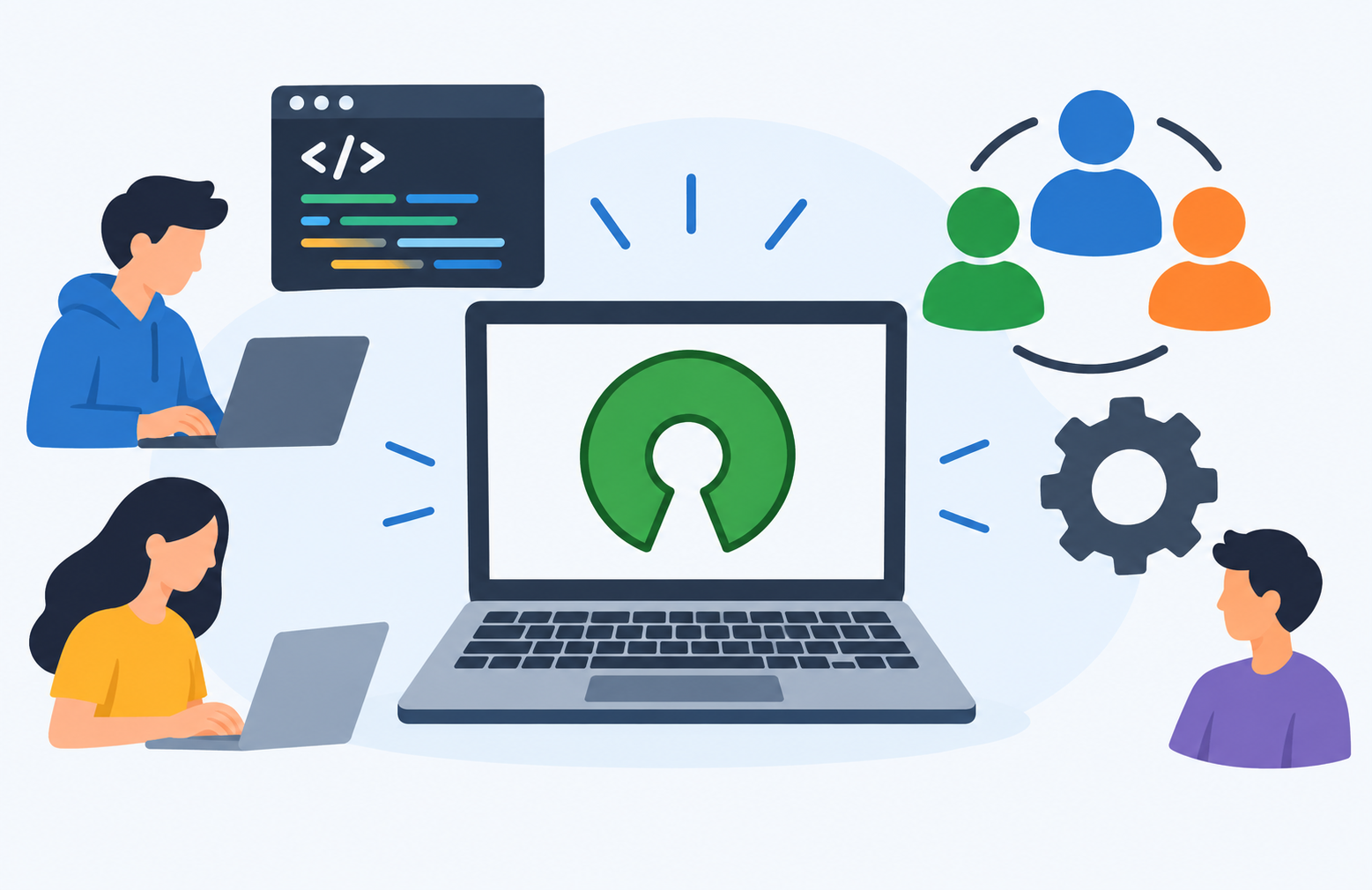
Introduction
Open-source software is everywhere. The web browser you might use to read this article, the server that delivers this page, the operating system running millions of smartphones, and the programming languages that power the modern internet all have one thing in common. Many of them are built on open-source software.
Yet the term “open source” can be confusing for beginners. Is it always free? Is it safe? Who makes it and who takes care of it? This guide answers all of those questions. Whether you are a student, a professional exploring your options, or simply a curious everyday user, this article will give you a clear and honest understanding of what open-source software is, how it works, and why it matters.
What Is Open-Source Software?
Open-source software is software whose source code is made publicly available for anyone to view, use, modify, and distribute, subject to the terms of its license.
In plain language, this means that the people who create open-source software share the underlying instructions behind it with the public. Anyone can inspect those instructions, suggest improvements, build on them, or adapt them for other purposes, as long as they follow the rules set out in the software’s license.
Some well-known examples of open-source software include:
- Linux (the kernel powering many operating systems)
- Mozilla Firefox (web browser)
- LibreOffice (office productivity suite)
- VLC Media Player (multimedia player)
- WordPress (content management system)
- Python (programming language)
- Android (mobile operating system, based on the Linux kernel)
Open-source software is not automatically free of charge. The term open source refers to the availability of the source code, not the price. Some open-source software is available at no cost, while other open-source products are sold commercially or come with paid support tiers.
Open-source software also does not mean without rules. A license governs how the software can be used, modified, and shared. Those rules vary depending on the specific license.
Some of the most widely used software in the world is open source, and it underpins critical infrastructure, business systems, scientific research, and everyday consumer technology.
What Is Source Code?
Source code is the human-readable set of instructions written by developers that tells a computer what to do. It is written in programming languages such as Python, C, Java, or JavaScript, and it describes the logic and behavior of a program in a way that humans can read and understand.
When software is prepared for distribution, it is usually compiled or packaged into a form that computers can run directly. That runnable version is what most users install and interact with. In many cases, users never see the underlying source code because the company or developer does not share it.
Open-source software makes the source code available alongside or instead of just the runnable version. This means anyone can read it, understand how the software works internally, suggest improvements, or modify it.
A helpful analogy is a recipe. Proprietary software gives you the finished dish but keeps the recipe secret. Open-source software gives you both the finished dish and the complete recipe, allowing you to serve it as-is, adjust the ingredients, or share your improved version with others. To understand more about how software works in general, see What Is Software and How Does It Work?
A Brief History of Open-Source Software
The idea of sharing software and its code has roots in the earliest days of computing. During the 1950s and 1960s, software was often distributed freely alongside hardware, and sharing code among researchers and institutions was common practice.
As commercial software markets developed during the 1970s and 1980s, the practice of sharing source code declined. Software increasingly became a proprietary product with restricted access.
In response to this shift, Richard Stallman launched the GNU Project in 1983 and founded the Free Software Foundation (FSF) in 1985. The FSF formalized the concept of free software, emphasizing the freedom of users to run, study, modify, and distribute software as a matter of principle. The FSF introduced the GNU General Public License (GPL), one of the first formal open-source-style licenses. You can learn more at fsf.org.
The term open source was introduced in 1998 as an alternative framing. Rather than focusing primarily on the philosophical dimension of software freedom, this framing emphasized the practical and collaborative benefits of making source code publicly available. In the same year, the Open Source Initiative (OSI) was founded to promote and protect open-source software through a defined set of criteria for what qualifies as open source. Their definition and approved licenses are published at opensource.org.
Over the following decades, open-source software grew from a niche technical community into a foundational part of modern computing. It now powers global internet infrastructure, enterprise systems, consumer devices, and scientific research.
How Does Open-Source Software Work?
Open-source software development follows a collaborative process that can involve contributors from around the world. Here is a simplified overview of how it typically works:
- A developer or organization writes software and releases the source code under an open-source license.
- Anyone can download, use, and examine the code. There is no restriction on who can look at or work with the code.
- Developers from anywhere in the world can suggest changes, report bugs, or contribute improvements.
- A maintainer or core team reviews contributions and decides what to include in the official version of the software.
- New versions are released incorporating accepted improvements.
- The process repeats continuously, with each release potentially inviting further contributions and refinements.
Open-source projects are often hosted on platforms such as GitHub (github.com) or GitLab, where developers can collaborate, track changes, and manage contributions efficiently.
Some open-source projects are maintained by a single individual. Others are maintained by organizations, non-profit foundations, or large technology companies that dedicate significant resources to the work.
Importantly, users who do not write code can still contribute meaningfully. Bug reports, documentation improvements, translations, and testing are all valuable contributions that help projects improve.
What Is an Open-Source License?
An open-source license is a legal agreement that governs how open-source software can be used, modified, and distributed. Not all open-source licenses have the same rules, and understanding the key differences matters particularly for developers and organizations.
The Open Source Initiative maintains a list of approved open-source licenses and defines the criteria a license must meet to qualify as open source. You can review the full list at opensource.org/licenses.
Permissive Licenses
Permissive licenses allow users to use, modify, and distribute the software with relatively few restrictions. Modified versions can often be distributed under different terms, including proprietary terms, meaning a company could build a commercial product on permissively licensed open-source code without being required to release their modifications publicly.
Common permissive licenses include:
- MIT License — One of the simplest and most widely used open-source licenses.
- Apache License 2.0 — Permissive with explicit patent grants.
- BSD License — A family of simple permissive licenses.
Many commercial products are built on software released under permissive licenses.
Copyleft Licenses
Copyleft licenses take a different approach. They require that any modified or derivative versions of the software be distributed under the same or a compatible open-source license. The intent is to ensure that the software and its derivatives remain open source and that improvements stay available to the community.
Copyleft does not prevent commercial use, but it does affect how derivatives can be licensed.
Common copyleft licenses include:
- GNU General Public License (GPL) — One of the most widely used copyleft licenses.
- GNU Lesser General Public License (LGPL) — A more permissive variant of the GPL, commonly used for software libraries.
- Mozilla Public License (MPL) — A weak copyleft license used by the Mozilla Foundation.
A Note on Creative Commons Licenses
Creative Commons licenses are sometimes mentioned alongside open-source licenses, but they are a distinct category. They are designed primarily for creative works such as text, images, and music, not for software. They are noted here briefly for context but are not standard open-source software licenses.
Benefits of Open-Source Software
Open-source software offers a range of genuine advantages. These benefits are real, though they are not absolute or universal. The value of any particular open-source solution depends on the quality of the project and how well it fits a given need.
Transparency
Because the source code is publicly visible, anyone can inspect how the software actually works. This transparency can support trust in how software handles user data and what it does behind the scenes. Security researchers can review the code for vulnerabilities and report them for fixing.
Cost
Many open-source software programs are available at no cost. This makes powerful tools accessible to individuals, students, non-profit organizations, and businesses with limited budgets. It is worth noting, however, that cost savings on licensing may be offset by implementation, customization, training, or support costs in some contexts.
Flexibility and Customization
Users and organizations with the technical capability can modify open-source software to meet their specific needs. This level of flexibility is not available with most proprietary software, where the code is closed and users must work within the boundaries set by the vendor.
Community and Collaboration
Open-source projects often benefit from contributions by developers across the world. A large and active community can mean faster bug fixes, more frequent updates, and a wider range of features than a single company team might produce independently.
No Vendor Lock-In
Proprietary software can create dependency on a single vendor for updates, continued access, and support. If that vendor raises prices, changes terms, or discontinues the product, users have limited options. Open-source software reduces this risk because the code remains available regardless of what happens to any individual company or maintainer.
Learning and Skill Development
Access to source code gives developers and students a valuable opportunity to learn from real-world software written by experienced practitioners. Contributing to open-source projects is a widely recognized way to develop practical skills and build a professional portfolio.
Longevity and Community Support
Even if the original developer stops maintaining a project, the community can create a fork, which is an independent copy of the codebase that continues to be developed. This can give open-source software a longer effective lifespan than proprietary software that may simply be discontinued when a company decides to stop supporting it.
Risks and Disadvantages of Open-Source Software
A balanced understanding of open-source software requires acknowledging its risks and limitations as well as its benefits.
Security Risks
The public visibility of source code is a double-edged characteristic. Security researchers can examine it for vulnerabilities, but so can malicious actors. Vulnerabilities in widely used open-source libraries can have broad impact if they are not discovered and patched promptly. Not all open-source projects have active security review processes or rapid patch timelines.
At the same time, well-maintained projects with active communities and documented security practices can be highly secure. The relationship between open source and security is nuanced and depends heavily on the quality and activity of each project. For more on software security, see What Is Cybersecurity? and What Is Antivirus Software?
Inconsistent Maintenance
Not all open-source projects are actively maintained. Some are maintained by a single developer who may step back or stop contributing. An abandoned project may not receive security patches or compatibility updates. Before depending on an open-source project, it is important to evaluate how active and healthy its maintenance is.
Support and Documentation
Professional paid support is not always available for open-source software. Documentation quality varies significantly between projects. Community support through forums and issue trackers is available for many projects but may not meet the response time or quality standards expected from commercial support contracts.
Complexity and Usability
Some open-source software requires more technical knowledge to install, configure, and maintain than commercial alternatives. User interfaces in some open-source tools have historically lagged behind commercial products in terms of polish and ease of use. This varies widely by project, and many open-source programs are highly accessible to non-technical users.
Licensing Complexity
Organizations that incorporate open-source software into their own products need to understand and comply with the applicable licenses. Copyleft licenses in particular require careful attention to how derived works are licensed. Mixing software under different licenses can create compliance complexity that requires specialist legal review.
Fragmentation
Popular open-source projects can be forked, creating multiple versions that diverge from each other over time. This can fragment the community and the development effort. Users may need to evaluate which fork is best suited and most actively maintained for their needs.
Open-Source Software vs Proprietary Software
| Factor | Open-Source Software | Proprietary Software |
|---|---|---|
| Source code availability | Publicly available | Not available to users |
| Cost | Often free, some have commercial tiers | Usually requires licensing fees |
| Customization | Can be modified by users with technical capability | Generally not customizable by users |
| Support | Community-based; commercial support sometimes available | Vendor-provided support (usually paid) |
| Security transparency | Code is publicly inspectable | Security depends on vendor practices |
| Licensing | Governed by open-source licenses (permissive or copyleft) | Proprietary end-user license agreements |
| Vendor dependency | Reduced; code remains available independently | High; dependent on vendor decisions |
| Who controls development | Maintainers, community, or sponsoring organization | The owning company |
| Update frequency | Varies by project activity | Determined by vendor release schedule |
| Examples | Linux, Firefox, LibreOffice, Python | Microsoft Windows, Adobe Photoshop, Microsoft Office |
Neither open-source nor proprietary software is universally superior. The right choice depends on the specific use case, the technical capability of the user or organization, the level of support required, and licensing considerations. Many organizations use a combination of both in practice.
Open-Source Software vs Free Software
The terms “open-source software” and “free software” are closely related but not identical, and the distinction is worth understanding.
Free software, as defined by the Free Software Foundation, emphasizes the freedom of users to run, study, modify, and distribute software as a matter of principle. The FSF frames software freedom as an ethical and social issue. It is important to note that the word “free” here refers to freedom, not to price. Free software can be sold commercially.
Open-source software, as promoted by the Open Source Initiative, emphasizes the practical development and collaboration benefits of making source code publicly available. The OSI framing focuses more on the pragmatic advantages of open development than on the philosophical dimension of software freedom.
In practice, most software that qualifies as free software under the FSF definition also qualifies as open-source software under the OSI definition, and vice versa. The two concepts overlap substantially. The key difference lies in the philosophical emphasis and the organizational values behind each framing.
Examples of Open-Source Software
The following examples are real, well-documented open-source software organized by category.
Operating Systems
- Linux kernel — The foundation of many operating systems and server environments worldwide. Maintained by the Linux Foundation (linuxfoundation.org).
- Ubuntu — A widely used Linux distribution for desktops and servers.
- Debian — A community-driven Linux distribution known for stability.
- Fedora — A Linux distribution sponsored by Red Hat.
- Android — Based on the Linux kernel; its core components are open source, though device manufacturers may include proprietary components.
Web Browsers
- Mozilla Firefox — A widely used open-source web browser maintained by the Mozilla Foundation (mozilla.org).
- Chromium — The open-source project on which Google Chrome is based. Chrome itself includes additional proprietary components.
For a broader overview of web browsers, see What Is a Web Browser?
Office and Productivity
- LibreOffice — A free, full-featured office suite including word processing, spreadsheets, and presentations.
- Apache OpenOffice — Another open-source office productivity suite maintained by the Apache Software Foundation.
These are examples of application software that are available to everyday users at no cost.
Web Servers and Infrastructure
- Apache HTTP Server — One of the most widely deployed web servers in the world, maintained by the Apache Software Foundation (apache.org).
- Nginx — A high-performance web server and reverse proxy.
- MySQL — A widely used open-source relational database.
- PostgreSQL — An advanced open-source relational database system.
Programming Languages and Tools
- Python — A widely used open-source programming language.
- PHP — A widely used open-source server-side scripting language.
- Rust — A systems programming language developed with an emphasis on safety.
- Git — The dominant open-source version control system used by developers worldwide.
Content Management Systems
- WordPress — The most widely used open-source content management system for building websites.
- Drupal — An enterprise-grade open-source CMS.
- Joomla — A widely used open-source CMS.
Media and Multimedia
- VLC Media Player — An open-source multimedia player capable of handling a wide range of formats.
- Audacity — An open-source audio editing tool.
- GIMP — An open-source image editing program.
- OBS Studio — An open-source tool for video recording and live streaming.
Security Tools
- Wireshark — An open-source network protocol analyzer used for security analysis and troubleshooting.
- KeePass — An open-source password manager.
- VeraCrypt — An open-source disk encryption tool.
These tools relate closely to topics covered in What Is a Firewall? and What Is Cybersecurity?
Development Tools
- Visual Studio Code — A popular code editor released by Microsoft under the MIT open-source license. It is important to note a common distinction here: the VS Code source code is open source, but the official builds distributed by Microsoft include additional components under separate terms. The open-source version of the project is available as VSCodium and through the official repository.
- Eclipse IDE — An open-source integrated development environment.
- Notepad++ — A free, open-source text and code editor for Windows.
Who Uses Open-Source Software?
Open-source software is used across virtually every sector:
- Individual users rely on Firefox for browsing, VLC for media playback, and LibreOffice for document editing.
- Developers use Python for programming, Git for version control, and Visual Studio Code for writing code.
- Businesses of all sizes run their web servers, databases, and infrastructure on open-source foundations.
- Governments and public institutions use open-source platforms for cost efficiency, transparency, and independence from proprietary vendors.
- Educational institutions use open-source tools for teaching programming, conducting research, and managing learning platforms.
- Large technology companies, including Google, Microsoft, and Meta, both use and contribute significantly to open-source projects. Many major projects are sponsored, maintained, or substantially contributed to by these companies.
Who Maintains Open-Source Software?
Open-source projects are maintained in different ways depending on the size, age, and governance of the project.
Individual Maintainers
Many open-source projects are maintained by one person or a small group of volunteers who manage contributions, review code, and release updates in their own time. This model works well for smaller projects but can create risk if the maintainer steps away.
Community-Led Projects
Larger projects are often maintained by a community of contributors with a defined governance structure that determines how decisions are made, how new contributors are welcomed, and how disputes are resolved.
Foundation-Backed Projects
Some major open-source projects are supported by non-profit foundations that provide organizational structure, legal support, infrastructure, and sometimes funding. Examples include the Linux Foundation, the Apache Software Foundation, and the Mozilla Foundation.
Company-Sponsored Projects
Many open-source projects are initiated or primarily maintained by technology companies that contribute developer time and financial resources. For example, Google has contributed extensively to Android and Chromium, while Microsoft maintains Visual Studio Code as an open-source project.
Open-Source Software and Security
Security is one of the most frequently discussed aspects of open-source software, and the reality is more nuanced than simple claims in either direction.
The public visibility of source code enables independent security review. Researchers, security professionals, and users can inspect the code for vulnerabilities without needing special access. This transparency is a meaningful advantage and supports the practice of responsible disclosure, where researchers who find vulnerabilities report them to maintainers privately before any public announcement, allowing time for a fix to be developed and released.
Well-maintained projects with active security practices, dedicated security teams, and rapid patch processes can be highly secure. Many of the most secure and reliable systems in the world run on open-source software.
At the same time, the same public visibility means that anyone, including malicious actors, can look for vulnerabilities. Less-maintained projects, or widely used libraries with few active reviewers, can present real security risks if vulnerabilities go undetected or unpatched for extended periods.
Security in open-source software depends on the quality of the project, the engagement of its maintainer community, and how quickly vulnerabilities are identified and addressed. Using open-source software from established projects with active communities and documented security practices reduces risk considerably.
Open-source software is not inherently more or less secure than proprietary software. Both can be done well or poorly. Evaluating the security posture of any software, open source or proprietary, requires looking at its maintenance history, vulnerability response record, and the practices of those responsible for it.
For broader context on software security, see What Is Cybersecurity? and What Is Antivirus Software?
Open-Source Software in Business
Open-source software plays a central role in modern business technology infrastructure. Web servers, databases, programming languages, container platforms, and much of the cloud computing infrastructure that businesses depend on are built on open-source foundations. To understand the cloud context better, see What Is Cloud Computing?
Businesses benefit from reduced licensing costs, the flexibility to customize software for their specific needs, and access to a global developer community that continuously improves the tools they depend on.
Businesses also need to consider several factors carefully when adopting open-source software:
- License compliance: Understanding what each license permits and requires, especially for copyleft licenses.
- Support: Determining whether community support is sufficient or whether a commercial support agreement is needed.
- Maintenance: Evaluating whether the project is actively maintained and has a healthy security response process.
Many commercial companies offer professional support services for open-source software, providing enterprise-grade assistance alongside freely available code. This model allows organizations to gain the benefits of open source while having reliable support options available.
APIs also play an important role in how businesses integrate open-source components into larger systems. See What Is an API? for more on that topic.
How to Evaluate Open-Source Software
Before depending on an open-source project, whether for personal or organizational use, consider these practical evaluation steps:
- Check the project’s activity level. When was the last commit or release? How recently were issues addressed? An inactive project may not receive security patches.
- Review the contributor community. Is it maintained by one person or an active community? A broader contributor base typically means more resilience.
- Check the documentation quality. Is there clear, current documentation covering installation, configuration, and use? Poor documentation increases the burden of adoption.
- Review open issues and bug reports. How are they handled? How quickly? The issue tracker tells you a great deal about the health of a project.
- Check the license. Understand what the license permits and what it requires, especially if you plan to use or distribute modified versions.
- Look for security advisories. Has the project had documented vulnerabilities? How were they handled? Rapid, transparent patching is a positive indicator.
- Check whether commercial support is available if your needs require guaranteed response times or service level agreements.
- Search for use cases and reviews from organizations with similar needs and technical contexts.
How to Get Started with Open-Source Software
If you are new to open-source software, getting started is simpler than it might seem.
- Identify a need and search for an open-source alternative to software you currently use or pay for. Many categories of software have well-regarded open-source options.
- Download from the official project website or a trusted distribution platform. Avoid unofficial mirrors, which may distribute modified or malicious versions.
- Check the documentation before installation to understand requirements and the installation process.
- Join the project’s community forum or discussion channel to ask questions and learn from other users. Most established projects have active, welcoming communities.
- If you encounter a bug, report it through the project’s official issue tracker. Good bug reports are a valuable contribution.
- If you want to contribute code, start small. Many projects label beginner-friendly issues specifically to help new contributors get started.
Common Misconceptions About Open-Source Software
Open-Source Software Is Always Free
Open source refers to the availability of source code, not to price. Some open-source software is available at no cost. Others are sold commercially or offer paid tiers for advanced features or professional support. Do not assume that open source automatically means no cost.
Open-Source Software Is Less Secure
Security depends on the quality and maintenance of a project, not on whether the code is open or closed. Some of the most secure and widely trusted software in the world is open source. Equally, poorly maintained open-source projects can present security risks. Evaluate each project on its own merits.
Open-Source Software Is Only for Developers
Many open-source programs are designed for everyday users with graphical interfaces and clear documentation. Firefox, VLC, and LibreOffice are used by millions of non-technical users daily. Open source is not an exclusively technical domain.
Open-Source Software Has No Support
Many open-source projects have active community support, extensive documentation, and in many cases commercial support options available through third-party providers. The level of support varies by project, but the absence of support is not a defining characteristic of open-source software.
Anyone Can Modify Open-Source Software Without Restriction
Anyone can generally modify the source code for their own use. However, distributing modified versions is subject to the requirements of the applicable license. Copyleft licenses in particular impose specific conditions on how modified versions may be licensed and distributed. Always check the license terms before distributing modified software.
Frequently Asked Questions
What is open-source software?
Open-source software is software whose source code is made publicly available under a license that allows anyone to view, use, modify, and distribute it, subject to the terms of that license.
What does open source mean?
Open source means that the underlying source code of a software program is publicly available for inspection, modification, and redistribution, rather than being kept private by the developer or company.
Is open-source software free?
Not necessarily. Open source refers to source code availability, not price. Many open-source programs are available at no cost, but some are sold commercially or offered with paid support plans. The term free in this context refers to freedom of access to the code, not the price.
Is open-source software safe?
Safety depends on the quality and maintenance of the specific project. Well-maintained open-source projects with active security practices can be highly safe and reliable. Poorly maintained or abandoned projects may present security risks. Always evaluate a project’s maintenance status and security track record before depending on it.
What are examples of open-source software?
Common examples include Linux, Mozilla Firefox, LibreOffice, VLC Media Player, WordPress, Python, Git, Apache HTTP Server, MySQL, and Audacity, among many others.
What is the difference between open-source and proprietary software?
Open-source software makes its source code publicly available and allows modification and redistribution under license terms. Proprietary software keeps its source code private and restricts what users can do with the software under its end-user license agreement.
What is an open-source license?
An open-source license is a legal agreement that defines how open-source software may be used, modified, and distributed. Different licenses have different requirements. The Open Source Initiative maintains a list of approved licenses at opensource.org.
Who maintains open-source software?
Open-source software is maintained by individual developers, volunteer communities, non-profit foundations, or technology companies, depending on the project. The maintenance model varies significantly between projects.
Can businesses use open-source software?
Yes. Businesses of all sizes use open-source software extensively. They need to understand and comply with the applicable licenses, particularly if they are building products on top of open-source code. Many businesses also use commercial support services for open-source software.
What is the difference between open-source and free software?
Free software, as defined by the Free Software Foundation, emphasizes user freedom as a philosophical principle. Open-source software, as defined by the Open Source Initiative, emphasizes the practical benefits of shared source code. In practice, most software qualifying as one also qualifies as the other, but the philosophical framing differs.
What is a copyleft license?
A copyleft license is an open-source license that requires any modified or derivative versions of the software to be distributed under the same or a compatible open-source license. This ensures that the software and its derivatives remain open source. The GNU GPL is a well-known copyleft license.
What is a permissive license?
A permissive license is an open-source license that allows users to use, modify, and distribute the software with relatively few restrictions, including the ability to distribute modified versions under different, including proprietary, terms. The MIT License and Apache License 2.0 are common examples.
Can I use open-source software commercially?
In most cases, yes. Most open-source licenses permit commercial use. However, the specific terms vary. Copyleft licenses may impose requirements on how derived works are licensed. Always check the terms of the specific license before commercial use.
What are the risks of open-source software?
Risks include inconsistent maintenance, varying documentation quality, licensing compliance complexity, and security vulnerabilities in less-maintained projects. Evaluating a project’s health and activity before depending on it significantly reduces these risks.
What are the benefits of open-source software?
Benefits include transparency, cost savings, flexibility, community-driven development, reduced vendor lock-in, learning opportunities, and potentially longer software longevity through community forks.
How do I know if software is open source?
Check whether the software’s source code is publicly available under a license approved by the Open Source Initiative. Many projects state their license clearly on their website or repository. You can verify approved licenses at opensource.org/licenses.
Is Linux open-source software?
Yes. The Linux kernel is open-source software released under the GNU General Public License version 2. It is the foundation of many operating systems including various Linux distributions and Android.
Is Android open-source software?
The core of Android is developed as an open-source project called the Android Open Source Project (AOSP) and is based on the Linux kernel. However, commercial Android devices from manufacturers typically include proprietary components such as Google’s apps and services alongside the open-source core.
For additional reading, explore related topics including What Is an App?, What Is a Mobile App?, What Is an Android App?, and What Is Utility Software? to build a fuller understanding of the software landscape.
Disclaimer
This article is intended for educational purposes and provides a general overview of open-source software for beginners and everyday users. Open-source licensing is a complex legal area. This article provides simplified explanations for general understanding only and does not constitute legal advice. Always consult official license documentation and seek qualified legal advice for specific licensing questions. Software examples mentioned in this article are for illustrative purposes only and do not constitute endorsement or recommendation. Open-source software, like all software, varies in quality, security, and maintenance status. Always evaluate software carefully before use.
Author: Laraib
Laraib is a technology writer and research contributor covering AI, programming, software, cybersecurity, cloud computing, and the latest developments in technology. She focuses on creating clear, practical, and well-researched content that makes complex tech topics easy to understand.