
 By saman zahra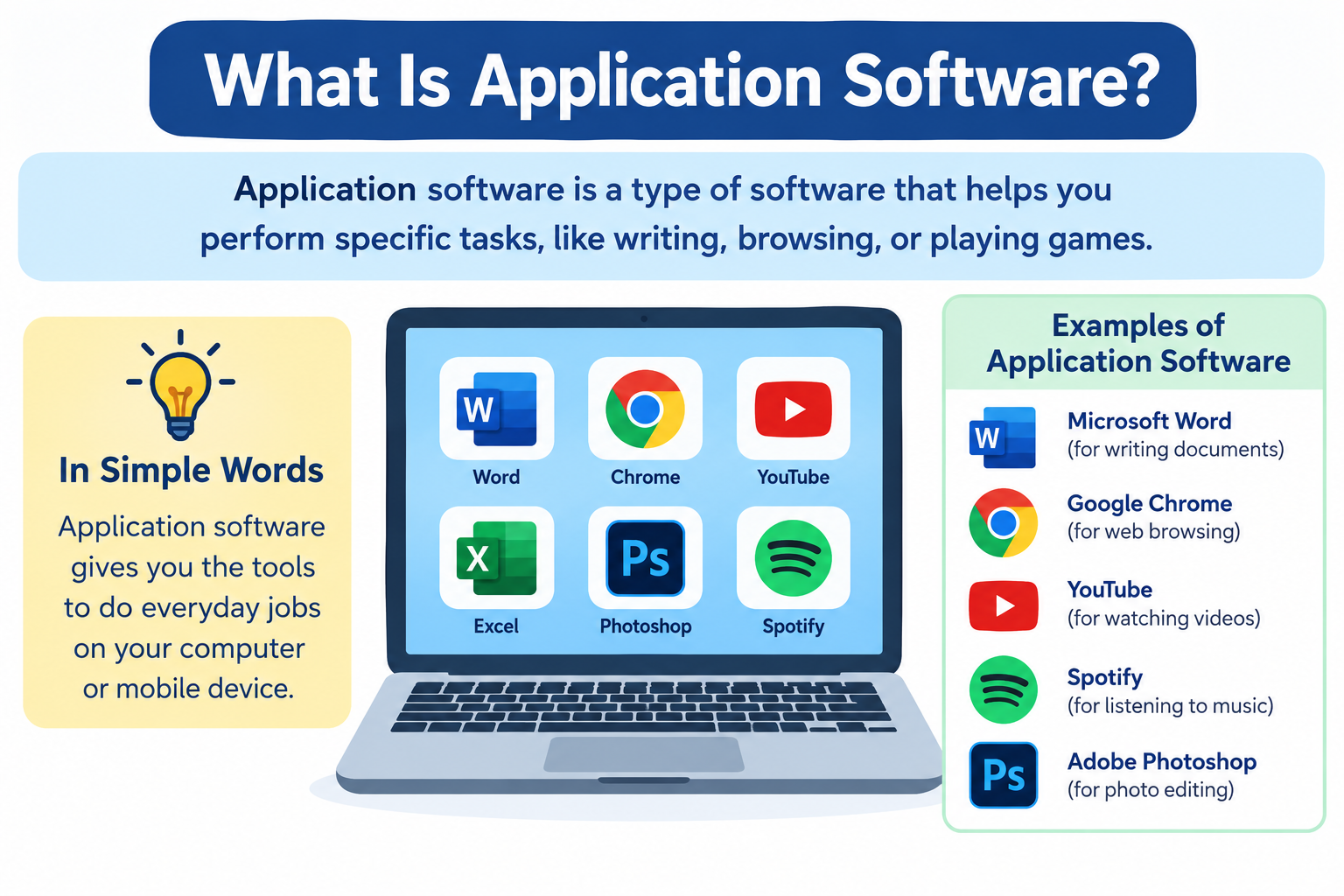
Every time you open a word processor to write a document, launch a browser to visit a website, or start a game on your phone, you are using application software. It is the category of software that most people interact with every single day, often without giving it a second thought. Understanding what application software is, how it works, and what types exist gives you a clearer picture of how computers and smartphones actually serve you.
What Is Application Software?
Application software is software designed to help users perform specific tasks or activities. It is the layer of computing that you interact with directly, built to serve a particular purpose whether that is writing a document, sending an email, editing a photo, playing a game, or browsing the internet.
Application software runs on top of system software and depends on the operating system to function. It does not manage hardware or control low-level system operations. Instead, it uses the services provided by the operating system to carry out its intended purpose. When you open a word processor, the operating system handles memory allocation, file access, and display rendering behind the scenes so the word processor can focus on what it is designed for.
The difference between application software and system software is one of purpose and audience. System software manages hardware and keeps the device running. Application software uses that foundation to help users accomplish real-world tasks. If you want to understand how system software works in contrast, the article on what is system software covers that topic in detail.
Real-world examples of application software include:
- Word processors such as Microsoft Word and Google Docs
- Web browsers such as Google Chrome and Mozilla Firefox
- Email clients such as Gmail and Microsoft Outlook
- Photo editors such as Adobe Photoshop and GIMP
- Music players such as Spotify and Apple Music
- Messaging apps such as WhatsApp and Slack
- Games on computers, consoles, and smartphones
Application software is what most people picture when they hear the word software. It is visible, purposeful, and directly valuable to the user.
For a broader understanding of what software is as a concept, the article on what is software and how does it work provides useful foundational context.
Why Is Application Software Important?
Application software is the reason most people use computers and smartphones at all. Without it, an operating system is simply a set of tools for managing hardware with no practical output for everyday users.
It serves users directly. Application software is the layer of computing that produces results users actually want. A document, a sent email, a finished video edit, a completed game level. These are the outputs of application software working as intended.
It makes technology accessible. Application software presents interfaces that translate complex technical operations into buttons, menus, and gestures that anyone can understand. A user writing in a word processor does not need to understand how the processor stores text in memory. The application handles that complexity invisibly.
It spans every field of human activity. Education, healthcare, engineering, finance, creative arts, communication, entertainment, scientific research, and government all depend on application software to function. The variety of application software reflects the full range of human tasks that computing can support.
It drives the value of hardware. A powerful computer with no application software has no practical value to most users. Application software is what transforms hardware into a tool for work, learning, creativity, and connection.
It enables productivity at scale. Organizations of every size rely on application software to manage operations, communicate with customers, process transactions, analyze data, and coordinate teams across locations.
How Does Application Software Work?
Application software works by making requests to the operating system and receiving the resources and services it needs to function. The process is straightforward once the layers involved are understood.
- The user opens an application. The operating system loads the application’s code into memory and starts the application’s process.
- The application sends requests to the operating system. When you type a character, open a file, or click a button, the application sends requests to the operating system for the resources or actions it needs.
- The operating system allocates resources. It assigns processor time, memory, and access to storage or connected devices as needed.
- The application uses these resources to perform its functions. The word processor renders text, the browser loads a webpage, the game updates its graphics.
- Results are displayed to the user through the application’s interface. You see the output of the application’s work on your screen.
Application software communicates with the operating system through interfaces called APIs, which stands for Application Programming Interfaces. An API is a defined set of rules and tools that allows one piece of software to communicate with another. When an application needs to save a file, it uses the operating system’s file system API rather than writing directly to the storage hardware. The article on what is an API explains this concept in more detail.
Application software does not communicate directly with hardware. That communication is managed by the operating system and device drivers. This separation is what allows the same application to run on different hardware configurations, because the operating system abstracts the hardware differences away.
Multiple applications can run at the same time because the operating system manages resource sharing between them, deciding which process gets processor time, how much memory each receives, and how input and output are routed.
Types of Application Software
Application software covers an enormous range of programs designed for different purposes and different users. The following categories represent the main ways application software is classified and discussed.
General Purpose Application Software
General purpose application software is designed to perform common tasks that are useful across many different fields and user types. It is not built for a single specific industry or workflow. The same word processor can be used by a student writing an essay, a lawyer drafting a contract, and a journalist preparing an article.
This category represents the broadest and most widely used type of application software. Most people encounter general purpose software every day.
Examples include:
- Word processors for writing and formatting text documents
- Spreadsheet software for organizing data and performing calculations
- Presentation software for creating slide-based presentations
- Web browsers for accessing and navigating the internet
- Email clients for sending and receiving messages
- Media players for playing audio and video files
Special Purpose Application Software
Special purpose application software is designed to perform a specific task or serve a specific industry. Its function is narrower and more focused than general purpose software. It is built around the requirements of a particular type of user, organization, or workflow.
A hospital’s appointment scheduling system, an architect’s computer-aided design tool, and a broadcaster’s video production suite are all examples of special purpose software serving specific professional needs.
Examples include:
- Medical record management software for healthcare providers
- Computer-aided design software for engineers and architects
- Payroll processing software for human resources departments
- Library management software for cataloging and lending
- Point-of-sale software for retail businesses
- Video editing software for film and media production
Custom Application Software
Custom application software is built specifically for one organization or user with requirements that existing off-the-shelf software cannot meet. It is not available for general purchase. It is developed either by an in-house team or by contracted software developers working to the client’s specifications.
Custom software fits its intended environment precisely because it is designed around the specific processes, data structures, and workflows of one organization. This precision comes at a cost. Custom development is significantly more expensive than purchasing existing software, and it requires ongoing maintenance.
Examples include:
- A bank’s internal transaction processing system built around its specific security and compliance requirements
- A hospital’s custom patient management platform integrated with its specific equipment and record systems
- A large retailer’s proprietary inventory and supply chain system
- A government agency’s case management system
The trade-off is between cost and fit. Off-the-shelf software is less expensive but requires the organization to adapt its processes to fit the software. Custom software fits the organization’s processes precisely but requires a much larger initial investment.
Productivity Software
Productivity software helps users complete work-related tasks efficiently. It is one of the most widely used categories of application software in professional and educational settings.
Well-known productivity software suites include Microsoft Office, which includes Word, Excel, PowerPoint, and Outlook. Google Workspace includes Google Docs, Sheets, Slides, and Gmail. Apple iWork includes Pages, Numbers, and Keynote.
Examples include:
- Word processors for document creation
- Spreadsheet software for data management and analysis
- Email clients for communication
- Calendar applications for scheduling
- Note-taking apps for capturing and organizing information
- Project management tools for coordinating tasks and teams
Communication Software
Communication software enables people to exchange information with each other. This category has expanded significantly as remote work, online education, and digital communication have become central to how people work and connect.
According to Microsoft’s documentation, modern communication platforms integrate messaging, video conferencing, and file sharing into unified environments that support distributed teams.
Examples include:
- Gmail and Microsoft Outlook for email communication
- Zoom and Microsoft Teams for video conferencing
- Slack and Discord for team messaging and collaboration
- WhatsApp and Signal for personal messaging
- Skype for voice and video calling
Educational Software
Educational software is designed to support learning and instruction. It spans an enormous range from early childhood learning apps to university-level course platforms and professional certification programs.
Examples include:
- Language learning applications such as Duolingo
- Mathematics tutoring software
- Online course platforms such as Coursera and Khan Academy
- Interactive science and history educational tools
- Classroom management platforms such as Google Classroom
Educational software makes learning resources accessible outside traditional classroom settings and allows users to study at their own pace and on their own schedule.
Entertainment Software
Entertainment software is designed for leisure, recreation, and enjoyment. It is one of the largest categories of application software by the volume of users it serves.
Examples include:
- Video games across all genres and platforms
- Music streaming applications such as Spotify and Apple Music
- Video streaming applications such as Netflix and YouTube
- Digital book readers and audiobook applications
- Podcast applications
The entertainment software category generates significant economic activity and drives substantial demand for hardware capable of running demanding applications such as high-resolution games.
Multimedia Software
Multimedia software is used to create, edit, organize, and play multimedia content including audio, video, and images. It spans from consumer-facing media players to professional-grade production tools.
Examples include:
- Adobe Premiere Pro for professional video editing
- Audacity for audio recording and editing
- GIMP for image editing
- VLC Media Player for playing a wide range of audio and video formats
- Windows Media Player and Apple QuickTime as platform-bundled media players
Database Software
Database software allows users and organizations to store, organize, retrieve, and manage structured data. It ranges from simple desktop tools for small datasets to powerful systems managing enormous amounts of organizational data.
End-user database tools such as Microsoft Access are designed for non-technical users who need to organize and query relatively small datasets. Back-end database systems such as MySQL and PostgreSQL are designed for developers building applications that need to store and retrieve data at scale.
The distinction matters because a small business might use Microsoft Access to track inventory while a large web application might use PostgreSQL to manage millions of user records.
Web Browsers
A web browser is application software that allows users to access, navigate, and interact with content on the internet. It interprets web page code and renders it as the visual and interactive pages users see on their screens.
Common web browsers include Google Chrome, Mozilla Firefox, Microsoft Edge, Apple Safari, and Opera. Each is a distinct application with its own features, performance characteristics, and privacy settings.
A web browser is clearly application software because it performs a specific user-facing task, accessing web content, and depends entirely on the operating system to function. The article on what is a web browser explains how browsers work in more detail.
Graphics and Design Software
Graphics and design software is used to create, edit, and manipulate visual content including photographs, illustrations, user interface designs, and print materials.
Examples include:
- Adobe Photoshop for raster image editing and photo manipulation
- Adobe Illustrator for vector-based illustration and graphic design
- Canva for accessible browser-based graphic design
- Figma for collaborative user interface and product design
- CorelDRAW for vector illustration and page layout
This category spans from professional tools used by designers and photographers to accessible consumer applications used by everyday users for social media graphics and personal projects.
Business and Accounting Software
Business and accounting software is designed to manage financial records, business operations, customer relationships, and organizational processes.
Examples include:
- QuickBooks and Xero for small business accounting
- SAP and Microsoft Dynamics for enterprise resource planning
- Salesforce for customer relationship management
- Payroll software for managing employee compensation
This category spans from simple tools suitable for freelancers and small businesses to complex enterprise platforms managing the operations of global organizations.
Mobile Application Software
Mobile application software is application software designed specifically for smartphones and tablets. On mobile devices, application software takes the form of apps, which are downloaded and installed through app stores.
iOS apps are distributed through the Apple App Store. Android apps are distributed primarily through the Google Play Store. Both platforms have their own review and distribution processes for the apps available through their official channels.
Mobile application software covers every category described above in smartphone-optimized form, including productivity, communication, education, entertainment, banking, navigation, fitness, and more.
For a detailed look at how mobile apps work, the article on what is a mobile app covers the topic comprehensively.
Application Software vs System Software
Understanding the difference between application software and system software is one of the most fundamental concepts in computing. The table below summarizes the key distinctions.
| Feature | Application Software | System Software |
|---|---|---|
| Definition | Software designed to help users perform specific tasks | Software designed to manage hardware and provide a platform for other software |
| Purpose | Serves user needs directly | Manages hardware resources and system operations |
| Examples | Word processors, browsers, games, email clients | Operating systems, device drivers, firmware, bootloaders |
| User interaction | Direct, through the application’s own interface | Indirect, through other software and system interfaces |
| Depends on | System software to run | Hardware to operate |
| Can run independently | No, requires system software | Yes, can function without application software |
| Installed by | User, app store, or administrator | Manufacturer, device setup, or system administrator |
| Examples on Windows | Microsoft Word, Google Chrome, Spotify | Windows 11, device drivers, Windows Defender |
| Examples on Android/iPhone | Instagram, Google Maps, WhatsApp | Android OS, iOS, device drivers, baseband firmware |
The relationship between these two categories is one of dependency. Application software depends on system software to run. The operating system provides the memory management, file system access, device communication, and process management that application software relies on.
System software does not require application software to function. A computer running only an operating system with no additional applications installed is still a functional system. An application cannot exist without an operating system beneath it.
The article on what is system software provides a complete explanation of the system software layer for readers who want to understand both sides of this relationship.
Application Software vs System Software vs Middleware
When discussing software layers in computing, three categories come up regularly: system software, middleware, and application software.
System software sits closest to the hardware. It manages hardware resources, provides the operating environment, and handles fundamental system functions. The operating system is the primary example.
Middleware sits between the operating system and application software. It provides shared services that multiple applications can use without interacting directly with the operating system. Database middleware, web server software, and message queuing systems are examples. Middleware handles functions that many applications need in common, such as database access or network request handling, so each application does not need to implement those functions independently.
Application software sits at the top of this stack. It uses the services provided by both the operating system and middleware to deliver specific functionality to users. Application software is where user interaction happens.
Each layer serves a distinct role. Removing any one of them would require the layers above or below to absorb responsibilities they were not designed for.
Examples of Application Software by Category
The following organized reference covers widely used examples of application software across major categories.
Productivity:
- Microsoft Word
- Microsoft Excel
- Google Docs
- Google Sheets
- Apple Pages
- Apple Numbers
- LibreOffice Writer
Communication:
- Gmail
- Microsoft Outlook
- Zoom
- Microsoft Teams
- Slack
- Skype
Web Browsers:
- Google Chrome
- Mozilla Firefox
- Microsoft Edge
- Apple Safari
- Opera
Multimedia:
- VLC Media Player
- Adobe Premiere Pro
- Audacity
- GIMP
- Windows Media Player
Graphics and Design:
- Adobe Photoshop
- Adobe Illustrator
- Canva
- Figma
- CorelDRAW
Business and Accounting:
- QuickBooks
- Xero
- SAP
- Salesforce
- Microsoft Dynamics
Education:
- Duolingo
- Khan Academy
- Coursera
- Google Classroom
Entertainment:
- Spotify
- Netflix
- Steam
- VLC
Database:
- Microsoft Access
- MySQL Workbench
- LibreOffice Base
Application Software on Windows
On a Windows computer, application software is present from the moment the operating system is installed. Windows itself is system software, but it includes a selection of bundled application software that is ready to use immediately.
Built-in application software on Windows includes:
- Microsoft Edge for web browsing
- Notepad for basic text editing
- Paint for simple image editing
- Calculator for arithmetic
- Mail for email management
- Photos for viewing and organizing images
- Windows Media Player or the Movies and TV app for media playback
Third-party application software is installed on Windows through two main methods. Traditional desktop applications use installer packages in EXE or MSI formats, downloaded from the developer’s website or distributed on physical media. Modern Windows apps are also available through the Microsoft Store and use the MSIX packaging format, which provides a more controlled installation and update process.
According to Microsoft’s documentation, the MSIX format provides a modern packaging experience with reliable installation, update, and uninstallation processes.
Application Software on Mac
macOS comes with a substantial collection of built-in application software that covers many common user needs out of the box.
Built-in application software on macOS includes:
- Safari for web browsing
- Mail for email management
- Pages for word processing
- Numbers for spreadsheets
- Keynote for presentations
- GarageBand for music creation
- iMovie for video editing
- Photos for photo management
Third-party application software is installed on macOS through two main methods. Applications packaged as DMG files or ZIP archives containing APP bundles are downloaded from developers’ websites and installed by dragging the application into the Applications folder. The Mac App Store provides an alternative distribution channel with its own review and update management process.
According to Apple’s developer documentation, macOS applications are packaged as application bundles that contain all the resources the application needs to run in a single directory structure.
Application Software on Smartphones
On smartphones, application software takes the form of apps. The term app is simply a shorter name for application software in a mobile context. The concept is identical: software designed to help users perform specific tasks, running on top of the smartphone’s operating system.
iOS apps run on Apple’s iPhone and iPad and are distributed exclusively through the Apple App Store for standard consumer installations. Android apps run on devices powered by Google’s Android operating system and are distributed primarily through the Google Play Store.
The smartphone app ecosystem covers every category of application software in mobile-optimized form:
- Banking and financial apps
- Navigation and mapping apps
- Social media apps
- Productivity and office apps
- Fitness and health tracking apps
- Educational apps
- Games
The article on what is an app explains the mobile app concept clearly. For platform-specific detail, the articles on what is an Android app and what is an iPhone app cover each platform’s specifics.
Open Source vs Proprietary Application Software
Application software is distributed under a range of different models that determine how users can access, use, and in some cases modify the software.
Proprietary Application Software
Proprietary application software is developed and owned by a company or individual. The source code is not publicly available. Users receive a license to use the software according to terms set by the developer, but they do not have access to the code that makes it work.
Examples of proprietary application software include Microsoft Word, Adobe Photoshop, and QuickBooks. These products are developed commercially and generate revenue through licensing fees, subscription payments, or one-time purchases.
Open Source Application Software
Open source application software makes its source code publicly available. Users can review, modify, and distribute the software under the terms of its applicable open source license. The Open Source Initiative maintains definitions and approved licenses for open source software.
Examples of open source application software include:
- LibreOffice as an open source alternative to Microsoft Office
- GIMP as an open source image editor
- Audacity as an open source audio editor
- VLC Media Player as an open source media player
- Mozilla Firefox as an open source web browser
Open source does not automatically mean free of charge. Some open source software is sold commercially with additional support or services. It also does not mean the software is without quality or reliability. Many open source applications are widely used in professional environments.
Freeware and Shareware
Freeware is application software available at no cost to the user. The source code is typically not publicly available, distinguishing it from open source software. Examples include some free versions of utility tools and consumer applications supported by advertising.
Shareware is software distributed freely for evaluation purposes, with payment expected for continued or full-featured use. Users can try the software before deciding whether to purchase it. Many software trials operate on a similar model.
Cloud-Based Application Software
A significant portion of application software today runs through a web browser rather than being installed locally on a device. This model is called cloud-based software or software as a service.
Examples of cloud-based application software include:
- Google Docs and Google Sheets for productivity
- Canva for graphic design
- Salesforce for customer relationship management
- Microsoft 365 online versions for office productivity
- Figma for collaborative interface design
The difference between locally installed software and cloud-based software comes down to where the application runs. Locally installed software runs on the user’s device using the device’s own processor and memory. Cloud-based software runs on servers operated by the software provider, and users access it through a web browser.
Advantages of cloud-based software:
- Accessible from any device with a web browser and internet connection
- No local installation required
- Updates are applied by the provider automatically
- Data is stored and backed up by the provider
Considerations for cloud-based software:
- Requires a reliable internet connection
- Data is stored on the provider’s servers, which has implications for privacy and data control
- Ongoing subscription costs are common
- Functionality may be limited when offline
For a broader understanding of how cloud services work, the article on what is cloud computing explains the underlying concepts clearly.
Application Software Licensing
How application software is licensed determines how users can legally use it and what they pay for that right. Understanding common licensing models helps users make informed decisions about the software they choose.
Perpetual License
A perpetual license is a one-time purchase that gives the user the right to use that specific version of the software indefinitely. The user does not pay ongoing fees to continue using the version they purchased. However, access to future versions or major updates typically requires an additional purchase. Microsoft Office purchased as a one-time product historically used this model.
Subscription License
A subscription license requires ongoing payment, typically monthly or annually, for continued access to the software. If the subscription lapses, access to the software ends. Microsoft 365 and Adobe Creative Cloud use subscription licensing models. Subscription licenses often include access to the latest version as updates are released.
Freeware License
A freeware license allows users to use the software at no cost. The software remains proprietary, meaning the source code is not available, but no payment is required to use it.
Open Source License
An open source license grants users rights to use, study, modify, and distribute the software under conditions defined by the specific license. Common open source licenses include the GNU General Public License, the MIT License, and the Apache License. Each has different requirements regarding how modified versions can be distributed.
Trial and Freemium
Trial software provides full or limited access to the software for a defined period after which payment is required. Freemium software provides a basic version free of charge with optional paid upgrades that unlock additional features or remove limitations. Many mobile apps use the freemium model.
Application Software and Security
Application software can introduce security risks if it is not kept updated, if it comes from unverified sources, or if it requests permissions that are not appropriate for its stated function.
Keep application software updated. Developers release updates that address security vulnerabilities discovered after the software was released. Running outdated versions of application software leaves devices exposed to known vulnerabilities that updates have already fixed. According to CISA, keeping software updated is a foundational cybersecurity practice.
Download from official and trusted sources only. Application software downloaded from unofficial websites may have been modified to include malicious code. Using official developer websites, the Microsoft Store, the Mac App Store, the Google Play Store, or the Apple App Store reduces this risk.
Review permissions before granting them. Application software often requests access to system resources such as the camera, microphone, location, or contacts. These requests should match the application’s stated purpose. An application whose function has no connection to your location should not need location access. The article on what is an app permission explains how permissions work in detail.
App stores reduce but do not eliminate risk. Smartphone app stores apply review processes that catch many problematic applications before they reach users, but no review process is perfect.
For a broader understanding of digital security, the article on what is cybersecurity provides comprehensive context.
How to Choose Application Software
With many options available for almost any task, choosing the right application software involves more than picking the most popular name.
- Identify the task clearly. Define what you need to accomplish before looking at software options. Knowing your specific requirements makes it easier to evaluate whether a particular application meets them.
- Consider free versus paid options. Many tasks can be accomplished with free or open source software. Paid options may offer additional features, support, or integration with other tools. Evaluate whether the paid features justify the cost for your specific use.
- Check compatibility. Verify that the software is compatible with your operating system, device model, and the version of the operating system you are running. Not all software supports all platforms.
- Read reviews from reliable sources. Technology publications, user reviews on app stores, and community forums can provide useful information about real-world performance and reliability.
- Verify the developer. Use software from developers with a clear, verifiable identity and a track record of maintaining their products. For mobile apps, check the developer name listed in the app store.
- Review requested permissions. Before installing, check what permissions the software will request. Unusual or excessive permissions relative to the application’s function are worth investigating before proceeding.
- Consider subscription costs. Subscription software has ongoing costs that can add up over time. Factor the long-term cost into your decision alongside the initial appeal of the features.
- Look for a trial or free version. Many applications offer a trial period or a free tier that allows you to evaluate the software before committing to a purchase.
Common Application Software Problems and Solutions
Most application software problems fall into a small number of categories, each with established solutions.
Application crashes or freezes unexpectedly:
Check whether an update is available for the application and install it. Restart the application and if possible restart the device. If the problem persists, uninstall and reinstall the application using the latest version from the official source. Verify that your device meets the application’s system requirements.
Application will not install:
Verify that the application is compatible with your operating system version. Check that you have sufficient available storage space. Ensure you are downloading from the official developer or an official app store. On Windows, check whether administrator permissions are required for installation.
Application runs slowly:
Check system resource usage through Task Manager on Windows or Activity Monitor on macOS to identify whether the processor or memory is under pressure. Close other running applications to free up resources. Verify that the application and operating system are both updated to current versions. Check whether your hardware meets the application’s recommended specifications, not just its minimum requirements.
Security warnings appear during or after installation:
Do not dismiss security warnings without understanding what they are communicating. Verify that the application comes from the official developer. Check the application’s reputation through reliable sources. If the warning persists and you cannot verify the application’s legitimacy, do not install it or remove it if already installed.
Application data is lost or corrupted:
Check whether the application uses cloud backup and whether your data can be recovered through your account. Use any built-in recovery options the application provides. Contact the application’s official support channels for guidance specific to that software.
Always use official support channels and official documentation when resolving application software problems rather than third-party tools that claim to fix software issues, as such tools introduce their own risks.
Frequently Asked Questions
What is application software?
Application software is software designed to help users perform specific tasks or activities. Examples include word processors, web browsers, email clients, games, and photo editors.
What are the types of application software?
The main types include general purpose software, special purpose software, custom software, productivity software, communication software, educational software, entertainment software, multimedia software, database software, web browsers, graphics software, business software, and mobile apps.
What are examples of application software?
Examples include Microsoft Word, Google Chrome, Gmail, Adobe Photoshop, Spotify, Zoom, VLC Media Player, QuickBooks, and Duolingo.
What is the difference between application software and system software?
System software manages hardware and provides the platform on which other software runs. Application software uses that platform to help users perform specific tasks. Application software cannot run without system software.
Is Microsoft Word application software?
Yes. Microsoft Word is application software. It is a word processor designed to help users create, edit, and format text documents.
Is a web browser application software?
Yes. A web browser is application software. It performs a specific user-facing task, accessing and displaying web content, and depends on the operating system to function.
What is general purpose application software?
General purpose application software performs common tasks that are useful across many different fields and user types. Word processors, spreadsheets, and web browsers are examples.
What is special purpose application software?
Special purpose application software is designed to perform a specific task or serve a specific industry. Medical record systems, computer-aided design tools, and payroll software are examples.
What is custom application software?
Custom application software is built specifically for one organization with unique requirements that existing software does not meet. It is not available for general purchase.
Why is application software important?
Application software is the layer of computing that directly serves users. It enables productive, creative, educational, and entertainment activities and makes technology accessible to people without technical expertise.
Can application software run without system software?
No. Application software depends on the operating system to allocate memory, manage files, handle hardware communication, and provide the environment in which the application runs.
What is application software on a smartphone?
On smartphones, application software takes the form of apps. These are programs downloaded from app stores and designed to run on mobile operating systems such as iOS and Android.
What is cloud-based application software?
Cloud-based application software runs on remote servers and is accessed through a web browser rather than being installed locally. Google Docs and Salesforce are examples.
Is Google Docs application software?
Yes. Google Docs is application software. It is a cloud-based word processor that runs in a web browser and helps users create and edit documents.
What are the most common types of application software?
Productivity software, communication software, web browsers, and entertainment software are among the most widely used categories based on the number and variety of users they serve.
How is application software installed?
On computers, application software is installed through downloaded installer files such as EXE or DMG formats, through platform app stores such as the Microsoft Store or Mac App Store, or by accessing it through a web browser for cloud-based software. On smartphones, apps are downloaded and installed through the Google Play Store or Apple App Store.
Is application software the same as an app?
The term app is a shortened form of application. In common usage, app refers specifically to mobile application software on smartphones and tablets, while application software is the broader term covering both desktop and mobile contexts. The concepts are the same.
Disclaimer:
This article is intended for educational purposes and provides a general overview of application software for beginners and everyday users. Software categories and classifications can vary between sources, educational curricula, and industry contexts. Examples of application software mentioned in this article are for illustrative purposes only and do not constitute endorsement or recommendation. Always refer to official documentation from your software vendor or developer for specific and authoritative technical guidance.
By Laraib
Laraib is a technology writer and research contributor covering AI, programming, software, cybersecurity, cloud computing, and the latest developments in technology. She focuses on creating clear, practical, and well-researched content that makes complex tech topics easy to understand.