
 By Saad Qureshi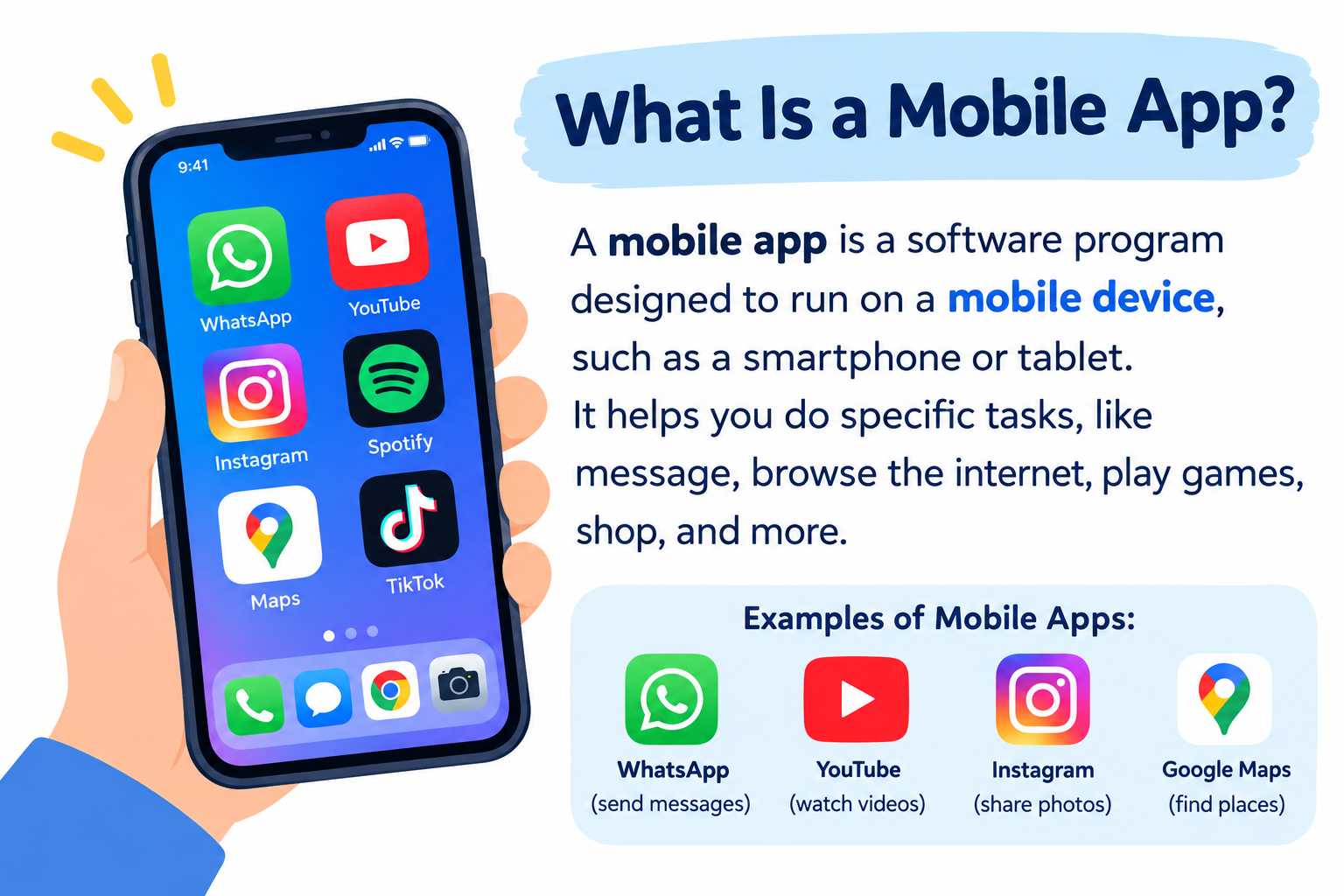
Introduction
You use them to check messages, stream music, navigate to new places, manage your finances, and stay connected with friends. Mobile apps have become so embedded in everyday life that most people interact with dozens of them every single day without giving much thought to what they actually are.
So what is a mobile app? A mobile app is a software application designed to run on mobile devices such as smartphones and tablets. The word “app” is short for “application,” which refers to software built for a specific purpose. Mobile apps are installed on your device, optimized for touchscreen use, and designed around the capabilities and constraints of portable devices.
This guide explains what mobile apps are, how they work, the different types you will encounter, how they are built, and what to keep in mind when downloading and using them.
Quick Answer: What Is a Mobile App?
A mobile app is a software application designed to run on mobile devices, primarily smartphones and tablets. Mobile apps are installed through platform-specific app stores and are optimized for touchscreen interfaces, smaller screens, and mobile device capabilities. They can serve many purposes, from communication and entertainment to banking and navigation, and may work online, offline, or both.
What Is a Mobile App?
A mobile app is a software application built to run on mobile devices such as smartphones and tablets. It is designed specifically for the screen sizes, input methods, hardware capabilities, and usage patterns of mobile devices rather than desktop computers.
The term “app” is short for “application,” which in computing means software created to help users perform specific tasks. A mobile app is a category of application software, distinct from desktop software or web-based tools, though the lines between these categories are increasingly blurred by modern development approaches.
Mobile apps are installed on your device and launch directly from the home screen or app drawer. They are optimized for touch interaction, designed for portrait and landscape orientations, and built to make good use of features unique to mobile devices such as GPS location, the camera, accelerometer, biometric sensors, and mobile notifications.
Examples of mobile apps are easy to find because they are part of everyday life: messaging apps that let you communicate with friends, navigation apps that guide you to your destination, banking apps that let you manage your account, and entertainment apps that stream music or video to your device wherever you are.
How Do Mobile Apps Work?
Understanding how a mobile app works does not require technical expertise. The basic process follows a logical chain from what you do on screen to what happens behind it.
User Interface
The user interface is everything you see and touch when using an app. Buttons, menus, text fields, images, sliders, and notifications are all part of the interface. Mobile user interfaces are designed specifically for touchscreens, meaning they use larger touch targets, swipe gestures, and layouts adapted for smaller displays.
When you tap a button or type something into a search box, you are interacting with the interface. The app takes that input and passes it to the application logic to determine what should happen next.
Application Logic
Application logic is the code that defines how the app responds to your actions. It processes your input, applies rules, performs calculations, and determines what output to generate. This logic is written by developers using programming languages and follows the algorithms that make the app behave as intended.
For example, when you enter a destination in a navigation app, the application logic processes your input, determines your current location, calculates a route, and prepares the map display you see. All of this happens within fractions of a second.
Operating System
Mobile apps do not communicate directly with the device’s hardware. Instead, they interact with the mobile operating system, which manages hardware resources and provides the services apps need. Android and iOS each have their own set of development interfaces that apps use to access device capabilities in a structured and controlled way.
The operating system also handles security, resource allocation, and multitasking, determining how apps share the device’s processor, memory, and battery.
APIs and Device Features
APIs (Application Programming Interfaces) are how apps access device features and external services in a standardized way. When a camera app accesses your camera, or a fitness app accesses your step counter, it does so through APIs provided by the operating system.
APIs also connect apps to external services. A weather app uses a weather service API to retrieve forecast data. A social media app uses the platform’s API to post content and retrieve your feed. APIs allow apps to be far more capable than they could be if they had to build every feature themselves.
Internet and Online Services
Many mobile apps connect to the internet to access data, deliver content, or communicate with other users. When you open a social media app, it connects to the platform’s servers to retrieve your personalized feed. When you make a payment through a banking app, it communicates with the bank’s servers over a secure connection to process the transaction.
Understanding how the internet works provides useful context for understanding how apps retrieve and send data across networks.
Databases and Cloud Services
Apps that store and retrieve data, such as email clients, note-taking apps, and photo galleries, typically use databases and cloud computing infrastructure. Your emails, contacts, and documents may be stored on remote servers that your app accesses through a network connection.
Some apps store data locally on your device in a local database, allowing them to work without internet access. Others rely entirely on remote servers and require connectivity to function. Many apps use a combination, storing some data locally for offline access while syncing to the cloud when a connection is available.
What Are the Different Types of Mobile Apps?
Mobile apps are commonly categorized by how they are built and how they interact with the device and its operating system.
Native Mobile Apps
A native mobile app is built specifically for one mobile operating system using the tools, languages, and frameworks designed for that platform. An Android native app is developed using Kotlin or Java with Google’s Android SDK. An iOS native app is developed using Swift or Objective-C with Apple’s Xcode development environment.
Native apps have direct access to the full range of the platform’s capabilities and typically offer the best performance and most polished user experience. However, building separate native apps for Android and iOS requires more development effort since the codebases are maintained separately.
Cross-Platform Mobile Apps
Cross-platform apps are built using frameworks that allow a single codebase to run on both Android and iOS. Tools like Flutter (using Dart) and React Native (using JavaScript) enable developers to write code once and deploy it across multiple platforms.
Cross-platform development can reduce time and cost compared to maintaining two separate native apps. The trade-off may involve some limitations in accessing platform-specific features or slight differences in behavior across platforms, though modern cross-platform frameworks have significantly narrowed this gap.
Hybrid Mobile Apps
Hybrid apps are built using web technologies such as HTML, CSS, and JavaScript but are wrapped in a native app container that allows them to be distributed through app stores. The web content runs inside a browser-like component embedded in the native container.
Hybrid apps offer some advantages of web development, such as code reuse across platforms, while still being distributable as traditional apps. Performance and device access may differ compared to fully native apps, but for many use cases hybrid apps provide a practical and efficient development path.
Progressive Web Apps and Mobile Web Apps
Progressive Web Apps (PWAs) are web applications built with modern web technologies that provide experiences similar to native apps within a browser. They can be added to a device’s home screen, work offline to some extent, and send push notifications, all without requiring installation through an app store.
Mobile web apps and PWAs run inside a browser rather than as standalone installed applications. They are platform-independent because they work through a web browser rather than depending on a specific operating system. Their capabilities and access to device hardware are generally more limited than native or hybrid apps, though the gap continues to narrow as browser capabilities expand.
Android Apps vs iPhone Apps
Android and iOS are the two dominant mobile operating systems, and understanding their differences helps clarify how mobile apps are developed and distributed.
Android is an open-source mobile operating system developed by Google. It runs on devices from many different manufacturers and is available on a wide variety of hardware at different price points.
iOS is Apple’s proprietary mobile operating system. It runs exclusively on Apple devices including iPhone and iPad.
Here is a comparison of the two platforms from a development and distribution perspective:
| Feature | Android | iOS (iPhone/iPad) |
|---|---|---|
| Operating system | Android (Google) | iOS (Apple) |
| Common development languages | Kotlin, Java | Swift, Objective-C |
| Primary development tools | Android Studio | Xcode |
| App distribution | Google Play Store (and others) | Apple App Store |
| Device ecosystem | Many manufacturers | Apple devices only |
| Typical development approach | Android SDK, Kotlin/Java, or cross-platform | Apple SDK, Swift, or cross-platform |
Neither platform is universally better. Android offers greater hardware variety and a more open ecosystem. iOS offers tight hardware-software integration and a consistent device experience. Many development teams build for both platforms, either by maintaining separate codebases or using cross-platform frameworks.
What Are Mobile Apps Used For?
Mobile apps cover an enormous range of purposes. Here is a look at the most common categories.
Communication Apps
Communication apps allow users to send text messages, make voice and video calls, share files, and collaborate with others. They have become central to both personal communication and professional work, offering real-time connectivity across distances.
Social Media Apps
Social media apps connect users with friends, family, and communities through shared posts, images, videos, and short-form content. They range from broad general-purpose platforms to networks focused on specific interests or professions.
Productivity Apps
Productivity apps help users organize tasks, write documents, create spreadsheets, manage projects, and collaborate on work. Tools like Notion and Trello are examples of productivity tools with mobile app versions. Mobile versions of productivity suites such as Google Workspace and Microsoft Office allow users to work on documents from their phones.
Education Apps
Education apps provide interactive learning experiences covering subjects from language acquisition and mathematics to professional skills and scientific concepts. They range from simple flashcard tools to comprehensive courses with video content and assessments.
Finance Apps
Finance apps include mobile banking applications, budgeting tools, investment platforms, and payment services. They allow users to check balances, transfer funds, track spending, pay bills, and manage investments from their devices.
Shopping Apps
Shopping apps let users browse products, compare prices, make purchases, and track deliveries from retailers, marketplaces, and specialized stores.
Entertainment Apps
Entertainment apps deliver streaming music, video content, podcasts, and e-books. They allow users to consume media on demand from virtually anywhere with a connection.
Gaming Apps
Gaming apps span a vast range from simple casual puzzles to graphically complex action and strategy titles. Mobile gaming is one of the most active categories in app stores across both major platforms.
Health and Fitness Apps
Health apps help users track physical activity, monitor sleep patterns, log nutrition, and support mental wellbeing. Many connect to wearable devices or use the phone’s built-in sensors to gather health-related data.
Utility Apps
Utility apps perform specific practical functions such as scanning documents, converting file formats, checking device storage, managing passwords, or providing weather information.
Common Examples of Mobile Apps
Here are familiar examples across different categories to illustrate the variety of mobile apps available:
- Communication: Messaging apps, email clients, video calling tools
- Social media: Image sharing platforms, professional networking apps, short-form video platforms
- Productivity: Task management tools, document editing apps, note-taking applications
- Navigation: Map and turn-by-turn routing apps, public transit guides
- Music: Audio streaming services, podcast players, music download apps
- Video: Video streaming services, short-form video platforms
- Finance: Mobile banking apps, digital payment tools, budgeting applications
- Health: Step counters, calorie and nutrition trackers, mental wellness apps
- Gaming: Puzzle games, strategy games, multiplayer action games
- Shopping: Retail apps, marketplace apps, price comparison tools
- Utilities: Flashlight apps, QR code scanners, PDF viewers, password managers
These examples span different needs, audiences, and levels of complexity, illustrating how broadly mobile apps serve everyday purposes.
Mobile App vs Mobile Website vs Web App
The distinction between a mobile app, a mobile website, and a web app is worth understanding clearly, as these terms are often confused.
| Feature | Mobile App | Mobile Website | Web App |
|---|---|---|---|
| Installation | Installed via app store | No installation needed | No installation needed |
| Device access | Full access (camera, GPS, sensors) | Limited | Limited |
| Internet requirement | Varies (some offline) | Always required | Generally required |
| Performance | Typically high | Moderate | Moderate |
| Updates | App store updates | Automatic via server | Automatic via server |
| Offline functionality | Often supported | Generally not | Limited |
| User experience | Optimized for platform | Browser experience | App-like in browser |
| Examples | Banking app, gaming app | News website, blog | Gmail in browser, Figma |
A mobile website is a standard website formatted for smaller screens and accessed through a mobile browser. It provides content but generally does not behave like a standalone application.
A web app is accessed through a browser but behaves interactively like an application, accepting input and producing dynamic responses. It does not require installation but also lacks the device integration that native apps offer.
A mobile app provides the richest experience in terms of performance, device integration, and offline capability, but requires installation and is tied to specific platforms.
What Is Mobile App Development?
Mobile app development is the process of designing, building, testing, and releasing software applications for mobile devices. The development process involves multiple stages and typically requires input from designers, developers, testers, and product managers.
Here is a high-level overview of how mobile apps are developed:
1. Idea and requirements. The process begins with defining what the app will do, who will use it, and what problem it addresses. Clear requirements keep the development process focused.
2. Planning. Decisions are made about the target platform (Android, iOS, or both), the type of app (native, cross-platform, or hybrid), the technical architecture, and the timeline and resources needed.
3. UI/UX design. Designers create wireframes and visual mockups of the app’s screens and user flows. Good design decisions at this stage make development smoother and the final product more usable.
4. Programming. Developers write the source code that makes the app function. This is where programming languages and development frameworks are applied to build the interface and logic.
5. Backend and API integration. Apps that require server-side functionality, user accounts, or data storage are connected to backend systems and APIs during this stage.
6. Testing and debugging. Thorough testing identifies errors and unexpected behavior before release. Debugging resolves the problems found during testing. Testing covers functionality, performance, security, and compatibility across different devices and operating system versions.
7. Security and privacy review. Developers assess how the app handles user data, what permissions it requests, and whether security controls are sufficient.
8. Publishing. Apps are submitted to app stores, where they are reviewed before being made available to users. The Apple App Store and Google Play each have their own review processes and guidelines.
9. Maintenance and updates. After launch, developers monitor app performance, address user feedback, fix bugs, release security patches, and add new features through ongoing updates.
Version control tools like Git and platforms like GitHub are standard in professional mobile development for managing code changes and collaboration. Development environments such as an IDE provide developers with the tools to write, test, and debug efficiently. Visual Studio Code is one widely used code editor in the mobile development ecosystem, particularly for cross-platform and web-based approaches.
What Programming Languages Are Used for Mobile Apps?
Different types of mobile apps are built using different programming languages and frameworks. Here is an overview of the most commonly used options.
Kotlin
Kotlin is the preferred language for Android app development, officially supported by Google. It is a modern, concise language that interoperates with Java and is designed to reduce common programming errors. Most new Android development uses Kotlin as the primary language.
Java
Java was the original language for Android app development and remains widely used. Many existing Android apps are built in Java, and developers working on established Android projects may work with Java codebases. Understanding programming fundamentals provides a useful foundation before specializing in any particular language.
Swift
Swift is Apple’s programming language for developing apps for iOS, macOS, and other Apple platforms. Introduced to replace Objective-C as the primary Apple development language, Swift is designed to be fast, safe, and expressive. Most new iOS app development uses Swift.
JavaScript and TypeScript
JavaScript is widely used in mobile app development through frameworks like React Native, which allows developers to build cross-platform mobile apps using JavaScript. TypeScript, a typed superset of JavaScript, is also commonly used in larger cross-platform mobile projects. These languages are particularly popular for teams with existing web development experience who want to extend their work to mobile.
Dart
Dart is the programming language used with Flutter, Google’s cross-platform UI framework. Flutter allows developers to build apps for Android, iOS, web, and desktop from a single codebase. Dart is designed for building expressive, high-performance user interfaces and has grown significantly in adoption alongside Flutter’s popularity.
No single language or framework is universally the best choice for mobile app development. The right decision depends on the target platform, team expertise, project requirements, and long-term maintenance considerations.
What Are the Benefits of Mobile Apps?
Mobile apps offer several practical advantages over other ways of accessing services and information.
Convenience is perhaps the most significant benefit. A mobile app is always within reach, accessible in seconds from the device that most people carry everywhere.
Fast access comes from the fact that apps are installed locally. They launch quickly and often cache content for faster retrieval compared to loading a website from scratch each time.
Device integration allows apps to use the camera, GPS, microphone, accelerometer, and other hardware features in ways that browser-based alternatives generally cannot.
Personalization is possible because apps can remember your preferences, settings, and history across sessions, creating a more tailored experience than a general website can provide.
Push notifications allow apps to proactively inform you of events, messages, and updates even when you are not actively using the app.
Offline functionality is available in many apps for at least some features, allowing you to access content or complete tasks without an internet connection.
Performance in native and well-optimized cross-platform apps is generally smooth and responsive, taking advantage of the device’s hardware capabilities effectively.
What Are the Limitations of Mobile Apps?
Mobile apps also come with limitations that are worth understanding.
Storage requirements mean that installing apps uses space on your device, and some apps grow larger over time as cached data accumulates.
Permissions give apps access to sensitive device features and data. Managing permissions requires awareness of what each app can access.
Privacy concerns arise because many apps collect data about usage patterns, location, preferences, and other information that may be shared with third parties depending on the app’s privacy practices.
Security risks exist, particularly for apps downloaded from unofficial sources or apps that are not kept updated. Even official app stores occasionally approve apps that later prove problematic.
Device compatibility can be a factor, as newer apps may not support older operating system versions, and some apps are optimized for specific hardware specifications.
Updates are sometimes required before an app continues to function correctly, which can be inconvenient if updates change an interface you are familiar with or introduce new behaviors.
Battery and resource usage varies significantly between apps. Poorly optimized apps can drain battery, use excessive memory, or create performance problems on the device.
Internet dependence affects many apps that cannot function without connectivity, which can be limiting in areas with poor network coverage.
Are Mobile Apps Safe to Use?
Most mobile apps from reputable developers distributed through official app stores are safe for the majority of users. However, no app is entirely without risk, and sensible practices reduce exposure significantly.
Download from official sources. The Apple App Store and Google Play both review apps before making them available. Downloading from official stores is considerably safer than obtaining apps from third-party websites or unofficial app stores.
Check the developer. Before installing an app, review who developed it. Established developers with a track record of legitimate apps and positive reviews are generally more trustworthy than unknown publishers with no history.
Review permissions. Before and after installing an app, check what permissions it requests. If a simple app requests extensive access to sensitive data or features it has no obvious reason to need, that warrants caution.
Keep apps updated. Developers release updates that address security vulnerabilities. Keeping your apps updated is one of the most effective security practices available to any user.
Read privacy information. App stores increasingly require developers to provide simplified privacy information about what data is collected and how it is used. Reviewing this information helps you make informed choices about the apps you use.
Use device security features. Screen locks, biometric authentication, and device encryption all add layers of protection that reduce risk if your device is lost or stolen.
Understanding broader cybersecurity principles provides a useful foundation for thinking about mobile app security in a wider context.
How Do You Install a Mobile App?
Installing a mobile app is a straightforward process, though the exact steps depend on your device platform.
On Android devices, the primary app source is the Google Play Store. You open the Play Store app, search for the app you want, review its description, ratings, and permissions, and tap the install button. The app downloads and installs automatically and appears in your app drawer.
On iPhone and iPad, apps are installed through the Apple App Store. You open the App Store, find the app using search or browsing, review the app page, and tap the download or purchase button. The app installs on your home screen automatically.
Both stores require you to be signed in to an account to download apps, and purchases or subscriptions are managed through those accounts. The specific interface and steps can change between operating system versions, so consulting the official support documentation for your device is the most reliable source of current instructions.
How Do Mobile Apps Make Money?
Mobile apps use several different business models to generate revenue, and many apps combine more than one approach.
Paid downloads require users to purchase the app before downloading it. This straightforward model means the developer receives payment upfront.
Advertising allows apps to be offered free to users while generating revenue by displaying advertisements. The app developer earns money based on ad impressions or clicks.
Subscriptions charge users a recurring fee, typically monthly or annually, for access to the app or its premium features. This model is common in streaming services, productivity tools, and news apps.
In-app purchases allow users to buy additional content, features, or items within a free or paid app. This model is particularly common in gaming apps.
Freemium models offer a free version of an app with limited features and charge for access to a more complete premium version. Users can try the app before deciding whether to pay.
Enterprise and business licensing involves selling access to an app to organizations rather than individual consumers, often with pricing based on the number of users or seats.
Can Mobile Apps Work Without the Internet?
Whether a mobile app requires an internet connection depends on what it does and how it stores data.
Fully offline apps work entirely without a network connection. Simple utilities like calculators, offline games, and locally stored note-taking apps fall into this category.
Offline-first apps are designed to work locally and sync to the cloud when a connection is available. A note-taking app might let you write and save notes offline, then synchronize them to the cloud when you reconnect.
Apps with limited offline functionality provide some features without a connection but require connectivity for others. A music streaming app might let you play downloaded songs offline but cannot stream new content without a connection.
Apps that require an internet connection rely on remote servers for their core functionality. Social media apps, real-time messaging platforms, and online banking apps generally require connectivity to function meaningfully.
Developers make deliberate decisions about offline capability based on the nature of the app and how data is managed. Cloud storage services are frequently used by apps that need to synchronize data across devices and maintain it remotely.
Frequently Asked Questions
What is a mobile app in simple words?
A mobile app is a software program designed to run on smartphones and tablets. It is built for touchscreens, uses mobile device features like GPS and camera, and is downloaded from app stores. Mobile apps serve many purposes including communication, navigation, entertainment, finance, and productivity.
What does mobile app mean?
“Mobile app” means a software application (program) designed specifically for mobile devices such as smartphones and tablets. “App” is short for “application,” which refers to software built to help users perform specific tasks.
What is the difference between an app and a mobile app?
“App” is a general term for any software application, including those running on computers, smart TVs, and browsers. A “mobile app” specifically refers to apps designed for smartphones and tablets. All mobile apps are apps, but not all apps are mobile apps.
What is the difference between a mobile app and a website?
A mobile app is installed on your device and can access device hardware features, work offline, and deliver a smoother experience. A mobile website is accessed through a browser, requires no installation, and generally needs an internet connection. Web apps accessed through browsers fall between the two, offering app-like interactivity without installation.
What are the main types of mobile apps?
The main types are native apps (built for one specific platform), cross-platform apps (built for multiple platforms from one codebase), hybrid apps (web technologies in a native container), and progressive web apps or mobile web apps (browser-based with app-like features).
Are mobile apps software?
Yes. Mobile apps are a type of software, specifically application software, designed to run on mobile devices. Every mobile app is software, though software as a broader term includes many other categories beyond apps.
Do mobile apps require the internet?
Not always. Some mobile apps work entirely offline. Others require a connection for some or all features. Apps that retrieve data from remote servers, stream content, or communicate with other users generally require internet access.
How are mobile apps made?
Mobile apps are developed through a process that includes defining requirements, designing the interface, writing code in a programming language, integrating APIs and backend services, testing, reviewing security and privacy, publishing through an app store, and maintaining the app after launch.
What programming languages are used to build mobile apps?
Common languages include Kotlin and Java for Android, Swift for iOS, and JavaScript/TypeScript with frameworks like React Native for cross-platform development. Dart is used with Flutter for cross-platform apps targeting Android, iOS, and other platforms.
Are mobile apps safe?
Most apps from reputable developers on official app stores are safe for general use, but risks exist. Downloading from official sources, reviewing permissions, keeping apps updated, and checking privacy information all reduce risk. No app should be assumed to be completely risk-free without consideration.
Where can I download mobile apps?
Android apps are primarily downloaded from the Google Play Store. iPhone and iPad apps are downloaded from the Apple App Store. Both platforms also have developer-specific options for distributing apps outside the main stores in certain circumstances, though official stores are the safest and most common download source for most users.
What is the difference between Android apps and iPhone apps?
Android apps are designed for the Android operating system and are primarily distributed through Google Play. They are built with Kotlin or Java using Android development tools. iPhone apps are designed for iOS and distributed through the Apple App Store, built with Swift using Apple’s development environment. Cross-platform frameworks can produce apps that run on both platforms from a shared codebase.
References
- Android Developers. Guide to Android App Development. Google LLC. https://developer.android.com/guide
- Apple Developer Documentation. iOS App Development with Swift. Apple Inc. https://developer.apple.com/ios/
- Apple Developer Documentation. App Store Review Guidelines. Apple Inc. https://developer.apple.com/app-store/review/guidelines/
- Google Developers. Google Play Developer Policy Center. Google LLC. https://play.google.com/about/developer-content-policy/
- Flutter Documentation. Flutter: Build apps for any screen. Google LLC. https://docs.flutter.dev/
- MDN Web Docs. Progressive Web Apps. Mozilla Developer Network. https://developer.mozilla.org/en-US/docs/Web/Progressive_web_apps
- Android Developers. Kotlin for Android. Google LLC. https://developer.android.com/kotlin
- Apple Developer Documentation. Swift Programming Language. Apple Inc. https://developer.apple.com/swift/
- MDN Web Docs. JavaScript Reference. Mozilla Developer Network. https://developer.mozilla.org/en-US/docs/Web/JavaScript
- National Institute of Standards and Technology (NIST). Mobile Device Security. https://www.nist.gov/
Disclaimer
This article is for educational and informational purposes. Mobile platforms, programming languages, app store policies, and security practices change over time. Always consult current official documentation for the platforms and tools you are using.
Author: TechOriginHub Editorial Team
Author Bio: TechOriginHub Editorial Team covers practical technology, programming, software, cybersecurity, cloud computing, databases, and internet topics with a focus on clear and useful guidance.