
 By saman zahra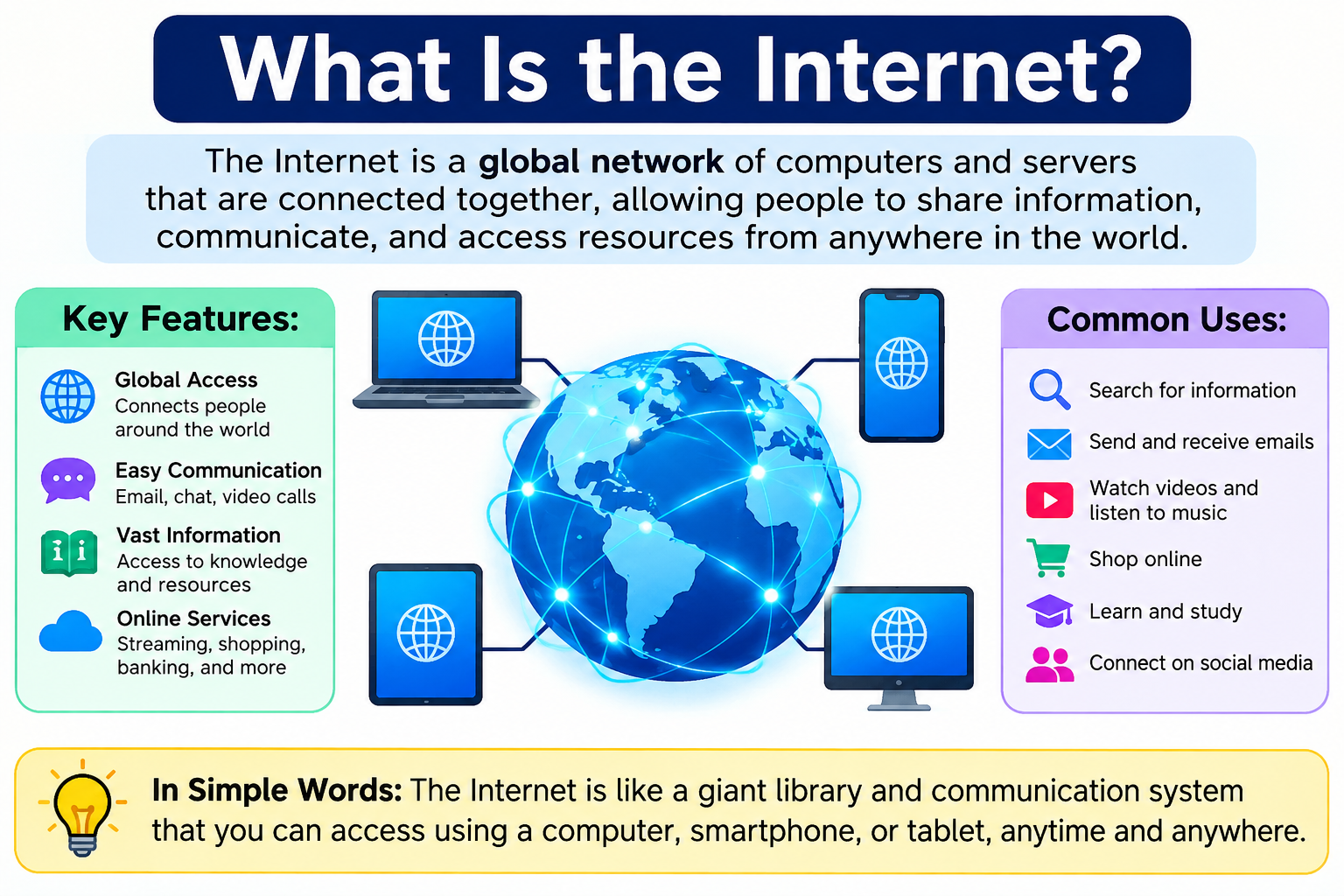
Think about the last time you opened an app on your phone, streamed a video, or sent a message to someone on the other side of the world. All of that happened because of the internet. It is one of the most significant technological developments in human history, and billions of people use it every single day without thinking much about how it actually works.
So what is the internet, exactly? The internet is a worldwide system of interconnected computer networks and devices that communicate using standardized protocols. It is not just one network. It is millions of networks, large and small, all connected together and exchanging information constantly. The internet makes services such as websites, email, video calls, streaming, cloud applications, online banking, and gaming possible.
The internet also forms the backbone through which cloud services are delivered to users around the world. If you want to understand how cloud computing fits into the broader picture, What Is Cloud Computing? A Beginner’s Guide explains the relationship clearly.
Quick Answer: What Is the Internet?
The internet is a worldwide system of interconnected computer networks and devices that communicate using standardized protocols, primarily TCP/IP. It allows people and systems to exchange information and access services such as websites, email, video streaming, cloud applications, and online communication. The internet connects billions of devices across the globe through a combination of physical cables, wireless signals, and shared networking standards.
What Is the Internet?
The internet is a global network of interconnected computer networks and devices. It links together billions of computers, smartphones, servers, tablets, and other devices spread across every continent on Earth. These devices communicate with each other using agreed-upon sets of rules called networking protocols.
One of the most important things to understand about the internet is that it is decentralized. There is no single computer at the center of it all, no single physical location where everything passes through, and no single organization that controls it entirely. It is made up of countless networks, each operated by different organizations, companies, governments, and universities, all interconnected and communicating using shared standards.
The internet is not the same as the World Wide Web. The Web is one service that operates over the internet. Email, video calls, online gaming, file transfers, messaging, and cloud services are all separate services that also use the internet. Understanding this distinction matters because it gives you a more accurate picture of what the internet actually is.
Think of the internet as the world’s largest communications system. Everything that travels through it, whether a webpage, an email, a video call, or a cloud application request, uses the internet’s underlying infrastructure to get from one device to another.
How Does the Internet Work?
The internet works by connecting devices through networks and moving information between them using standardized protocols. Here is what happens when you type a website address into your browser.
- You type a web address into your browser and press Enter. Your device prepares to send a request.
- Your device connects to your local network, either through a wired connection or Wi-Fi.
- The request reaches your router, which manages traffic within your local network and connects you to your ISP.
- Your ISP connects your request to the wider internet through its own network infrastructure.
- The DNS system translates the human-readable domain name you typed into a numerical IP address that networking systems can use to route the request.
- Your request travels through multiple networks and routers, hopping from one to the next, until it reaches the destination server.
- The server at the destination receives your request and processes it.
- The server sends a response back toward your device, again traveling through multiple networks.
- Your browser receives the response and displays the webpage or content on your screen.
This entire process typically happens in a fraction of a second. The speed and efficiency of it often makes the complexity invisible to the user, but a significant amount of infrastructure and standardized technology makes it possible.
What Are the Main Parts of the Internet?
The internet is not a single thing but a collection of interconnected components working together.
Devices are the endpoints of internet communication. Computers, smartphones, tablets, smart TVs, game consoles, and countless other devices connect to and use the internet every day.
Networks are groups of connected devices that can communicate with each other. Your home network is one example. Corporate networks, university networks, and mobile carrier networks are others. The internet connects these networks together.
Routers are devices that forward data between networks. They read addressing information on data packets and decide where to send them next, guiding information from its source to its destination across multiple networks.
Switches connect devices within a single network, directing traffic between devices on the same local network rather than between networks.
Modems connect a local network to an ISP’s service, translating the type of signal used by the local network into the form required by the ISP’s infrastructure.
Servers are computers or systems that provide resources, services, or content to other devices. When you visit a website, a web server delivers the content to your browser.
Data centers are large physical facilities that house servers, storage systems, and networking equipment at scale. Major internet services, cloud providers, and large organizations operate data centers to deliver their services reliably.
Internet Service Providers (ISPs) are companies that connect customers to the internet. Without an ISP, a home or business network typically has no path to reach the wider internet.
Undersea cables carry the majority of international internet traffic. Thousands of miles of fiber-optic cables lie on the ocean floor, connecting continents and carrying enormous volumes of data across the world.
Fiber-optic networks use light signals traveling through thin glass or plastic fibers to transmit data at high speeds. Fiber is used in backbone networks, undersea cables, and increasingly in connections to homes and businesses.
Wireless infrastructure includes cellular towers and antennas that enable mobile internet access, as well as Wi-Fi access points that provide wireless connectivity within local areas.
Internet exchange points (IXPs) are physical locations where different networks connect and exchange traffic with each other. They play an important role in keeping internet traffic efficient by allowing networks to hand off data directly rather than routing it through multiple intermediate providers.
What Is an Internet Service Provider (ISP)?
An Internet Service Provider, or ISP, is a company that provides internet access to customers. When you pay for internet service at home or for a mobile data plan, you are paying an ISP for access to the internet through their network.
ISPs operate their own network infrastructure and connect it to the broader internet. When you send or receive data, it travels through your ISP’s network before reaching the wider internet or after arriving from it.
Different types of ISPs provide different types of connections. Broadband ISPs deliver high-speed internet over cable, fiber-optic, or DSL connections. Mobile carriers provide internet access over cellular networks. Satellite internet providers deliver connectivity via satellite signals, which can reach areas that cable and fiber cannot.
ISPs vary significantly in terms of speed, reliability, coverage area, and pricing. In any given location, the available ISP options depend on what infrastructure has been built there.
What Is an IP Address?
An IP address is a numerical label assigned to each device connected to a network that uses the Internet Protocol. It serves two main purposes: identifying the device or network interface, and providing location information that allows data to be routed to the correct destination.
There are two versions of IP addresses currently in use.
IPv4 addresses are written as four groups of numbers separated by periods, such as 192.168.1.1. This is a widely recognized format, though it is worth noting that addresses like 192.168.x.x are private addresses commonly used within local networks rather than on the public internet. IPv4 has a limited number of available addresses, which became a concern as the internet grew.
IPv6 addresses use a longer format, written as eight groups of hexadecimal values separated by colons, such as 2001:0db8:85a3:0000:0000:8a2e:0370:7334. IPv6 was developed to provide a vastly larger pool of available addresses to accommodate the continued growth of internet-connected devices.
Not every device has a publicly reachable IP address. Devices on a home network typically share a single public IP address assigned by the ISP, while each device on the local network has its own private IP address managed by the router through a system called NAT, or Network Address Translation.
What Is DNS?
DNS stands for Domain Name System. It is a system that translates human-readable domain names, such as a website address you type into your browser, into the numerical IP addresses that networking systems use to route data to the correct server.
People find it much easier to remember names than strings of numbers. DNS makes it practical to navigate the internet using readable names without needing to know the underlying IP addresses of every service you want to reach.
Here is a simple way to think about it. A contacts app on your phone stores names alongside phone numbers. When you want to call someone, you look up their name rather than memorizing their number. DNS does something similar for internet addressing, mapping domain names to IP addresses so that your device knows where to send a request.
When you type a domain name into your browser, your device sends a query to a DNS resolver, which looks up the IP address associated with that domain. If the resolver does not have the answer cached already, it queries other DNS servers to find the correct IP address and returns it to your device. Your browser then uses that IP address to contact the correct server.
What Is a Router?
A router is a networking device that forwards data packets between networks. Routers read the addressing information in each data packet and decide the best path to send it toward its destination.
In a home setting, a router connects your local home network to your ISP’s network. It manages traffic between the devices in your home and the wider internet. Home routers typically also include Wi-Fi functionality and a firewall that provides basic protection for your local network.
At a larger scale, enterprise routers manage traffic for corporate networks. The internet backbone, which is the high-capacity core infrastructure that carries traffic between major networks around the world, relies on powerful routers operated by major network providers and carriers to forward enormous volumes of data at high speed.
Routers play a key role in the security of a network because they control what traffic enters and leaves. Properly configured routers can help protect connected devices from unwanted external traffic.
What Is a Modem?
A modem is a device that connects a local network to an ISP’s service. The word modem originally referred to a device that modulated and demodulated analog signals for telephone line connections, but the term is now broadly used for devices that provide the connection between a local network and the ISP’s infrastructure, regardless of the underlying technology.
A modem and a router serve different functions, though many modern home devices combine both into a single piece of equipment.
| Feature | Modem | Router |
|---|---|---|
| Main role | Connects local network to ISP service | Directs traffic between networks and devices |
| Provides Wi-Fi | Not necessarily | Often |
| Connects to ISP | Yes | Usually through modem or integrated equipment |
| Manages local network | Limited | Yes |
If your home uses a combined modem-router device, it handles both the ISP connection and local network management in one unit. If they are separate devices, the modem connects to the ISP’s service and the router connects to the modem and manages your home network.
What Is a Server?
A server is a computer or system that provides resources, services, or content to other devices, which are called clients. Servers are designed to handle requests from multiple clients simultaneously and to operate reliably over extended periods.
Web servers receive requests from browsers and respond with the web content the browser requested, such as the files that make up a webpage. Application servers run the logic of software applications and process requests from client devices. Database servers store and manage structured data, responding to queries from applications. File servers store and share files that authorized users or systems can access.
Servers do not have to be physically large or expensive in isolation. What makes something a server is its role, providing services to other systems, rather than its physical appearance. In cloud computing environments, what used to require physical server hardware can now be provided as virtual infrastructure delivered over the internet.
What Are Data Centers?
A data center is a physical facility designed to house large numbers of servers, storage systems, and networking equipment. Data centers provide the controlled environment these systems need to operate reliably, including stable power supplies, backup power systems, cooling infrastructure, physical security, and high-capacity network connections.
When you access a website, use a cloud application, or stream a video, the content or service you are accessing is typically hosted in a data center somewhere in the world. Major internet companies and cloud providers operate data centers at enormous scale, often in multiple geographic locations to improve performance and reliability.
Cloud storage services rely on data center infrastructure to store your files and make them accessible from any device. What Is Cloud Storage? explains how cloud-based storage works in more detail. Organizations that need hosted infrastructure for their applications and services use cloud hosting, which What Is Cloud Hosting? covers in depth.
How Does Data Travel Across the Internet?
Data traveling across the internet does not move as a single continuous stream from one device directly to another. Instead, it is divided into smaller units called packets.
Each packet contains a portion of the data being sent along with addressing information that tells the network where the packet is coming from and where it needs to go. Routers along the way read this addressing information and forward each packet toward its destination.
Different packets from the same data transfer can take different paths through the network, depending on which routes are available and efficient at that moment. When all the packets arrive at the destination, the receiving system reassembles them into the complete original data.
This approach, called packet switching, makes internet communication more efficient and resilient. If one network path is congested or unavailable, packets can be routed through alternative paths. The network does not rely on a single dedicated connection between the two communicating devices.
What Are Internet Protocols?
A protocol is a set of agreed rules that defines how systems communicate with each other. For two different devices or systems to exchange information reliably, they need to follow the same rules for how data is formatted, addressed, transmitted, and received.
The internet uses many different protocols, each designed for specific purposes.
TCP/IP is the fundamental suite of protocols that underlies internet communication. IP handles addressing and routing. TCP provides reliable, ordered delivery for applications that need it.
HTTP is the protocol used for requesting and delivering web content between browsers and web servers.
HTTPS is the secure version of HTTP, which adds encryption through TLS to protect data in transit.
DNS is the protocol used to translate domain names into IP addresses.
SMTP is used for sending email between mail servers.
FTP and SFTP are protocols used for transferring files between systems, with SFTP adding security through encryption.
These protocols work together to make the diverse services of the internet possible.
What Is TCP/IP?
TCP/IP is the foundational protocol suite of the internet. It defines how devices address each other and how data is transmitted across interconnected networks.
IP, or Internet Protocol, handles the addressing and routing of packets. Every device that communicates on the internet uses IP addresses, and routers use IP to determine how to forward packets toward their destination.
TCP, or Transmission Control Protocol, provides reliable, ordered delivery of data for applications that require it. When you load a webpage or send an email, TCP ensures that the data arrives completely and in the correct order, requesting retransmission of any packets that are lost along the way.
Not all internet communication uses TCP. Many applications use UDP, or User Datagram Protocol, which sends data without the overhead of TCP’s reliability mechanisms. Video calls, online gaming, and live streaming often use UDP because speed is more important than guaranteed delivery in those contexts. A small amount of lost video data is usually preferable to the delays that retransmission would cause.
What Is HTTP and HTTPS?
HTTP stands for HyperText Transfer Protocol. It is the protocol that web browsers and web servers use to communicate. When you type a web address into your browser, your browser sends an HTTP request to the server hosting that website. The server responds with the content, and your browser displays it.
HTTPS stands for HyperText Transfer Protocol Secure. It adds a layer of encryption and authentication through a technology called TLS, or Transport Layer Security. When you connect to a website using HTTPS, the connection between your browser and the server is encrypted, which means the data exchanged cannot be easily read by third parties intercepting the traffic.
HTTPS also provides authentication, helping confirm that you are actually communicating with the legitimate server and not an impersonator. This is important for protecting sensitive information such as login credentials and payment details.
It is important to understand that HTTPS protects data in transit between your browser and the server. It does not automatically make the entire website or the service behind it secure. A website using HTTPS can still have other security vulnerabilities in its application, database, or server configuration.
Cybersecurity involves a much broader set of practices beyond any single technology. What Is Cybersecurity? provides a comprehensive introduction to the principles of protecting digital systems and information.
Internet vs World Wide Web
One of the most common misconceptions about the internet is that it is the same as the World Wide Web. They are related but distinctly different things.
The internet is the global network infrastructure that connects billions of devices and networks around the world. It is the underlying system of cables, routers, servers, and protocols that makes digital communication possible.
The World Wide Web is a service that runs over the internet. It is a system of linked documents and resources, including websites and web applications, that are accessed through web browsers using HTTP and HTTPS. The Web is one of many services that use the internet.
| Feature | Internet | World Wide Web |
|---|---|---|
| What it is | Global network infrastructure | Service that runs over the internet |
| Main purpose | Connects networks and devices | Provides linked web resources |
| Includes | Web, email, gaming, messaging, and more | Websites and web applications |
| Requires internet | Yes | Yes |
A helpful analogy: think of the internet as a road network that spans the entire world. The World Wide Web is one type of service that uses those roads, like a delivery service. But those same roads also carry email, video calls, gaming traffic, file transfers, and many other types of communication that are not the Web.
Types of Internet Connections
Different types of internet connections are available depending on location, infrastructure, and provider offerings.
| Connection Type | Speed Potential | Availability | Latency | Reliability | Typical Use |
|---|---|---|---|---|---|
| Fiber-optic | Very high | Growing but not universal | Low | High | Home, business, enterprise |
| Cable broadband | High | Widely available in urban areas | Moderate | Generally reliable | Home, small business |
| DSL | Moderate | Available where phone lines exist | Moderate | Variable by distance | Home, rural areas |
| Fixed wireless | Moderate to high | Expanding in suburban and rural areas | Moderate | Variable | Home, rural areas |
| Mobile (4G/5G) | Moderate to high | Widely available in populated areas | Variable | Variable | Mobile users, hotspots |
| Satellite | Moderate | Near-global | Higher traditionally, improving | Variable | Remote and rural areas |
| Dial-up | Very low | Legacy technology | High | Limited | Historical technology |
Fiber-optic internet delivers some of the highest speeds and lowest latency available to consumers and businesses, though it requires physical fiber infrastructure to be installed. Cable broadband uses the same cable infrastructure as television services and is widely available in urban and suburban areas. DSL uses telephone lines and tends to offer slower speeds than fiber or cable, particularly at greater distances from the ISP’s equipment.
Satellite internet has historically been associated with higher latency due to the distance signals must travel, though newer low-Earth-orbit satellite services are working to address this limitation. Dial-up internet, which used ordinary telephone lines and offered very limited speeds, is a historical technology that is not relevant to modern internet use in most contexts.
What Is Broadband Internet?
Broadband is a general term for high-speed internet access technologies that provide a significantly faster connection than older dial-up methods. The term covers a range of connection types, including fiber-optic, cable, and DSL.
The precise definition of broadband varies depending on the country and the regulatory authority. Different organizations define minimum speed thresholds for a connection to qualify as broadband, and these thresholds are periodically reviewed and updated as technology and typical usage patterns evolve.
In practical terms, broadband internet is fast enough to support activities like streaming video, video calls, web browsing, and cloud application use, which dial-up connections could not reliably support.
What Is Mobile Internet?
Mobile internet refers to internet connectivity delivered through cellular networks. When a smartphone, tablet, or mobile device connects to the internet using a mobile data plan rather than Wi-Fi, it is using mobile internet.
Cellular networks transmit data wirelessly between mobile devices and base stations, which are then connected to the wider internet infrastructure. The speed and reliability of mobile internet depend on the generation of cellular technology available in a given location.
4G LTE, which stands for Long-Term Evolution, became the dominant mobile standard in many countries and enabled faster mobile data speeds that made streaming, video calls, and cloud applications practical on mobile devices.
5G is the next generation of cellular technology. It offers the potential for significantly higher speeds and lower latency compared to 4G, though 5G coverage varies considerably by location and continues to expand. Mobile devices can also be used as mobile hotspots, sharing their cellular connection with other nearby devices through a Wi-Fi signal.
What Is Wi-Fi?
Wi-Fi is a wireless networking technology that allows devices to connect to a local network without physical cables. In a home or office setting, a Wi-Fi router creates a wireless network that nearby devices can join.
An important distinction: Wi-Fi connects your device to a local network. It does not directly connect your device to the internet. The internet connection comes from the ISP, through the modem and router. Wi-Fi is simply the wireless means by which your device reaches the router.
A simple example illustrates this: if your router loses its connection to the ISP, your phone can still be connected to the Wi-Fi network. You might be able to access other devices on that local network, but you would not be able to reach the internet because the path from your router to the ISP is down.
What Is the Difference Between Wi-Fi and the Internet?
Many people use the terms Wi-Fi and internet interchangeably, but they refer to different things.
| Feature | Wi-Fi | Internet |
|---|---|---|
| Type | Local wireless networking technology | Global network of interconnected networks |
| Range | Usually local area | Global |
| Main purpose | Connect nearby devices wirelessly | Connect networks and services worldwide |
| Requires ISP | Not for local network use | Internet access generally involves an upstream network provider |
Wi-Fi is one way that devices can access the internet. Other ways include wired Ethernet connections, mobile cellular connections, and satellite links. The internet itself is the global network that exists regardless of how any individual device connects to it.
What Is a Web Browser?
A web browser is a software application that retrieves, renders, and displays web content. When you want to visit a website, you open a browser, type or click on a web address, and the browser sends an HTTP or HTTPS request to the appropriate web server.
The server responds with the files that make up the webpage, including HTML for structure, CSS for styling, and JavaScript for interactivity. The browser processes these files and displays the result as the page you see on screen.
Browsers also manage features like bookmarks, browser history, cookies, and cached data. Cookies are small pieces of data that websites can store in your browser to remember information about your session or preferences.
Widely used web browsers include Google Chrome, Microsoft Edge, Mozilla Firefox, and Safari. Each browser handles web content slightly differently in some cases, but all follow the same core web standards for compatibility.
What Is a Website?
A website is a collection of related web pages and resources that are identified by a common domain name and hosted on a web server. When you visit a website, your browser requests the files for that site from the server hosting it.
A domain name is the human-readable address used to identify a website, such as the name followed by a top-level domain. DNS translates this name into the IP address of the server hosting the site.
The files that make up a website include HTML, which defines the structure and content of pages, CSS, which controls the visual appearance and layout, and JavaScript, which enables interactive functionality. Many websites also use databases to store and retrieve dynamic content such as user accounts, product listings, or news articles.
When a browser requests a page, the web server retrieves the relevant files or generates the page content dynamically and sends it back to the browser, which then renders and displays it for the user.
What Are the Main Uses of the Internet?
The internet supports an enormous range of activities that affect nearly every part of daily life.
Web browsing allows people to access information on virtually any topic through websites and web applications. Email enables written communication between individuals and organizations across the globe. Video calls allow face-to-face communication over distance using services built on internet infrastructure.
Messaging through various platforms allows instant text, image, and file communication. Social media connects people and enables the sharing of content, news, and conversation at scale. Streaming delivers video, music, and podcasts on demand to devices anywhere with a connection.
Online education has expanded dramatically, with courses, tutorials, and educational resources available to anyone with internet access. Online banking allows people to manage their finances without visiting a physical bank. E-commerce enables businesses to sell and consumers to purchase goods and services online.
Cloud applications deliver software and services over the internet without requiring local installation. Remote work depends on internet connectivity to allow employees to collaborate and communicate from different locations. Gaming over the internet connects players across the world in shared virtual environments.
File sharing and software downloads allow users to transfer large files and install applications. Online collaboration tools enable teams to work together on documents, projects, and communications in real time. The internet is the foundation that makes all of these use cases possible.
Internet and Cloud Computing
The internet and cloud computing are closely connected, but they are not the same thing.
The internet is the global network infrastructure through which users and systems connect to cloud services. When you access a cloud application, save a file to cloud storage, or use a cloud-hosted service, your data travels over the internet to reach the cloud provider’s infrastructure.
Cloud computing is a model for delivering computing resources, such as servers, storage, databases, networking, and software, as services over a network. While the internet is the most common network through which cloud services are accessed, cloud computing can also involve private networks, dedicated connections, and local infrastructure.
Cloud computing comes in several forms. Public cloud services are delivered over the internet by third-party providers and shared among multiple customers. Private cloud environments serve a single organization and may use dedicated infrastructure. Hybrid cloud approaches combine elements of both. What Are the Types of Cloud Computing? explains these models and when each is appropriate.
Benefits of the Internet
The internet has created opportunities and capabilities that would have been difficult to imagine a few decades ago.
Global communication is now nearly instantaneous. People can communicate with anyone, almost anywhere, through text, voice, or video at minimal cost compared to older communication methods.
Access to information has expanded dramatically. Knowledge that once required physical libraries, expensive books, or specialist access is now available to anyone with an internet connection.
Online education has opened learning opportunities to people regardless of geography or institution. Remote work has given millions of people the flexibility to work from locations other than a central office. E-commerce has expanded the range of goods and services available to consumers and created new business opportunities.
Digital services including banking, government services, and healthcare resources have become more accessible. Collaboration tools allow teams distributed across different locations to work together effectively. Entertainment through streaming, gaming, and digital media reaches global audiences. Cloud services have given individuals and organizations access to computing resources that would previously have required significant capital investment.
The internet has also enabled the kind of innovation in software, science, and communication that is difficult to achieve without a global, connected platform for sharing ideas and resources.
Disadvantages and Risks of the Internet
The internet’s benefits come alongside real risks and challenges that deserve honest acknowledgment.
Cybersecurity threats are a significant concern. Malware, ransomware, phishing attacks, and data breaches affect individuals, businesses, and governments. Privacy concerns arise from how data is collected, used, and shared by websites, apps, and services.
Scams and fraud are common online, targeting users through fake websites, deceptive emails, and social engineering. Misinformation spreads rapidly through the internet, and evaluating the credibility of online sources requires critical thinking. Online harassment and harmful content affect many users, particularly on social platforms.
Data breaches expose personal and sensitive information when organizations fail to protect the data they collect. Excessive use can have effects on mental health, productivity, and sleep for some individuals. Tracking by advertisers and data brokers raises concerns about how online behavior is monitored and used.
Understanding the cybersecurity risks associated with internet use is an important part of using it safely. What Is Cybersecurity? provides a thorough introduction to the threats and protections relevant to internet users. For specific protections, What Is a Firewall? explains one of the foundational tools used to protect networked devices and systems.
Internet Security and Privacy
Protecting yourself online requires practical habits, not just technical tools. Here are some of the most important steps any internet user can take.
Use strong, unique passwords for each account and avoid reusing the same password across multiple services. A password manager can make this practical.
Enable multi-factor authentication wherever it is available. This adds a layer of protection beyond just a password, making unauthorized access significantly harder even if your password is compromised.
Keep software updated, including your operating system, browser, and applications. Many security vulnerabilities are fixed through updates, and systems that are not kept current remain exposed to known risks.
Use HTTPS websites when providing any sensitive information. Look for the padlock indicator in your browser’s address bar.
Be careful with links in emails, messages, and social media. Phishing attacks use deceptive messages to trick users into revealing credentials or installing malware.
Avoid downloading files from untrusted or unfamiliar sources. Malicious files can appear in the form of software installers, documents, or media.
Secure your home Wi-Fi network with a strong password and use current security settings on your router. Default router credentials should be changed.
Review the permissions that apps request before granting access to your location, contacts, camera, or other data.
Use reputable security software and keep it updated. No single security tool provides complete protection, but reliable tools contribute to a layered security approach.
Back up important data regularly so that you can recover it if something goes wrong. What Is Antivirus Software? explains how security tools help protect devices from malware and other threats.
How Has the Internet Changed Over Time?
The internet did not appear all at once. It developed gradually through decades of research, engineering, and adoption.
In the late 1960s, researchers funded by the United States Department of Defense developed ARPANET, one of the earliest packet-switched computer networks. ARPANET connected a small number of universities and research institutions and demonstrated that computers could communicate across a network using packet switching.
During the 1970s and 1980s, work on standardizing networking protocols led to the development of TCP/IP. In 1983, ARPANET transitioned to TCP/IP, a moment often referenced in internet history as a key step toward the modern internet. The Domain Name System was introduced in the mid-1980s to make it easier to navigate an expanding network by using names instead of numerical addresses.
Tim Berners-Lee, a British scientist working at CERN, proposed and developed the World Wide Web in 1989 and 1990. The Web introduced hyperlinks, web browsers, and web servers, making it practical for people without technical backgrounds to navigate information on the internet. The Web opened the internet to a far broader audience.
Commercial internet service providers emerged in the early 1990s, making internet access available to the general public rather than just researchers and institutions. Throughout the mid to late 1990s, internet adoption grew rapidly, accompanied by the first wave of major online services and e-commerce.
Broadband connections began replacing slow dial-up access in the early 2000s, enabling faster and always-on connectivity that transformed how the internet was used. Wireless networking and smartphones extended internet access beyond desktop computers, allowing people to connect from virtually anywhere.
Cloud computing emerged as a significant model for delivering computing services over the internet during the mid-2000s and has continued to grow. Modern high-speed fiber-optic networks and expanding mobile coverage continue to improve internet access and performance across the world.
Who Owns the Internet?
No single company, government, or organization owns the internet. It is a global system made up of thousands of independently operated networks, each owned and managed by different entities.
ISPs own and operate the network infrastructure that connects customers to the internet. Large carriers and backbone network operators own the high-capacity cables and infrastructure that carry traffic across countries and between continents. Data centers are owned by the companies or organizations that build and operate them. Content providers own the servers and infrastructure they use to deliver their services.
Standards organizations play an important role in keeping the internet functioning as an interoperable global system. The Internet Engineering Task Force, or IETF, develops and maintains the technical standards and protocols that define how internet communication works. The Internet Corporation for Assigned Names and Numbers, or ICANN, coordinates the global domain name system and the allocation of IP address ranges. The Internet Society promotes the open development and use of the internet globally.
The decentralized nature of the internet is one of its defining characteristics. It means that no single failure or control point can take down the entire system, and it means that no single entity has unilateral control over what the internet is or how it functions.
Is the Internet the Same as the Web?
No. The internet and the World Wide Web are not the same thing, though the terms are often used interchangeably in everyday conversation.
The internet is the global infrastructure of interconnected networks, cables, routers, and devices that enables worldwide digital communication. It has existed in various forms since before the World Wide Web was created.
The World Wide Web is one service that operates over the internet. It is a system of linked web pages and resources accessed through web browsers. When you visit a website using a browser, you are using the Web. But when you send an email, make a video call, play an online game, or use a cloud application, you are using the internet without necessarily using the Web.
Think of it this way: email is not the Web, but it uses the internet. Online gaming is not the Web, but it uses the internet. Cloud storage is not the Web, but it uses the internet. The Web is just one of many services built on top of the internet’s global network infrastructure.
The Future of the Internet
The internet continues to develop in ways that will shape how people and systems interact with digital technology.
Faster networks are a consistent priority. Fiber-optic infrastructure continues to expand in many regions, bringing higher speeds and more reliable connectivity to more users. 5G mobile networks are being deployed across many countries, with the potential to deliver faster and lower-latency wireless connectivity than previous generations.
IPv6 adoption continues to grow as the internet community works to address the limitations of IPv4 address availability. The transition to IPv6 is ongoing and necessary to support the continued expansion of internet-connected devices.
Edge computing moves some computing and data processing closer to the location where data is generated rather than routing everything to centralized data centers. This has implications for latency-sensitive applications and for how internet architecture may evolve. What Is Edge Computing? explains this concept in more detail.
The Internet of Things, or IoT, refers to the growing number of everyday objects and devices that connect to the internet, from smart home devices to industrial sensors. As more devices connect, the demands on internet infrastructure and security practices continue to grow.
Satellite connectivity continues to develop, with newer low-Earth-orbit satellite networks aiming to provide high-speed internet access to areas where traditional terrestrial infrastructure is not practical.
The future of the internet will be shaped by ongoing decisions about standards, infrastructure investment, regulation, security, and the services built on top of the network. What is clear is that the internet will remain a fundamental part of how the world communicates, works, and exchanges information.
Frequently Asked Questions
What is the internet?
The internet is a worldwide system of interconnected computer networks and devices that communicate using standardized protocols, primarily TCP/IP. It enables the exchange of information and access to services including websites, email, streaming, and cloud applications.
How does the internet work?
When you request information, your device sends a request through your local network, router, and ISP to the destination server. Data travels in packets through multiple networks and routers. The destination server responds, and your device receives and displays the result.
Who invented the internet?
The internet developed over decades through contributions from many researchers, engineers, and organizations. ARPANET, an early network developed with US Department of Defense funding, is often cited as a predecessor. The transition to TCP/IP in 1983 was a key milestone. Tim Berners-Lee invented the World Wide Web in 1989, which is distinct from the internet itself.
Who owns the internet?
No single entity owns the internet. It is made up of thousands of independently owned and operated networks, governed in part by standards organizations such as the IETF and ICANN.
What is the difference between the internet and the Web?
The internet is the global network infrastructure. The World Wide Web is one service that runs over the internet, providing linked web pages and resources accessed through browsers. Email, gaming, and other services also use the internet but are not the Web.
What is an IP address?
An IP address is a numerical label assigned to a device connected to a network. It identifies the device and provides addressing information used to route data to the correct destination. IPv4 and IPv6 are the two current versions.
What is DNS?
DNS, or Domain Name System, translates human-readable domain names into the numerical IP addresses used for network routing. It allows users to navigate the internet using names rather than numbers.
What is a router?
A router is a networking device that forwards data packets between networks. Home routers connect your local network to your ISP. Enterprise and backbone routers manage traffic at larger scales.
What is a modem?
A modem connects a local network to an ISP’s service. Many modern home setups use a combined modem-router device that handles both functions.
What is an ISP?
An ISP, or Internet Service Provider, is a company that provides internet access. ISPs operate network infrastructure and connect customers to the broader internet.
What is a server?
A server is a computer or system that provides resources, services, or content to other devices, called clients. Web servers, application servers, database servers, and file servers are common examples.
What is Wi-Fi?
Wi-Fi is a wireless networking technology that connects devices to a local network without cables. It is one method by which devices can access the internet, but Wi-Fi and the internet are not the same thing.
Is Wi-Fi the same as the internet?
No. Wi-Fi connects your device to a local network. The internet is the global network your local network connects to through your ISP. You can be connected to Wi-Fi without having internet access if the ISP connection is unavailable.
What is HTTP?
HTTP, or HyperText Transfer Protocol, is the protocol that browsers and web servers use to communicate. Browsers use it to request web content, and servers use it to respond.
What is HTTPS?
HTTPS is the secure version of HTTP. It adds encryption through TLS to protect data in transit between your browser and the web server, and provides authentication to help verify you are connected to the legitimate server.
Is the internet secure?
The internet itself is a neutral network. Security depends on how it is used, how systems are configured, and what protections are in place. HTTPS protects data in transit. Firewalls, authentication, and security software add further layers of protection. No single measure provides complete security.
How does the internet connect countries?
Much of the international internet traffic travels through undersea fiber-optic cables that connect continents. Satellite links and terrestrial cables across borders also carry international traffic. Internet exchange points enable efficient interconnection between networks.
What is broadband internet?
Broadband is a general term for high-speed internet access that supports modern online activities. It covers technologies including fiber-optic, cable, and DSL, and its precise definition varies by regulatory authority.
What is mobile internet?
Mobile internet is internet connectivity delivered through cellular networks. Devices connect to base stations using standards such as 4G LTE or 5G and access the internet through the cellular carrier’s network.
What is cloud computing?
Cloud computing is a model for delivering computing resources, including servers, storage, and software, as services over a network. The internet is commonly the network through which cloud services are accessed.
Does cloud computing require the internet?
Users typically access cloud services through the internet. However, cloud architecture can also involve private networks, dedicated connections, and local infrastructure depending on the deployment model and service.
What happens when you open a website?
Your browser sends an HTTPS request to the web server hosting the site. DNS resolves the domain name to an IP address. The request travels through your local network, router, ISP, and multiple internet networks to reach the server. The server responds with the web files, which your browser receives and renders as the page you see.
How does data travel across the internet?
Data is divided into packets, each carrying addressing information. Routers forward packets across multiple networks toward the destination. Different packets may take different paths. The destination system reassembles the packets into the complete data.
Final Thoughts
The internet is one of the most complex and consequential technological systems ever built, yet its core idea is straightforward. It is a global system of interconnected networks that allows devices and systems around the world to communicate and exchange information.
This guide has covered what the internet is and how it differs from the World Wide Web, how data travels in packets across multiple networks and routers, the roles of key components including ISPs, IP addresses, DNS, routers, modems, servers, and data centers, how protocols like TCP/IP, HTTP, and HTTPS govern communication, the types of connections that bring the internet to homes and mobile devices, the difference between Wi-Fi and the internet, how the internet enables cloud computing, the benefits and risks that come with global connectivity, practical security and privacy practices, and the history and future of this extraordinary global network.
Understanding what is the internet at this level gives you a much more accurate and useful foundation than simply knowing that it is where websites live. It is infrastructure, protocols, physical cables, wireless signals, servers, data centers, and shared standards that billions of people and systems depend on every single day.
References
- Internet Engineering Task Force (IETF). RFC 791: Internet Protocol. ietf.org
- Internet Engineering Task Force (IETF). RFC 793: Transmission Control Protocol. ietf.org
- Internet Corporation for Assigned Names and Numbers (ICANN). How the Domain Name System Works. icann.org
- Internet Society. Brief History of the Internet. internetsociety.org
- World Wide Web Consortium (W3C). Architecture of the World Wide Web, Volume One. w3.org
- National Institute of Standards and Technology (NIST). NIST Special Publication 800-145: The NIST Definition of Cloud Computing. csrc.nist.gov
Technology Disclaimer
This article is for educational and informational purposes only. Internet technologies, standards, network infrastructure, security practices, and service availability can change over time. Always verify current technical information with authoritative sources.
Author:
TechOriginHub Editorial Team covers practical technology, software, cybersecurity, cloud computing, and internet topics with a focus on clear and useful guidance.