
 By saman zahra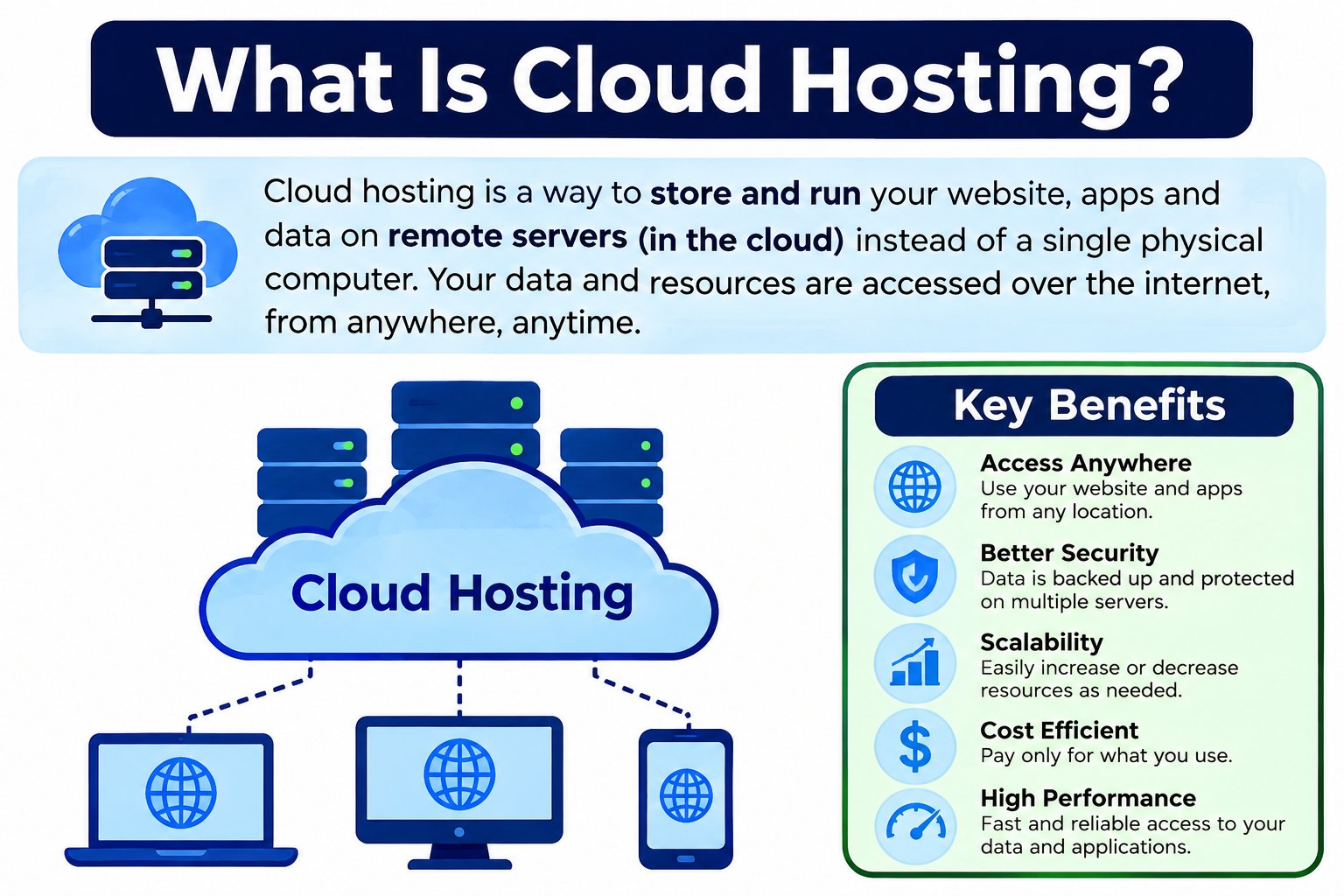
Every website needs somewhere to live. For a long time, that meant renting space on a physical server managed by a hosting company. Cloud hosting changed that model significantly. Instead of relying on a single physical machine, cloud hosting uses a distributed pool of computing resources that can draw on multiple interconnected servers to host websites and applications. Understanding what is cloud hosting helps website owners, developers, and businesses make better decisions about where and how they deploy their online projects. The technology behind it connects closely to broader cloud computing principles, which you can explore in [What Is Cloud Computing? A Beginner’s Guide].
Quick Answer: What Is Cloud Hosting?
Cloud hosting hosts websites or applications using a distributed pool of cloud-based computing resources, rather than depending on a single physical server. Resources such as processing power, memory, and storage can be drawn from multiple interconnected servers in the provider’s infrastructure. This architecture can support changing workload demands more flexibly than many traditional hosting models. Performance, reliability, and cost depend on the provider, plan, and configuration.
What Is Cloud Hosting?
Cloud hosting is a method of hosting websites, applications, and digital services using cloud-based infrastructure. Rather than placing a website on one specific physical server, the hosting environment draws computing resources from a pool that may span multiple physical machines and locations managed by the provider.
When you visit a traditionally hosted website, that request typically goes to a single server. If that server is overloaded or fails, the website can slow down or go offline. Cloud hosting spreads workloads across a connected infrastructure, which means the website can draw on available resources from different parts of the system depending on demand and the provider’s architecture.
It is important to distinguish cloud hosting from general cloud computing. Cloud computing is a broad term that covers delivering many types of computing services over a network, including storage, databases, networking, software, and analytics. Cloud hosting is a more specific application of cloud computing focused on hosting websites and applications. Not every cloud computing service is a hosting service, but cloud hosting uses cloud computing infrastructure to deliver hosting capabilities.
The exact implementation of cloud hosting varies between providers. Some providers use fully virtualized environments. Others use containerized workloads or hybrid approaches. The terminology providers use for their plans can also vary, so understanding the underlying concepts helps more than memorizing any specific product name.
How Does Cloud Hosting Work?
Cloud hosting operates through a layered process that connects physical infrastructure to the website or application the end user accesses.
- A hosting provider operates a cloud infrastructure consisting of physical servers, storage systems, and networking equipment housed in data centers.
- Physical servers provide the underlying computing resources that power the cloud environment.
- Virtualization or container technology organizes those physical resources into manageable units that can be allocated to different customers and workloads.
- Websites or applications are deployed onto the cloud environment, where they run within virtual machines, containers, or other hosting configurations depending on the provider.
- Computing resources are allocated to each hosted workload based on the plan, configuration, and current demand.
- Incoming traffic is routed to available resources. Load balancing technology can distribute requests across multiple instances to prevent any single point from becoming overloaded.
- Monitoring systems track performance, resource usage, and availability across the infrastructure.
- Where the architecture supports it, additional resources can be allocated when demand increases, and released when demand decreases.
This process happens continuously and mostly invisibly to the website owner and visitor. The provider manages the underlying infrastructure while the customer manages their website, application, and configuration within the hosting environment. For a broader explanation of how cloud infrastructure delivers services, visit [How Does Cloud Computing Work?].
Cloud Hosting Architecture
Understanding what sits beneath a cloud hosting environment helps clarify how it works and why its behavior differs from traditional hosting.
Physical Servers
Physical servers are the foundation of any cloud hosting environment. The provider’s data centers house racks of physical machines containing processors, memory, and storage hardware. These machines provide the raw computing capacity that the cloud infrastructure draws from. Customers never interact directly with these physical servers in most cloud hosting arrangements, but their performance and reliability directly affect the quality of the hosted services above them.
Virtual Machines and Containers
Most cloud hosting environments use virtualization or containerization to divide physical server capacity into isolated units. A virtual machine creates a complete simulated computing environment within the physical server, allowing multiple workloads to run independently on the same hardware. Containers offer a lighter-weight approach, packaging an application and its dependencies into a portable unit that can run consistently across different environments. [What Is VMware?] explains enterprise virtualization technology in detail. For a widely accessible virtualization platform, [What Is Oracle VirtualBox?] is a useful reference.
Storage
Cloud hosting environments need storage for website files, application code, databases, media uploads, and backups. Cloud storage systems provide this capacity and often allow storage to be expanded without physically adding drives to a specific server. [What Is Cloud Storage?] explains how cloud storage works and how it differs from local storage. Storage performance, type, and location all affect how quickly a website can retrieve and serve data to visitors.
Networking
Networking connects all components of the cloud hosting environment to each other and to the internet. Virtual networks within the cloud infrastructure control how traffic flows between different systems. Routing directs requests to the appropriate destination. Firewalls enforce rules about which connections are permitted. Network performance directly affects website loading speeds and application responsiveness. [What Is a Firewall?] explains how firewall controls work to protect network traffic.
Load Balancing
Load balancing distributes incoming traffic across multiple servers or instances so that no single point becomes overwhelmed by requests. When a website receives a sudden increase in visitors, a load balancer can direct those requests to whichever available resources have capacity to handle them. This can improve both performance and availability compared to routing all traffic to a single server. The effectiveness of load balancing depends on how the architecture is configured and what resources are available within the hosting plan.
What Are the Types of Cloud Hosting?
Cloud hosting is not a single product. It encompasses several deployment approaches that reflect different infrastructure arrangements and management models.
Public Cloud Hosting
Public cloud hosting places websites and applications on infrastructure operated by a major cloud provider and shared among many customers. The underlying hardware is shared, but each customer’s workload is isolated through virtualization or containerization. Public cloud hosting offers flexible resource allocation and access to a wide range of additional cloud services.
Private Cloud Hosting
Private cloud hosting runs within a dedicated cloud environment reserved for a single organization. The infrastructure is not shared with other customers, which gives the organization greater control over configuration and security policies. Private cloud hosting suits organizations with specific compliance requirements or workloads that need a dedicated environment. [What Is Private Cloud?] provides a thorough explanation of how private cloud works.
Hybrid Cloud Hosting
Hybrid cloud hosting combines private or on-premises infrastructure with public cloud resources, connecting them so workloads can be distributed across both environments. An organization might host sensitive application components in a private environment while serving public-facing content through public cloud infrastructure. [What Is Hybrid Cloud?] explains hybrid cloud architecture and how the integration between environments functions.
Managed Cloud Hosting
Managed cloud hosting is a service model where the provider takes on additional operational responsibilities beyond simply providing infrastructure. This can include server management, software updates, security monitoring, performance optimization, and backup management. The specific services included vary significantly between providers, so reviewing what is and is not managed under a particular plan is essential before selecting it.
| Type | Main Idea | Typical Use |
|---|---|---|
| Public cloud hosting | Public cloud infrastructure | Websites and applications |
| Private cloud hosting | Dedicated cloud environment | Organizations needing more control |
| Hybrid cloud hosting | Private and public environments | Mixed workloads |
| Managed cloud hosting | Provider manages more operations | Businesses wanting less infrastructure management |
Cloud Hosting vs Traditional Web Hosting
Traditional web hosting typically places a website on specific server infrastructure, whether shared among many customers, dedicated to one customer, or something in between. Cloud hosting draws from a distributed pool of resources rather than tying the website to a specific physical machine.
| Feature | Cloud Hosting | Traditional Hosting |
|---|---|---|
| Infrastructure | Distributed cloud resources | Often tied to specific server infrastructure |
| Scalability | Usually flexible | Depends on hosting type |
| Resource allocation | Cloud resource pool | Usually predefined |
| Redundancy | Can be designed across multiple systems | Depends on provider |
| Management | Provider and platform dependent | Provider dependent |
| Pricing | Often usage or resource based | Often fixed plans |
Traditional hosting models include shared hosting, VPS hosting, and dedicated server hosting. Each has different characteristics, so comparing cloud hosting against “traditional hosting” as a single category requires considering which traditional model is being compared.
The broader context of how cloud infrastructure differs from conventional computing is covered in [Cloud Computing vs Traditional Computing], which provides useful context for understanding these distinctions.
Cloud Hosting vs Shared Hosting
Shared hosting places many customers’ websites on the same physical server, where they all draw from the same pool of CPU, memory, and storage resources. If one website on the server experiences a traffic spike, it can affect other sites sharing the same hardware.
| Feature | Cloud Hosting | Shared Hosting |
|---|---|---|
| Resources | Cloud resource pool | Shared server resources |
| Scalability | Usually higher | More limited |
| Isolation | Depends on architecture | Multiple customers share server |
| Performance | Can handle changing workloads better | Depends heavily on server load |
| Cost | Can vary | Usually inexpensive |
| Best for | Growing or variable workloads | Smaller websites |
Shared hosting remains a practical and cost-effective choice for small personal websites, simple blogs, and low-traffic projects that do not require significant resources or expect sudden traffic increases. Cloud hosting is better suited to workloads where resource flexibility matters.
Cloud Hosting vs VPS Hosting
VPS, or Virtual Private Server hosting, gives each customer a virtualized portion of a physical server with dedicated allocations of CPU, memory, and storage. This provides more consistent resource availability than shared hosting since each VPS has defined resources that other customers cannot consume.
| Feature | Cloud Hosting | VPS Hosting |
|---|---|---|
| Infrastructure | Cloud resource environment | Virtual private server |
| Scalability | Often more flexible | Usually limited by VPS resources |
| Isolation | Depends on architecture | Virtualized isolation |
| Management | Depends on provider | Depends on provider |
| Best for | Variable or growing workloads | Websites needing predictable VPS resources |
It is worth noting that some cloud hosting services themselves use virtual machines as their hosting units, so the boundary between cloud hosting and VPS hosting can overlap depending on the provider’s implementation. The key distinction is whether the environment draws from a distributed pool of resources or is tied to a specific virtualized allocation on one physical machine.
Cloud Hosting vs Dedicated Hosting
Dedicated hosting provides an entire physical server exclusively to one customer. The customer has full use of all the server’s CPU, memory, and storage without sharing anything with other users.
| Feature | Cloud Hosting | Dedicated Hosting |
|---|---|---|
| Physical server | May use multiple servers | One dedicated physical server |
| Scalability | Usually flexible | Requires hardware changes |
| Control | Depends on service | Usually high |
| Resource allocation | Cloud pool | Dedicated hardware |
| Redundancy | Can span multiple systems | Depends on configuration |
| Best for | Flexible workloads | Workloads needing dedicated hardware |
Dedicated hosting suits workloads that require predictable hardware resources, specific hardware configurations, or maximum performance from a single machine. Cloud hosting offers more flexibility in resource allocation but without the direct hardware control that dedicated servers provide.
Benefits of Cloud Hosting
Cloud hosting offers genuine advantages for websites and applications with the right characteristics.
Scalability allows the hosting environment to allocate more resources during periods of high traffic and reduce them during quiet periods, depending on the plan and architecture.
Flexible resource allocation means the website is not permanently constrained by a fixed hardware specification. Resources can be adjusted as needs change.
Potential high availability is supported when the architecture distributes workloads across multiple servers, reducing the impact of a single server failure on the hosted website.
Distributed infrastructure can provide geographic flexibility, allowing content to be served from locations closer to different groups of users where the provider supports multiple regions.
Easier workload expansion is possible when adding capacity does not require physical hardware changes, server migration, or extended downtime.
Resource monitoring tools provided by cloud hosting platforms give website owners visibility into how much CPU, memory, and bandwidth they are using.
Backup options are available through many cloud hosting providers, though the specifics of what is backed up, how frequently, and how long backups are retained vary significantly by plan.
Disaster recovery options through cloud infrastructure can help restore a website more quickly after a significant failure when the architecture and plan support it.
Flexible deployment allows websites and applications to be configured and adjusted through provider dashboards or APIs without physical access to hardware.
Access to cloud services from the same provider, such as managed databases, content delivery networks, or object storage, can complement the hosting environment.
Geographic flexibility through data center regions allows organizations to choose where their hosted content is located, which can affect performance for specific audiences and may be relevant to data residency considerations.
Managed infrastructure options through managed cloud hosting plans can reduce the technical burden on website owners who prefer not to manage server-level tasks themselves.
These benefits apply where the hosting plan and architecture support them, not universally across all cloud hosting products.
Disadvantages of Cloud Hosting
Cloud hosting carries real limitations that prospective customers should understand before committing.
Pricing complexity is a genuine challenge. Usage-based pricing models can make it difficult to predict monthly costs accurately, particularly for websites with variable traffic.
Usage-based costs mean that unexpected traffic spikes or misconfigured services can lead to higher bills than anticipated if the plan charges based on actual resource consumption.
Provider dependency means that the website’s availability and performance are closely tied to the cloud hosting provider’s infrastructure health and business continuity.
Vendor lock-in can develop when a website or application uses provider-specific features that make migration to another provider technically complex and time-consuming.
Configuration complexity is higher than with simpler hosting options. Setting up cloud hosting correctly, particularly for security, networking, and database configurations, requires more technical knowledge than shared hosting typically demands.
Network dependency means that the website relies on internet connectivity between the hosting environment and visitors, with network issues potentially affecting performance regardless of the hosting configuration.
Security configuration is the customer’s responsibility in many cloud hosting models. An improperly configured environment can be vulnerable regardless of how secure the provider’s underlying infrastructure is.
Technical knowledge requirements can be significant for self-managed cloud hosting, where the customer handles operating system updates, software installation, security configuration, and performance tuning.
Data transfer costs apply when large volumes of data move out of the hosting environment, such as when serving large media files or transferring data between services. These costs can be significant for high-traffic media sites.
Troubleshooting complexity increases when problems can originate in the hosting infrastructure, the application code, the network, or their interactions.
Practical steps to reduce these challenges include choosing a managed hosting plan if technical management is a concern, monitoring usage costs actively, and reviewing the provider’s pricing structure carefully before committing.
Is Cloud Hosting Secure?
Cloud hosting can be made secure, but it is not automatically secure simply because it uses cloud infrastructure. Security in a cloud hosting environment depends on both what the provider implements and what the customer configures and manages.
Providers typically implement physical security for their data centers, network security controls, infrastructure monitoring, and encryption for data in transit. However, customers retain responsibility for configuring their hosted environment correctly. This includes setting access controls, keeping software updated, configuring firewalls appropriately, and managing who has access to the hosting account and server.
Firewalls control which network connections are permitted to reach the hosted website or application. Identity management controls who can log into the hosting account and the server itself. Access controls limit what authenticated users can do within the environment. Encryption protects data as it travels between the server and visitors, typically implemented through HTTPS.
Monitoring and logging help detect unusual activity such as unauthorized login attempts, unexpected resource usage, or suspicious traffic patterns. Patch management keeps the operating system and installed software current against known vulnerabilities.
Network segmentation within the hosting environment isolates different components from each other, limiting the potential spread of a security issue.
For comprehensive cloud security guidance, read [What Is Cloud Security?]. [What Is Cybersecurity?] covers foundational security principles applicable to any hosted environment. Understanding [Network Security] helps clarify how network-level controls protect hosted websites and applications.
Cloud Hosting Scalability
Scalability is one of the most commonly cited advantages of cloud hosting, but it is important to understand what scalability means in practice.
Vertical Scaling
Vertical scaling means increasing the resources available to an existing hosting instance. For example, upgrading from a plan with less CPU and memory to one with more. This approach has practical limits based on the maximum configuration available within the provider’s plans.
Horizontal Scaling
Horizontal scaling means adding more instances of the hosted application to distribute workload across multiple units. A high-traffic website might run multiple instances behind a load balancer so that incoming requests are spread across them. This approach can handle significantly more traffic than a single instance but requires the application to be designed to work correctly when running as multiple simultaneous instances.
Auto Scaling
Some cloud hosting platforms can automatically add or remove instances based on defined conditions, such as CPU usage exceeding a threshold or traffic volume reaching a certain level. Auto scaling can help maintain performance during traffic spikes without manual intervention. However, it requires correct configuration and understanding of the cost implications, since additional instances mean additional charges on usage-based plans.
Scalability in cloud hosting does not mean unlimited resources. It means the ability to adjust resources within the bounds of what the provider offers and what the plan supports.
Cloud Hosting Reliability and Uptime
Reliability in cloud hosting depends on how the architecture is designed and how the provider has built its infrastructure.
Redundancy across multiple physical servers can mean that if one server experiences a hardware failure, workloads running on it can be migrated to healthy hardware without taking the website offline. However, this capability depends on how the provider has architected the environment and whether the customer’s plan and configuration take advantage of it.
Load balancing distributes traffic so that no single server becomes a bottleneck. Failover mechanisms can redirect traffic automatically when a problem is detected. Backups provide recovery options when data is lost or corrupted.
Multiple availability zones or data center locations, where the provider supports them, allow workloads to be distributed geographically so that a problem affecting one location does not affect availability in another.
No cloud hosting provider can honestly guarantee 100% uptime. Providers publish uptime commitments in their service level agreements, but these should be read carefully to understand what they actually cover and what compensation is offered if the commitment is not met.
Reliability ultimately depends on how well the architecture is designed for the specific workload, not simply on choosing cloud hosting over another model.
Cloud Hosting Performance
Performance in cloud hosting is affected by many variables, and moving a website to cloud hosting does not automatically make it faster.
CPU resources determine how quickly the server can process requests and run application code. Insufficient CPU allocation for the workload’s demands results in slow response times.
RAM affects how much data the server can hold in memory at once. When a website requires more RAM than is available, performance suffers as the system compensates through slower storage access.
Storage type significantly affects performance. Solid-state storage reads and writes data much faster than traditional mechanical hard drives. The type of storage used in the hosting environment affects database query speed, file serving, and application responsiveness.
Network speed determines how quickly data can travel between the server and the visitor’s browser. Faster networking between the hosting environment and internet infrastructure reduces the time content takes to reach users.
Server location affects latency. A visitor in one region connecting to a server in a distant region experiences additional delay compared to connecting to a server nearby. Content delivery networks can partially address this by caching content closer to visitors.
Application optimization matters enormously. A poorly written application with inefficient database queries, excessive file sizes, or no caching will perform poorly regardless of the hosting environment. Cloud hosting provides the infrastructure, but application performance depends on the code and configuration running within it.
Database performance, caching configuration, and how traffic is managed through load balancing all contribute to the overall speed visitors experience.
Cloud Hosting Security Best Practices
Securing a cloud hosting environment requires consistent attention to both the hosting account and the configuration of the hosted application.
- Use strong, unique passwords for the hosting account, server access, and any application administrator accounts.
- Enable multi-factor authentication on the hosting account to protect against unauthorized access even if the password is compromised.
- Apply least-privilege access, granting users only the permissions they actually need for their specific tasks.
- Keep the server operating system, web server software, content management system, and plugins updated with current security patches.
- Configure firewalls to allow only the network connections your website genuinely needs, blocking access to services and ports that should not be publicly accessible.
- Encrypt sensitive data, including database content and any personal information collected through the website, using appropriate encryption methods.
- Use HTTPS by installing and maintaining a valid SSL certificate to encrypt communication between the server and visitors.
- Monitor access logs and server logs regularly for unusual patterns such as repeated failed login attempts or unexpected access to sensitive files.
- Maintain regular backups and store them in a location separate from the primary hosting environment.
- Test restoration from backups periodically to confirm that backups can actually be recovered when needed.
- Remove unused user accounts, unused applications, and unused plugins to reduce the attack surface.
- Review access permissions for all users and applications connected to the hosting account on a regular schedule.
- Monitor for unusual resource usage patterns that might indicate compromised accounts or unauthorized activity on the server.
- Keep hosting configurations documented so that security settings can be reviewed, audited, and reproduced if the environment needs to be rebuilt.
Understanding threats that target web hosting environments, including malware and unauthorized access attempts, helps inform proactive security decisions. [What Is Endpoint Security?] provides context on protecting the devices used to manage hosting accounts and access servers remotely.
Cloud Hosting and Website Backups
Backups are a separate concern from hosting, and confusing the two can leave website owners without recovery options when something goes wrong.
Hosting provides the environment where the website runs. Backup creates copies of the website’s files and database that can be restored if data is lost, corrupted, or accidentally deleted.
Some cloud hosting providers include automated backup services as part of their plans. Others offer backups as an optional add-on. Some providers include backups that retain copies for a specific number of days, while others offer longer retention periods on higher-tier plans.
Backup frequency determines how current the most recent copy of the website is. A backup taken once per week means up to a week of content could be lost if restoration is needed after the last backup was created.
Off-site backups store copies in a location separate from the primary hosting environment. This protects against scenarios where a problem affects both the hosted website and backup copies stored in the same environment. [What Is Cloud Storage?] explains how cloud storage can serve as an off-site backup destination.
Testing restoration from backups is as important as creating them. A backup that cannot be successfully restored does not protect the website. Testing the restoration process confirms that backups are functional before they are needed urgently.
Cloud Hosting Use Cases
Cloud hosting suits a wide range of website and application types.
Business websites representing companies, professional services, or organizations benefit from the reliability and scalability that cloud hosting can provide.
E-commerce stores handling customer transactions require consistent availability and the ability to handle traffic spikes during promotions or seasonal events.
Blogs and content websites with growing audiences may outgrow shared hosting and benefit from the resource flexibility cloud hosting offers.
News websites experiencing sudden traffic increases when a story attracts wide attention need infrastructure that can accommodate unpredictable demand.
SaaS applications requiring continuous availability, multi-user access, and the ability to scale with a growing customer base are well suited to cloud hosting environments.
Web applications and APIs serving mobile apps or third-party integrations need reliable uptime and the ability to handle concurrent requests efficiently.
Online stores benefit from cloud hosting’s geographic flexibility, which allows content to be served from locations close to customers in different regions.
Development and testing environments in cloud hosting allow developers to build and test applications without purchasing or maintaining separate physical hardware.
High-traffic websites that regularly receive substantial visitor volumes benefit from the distributed resource model that cloud hosting can provide.
Seasonal websites experiencing predictable demand cycles, such as event registrations or holiday promotions, can scale resources during peak periods and reduce them afterward.
Media websites serving large image or video files can use cloud hosting in combination with storage and content delivery services to handle bandwidth demands efficiently.
Database-backed applications that store and retrieve structured data through relational or non-relational database systems run well in cloud environments where managed database services are available. [What Is Database Software? Types, Uses and Examples] provides context on how databases function in hosted application environments.
Who Should Use Cloud Hosting?
Cloud hosting may be the right choice for several types of website owners and developers.
Growing websites that have outgrown shared hosting resources or expect continued traffic growth benefit from the scalability that cloud hosting can offer.
E-commerce websites handling financial transactions and customer data require reliable availability and the ability to handle traffic spikes without the website going offline.
Websites with variable traffic that experiences significant differences between busy and quiet periods benefit from the ability to adjust resources rather than paying for peak-period capacity at all times.
SaaS applications and web applications that serve multiple users simultaneously require infrastructure that can handle concurrent requests and maintain consistent response times.
Business websites where downtime would have meaningful financial or reputational consequences benefit from the redundancy options available through well-architected cloud hosting.
Developers building and testing applications gain from cloud hosting’s flexibility in configuring server environments, installing software, and managing different versions of applications.
Organizations expecting future growth can start with a cloud hosting plan and adjust resources as their needs evolve without migrating to an entirely different hosting provider.
Who May Not Need Cloud Hosting?
Cloud hosting is not the right choice for every website or situation.
Very small personal websites with low traffic and simple static content may function perfectly well on shared hosting, which is simpler to manage and typically less expensive.
Low-traffic blogs that publish content for a modest audience and do not experience significant traffic fluctuations may not gain meaningful benefit from cloud hosting’s scalability compared to what a good shared hosting plan provides.
Simple static websites that serve fixed HTML, CSS, and JavaScript files without database-backed content or complex application logic may be better served by static hosting platforms designed specifically for that use case.
Beginners with very limited technical needs who want a website running with minimal configuration may find shared hosting simpler to start with, especially if they are using a content management system that works well in managed shared hosting environments.
The right hosting choice depends on the website’s specific requirements, expected traffic, technical complexity, and the owner’s ability and interest in managing server-level configuration.
How Much Does Cloud Hosting Cost?
Cloud hosting costs vary significantly depending on the provider, plan structure, resources allocated, and actual usage.
CPU allocation affects cost in usage-based plans, where more processing power means higher charges. Larger plans with more vCPUs cost more than entry-level configurations.
RAM allocation follows a similar pattern. Hosting environments with more memory cost more but can handle more concurrent requests and larger application workloads.
Storage charges depend on how much disk space the website uses, what type of storage is included, and how the provider charges for additional capacity.
Bandwidth, meaning the volume of data transferred between the server and visitors, may be included up to a monthly limit or charged based on actual consumption. High-traffic websites serving large files need to understand bandwidth costs clearly before choosing a plan.
Data transfer costs for moving data out of the hosting environment, particularly in public cloud pricing models, can add to the monthly bill in ways that fixed hosting plans do not.
Backups may be included in some plans and charged as an additional service in others. The backup retention period and frequency affect how much backup storage is consumed.
Managed services carry additional costs in managed cloud hosting plans, reflecting the provider’s operational involvement in managing the server and hosting environment.
Security tools, monitoring services, SSL certificates, and content delivery networks may be included or priced separately depending on the provider and plan.
Geographic region affects pricing in some cloud hosting environments, with certain data center locations costing more than others.
Support plans range from community forums and ticket-based support at no additional cost to premium support with faster response times and dedicated technical assistance at higher price points.
Cloud hosting is not always cheaper than other hosting options. For small websites with consistent, predictable resource needs, shared hosting often costs less than cloud hosting. The value of cloud hosting lies in its flexibility and scalability, not necessarily in lower prices.
Cloud Hosting Pricing: What Should You Check?
Before committing to a cloud hosting plan, reviewing the following points helps avoid unexpected costs and limitations.
Included storage and what happens when that storage limit is reached, including whether additional storage is available and how it is priced.
Bandwidth limits and whether there are caps on the volume of data transferred monthly, along with the cost for exceeding those limits.
CPU and RAM specifications for the plan, including whether these are dedicated or shared and whether they can be adjusted.
Backup policy covering what is backed up, how often, how long backups are retained, and whether restoration is included or charged separately.
SSL certificate support and whether a free certificate is included or whether an additional charge applies.
CDN options for improving content delivery to visitors in different geographic locations and whether CDN usage is included or priced separately.
Support channels and response time commitments at the plan level you are considering, since support quality varies significantly between budget and premium plans.
Renewal pricing, which can differ significantly from introductory promotional pricing on some hosting plans.
Data transfer charges, especially for egress traffic in cloud-based pricing models where outbound data transfer incurs fees per unit of data.
Additional service charges for features such as dedicated IP addresses, advanced monitoring, managed database services, or enhanced security tools.
Migration fees if you are moving an existing website from another host, since some providers charge for migration assistance while others include it.
Cloud Hosting for Small Businesses
Small businesses can benefit from cloud hosting in several practical ways.
Website hosting for a business website on cloud infrastructure can provide more reliable availability than entry-level shared hosting, which matters when the website is the primary way customers find and contact the business.
E-commerce functionality requires consistent availability and the ability to handle traffic spikes during promotional periods. Cloud hosting’s resource flexibility can support these requirements better than fixed-resource shared hosting.
Business applications including customer portals, internal tools, and web-based software can run in cloud hosting environments that provide the resources and configuration options those applications need.
Backup and disaster recovery options through cloud hosting plans help protect business data against loss, which is critical for any organization where the website or web application holds important customer or operational information.
Scalability allows a small business to start with modest hosting resources and increase them as the business grows, without migrating to a different provider or rebuilding the website on new infrastructure.
Managed cloud hosting plans reduce the technical burden on small business owners who do not have dedicated IT staff by delegating server management, updates, and monitoring to the provider.
Cloud Hosting for Students and Beginners
Cloud hosting provides a practical learning environment for students and technology beginners who want to develop skills in web hosting, server management, and cloud infrastructure.
Web hosting fundamentals, including how servers receive and respond to requests, how domain names connect to hosting environments, and how websites are deployed, are all accessible through hands-on experience with a cloud hosting account.
Linux server administration is a valuable skill developed by managing a cloud hosting instance. Working with a Linux command line, configuring services, and managing files and permissions builds practical capability applicable across many technology roles.
Virtual machines and their relationship to physical hardware become tangible when working in a cloud hosting environment. [What Is Oracle VirtualBox?] offers a free virtualization platform for learning these concepts locally before working with cloud environments.
Networking concepts including how web traffic is routed, how firewalls control connections, and how load balancers distribute requests are all visible when managing a cloud hosting environment.
Databases supporting websites and applications represent another learning area, with cloud hosting environments providing a place to install, configure, and work with database systems in a real server context.
Cloud platform exploration through providers offering free tiers or credit-based trials allows students to experiment with cloud hosting without financial commitment while building practical familiarity with cloud infrastructure.
For broader tool recommendations relevant to students, visit [Best Software for Students].
How to Choose a Cloud Hosting Provider
Selecting a cloud hosting provider requires evaluating several factors beyond the monthly price.
- Understand your website’s resource requirements, including how much traffic you expect, what applications will run, and how much storage the website needs.
- Check scalability options to confirm that the provider allows resources to be adjusted and understand how that adjustment works and what it costs.
- Review uptime commitments in the provider’s service level agreement, including what compensation is offered if the commitment is not met.
- Examine security features included in the plan, such as firewalls, DDoS protection, and malware scanning, versus what requires additional purchase.
- Check backup policies carefully, including what is backed up, how frequently, how long backups are stored, and how restoration works.
- Review data center locations to confirm that available regions align with where your target audience is located.
- Compare bandwidth and data transfer policies, particularly whether outbound data transfer has a monthly cap or is charged based on usage.
- Check support options at the plan level you are considering, including response time commitments and available support channels.
- Understand pricing in full, including promotional versus renewal rates, usage-based charges, and costs for additional services.
- Review migration support if you are moving an existing website, confirming whether the provider assists with migration and whether there is a cost involved.
- Check cancellation and renewal terms, including minimum contract periods, notice requirements, and refund policies.
- Evaluate provider reputation by researching independent reviews, uptime monitoring reports, and community feedback about the provider’s support quality and reliability track record.
Common Cloud Hosting Mistakes
Many problems with cloud hosting arise from avoidable decisions made during setup or ongoing management.
Choosing a plan without understanding resource requirements leads to either overpaying for capacity that is not used or underprovisioning for a workload that needs more than the plan provides.
Ignoring backup policies until something goes wrong means discovering too late that the hosting plan does not include backups, or that backups are less frequent or complete than expected.
Overlooking data transfer costs is a common source of unexpected bills, particularly for websites that serve large files or experience significant traffic volumes.
Poor security configuration including weak passwords, excessive permissions, and unpatched software turns a cloud hosting environment into a security vulnerability regardless of the provider’s infrastructure security.
Giving excessive user permissions to team members, developers, or third-party tools beyond what they actually need increases the potential damage from compromised accounts.
Not monitoring usage means that resource consumption increases, unexpected charges accumulate, or security incidents go undetected until the impact becomes significant.
Ignoring renewal pricing leads to cost surprises when a promotional rate expires and the plan renews at the standard rate.
Choosing based only on price without evaluating performance, support quality, backup policies, and scalability options often leads to migration headaches later when the cheapest provider does not meet actual needs.
Failing to test backups until restoration is urgently needed reveals too late that backups were not functioning correctly or that the restoration process does not work as expected.
Not planning for traffic growth means the hosting environment becomes a bottleneck as the website grows, requiring urgent migration or reconfiguration at the worst possible time.
Frequently Asked Questions
What is cloud hosting?
Cloud hosting hosts websites and applications using a distributed pool of cloud computing resources rather than a single physical server. Resources can be drawn from multiple interconnected servers in the provider’s infrastructure.
What is cloud hosting in simple words?
Cloud hosting means your website runs on a network of connected servers in a cloud environment rather than on one specific physical machine. This can give the website more flexibility in handling different amounts of traffic.
How does cloud hosting work?
A provider operates cloud infrastructure in its data centers. Virtual machines or containers run within that infrastructure. Your website is deployed into the hosting environment. Traffic is routed to available resources. Monitoring tracks performance and usage.
Is cloud hosting better than shared hosting?
Cloud hosting generally offers more resource flexibility and scalability than shared hosting. Shared hosting can be sufficient and more cost-effective for small, low-traffic websites. The better choice depends on the website’s size, traffic, and requirements.
What is the difference between cloud hosting and web hosting?
Web hosting is a broad term that includes shared, VPS, dedicated, and cloud hosting. Cloud hosting is a specific type of web hosting that uses distributed cloud infrastructure rather than a single fixed server.
What is the difference between cloud hosting and VPS hosting?
VPS hosting allocates a fixed portion of one physical server to each customer. Cloud hosting draws from a distributed pool of resources across multiple servers. The boundary can overlap depending on how providers implement their services.
What is the difference between cloud hosting and dedicated hosting?
Dedicated hosting provides one entire physical server to one customer. Cloud hosting draws resources from a distributed cloud environment and may use multiple servers rather than one dedicated machine.
Is cloud hosting secure?
Cloud hosting can be made secure, but it is not automatically secure. Security depends on both the provider’s infrastructure and the customer’s configuration, including access controls, software updates, firewalls, and monitoring.
Is cloud hosting expensive?
Cloud hosting costs range widely depending on the provider, plan, and resources allocated. It can be more expensive than basic shared hosting and potentially more cost-effective than dedicated servers for flexible workloads. Usage-based pricing requires active cost monitoring.
Is cloud hosting good for beginners?
Managed cloud hosting can be accessible for beginners since the provider handles many technical tasks. Unmanaged cloud hosting requires more technical knowledge. Beginners with simple websites may find shared hosting easier to start with.
Who should use cloud hosting?
Cloud hosting suits growing websites, e-commerce stores, web applications, SaaS products, and businesses needing scalable resources. It works well for workloads with variable traffic or plans for future growth.
Can cloud hosting handle high traffic?
Cloud hosting can handle high traffic when the architecture and plan are configured appropriately. Scalability and load balancing can distribute traffic across resources, but performance depends on the plan limits and configuration.
Is cloud hosting scalable?
Cloud hosting can be scalable within the limits of the provider’s plans and architecture. Vertical scaling adds more resources to existing instances. Horizontal scaling adds more instances. Auto scaling can adjust resources based on demand conditions.
Does cloud hosting improve website speed?
Cloud hosting does not automatically make a website faster. Performance depends on server resources, application optimization, database efficiency, caching, and network speed. A poorly optimized website on cloud hosting can still be slow.
What are the advantages of cloud hosting?
Key advantages include scalability, flexible resource allocation, distributed infrastructure, backup options, geographic flexibility, and access to additional cloud services depending on the provider.
What are the disadvantages of cloud hosting?
Key disadvantages include pricing complexity, usage-based cost variability, vendor lock-in risks, configuration complexity, and security configuration responsibilities that fall on the customer.
What are examples of cloud hosting?
Examples include virtual machine-based hosting on major public cloud platforms, managed WordPress hosting running on cloud infrastructure, and application platform services that host web applications in cloud environments. Specific product names change over time, so reviewing current provider offerings is recommended.
How do I choose cloud hosting?
Evaluate your resource requirements, scalability needs, backup policies, security features, data center locations, bandwidth policies, support options, and total pricing before selecting a provider.
Does cloud hosting include backups?
Some plans include automated backups. Others offer backups as an add-on. Review the backup policy carefully before purchasing to understand what is backed up, how frequently, and how restoration works.
Is cloud hosting the same as cloud computing?
No. Cloud computing is a broad concept covering many types of services delivered over a network. Cloud hosting is a specific application of cloud computing focused on hosting websites and applications. Not every cloud computing service is a hosting service.
Final Thoughts
Cloud hosting has become a widely used approach to running websites and applications online, offering flexibility and scalability that traditional single-server hosting models can struggle to match. By distributing workloads across a pool of interconnected resources rather than tying a website to one physical machine, cloud hosting can accommodate changing demand more gracefully and recover more effectively from hardware failures when the architecture is designed for it.
Understanding cloud hosting means understanding its components. Physical servers provide the underlying capacity. Virtualization or containerization organizes that capacity into usable hosting environments. Networking connects everything together and routes traffic to available resources. Storage holds the website’s files and data. Load balancing distributes requests across available capacity.
The types of cloud hosting, from public cloud deployments to private cloud environments to managed hosting plans, reflect different balances between flexibility, control, and management responsibility. Each suits different organizations and workloads.
The benefits of cloud hosting are genuine, including scalability, resource flexibility, distributed infrastructure, and access to a wide range of supporting cloud services. So are the challenges, including pricing complexity, configuration responsibility, vendor dependency, and the technical knowledge required to configure and secure the environment effectively.
Security in cloud hosting is a shared responsibility. The provider secures the infrastructure. The customer secures the configuration, the application, and the data. This requires active attention to access controls, software updates, monitoring, and backup management.
Choosing the right hosting approach requires honest assessment of the website’s traffic, resources, technical complexity, growth plans, and the owner’s ability to manage a cloud hosting environment. For the right workloads, what is cloud hosting at its core is a flexible, scalable, and capable foundation for websites and applications that need more than fixed-resource hosting can provide.
References
National Institute of Standards and Technology. “The NIST Definition of Cloud Computing.” NIST Special Publication 800-145. https://nvlpubs.nist.gov/nistpubs/Legacy/SP/nistspecialpublication800-145.pdf
Amazon Web Services. “What Is Cloud Hosting?” AWS Documentation. https://aws.amazon.com/what-is/cloud-hosting/
Google Cloud. “Cloud Hosting.” Google Cloud Documentation. https://cloud.google.com/learn/what-is-cloud-hosting
Microsoft Azure. “Cloud Computing Hosting.” Microsoft Azure Documentation. https://azure.microsoft.com/en-us/resources/cloud-computing-dictionary/
Cloudflare. “What Is Cloud Hosting?” Cloudflare Learning Center. https://www.cloudflare.com/learning/cloud/what-is-cloud-hosting/
IBM. “Cloud Hosting.” IBM Think Topics. https://www.ibm.com/topics/cloud-computing
Cloud Security Alliance. “Security Guidance for Critical Areas of Focus in Cloud Computing.” https://cloudsecurityalliance.org/research/guidance/
Amazon Web Services. “AWS Shared Responsibility Model.” AWS Documentation. https://aws.amazon.com/compliance/shared-responsibility-model/
TECHNOLOGY DISCLAIMER
This article is for educational and informational purposes only. Cloud hosting services, pricing, infrastructure, security features, and provider policies can change over time. Always verify current information through official provider documentation before choosing a hosting service.
Published by the TechOriginHub Editorial Team, covering practical technology, software, cybersecurity, and cloud computing topics with a focus on clear and useful guidance.