
 By saman zahra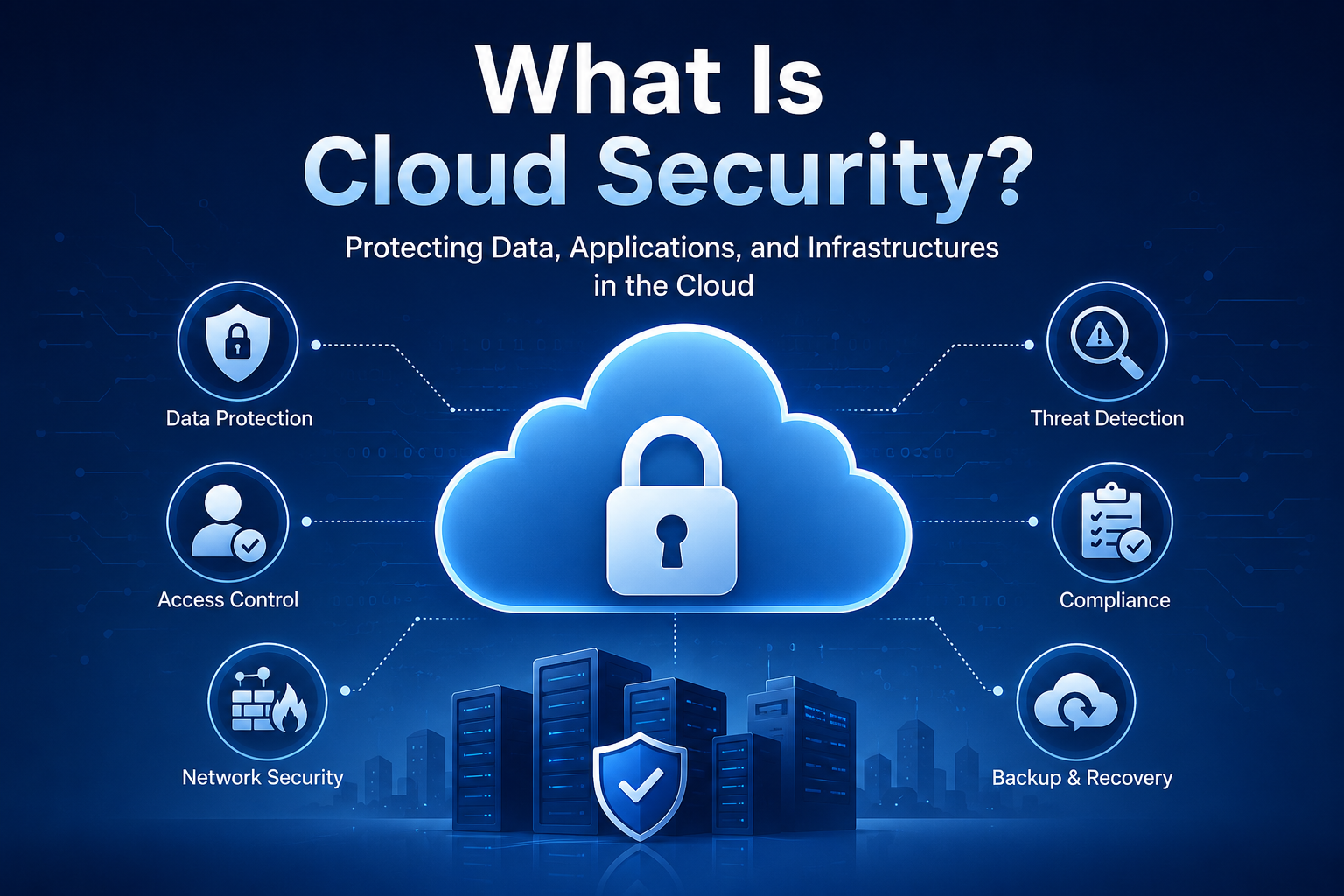
Introduction
Every day, millions of people upload files, send emails, and run business applications through the cloud. Cloud security has become one of the most critical topics in modern technology as more companies move their data and operations online. Without proper protection, sensitive information stored in the cloud can fall into the wrong hands within minutes.
Businesses of all sizes now rely on cloud platforms to stay competitive and efficient. However, moving to the cloud also introduces new security challenges that many beginners do not fully understand. This guide will help you understand cloud security from the ground up, covering everything from basic definitions to advanced best practices.
Whether you are a small business owner, a student, or an IT professional just starting out, this guide is designed specifically for you. By the end, you will have a clear and practical understanding of how cloud security works and how to protect your data effectively.
Quick Answer
What is cloud security? Cloud security is a set of policies, technologies, and controls that protect data, applications, and infrastructure hosted in the cloud. It defends against unauthorized access, data breaches, and cyberattacks. Cloud security covers identity management, encryption, firewalls, and compliance tools. Both cloud providers and customers share the responsibility of keeping cloud environments safe and secure.
What Is Cloud Security?
Definition
Cloud security refers to the broad collection of technologies, policies, procedures, and controls used to protect cloud-based systems, data, and infrastructure. It applies to everything stored, processed, or transmitted through cloud platforms. In simple terms, cloud security is the practice of keeping your digital information safe when it lives online rather than on a physical device in your office.
Simple Explanation
Think of the cloud as a massive digital warehouse that stores your files, emails, and applications. Cloud security is like the combination of security cameras, locked doors, security guards, and alarm systems that protect that warehouse. Without these protections, anyone with enough skill and motivation could potentially access your most sensitive data.
Why Cloud Security Matters
Organizations worldwide store enormous amounts of data in the cloud, including financial records, customer information, healthcare data, and intellectual property. A single data breach can cost a company millions of dollars and destroy its reputation permanently. According to IBM’s Cost of a Data Breach Report, the average global cost of a data breach reached over $4.88 million in 2024, and that number continues to rise.
Cloud computing security is no longer optional for businesses of any size. Even individuals who use cloud services like Google Drive, iCloud, or Dropbox need to understand the basics. Strong cloud security protects your privacy, keeps your business running, and builds trust with your customers.
Real-World Examples
Consider a healthcare company that stores patient records in the cloud. If their cloud environment lacks proper security controls, hackers could steal sensitive medical data and sell it on the dark web. Another example involves an e-commerce business that stores customer payment information in a cloud database with misconfigured access settings. Without proper cloud data protection, a simple configuration error could expose thousands of credit card numbers to cybercriminals.
How Does Cloud Security Work?
Cloud security works through multiple layers of protection that each address a different type of threat. Think of it as a layered security system where each layer adds another level of defense. If one layer fails, the next one catches the threat before it causes serious damage.
Identity and Access Management (IAM)
Identity and access management controls who can access cloud resources and what they can do with them. IAM systems verify user identities through authentication methods like passwords, biometrics, and multi-factor authentication. Once verified, IAM tools assign permissions based on each user’s role within the organization.
For example, a marketing employee might only access campaign data, while an IT administrator can access the entire cloud environment. This principle of least privilege ensures that users only have the access they genuinely need. Therefore, even if a hacker steals one employee’s credentials, they cannot access every part of the system.
Data Encryption
Encryption converts your data into an unreadable format that only authorized users can decode with the correct key. Most modern cloud platforms encrypt data both in transit and at rest. Data in transit refers to information moving between your device and the cloud server, while data at rest refers to information stored on cloud servers.
For instance, when you upload a document to Microsoft Azure or AWS, the platform encrypts it immediately using advanced encryption standards like AES-256. Consequently, even if a hacker intercepts that data, they cannot read it without the encryption key. Cloud encryption is one of the most fundamental and reliable cloud security tools available today.
Firewalls and Network Security
Cloud firewalls monitor and control incoming and outgoing network traffic based on predefined security rules. They act as a barrier between trusted cloud environments and untrusted external networks like the internet. Modern cloud firewalls can detect and block suspicious traffic patterns in real time.
Network security in the cloud also includes virtual private clouds (VPCs), network segmentation, and intrusion detection systems. These tools together create a strong defensive perimeter around cloud infrastructure. As a result, unauthorized users face significant obstacles when attempting to penetrate cloud networks.
Threat Detection and Monitoring
Cloud security systems constantly monitor cloud environments for signs of unusual activity or cyberattacks. Advanced monitoring tools use artificial intelligence and machine learning to identify threats that traditional rule-based systems might miss. For example, if an employee account suddenly downloads gigabytes of data at 3 AM from an unusual location, the system flags it as suspicious immediately.
Security Information and Event Management (SIEM) platforms collect and analyze logs from across the entire cloud environment. These platforms correlate events from multiple sources to identify complex attack patterns. Additionally, automated alerts notify security teams so they can respond to threats quickly and efficiently.
Backup and Disaster Recovery
Even the most secure cloud environments can experience incidents like ransomware attacks, natural disasters, or accidental data deletion. Backup and disaster recovery solutions ensure that organizations can restore their data and systems quickly after any incident. Most cloud providers offer automated backup services that create regular copies of your data across multiple geographic locations.
A solid disaster recovery plan defines specific recovery time objectives (RTO) and recovery point objectives (RPO). For example, a business might set an RTO of four hours, meaning systems must be fully restored within four hours of an outage. Consequently, regular testing of backup and recovery procedures is essential to ensure they actually work when needed most.
Types of Cloud Security
Infrastructure Security
Infrastructure security focuses on protecting the physical and virtual components that support cloud environments. This includes servers, storage systems, networking hardware, and virtualization layers. Cloud providers invest heavily in securing their data centers with physical access controls, biometric scanners, and redundant power systems.
Application Security
Application security addresses vulnerabilities in software applications that run in the cloud. Developers use secure coding practices, code reviews, and automated vulnerability scanning to minimize application-level risks. Additionally, Web Application Firewalls (WAFs) protect cloud-hosted applications from common attacks like SQL injection and cross-site scripting.
Data Security
Data security focuses specifically on protecting sensitive information stored and processed in the cloud. This involves encryption, data masking, data classification, and Data Loss Prevention (DLP) tools. Organizations need to know exactly where their data lives, who can access it, and how it moves through cloud environments.
Identity and Access Security
Identity and access security ensures that only legitimate users and systems can access cloud resources. This area covers multi-factor authentication, single sign-on (SSO), privileged access management (PAM), and role-based access control (RBAC). Strong identity security dramatically reduces the risk of unauthorized access and account hijacking.
Network Security
Network security in the cloud protects the communication channels between users, applications, and cloud services. This includes firewall configuration, network segmentation, encrypted communication protocols, and DDoS protection. Properly configured network security prevents attackers from intercepting or disrupting cloud communications.
Endpoint Security
Endpoint security protects the devices that connect to cloud environments, including laptops, smartphones, and tablets. Since remote work has become common, endpoint security has grown increasingly important in cloud cybersecurity strategies. Endpoint Detection and Response (EDR) tools monitor devices for signs of compromise and can automatically isolate infected endpoints before they threaten the broader cloud environment.
Cloud Deployment Models
Understanding different cloud deployment models is essential because each one comes with unique security considerations and challenges. Organizations choose deployment models based on their security requirements, budget, and operational needs.
Cloud Deployment Models Comparison Table
| Deployment Model | Description | Security Level | Best For | Key Advantage | Key Disadvantage |
|---|---|---|---|---|---|
| Public Cloud | Resources shared among multiple tenants via the internet | Moderate | Startups, SMBs | Cost-effective, scalable | Less control over infrastructure |
| Private Cloud | Dedicated infrastructure for a single organization | High | Healthcare, Finance, Government | Full control, customizable | Expensive to maintain |
| Hybrid Cloud | Combination of public and private cloud environments | High | Enterprises with mixed needs | Flexibility and control | Complexity in management |
| Multi-Cloud | Uses multiple cloud providers simultaneously | Varies | Large enterprises | Avoids vendor lock-in | Security consistency challenges |
Public Cloud
Public cloud services are hosted by third-party providers like AWS, Microsoft Azure, and Google Cloud. They serve multiple customers using shared infrastructure through a model called multi-tenancy. Therefore, security controls must prevent one customer’s data from being accessible to another.
Public cloud environments are highly scalable and cost-effective, making them popular with startups and small businesses. However, organizations must carefully configure security settings since public clouds give providers more infrastructure control. Misconfiguration is one of the most common public cloud security risks businesses face today.
Private Cloud
A private cloud is dedicated exclusively to one organization, either hosted on-premises or by a third-party provider. This model gives organizations full control over their infrastructure, security configurations, and compliance requirements. As a result, private clouds are particularly popular in industries like healthcare, finance, and government where strict data regulations apply.
The main disadvantage of private cloud is its significantly higher cost compared to public cloud services. Organizations must invest in hardware, software, and skilled personnel to maintain their private cloud securely. However, for organizations handling extremely sensitive data, this investment is often entirely justified.
Hybrid Cloud
Hybrid cloud combines public and private cloud environments, allowing organizations to run different workloads in the most appropriate environment. For example, a company might store sensitive customer data in a private cloud while running its website and marketing applications in a public cloud. This approach provides flexibility without sacrificing security for critical data.
Managing a hybrid cloud environment requires strong security policies that apply consistently across both environments. Additionally, organizations must secure the connections between their public and private cloud components carefully. Despite these complexities, hybrid cloud remains a popular choice for mid-size and large enterprises in 2026.
Multi-Cloud
Multi-cloud strategies involve using cloud services from two or more providers simultaneously, such as combining AWS with Google Cloud or Microsoft Azure. Organizations adopt this approach to avoid vendor lock-in, improve resilience, and take advantage of each provider’s unique strengths. However, managing security across multiple cloud platforms introduces significant complexity.
Security teams must apply consistent policies, monitoring, and compliance standards across all cloud environments in a multi-cloud setup. Without proper governance tools, security gaps can appear between different cloud platforms. Fortunately, modern multi-cloud security platforms and Cloud Access Security Brokers (CASBs) help organizations manage these challenges effectively.
Common Cloud Security Risks
Understanding the threats you face is the first step toward building effective cloud infrastructure security. Here is a breakdown of the most significant cloud security risks organizations and individuals face today.
Cloud Security Risks Table
| Risk | Description | Potential Impact | Prevention Method |
|---|---|---|---|
| Data Breaches | Unauthorized access to sensitive data | Financial loss, reputational damage | Encryption, access controls |
| Misconfigured Storage | Incorrectly set permissions exposing data | Public data exposure | Regular audits, security tools |
| Weak Passwords | Easy-to-guess credentials | Account takeover | MFA, strong password policies |
| Insider Threats | Malicious or negligent employees | Data theft, sabotage | Least privilege, monitoring |
| Malware | Malicious software infecting cloud systems | Data destruction, theft | Antivirus, endpoint protection |
| Ransomware | Encrypts data and demands payment | Business disruption | Backups, security training |
| Insecure APIs | Vulnerable application programming interfaces | Unauthorized data access | API security testing, authentication |
| Account Hijacking | Stolen credentials used to access accounts | Full account compromise | MFA, behavioral monitoring |
| DDoS Attacks | Overwhelming cloud services with traffic | Service outages | DDoS protection services |
Data Breaches: Data breaches occur when unauthorized individuals gain access to sensitive information stored in the cloud. They can happen through stolen credentials, exploited vulnerabilities, or misconfigured access settings. The consequences range from regulatory fines to permanent loss of customer trust.
Misconfigured Cloud Storage: Misconfiguration is surprisingly one of the leading causes of cloud security incidents worldwide. A simple mistake like leaving a cloud storage bucket publicly accessible can expose millions of records instantly. Regular security audits and automated configuration scanning tools help organizations catch these mistakes before attackers do.
Insider Threats: Not all threats come from outside the organization. Employees, contractors, or business partners with legitimate cloud access can misuse their privileges intentionally or accidentally. Monitoring user activity and applying least privilege access policies significantly reduces this risk.
Insecure APIs: APIs allow different cloud services and applications to communicate with each other. However, poorly secured APIs can become entry points for attackers seeking unauthorized access to cloud data. Organizations must regularly test and secure all APIs that interact with their cloud environments.
DDoS Attacks: Distributed Denial of Service attacks flood cloud services with massive amounts of traffic, overwhelming servers and causing outages. These attacks can disrupt business operations for hours or even days. Fortunately, major cloud providers like AWS, Azure, and Google Cloud offer built-in DDoS protection services that absorb and filter malicious traffic automatically.
Benefits of Cloud Security
Investing in strong cloud security delivers far more benefits than simply preventing cyberattacks. Here are fifteen compelling reasons why robust cloud security matters for individuals and organizations alike.
- Data Protection: Strong cloud security safeguards sensitive data from unauthorized access and theft consistently.
- Regulatory Compliance: Cloud security tools help organizations meet compliance requirements like GDPR, HIPAA, PCI DSS, and SOC 2.
- Business Continuity: Proper backup and recovery systems ensure organizations can survive ransomware attacks, disasters, and outages without catastrophic losses.
- Cost Savings: Preventing a data breach is far less expensive than recovering from one, saving organizations millions in potential losses.
- Customer Trust: Demonstrating strong security practices builds confidence among customers who share their personal information with your business.
- Centralized Management: Cloud security platforms offer centralized dashboards to manage policies, monitor threats, and respond to incidents across the entire organization efficiently.
- Scalability: Cloud security solutions scale alongside your business, automatically adjusting to protect growing data volumes and expanding user bases.
- Faster Threat Response: Automated detection and response tools can identify and contain threats in seconds, dramatically reducing potential damage.
- Reduced IT Burden: Many cloud security tasks are automated, freeing IT teams to focus on strategic initiatives rather than routine maintenance.
- Global Accessibility with Security: Cloud security enables employees to work securely from anywhere in the world without compromising data protection.
- Advanced Threat Intelligence: Major cloud providers continuously update their security systems with the latest threat intelligence, benefiting all customers automatically.
- Improved Visibility: Cloud security monitoring tools provide complete visibility into who accesses your data, when they access it, and from where.
- Secure Collaboration: Cloud security enables teams to share and collaborate on sensitive documents securely without risking unauthorized exposure.
- Disaster Recovery: Multi-region cloud architectures ensure data remains available even when an entire data center experiences an outage.
- Competitive Advantage: Organizations with strong cloud security reputations attract more clients, particularly in industries like finance, healthcare, and legal services where data protection is paramount.
Cloud Security Best Practices
Following proven cloud security best practices dramatically reduces your exposure to cyberattacks and data breaches. Use the following checklist to strengthen your cloud security posture immediately.
Cloud Security Best Practices Checklist
| Priority | Best Practice | Why It Matters |
|---|---|---|
| Critical | Enable Multi-Factor Authentication (MFA) | Stops 99.9% of account takeover attacks |
| Critical | Encrypt all sensitive data | Renders stolen data unreadable |
| Critical | Apply least privilege access | Limits damage from compromised accounts |
| Critical | Regularly audit access permissions | Removes unnecessary access privileges |
| High | Use strong, unique passwords | Prevents credential-based attacks |
| High | Monitor cloud activity continuously | Detects threats before they escalate |
| High | Secure all APIs | Closes a common attack entry point |
| High | Conduct regular security audits | Identifies vulnerabilities proactively |
| High | Perform regular data backups | Ensures recovery after incidents |
| High | Train employees on security | Reduces human error risks |
| High | Update cloud software regularly | Patches known vulnerabilities promptly |
| High | Implement network segmentation | Limits lateral movement by attackers |
| Medium | Use a Cloud Access Security Broker (CASB) | Provides visibility and control over cloud apps |
| Medium | Classify data by sensitivity level | Applies appropriate protections to critical data |
| Medium | Implement Zero Trust architecture | Verifies every access request explicitly |
| Medium | Conduct penetration testing | Simulates real attacks to find weaknesses |
| Medium | Establish an incident response plan | Speeds up response when incidents occur |
| Medium | Secure remote access with VPNs | Protects connections from remote workers |
| Medium | Monitor third-party vendor security | Prevents supply chain attacks |
| Standard | Document all security policies | Creates clear guidelines for all staff |
- Enable Multi-Factor Authentication: Always require a second form of verification beyond passwords for all cloud accounts.
- Encrypt Sensitive Data: Apply strong encryption like AES-256 to all sensitive data in transit and at rest.
- Apply Least Privilege Access: Give users only the minimum access they need to perform their job responsibilities.
- Use Strong, Unique Passwords: Require complex passwords and use a password manager to maintain them safely.
- Monitor Cloud Activity Continuously: Deploy real-time monitoring tools to detect suspicious behavior as soon as it occurs.
- Regularly Audit Permissions: Review user access rights quarterly and remove any permissions that are no longer needed.
- Update Software Regularly: Apply security patches to all cloud applications and services as soon as they become available.
- Perform Regular Backups: Schedule automated backups and verify that they can be successfully restored when needed.
- Conduct Security Audits: Perform thorough security assessments at least twice per year to identify and fix vulnerabilities.
- Train Employees: Deliver regular cybersecurity training so employees can recognize phishing attempts and other social engineering attacks.
- Secure All APIs: Implement authentication, rate limiting, and regular security testing for every API connected to your cloud environment.
- Implement Network Segmentation: Divide your cloud network into separate segments to limit the spread of attacks if a breach occurs.
- Use a CASB: Deploy a Cloud Access Security Broker to gain visibility and control over all cloud applications your employees use.
- Develop an Incident Response Plan: Create and regularly test a detailed plan for responding to security incidents quickly and effectively.
- Implement Zero Trust Architecture: Adopt a security model that verifies every access request regardless of whether it comes from inside or outside the network.
- Conduct Penetration Testing: Hire ethical hackers to test your cloud environment and identify security weaknesses before real attackers do.
- Classify Data by Sensitivity: Label data based on its sensitivity level and apply stricter controls to your most critical information.
- Secure Remote Access: Require employees to use VPNs or Zero Trust Network Access (ZTNA) solutions when connecting to cloud resources remotely.
- Monitor Third-Party Vendors: Assess the security practices of all vendors and partners who have access to your cloud environment.
- Document All Security Policies: Write clear, accessible security policies so every employee understands their responsibilities and the rules they must follow.
Cloud Security Tools
The right cloud security tools can transform your security posture from reactive to proactive. Here is a comparison of the most important tool categories available in 2026.
Cloud Security Tools Comparison Table
| Tool Category | Purpose | Examples | Best For |
|---|---|---|---|
| Cloud Access Security Broker (CASB) | Monitors and controls cloud app usage | Microsoft Defender for Cloud Apps, Netskope, Zscaler | Shadow IT visibility, data protection |
| Identity and Access Management (IAM) | Manages user identities and permissions | AWS IAM, Azure AD, Okta, Google Cloud IAM | Access control, authentication |
| Security Information and Event Management (SIEM) | Collects and analyzes security logs | Microsoft Sentinel, Splunk, IBM QRadar | Threat detection, compliance reporting |
| Endpoint Detection and Response (EDR) | Monitors and protects endpoint devices | CrowdStrike Falcon, Carbon Black, SentinelOne | Endpoint threat detection and response |
| Data Loss Prevention (DLP) | Prevents unauthorized data exfiltration | Symantec DLP, Microsoft Purview, Forcepoint | Sensitive data protection |
| Web Application Firewall (WAF) | Protects web applications from attacks | AWS WAF, Azure WAF, Cloudflare WAF | Application-layer attack prevention |
| Cloud Security Posture Management (CSPM) | Identifies misconfigurations | Prisma Cloud, Wiz, Microsoft Defender for Cloud | Configuration compliance, risk management |
Cloud Access Security Broker (CASB)
A CASB sits between cloud users and cloud service providers to enforce security policies. It gives organizations visibility into all cloud applications their employees use, including unauthorized shadow IT applications. Additionally, CASBs can block risky cloud activities, enforce data encryption, and ensure compliance with regulations like GDPR and HIPAA.
Identity and Access Management (IAM)
IAM tools are foundational to any cloud security strategy. They control authentication, authorization, and the management of user identities across cloud environments. Platforms like AWS IAM, Azure Active Directory, and Google Cloud IAM provide granular control over who can access specific resources and what actions they can perform.
Security Information and Event Management (SIEM)
SIEM platforms collect security logs and event data from across the entire cloud environment and analyze them for signs of threats. Modern SIEM solutions use artificial intelligence to correlate events and identify complex attack patterns that human analysts might miss. Microsoft Sentinel and Splunk are among the most widely used SIEM platforms in enterprise cloud environments today.
Endpoint Detection and Response (EDR)
EDR tools monitor every device that connects to the cloud for signs of malicious activity. They can automatically quarantine compromised endpoints to prevent attackers from moving laterally through the network. As remote work has grown, EDR has become an absolutely essential component of comprehensive cloud cybersecurity strategies.
Data Loss Prevention (DLP)
DLP solutions identify, monitor, and protect sensitive data as it moves through cloud environments. They can automatically block attempts to share confidential data outside the organization via email, cloud storage, or other channels. Furthermore, DLP tools help organizations maintain compliance with data protection regulations by ensuring sensitive information stays within approved boundaries.
Shared Responsibility Model
One of the most important concepts in cloud security is the shared responsibility model. This model defines exactly which security tasks the cloud provider handles and which tasks the customer must manage independently.
Shared Responsibility Model Table
| Security Area | AWS Responsibility | Customer Responsibility |
|---|---|---|
| Physical data center security | Yes | No |
| Network infrastructure security | Yes | No |
| Hypervisor and virtualization security | Yes | No |
| Operating system (EC2) | No | Yes |
| Application configuration | No | Yes |
| Data encryption | Shared | Customer manages keys |
| Identity and access management | Tools provided | Customer configures |
| Network configuration (VPC, firewalls) | Tools provided | Customer configures |
| Compliance and auditing | Shared | Customer responsible for data compliance |
| Backup and recovery | Tools provided | Customer must enable and manage |
Cloud Provider Responsibilities
Cloud providers like AWS, Microsoft Azure, and Google Cloud are responsible for securing the underlying infrastructure that powers their platforms. This includes the physical security of data centers, the hardware, the networking equipment, and the virtualization layer. These providers invest billions of dollars annually in security and employ thousands of dedicated security professionals to protect their global infrastructure.
For example, AWS maintains physical security controls like 24/7 surveillance, biometric access, and intrusion detection systems at all of its data centers worldwide. Similarly, Google Cloud operates some of the most secure data centers in the world, featuring multiple layers of physical access controls. However, this responsibility ends at the infrastructure level.
Customer Responsibilities
Customers are responsible for securing everything they build and configure on top of the cloud provider’s infrastructure. This includes configuring access controls correctly, managing encryption keys, securing their applications, and protecting their data. Unfortunately, many organizations mistakenly assume that their cloud provider handles all security, leading to serious vulnerabilities.
For instance, if a customer misconfigures an AWS S3 bucket to allow public access, AWS is not responsible for the resulting data exposure. The customer made the configuration decision and therefore bears full responsibility for the consequences. Understanding this distinction is absolutely critical for anyone building or operating cloud environments in 2026.
Microsoft Azure and Google Cloud follow the same shared responsibility principle, though the specific boundaries vary slightly depending on the type of cloud service used. In an Infrastructure as a Service (IaaS) model, customers take on more responsibility than in a Software as a Service (SaaS) model where the provider manages most of the stack. Therefore, organizations must clearly understand their responsibilities based on the specific cloud services they use.
Future of Cloud Security
Cloud security is evolving rapidly as both attackers and defenders develop more sophisticated technologies. Several major trends are shaping the future of cloud security in 2026 and beyond.
Artificial Intelligence and Machine Learning
Artificial intelligence is fundamentally transforming how organizations detect and respond to cloud threats. AI-powered security systems can analyze billions of events per second and identify subtle attack patterns that human analysts could never detect manually. Moreover, AI enables predictive security, where systems identify vulnerabilities and potential attack paths before attackers can exploit them.
Zero Trust Security Architecture
Zero Trust has moved from a theoretical framework to a practical necessity for modern cloud environments. The core principle is simple: never trust, always verify. Every user, device, and application must prove its identity and legitimacy every single time it requests access to cloud resources, regardless of its location.
Organizations are rapidly adopting Zero Trust Network Access (ZTNA) solutions to replace traditional VPNs for remote access. Furthermore, micro-segmentation techniques allow security teams to contain potential breaches within tiny network segments, significantly limiting the blast radius of any successful attack.
Cloud-Native Security
As organizations increasingly build applications specifically designed for cloud environments, cloud-native security approaches are gaining significant momentum. This includes DevSecOps practices that integrate security directly into the software development pipeline from the very beginning. Consequently, security vulnerabilities are identified and fixed during development rather than discovered after deployment when they are far more expensive to address.
Security Automation
Automation is becoming essential for managing the complexity and speed of modern cloud security threats. Security Orchestration, Automation, and Response (SOAR) platforms can automatically execute predefined response playbooks when specific threats are detected. As a result, organizations can respond to threats in seconds rather than hours, dramatically limiting potential damage.
Quantum-Resistant Encryption
Quantum computers pose a significant long-term threat to current encryption standards because they could theoretically break widely used algorithms like RSA and ECC. In response, organizations and government agencies are beginning to adopt post-quantum cryptography algorithms that can withstand attacks from quantum computers. The National Institute of Standards and Technology (NIST) published its first set of quantum-resistant encryption standards in 2024, and cloud providers are already beginning to implement them. Organizations that handle sensitive long-term data should start planning their migration to quantum-resistant encryption now.
Frequently Asked Questions
1. What is cloud security?
Cloud security is a comprehensive set of technologies, policies, and controls designed to protect data, applications, and infrastructure hosted in cloud environments from unauthorized access, cyberattacks, and data breaches.
2. Why is cloud security important?
Cloud security is important because it protects sensitive data from cybercriminals, helps organizations comply with regulations, ensures business continuity, and builds customer trust. A single data breach can cost millions of dollars and permanently damage an organization’s reputation.
3. Is cloud storage secure?
Cloud storage can be extremely secure when configured correctly and when users follow proper security practices. Major providers like AWS, Azure, and Google Cloud invest heavily in security. However, security ultimately depends on how organizations configure and manage their cloud environments.
4. What are the most common cloud security risks?
The most common cloud security risks include data breaches, misconfigured cloud storage, weak passwords, insider threats, ransomware, insecure APIs, account hijacking, and DDoS attacks. Misconfiguration is consistently among the top causes of cloud security incidents worldwide.
5. What is the shared responsibility model in cloud security?
The shared responsibility model defines the security obligations shared between cloud providers and their customers. Cloud providers secure the underlying infrastructure, while customers are responsible for securing their data, applications, and configurations built on top of that infrastructure.
6. What is IAM in cloud security?
Identity and Access Management (IAM) is a framework of technologies and policies that control who can access cloud resources and what actions they can perform. IAM systems handle authentication, authorization, and user lifecycle management to prevent unauthorized access.
7. What is cloud encryption?
Cloud encryption is the process of converting data into an unreadable format using cryptographic algorithms before it is stored in or transmitted through cloud environments. Only authorized users with the correct decryption key can access the original data, making encryption one of the strongest cloud data protection methods available.
8. How can businesses improve their cloud security?
Businesses can improve cloud security by enabling multi-factor authentication, encrypting sensitive data, applying least privilege access, conducting regular security audits, training employees, securing APIs, implementing Zero Trust architecture, and using specialized cloud security tools like CASBs and SIEMs.
9. Is AWS secure?
Yes, AWS is considered one of the most secure cloud platforms in the world. AWS maintains comprehensive physical and logical security controls across its global infrastructure and offers hundreds of security services and features to help customers protect their cloud environments. However, customers must properly configure and manage these tools to achieve actual security.
10. What is a CASB?
A Cloud Access Security Broker (CASB) is a security tool that sits between cloud users and cloud service providers to enforce security policies, provide visibility into cloud application usage, prevent data loss, and ensure compliance with regulatory requirements.
11. What is Zero Trust in cloud security?
Zero Trust is a security framework based on the principle of never trusting and always verifying every access request. In cloud environments, Zero Trust requires continuous verification of user identity, device health, and application legitimacy before granting access to any resource, regardless of the user’s location.
12. How does cloud security differ from traditional cybersecurity?
Traditional cybersecurity focuses on protecting on-premises infrastructure within a defined network perimeter. Cloud security addresses a more dynamic, distributed environment where resources, users, and data can exist anywhere in the world. Cloud security therefore places greater emphasis on identity, data protection, and shared responsibility rather than perimeter defense.
13. What are the main cloud compliance standards?
Key cloud compliance standards include GDPR for data privacy in Europe, HIPAA for healthcare data in the United States, PCI DSS for payment card data, SOC 2 for service organizations, ISO/IEC 27001 for information security management, and FedRAMP for US government cloud services.
14. What is the future of cloud security?
The future of cloud security centers around artificial intelligence for threat detection, Zero Trust architecture, cloud-native security integrated into development pipelines, security automation, and quantum-resistant encryption. These technologies will work together to create more resilient, adaptive, and intelligent cloud security systems.
15. Which cloud platform is the most secure?
AWS, Microsoft Azure, and Google Cloud all offer industry-leading security capabilities and comply with hundreds of global security standards. The security of any platform ultimately depends on how organizations configure and manage their cloud environments rather than the provider alone. All three platforms provide excellent tools; choosing the right one depends on your specific requirements, existing technology stack, and regulatory obligations.
People Also Ask
What is cloud security?
Cloud security is the collection of technologies, controls, policies, and procedures used to protect cloud-based data, applications, and infrastructure from cyber threats and unauthorized access.
Why is cloud security important?
Cloud security is critical because it prevents costly data breaches, ensures regulatory compliance, protects customer trust, and keeps business operations running smoothly in an era where virtually everything is stored and processed online.
How does cloud security work?
Cloud security works through multiple layers of protection including identity and access management, data encryption, firewalls, continuous monitoring, threat detection, and backup and disaster recovery systems that together defend against a wide range of cyber threats.
What are cloud security risks?
The main cloud security risks include data breaches, misconfigured storage buckets, weak authentication, insider threats, ransomware, insecure APIs, account hijacking, malware, and DDoS attacks.
Is cloud storage safe?
Cloud storage is generally safe when users enable strong passwords, multi-factor authentication, and encryption. Reputable providers like AWS, Azure, and Google Cloud implement robust security measures, but users must also configure their settings correctly.
What is the shared responsibility model?
The shared responsibility model explains that cloud providers secure the underlying infrastructure while customers are responsible for securing their data, access configurations, applications, and compliance within their cloud environment.
What is IAM in cloud security?
IAM stands for Identity and Access Management. It controls who can access cloud resources, manages user permissions, and enforces authentication policies to prevent unauthorized access to sensitive cloud systems and data.
What are the best cloud security practices?
The best cloud security practices include enabling multi-factor authentication, encrypting data, applying least privilege access, monitoring cloud activity, training employees, securing APIs, performing regular audits, and maintaining comprehensive backup systems.
Which cloud platform is the most secure?
AWS, Microsoft Azure, and Google Cloud are all highly secure platforms that meet rigorous global security standards. The actual security outcome depends heavily on how customers configure, monitor, and manage their cloud environments rather than the provider alone.
How can businesses protect cloud data?
Businesses can protect cloud data by implementing strong access controls, encrypting sensitive information, monitoring for unusual activity, training staff in security awareness, conducting regular audits, securing APIs, and developing thorough incident response plans.
Final Thoughts
Cloud security is not a one-time task you complete and then forget. It is an ongoing commitment that requires constant attention, regular updates, and a security-first mindset throughout your entire organization. As cloud environments grow more complex and cyber threats become more sophisticated, the importance of robust cloud security will only continue to increase.
We covered a tremendous amount of ground in this guide. You now understand what cloud security is, how it works, the different types of cloud environments, the most significant risks you face, and the best practices that will protect your data effectively. Furthermore, you understand the shared responsibility model, which is perhaps the single most important concept for anyone building or operating in the cloud.
The good news is that protecting your cloud environment does not have to be overwhelming. Start with the fundamentals: enable multi-factor authentication, encrypt your sensitive data, apply least privilege access controls, and train your team to recognize common threats. These four steps alone will dramatically reduce your exposure to the most common cloud security incidents.
As you grow more comfortable with cloud security basics, gradually implement more advanced controls like Zero Trust architecture, SIEM monitoring, and CASB tools. The field of cloud security is fascinating and rewarding, and the skills you develop will become increasingly valuable as organizations worldwide continue their digital transformation journeys.
Remember, strong cloud security protects more than your data. It protects your business, your customers, your employees, and your reputation. Take it seriously, stay informed, and never stop improving your cloud security posture.
References
- Cybersecurity and Infrastructure Security Agency (CISA). Cloud Security. Available at: https://www.cisa.gov
- National Institute of Standards and Technology (NIST). Cloud Computing Standards and Guidelines. Available at: https://www.nist.gov
- Amazon Web Services (AWS). AWS Security. Available at: https://aws.amazon.com/security
- Microsoft. Azure Security Documentation. Available at: https://learn.microsoft.com/azure/security
- Google Cloud. Google Cloud Security. Available at: https://cloud.google.com/security
- Open Web Application Security Project (OWASP). OWASP Top Ten. Available at: https://owasp.org
Technology Disclaimer
The information provided in this article is intended for general educational and informational purposes only. Cloud security technologies, tools, and best practices evolve rapidly, and specific features, pricing, and capabilities of cloud platforms mentioned in this article may change over time. TechOriginHub recommends consulting with a qualified cybersecurity professional and referring to official vendor documentation before implementing any cloud security solution. TechOriginHub is not responsible for any security incidents, data losses, or other consequences arising from the use or misuse of the information contained in this article.
Published by TechOriginHub Editorial Team. Last reviewed and updated for accuracy in 2026.