
 By saman zahra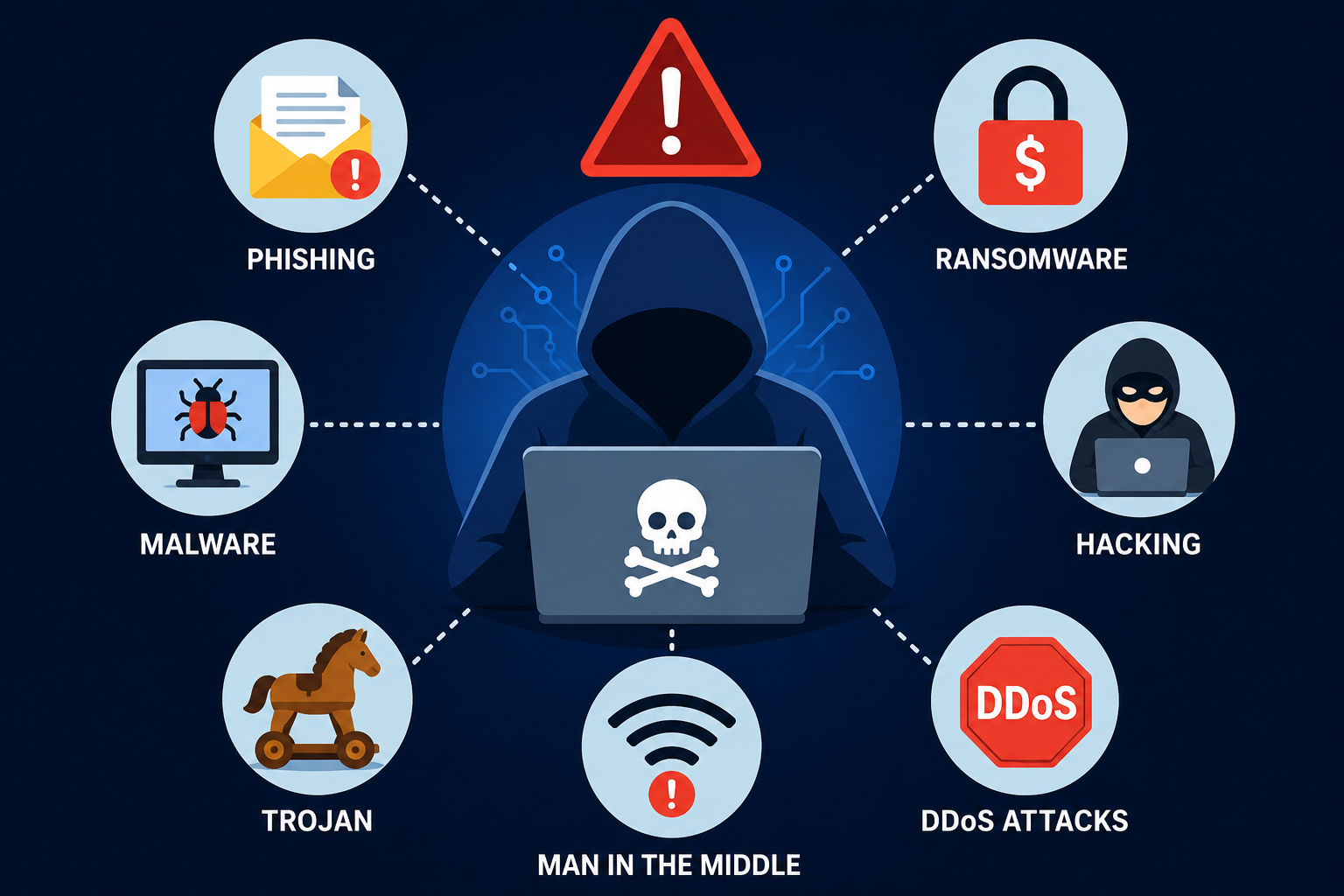
Introduction
Every time you connect to the internet, you enter an environment where threats are real, active, and constantly evolving. Understanding the most common cyber threats is no longer something only IT professionals need to worry about. In 2026, cybercriminals target individuals, students, small businesses, hospitals, banks, and government agencies with equal opportunity and increasing sophistication.
The statistics paint a sobering picture. A cyberattack occurs somewhere in the world every few seconds. Ransomware has shut down hospitals during medical emergencies. Phishing campaigns have drained retirement accounts. Data breaches have exposed the personal information of hundreds of millions of people in single incidents. Behind every one of these events is a specific type of attack that could have been prevented or mitigated with the right awareness and defenses.
This guide explains every major category of cyber threat in plain language, with real-world examples and practical prevention advice that anyone can act on immediately.
Quick Answer
The most common cyber threats include malware, ransomware, phishing attacks, computer viruses, trojans, spyware, social engineering, password attacks, data breaches, DDoS attacks, and insider threats. Each works differently, targets different vulnerabilities, and requires specific prevention measures. Understanding how these threats operate is the first step toward protecting yourself, your data, and your devices effectively.
What Are Cyber Threats?
Definition
A cyber threat is any potential danger that exploits digital vulnerabilities to cause harm to individuals, organizations, or systems. Cyber threats include malicious software, deceptive communications, technical attacks against network infrastructure, and the exploitation of human psychology to bypass technical defenses.
The term covers both the threat itself, the capability or intention of an attacker to cause harm, and the attack, the actual execution of that harmful action. Understanding the distinction matters because many threats are present and active even when attacks have not yet been successfully launched against a specific target.
How Cyber Threats Work
Cyber threats generally work by exploiting one of three categories of vulnerability: technical weaknesses in software or hardware, configuration errors in systems and networks, or human behaviors that can be manipulated or deceived.
Technical vulnerabilities are flaws in code that allow attackers to execute unauthorized commands, access restricted data, or disrupt system operation. Configuration vulnerabilities arise when systems are set up insecurely, leaving default passwords in place or exposing services that should not be publicly accessible. Human vulnerabilities are exploited through deception, manipulation, and social engineering that convinces people to take actions they should not.
Who Is Targeted
The honest answer is everyone. Attackers target individuals for their financial information and online account credentials. They target businesses for financial assets, customer data, and intellectual property. They target healthcare organizations for patient data and because disruption of healthcare systems creates pressure to pay ransoms quickly. They target governments for intelligence and to disrupt public services.
The popular belief that only large, high-profile organizations are targets is demonstrably false. Small businesses are targeted specifically because attackers know they often have weaker defenses than their larger counterparts.
Why Cyber Threats Are Increasing
Several converging factors have driven the escalation of cyber threats in 2026. The expansion of digital infrastructure gives attackers more targets. The professionalization of cybercrime has created organized criminal enterprises that operate ransomware as a service, making sophisticated attacks accessible to criminals without technical expertise. AI tools have lowered the cost and increased the scale of attacks. And the persistent shortage of cybersecurity talent means many organizations are inadequately defended.
Why Understanding Cyber Threats Is Important
Personal Security
Knowing that phishing emails are specifically designed to look like legitimate messages from your bank or a delivery company changes how you approach your inbox. Knowing that public Wi-Fi exposes your traffic to interception changes how you use coffee shop networks. Knowledge of how threats work translates directly into behaviors that protect you.
Business Protection
Businesses that understand the threat landscape make better security investments. They prioritize the controls that address their most likely and most damaging threats rather than spending resources on defenses against theoretical risks while leaving practical exposures unaddressed.
Financial Safety
Financial fraud enabled by cyber threats causes direct, immediate, and sometimes irreversible harm. Account takeovers, business email compromise, investment scams, and cryptocurrency fraud all exploit specific vulnerabilities that are significantly easier to defend against when you understand how the attacks work.
Privacy
Privacy violations through spyware, data breaches, and unauthorized data collection have real consequences for individuals, including targeted scams using stolen personal information, reputational damage from exposed private communications, and the long-term harm of identity theft. Understanding the threats to your privacy is a prerequisite for protecting it.
National Security
Cyber threats to national infrastructure, including power grids, water systems, financial networks, and defense systems, represent a category of risk with potential consequences that extend far beyond the digital domain. Public understanding of these threats supports the political will and institutional investment needed to address them.
Most Common Cyber Threats
Malware
Malware, a contraction of malicious software, is the broadest category of cyber threat. It refers to any software intentionally designed to cause harm to devices, steal data, or grant unauthorized access to systems. Ransomware, viruses, trojans, spyware, worms, and adware are all forms of malware, but the term is also used to describe malicious programs that do not fit neatly into one of those subcategories.
How malware spreads: Malware reaches victims through email attachments that appear to be invoices, shipping notifications, or shared documents. It hides in software downloads from unofficial sources. It is delivered through malicious advertisements on legitimate websites, a technique called malvertising. It spreads through infected USB drives and network shares. It exploits unpatched software vulnerabilities to install itself without any user action required.
Symptoms of malware infection include unexplained slowdowns, applications crashing repeatedly, unusual network traffic, unexpected pop-up advertisements, files becoming encrypted or disappearing, and security software being disabled without user action.
Prevention: Keep all software and operating systems updated. Download software only from official sources. Use reputable endpoint security software. Be skeptical of email attachments from unexpected senders. Avoid clicking advertisements that appear in unexpected contexts.
Ransomware
Ransomware is a specific and particularly damaging category of malware that encrypts files on infected systems, making them inaccessible, and then demands payment, usually in cryptocurrency, for the decryption key. Modern ransomware operations have evolved significantly and now typically combine file encryption with the theft of sensitive data, threatening to publish the stolen information publicly if the ransom is not paid. This double extortion model increases pressure on victims substantially.
How ransomware works: Ransomware typically enters an organization through a phishing email containing a malicious attachment or link. Once executed, it spreads laterally through the network, attempting to reach as many systems as possible before activating the encryption routine. Advanced ransomware specifically seeks out and destroys backup systems to eliminate recovery options before encrypting production data.
Famous ransomware attacks: WannaCry in 2017 exploited a Windows vulnerability to infect over 200,000 systems across 150 countries in a single day, causing an estimated $4 billion in damages and severely disrupting the UK National Health Service. The Colonial Pipeline attack in 2021 shut down fuel distribution across the eastern United States and resulted in the payment of $4.4 million in ransom. The Kaseya VSA attack in 2021 used a managed service provider’s software to distribute ransomware to over 1,500 businesses simultaneously.
Prevention: Maintain current, tested backups stored in isolated environments that ransomware cannot reach. Apply software updates promptly to close the vulnerabilities ransomware exploits for initial access and lateral movement. Use endpoint detection and response tools that can identify ransomware behavior before encryption completes. Segment networks to limit lateral movement. Train employees to recognize phishing attempts.
Phishing Attacks
Phishing is the use of deceptive communications, typically emails, text messages, or phone calls, to trick recipients into revealing sensitive information, clicking malicious links, or taking actions that compromise security. It remains the most common initial attack vector for serious security incidents because it targets the human element of security rather than technical defenses.
Email phishing sends messages that appear to come from trusted sources, including banks, technology companies, government agencies, and colleagues. These messages create urgency, fear, or curiosity to override the recipient’s critical thinking, directing them to fake websites that harvest credentials or to attachments that install malware.
SMS phishing, known as smishing, delivers the same deceptive content through text messages. Many people apply less skepticism to text messages than to email, making smishing effective despite its simplicity. Common smishing themes include fake package delivery notifications, bank fraud alerts, and prize notifications.
Voice phishing, known as vishing, uses phone calls in which attackers impersonate bank fraud departments, government agencies, technical support representatives, or other authority figures to manipulate targets into revealing sensitive information or taking harmful actions like transferring money or installing remote access software.
Spear phishing is a targeted variant that uses personal information about the recipient, obtained from social media, previous data breaches, or research, to make phishing messages highly convincing and specific. A spear phishing email might reference the recipient’s recent purchase, their manager’s name, or a specific project they are working on.
Prevention: Enable multi-factor authentication on all accounts so that stolen credentials cannot be used without the second factor. Train regularly to recognize phishing indicators including urgency, unexpected sender addresses, and suspicious links. Verify requests for sensitive actions through an independent communication channel. Use email security tools that filter phishing messages before they reach users.
Computer Viruses
A computer virus is a specific type of malware that attaches itself to legitimate files and replicates by infecting additional files as they are accessed. The name reflects the biological analogy: like a biological virus, a computer virus requires a host to replicate and spread through contact between infected and uninfected hosts.
Types of viruses include file infectors that attach to executable files, macro viruses that embed in document files like Word documents and Excel spreadsheets, boot sector viruses that infect the startup code of drives, and polymorphic viruses that change their code structure to evade signature-based detection.
How viruses spread through sharing infected files, opening infected email attachments, downloading software from untrusted sources, and in older infection models, through physical media like USB drives.
Protection: Endpoint security software that detects virus behavior as well as known signatures provides the strongest protection. Avoiding execution of files from untrusted sources eliminates most virus infection pathways. Regular scanning of systems with updated security software catches infections that reach systems despite preventive measures.
Trojan Horse
A Trojan horse, named after the ancient Greek stratagem, is malware that disguises itself as legitimate, useful software to trick users into installing it. Unlike viruses, Trojans do not self-replicate. Their power lies in deception: a user voluntarily installs what they believe is a useful application, game, or utility, and the Trojan executes its malicious payload while appearing to function normally.
Common Trojan types include banking Trojans that specifically target financial credentials and intercept banking sessions, remote access Trojans (RATs) that provide attackers with covert control over infected systems, downloader Trojans that install additional malware after establishing a foothold, and backdoor Trojans that create persistent unauthorized access channels.
Fake software is the most common Trojan delivery mechanism. Fake versions of popular free software, games, utilities, and media files on unofficial download sites frequently contain Trojans. Mobile app stores, particularly third-party Android app markets, have been consistent distribution points for mobile Trojans.
Prevention: Download software exclusively from official developer websites and legitimate app stores. Research applications before installing them. Use security software that scans downloaded files before execution. Be particularly cautious about software that requests unusual permissions during installation.
Spyware
Spyware is malware that operates covertly on infected devices, collecting information about the user’s activities and transmitting it to attackers without the user’s knowledge or consent. Unlike some malware that announces itself through disruptive behavior, spyware is specifically designed to remain hidden so it can collect data continuously over extended periods.
Data theft through spyware targets credentials entered through browsers, financial information submitted in online transactions, private communications, document contents, and browsing history. Some sophisticated spyware captures screenshots, activates cameras, and records audio.
Keyloggers are a specific form of spyware that record every keystroke made on an infected device. This makes them particularly effective for stealing passwords, credit card numbers, and any other information entered through a keyboard.
Mobile spyware has become a significant threat category as smartphones have become primary devices for financial transactions and private communications. Mobile spyware can access SMS messages, call logs, location data, camera feeds, and any information processed by apps on the device.
Prevention: Keep device operating systems and applications updated to close the vulnerabilities spyware exploits for installation. Use reputable security software that includes spyware detection. Be cautious about granting application permissions that exceed what an app genuinely needs to function.
Adware
Adware is software that displays unwanted advertisements on infected devices, often in ways that are intrusive, difficult to dismiss, and sometimes used as a vector for delivering more serious malware. While adware is often characterized as a nuisance rather than a serious threat, its privacy implications and potential to serve as a delivery mechanism for additional malicious software make it worth treating seriously.
Unwanted advertisements generated by adware can redirect browsers to advertising sites, inject advertisements into websites that do not contain them, and generate pop-ups that persist despite attempts to close them. In more aggressive implementations, adware modifies browser settings including the default search engine and home page.
Privacy concerns arise because adware typically tracks browsing behavior, search history, and application usage to target advertisements. This data collection occurs without meaningful consent and is often shared with third parties beyond the initial adware operator.
Social Engineering
Social engineering is the use of psychological manipulation to deceive people into taking actions that compromise security. It targets human psychology rather than technical systems, exploiting natural tendencies including trust, helpfulness, fear, curiosity, and the desire to avoid conflict. The most sophisticated technical defenses can be bypassed by a single successful social engineering attack against a well-positioned target.
Psychological manipulation techniques used in social engineering include creating false urgency that overrides careful thinking, impersonating authority figures whose requests seem difficult to question, establishing rapport and trust before making requests, and using fear of negative consequences to pressure targets into compliance.
Impersonation attacks involve attackers presenting themselves as IT support personnel, bank fraud departments, government officials, executives, or other authority figures. Business email compromise attacks specifically impersonate company executives to authorize fraudulent wire transfers or change payment account details for vendors.
Baiting attacks leave infected storage devices, typically USB drives, in locations where target employees are likely to find and connect them out of curiosity or a desire to return them to their owner.
Tailgating is a physical social engineering technique where attackers gain access to secure physical locations by following authorized personnel through access-controlled doors, often presenting as a delivery person, a new employee, or someone whose hands are full.
Prevention: Security awareness training that specifically addresses social engineering scenarios is the primary defense. Establish and enforce verification procedures for sensitive requests, particularly those involving financial transactions or access changes. Create a culture where employees feel comfortable questioning unusual requests without fear of appearing unhelpful.
Password Attacks
Password attacks use various techniques to obtain or guess valid credentials for accessing accounts and systems. Despite the availability of more secure authentication approaches, passwords remain the primary authentication mechanism for most systems, making password attacks consistently rewarding for attackers.
Brute force attacks systematically attempt every possible combination of characters until the correct password is found. Modern GPU-accelerated brute force tools can test billions of password combinations per second, making short, simple passwords trivially crackable.
Credential stuffing uses lists of username and password combinations obtained from previous data breaches to attempt access to other accounts. Because many people reuse passwords across multiple services, credentials stolen from one breached service often provide access to banking, email, and other sensitive accounts at completely different organizations.
Dictionary attacks use lists of common words, phrases, and known password patterns rather than trying every possible combination. Most passwords that seem creative to their creators, including substituting numbers for letters and adding digits at the end, are thoroughly covered by sophisticated dictionary attack word lists.
Password spraying tests a small number of commonly used passwords against a large number of accounts, avoiding the account lockouts that typically trigger when many incorrect passwords are tried against a single account. Default passwords, seasonal patterns like “Summer2026!”, and organization-specific common passwords are typical spraying targets.
Prevention: Use long, unique, randomly generated passwords for every account, managed through a password manager. Enable multi-factor authentication to make stolen passwords insufficient for account access. Never reuse passwords across accounts.
Data Breaches
A data breach is a security incident in which unauthorized parties gain access to sensitive, protected, or confidential data. Breaches result from technical attacks against organizational systems, malware that enables data exfiltration, insider actions both malicious and accidental, misconfigured systems that expose data unintentionally, and physical theft of devices containing data.
Causes of data breaches include exploited software vulnerabilities, stolen credentials used to access data systems, malware with data exfiltration capabilities, misconfigured cloud storage that exposes data publicly, and third-party partner compromises that provide access to the breached organization’s systems.
Impact of data breaches extends far beyond the immediate security incident. Regulatory notification requirements impose administrative burdens. Fines under GDPR and other data protection regulations can reach percentages of global annual revenue. Civil lawsuits from affected individuals create additional financial exposure. Reputational damage affects customer retention and acquisition for years after the event.
Prevention: Encrypt sensitive data in storage and in transit so that stolen data is unreadable without decryption keys. Implement strong access controls that limit who can access sensitive data to those who genuinely need it. Monitor data access continuously for anomalies. Conduct regular security assessments to identify and remediate vulnerabilities before attackers discover them.
Distributed Denial-of-Service (DDoS) Attacks
A DDoS attack floods a target with more traffic than it can handle, making websites, applications, or network services unavailable to legitimate users. The distributed nature of modern DDoS attacks means the flood of traffic comes simultaneously from thousands or millions of sources, making it impossible to block by simply filtering traffic from a specific source.
Botnets are the infrastructure that makes large-scale DDoS attacks possible. A botnet is a network of compromised devices, ranging from servers and personal computers to IoT devices and smartphones, all controlled by an attacker. The botnet operator can direct all compromised devices to send traffic to a single target simultaneously, generating attack volumes that overwhelm even well-resourced targets.
Website and service disruption from DDoS attacks causes direct revenue loss for e-commerce and online services. It also creates operational disruption, reputational damage from customer-facing outages, and in some cases serves as a distraction while attackers conduct more targeted intrusions under cover of the chaos.
Protection: DDoS protection services use global networks of scrubbing centers that absorb and filter attack traffic, passing only legitimate requests to protected services. Rate limiting, traffic analysis, and anycast network diffusion are technical approaches that complement dedicated DDoS protection services.
Insider Threats
Insider threats originate from people who have legitimate access to an organization’s systems and data, including employees, contractors, partners, and former employees whose access was not properly revoked. The legitimate access that makes insiders valuable also makes them capable of causing harm that external attackers would struggle to replicate.
Malicious insiders intentionally cause harm to their organizations, motivated by financial gain, grievance, ideological disagreement, or coercion by external parties. They steal customer data for sale to competitors or on criminal marketplaces, sabotage systems when leaving under negative circumstances, and sell access credentials to external attackers.
Negligent employees cause harm without malicious intent through actions like clicking phishing links, misconfiguring systems, sharing sensitive data through insecure channels, losing devices containing organizational data, and falling victim to social engineering attacks.
Prevention: Apply the principle of least privilege so that employees have access only to the systems and data their roles genuinely require. Monitor for anomalous access patterns that might indicate data theft or unauthorized activity. Conduct thorough background checks for positions with access to sensitive systems. Establish clear data handling policies and train employees on them consistently. Revoke access promptly when employees leave.
Real-World Cyber Attack Examples
The Equifax Data Breach (2017)
Equifax, one of the three major US credit bureaus, disclosed a breach that exposed sensitive personal information for approximately 147 million Americans, including social security numbers, birth dates, addresses, and in some cases driver’s license and credit card numbers. The breach exploited an unpatched vulnerability in a web application framework that had a known patch available for months before the breach occurred.
The financial impact included approximately $575 million in settlements and regulatory penalties. The human impact was enormous: millions of people faced ongoing identity theft risks for years after the breach. The lesson is that failing to apply security patches has consequences that extend far beyond the immediate technical oversight.
The Colonial Pipeline Ransomware Attack (2021)
DarkSide ransomware criminals compromised Colonial Pipeline, which supplies approximately 45 percent of fuel to the eastern United States, through a single compromised VPN password that lacked multi-factor authentication protection. The company shut down pipeline operations as a precaution against the ransomware spreading to operational systems, causing fuel shortages across multiple states.
Colonial Pipeline paid $4.4 million in cryptocurrency ransom. The attack demonstrated that ransomware against critical infrastructure creates physical real-world consequences, and that even a single compromised credential without MFA protection can initiate a catastrophic security incident.
The Twitter Verification Scam (2020)
Attackers used social engineering against Twitter employees to gain access to internal administrative tools. They used those tools to compromise verified accounts belonging to Barack Obama, Elon Musk, Joe Biden, Bill Gates, and Apple, among others, and posted cryptocurrency scam messages that collected approximately $120,000 from victims who trusted the verified accounts.
The attack required no sophisticated technical capability. The entire compromise relied on manipulating people. This case is a particularly clear demonstration of why even organizations with significant security resources remain vulnerable to social engineering.
The Marriott International Data Breach (2018)
Marriott disclosed a breach of its Starwood guest reservation database that exposed the personal information of up to 500 million guests, including names, addresses, phone numbers, email addresses, passport numbers, and in some cases payment card information. The breach had begun in 2014, before Marriott acquired Starwood, and went undetected for four years.
The four-year detection gap is the most striking aspect of this incident. Attackers had continuous access to an enormous database of sensitive traveler information for an extended period because detection capabilities were insufficient to identify the unauthorized access. The lesson is that continuous monitoring and detection are as important as prevention.
The RockYou2024 Password Leak (2024)
In 2024, a compilation of nearly 10 billion unique plaintext passwords was posted to a criminal forum, representing the largest password collection ever assembled. The compilation drew from thousands of previous data breaches and was made publicly available to anyone who wanted to use it for credential stuffing attacks.
The event underscored the cascading risk of password reuse across services and the importance of MFA as a defense that remains effective even when passwords are compromised.
Who Is Most at Risk?
| Target Group | Primary Risk | Most Common Attack | Key Defense |
|---|---|---|---|
| Individuals | Financial fraud, identity theft | Phishing, credential stuffing | MFA, password manager, security awareness |
| Students | Account compromise, academic fraud | Phishing, fake software | Security awareness, official software sources |
| Small Businesses | Ransomware, financial fraud | Phishing, ransomware | Backups, employee training, MFA |
| Large Organizations | Data breaches, espionage | Spear phishing, supply chain attacks | Comprehensive security program, threat intelligence |
| Government Agencies | Espionage, infrastructure disruption | Nation-state attacks, ransomware | Defense-grade security, zero trust, monitoring |
Individuals are targeted for the financial information and credentials that provide direct access to money and the ability to commit fraud. Students are targeted for their valuable university credentials and their relative inexperience with recognizing social engineering and phishing.
Small businesses are particularly attractive targets because they often hold valuable customer data and financial assets while maintaining security programs far weaker than their larger counterparts. Research consistently shows that a significant proportion of ransomware attacks target small and medium businesses.
Large organizations face sophisticated, persistent attackers including organized criminal groups and nation-state actors. The scale of potential rewards from breaching a major financial institution or technology company justifies significant attacker investment.
How to Protect Yourself from Cyber Threats
Use strong, unique passwords for every account you hold. A strong password is at least 16 characters long, random rather than based on personal information, and contains a mix of character types. Never use the same password for multiple accounts.
Use a password manager to generate and store complex unique passwords without the impossible cognitive burden of memorizing them. This single change eliminates the risks from weak and reused passwords that enable credential stuffing and brute force attacks.
Enable multi-factor authentication on every account that supports it. Start with email, banking, and social media accounts, then extend to any other account containing sensitive information. MFA makes stolen passwords insufficient for account access.
Keep all operating systems, applications, browsers, and security software updated promptly. Enable automatic updates wherever feasible. Most successful attacks exploit known, patchable vulnerabilities.
Install reputable endpoint security software on computers and smartphones. Modern security suites include malware detection, phishing protection, and behavioral analysis that catches threats signature databases might miss.
Use a VPN when connecting to public Wi-Fi networks to encrypt your traffic and prevent interception by others on the same network.
Back up important data regularly following the 3-2-1 rule: three copies, on two types of media, with one copy in an isolated off-site or cloud location. Test your backups periodically to confirm they are actually recoverable.
Enable full disk encryption on laptops and smartphones to protect data in case of device loss or theft.
Think critically before clicking any link in an email or text message. Verify that the apparent sender is genuine. Check that links go where they appear to lead. When in doubt, navigate directly to the relevant website rather than following a link.
Never open email attachments you were not expecting, even from people you know. Attackers frequently send malware through the compromised email accounts of victims’ contacts.
Verify unexpected requests for sensitive actions through an independent communication channel. If your bank appears to email you asking to confirm account details, call the bank using the number on your card rather than the number provided in the email.
Use secure, private browsers with privacy extensions that block tracking scripts and malicious advertising.
Review the permissions granted to applications on your mobile devices regularly. Revoke any permissions that applications do not genuinely need to function.
Secure your home Wi-Fi network with a strong, unique password and WPA3 encryption. Change your router’s default administrator password immediately after setup.
Check whether your email address has appeared in known data breaches using services designed for this purpose, and change any exposed credentials immediately.
Be cautious about what personal information you share on social media. Attackers use this information to craft convincing targeted phishing messages and answer security questions.
Enable login alerts on important accounts to receive immediate notification of access from unfamiliar devices or locations.
Educate family members, including children and elderly relatives, about online threats. Everyone sharing a home network represents a potential entry point.
For businesses, conduct regular security awareness training tailored to current threat scenarios and tested through simulated phishing exercises.
Establish a clear incident response plan so that when something goes wrong, the response is coordinated rather than improvised.
Best Cybersecurity Tools for Protection
| Tool Category | Purpose | Examples | Best For |
|---|---|---|---|
| Endpoint Security | Detect and block malware, monitor behavior | Windows Defender, Malwarebytes | All devices |
| Firewall | Control network traffic | Hardware firewall, Windows Firewall | Networks and devices |
| VPN | Encrypt internet traffic | Reputable commercial VPNs | Public Wi-Fi, privacy |
| Password Manager | Generate and store strong passwords | Bitwarden, 1Password | All users |
| MFA Apps | Provide second authentication factor | Authenticator apps | All accounts |
| Email Security | Filter phishing and malicious content | Microsoft Defender for Office 365 | Businesses, individuals |
| EDR | Detect and respond to endpoint threats | CrowdStrike, SentinelOne | Organizations |
Antivirus and endpoint security software detects known malware through signature matching and identifies novel threats through behavioral analysis. Modern endpoint security products have expanded far beyond simple antivirus to provide comprehensive device protection.
Firewalls control which network traffic is allowed to flow in and out of networks and devices. Personal firewalls on individual computers complement network-level firewalls at the perimeter of organizational networks.
VPNs encrypt internet connections to prevent traffic interception on unsecured networks. Choose VPN services with clear privacy policies and a demonstrated commitment to not logging user activity.
Password managers generate, store, and auto-fill complex unique passwords across all your accounts, making strong password hygiene practical without requiring superhuman memory.
MFA authenticator apps generate time-based one-time codes that serve as the second factor in multi-factor authentication. Authenticator apps are more secure than SMS-based MFA because they are not vulnerable to SIM swapping attacks.
Email security tools filter malicious messages before they reach users, identifying phishing attempts, malicious attachments, and suspicious links through content analysis and reputation checking.
Future Cyber Threats
AI-Powered Cyber Attacks
Artificial intelligence is lowering the technical barrier to sophisticated attacks while dramatically increasing attack scale. AI generates convincing phishing emails personalized with victim-specific information at volumes no human attacker could produce manually. It automates vulnerability scanning across massive target populations. It adapts malware in real time to evade specific detection systems. AI-powered attacks are already a reality in 2026, and their sophistication will continue increasing.
Deepfake Scams
Deepfake technology creates convincing synthetic audio and video content that can impersonate real individuals. Deepfake voice scams have successfully impersonated executives to authorize fraudulent wire transfers. Deepfake video calls have been used to manipulate targets in ways that text-based social engineering could not achieve. As deepfake technology becomes more accessible and more convincing, it will become an increasingly prominent component of social engineering attacks.
Cloud Security Threats
As more organizational data and infrastructure moves to cloud environments, cloud-specific attacks are growing in frequency and sophistication. Attacks targeting cloud misconfigurations, cloud service provider supply chains, and cloud identity management systems represent an expanding threat category that requires cloud-specific security expertise and tooling.
IoT Attacks
The proliferation of connected devices with minimal security creates an expanding attack surface. As IoT devices become more deeply integrated into critical infrastructure, healthcare systems, and home environments, the consequences of successful IoT attacks become more severe. Device manufacturers are under increasing regulatory pressure to improve baseline security, but the challenge of securing billions of deployed devices with limited processing power and long operational lifetimes will persist.
Supply Chain Attacks
Supply chain attacks compromise security by targeting the software, hardware, or services that organizations trust and depend on. Rather than attacking targets directly, attackers compromise a supplier and use that access as a stepping stone to the supplier’s customers. These attacks achieve scale impossible through direct targeting and exploit the trust relationships that make supply chains function.
Quantum Computing Risks
When quantum computers reach sufficient capability, they will be able to break many of the cryptographic algorithms that currently protect sensitive digital communications and stored data. While this capability is not yet a practical threat in 2026, organizations handling data with long-term sensitivity are beginning to implement post-quantum cryptographic standards to protect against future quantum-enabled decryption of currently encrypted data.
Frequently Asked Questions
What are cyber threats?
Cyber threats are potential dangers that exploit digital vulnerabilities to cause harm to individuals, organizations, or systems. They include technical attacks like malware and DDoS, deceptive communications like phishing, and psychological manipulation through social engineering. The common element is an attempt to exploit some form of weakness, whether technical, configuration-based, or human, for unauthorized purposes.
What is the biggest cyber threat today?
In 2026, ransomware remains one of the most damaging threats by financial impact, with attacks causing billions in damages annually. Phishing is the most common attack vector by volume, serving as the initial access mechanism for most serious incidents. AI-powered attacks represent the fastest-growing threat category in terms of sophistication and scale.
What is malware?
Malware is any software intentionally designed to cause harm, steal data, or gain unauthorized access to systems. It is an umbrella term that includes viruses, ransomware, trojans, spyware, worms, and adware. Malware spreads through email attachments, malicious downloads, infected websites, and exploited software vulnerabilities.
What is ransomware?
Ransomware is malware that encrypts files on infected systems and demands payment for the decryption key. Modern ransomware operations often combine encryption with data theft and threaten to publish stolen data if ransoms are not paid. Ransomware has targeted hospitals, government agencies, schools, and businesses of all sizes with catastrophic consequences.
What is phishing?
Phishing uses deceptive communications, primarily email but also SMS and phone calls, to trick recipients into revealing sensitive information or taking harmful actions. Phishing messages impersonate trusted entities and use psychological manipulation to override critical thinking. It is the most common initial attack vector for serious security incidents because it targets human psychology rather than technical defenses.
What is spyware?
Spyware is malware that operates covertly on infected devices, collecting information about user activity without their knowledge and transmitting it to attackers. It captures credentials, financial information, private communications, and browsing behavior. Keyloggers are a specific form of spyware that record every keystroke entered on a device.
What is social engineering?
Social engineering uses psychological manipulation to deceive people into taking actions that compromise security. Rather than attacking technical systems directly, it exploits human tendencies including trust, helpfulness, and fear of authority. Social engineering enables attackers to bypass even strong technical defenses by manipulating the people who operate and use those systems.
What is a DDoS attack?
A Distributed Denial-of-Service attack floods a target with traffic from thousands or millions of compromised sources simultaneously, overwhelming its capacity and making it unavailable to legitimate users. DDoS attacks are executed using botnets, networks of compromised devices controlled by the attacker. They cause direct revenue loss and reputational damage from service outages.
How can I protect myself online?
Enable multi-factor authentication on all accounts, use a password manager with unique strong passwords for every service, keep all software updated, use reputable security software, be skeptical of unsolicited communications, back up your data regularly, use a VPN on public networks, and stay informed about current threats and scams.
What is a data breach?
A data breach is a security incident where unauthorized parties access and typically extract sensitive data. Breaches result from technical attacks, stolen credentials, malware, misconfigured systems, and insider actions. Consequences include regulatory fines, legal liability, reputational damage, and long-term harm to affected individuals through identity theft and targeted fraud.
What is the difference between malware and a virus?
A virus is a specific type of malware that self-replicates by attaching to legitimate files. Malware is the broader category that includes viruses along with ransomware, trojans, spyware, worms, adware, and other malicious software types. All viruses are malware, but not all malware is a virus.
Can antivirus stop every cyber threat?
No. Antivirus effectively detects and blocks known malware but cannot fully protect against novel threats, social engineering, phishing that does not involve malware, password attacks, or insider threats. Comprehensive protection requires multiple security layers including MFA, regular updates, user awareness training, data backups, and network security controls.
Why are cyber attacks increasing?
Cyber attacks are increasing because of the expanding attack surface created by digital transformation, the professionalization of cybercrime with organized criminal enterprises offering attack-as-a-service, AI tools that lower the barrier to sophisticated attacks, the persistent shortage of cybersecurity talent leaving many organizations inadequately defended, and the growing financial rewards available to successful attackers.
What industries are targeted most?
Healthcare is consistently among the most heavily targeted industries because patient data is valuable and operational disruption creates extreme pressure to restore systems quickly. Financial services are targeted for direct financial reward. Government agencies are targeted for intelligence and disruption. Retail and e-commerce are targeted for payment card data and customer credentials. Manufacturing and critical infrastructure are increasingly targeted by ransomware and nation-state actors.
What is the future of cybersecurity?
The future of cybersecurity involves an escalating AI arms race between defenders and attackers, zero trust architecture becoming the standard enterprise security model, post-quantum cryptography protecting against future quantum computing threats, greater integration of security across cloud-native and IoT environments, and increasing regulatory requirements driving minimum security standards across industries.
People Also Ask
What are the most common cyber threats?
The most common cyber threats are malware, ransomware, phishing attacks, social engineering, password attacks, data breaches, DDoS attacks, trojans, spyware, and insider threats. Each exploits different vulnerabilities and requires specific prevention measures.
What is the biggest cyber threat?
By financial impact, ransomware is among the most damaging. By volume, phishing is the most common. By emerging threat potential, AI-powered attacks represent the fastest-growing concern in 2026.
What is phishing?
Phishing uses deceptive messages that appear to come from trusted sources to trick recipients into revealing credentials, clicking malicious links, or taking other harmful actions. It targets human psychology rather than technical defenses.
What is ransomware?
Ransomware encrypts files on infected systems and demands payment for decryption. Modern ransomware combines encryption with data theft, threatening publication of stolen data to increase pressure on victims.
What is malware?
Malware is any software intentionally designed to cause harm, steal data, or gain unauthorized access to systems. It includes viruses, ransomware, trojans, spyware, adware, and worms.
How can I protect myself from cyber attacks?
Enable MFA, use a password manager, keep software updated, use security software, be skeptical of unsolicited communications, back up data regularly, and use a VPN on public networks.
What is social engineering?
Social engineering manipulates people psychologically into taking actions that compromise security, exploiting trust, authority, urgency, and fear rather than technical vulnerabilities.
What is a DDoS attack?
A DDoS attack floods a target with traffic from thousands of sources simultaneously, making services unavailable. It uses botnets of compromised devices to generate attack volumes that overwhelm target capacity.
Can antivirus stop hackers?
Antivirus helps but is not sufficient alone. It cannot stop phishing, social engineering, password attacks, or insider threats. Comprehensive security requires multiple complementary controls.
What are future cyber threats?
Future threats include AI-powered attacks, deepfake scams, cloud security exploits, IoT attacks, supply chain compromises, and eventually quantum-enabled decryption of current encryption standards.
References
- CISA. (2026). Cybersecurity and Infrastructure Security Agency. https://www.cisa.gov
- NIST. (2026). NIST Cybersecurity Framework. https://www.nist.gov/cyberframework
- OWASP. (2026). Open Web Application Security Project. https://owasp.org
- Microsoft. (2026). Microsoft Security. https://www.microsoft.com/security
- Cisco. (2026). Cisco Security. https://www.cisco.com/security
- Google. (2026). Google Safety Center. https://safety.google
Disclaimer
This article is for informational and educational purposes only. Cyber threats, attack methods, security technologies, and best practices evolve continuously. While every effort has been made to ensure the accuracy of the information presented, readers should always verify the latest cybersecurity guidance through official sources and implement appropriate security measures. TechOriginHub is not responsible for any loss or damage resulting from the use of the information provided in this article.