
 By Saad Qureshi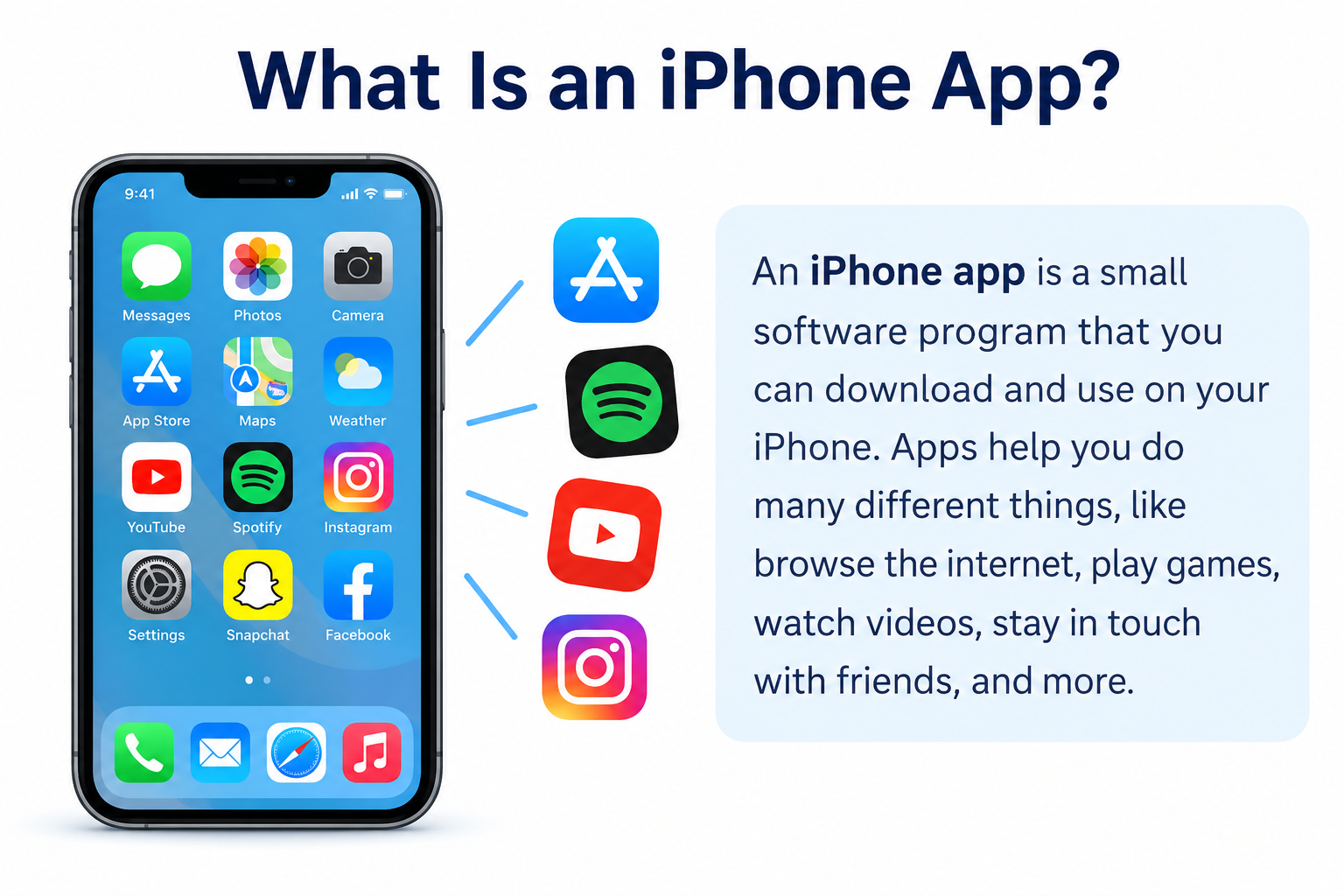
Introduction
Every time you open a messaging app, check the weather, stream a podcast, or manage your schedule on an iPhone, you are using an iPhone app. These apps are central to how people use their phones every day, yet most users rarely think about what an iPhone app actually is, how it works, or how it arrives on their device.
So what is an iPhone app? An iPhone app is application software designed to run on Apple’s iPhone devices. It is built for iOS, Apple’s mobile operating system, and delivers specific functionality through a touch-optimized interface. iPhone apps can be downloaded from the Apple App Store and provide capabilities ranging from communication and entertainment to banking, navigation, and productivity.
This guide explains what iPhone apps are, how they work, the types available, how they are built, and what every user should understand about security, privacy, and installation.
Quick Answer: What Is an iPhone App?
An iPhone app is a software application designed to run on Apple iPhone devices using the iOS operating system. iPhone apps are distributed through the Apple App Store and are built to take advantage of iPhone hardware and software capabilities. They can serve many purposes including communication, entertainment, finance, education, productivity, and more. Some work offline, others require an internet connection, and many use both.
What Is an iPhone App?
An iPhone app is application software designed to run on Apple iPhone devices. The word “app” is short for “application,” which in computing refers to software built to help users accomplish specific tasks. An iPhone app is a specific category of mobile application optimized for the iPhone’s screen size, touch interface, and hardware capabilities.
The relationship between an iPhone app and iOS is similar to the relationship between any program and the operating system it runs on. iOS is Apple’s mobile operating system that manages the iPhone’s hardware, security, and core services. An iPhone app is a program that runs on top of iOS and provides users with specific functionality through a designed interface.
iOS and an iPhone app are distinct things. iOS is the platform. The app is software that uses the platform. When you stream music, send a message, or check your bank account on your iPhone, you are using apps that run on iOS.
iPhone apps are primarily distributed through the Apple App Store, Apple’s official marketplace for iOS software. They are installed on the device and launched directly from the home screen. Common examples include messaging clients, navigation tools, streaming services, banking applications, photo editors, and productivity tools.
How Do iPhone Apps Work?
Understanding how an iPhone app works does not require a technical background. The process follows a clear chain from what you do on screen to the systems that respond.
iOS Operating System
iOS sits between the app and the iPhone’s physical hardware. Rather than communicating directly with the screen, camera, or processor, apps make requests through iOS using defined interfaces. iOS manages resources, enforces security, handles multitasking, and provides a consistent environment across different iPhone models.
User Interface
The user interface is what you see and interact with when you open an app. Buttons, text fields, navigation menus, images, and animations are all part of the interface. iPhone apps are designed specifically for Apple’s touch interface conventions, with layouts and interactions optimized for the size and capabilities of iPhone displays.
Application Logic
Behind the interface lies application logic, the code that determines what happens when you interact with the app. When you submit a search query, the logic processes it. When you complete a purchase, the logic handles the transaction flow. This code is built using programming languages and relies on algorithms, functions, and variables to produce predictable, reliable behavior.
APIs and System Services
APIs (Application Programming Interfaces) are how apps access iOS features in a structured, controlled way. When an app accesses the camera, reads location data, or sends a notification, it does so through Apple’s APIs rather than accessing hardware directly. This keeps access consistent and secure across the platform.
Device Hardware
Through iOS APIs, apps can interact with iPhone hardware including the camera, microphone, GPS receiver, accelerometer, gyroscope, biometric sensors, Bluetooth, and near-field communication. Access to these features is subject to iOS’s permission system, which requires user approval for sensitive capabilities.
Internet and Online Services
Many iPhone apps connect to the internet to retrieve content, communicate with other users, or access remote services. A news app fetches articles from a server. A social media app retrieves your personalized feed from the platform’s backend. A weather app calls a weather data API to get current conditions and forecasts.
Databases and Cloud Services
Apps that store and retrieve data use databases and cloud computing infrastructure. Some data, such as saved settings or offline content, is stored locally on the device. Other data is stored on remote servers and accessed when a connection is available. Many apps combine both approaches, storing data locally for speed and offline access while syncing to the cloud to keep information current across devices.
What Are iPhone Apps Used For?
iPhone apps serve nearly every purpose imaginable in daily personal and professional life.
Communication Apps
Communication apps allow users to send messages, make voice and video calls, share images and files, and connect with individuals or groups. They have transformed how people communicate both personally and professionally.
Social Media Apps
Social media apps connect users with friends, networks, and communities through shared content including posts, images, video, and commentary. They range from broad general-purpose platforms to niche communities built around specific interests.
Productivity Apps
Productivity apps help users organize work, write documents, manage tasks, and collaborate with colleagues. Mobile versions of tools like Google Workspace and Microsoft Office make document editing and spreadsheet management available on iPhone. Tools like Notion and Trello help users manage projects and organize information.
Education Apps
Education apps provide interactive learning experiences across languages, mathematics, sciences, coding, professional skills, and countless other subjects. They range from simple flashcard tools to comprehensive course platforms with video instruction and assessments.
Finance Apps
Finance apps include mobile banking, budgeting tools, investment platforms, and payment services. Users can check account balances, transfer funds, pay bills, monitor investments, and manage personal finances directly from their iPhone.
Shopping Apps
Shopping apps allow users to browse products, compare prices, place orders, and track deliveries from retailers, marketplaces, and specialty stores.
Entertainment Apps
Entertainment apps deliver music streaming, podcasts, video content, audiobooks, and digital reading. They provide on-demand access to media wherever users have a connection or downloaded content available.
Gaming Apps
Gaming apps span from simple casual puzzles to complex graphical titles with competitive multiplayer modes. The App Store hosts a wide variety of game types across every genre.
Health and Fitness Apps
Health apps help users track physical activity, monitor sleep patterns, log nutrition, and support mental wellbeing. Many connect to Apple’s HealthKit framework or integrate with Apple Watch to gather real-time health data.
Business Apps
Business apps support professional workflows including project management, customer relationship management, analytics, invoicing, team communication, and remote access to business systems. Organizations deploy dedicated apps to employees’ iPhones to support mobile work.
Utility Apps
Utility apps perform specific practical functions such as scanning documents, managing cloud storage, converting file formats, checking network connections, managing passwords, and providing system information.
What Are the Different Types of iPhone Apps?
iPhone apps are commonly categorized by how they are built and how they interact with iOS and the device.
Native iPhone Apps
A native iPhone app is built specifically for iOS using Apple’s official development tools, languages, and frameworks. Native apps have direct access to the full range of iOS capabilities and typically deliver the best performance and most polished user experience on Apple hardware. They are installed as standalone apps and launch from the home screen.
Cross-Platform Apps
Cross-platform apps are built using frameworks that allow a single codebase to run on both iOS and Android. Tools like Flutter (using Dart) and React Native (using JavaScript) enable developers to build once and deploy across platforms. This can reduce development time and cost while still delivering a strong user experience. Some platform-specific features may require additional platform-specific code.
Web Apps
Web apps run inside a web browser rather than being installed as a standalone application. They are accessed via a URL and work across platforms without separate development for each. Web apps accessed on iPhone operate through Safari or another browser and have more limited access to device hardware than native apps.
Progressive Web Apps
Progressive Web Apps (PWAs) are web applications built with modern web technologies that deliver an app-like experience through a browser. On iPhone, PWAs can be added to the home screen, work offline to some degree, and offer a smoother experience than a standard website, all without requiring App Store installation. Their capabilities on iOS are subject to what Safari’s web engine supports.
Offline Apps
Some iPhone apps are designed to function entirely or substantially without an internet connection. Calculators, offline games, locally stored reading apps, and downloaded podcast players are examples of apps that store all necessary logic and content on the device.
Cloud-Connected Apps
Cloud-connected apps rely on remote servers and online services for their core functionality. Social media platforms, streaming services, and banking apps fall into this category. They store content and user data on remote infrastructure and require connectivity to function fully.
iPhone Apps vs Android Apps
iPhone apps and Android apps serve similar purposes but are built for different platforms with different tools, languages, and distribution systems.
| Feature | iPhone (iOS) Apps | Android Apps |
|---|---|---|
| Operating system | iOS (Apple) | Android (Google) |
| Common programming languages | Swift, Objective-C | Kotlin, Java |
| Primary development tools | Xcode | Android Studio |
| App distribution | Apple App Store | Google Play Store (primary) |
| Device ecosystem | Apple devices only | Many manufacturers |
| Development approach | Apple SDK, Swift/SwiftUI, or cross-platform | Android SDK, Kotlin/Java, or cross-platform |
| Typical use cases | Broad range on Apple hardware | Broad range across diverse hardware |
Neither platform is universally better. iOS offers tight integration between Apple hardware and software, a consistent device experience, and a well-controlled distribution channel. Android offers broader hardware variety and a more open ecosystem. Many popular apps are available on both platforms, developed as separate native codebases or using cross-platform frameworks. For more detail on Android apps specifically, the TechOriginHub guide to what an Android app is provides a full comparison from the Android perspective.
iPhone Apps vs Mobile Websites vs Web Apps
The difference between an iPhone app, a mobile website, and a web app is worth understanding clearly.
| Feature | iPhone App | Mobile Website | Web App |
|---|---|---|---|
| Installation | Installed via App Store | No installation | No installation |
| Browser requirement | Not required | Required | Required |
| Device access | Full iOS API access | Limited | Limited |
| Performance | Typically high | Moderate | Moderate |
| Internet requirements | Varies (some offline) | Always required | Generally required |
| Offline functionality | Often supported | Generally not | Limited |
| Notifications | Push notifications supported | Limited | Limited on iOS |
| Updates | App Store or in-app | Automatic via server | Automatic via server |
| User experience | Optimized for iOS platform | Browser-based | App-like in browser |
A native iPhone app generally provides the richest experience in terms of performance, device integration, and offline functionality. A mobile website provides universal access without installation. A web app offers interactive functionality through a browser without requiring platform-specific development.
How Are iPhone Apps Developed?
Building an iPhone app involves a series of stages from initial concept through to ongoing maintenance after release.
- Define the idea and requirements. Establish what the app will do, who will use it, and what problem it solves. Clear requirements keep development focused.
- Plan the user experience. Decide how users will navigate the app, what screens they will see, and how the overall flow will work before any code is written.
- Design the interface. Create visual wireframes and mockups showing how the app will look. Apple’s Human Interface Guidelines provide design principles that help apps feel consistent with iOS conventions.
- Write the source code. Developers write the source code using Swift or another suitable technology. The code implements the application logic, connects to APIs, and builds the interface.
- Connect APIs and backend services. Apps requiring external data, user accounts, or cloud functionality are connected to appropriate backend systems and APIs.
- Integrate device features. Camera, location, notifications, and other device capabilities are implemented using iOS APIs and declared appropriately in the app’s configuration.
- Test the app. Testing across iPhone models and iOS versions identifies problems before release. Testing covers functionality, performance, security, and user experience.
- Debug problems. Debugging uses Xcode’s tools to identify and resolve errors found during testing.
- Review security and privacy. Developers assess how the app handles user data, what permissions it requests, and whether security controls meet Apple’s requirements and best practices.
- Build the application. The finished app is compiled and packaged using Xcode.
- Submit for distribution. The app is submitted to Apple for review through App Store Connect. Apple reviews the submission before approving it for distribution.
- Maintain and update. After launch, developers monitor performance, address feedback, release updates for bugs and new features, and ensure the app continues to work with new iOS versions.
Version control using Git and collaboration through GitHub are standard practices in professional iOS development for managing code and coordinating team work.
What Programming Languages Are Used to Build iPhone Apps?
Swift
Swift is Apple’s programming language for developing applications across Apple platforms, including iOS. Introduced by Apple and now open-source, Swift is designed to be fast, safe, and expressive. It is the primary language used for new iOS development and is the language recommended in Apple’s official documentation and tutorials. Swift is beginner-accessible compared to older system programming languages, though mastering it for production apps takes significant practice.
Objective-C
Objective-C was the primary language for iOS development before Swift was introduced. It remains relevant because many existing iOS codebases, including some large and widely used apps, are partially or fully written in Objective-C. Swift and Objective-C can be used together in the same project, which allows teams to adopt Swift gradually without rewriting everything at once. New projects generally prefer Swift, but developers working with established apps may encounter Objective-C regularly.
SwiftUI
SwiftUI is Apple’s modern declarative framework for building user interfaces across Apple platforms including iOS. It is not a programming language but a framework used alongside Swift. SwiftUI allows developers to describe what a UI should look like and how it should behave, and the framework handles the underlying implementation. It has become the preferred approach for building new interfaces for iOS apps, though UIKit remains widely used and supported.
UIKit
UIKit is a framework that provides the fundamental building blocks for constructing and managing iOS user interfaces. It underpins a large portion of existing iOS apps and remains an important part of the iOS development ecosystem. UIKit is used with both Swift and Objective-C. While SwiftUI is Apple’s newer direction, UIKit knowledge remains valuable, particularly for maintaining existing apps or integrating components not yet fully supported in SwiftUI.
JavaScript and TypeScript are used in iOS development through cross-platform frameworks like React Native. Dart is used with Flutter for cross-platform development targeting both iOS and Android from a shared codebase. No single language or framework is universally best. The right choice depends on project requirements, team expertise, and the type of app being built. Understanding programming fundamentals provides a useful foundation before specializing in any particular iOS technology.
What Is Xcode?
Xcode is Apple’s official integrated development environment (IDE) for building software for all Apple platforms, including iOS. It is the primary tool used to write, test, debug, and build iPhone apps.
Xcode provides a code editor with syntax highlighting and code completion for Swift and Objective-C, a visual interface designer, a simulator for testing apps without a physical iPhone, debugging tools, performance analyzers, and integration with Apple’s build and distribution systems. It is available for macOS and is free to download from the Mac App Store.
Understanding what an IDE is more generally helps clarify how Xcode fits into the development process. Just as Android Studio is the standard development environment for Android, Xcode is the standard for Apple platform development.
What Are iOS SDKs and APIs?
An SDK (Software Development Kit) is a collection of tools, libraries, documentation, and APIs that developers use to build software for a specific platform. Apple provides SDKs for iOS and other Apple platforms that include everything developers need to create, test, and deploy iPhone apps.
APIs within Apple’s SDKs are the defined interfaces through which iPhone apps access iOS features and system services. When an app accesses the camera, reads location data, or handles notifications, it uses Apple’s APIs to do so in a consistent and controlled way.
Apple’s development frameworks include UIKit and SwiftUI for building interfaces, Core Location for location services, AVFoundation for camera and audio, Core Data for local data storage, and many others covering virtually every capability that iOS provides to apps. These frameworks are part of what makes the iPhone app development ecosystem rich and accessible.
What Are iPhone App Permissions?
iPhone app permissions are a system Apple uses to protect user privacy and security by controlling which device features and data each app can access. An app must declare which permissions it requires and request user approval before accessing sensitive capabilities.
Common permissions and why apps request them:
- Camera — Apps like document scanners, video calling tools, and social platforms need camera access to capture photos and video.
- Microphone — Voice calling, video recording, voice recognition, and audio tools require microphone access.
- Location — Navigation, weather, restaurant discovery, and delivery tracking apps use location data to provide relevant results.
- Photos — Apps that edit, share, or manage images need access to the photo library.
- Contacts — Messaging and calling apps may request contact access to help you find people to communicate with.
- Bluetooth — Apps that connect to wireless accessories, audio devices, or health hardware need Bluetooth access.
- Notifications — Apps request permission to send notifications so they can alert you to messages, updates, or reminders.
Access to these features is not automatic. iOS requires user approval for sensitive permissions, and users can review and modify permissions for each app at any time through iOS settings. The specific permissions an app requires depend on its features. An app that has no use for your location should not be requesting it, and an unusual or excessive permission request is worth examining before approving.
Are iPhone Apps Safe?
Most iPhone apps distributed through the Apple App Store are safe for everyday use, but this does not mean every app is without risk. Apple reviews apps before they are made available, but no review process eliminates every possible concern. Sensible practices significantly reduce exposure.
Download only from the App Store. Apple’s official distribution channel applies review processes to apps before they are made available. Obtaining apps from outside the App Store through alternative means, such as enterprise distribution links or developer profiles, carries additional risk and should be approached with caution.
Check the developer. Review who published the app before installing it. Established developers with a history of well-reviewed legitimate apps are more trustworthy than accounts with no track record.
Review permissions. If an app requests access to capabilities that have no clear relationship to its stated purpose, investigate before approving.
Keep iOS and apps updated. Apple releases security updates for iOS, and app developers release updates addressing vulnerabilities. Keeping both current is one of the most effective security habits.
Check privacy information. Apple requires developers to provide privacy nutrition labels in the App Store describing what data an app collects and how it is used. Reviewing this information helps you make informed choices.
Use built-in security features. Face ID, Touch ID, a strong device passcode, and iCloud’s built-in security features all contribute to protecting your device and the data apps store on it.
Understanding broader cybersecurity principles provides useful context for thinking about iPhone app security within a wider security framework.
What Is the Apple App Store?
The Apple App Store is Apple’s official platform for distributing iPhone apps to users. It is where users discover, download, update, and manage their apps, and where developers publish their apps to reach iPhone users.
Apps on the App Store are reviewed by Apple before being made available. This review process checks that apps meet Apple’s guidelines for functionality, design, privacy, and security. The process is not infallible, but it provides a level of oversight that reduces the risk of obviously malicious or low-quality apps reaching users.
Users can browse the App Store by category, search for specific apps, read user reviews and ratings, view developer information, and check Apple’s privacy nutrition labels for each app. Downloads are associated with an Apple account, allowing apps to be reinstalled on any compatible device linked to the same account.
Developers submit apps through App Store Connect, Apple’s developer portal, and must hold a paid Apple Developer Program membership to distribute apps through the App Store. For a detailed look at how app stores work more broadly, the TechOriginHub guide to what an app store is provides comprehensive coverage.
How Do You Install an iPhone App?
Installing an iPhone app through Apple’s official channel is a simple process.
Open the App Store on your iPhone. Use the search function to find the app you want, or browse by category. Tap the app to view its page, which shows a description, screenshots, user reviews, the developer’s name, and Apple’s privacy information for the app. Tap the download or price button to begin installation. If required, authenticate using Face ID, Touch ID, or your Apple account password. The app downloads and installs on your home screen automatically.
Apps can also be updated through the App Store, either manually by visiting the updates section or automatically through iOS settings. The interface and specific steps can change between iOS versions, so Apple’s official support documentation is the most reliable source for current instructions.
How Do iPhone Apps Make Money?
iPhone apps use various business models to generate revenue, and many apps combine more than one approach.
Free apps are offered at no cost and generate revenue through advertising, in-app purchases, subscriptions, or other means.
Paid apps require users to pay a one-time fee before downloading. Revenue is received upfront through the App Store’s payment system, with Apple taking a commission.
Advertising allows apps to be offered free while displaying advertisements to users. Revenue comes from ad impressions or interactions.
Subscriptions charge users a recurring fee, typically monthly or annually, for access to an app or its premium features. This is common in streaming services, professional tools, and news apps.
In-app purchases let users buy additional content, features, virtual items, or enhanced functionality within a free or paid app. Gaming apps commonly use this model.
Freemium models offer a free version with limited features alongside paid options for more complete functionality.
Enterprise and business licensing involves selling access to an app to organizations on commercial terms, often managed separately from consumer App Store distribution.
Can iPhone Apps Work Without the Internet?
Whether an iPhone app works offline depends on what the app does and how it manages data.
Fully offline apps function entirely without an internet connection. Simple calculators, locally stored notes, offline games, and downloaded reading content are examples of apps that store everything needed on the device itself.
Offline-first apps are designed to work locally and synchronize with cloud services when a connection is available. A notes app might let you create and edit notes offline and sync them across devices when reconnected.
Apps with limited offline functionality provide access to some features without connectivity while requiring a connection for others. A music streaming app might play downloaded tracks offline but cannot access the full library without a connection.
Apps dependent on cloud services require connectivity for their core functionality. Social media platforms, real-time messaging apps, and banking services rely on remote servers and cannot function meaningfully without an internet connection.
What Are the Benefits of iPhone Apps?
iPhone apps offer practical advantages for users and organizations.
Convenience is the most immediate benefit. Apps are always accessible on the device most people carry everywhere, providing instant access to tools and services.
Fast access comes from local installation and caching. Apps launch quickly and often load content faster than reloading a website each time.
Device integration allows apps to use the full range of iPhone hardware capabilities, from Face ID and the camera to precise location services, in ways that browser-based alternatives cannot match.
Personalization is enabled through saved preferences, user history, and personalized content that apps can maintain across sessions.
Push notifications allow apps to inform you of events, messages, and reminders proactively, even when you are not actively using them.
Performance in well-optimized native apps is smooth and responsive, taking full advantage of Apple’s hardware and software integration.
Integration with Apple platform features such as iCloud, Siri, HealthKit, and Apple Pay allows iPhone apps to connect with the broader Apple ecosystem in ways that provide additional value for iPhone users.
What Are the Limitations of iPhone Apps?
iPhone apps also have limitations that are worth understanding before relying on them.
Storage requirements mean that installing apps uses space on your device, and some apps grow larger over time as they cache data locally.
Permissions require ongoing awareness of what each app can access. Reviewing and managing permissions takes deliberate attention.
Privacy concerns arise because some apps collect extensive data about usage, location, and behavior. Reading privacy labels before installing is a sensible habit.
Security risks exist even within the App Store ecosystem. Staying updated and being selective about which apps you install reduces but does not eliminate exposure.
Device and OS compatibility means some newer apps may not support older iOS versions, and occasionally app updates change interfaces or remove features you relied on.
Battery and resource usage varies significantly between apps. Poorly optimized apps can drain battery and affect overall device performance.
Dependence on internet services means many apps cannot function fully without connectivity, which affects usability in areas with limited network coverage.
Platform requirements for iOS app distribution mean that publishing an app requires a paid Apple Developer Program membership and compliance with App Store review guidelines, which adds overhead for developers compared to some other distribution models.
iPhone App Development vs Web Development
Both iPhone app development and web development produce software for users, but they differ significantly in technologies, distribution, and capabilities.
| Feature | iPhone App Development | Web Development |
|---|---|---|
| Primary platform | iOS operating system | Web browsers |
| Common languages | Swift, Objective-C | HTML, CSS, JavaScript |
| Development tools | Xcode, Apple SDK | Various editors and frameworks |
| Installation | Installed via App Store | No installation |
| Device access | Full iOS API access | Limited browser access |
| Distribution | Apple App Store | URL access |
| Updates | App Store submissions | Automatic via server |
| Offline capability | Often strong | Generally limited |
| Development workflow | Xcode, simulators, device testing | Browser-based testing |
iPhone app development produces software that runs natively on iOS with full platform access and is distributed through Apple’s official channel. Web development produces sites and applications accessible through any browser on any platform. Many projects combine both, with an iOS app providing the native experience while a web backend or web app handles browser-based access. For beginners interested in either path, understanding programming fundamentals first provides a foundation applicable to both disciplines.
Frequently Asked Questions
What is an iPhone app in simple words?
An iPhone app is a software program designed to run on Apple’s iPhone. It is installed through the App Store and provides specific functionality such as messaging, navigation, streaming music, or banking. “App” is short for “application,” meaning software built for a specific purpose.
What does iPhone app mean?
“iPhone app” means a software application (program) designed specifically to run on Apple iPhone devices using the iOS operating system. It refers to any program downloaded and run on an iPhone to help the user accomplish a specific task.
What is the difference between an iPhone app and an iOS app?
An iPhone app is a specific type of iOS app designed for iPhone. iOS apps more broadly include applications for iPad and other Apple devices running iOS or iPadOS. The terms are often used interchangeably in everyday conversation, but technically an iOS app refers to the wider category and an iPhone app is a subset focused on iPhone.
What is the difference between an iPhone app and an Android app?
iPhone apps are designed for Apple’s iOS and run only on Apple devices. Android apps are designed for Google’s Android operating system and run on a wide range of devices from multiple manufacturers. They are built with different programming languages, development tools, and distributed through different app marketplaces.
What is the difference between an iPhone app and a website?
An iPhone app is installed on the device and can access hardware features, work offline, and provide a tailored iOS experience. A website is accessed through a browser and generally requires an internet connection. iPhone apps typically offer better performance, deeper device integration, and stronger offline capability than websites.
What programming language is used to make iPhone apps?
Swift is the primary programming language for iPhone app development and is recommended by Apple for new projects. Objective-C is an older language still found in existing iOS codebases. Cross-platform technologies like Flutter (Dart) and React Native (JavaScript) are also used to build apps that run on both iPhone and Android.
What is Swift?
Swift is Apple’s programming language for building applications across Apple platforms including iOS. It is designed to be fast, safe, and expressive. Swift is the primary language recommended by Apple for new iPhone app development.
What is Xcode?
Xcode is Apple’s official integrated development environment for building software for Apple platforms including iOS. It provides tools for writing code, designing interfaces, running simulations, debugging, and submitting apps to the App Store.
What is the App Store?
The App Store is Apple’s official platform for distributing iPhone apps to users. It is where users discover, download, update, and manage their apps. Apple reviews apps before making them available, and developers publish apps through App Store Connect using an Apple Developer Program membership.
Do iPhone apps need the internet?
Not all of them. Some apps work entirely offline, such as calculators, offline games, and locally stored tools. Others require connectivity for all or most features. Many apps offer partial offline functionality, working locally without a connection and syncing when reconnected.
Are iPhone apps safe?
Most apps distributed through the App Store are safe for general use, but risks exist even within Apple’s ecosystem. Downloading from the App Store, checking developer information, reviewing permissions, keeping iOS and apps updated, and reading privacy labels all contribute to safer app use.
How are iPhone apps made?
iPhone apps are made through a process that includes defining requirements, designing the interface, writing code in Swift or another suitable technology, integrating APIs and backend services, testing across devices, reviewing security and privacy, submitting to the App Store for review, and maintaining the app through ongoing updates.
Can iPhone apps work offline?
Yes, many iPhone apps support offline functionality. Fully offline apps store everything on the device. Offline-first apps work locally and sync when connected. Some apps offer limited offline access to previously loaded content. Apps that rely entirely on remote servers generally need connectivity to function.
References
- Apple Developer Documentation. iOS App Development. Apple Inc. https://developer.apple.com/ios/
- Apple Developer Documentation. Swift Overview. Apple Inc. https://developer.apple.com/swift/
- Apple Developer Documentation. SwiftUI Overview. Apple Inc. https://developer.apple.com/xcode/swiftui/
- Apple Developer Documentation. UIKit Framework. Apple Inc. https://developer.apple.com/documentation/uikit
- Apple Developer Documentation. Xcode Overview. Apple Inc. https://developer.apple.com/xcode/
- Apple Developer Documentation. App Store Review Guidelines. Apple Inc. https://developer.apple.com/app-store/review/guidelines/
- Apple Developer Documentation. Requesting Authorization for Privacy-Sensitive Data. Apple Inc. https://developer.apple.com/documentation/uikit/protecting_the_user_s_privacy/requesting_access_to_protected_resources
- Apple Developer Documentation. Human Interface Guidelines. Apple Inc. https://developer.apple.com/design/human-interface-guidelines/
- MDN Web Docs. Progressive Web Apps. Mozilla Developer Network. https://developer.mozilla.org/en-US/docs/Web/Progressive_web_apps
- Apple Support. Use the App Store on iPhone. Apple Inc. https://support.apple.com/en-us/guide/iphone/iph27b82adcf/ios
This article is for educational and informational purposes. Apple platform details, iOS development tools, App Store policies, and security practices evolve over time. Always consult the current official Apple Developer documentation for the most accurate and up-to-date information.
Author: Zohan
Author Bio: Zohan is a technology writer covering smartphones, apps, software, gadgets, gaming, reviews, and practical how-to guides. He focuses on making technology simple, useful, and easy to understand for everyday users. His work helps readers understand technology, explore useful tools, and make informed decisions about the products and services they use.