
 By saman zahra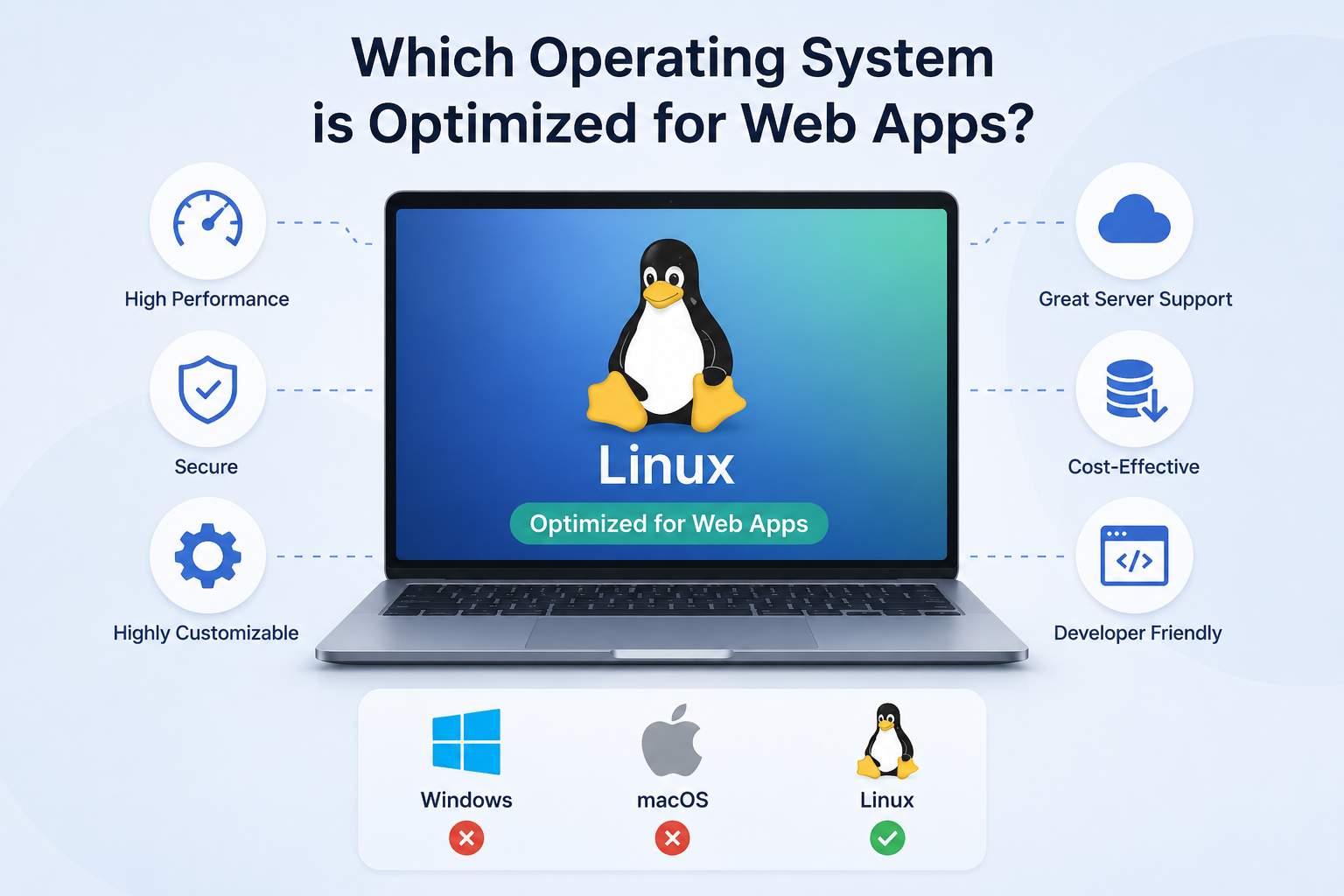
Introduction
If you have ever searched for the best operating system for web development or wondered which platform gives you the smoothest experience with web applications, you have likely encountered strong opinions from all directions. Some developers swear by Linux. Others work comfortably on macOS or Windows and produce professional results every day. The reality is more nuanced than any single recommendation can capture.
The answer to which operating system is optimized for web apps depends significantly on what you are actually trying to do. Are you using web apps as a regular user? Building web applications as a developer? Hosting web applications on a server? Each of these scenarios points to different considerations, and the right operating system for one situation is not necessarily the right choice for another.
This guide covers each major operating system in depth, compares them honestly, addresses common misconceptions, and provides practical guidance for different types of users.
Which Operating System Is Optimized for Web Apps?
Most modern web applications run through a web browser, which means they are accessible from any operating system that supports a compatible browser. For everyday use, Linux, Windows, macOS, and ChromeOS all work well with web apps.
For web development and web server hosting, Linux is the most widely used operating system in professional environments due to its open-source tooling, strong command-line environment, and prevalence in cloud and hosting infrastructure. Windows and macOS are also practical choices for development, particularly for front-end work. The best OS depends on your specific goal, workflow, and hardware.
What Is a Web Application?
A web application is a software program that runs in a web browser rather than being installed as a standalone application on your device. Instead of downloading and running software locally, you access a web app through a URL, and the application logic is delivered over the internet.
Web apps have two main components. The client side refers to what runs in the user’s browser, typically using HTML, CSS, and JavaScript to display the interface and handle user interactions. The server side refers to the code and infrastructure that runs on a remote server, handling data processing, storage, authentication, and business logic.
Common examples of web applications include Gmail, Google Docs, Trello, Notion, GitHub, online banking platforms, and streaming services. These are distinct from simple websites, which typically present static or lightly dynamic content without the kind of user-specific functionality, data management, and interactive behavior that defines a web application.
The distinction between a website and a web application is not always sharp, but the key difference is functionality. A web application does something. It allows users to create, manage, and interact with data in ways that go beyond reading content.
What Does “Optimized for Web Apps” Mean?
The phrase “optimized for web apps” can mean different things depending on the context in which it is used.
For users running web apps, optimization means a smooth, responsive browser experience. This depends primarily on the quality of the browser, available RAM, and processor performance rather than the operating system itself.
For developers building web apps, optimization means having a productive development environment with reliable command-line tools, good package management, efficient workflows, and compatibility with the languages, frameworks, and tools the project requires.
For web servers and hosting, optimization means an operating system that runs web server software efficiently, supports containerization, integrates with cloud infrastructure, and can be managed securely at scale.
Factors that genuinely matter across these contexts include browser compatibility and quality, availability of development tools and package managers, support for containers like Docker, command-line capabilities, security and update management, compatibility with languages like JavaScript, Python, PHP, and Go, and integration with cloud platforms and hosting providers.
Do Web Apps Require a Specific Operating System?
No. Most modern web applications can be accessed from any operating system that runs a compatible web browser and has an internet connection. Whether you use Windows, macOS, Linux, or ChromeOS, you can open Google Docs, use Trello, access your bank’s online portal, or watch a streaming service through a browser.
There are exceptions worth noting. Some web applications have browser-specific limitations where certain features work better in Chrome than in Safari, or vice versa. Some enterprise web applications are designed specifically for Internet Explorer or older Edge versions and may not function correctly in modern browsers. Certain development environments and tools have platform-specific requirements. Hardware-dependent applications, such as those that access specific device peripherals, may behave differently across operating systems.
For the vast majority of everyday web application use, however, the operating system is not the determining factor. The browser and internet connection matter far more.
Linux for Web Development and Web Apps
Linux is the operating system most closely associated with professional web development and web hosting, and there are good reasons for this.
Open-source ecosystem means that a vast range of development tools, programming languages, runtimes, databases, and utilities are available natively and are maintained by active communities. Installing and managing software through package managers is efficient and consistent.
Command-line tools are a core strength of Linux. The terminal in Linux provides direct and powerful access to system operations, file management, network configuration, and development workflows. Most web development tutorials and documentation assume a Unix-like command-line environment, which Linux provides natively.
Package managers such as apt on Debian and Ubuntu, dnf on Fedora, and others allow developers to install, update, and manage software dependencies with simple commands. This makes setting up development environments straightforward.
Docker and container support is particularly strong on Linux. Containers run natively on Linux, and the containerization workflows that are central to modern web development and DevOps are most naturally at home in a Linux environment.
Web server software including Apache, Nginx, and Caddy runs natively on Linux and is configured and administered through the same command-line environment developers use for development work. This reduces the gap between the development environment and the production server environment.
Cloud and hosting environments predominantly run Linux. Major cloud providers including AWS, Google Cloud, and Microsoft Azure all offer Linux-based virtual machines and container environments. Deploying to a Linux server from a Linux development machine eliminates environment inconsistencies.
Programming language support is excellent across all major web development languages including JavaScript and Node.js, Python, PHP, Ruby, and Go, all of which have strong Linux support.
It is important to understand that Linux is not a single operating system but a family of distributions, each with different design goals, package management systems, desktop environments, and default configurations. Popular distributions for web development include Ubuntu, which is widely recommended for its balance of ease of use and professional capability; Debian, which is known for stability and is the basis for Ubuntu and many other distributions; Fedora, which tracks newer software versions and is sponsored by Red Hat; and Linux Mint, which is often recommended for users coming from Windows due to its familiar desktop experience.
No single Linux distribution is universally best for web development. The choice depends on personal preference, familiarity, and specific workflow requirements.
Windows for Web Development and Web Apps
Windows is a fully capable platform for web development and runs web applications without any issues for everyday users. The perception that Windows is unsuitable for web development is outdated and does not reflect the current state of development tooling available on the platform.
Visual Studio Code, one of the most widely used code editors in web development, was created by Microsoft and has excellent Windows support. The TechOriginHub guide to what is Visual Studio Code covers its features and why it is so widely adopted.
Windows Terminal provides a modern, tabbed terminal experience that supports PowerShell, Command Prompt, and WSL sessions in the same interface.
Windows Subsystem for Linux (WSL) is one of the most significant developments for web developers on Windows. WSL allows users to run a full Linux environment, including a Linux terminal, Linux command-line tools, and Linux-native software, directly within Windows without a virtual machine. WSL 2, which uses a real Linux kernel, provides near-native performance for most development workflows and Docker integration. This means Windows developers can use the same command-line tools, package managers, and workflows used in Linux environments.
Git for version control runs natively on Windows, as do Node.js, Python, PHP, Docker Desktop for containerized development, and most other tools used in modern web development workflows.
Browser testing on Windows has a practical advantage because Internet Explorer, Edge, and Chrome are all natively available, and Windows represents the largest share of desktop operating system use among web users. Testing on Windows provides direct access to how many real users will experience a web application.
Windows is a practical and productive web development environment, particularly for front-end development, .NET-based back-end development, and developers who prefer a familiar desktop interface.
macOS for Web Development and Web Apps
macOS is widely used in professional web development, particularly in product companies, design-focused teams, and environments where Apple hardware is preferred. Its appeal comes partly from its Unix-based foundation, which provides a command-line environment that is naturally compatible with Linux server environments.
Terminal on macOS provides a Unix-like command-line experience that shares many conventions with Linux terminals. Commands, shell scripts, and SSH workflows that work on Linux typically work on macOS with minimal or no modification.
Homebrew is the most widely used package manager for macOS. It allows developers to install and manage a large range of development tools, runtimes, and utilities through simple terminal commands, similar in concept to Linux package managers.
Visual Studio Code, Git, Node.js, Python, Docker Desktop, and virtually all common web development tools have macOS versions and work reliably on the platform.
Browser testing on macOS is particularly valuable for checking Safari behavior, since Safari only runs on Apple platforms. Web developers targeting iOS and macOS users need macOS to test Safari, which has its own rendering engine and JavaScript implementation that can produce different results from Chrome or Firefox.
macOS hardware has historically been popular among developers partly because of the quality of the MacBook lineup and the integration between hardware and software. It is worth noting, however, that this comes at a higher cost than comparable Windows hardware or building a Linux system. macOS does not inherently make a developer more productive than Windows or Linux. The tools and workflow matter far more than the operating system brand.
ChromeOS for Web Apps and Web Development
ChromeOS was designed from the ground up as a web-first operating system. Most of what users do on a Chromebook happens in the Chrome browser, and web applications are central to the ChromeOS experience.
For everyday web app use, ChromeOS is genuinely well-suited. Tasks that happen entirely in a browser, including Gmail, Google Docs, Sheets, Slides, Notion, Trello, and similar cloud-based tools, work naturally and efficiently on ChromeOS.
For web development, ChromeOS has expanded its capabilities significantly. Supported Chromebooks can enable the Linux development environment, which provides access to a Debian-based Linux terminal and the ability to install Linux development tools including Visual Studio Code, Git, Node.js, and other common packages.
Cloud-based development using tools like GitHub Codespaces, Google Cloud Shell, or other browser-based development environments can be used effectively on ChromeOS, since these environments run in the cloud and are accessed through a browser.
Limitations exist for more intensive development workflows. Chromebooks often have less RAM and storage than dedicated development laptops. Some professional development tools, local virtualization workflows, and resource-intensive build processes may not work as smoothly on lower-end Chromebook hardware. ChromeOS is generally more suited to front-end development, educational environments, and cloud-based workflows than to resource-intensive back-end or systems development.
Best Operating Systems for Different Web Development Needs
Different goals point to different operating system choices. The following provides guidance based on specific use cases.
| Use Case | Recommended OS Options | Notes |
|---|---|---|
| Using web apps | Any modern OS with a browser | OS choice has minimal impact |
| Beginner learning web development | Windows, macOS, or Ubuntu | Familiarity and available resources matter |
| Front-end development | Windows, macOS, or Linux | All are fully capable |
| Back-end development | Linux or macOS | Strong for server-oriented workflows |
| Full-stack development | Linux, Windows with WSL, or macOS | All can be strong choices |
| Web server hosting | Linux | Dominant in hosting and cloud |
| Cloud development | Linux | Most cloud infrastructure runs Linux |
| DevOps | Linux | Native container and tooling support |
| Safari browser testing | macOS | Safari only runs on Apple platforms |
| .NET web development | Windows or macOS | Strong .NET tooling on both |
Linux vs Windows for Web Development
| Feature | Linux | Windows |
|---|---|---|
| Native terminal | Excellent | Good (improved with Windows Terminal) |
| Package management | Native (apt, dnf, etc.) | Available through WSL, winget, or Chocolatey |
| Web server software | Native support | Supported, different configuration |
| WSL | Not applicable | Available, provides Linux environment on Windows |
| Docker | Runs natively | Docker Desktop available |
| Beginner friendliness | Moderate (varies by distro) | Generally high |
| Server deployment similarity | High | High with WSL |
| Development flexibility | High | High with WSL |
| Browser testing coverage | Limited (no IE/Edge legacy) | Full range of Windows browsers |
| Cost | Free | License cost for OS |
Linux and Windows are both capable web development platforms. Linux’s advantage is its native alignment with server and cloud environments. Windows’ advantage is its broad software compatibility, familiar desktop experience, and the availability of WSL to bridge the gap with Linux development workflows.
Linux vs macOS for Web Development
Both Linux and macOS provide Unix-like environments that share many conventions. Developers comfortable in one can usually transition to the other without a steep learning curve.
Linux offers greater hardware flexibility, no operating system licensing cost, and native alignment with production server environments. Package management on Linux is generally more comprehensive and faster than Homebrew on macOS for many use cases. Linux runs on a much wider range of hardware at various price points.
macOS offers a polished, integrated hardware and software experience, native access to Safari for browser testing, and strong support for creative and design tools that are commonly used alongside web development. Homebrew provides solid package management, though it requires installation. macOS hardware tends to be more expensive than comparable Linux hardware options.
Both are strong choices for professional web development. The decision between them often comes down to hardware preference, budget, whether Safari testing is a priority, and personal familiarity with each environment.
Windows vs macOS for Web Development
Windows offers the widest hardware selection at every price point, broad software compatibility, native access to Windows browsers for testing, and WSL for Linux-compatible workflows. Visual Studio Code and many other professional development tools were built by Microsoft and have excellent Windows support.
macOS offers a Unix-based terminal environment that is naturally compatible with Linux servers, native Safari access, and a tightly integrated hardware and software experience. macOS hardware has a reputation for build quality but at a premium price.
For front-end development, both are equally capable. For back-end development with server-oriented workflows, macOS has a slight advantage through its native Unix environment, though WSL significantly narrows this gap. For .NET and Microsoft-stack development, Windows has advantages through tighter integration with Visual Studio and related tooling.
Neither platform is objectively superior. The right choice depends on workflow, budget, hardware preferences, and the specific technologies being used.
Which OS Is Best for Web Servers?
Linux is the dominant operating system in web server and cloud hosting environments. Apache and Nginx, the two most widely used web server software packages, run on Linux and are typically configured and managed through the Linux command line. Major cloud providers, including AWS, Google Cloud, and Microsoft Azure, all offer Linux-based infrastructure as a primary offering.
The reasons for Linux’s dominance in web hosting include the open-source licensing model (which eliminates per-server OS licensing costs), the stability of enterprise Linux distributions, the broad availability of Linux administration expertise, and the tight integration between Linux and the web development tool ecosystem.
Windows Server is also a significant platform for web hosting, particularly for organizations running .NET applications, Microsoft SQL Server, and other Microsoft-stack technologies. IIS (Internet Information Services) is Microsoft’s web server software and provides a capable hosting environment for Windows-based web applications.
The choice between Linux and Windows Server for web hosting typically follows the technology stack. ASP.NET applications and Windows-specific technologies are generally hosted on Windows Server. Node.js, Python, PHP, Ruby, and most other web frameworks are commonly hosted on Linux.
Cloud platforms support both, and the choice should be driven by the application’s requirements rather than assumptions about which is universally superior.
The TechOriginHub guide to what is cloud computing provides useful context for understanding how cloud infrastructure relates to web hosting decisions.
Browser Compatibility and Web Apps
Web applications run through browsers, which means browser compatibility is often more significant for web app performance and functionality than the operating system itself.
The major browsers used in web development and testing include Chrome and Chromium-based browsers such as Edge, Firefox, Safari, and legacy browsers in enterprise environments.
Chrome and Chromium-based browsers have the largest share of desktop browser use and run on Windows, macOS, and Linux. Most web developers prioritize Chrome compatibility because of its prevalence.
Firefox runs on Windows, macOS, and Linux and uses its own Gecko rendering engine. It is important for testing because its rendering behavior differs from Chrome in some areas.
Microsoft Edge is the default browser on Windows and is also available on macOS and Linux. It shares the Chromium rendering engine with Chrome, which means most Chrome-compatible web applications work in Edge.
Safari runs only on macOS and iOS. Because Safari uses the WebKit rendering engine and has its own JavaScript implementation, it can behave differently from Chrome and Firefox. Testing in Safari requires macOS, which is one of the practical reasons web developers often value having access to a Mac.
Developers building web applications should test across multiple browsers regardless of which operating system they use for development. The TechOriginHub guide to what is a web browser provides useful background on how browsers work.
Development Tools That Matter More Than the OS
In practice, the specific development tools you use often have more impact on your productivity than the operating system you run them on. Most professional development tools are available across Windows, macOS, and Linux.
Code editors and IDEs such as Visual Studio Code, JetBrains WebStorm, and Sublime Text are available on all three major operating systems. The TechOriginHub guide to what is Visual Studio Code covers one of the most widely used editors in web development.
Git for version control runs on all major operating systems.
Node.js for JavaScript-based back-end development and front-end tooling runs on Windows, macOS, and Linux.
Python for back-end development, scripting, and data work runs on all major operating systems. The TechOriginHub guide to what is Python programming covers Python’s capabilities and uses.
PHP, Ruby, Go, and other web development languages are all available across major operating systems.
Docker for containerized development environments is available on Windows through Docker Desktop, on macOS through Docker Desktop, and runs natively on Linux. Containers are particularly valuable because they allow developers to create consistent development environments regardless of the host operating system.
Package managers differ by platform but serve similar purposes. npm and yarn for Node.js work identically across operating systems. Language-specific package managers like pip for Python work cross-platform. System-level package managers differ: apt and dnf on Linux, Homebrew on macOS, and winget or Chocolatey on Windows.
Local development servers and tools such as development builds of frameworks, database servers, and API mock servers are available on all major platforms.
The consistency of these tools across operating systems means that your choice of OS rarely determines whether you can do a particular type of web development. It influences the setup process, the terminal experience, and the degree of similarity with production server environments.
Performance Considerations
Operating system performance for web development and web application use depends on several factors that interact in ways that make simple comparisons difficult.
Hardware is the most significant performance factor. A well-specified Windows machine will outperform an underpowered Linux machine, and vice versa. The raw hardware capabilities, CPU speed, RAM, and storage type and speed matter far more than the operating system.
Browser performance varies between browsers more than between operating systems for web application use. A web application running in Chrome on Windows, Chrome on macOS, and Chrome on Linux will generally perform very similarly, assuming comparable hardware.
Development tool performance including code editor responsiveness, build times, and test suite execution depends on hardware and tool configuration rather than operating system brand.
Virtual machines and containers have performance implications. Running a Linux virtual machine on Windows has overhead compared to running Linux natively. WSL 2 addresses much of this by using a real Linux kernel with lower overhead than a full virtual machine.
System resource usage varies between operating systems and between different Linux distributions. Some Linux distributions are designed to be lighter on resources, which can leave more headroom for development tools and browser processes on limited hardware.
No operating system automatically provides better performance for web development or web application use. Hardware quality and configuration matter most.
Security Considerations
Security is relevant for all web developers and for anyone running web applications, regardless of operating system.
Operating system updates should be applied promptly on all platforms. Security vulnerabilities in operating systems are regularly discovered and patched, and keeping the OS updated is one of the most important security practices.
Browser updates are equally important. Web applications run in browsers, and browser security vulnerabilities can expose users to risks regardless of the underlying operating system.
Developer permissions matter particularly on Linux and macOS, which use Unix-style permission systems. Running development work with minimal necessary privileges and avoiding running development servers as root reduces security risk.
Dependency management is a significant security consideration in web development. Third-party packages and libraries used in web applications can contain vulnerabilities. Keeping dependencies updated and using tools that scan for known vulnerabilities is important on all platforms.
Firewall and network security should be configured appropriately on development machines. Linux and macOS include firewall capabilities. Windows includes Windows Defender Firewall.
SSH security is relevant for developers who connect to remote servers. Using key-based authentication rather than passwords, keeping SSH clients updated, and understanding SSH configuration applies regardless of the client operating system.
For a broader overview of security concepts relevant to developers and technology users, the TechOriginHub guide to what is cybersecurity provides foundational context.
Common Misconceptions About Operating Systems and Web Apps
“Web apps only work on Linux” is false. Web applications run through browsers, and browsers are available on all major operating systems. Most web apps work identically on Windows, macOS, Linux, and ChromeOS.
“Linux is the only OS for developers” is outdated. Linux is widely used in professional development environments and has genuine advantages for server-oriented workflows, but Windows and macOS are both fully capable development platforms used by professional developers at major technology companies.
“Windows cannot be used for web development” was more true in the past when Unix-like tools were less accessible on Windows. Today, WSL, Windows Terminal, and the broad availability of development tools on Windows make it a practical professional development environment.
“macOS is automatically better for coding” is not supported by evidence. macOS has genuine advantages, including native Unix-like terminal access and Safari testing, but Windows and Linux developers produce professional software every day on their respective platforms.
“ChromeOS cannot be used for development” is an oversimplification. ChromeOS with Linux environment support can run many common development tools, and cloud-based development environments work well on ChromeOS. It has limitations for resource-intensive workflows, but it is not categorically unusable for development.
“A faster OS automatically makes a web app faster” misunderstands where web application performance comes from. Web app performance depends on the application code, the server infrastructure, the network, and the browser. The client operating system has minimal direct influence on web application performance for typical applications.
How to Choose an Operating System for Web Development
The following checklist helps identify which operating system is most appropriate for your situation.
Programming language and framework: Check whether your chosen language and framework have better support, tooling, or documentation on a particular operating system. Most do not have strong platform preferences, but some do.
Development tools: Confirm that the editors, IDEs, and utilities you want to use are available and fully supported on your chosen OS.
Server environment similarity: If you will be deploying to Linux servers, developing on Linux or using WSL on Windows reduces environment inconsistency.
Hardware and budget: Linux runs on a wide range of hardware at different price points. macOS requires Apple hardware. Windows runs on broad hardware. Budget may constrain choices.
Browser testing needs: If Safari testing is essential, macOS is necessary. If Windows browser testing is important, Windows provides native access.
Cloud deployment: If your application will run on Linux-based cloud infrastructure, familiarity with Linux tooling is valuable.
Personal experience: Switching operating systems has a learning cost. If you are productive and comfortable on your current OS, the productivity value of switching may not outweigh the disruption.
Team requirements: Some teams standardize on a development environment to reduce environment-specific issues and make onboarding easier.
Container use: If Docker is central to your workflow, Linux provides the most direct experience. Docker Desktop on Windows and macOS is functional but adds a layer between your OS and the containers.
Understanding the internet infrastructure that your web applications will depend on is useful background for making these decisions. The TechOriginHub guide to what is the internet explains the foundational networking concepts that underpin web application delivery.
Frequently Asked Questions
Which operating system is optimized for web apps?
For using web apps, any modern operating system with a compatible browser works well. For developing web apps, Linux, Windows with WSL, and macOS are all capable choices. Linux is most commonly used in web server and hosting environments.
Is Linux good for web development?
Yes. Linux is widely used in professional web development due to its native command-line tools, strong package management, container support, and alignment with production server environments. It requires some initial learning if you are coming from Windows or macOS.
Is Windows good for web development?
Yes. Windows is a fully capable web development platform, particularly with WSL providing a Linux-compatible environment. Front-end development, .NET development, and most other web development workflows are well-supported on Windows.
Is macOS good for web development?
Yes. macOS’s Unix-based terminal environment, native Safari access, and availability of professional development tools make it a popular choice among web developers. It is particularly valuable for teams that need to test Safari behavior.
Can I develop web apps on Windows?
Yes. Windows supports all major web development languages and frameworks. WSL allows Linux-based development workflows. Docker Desktop supports containerized development. Visual Studio Code and other professional tools work fully on Windows.
Can I develop web apps on Linux?
Yes. Linux is one of the most widely used platforms for professional web development. Development tools, package managers, language runtimes, and server software all have strong Linux support.
Can I use ChromeOS for web development?
Yes, with some limitations. ChromeOS with Linux environment support can run development tools for front-end and cloud-based development. It may not be suitable for resource-intensive workflows or specialized local development requirements on lower-end hardware.
What is the best OS for full-stack development?
Linux, Windows with WSL, and macOS are all used effectively for full-stack development. Linux has the closest alignment with production server environments. macOS provides a Unix-like environment with polished hardware. Windows with WSL bridges the gap effectively.
Which OS is best for web servers?
Linux is dominant in web server and cloud hosting environments. Windows Server is used for .NET and Microsoft-stack applications. The choice should follow the application’s technology stack rather than general preference.
Do web apps require Linux?
No. Web apps run through browsers and are accessible from any operating system with a compatible browser. Linux is common in server environments that host web apps but is not required for using them.
Is Linux better than Windows for web development?
Neither is universally better. Linux has advantages for server-aligned workflows, native containers, and free licensing. Windows has advantages for broader software compatibility, familiar desktop experience, and Windows browser testing. WSL significantly narrows the gap between the two.
Which OS is best for beginners learning web development?
Windows, macOS, and beginner-friendly Linux distributions like Ubuntu are all suitable starting points. Beginners benefit most from starting on whichever system they are most familiar with, using widely available resources for HTML, CSS, JavaScript, and their chosen development tools.
The TechOriginHub guides to what is HTML, what is CSS, and what is JavaScript provide starting points for the core web development languages that work across all platforms.
Final Thoughts
The question of which operating system is optimized for web apps does not have a single universal answer, and that is actually good news. It means you are not locked into a particular platform to work effectively with web applications or web development.
For using web applications, the operating system matters very little. Your browser and internet connection determine your experience far more than whether you run Windows, macOS, Linux, or ChromeOS.
For developing web applications, all three major desktop operating systems are capable. Linux offers the closest alignment with production server environments and native container support. macOS provides a Unix-like environment with polished hardware and native Safari access. Windows with WSL provides a familiar desktop experience with a Linux-compatible development environment. The tools you use, including your code editor, terminal, package manager, and version control system, have more practical impact on your daily productivity than the operating system brand.
For hosting web applications, Linux is the dominant choice in cloud and hosting environments, though Windows Server serves important roles for specific technology stacks.
Make your decision based on your current hardware, your specific workflow, the technologies you are using, your budget, and your personal experience with each platform. Then invest your energy in learning the tools and technologies that will actually build your skills as a developer. That investment will pay off regardless of which operating system you choose.
For readers beginning their web development journey, the TechOriginHub guides to what is programming, what is HTML, what is CSS, and what is JavaScript provide the foundational knowledge that applies across all operating systems and development environments.
 Saad Qureshi