
 By saman zahra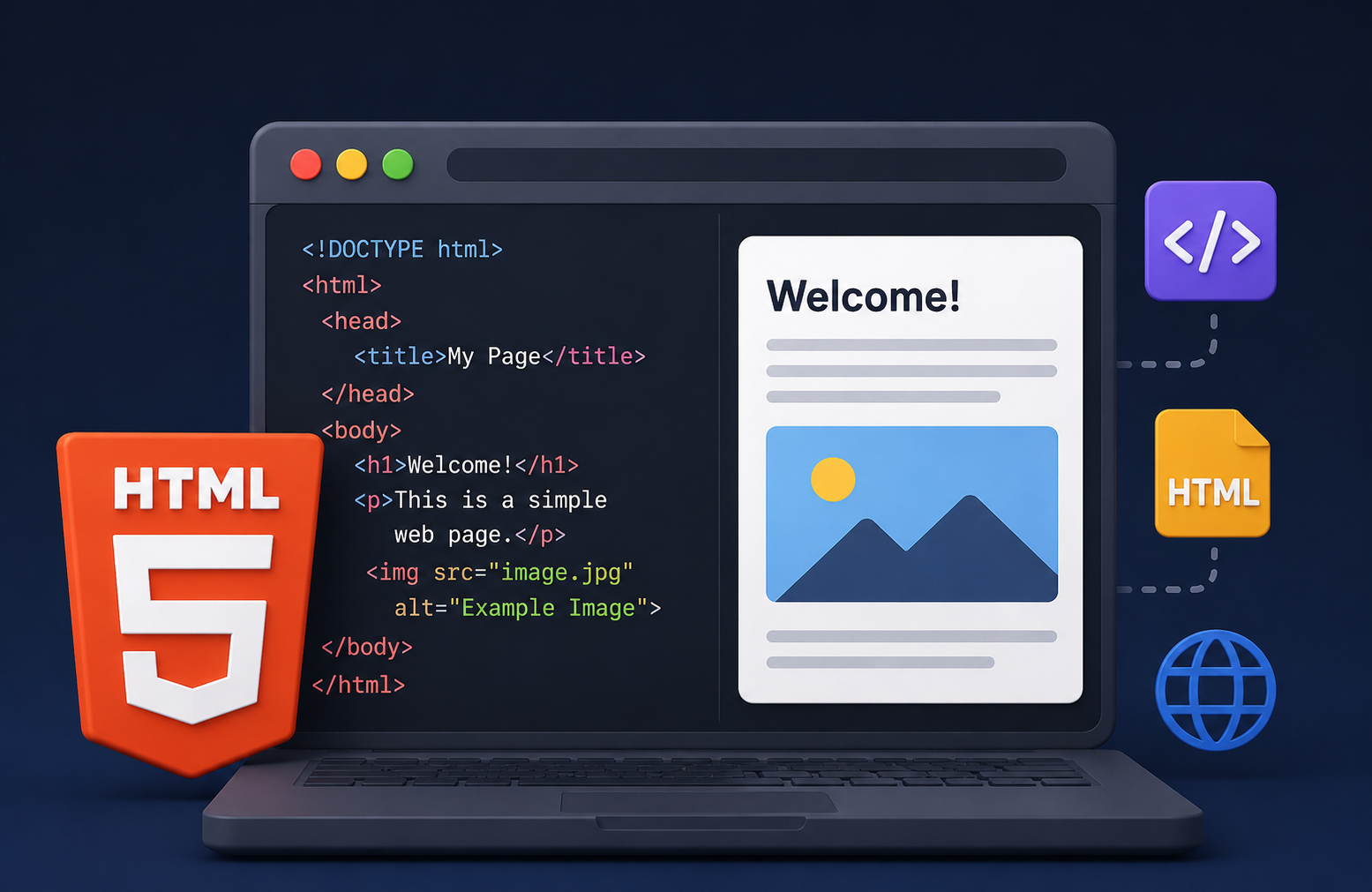
Introduction
Every web page you have ever visited, from a news article to an online shopping page, relies on HTML to display its content. Before any styling, interactivity, or application logic is applied, there is HTML providing the foundational structure that browsers use to display information on screen.
So what is HTML, exactly? HTML is HyperText Markup Language, the standard markup language used to structure content on web pages. It tells the browser what content exists on a page and how that content is organized, whether as a heading, a paragraph, a link, an image, or a list. Every web page begins with HTML.
This guide explains what HTML is, how it works, what its core components do, and how beginners can start learning it from scratch. It also clarifies some important misconceptions, including why HTML is not a programming language, and explains how HTML works alongside CSS and JavaScript to create the web experiences people use every day.
What Is HTML?
HTML, which stands for HyperText Markup Language, is the standard markup language for creating and structuring content on web pages. It defines the meaning and structure of web content by using a system of elements represented by tags.
When you write HTML, you are describing what each piece of content on a page is, whether it is a heading, a paragraph, a link, an image, a table, or a form. The browser reads this description and renders the content accordingly.
HTML is maintained as a living standard by the WHATWG (Web Hypertext Application Technology Working Group) and is also standardized by the W3C (World Wide Web Consortium). The version in current use is HTML5, which introduced significant improvements including semantic elements, native multimedia support, and improved form controls.
It is important to understand from the outset that HTML is a markup language, not a programming language. It describes and structures content. It does not contain programming logic, variables, loops, or conditional statements in the way that languages like JavaScript or Python do.
What Does HTML Stand For?
HTML stands for HyperText Markup Language.
Each word in that name has specific meaning.
HyperText refers to text that contains links to other documents or resources. The ability to link from one web page to another is a defining characteristic of the web, and HTML is what makes those links possible.
Markup refers to the way HTML uses tags to annotate content. Rather than writing plain text, an HTML author marks up the content with tags that describe its role and meaning. A word surrounded by <strong> tags, for example, indicates that the content carries strong importance.
Language refers to the fact that HTML is a defined, structured notation with its own vocabulary (tags and attributes) and syntax rules that must be followed correctly for browsers to interpret it as intended.
Together, these three concepts describe a system for structuring linked documents on the web.
Is HTML a Programming Language?
No. HTML is a markup language, not a programming language.
The distinction matters because programming languages such as JavaScript, Python, Java, and C++ can express computational logic. They support variables, conditions, loops, functions, and complex data processing. Programs written in these languages can make decisions, perform calculations, and control behavior dynamically.
HTML does none of these things. HTML describes and structures content. It tells the browser that a piece of text is a heading, that another piece is a paragraph, and that a third piece is a link to another page. It does not calculate, decide, or respond to conditions.
This does not diminish HTML’s importance. HTML is the essential foundation of every web page. Without it, there would be nothing for CSS to style and nothing for JavaScript to interact with. Understanding the distinction between markup languages and programming languages is part of understanding how web development actually works. The TechOriginHub guide to what is programming and how it works provides a clear explanation of what programming languages are and how they differ from other types of languages.
How Does HTML Work?
When you visit a web page, a series of steps happen between your browser making a request and the page appearing on your screen.
Step 1: The browser requests the page. When you type a URL or click a link, your browser sends a request to a web server. Understanding how browsers work provides useful context here, and the TechOriginHub guide to what is a web browser explains this process clearly.
Step 2: The server sends an HTML file. The web server responds by sending an HTML document to the browser. This is a text file containing HTML markup.
Step 3: The browser parses the HTML. The browser’s HTML parser reads the HTML document from top to bottom and processes the markup it finds, identifying elements and their relationships.
Step 4: The browser builds the DOM. As the browser parses the HTML, it constructs a Document Object Model, or DOM. The DOM is a tree-like representation of the page’s structure in memory. Each HTML element becomes a node in this tree, and the relationships between elements, such as which elements are nested inside which others, are preserved in the tree structure.
Step 5: The browser renders the page. Using the DOM, along with any CSS style rules and JavaScript instructions that have also been loaded, the browser renders the visual page that the user sees.
This process means that when you write HTML, you are writing instructions that the browser will interpret and use to construct and display the page. The browser, not the user, reads the HTML directly. What the user sees is the rendered result of that HTML being processed.
Basic Structure of an HTML Document
Every HTML document follows a standard structure. Here is the most basic valid HTML document:
<!DOCTYPE html>
<html lang="en">
  <head>
    <meta charset="UTF-8">
    <meta name="viewport" content="width=device-width, initial-scale=1.0">
    <title>My First Page</title>
  </head>
  <body>
    <h1>Hello, World!</h1>
    <p>This is my first HTML page.</p>
  </body>
</html>
Each part of this document has a specific purpose.
<!DOCTYPE html> is a declaration at the very top of the document that tells the browser this is an HTML5 document. It is not an HTML element itself but a required instruction to the browser.
<html> is the root element that wraps all other content in the document. The lang="en" attribute indicates the language of the document, which is helpful for accessibility tools and search engines.
<head> contains metadata about the document that is not displayed on the page itself. This includes the character encoding declaration, viewport settings for responsive design, and the page title.
<title> sets the title that appears in the browser tab and is used by search engines as the title of the page in search results.
<body> contains all the content that is displayed to the user, including headings, paragraphs, images, links, and everything else visible on the page.
What Are HTML Tags and Elements?
Understanding the difference between HTML tags and HTML elements is essential for working with HTML accurately.
An HTML tag is the markup notation itself, consisting of angle brackets surrounding a keyword. <p> is a tag. </p> is also a tag.
An HTML element is the complete unit consisting of an opening tag, the content between the tags, and the closing tag. The entire structure <p>This is a paragraph.</p> is an HTML element.
Most HTML elements have:
- An opening tag such as
<p>that marks the beginning of the element - Content which is the text or other elements inside
- A closing tag such as
</p>that marks the end of the element
Some elements are void elements that do not have content or closing tags. The <img> element for images and the <br> element for line breaks are examples. In modern HTML, these are typically written as <img> or <br> without a separate closing tag.
Nested elements are elements placed inside other elements. The content of one element can itself contain other elements, creating a hierarchical structure.
<p>This is a paragraph with <strong>bold text</strong> inside it.</p>In this example, the <strong> element is nested inside the <p> element. The <strong> element is a child of the <p> element, and the <p> element is the parent.
What Are HTML Attributes?
HTML attributes provide additional information about an element. They are placed inside the opening tag, after the element name, and consist of a name and a value separated by an equals sign.
<a href="https://example.com" target="_blank">Visit Example</a>In this example, href and target are attributes of the <a> element. The href attribute specifies the destination URL of the link. The target="_blank" attribute tells the browser to open the link in a new tab.
Some commonly used HTML attributes include:
href specifies the URL destination of a hyperlink element.
src specifies the source file for elements like images and scripts.
alt provides alternative text for images that is displayed if the image cannot load and is read by screen readers for accessibility.
id provides a unique identifier for an element on the page. Each ID should be used only once per page.
class assigns one or more class names to an element, which CSS can use to apply styles to all elements sharing that class.
title provides advisory information about an element, often displayed as a tooltip when the user hovers over the element.
target specifies where to open a linked document, such as _blank for a new browser tab.
Attribute values should always be enclosed in quotation marks. Omitting quotation marks around attribute values is a common beginner mistake.
Common HTML Tags and Their Uses
The following elements are among the most frequently used in HTML documents.
Heading elements <h1> through <h6> define headings of decreasing importance. <h1> is the most important heading on the page, typically the main title. <h6> is the least important. Headings create visual and semantic hierarchy on the page.
<p> defines a paragraph of text.
<a> creates a hyperlink. The href attribute specifies the link destination.
<a href="https://example.com">Click here</a><img> embeds an image. The src attribute specifies the image file and alt provides descriptive alternative text.
<img src="photo.jpg" alt="A photograph of a mountain landscape"><ul> creates an unordered (bulleted) list. <ol> creates an ordered (numbered) list. <li> defines each list item inside either type of list.
<div> is a generic block-level container with no inherent semantic meaning. It is used to group elements for styling or layout purposes.
<span> is a generic inline container, also with no inherent semantic meaning. It is used to group inline content for styling purposes.
<br> inserts a line break within a block of content.
<strong> indicates that its content has strong importance, typically displayed as bold text by browsers.
<em> indicates emphasis, typically displayed as italic text by browsers.
<table>, <tr>, <th>, and <td> are used together to create tables. <table> is the container, <tr> defines a table row, <th> defines a header cell, and <td> defines a data cell.
<form>, <input>, <textarea>, <select>, and <button> are form elements used to collect user input.
What Is Semantic HTML?
Semantic HTML means using HTML elements that convey meaning about the content they contain, rather than using non-semantic containers like <div> for everything.
HTML5 introduced a set of semantic elements specifically designed to describe the structure and role of different parts of a web page.
<header> represents introductory content for a page or section, typically containing the site logo, navigation, and page title.
<nav> defines a section of navigation links.
<main> represents the primary content of the document body. A page should contain only one <main> element.
<section> represents a thematic grouping of content, typically with a heading.
<article> represents self-contained content that could be distributed independently, such as a blog post or news story.
<aside> represents content that is tangentially related to the surrounding content, such as a sidebar.
<footer> represents the footer of a page or section, typically containing copyright information, links, and contact details.
Using semantic HTML improves the document in several ways. Screen readers and other assistive technologies use the semantic meaning of elements to help users with disabilities navigate content. Search engines use semantic structure to better understand page content. Developers reading the code can understand the page structure more quickly without relying entirely on CSS class names.
What Is HTML5?
HTML5 is the current version of the HTML standard, maintained as a living standard by the WHATWG. It represents a significant evolution of HTML rather than a completely separate language. HTML5 builds on earlier versions and maintains broad backward compatibility while introducing important new capabilities.
HTML5 introduced the semantic elements described above, including <header>, <nav>, <main>, <article>, <section>, <aside>, and <footer>. These allow developers to write more meaningful and accessible page structures.
HTML5 also introduced native multimedia elements. The <video> element allows video to be embedded directly in a web page without requiring a third-party plugin. The <audio> element similarly allows audio to be embedded natively.
<video src="video.mp4" controls>
  Your browser does not support the video element.
</video>
HTML5 expanded form capabilities with new input types such as email, date, number, range, and search, which allow browsers to provide appropriate input controls and basic validation.
Modern browsers provide strong support for HTML5 features, and HTML5 is the foundation of current web development practice. When developers refer to HTML today, they are generally referring to HTML5.
How HTML Forms Work
HTML forms allow web pages to collect input from users. A form is created using the <form> element, which acts as a container for the form controls inside it.
<form action="/submit" method="post">
  <label for="name">Your Name:</label>
  <input type="text" id="name" name="name">

  <label for="email">Email Address:</label>
  <input type="email" id="email" name="email">

  <textarea name="message" rows="4" cols="40"></textarea>

  <button type="submit">Send</button>
</form>
<label> associates descriptive text with a form control, improving accessibility. The for attribute of a label should match the id of the associated input.
<input> is a versatile element whose behavior is determined by its type attribute. Common input types include text, email, password, checkbox, radio, number, date, and file.
<textarea> creates a multi-line text input area.
<select> and <option> create a dropdown selection menu.
<button> creates a clickable button. A button with type="submit" submits the form when clicked.
HTML creates the structure and fields of a form. However, HTML alone does not process form data. When a form is submitted, the data is typically sent to a server where backend code processes it, stores it, or responds to it. Client-side validation can also be handled using JavaScript, while HTML5 provides some basic built-in validation through attribute-based constraints.
How to Add Links and Images in HTML
Creating a hyperlink uses the <a> element with the href attribute:
<a href="https://example.com">Visit Example Website</a>The text between the opening and closing tags is the clickable link text, often called anchor text.
Adding an image uses the <img> element with the src and alt attributes:
<img src="images/sunset.jpg" alt="A sunset over the ocean with orange and purple clouds">The src attribute points to the image file. The alt attribute provides a text description of the image.
Why alt text matters is an important consideration that goes beyond simple description. When an image fails to load, the alt text is displayed in its place. More importantly, screen readers used by visually impaired users read the alt text aloud, making it the only way these users can understand what the image contains. Descriptive, accurate alt text is a fundamental accessibility requirement. Search engines also use alt text to understand what images depict, which can contribute to image search visibility.
An alt attribute that is empty (alt="") is used for decorative images that convey no meaningful information, signaling to screen readers that the image should be ignored.
HTML Lists and Tables
Unordered lists display items with bullet points:
<ul>
  <li>Apples</li>
  <li>Oranges</li>
  <li>Bananas</li>
</ul>
Ordered lists display items with sequential numbers:
<ol>
  <li>Preheat the oven</li>
  <li>Mix the ingredients</li>
  <li>Bake for 30 minutes</li>
</ol>
Basic tables organize data into rows and columns:
<table>
  <tr>
    <th>Name</th>
    <th>Age</th>
    <th>City</th>
  </tr>
  <tr>
    <td>Alex</td>
    <td>25</td>
    <td>London</td>
  </tr>
</table>
<th> creates a header cell with bold centered text by default. <td> creates a standard data cell.
Tables should be used for tabular data, meaning information that genuinely has a row-and-column relationship. Using tables to control the layout of a page is an outdated practice that creates accessibility problems and should be avoided. CSS is the appropriate tool for layout.
HTML Comments and Nesting
HTML comments allow developers to include notes within HTML source code that are not rendered by the browser or displayed to users.
<!-- This is a comment and will not appear on the page -->
<p>This paragraph will appear on the page.</p>
Comments are useful for explaining sections of code, temporarily disabling content during development, and leaving notes for other developers reviewing the code.
HTML nesting refers to placing elements inside other elements. Correct nesting is essential for valid HTML and for the DOM to represent the document structure accurately.
<div class="card">
  <h2>Article Title</h2>
  <p>This is the introductory paragraph of the article.</p>
  <ul>
    <li>First point</li>
    <li>Second point</li>
  </ul>
</div>
In this example, the <h2>, <p>, and <ul> elements are nested inside the <div>. The <li> elements are nested inside the <ul>. Overlapping elements incorrectly, such as opening one element inside another and closing it outside, creates invalid HTML that browsers may attempt to interpret in unpredictable ways.
HTML vs CSS vs JavaScript
HTML, CSS, and JavaScript are the three foundational technologies of the web. They each serve a distinct and necessary purpose, and modern web pages rely on all three working together.
| Technology | Main Purpose | What It Does |
|---|---|---|
| HTML | Structure and content | Defines what elements exist and what they mean |
| CSS | Styling and presentation | Controls colors, fonts, layout, and visual design |
| JavaScript | Behavior and interactivity | Adds dynamic behavior, responds to events, manipulates the DOM |
A useful analogy is a building. HTML is the structure, providing the walls, floors, and rooms. CSS is the interior design, determining colors, materials, and appearance. JavaScript is the electrical system and plumbing, enabling things to function dynamically in response to occupant behavior.
HTML can exist and function without CSS or JavaScript. A plain HTML document with no styling will be readable in a browser. However, the reverse is not true. CSS has nothing to style without HTML, and JavaScript has no DOM to interact with without HTML. HTML is the foundation that everything else builds on.
For readers who want to understand JavaScript in depth, the TechOriginHub guide to what is JavaScript and how it works provides a comprehensive introduction. Similarly, the guide to what is Python programming provides context on how programming languages differ from markup languages like HTML.
Advantages of HTML
Easy to learn relative to programming languages. The basic syntax of HTML can be learned in a short time, and beginners can start creating simple web pages within hours of first encountering it.
Beginner-friendly because mistakes rarely cause severe errors. Browsers are designed to handle imperfect HTML gracefully, rendering what they can even when the markup is not perfectly valid.
Standardized through the WHATWG HTML Living Standard and W3C, meaning HTML written to these standards works consistently across modern browsers.
Widely supported by all modern browsers on all devices, including desktop computers, smartphones, tablets, and assistive technologies.
Works with CSS and JavaScript seamlessly, providing the structural foundation that both depend on.
Supports accessible page structure when semantic elements are used correctly, enabling screen readers and other assistive technologies to present content effectively to users with disabilities.
Open web standard with no licensing requirements, allowing anyone to write HTML and distribute web content freely.
Contributes to page structure that search engines can interpret, which is relevant to how search engines understand and index web content.
Limitations of HTML
HTML alone does not provide programming logic. It cannot perform calculations, store data in variables, or make decisions based on conditions. These capabilities require JavaScript or a server-side programming language.
HTML does not handle complex application behavior. Building a web application with real-time features, user authentication, or dynamic data requires JavaScript, server-side technologies, and usually a database alongside HTML.
CSS is required for visual presentation. An HTML page without CSS has default browser styling only, which provides limited control over visual design.
JavaScript is required for interactivity. Responding to user events, updating content dynamically, and creating interactive experiences all require JavaScript working alongside HTML.
Dynamic content usually requires additional technology. Displaying personalized content, live data feeds, or user-specific information requires server-side programming and database integration beyond what HTML can provide.
Understanding these limitations clarifies why web development typically involves learning HTML alongside CSS and JavaScript as a connected set of technologies rather than learning HTML in isolation.
Why Is HTML Important for SEO?
HTML structure has direct relevance to how search engines understand and index web content, though it is worth being clear that HTML structure alone does not guarantee higher search rankings.
Heading hierarchy matters because search engines use heading elements to understand the structure and topics covered on a page. Using <h1> for the main page topic and <h2> through <h6> for subsections helps search engines interpret the content hierarchy.
Semantic structure created by elements like <main>, <article>, <section>, and <nav> helps search engines identify the primary content of a page and understand how different parts relate to each other.
Links and anchor text within HTML help search engines understand the relationships between pages and the relevance of linked content. Descriptive, meaningful link text is more useful to search engines than generic text like “click here.”
Image alt text allows search engines to understand what images depict, contributing to image search indexing and helping search engines understand the visual content on a page.
Page title set through the <title> element in the <head> is one of the most important on-page elements for search engines and appears as the clickable headline in search results.
Meta description set through a <meta name="description"> tag in the <head> appears as the description text beneath the title in search results, though it does not directly affect rankings.
Clean, valid, semantic HTML makes content more interpretable for both search engines and accessibility tools, contributing to a well-structured web presence.
How to Learn HTML as a Beginner
Learning HTML follows a natural progression from simple concepts to more advanced techniques.
Step 1: Learn basic HTML structure. Start with the <!DOCTYPE html> declaration, the <html>, <head>, and <body> elements, and create your first complete HTML document.
Step 2: Learn common tags. Practice headings, paragraphs, and basic text formatting. Write HTML and open it in a browser to see the results.
Step 3: Learn attributes. Understand how attributes modify elements and practice adding id, class, and other common attributes to elements.
Step 4: Learn links and images. Create hyperlinks with <a> and add images with <img>, including descriptive alt text.
Step 5: Learn lists and tables. Build unordered lists, ordered lists, and simple data tables.
Step 6: Learn forms. Create basic forms with text inputs, email fields, and submit buttons.
Step 7: Learn semantic HTML. Replace generic <div> containers with appropriate semantic elements like <header>, <main>, <article>, and <footer>.
Step 8: Practice building web pages. Apply what you have learned by building simple complete pages from scratch rather than just isolated examples.
Step 9: Learn CSS. Add visual styling to your HTML pages. CSS transforms plain structured content into visually designed web pages.
Step 10: Learn JavaScript. Add interactive behavior to your pages. The TechOriginHub guide to what is JavaScript provides a thorough starting point.
Using a code editor makes HTML development significantly more productive. The TechOriginHub guide to what is Visual Studio Code explains one of the most widely used code editors for web development. When you are ready to share your work and collaborate, understanding version control is valuable, and the TechOriginHub guide to what is Git covers the fundamentals.
Beginner HTML Projects
Building real projects is the most effective way to consolidate HTML knowledge beyond isolated exercises.
A personal profile page introduces the basic structure and common elements through something meaningful: your own name, a brief description, a photo, and links to other pages or profiles.
A simple portfolio page extends the profile concept with sections showcasing work examples, adding practice with images, sections, and navigation.
A recipe page is an excellent beginner project because recipes naturally use headings, ordered lists for steps, unordered lists for ingredients, and images, covering a wide range of common elements in a single document.
A blog post layout introduces article structure with a main heading, byline, body paragraphs, subheadings, and a footer, providing practice with semantic structure.
A contact form gives dedicated practice with form elements including labels, text inputs, email inputs, a textarea, and a submit button.
A product page introduces structuring commercial content with a product image, description, specifications table, and call-to-action button.
A restaurant webpage combines navigation, a menu section with lists, images, an about section, and a contact section in a realistic multi-section layout.
A basic landing page is a complete page with a header, a hero section, a features section, and a footer, practicing the full semantic page structure.
Common HTML Mistakes Beginners Make
Forgetting closing tags is one of the most frequent beginner errors. While browsers often attempt to handle missing closing tags gracefully, relying on this behavior produces invalid HTML and can cause unexpected rendering problems.
Incorrect nesting occurs when elements are overlapped rather than properly nested. Opening an element inside another and closing it outside the parent creates invalid HTML.
<!-- Incorrect -->
<p><strong>Bold text</p></strong>

<!-- Correct -->
<p><strong>Bold text</strong></p>
Missing alt attributes on images is both a validation error and an accessibility problem. Every <img> element should include an alt attribute, even if it is empty for decorative images.
Using duplicate IDs violates the HTML rule that each ID must be unique on a page. Using the same ID on multiple elements causes issues with CSS, JavaScript, and accessibility tools.
Using headings for visual size rather than semantic structure misrepresents the document hierarchy. Headings should reflect content importance and structure, with CSS handling visual size adjustments.
Poor semantic structure using <div> elements for everything when appropriate semantic elements exist results in code that is harder to read, maintain, and make accessible.
Forgetting quotation marks around attribute values is a syntax error that can cause attributes to be parsed incorrectly.
Using obsolete elements such as <font>, <center>, and <marquee> represents outdated practice. Modern HTML does not use presentation-focused elements that belong in CSS.
Writing invalid HTML that does not validate against the HTML standard can cause inconsistent browser rendering. The W3C Markup Validation Service at validator.w3.org allows developers to check their HTML for errors.
Is HTML Easy to Learn?
HTML is generally considered one of the more accessible starting points in web development. The basic syntax is straightforward, the feedback loop of writing HTML and immediately seeing the result in a browser is satisfying and motivating, and the initial learning curve is considerably gentler than learning a programming language from scratch.
A beginner can write a functioning HTML page within a few hours of first encountering the language. Learning the most commonly used elements and attributes to a level of practical comfort typically takes a few weeks of regular practice.
However, HTML has depth that extends beyond the basics. Writing valid, accessible, semantic HTML that follows current best practices takes more time to learn well. Understanding how HTML fits within the broader web development ecosystem, working alongside CSS and JavaScript, requires sustained learning beyond HTML alone.
The realistic expectation for beginners is that HTML fundamentals are achievable relatively quickly, but genuine proficiency in building well-structured, accessible, semantic web pages develops over time through building real projects and developing the habit of writing clean, purposeful markup.
Frequently Asked Questions About HTML
What is HTML in simple words?
HTML is the language used to structure web pages. It uses tags to define what different pieces of content are, such as headings, paragraphs, links, and images. Every web page is built on an HTML foundation.
What does HTML stand for?
HTML stands for HyperText Markup Language.
Is HTML a programming language?
No. HTML is a markup language. It structures and describes content but does not include computational logic such as variables, conditions, or loops. Programming languages like JavaScript and Python are fundamentally different in what they can express and do.
What is HTML used for?
HTML is used to structure the content of web pages, including headings, paragraphs, links, images, lists, tables, forms, multimedia elements, and page sections.
How does HTML work?
A browser downloads an HTML document from a web server, parses the markup, constructs a DOM tree representing the document structure, and then renders the visual page the user sees.
What are HTML tags?
HTML tags are the markup notation consisting of angle brackets surrounding a keyword, such as <p> or </p>. Tags define the beginning and end of HTML elements.
What are HTML elements?
An HTML element is the complete unit consisting of an opening tag, the content between the tags, and a closing tag, such as <p>This is a paragraph.</p>.
What are HTML attributes?
HTML attributes provide additional information about an element, placed inside the opening tag. For example, the href attribute on an <a> element specifies the link destination.
What is HTML5?
HTML5 is the current version of the HTML standard. It introduced semantic elements, native multimedia support, improved form controls, and other modern features. HTML5 is maintained as a living standard by the WHATWG.
What is the difference between HTML and CSS?
HTML defines the structure and content of a web page. CSS controls the visual presentation and styling. HTML provides what is there; CSS controls how it looks.
What is the difference between HTML and JavaScript?
HTML structures web page content. JavaScript is a programming language that adds dynamic behavior and interactivity. JavaScript can read and modify the HTML DOM to change what users see without reloading the page.
Is HTML easy to learn?
The basics of HTML are accessible to beginners and can be learned relatively quickly. Writing professional-quality, accessible, semantic HTML takes more practice and experience but remains one of the more approachable starting points in web development.
Can I build a website with HTML?
You can build a static website using HTML alone. In practice, most websites also use CSS for styling and JavaScript for interactivity. HTML provides the essential content foundation.
Do I need HTML to learn JavaScript?
Yes, in practical terms. JavaScript in the browser context interacts with HTML through the DOM. Learning JavaScript for web development without HTML knowledge leaves learners without the context to understand what JavaScript is actually doing.
Final Thoughts
HTML is the foundation of everything on the web. Every page you visit, every article you read, every form you fill out begins with HTML providing the structure that holds everything together. Understanding what HTML is, how it works, and what its elements do is an essential starting point for anyone interested in web development, web design, or digital content creation.
HTML is not difficult to begin learning. A few hours of practice with the basic structure and common elements produces visible, tangible results in a browser. That immediate feedback makes HTML one of the most satisfying first steps into working with technology directly.
The next steps after HTML, learning CSS to style your pages and JavaScript to make them interactive, build naturally on the HTML foundation. Together, these three technologies form the core skill set of front-end web development. Starting with HTML, understanding it well, and building real pages with it is the right foundation for everything that follows.
For readers interested in the broader world of software and programming that HTML connects to, the TechOriginHub guides to what is software, what is programming, and what is the internet provide valuable context for understanding how HTML fits into the larger technology landscape.