
 By saman zahra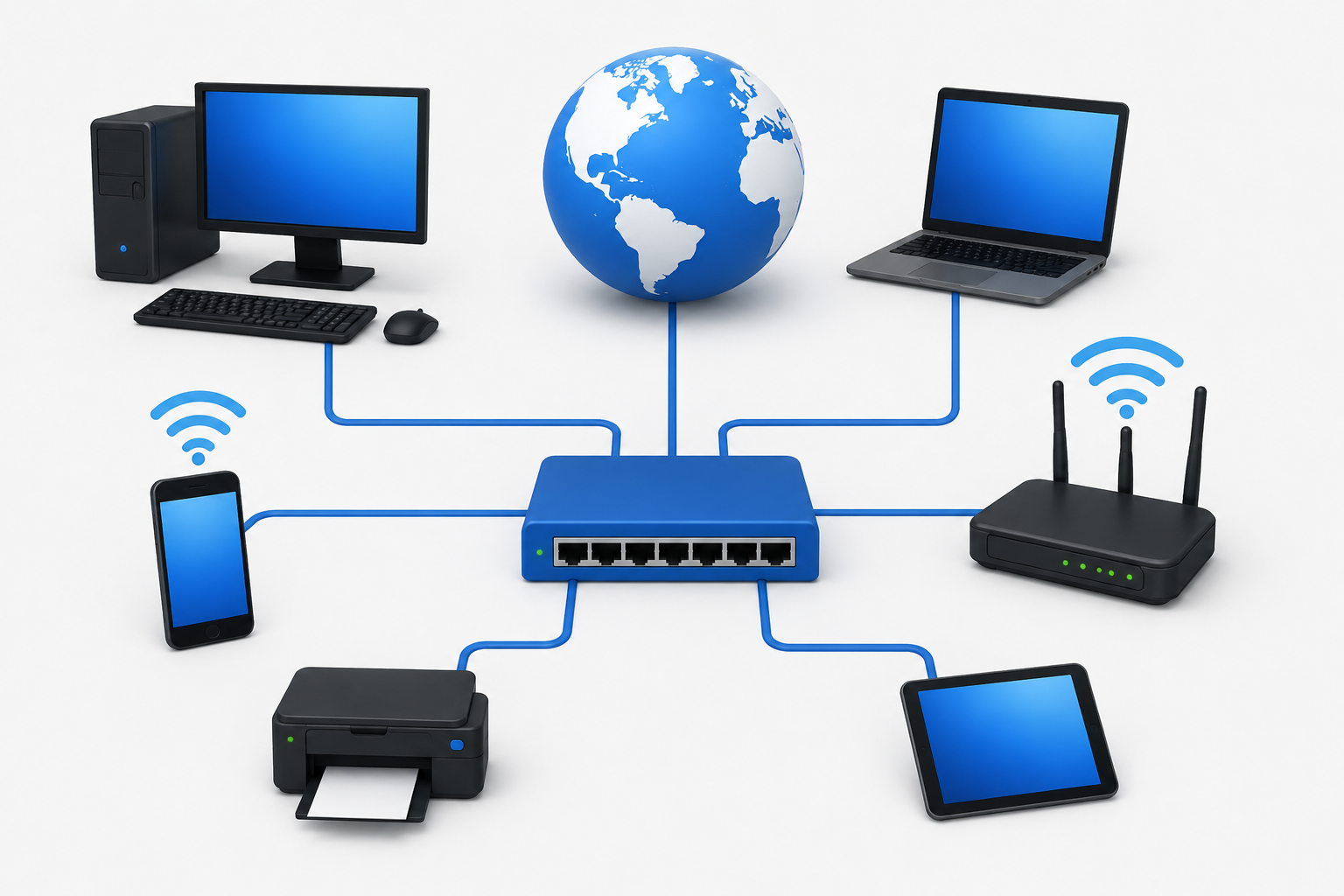
Introduction
Think about a typical home for a moment. There is a smartphone on the kitchen counter, a laptop on the desk, a smart TV in the living room, a printer in the corner, and a router providing wireless connectivity throughout the house. All of these devices can communicate with each other and access the internet because they are connected through a network.
If you have ever asked what is a network, the short answer is that it is a group of connected devices that can share data, resources, and services with each other. Networks are everywhere. They power homes, schools, offices, hospitals, banks, data centers, and cloud platforms. At the largest scale, the internet is itself a massive global system of interconnected networks that spans every country in the world.
Understanding networks is one of the most practical things anyone can learn about technology, because nearly everything digital depends on them.
Quick Answer: What Is a Network?
A computer network is a group of connected devices that communicate and share data, resources, or services using wired or wireless connections and networking protocols. Networks can be as small as two devices sharing files at home or as large as enterprise systems connecting thousands of devices across multiple locations. A network can exist independently without access to the public internet.
What Is a Network?
A computer network is a collection of devices that are connected together in a way that allows them to communicate and share data, resources, or services. The devices on a network can include computers, smartphones, tablets, servers, printers, cameras, smart home devices, routers, switches, and access points. What makes them a network is the ability to exchange information with each other using agreed communication methods called protocols.
Networks exist at every scale. A home network connects a handful of personal devices through a wireless router. A school network connects hundreds of computers across classrooms and offices. A corporate network connects devices across entire buildings, campuses, or even multiple countries. And at the largest scale possible, the internet connects billions of devices through a global system of interconnected networks.
It is important to understand from the start that a network and the internet are not the same thing. A local network in your home or office can exist and function perfectly well without being connected to the public internet. The internet is simply one very large example of what networks can become when they are interconnected at a global scale.
Networks can be:
- Wired, using physical cables such as Ethernet
- Wireless, using radio technologies such as Wi-Fi or Bluetooth
- Local, covering a single building or room
- Wide-area, spanning cities, countries, or continents
- Private, managed by an organization for its own use
- Public, accessible to anyone
- Virtual, created through software over existing physical infrastructure
How Does a Computer Network Work?
A computer network works by providing devices with the means to send and receive data according to a set of agreed rules. The process involves several components working together, from the physical connections that carry signals to the protocols that govern how data is formatted and addressed.
Here is the basic sequence of events when data travels across a network:
Step 1: A device, such as a laptop, prepares data to send. This might be a request to load a webpage, send a message, or transfer a file.
Step 2: The device uses its network interface, either a wired Ethernet adapter or a wireless Wi-Fi adapter, to connect to the network.
Step 3: Each device is identified on the network using addresses. At the local level, MAC addresses identify network interfaces. At the network layer, IP addresses identify devices for routing purposes.
Step 4: Networking protocols govern how the data is formatted, addressed, and transmitted. Different protocols handle different aspects of the communication.
Step 5: The data is typically divided into smaller units called packets. Each packet is addressed and sent independently, allowing efficient use of the network.
Step 6: Network devices such as switches and routers forward the packets toward their destination. Switches handle local network delivery. Routers direct traffic between different networks.
Step 7: The packets arrive at the destination device, are reassembled if needed, and the receiving device processes the data.
A simple everyday example of this flow looks like:
Laptop → Wi-Fi → Router → Internet → Web Server → Response back through the same path
For more on how wireless connectivity works within this process, see our guide on what is Wi-Fi and how it works.
What Are the Main Components of a Network?
Every network, regardless of size, relies on a set of core components. Understanding what each component does helps clarify how the overall system fits together.
| Component | Main Purpose |
|---|---|
| Computer / End Device | Sends and receives data as the source or destination |
| Network Switch | Connects devices within a local network |
| Router | Connects and routes traffic between different networks |
| Wireless Access Point | Provides wireless network connectivity |
| Modem / Access Device | Connects customer equipment to an ISP access network |
| Server | Provides services or resources to other devices |
| Ethernet Cable | Provides wired physical connectivity |
| Network Interface | Hardware that connects a device to a network |
| Network Protocols | Rules governing how devices communicate |
The exact architecture of a network varies considerably. A small home network may need only a router and a few devices. A large enterprise network may include many switches, routers, access points, servers, firewalls, and other specialized equipment. The components listed above are the building blocks from which networks of any size are assembled.
What Are the Types of Computer Networks?
Computer networks are often categorized by their geographic scope or the type of environment they serve. The main categories provide a useful framework for understanding the range of networks that exist.
| Network Type | Typical Coverage | Example |
|---|---|---|
| PAN | Personal area, a few meters | Phone and wearable device |
| LAN | Building or local area | Home or office network |
| WLAN | Local wireless area | Home Wi-Fi network |
| CAN | Campus area | University or corporate campus |
| MAN | Metropolitan area | City-scale network |
| WAN | Large geographic area | Enterprise or global network |
These categories are based primarily on geographic scope and typical use case. The boundaries between them are not rigid, and terminology can vary between different sources and contexts.
What Is a PAN?
A Personal Area Network, or PAN, is a network that connects devices within a very short range, typically centered on an individual person and their personal devices.
Common examples of PAN connections include a smartphone paired with a smartwatch, wireless headphones connected to a tablet, or a laptop communicating with a wireless keyboard. Bluetooth is one of the most widely used technologies for personal-area connections, operating over distances of a few meters.
PANs are the smallest category of network and are primarily about connecting personal devices for convenience rather than sharing resources across an organization.
What Is a LAN?
A Local Area Network, or LAN, connects devices within a limited geographic area such as a home, office, classroom, or small building. LANs are the most common type of network that individuals interact with directly.
In a home LAN, devices such as computers, smartphones, smart TVs, and printers connect through a router and communicate with each other over either Ethernet cables or Wi-Fi. In an office LAN, workstations, servers, and printers are connected through network switches and routers, with both wired and wireless connections in use.
The key characteristic of a LAN is that all connected devices share the same local network space, which allows them to communicate directly with each other without their data needing to travel through the public internet. For more on the wireless dimension of local networking, see our article on what is Wi-Fi and how it works.
What Is a WLAN?
A Wireless Local Area Network, or WLAN, is a local area network that uses wireless technology, most commonly Wi-Fi, rather than physical cables to connect devices.
The distinction between LAN and WLAN is primarily about the connection method. A LAN is a broader concept that can include both wired and wireless connections. A WLAN specifically refers to the wireless portion, where devices connect to the network through radio signals rather than Ethernet cables.
In everyday conversation, when someone refers to their home Wi-Fi network, they are describing a WLAN. The Wi-Fi access point or wireless router broadcasts a signal that devices connect to, joining the local network without requiring a physical cable.
What Is a CAN?
A Campus Area Network, or CAN, connects multiple local area networks across a defined geographic area such as a university campus, a corporate headquarters with multiple buildings, or a research facility.
In a university setting, each department or building might have its own LAN. The CAN interconnects all of these separate LANs so that students, staff, and systems across the entire campus can communicate. CANs are larger than a single LAN but smaller than a metropolitan or wide-area network.
The infrastructure of a CAN typically involves fiber optic cables running between buildings, high-capacity switches and routers, and dedicated networking staff responsible for managing the interconnected systems.
What Is a MAN?
A Metropolitan Area Network, or MAN, spans a city or metropolitan area, connecting networks and users across a geographic scale larger than a campus but smaller than a national wide-area network.
MANs might be used by city governments to connect government offices and services, by service providers to deliver connectivity across an urban area, or by large organizations with multiple locations spread across a city. The infrastructure for a MAN typically involves high-capacity fiber links and dedicated networking equipment capable of handling the traffic demands of a metropolitan-scale deployment.
What Is a WAN?
A Wide Area Network, or WAN, connects networks across large geographic distances, potentially spanning countries or continents. Large enterprises with offices in multiple cities or countries use WANs to connect their various locations into a single coherent organizational network.
WANs rely on telecommunications infrastructure including leased lines, fiber connections, and sometimes satellite links to span the distances involved. The technology and management of enterprise WANs is considerably more complex than local area networking.
The internet itself is sometimes described as a WAN, but this characterization is an oversimplification. The internet is more accurately described as a global interconnected system of many separate networks using common protocols to communicate. It is not owned or managed by a single organization in the way that an enterprise WAN is. For more on how the internet operates at this global scale, see our guide on what the internet is and how it works.
Wired vs Wireless Networks
Networks can deliver connectivity through physical cables or through wireless radio signals. Each approach has strengths that make it better suited to certain situations.
| Feature | Wired Network | Wireless Network |
|---|---|---|
| Connection method | Physical cable | Radio signal |
| Mobility | Limited by cable length | High mobility |
| Interference | Generally lower from radio sources | Can experience wireless interference |
| Setup | Requires cabling | Easier to deploy in many situations |
| Common technology | Ethernet | Wi-Fi |
Wired connections using Ethernet cables generally offer consistent performance and are less susceptible to the radio interference that can affect wireless signals. Wireless connections provide the mobility that cables cannot, making them essential for smartphones, tablets, and laptops used throughout a building.
In most real-world networks, both technologies are used together. Stationary devices like desktop computers and servers often use Ethernet for reliability, while portable devices connect via Wi-Fi. Understanding how Wi-Fi works alongside wired Ethernet gives a complete picture of how modern local networks operate.
What Is an Ethernet Network?
Ethernet is a family of wired networking technologies that is widely used to connect devices within local area networks. Ethernet defines the standards for how data is transmitted over physical cables, how devices are identified at the local network level, and how network switches manage traffic between connected devices.
Ethernet cables connect computers, servers, printers, and other devices to network switches and routers. Ethernet connections are known for delivering consistent, reliable performance because the physical cable provides a dedicated path for data that is not shared with other wireless users or subject to radio interference.
It is worth noting that Ethernet and network performance claims require qualification. While wired Ethernet connections often provide lower latency and more predictable throughput than wireless connections, actual performance depends on cable quality, switch capabilities, network configuration, and many other factors. Ethernet is one type of technology used in networks, not a guarantee of any particular performance level.
What Is a Router?
A router is a networking device that connects different networks together and directs traffic between them. In a home or small office setting, the router connects the local network to the ISP’s network, allowing devices on the local network to access the internet.
At a technical level, routers examine the destination IP addresses of packets and use routing information to decide where to forward each packet next. This process of making forwarding decisions based on IP addresses is what distinguishes a router from a switch.
In most home setups, the router also performs additional functions including Network Address Translation, which allows multiple local devices to share a single public IP address, and DHCP, which assigns IP addresses to devices joining the local network. For more detail on how modems and routers work together, see our guide on what is a modem and how it works.
What Is a Network Switch?
A network switch is a device that connects multiple devices within the same local area network and manages the flow of data between them. When a device sends data on an Ethernet network, the switch reads the destination MAC address in the data frame and forwards it only to the port where the destination device is connected.
This selective forwarding is more efficient than older hub technology, which sent every incoming frame to every connected port regardless of the destination. Switches create dedicated connections between sender and receiver, reducing unnecessary traffic on the network.
The key distinction between a switch and a router is scope. A switch operates within a single local network, connecting devices on the same network segment. A router connects different networks together and routes traffic between them. In a typical home setup, the router includes a small built-in switch for wired device connections.
What Is a Wireless Access Point?
A wireless access point is a device that provides Wi-Fi connectivity to a network. It connects to the wired network infrastructure, typically through an Ethernet cable, and broadcasts a wireless signal that devices can connect to.
In a home, the wireless router usually includes a built-in access point. In larger environments such as offices, schools, and hotels, multiple standalone access points are deployed throughout the building to provide coverage in every area. Each access point connects devices wirelessly and forwards their traffic to the wired network infrastructure.
Access points provide wireless access to a network but do not perform the routing functions that a router handles. For a detailed explanation of how wireless connectivity works at the technology level, see our guide on what is Wi-Fi and how it works.
What Is a Modem?
A modem or access device is the equipment that connects a customer’s home network to the internet service provider’s access network. The type of modem required depends on the type of internet connection.
Cable modems connect through coaxial cable using the DOCSIS standard. DSL modems connect through copper telephone lines. Fiber internet connections commonly use an Optical Network Terminal, or ONT, which converts optical signals from the fiber network into a standard network interface for customer equipment. Cellular modems connect through mobile networks.
It is important not to assume that every internet connection requires a traditional modem. Fiber connections use ONTs, which are technically different from traditional modems even though they serve a similar functional role. Many ISP-provided gateway devices combine modem, router, and wireless access point functions in a single unit. For a complete explanation of modem types and how they work, see our guide on what is a modem and how it works.
What Is an IP Address?
An IP address is a numerical identifier assigned to a network interface to enable communication at the Internet Protocol layer. Every device that communicates on an IP network needs an IP address so that data can be sent to and from the correct destination.
There are two versions of IP addresses currently in use. IPv4 addresses are written as four numbers separated by dots, such as 192.168.1.10. IPv6 addresses use a longer hexadecimal format to accommodate the vastly larger number of addresses needed as the number of internet-connected devices grows.
IP addresses can be public, which are routable across the internet, or private, which are used within local networks and not directly reachable from the public internet. Home networks typically assign private IP addresses to local devices and use a single public IP address for all outbound internet traffic through a process called Network Address Translation.
Not every device always has a publicly routable IP address. Most home devices have private addresses on the local network. For a full explanation of how IP addressing works, see our guide on what is an IP address and how it works.
What Is a MAC Address?
A MAC address, which stands for Media Access Control address, is a hardware identifier associated with a network interface. MAC addresses are used for communication at the data link layer, which handles delivery within the same local network segment.
| Feature | IP Address | MAC Address |
|---|---|---|
| Main role | Network-layer addressing for routing | Link-layer interface identification |
| Common use | Routing between networks | Local network frame delivery |
| Format | IPv4 or IPv6 numerical format | Hexadecimal hardware or interface identifier |
MAC addresses and IP addresses serve different purposes in a network. The IP address tells the network where to route traffic across different networks. The MAC address tells a switch which specific port to use for delivery within a local network.
It is worth noting that some modern operating systems use randomized MAC addresses for privacy purposes, particularly when scanning for available Wi-Fi networks. MAC addresses should not be assumed to be permanently and uniquely tied to a specific physical device in every modern scenario.
What Is DNS?
DNS stands for Domain Name System. It is a distributed naming system that translates domain names, which are human-readable addresses like example.com, into IP addresses that networking equipment can use to route traffic to the correct server.
When you type a web address into a browser, a DNS query is sent to resolve that name into an IP address. The result is used to establish the connection to the appropriate server. Without DNS, users would need to remember the numerical IP addresses of every service they want to reach, which would be impractical at scale.
For a complete explanation of how this resolution process works, see our guide on what is DNS and how the Domain Name System works.
What Is DHCP?
DHCP stands for Dynamic Host Configuration Protocol. It is a network protocol that automatically provides IP configuration information to devices when they join a network.
When a device connects to a network, it sends a request for configuration. A DHCP server responds by assigning the device an IP address and providing additional information including the subnet information, the default gateway address, and the DNS server addresses the device should use. This automatic process means users typically do not need to manually configure network settings when connecting to a home or office network.
In most home networks, the router includes a built-in DHCP server that handles this automatically. In larger environments, a dedicated DHCP server may manage address assignment across the network. DHCP is a common component of most networks, but it is not required for every networking scenario. Devices can also be configured with static IP addresses set manually.
What Are Network Protocols?
A network protocol is a set of agreed rules that defines how devices communicate over a network. Protocols specify how data is formatted, addressed, transmitted, received, and processed. Without protocols, devices from different manufacturers using different operating systems could not communicate reliably with each other.
Different protocols operate at different layers of the network model and serve different purposes. Some commonly used protocols include:
- TCP/IP: The foundational protocol suite for internet communication
- HTTP and HTTPS: Protocols for web communication between browsers and servers
- DNS: The protocol for resolving domain names into IP addresses
- DHCP: The protocol for automatic network configuration
- Ethernet: Standards for wired local area network communication
- Wi-Fi (IEEE 802.11): Standards for wireless local area network communication
Each protocol handles a specific aspect of network communication, and they work together in layers to move data from one application on one device to another application on another device.
What Is TCP/IP?
TCP/IP is the suite of protocols that forms the foundation of modern networking and the internet. The name refers to two of its most important protocols, but the suite includes many others that work together.
The Internet Protocol, or IP, handles addressing and routing. It defines how packets are addressed and how they are forwarded between networks toward their destination.
The Transmission Control Protocol, or TCP, provides reliable, ordered delivery of data. It handles the process of establishing connections, managing the flow of data, and ensuring that lost or corrupted packets are retransmitted.
The User Datagram Protocol, or UDP, provides faster but less reliable delivery without the connection management overhead of TCP. It is used in applications where speed is more important than guaranteed delivery, such as video streaming and online gaming.
Together, these protocols enable the vast majority of communication that occurs across modern networks and the internet.
What Is HTTP and HTTPS?
HTTP stands for Hypertext Transfer Protocol. It is the protocol that web browsers and web servers use to communicate. When you visit a website, your browser sends HTTP requests to the web server hosting the site, and the server sends HTTP responses containing the page content back to the browser.
HTTPS stands for HTTP Secure. It is HTTP with the addition of TLS (Transport Layer Security) encryption, which protects the data exchanged between the browser and the server from being read or modified by third parties during transit.
HTTPS is now the standard for web communication, and browsers display security indicators to show whether a connection is using HTTPS. It is important to note that HTTPS protects the communication channel between the browser and the server, but it does not make the website or its content inherently trustworthy. It means the connection is encrypted, not that the destination is safe. For more on how browsers work with these protocols, see our guide on what is a web browser and how it works.
What Is a Network Address?
A network address is an identifier used to locate a device or resource on a network. Different types of network addresses serve different purposes at different levels of the networking model.
IP addresses identify devices for routing at the network layer. MAC addresses identify network interfaces at the data link layer for local delivery. Hostnames are human-readable names assigned to devices, such as a computer’s name on a local network. Domain names are human-readable identifiers for internet services that are resolved to IP addresses through DNS.
Each type of address serves a specific purpose in the communication process. Understanding which type of address is relevant in a given situation helps with network troubleshooting and configuration.
What Is a Network Server?
A server is a device or system that provides services or resources to other devices on a network. The term server can refer to dedicated hardware, a software application running on a computer, or a cloud-hosted service, depending on the context.
Common types of servers include:
- Web server: Hosts websites and serves web content to browsers
- File server: Stores files and makes them accessible to network users
- Database server: Manages and provides access to databases
- DNS server: Resolves domain names to IP addresses
- Mail server: Manages sending and receiving email
- Application server: Runs applications that clients access over the network
Servers are a fundamental part of how networks deliver useful services. Most internet services you use daily, from websites to email to cloud storage, are provided by servers running in data centers.
What Is a Client?
A client is a device or application that requests or uses a service provided by a server or another system. Clients initiate communication by sending requests, and servers respond with the requested data or service.
Common examples of clients include a web browser requesting a webpage, an email application retrieving messages from a mail server, a smartphone downloading an app, and a laptop accessing files on a file server.
The client-server model is one of the foundational patterns in networking. The interaction follows a simple structure:
Client sends request → Server processes request → Server sends response → Client receives and displays result
This pattern underlies most internet services. When you use a browser to visit a website, the browser is the client making requests to a web server that returns the page content.
What Is a Home Network?
A home network connects the personal and smart devices in a household so they can share an internet connection, communicate with each other, and access shared resources like printers.
A typical home network architecture looks like this:
Internet / ISP
      ↓
Modem or ONT
      ↓
Router
      ↓
Wi-Fi + Ethernet connections
      ↓
Smartphones, laptops, smart TV,
printer, smart speakers, smart devices
Many modern homes use an ISP-provided gateway that combines modem, router, and wireless access point functions in a single device. For more on the role of wireless connectivity in home networks, see our guide on what is Wi-Fi and how it works. For the ISP connection equipment, see our guide on what is a modem and how it works.
What Is a Business Network?
A business network is considerably more complex than a home network, designed to support many users, applications, and services simultaneously while maintaining performance, security, and reliability.
Business networks typically include multiple network switches connecting workstations and servers across an office or building. Routers connect different network segments and provide connectivity to the internet or other organizational locations. Wireless access points are deployed throughout the workspace to provide Wi-Fi coverage. Dedicated firewalls protect the network by filtering traffic. Servers provide shared services including file storage, email, databases, and applications.
Larger businesses also use VLANs (Virtual Local Area Networks) to logically separate different groups of users or devices within the same physical network, and VPNs (Virtual Private Networks) to allow remote employees to securely connect to organizational resources. Cloud services are also integrated into most modern business networks, extending the network’s reach to cloud-hosted applications and storage.
What Is Network Security?
Network security involves the policies, technologies, and practices used to protect a network and its data from unauthorized access, misuse, and harm. As networks carry sensitive data and provide access to critical services, securing them is a fundamental responsibility.
Network security addresses several areas:
Firewalls filter incoming and outgoing traffic based on rules, blocking unauthorized access while allowing legitimate communication.
Encryption protects data in transit so that even if it is intercepted, it cannot be read by unauthorized parties.
Strong passwords and access control limit who can access network devices and services.
Network segmentation divides a network into separate zones, limiting the potential spread of a security incident.
Software and firmware updates address known vulnerabilities in operating systems, applications, and network equipment.
Monitoring detects unusual traffic patterns or unauthorized access attempts.
Multi-factor authentication adds an additional layer of identity verification beyond passwords.
For a comprehensive understanding of these practices and why they matter, see our guides on what is cybersecurity, network security, and what is antivirus software.
What Is a Firewall?
A firewall is a network security system that monitors and controls network traffic based on defined security rules. It acts as a barrier between trusted networks and untrusted ones, allowing legitimate traffic to pass while blocking traffic that does not meet the defined criteria.
Firewalls come in several forms. Hardware firewalls are dedicated physical devices that protect an entire network. Software firewalls run on individual computers and protect that specific device. Network firewalls protect an entire organizational network at the perimeter. Host-based firewalls protect individual endpoints.
Home routers typically include a basic firewall capability. Enterprise networks use dedicated firewall systems with more sophisticated rule sets and logging capabilities. For a detailed explanation of how firewalls work, see our guide on what is a firewall.
What Is a VPN?
A VPN, or Virtual Private Network, creates an encrypted connection between a device and a VPN endpoint, allowing secure communication over a network that might otherwise be untrusted, such as a public Wi-Fi connection.
VPNs are commonly used for several purposes. Remote workers use VPNs to connect securely to their organization’s internal network from outside the office. Individuals use VPNs to protect their internet traffic when using public or untrusted networks. Organizations use VPNs to connect geographically separate offices securely.
VPNs encrypt the data in the tunnel between the device and the VPN endpoint, which protects that traffic from interception. However, VPNs do not provide complete anonymity or protect against every security risk. The VPN provider or endpoint can still see traffic after it exits the tunnel, and a VPN does not substitute for other security practices such as strong passwords and keeping software updated.
What Is Cloud Networking?
Cloud networking refers to the way that networks connect users and devices to cloud-based services and resources. When someone accesses a cloud storage service, uses a cloud-hosted application, or communicates through a cloud-based platform, their data travels from their device through local network infrastructure and across the internet to servers in a data center or cloud environment.
The path from a local device to a cloud service follows this general sequence:
Device → Local Network → Modem/Access Device → ISP Network → Internet → Cloud Infrastructure
Cloud services still depend entirely on networking infrastructure to be reachable. The performance and reliability of cloud services from a user’s perspective is influenced by both the cloud provider’s infrastructure and the networking connecting the user to it.
For more on how cloud services work, see our guides on what is cloud computing, how does cloud computing work, what is cloud storage, and what is cloud hosting.
Network vs Internet
One of the most common points of confusion is treating the network and the internet as synonymous. They are related but distinct concepts.
| Feature | Network | Internet |
|---|---|---|
| Meaning | Connected devices communicating | Global interconnected system of networks |
| Scope | Can be small or very large | Global |
| Example | Home LAN or office network | World Wide Web and internet services |
| Ownership | Often private or organizational | Distributed across many organizations |
| Internet access | Not always required | By definition involves interconnected networks using internet protocols |
Every internet connection involves networking, because the internet is itself a network of networks. But not every network is the public internet. A local area network in a home or office can operate completely independently, allowing local devices to share files and printers, without any connection to the public internet.
For a full explanation of how the internet works as a global system, see our guide on what is the internet and how it works.
Network vs Wi-Fi
Wi-Fi is a wireless networking technology, not a synonym for network in general. This distinction matters because many people use the term Wi-Fi when they actually mean either their local network or their internet connection.
A network is the overall connected system of devices. Wi-Fi is one technology that devices can use to connect to that network wirelessly. A network can exist without Wi-Fi, using only wired Ethernet connections. And Wi-Fi provides access to the local network, which in most home and office settings also provides access to the internet.
When a device is connected to Wi-Fi, it is connected to the wireless local area network. Whether that network also provides internet access depends on the router and ISP connection, not on Wi-Fi itself.
Network vs Ethernet
Ethernet is a wired networking technology, not a network by itself. This distinction is similar to the Wi-Fi comparison above.
A network is the overall system connecting devices. Ethernet is a family of wired networking technologies that provides the physical and data link layer standards for connecting devices through cables and switches. Ethernet is one of the ways that devices connect to and communicate within a local area network.
A local area network might use Ethernet for wired connections, Wi-Fi for wireless connections, or a combination of both. Ethernet provides the wired infrastructure. The network is the broader system those connections are part of.
Common Network Problems
Network problems are a common source of frustration, and understanding the most frequent issues helps with faster resolution.
No network connection means a device cannot communicate on the local network at all. This often results from a disconnected cable, disabled network interface, or configuration problem.
No internet access means a device is connected to the local network but cannot reach internet services. This is different from having no network connection. It may result from a router problem, modem issue, or ISP outage.
Slow network may result from network congestion, interference affecting Wi-Fi, a large number of devices competing for bandwidth, or problems with the ISP connection.
Weak Wi-Fi results from distance from the access point, physical obstructions, or interference from other wireless devices or networks.
IP address conflicts occur when two devices on the same network are assigned the same IP address, causing communication problems for both.
DNS problems prevent domain names from being resolved, causing websites to appear unreachable even when the network connection itself is working.
DHCP problems prevent devices from receiving network configuration automatically, often resulting in self-assigned addresses that cannot communicate properly with the rest of the network.
ISP outages affect internet access for an entire network regardless of the condition of local equipment.
An important distinction: being connected to a network is not the same as having internet access. A device can show as connected to Wi-Fi while still having no path to internet services due to a router or ISP problem.
How to Troubleshoot Basic Network Problems
A systematic approach to network troubleshooting saves time and avoids replacing working equipment unnecessarily.
- Check cables. For wired connections, confirm all cables are securely connected at both ends.
- Check Wi-Fi. Confirm the device is connected to the correct Wi-Fi network and that the signal is adequate.
- Check router and access point status. Look at indicator lights and confirm the devices are powered on and show a healthy status.
- Restart affected equipment. Power cycle the router and modem if appropriate. Wait for them to fully restart before testing again.
- Check whether other devices are affected. If only one device has a problem, the issue is likely with that device. If all devices are affected, the issue is likely with the router, modem, or ISP.
- Check IP configuration. Confirm the device has received a valid IP address from DHCP. A missing or incorrectly formatted address points to a DHCP or configuration problem.
- Check DNS. If websites are unreachable but direct IP connections work, DNS may be the issue. Try temporarily using a known DNS address to test.
- Test another network. Connect the device to a different network such as a mobile hotspot to determine whether the problem is with the device or the local network.
- Test Ethernet if available. If Wi-Fi is problematic, connecting via a wired Ethernet cable can help isolate whether the issue is wireless-specific.
- Check for an ISP outage. Use a mobile data connection to check whether your ISP has reported an outage.
- Update network drivers and firmware. Outdated network adapter drivers or router firmware can cause connectivity issues.
- Contact the ISP or network administrator. If local troubleshooting does not resolve the problem, the ISP’s support team or a network administrator can assist with further diagnosis.
Why Are Networks Important?
Networks are fundamental to almost everything that happens in modern digital life. Their importance extends across personal, professional, and societal levels.
Resource sharing allows devices on a network to use shared equipment such as printers, storage devices, and internet connections without every device needing its own dedicated resources.
File and data sharing makes it possible for people to access and collaborate on the same documents, databases, and information from different devices.
Internet access is delivered through networks. Without the networking infrastructure connecting homes and businesses to ISPs and the broader internet, online services would be unreachable.
Communication depends on networks at every level, from email and messaging to video calls and collaborative platforms.
Remote work is made possible by networks that allow employees to connect securely to organizational systems from any location.
Cloud access requires networks to connect users to cloud-hosted applications, storage, and computing resources.
Business operations across nearly every industry depend on networked systems for everything from inventory management and payment processing to customer service and logistics.
Examples of Networks in Everyday Life
Networks are embedded in daily life in ways that are often invisible until something stops working.
Home Wi-Fi network: Connects smartphones, laptops, tablets, smart TVs, streaming devices, and smart home equipment through a wireless router.
School computer lab: A LAN connects student computers to servers, printers, and the internet through switches and a router managed by school IT.
Office network: Connects workstations, servers, printers, VoIP phones, and wireless devices through a combination of switches, routers, and access points.
Bank network: Connects teller terminals, ATMs, back-office servers, and security systems across multiple branches through a secure private WAN.
Hospital network: Connects medical devices, patient record systems, administrative computers, and diagnostic equipment across departments and buildings.
Mobile network: Connects smartphones and other cellular devices to the internet through carrier infrastructure spanning cities and countries.
Cloud data center network: Connects thousands of servers within a data center facility using high-speed Ethernet infrastructure to deliver cloud services globally.
Internet: The global interconnected system of networks connecting billions of devices and delivering services including the web, email, streaming, and communications.
Frequently Asked Questions
What is a network?
A computer network is a group of connected devices that communicate and share data, resources, or services using wired or wireless connections and networking protocols.
What is a computer network?
A computer network is a system of interconnected computing devices including computers, servers, smartphones, and other equipment that can communicate and share information with each other.
How does a network work?
Devices connect using wired or wireless interfaces, communicate using networking protocols, and exchange data in the form of packets that are forwarded by switches and routers toward their destinations.
Why are networks important?
Networks enable resource sharing, internet access, communication, collaboration, remote work, cloud access, and nearly every form of modern digital activity.
What are the main types of networks?
The main types are PAN (Personal Area Network), LAN (Local Area Network), WLAN (Wireless LAN), CAN (Campus Area Network), MAN (Metropolitan Area Network), and WAN (Wide Area Network).
What is a LAN?
A Local Area Network connects devices within a limited area such as a home, office, or building, allowing local communication and resource sharing.
What is a WAN?
A Wide Area Network connects networks across large geographic distances, such as multiple offices in different cities or countries.
What is a WLAN?
A Wireless Local Area Network is a local area network that uses wireless technology, most commonly Wi-Fi, to connect devices without physical cables.
What is a PAN?
A Personal Area Network connects personal devices within a very short range, such as a phone paired with wireless headphones using Bluetooth.
What is a MAN?
A Metropolitan Area Network spans a city or metropolitan area, connecting multiple networks and users across that geographic scale.
What is a CAN?
A Campus Area Network connects multiple local networks across a defined campus or multi-building environment such as a university or corporate headquarters.
What is a network router?
A router is a device that connects different networks and directs traffic between them based on IP addresses.
What is a network switch?
A network switch connects multiple devices within the same local network and forwards data frames to the correct destination based on MAC addresses.
What is a wireless access point?
A wireless access point is a device that provides Wi-Fi connectivity, connecting wireless clients to the wired network.
What is a modem?
A modem or access device connects customer equipment to an ISP’s access network. Different technologies include cable modems, DSL modems, fiber ONTs, and cellular modems.
What is Wi-Fi?
Wi-Fi is a wireless networking technology that allows devices to connect to a local area network using radio signals without physical cables.
What is Ethernet?
Ethernet is a family of wired networking technologies used to connect devices within local area networks using physical cables.
What is an IP address?
An IP address is a numerical identifier assigned to a network interface that enables devices to communicate across IP networks.
What is a MAC address?
A MAC address is a hardware identifier associated with a network interface, used for local network communication at the data link layer.
What is DNS?
DNS, or Domain Name System, translates human-readable domain names into IP addresses so devices can locate and connect to services.
What is DHCP?
DHCP, or Dynamic Host Configuration Protocol, automatically provides devices with IP addresses and network configuration when they join a network.
What is TCP/IP?
TCP/IP is the suite of protocols that underlies modern networking and the internet, including the Internet Protocol for addressing and routing and TCP for reliable data delivery.
What is a network protocol?
A network protocol is a set of rules that defines how devices communicate, format data, and exchange information over a network.
What is a server?
A server is a device or system that provides services or resources to other devices on a network, such as web servers, file servers, and DNS servers.
What is a client?
A client is a device or application that requests and uses services provided by a server, such as a web browser requesting pages from a web server.
What is network security?
Network security involves the practices, technologies, and policies used to protect a network and its data from unauthorized access, misuse, and harm.
What is a firewall?
A firewall is a security system that monitors and controls network traffic based on defined rules, blocking unauthorized access while allowing legitimate communication.
What is the difference between a network and the internet?
A network is a group of connected devices that can communicate. The internet is a global system of interconnected networks. All internet use involves networking, but not every network is the public internet.
What is the difference between Wi-Fi and a network?
Wi-Fi is a wireless technology for connecting to a network. A network is the broader connected system. Wi-Fi is one way of accessing a network.
Can a network work without the internet?
Yes. A local area network can function independently for sharing files, printers, and other resources without any connection to the public internet.
What is a home network?
A home network connects personal and smart devices through a router, allowing them to share an internet connection and communicate with each other.
What is a business network?
A business network connects workstations, servers, printers, and other devices across an organization, supporting communication, shared services, and internet access with additional security and management features.
What is cloud networking?
Cloud networking connects users and devices to cloud-hosted services and resources through local network infrastructure, ISP connections, and internet pathways.
Why is my network slow?
Network slowness can result from congestion, wireless interference, many devices competing for bandwidth, ISP limitations, or problems with network equipment.
Why is my device connected but has no internet?
Being connected to a local network does not automatically mean internet access is working. Problems with the router, modem, or ISP can prevent internet access while the local network connection remains active.
Final Thoughts
A computer network is fundamentally about connection and communication. When devices are connected in a network, they can exchange data, share resources, and access services that none of them could reach in isolation.
Networks take many forms. A PAN connects your personal devices over short distances. A LAN connects the devices in your home or office. A WLAN adds wireless connectivity to that local environment. Campus networks connect buildings across a shared geographic area. WANs span cities, countries, and continents. And at the largest scale, the internet represents the interconnection of billions of devices through a global system of networks.
Routers connect different networks and direct traffic between them. Switches connect devices within the same network and deliver data to the right destination. Modems and ONTs connect homes and offices to ISP access networks. Wireless access points extend network connectivity wirelessly through Wi-Fi.
IP addresses and MAC addresses identify devices at different layers of the networking model. DNS translates human-readable names into the addresses networks use. DHCP assigns configuration automatically. TCP/IP provides the foundational protocol suite that modern networks and the internet depend on. Network security protects everything from the devices and data to the services that networks deliver.
Understanding what is a network means understanding the foundational infrastructure behind everything from your home Wi-Fi to cloud computing to the internet itself. A computer network connects devices so they can communicate and share data, resources, or services. Networks can be as small as a home LAN connecting a handful of devices, or as enormous as the interconnected networks that together make up the internet.
References
- Internet Engineering Task Force (IETF). RFC 791 — Internet Protocol. https://www.rfc-editor.org/rfc/rfc791
- Internet Engineering Task Force (IETF). RFC 2131 — Dynamic Host Configuration Protocol. https://www.rfc-editor.org/rfc/rfc2131
- Internet Engineering Task Force (IETF). RFC 1034 — Domain Names: Concepts and Facilities. https://www.rfc-editor.org/rfc/rfc1034
- IEEE Standards Association. IEEE 802.3 — Ethernet Standard. https://standards.ieee.org/ieee/802.3/
- IEEE Standards Association. IEEE 802.11 — Wireless LAN Standard. https://standards.ieee.org/ieee/802.11/
- National Institute of Standards and Technology (NIST). NIST Special Publication 800-41 Revision 1 — Guidelines on Firewalls and Firewall Policy. https://csrc.nist.gov/publications/detail/sp/800-41/rev-1/final
- Cybersecurity and Infrastructure Security Agency (CISA). Home Network Security. https://www.cisa.gov/
- Internet Engineering Task Force (IETF). RFC 793 — Transmission Control Protocol. https://www.rfc-editor.org/rfc/rfc793
- Internet Engineering Task Force (IETF). RFC 8200 — Internet Protocol Version 6 (IPv6) Specification. https://www.rfc-editor.org/rfc/rfc8200
- Internet Society (ISOC). How the Internet Works. https://www.internetsociety.org/
Disclaimer
This article is for educational and informational purposes only. Network technologies, equipment, configurations, security features, and terminology can vary by device, organization, ISP, and environment. Always follow current manufacturer, administrator, and service-provider documentation when configuring a network.