
 By Saad Qureshi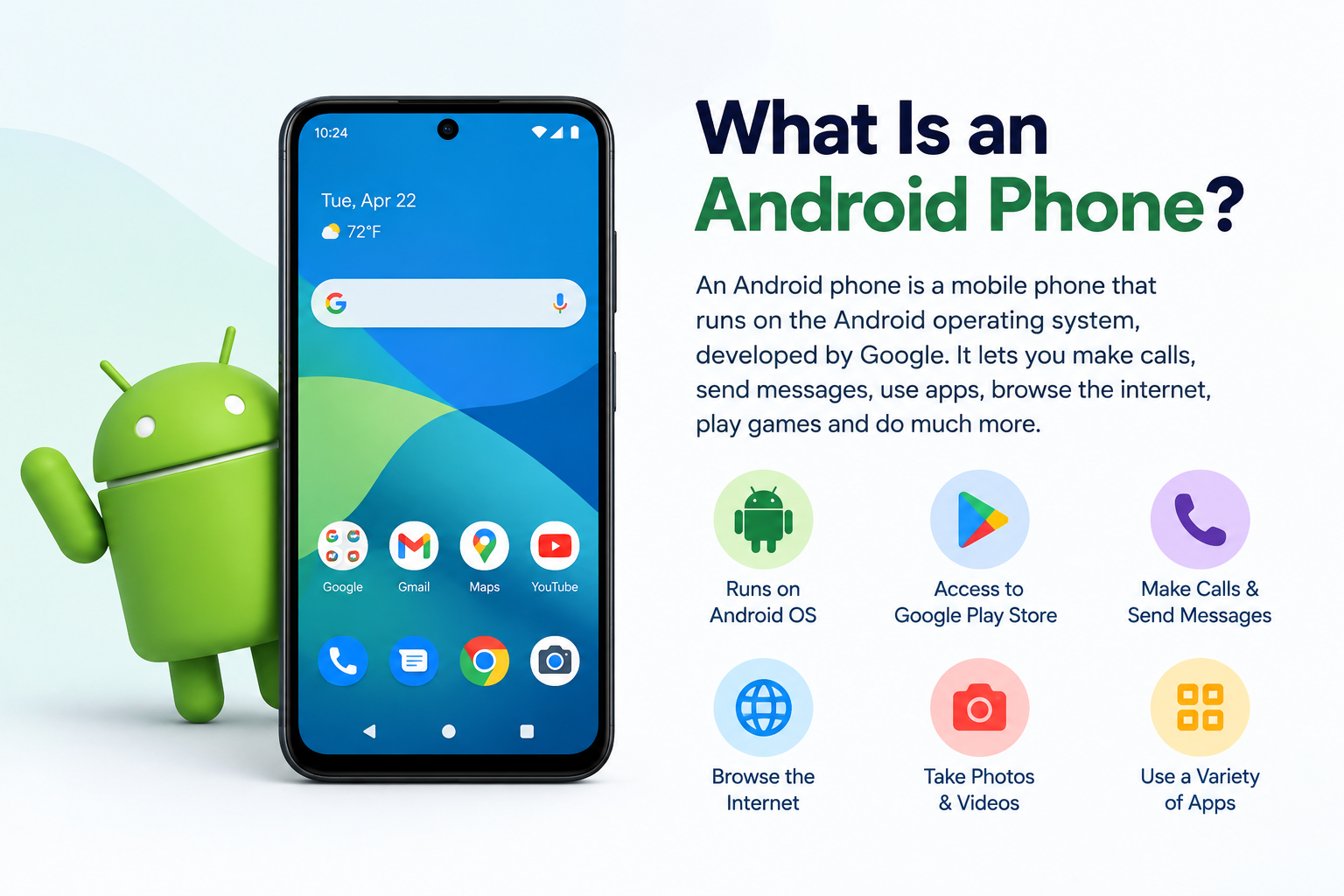
Introduction
An Android phone is a smartphone that runs Google’s Android operating system. It combines mobile calling and messaging with the computing power of a personal computer, supporting downloadable apps, internet connectivity, a touchscreen display, camera, GPS, and wireless connectivity. Android phones are manufactured by many different companies including Samsung, Google, OnePlus, Motorola, Xiaomi, and others, giving consumers a wide range of choices at every price point.
What makes an Android phone different from other types of phones is the combination of Google’s open-source operating system and the competitive hardware ecosystem built around it. Unlike devices tied to a single manufacturer, Android runs across hundreds of different device models, from affordable entry-level phones to premium flagship devices costing over a thousand dollars.
This guide explains what an Android phone is, how it works, what its hardware and software consist of, what it can do, and how it compares to the iPhone. Whether you are new to Android or want a clearer understanding of the device in your pocket, every key aspect is covered here.
An Android phone is a type of smartphone, and like all smartphones it runs software that transforms it into a pocket-sized computer. At the heart of that software experience are Android apps, which extend what the device can do far beyond basic calls and messages.
Android Phone Definition: What Is an Android Phone?
An Android phone is a smartphone that uses Google’s Android operating system as its core software platform. Android is an open-source operating system built on the Linux kernel, which means its source code is publicly available and any manufacturer can adopt it to build their own devices.
This open-source foundation is what distinguishes Android from competing mobile platforms. Because manufacturers are free to use and customize Android, the result is an enormous variety of hardware options at every price level. A budget Android phone from Motorola and a flagship Samsung Galaxy both run Android, but they look, feel, and perform very differently from one another.
The core role of the Android operating system on any phone is to:
- Manage the phone’s hardware resources including the processor, memory, and sensors.
- Provide the user interface that you see and interact with on screen.
- Create the software environment in which Android apps run and communicate with the hardware.
- Handle connectivity including cellular calls, Wi-Fi, Bluetooth, and GPS.
- Manage security, updates, and user data.
Android phones range from devices costing under one hundred dollars designed for basic communication and light app use, to flagship devices with the latest processors, advanced camera systems, and premium displays. The operating system scales across this entire range, adapting to the hardware capabilities of each device.
A Brief History of Android Phones
The story of Android phones begins in 2005 when Google acquired a small startup called Android Inc. Google recognized the opportunity to build a mobile operating system that could compete in the emerging smartphone market and worked to develop Android over the following years.
The first commercially available Android phone launched in 2008. These early devices were basic compared to what exists today, offering limited app support, slower hardware, and a simpler interface. However, they established the core principles of the Android platform: an open ecosystem, Google services integration, and a downloadable app marketplace.
Android grew rapidly through the late 2000s and 2010s as hardware manufacturers recognized the value of a free, customizable operating system for their devices. Rather than building proprietary software from scratch, manufacturers could adopt Android and focus their energy on hardware differentiation.
Each major Android version brought meaningful improvements:
- Early versions established core functionality including the Play Store and Google account integration.
- Middle-era versions refined performance, introduced better multitasking, and improved camera software capabilities.
- Android 10, released in 2019, introduced significant changes to gesture navigation and gave users more control over privacy settings. The improvements to how users navigate between apps and manage the recent apps screen on Android 10 represented a notable step forward in the everyday multitasking experience.
- Modern Android versions continue to refine performance, strengthen privacy controls, improve camera processing, and add features for productivity and accessibility.
Today Android is the most widely used mobile operating system in the world, running on devices from dozens of manufacturers across every market segment.
How Does an Android Phone Work?
At its most basic level, an Android phone works by combining physical hardware components with software to process information, run programs, connect to networks, and present a usable interface to the person holding it.
Here is how the key elements work together:
- When you turn on an Android phone, the processor loads the Android operating system from storage into memory.
- The operating system starts core system processes and Google Play Services in the background.
- The home screen appears on the touchscreen display, ready for your input.
- When you tap an app icon, the operating system launches that app, allocating processor time and memory to run it.
- When you make a call, the cellular modem transmits your voice as a digital signal through the nearest mobile network tower to the recipient.
- When you open a browser or streaming app, the Wi-Fi or cellular radio connects to the internet and fetches the content you requested.
The Role of Google Services
Google services are deeply integrated into how an Android phone works day to day:
- Google account integration syncs your contacts, calendar, email, app purchases, and device settings across all your Android devices automatically.
- Google Play Store is the primary app store for Android phones. It is where you download, update, and manage the apps that extend your phone’s capabilities.
- Google Play Services runs in the background handling authentication, location services, push notifications, and security scanning. It updates automatically without requiring manual intervention.
- Google Assistant provides voice-based interaction, allowing you to search, set reminders, send messages, and control device functions using natural speech.
Like any complex software system, Android phones can occasionally encounter errors. Common issues such as the setup wizard failing during initial device configuration are typically software-related and resolvable. If you experience a situation where Android setup keeps stopping, documented troubleshooting steps can resolve the issue without professional assistance in most cases.
Android Phone Hardware: The Physical Components
The hardware inside an Android phone determines its performance, camera quality, battery life, and overall experience. Here is a clear breakdown of the main components.
Processor (SoC)
The processor is the brain of an Android phone. Modern Android devices use a System on a Chip design that integrates the CPU, GPU, cellular modem, image signal processor, and other subsystems onto a single chip. This integration improves power efficiency and reduces the physical space required inside the device.
Common SoC manufacturers for Android phones include:
- Qualcomm Snapdragon: Used across a wide range of Android phones from mid-range to flagship, particularly common in devices sold in North America.
- MediaTek: Used in many budget and mid-range Android phones globally.
- Samsung Exynos: Used in some Samsung Galaxy devices, primarily in certain global markets.
- Google Tensor: Google’s own SoC developed specifically for Pixel phones, optimized for on-device AI and computational photography.
Memory: RAM and Storage
Android phones use two distinct types of memory serving different purposes.
RAM (Random Access Memory) is short-term working memory that holds currently running apps and processes. More RAM allows more apps to stay active in the background simultaneously, reducing the need to reload apps when you switch between them.
Internal storage is where the operating system, apps, photos, videos, music, and all personal files are permanently saved. Android phones also use temporary cache storage to improve performance. App cache stores frequently accessed data locally so apps load faster on subsequent launches rather than fetching everything from scratch each time.
Many Android phones, particularly in the mid-range and budget segments, also support expandable storage via a microSD card slot, allowing users to add additional storage capacity inexpensively.
Display
Android phones are available in a wider range of screen sizes than any other phone platform, from compact devices around five inches to large phones approaching seven inches diagonally. Display technology on Android phones includes:
- OLED and AMOLED displays: Offer deep blacks, vibrant colors, and energy efficiency because individual pixels produce their own light.
- LCD displays: Common in budget and mid-range phones, offering good brightness and color accuracy at lower cost.
- Refresh rate: Higher refresh rates such as 90Hz and 120Hz produce noticeably smoother scrolling and animations compared to the standard 60Hz.
Camera System
Camera capability is one of the most important factors in Android phone purchases. Modern Android phones typically include two to five rear cameras covering different focal lengths, alongside a front-facing camera for selfies and video calls.
Camera quality is determined by a combination of sensor size, lens aperture, optical image stabilization, and computational photography software. Google’s Pixel phones are particularly well known for their computational photography capabilities, producing strong results from relatively modest hardware through software processing. Samsung’s Galaxy phones pair large sensors with advanced processing to deliver detailed, colorful images.
Battery
Android phones use lithium-ion or lithium-polymer batteries, with capacity measured in milliampere-hours. A higher mAh rating generally indicates more energy stored and longer battery life, though actual performance depends on the phone’s processor efficiency, screen resolution, and software optimization.
Most modern Android phones support fast charging, which can replenish a significant portion of the battery in a short time. Many also support wireless charging, and some support reverse wireless charging to share battery power with other devices.
Sensors
Android phones include a range of sensors that enable core and advanced features:
- Accelerometer: Detects orientation and movement, enabling screen rotation and fitness tracking.
- Gyroscope: Measures rotational movement for gaming, augmented reality, and camera stabilization.
- Proximity sensor: Detects when the phone is held to the ear during a call and disables the screen.
- Ambient light sensor: Adjusts screen brightness automatically based on surrounding light levels.
- GPS: Receives signals from satellite systems for navigation and location services.
- Fingerprint sensor: Authenticates the user biometrically for device unlock and payments.
- Additional sensors: Some Android phones include barometers, heart rate monitors, or thermometers depending on the device’s target use case.
Connectivity Hardware
- Cellular modem: Connects to mobile networks for calls, messaging, and mobile internet. Supports 4G LTE and 5G standards.
- Wi-Fi antenna: Connects to local wireless networks.
- Bluetooth radio: Enables wireless connections to headphones, speakers, smartwatches, and other accessories.
- NFC chip: Enables contactless payments through Google Pay and short-range data sharing.
- USB-C port: The standard charging and data transfer port on modern Android phones.
Android Phone Software: What Runs on an Android Phone?
The Android Operating System
Android is the foundational software layer that manages all hardware resources, provides the visual interface, and creates the environment in which everything on the phone operates. It is developed by Google and based on the Linux kernel, updated regularly through major annual releases and monthly security patches.
Manufacturers typically apply their own customization layer on top of Android. Samsung uses One UI, OnePlus uses OxygenOS, and Motorola uses a near-stock experience with a few additions. These layers change the visual appearance and add features while keeping the underlying Android platform intact. All of these devices run Android apps built for the Android platform regardless of which customization layer is applied on top.
Google Play Services
Google Play Services is a background process that runs on virtually every Android phone. It is distinct from the Android operating system itself and handles a set of specific functions:
- User authentication with Google accounts.
- Location APIs that apps use for mapping and location-based features.
- Push notification delivery for apps.
- Device security through Google Play Protect, which scans installed apps for malware.
- Automatic updates that happen silently in the background through the Google Play Store.
Apps on Android Phones
Apps are the software programs that run on Android and give the phone the vast majority of its practical functionality. Understanding what apps are and how they work explains why Android phones are so versatile. The operating system provides the platform, and apps build specific functionality on top of that platform.
Android apps are primarily distributed through the Google Play app store, which contains millions of apps across every category imaginable. Android also supports sideloading, which means apps can be installed from sources outside the Play Store, though this carries additional security considerations.
App Data and Cache Management
Every app installed on an Android phone generates and stores data over time. This includes login credentials, user preferences, saved content, and activity history. Understanding app data is important because it accumulates in storage and affects both available space and app behavior.
Apps also generate app cache, which is temporary stored data that allows the app to load faster on subsequent opens rather than fetching everything from the server or recalculating it each time. Cache is helpful for performance but can build up significantly over time and may occasionally cause apps to behave unexpectedly if it becomes corrupted.
App Permissions on Android
Every Android app that wants to access hardware or user data must request permission to do so. Common permission requests include access to the camera, microphone, location, contacts, calendar, and storage. Understanding app permissions is one of the most important aspects of using an Android phone safely. Android gives users clear control over each permission, and you can review and manage permissions for every installed app through the phone’s Settings menu.
Key Features of Android Phones
| Feature | Description |
|---|---|
| Open-source operating system | Android’s code is publicly available, enabling wide hardware variety |
| Wide device variety and price range | From budget devices under $100 to flagship phones over $1,000 |
| Google Play Store | Millions of apps across every category available to download |
| Customizable home screen | Change layouts, default apps, launchers, and interface elements |
| Google account integration | Syncs contacts, email, calendar, and purchases across devices |
| Expandable storage | Many models support microSD cards for additional storage |
| Wide accessory compatibility | USB-C standard and broad market share support many accessories |
| Regular OS and security updates | Google and manufacturers release regular updates and patches |
| Multitasking with recent apps | Switch between open apps quickly using the overview screen |
| 5G connectivity | Modern Android phones support next-generation mobile networks |
| Biometric security | Fingerprint sensors and face recognition for secure device access |
| NFC payments | Google Pay and contactless payment support on most modern devices |
What Are Android Phones Used For?
The range of things an Android phone can do in daily life is extensive. The flexibility of the app ecosystem means a single device can replace or supplement many other tools.
- Communication: Voice calls, SMS texting, messaging apps, video calls, and email all handled from a single device.
- Social media and entertainment: Social networking apps, streaming video services, music platforms, and mobile gaming.
- Navigation: Google Maps and other navigation apps use the built-in GPS for turn-by-turn directions, traffic updates, and location search.
- Photography and video: Multi-lens camera systems for photos and video recording, with built-in editing tools and easy sharing.
- Productivity: Email management, calendar scheduling, document editing, cloud storage, note-taking, and task management.
- Mobile banking and payments: Banking apps for account management, Google Pay for contactless payments at physical stores and online.
- Health and fitness: Step counting through the accelerometer, sleep tracking, heart rate monitoring on compatible devices, and dedicated health apps.
- Shopping: E-commerce apps for browsing, comparing, and purchasing products from anywhere.
- Education: Learning apps, online courses, research tools, language learning, and educational content streaming.
- Smart home control: Apps that control connected home devices including lights, thermostats, security cameras, and smart speakers.
Benefits of Using an Android Phone
Android phones offer a distinct set of advantages that make them the preferred choice for a large portion of smartphone users globally.
Choice and variety is one of the most significant benefits. With dozens of manufacturers and hundreds of device models, Android users can find a device that precisely matches their needs and budget rather than choosing from a limited lineup.
Customization gives Android users more control over their experience than most competing platforms. You can change default apps for browsing, messaging, and email, customize the home screen layout extensively, install third-party launchers, and adjust system behavior in ways that are not possible on more locked-down platforms.
Google ecosystem integration makes Android phones a natural fit for users already invested in Google’s services. Gmail, Google Drive, Google Calendar, Google Maps, YouTube, and Google Photos all work seamlessly on Android with automatic syncing across devices.
Open-source flexibility means Android evolves faster and with more diverse input than proprietary platforms. Developers, manufacturers, and the open-source community all contribute to its development.
Expandable storage is available on many Android phones through microSD card slots, allowing users to increase storage capacity at a fraction of the cost of built-in storage upgrades.
Wide accessory support is a practical benefit of Android’s market presence. The USB-C standard used by modern Android phones, combined with the platform’s broad user base, means an enormous range of compatible accessories is available.
Regular updates from both Google and device manufacturers keep Android phones secure and add new features over time.
Sideloading capability allows advanced users to install apps from outside the Google Play Store, enabling access to apps not listed in the official marketplace for legitimate purposes such as beta testing or region-restricted apps.
Android Phone vs iPhone: What Is the Difference?
Android phones and iPhones represent the two dominant smartphone platforms. They share many surface-level similarities but differ significantly in their underlying approach.
| Feature | Android Phone | iPhone |
|---|---|---|
| Operating system | Google Android (open-source) | Apple iOS (proprietary) |
| Manufacturers | Many: Samsung, Google, OnePlus, Motorola, and others | Apple only |
| Customization | High: home screen, defaults, launchers all customizable | Moderate: more controlled interface |
| App store | Google Play Store | Apple App Store |
| Price range | From budget under $100 to premium over $1,000 | Mid-range to premium only |
| Ecosystem | Google services: Gmail, Drive, Maps, YouTube | Apple services: iCloud, iMessage, FaceTime, Apple Music |
| Hardware variety | Extremely wide | Limited to current iPhone lineup |
| Updates | Varies by manufacturer and device | Direct from Apple for all supported iPhones |
The core difference is one of philosophy. Android prioritizes openness, variety, and flexibility. iOS prioritizes consistency, integration, and a controlled experience.
iPhone apps are built for the iOS platform and distributed exclusively through the Apple App Store, following Apple’s strict design and functionality guidelines. Android apps are distributed primarily through the Google Play Store but can also be installed from other sources on devices that permit it.
For more information on Apple’s iOS platform, refer to Apple’s official website.
Android Phone Manufacturers: Who Makes Android Phones?
Because Android is open-source, any manufacturer can build a phone that runs it. This has created a rich and competitive ecosystem of hardware makers.
| Manufacturer | Known For | Market Position |
|---|---|---|
| Samsung | Galaxy series, widest range of Android phones | Largest Android manufacturer globally |
| Pixel series, stock Android, computational photography | Premium and reference Android experience | |
| OnePlus | Flagship-quality hardware at competitive prices | Premium and mid-range segment |
| Motorola | Reliable, clean Android experience at budget and mid-range | Budget and mid-range segment |
| Xiaomi | Feature-rich phones at aggressive price points | Strong in Asia, growing globally |
| Oppo | Camera-focused phones across price ranges | Prominent in Asian and European markets |
| Vivo | Camera and battery focused devices | Strong in Asian markets |
Each manufacturer applies its own interface customization on top of Android. Samsung uses One UI, Motorola uses near-stock Android with minimal additions, and Xiaomi uses MIUI. Despite these differences, all of these devices run the same Android apps from the Google Play app store.
Android Phone Privacy and Security
Android provides multiple layers of security that protect both the device and the personal data stored on it.
App permissions give users granular control over what each app can access. When an app requests access to your camera, microphone, location, or contacts, Android asks you to approve or deny the request. You can review and adjust app permissions at any time through Settings, making it straightforward to limit what any app can do on your device.
Google Play Protect runs automatically in the background, scanning installed apps for malware and potentially harmful behavior. It provides an ongoing layer of security scanning without requiring any user action.
Regular security patches are released monthly by Google and distributed to supported devices. These patches address newly discovered vulnerabilities and keep the Android platform secure against emerging threats.
Biometric security including fingerprint sensors and face recognition provides fast and secure device unlock. Biometric data is processed and stored locally on the device on most modern Android phones.
Screen lock with PIN, pattern, or password ensures that anyone who picks up your phone cannot access it without the correct credentials.
Google account two-factor authentication adds a second layer of protection to the Google account associated with your Android phone, preventing unauthorized access even if your password is compromised.
Common Android errors are typically security-neutral software issues. If you encounter an error such as the Android setup wizard stopping during device configuration, this is a software glitch rather than a security concern and can be resolved through standard troubleshooting steps.
Common Android Phone Issues and How to Fix Them
Android phones are reliable for the vast majority of users, but occasional software issues do occur. Most common problems are resolvable through simple steps without professional assistance.
Common issues include:
- Setup wizard errors during initial device configuration or after a factory reset.
- Apps crashing or freezing due to corrupted cache data or software conflicts.
- Slow performance caused by accumulated cache, low storage space, or too many background processes.
- Battery drain from apps running actively in the background.
- Connectivity problems with Wi-Fi or Bluetooth that require toggling connections or restarting the device.
General troubleshooting steps that resolve most issues:
- Restart the device to clear temporary system errors.
- Clear app cache for the affected app through Settings and then Apps.
- Update the Android OS and all installed apps through the Play Store.
- Free up storage space by deleting unused apps and files.
- Factory reset the device as a last resort for persistent software issues.
For users experiencing the setup wizard failing during device initialization, a detailed step-by-step guide to fixing the Android setup keeps stopping error covers every available fix from clearing cache to factory reset in order of complexity.
For Android 10 users who want to better understand multitasking, app switching, and managing open apps, a complete guide to Android 10 recent apps covers the Overview screen, gesture navigation, split screen, and more.
For additional troubleshooting resources, refer to Google’s official Android support pages.
Frequently Asked Questions
What is an Android phone?
An Android phone is a smartphone that runs Google’s Android operating system. It supports downloadable apps, internet connectivity, a touchscreen display, camera, GPS, and wireless connectivity. Android phones are made by many manufacturers including Samsung, Google, OnePlus, and Motorola.
How does an Android phone work?
An Android phone combines hardware components including a processor, RAM, storage, display, battery, and wireless radios with the Android operating system and apps. The OS manages hardware resources and app execution, while Google Play Services handles account integration, push notifications, and background security scanning.
What is the Android operating system?
Android is an open-source mobile operating system developed by Google, built on the Linux kernel. It manages all hardware resources, provides the user interface, and creates the environment in which apps run. It is updated regularly with new features, security improvements, and performance gains.
What is the difference between an Android phone and an iPhone?
Android phones run Google’s open-source Android OS across devices from many manufacturers. iPhones run Apple’s proprietary iOS exclusively on Apple hardware. Android offers more device variety and customization. iPhone offers a more controlled, consistent experience with tight hardware and software integration.
Who makes Android phones?
Many manufacturers produce Android phones including Samsung, Google, OnePlus, Motorola, Xiaomi, Oppo, and Vivo, among others. Because Android is open-source, any manufacturer can build devices that run it.
What can you do with an Android phone?
Android phones handle calls, messaging, email, social media, streaming video, music, gaming, navigation, photography, mobile banking, health tracking, shopping, education, productivity, and smart home control, largely through the app ecosystem.
What are the benefits of an Android phone?
Key benefits include wide device variety at every price point, high levels of customization, seamless Google services integration, expandable storage on many models, wide accessory compatibility, and the flexibility of an open-source platform.
How do Android phones connect to the internet?
Android phones connect through cellular data networks including 4G LTE and 5G using a built-in modem, and through Wi-Fi by connecting to local wireless routers. The phone manages switching between the two automatically.
What is the Google Play Store?
The Google Play Store is the primary app marketplace for Android phones. It is where users download, update, and manage apps, games, books, and other digital content. It contains millions of apps across every category and is accessed through the Play Store app on any Android device.
How do I update my Android phone?
Go to Settings, then System or About Phone, then System Update, and tap Check for Updates. If an update is available, download and install it. Keep the device charged or connected to power during the update process.
Are Android phones secure?
Yes, when used with basic security practices. Android includes Google Play Protect for malware scanning, granular app permissions, biometric security, regular security patches, and screen lock protection. Keeping the OS and apps updated is the most important ongoing security step.
What is Google Play Services on Android?
Google Play Services is a background system component that handles Google account authentication, location services, push notifications, device security, and automatic updates. It runs invisibly in the background and updates automatically through the Play Store.
How do Android apps work?
Android apps are software programs built to run on the Android operating system. They are downloaded from the Google Play Store, installed to the device storage, and launch within the Android environment when opened. Apps request permissions to access hardware and data, and store app data and cache locally on the device.
What is the difference between Android versions?
Each Android version, identified by a version number and historically by a dessert-themed name, brings new features, security improvements, and performance changes. Older versions lack newer privacy controls, gesture navigation refinements, and performance optimizations present in current releases.
Can Android phones get viruses?
Android phones can encounter malware, particularly if apps are installed from unverified sources outside the Play Store. Google Play Protect provides ongoing scanning for known threats. Using the official app store, keeping the OS updated, and reviewing app permissions carefully are the most effective measures against malicious software.
Disclaimer:
This article is intended for educational and informational purposes and provides a general overview of what Android phones are, how they work, and what they are used for. Technical specifications, features, and capabilities described in this article reflect general Android phone technology as it exists across the industry. Specific devices may vary in their exact hardware, software, and feature sets. This article does not constitute an endorsement of any specific Android phone brand, manufacturer, operating system version, or service mentioned in this guide.