
 By Saad Qureshi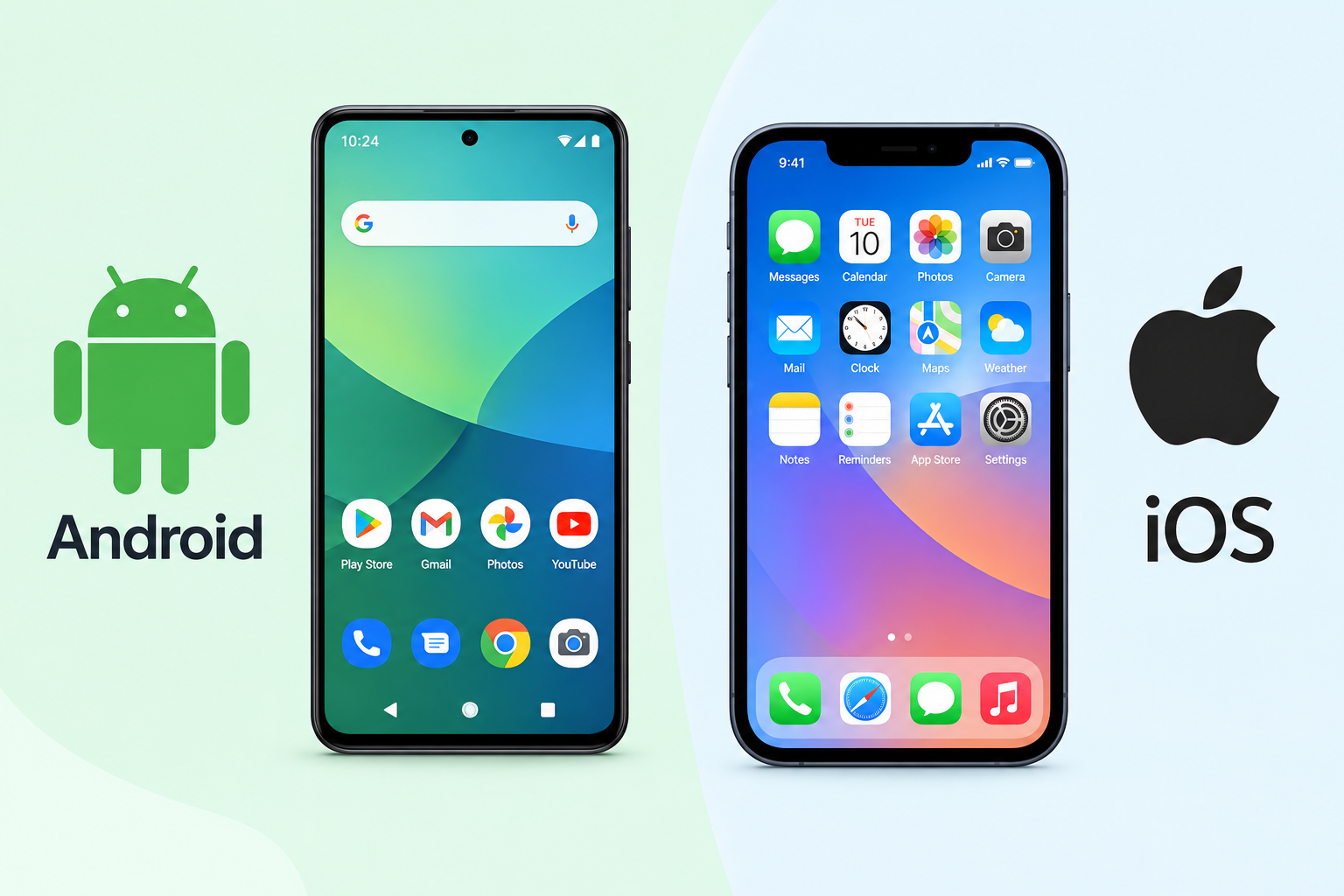
A smartphone operating system is the core software that runs on a smartphone and controls everything the device does. It manages the touchscreen, runs apps, handles phone calls and messages, connects to Wi-Fi and mobile networks, controls battery usage, and manages security. Without an operating system, a smartphone is simply a collection of hardware components with no ability to function. Android and iOS are the two dominant smartphone operating systems in the world. Understanding what each one is, how it works, and how they differ helps you choose the right phone and get more from the one you already use.
Every smartphone you pick up today runs one of these two operating systems, and the OS shapes nearly every aspect of the experience from the moment you turn the device on.
What Is an Operating System?
An operating system is the fundamental software layer that sits between a device’s physical hardware and the software applications that run on it. It manages hardware resources, provides the environment in which all other programs run, and serves as the foundation for everything else the device does.
A useful way to think about it is to imagine a large office building. The building itself is the hardware. The management team running the building handles letting people in and out, organizing which rooms are in use, managing electricity and heating, and making sure everything functions in an orderly way. Without the management team, the building exists as a physical structure but nothing inside it works in any coordinated or useful way. The operating system is that management team.
Desktop and laptop computers have operating systems too. Windows runs on most PCs. macOS runs on Apple Mac computers. These are designed for keyboard and mouse input and traditional computing tasks. Smartphone operating systems are built specifically for touch interfaces, small screens, mobile wireless hardware, and the battery-constrained environment of a handheld device.
A smartphone operating system handles a wide range of essential functions including:
- Interpreting every touch, tap, swipe, and pinch on the screen
- Running apps and managing how much memory each one uses
- Managing battery consumption and power states
- Connecting to Wi-Fi, mobile data networks, Bluetooth, and NFC
- Handling phone calls, SMS messages, and notifications
- Managing how files, photos, and app data are stored on the device
- Controlling security through lock screens, biometric authentication, and encryption
- Delivering software updates to improve features and patch security vulnerabilities
All of these functions together are what transform a collection of electronic components into a fully functional smartphone capable of communication, productivity, entertainment, and everything else people use their phones for every day.
What Is Android?
Android is a mobile operating system developed by Google. It was first released publicly in 2008 and has grown to become the most widely used mobile operating system in the world by the number of active devices.
Android is built on the Linux kernel, which is an open-source software foundation used across many different computing environments from servers to embedded devices. You can learn more about Android’s open-source foundation through the Android Open Source Project, which makes Android’s core code publicly available for manufacturers and developers to inspect, use, and build upon.
Because Android is open source, smartphone manufacturers can take the Android code, modify it, and use it as the foundation for their own devices without paying licensing fees to Google for the core OS. This openness is why Android runs on hardware from an enormous range of manufacturers including Samsung, Google’s own Pixel phones, OnePlus, Motorola, Sony, Xiaomi, OPPO, and many others across every continent and price point.
Google releases a major new Android version annually. Each new version brings new features, interface improvements, performance optimizations, and security updates. You can find official Android platform information and developer resources at android.com.
Most Android devices ship with a set of core Google services pre-installed including the Google Play Store for app downloads, Google Maps for navigation, Gmail for email, Google Assistant for voice commands, and Google Chrome as the default browser. These Google services are separate from the open-source Android base and are licensed by manufacturers as part of shipping a standard Android device.
How Android Works on Different Devices
While the core Android operating system comes from Google, most manufacturers do not ship their devices with a plain unmodified version of Android. Instead, they apply their own software layer on top of the Android base. This layer customizes the interface, adds manufacturer-specific features, and in some cases includes exclusive apps.
Samsung applies One UI on top of Android, which adds features like Samsung DeX, Edge Panel, and the Good Lock customization suite. OnePlus applies OxygenOS, which historically stayed close to stock Android while adding gaming and performance features. Motorola takes a near-stock approach that keeps the interface close to Google’s original design with minimal additions. Google’s own Pixel phones run stock Android exactly as Google designed it, without any manufacturer layer on top.
This explains why two Android phones from different manufacturers can look and feel quite different from each other even though both devices run Android at their core. The underlying operating system is the same but the visual interface and feature set above it varies significantly by manufacturer.
Understanding what an Android phone actually is and how the Android OS runs across such diverse hardware from so many different manufacturers helps clarify why the Android ecosystem feels so varied compared to the more uniform iPhone experience.
Android Version History Overview
Android versions have historically been assigned dessert names internally at Google, from Cupcake and Donut in the early years through to more recent versions. Google now primarily refers to Android versions by their sequential number publicly rather than dessert names.
Recent major Android versions include Android 12, Android 13, Android 14, and Android 15. Each major version introduces new capabilities, interface refinements, privacy improvements, and security enhancements.
How quickly a specific Android device receives a new version update depends entirely on the manufacturer. Google Pixel phones receive new Android version updates first, typically on the day the new version is released publicly. Other manufacturers follow on their own schedules, which can range from a few weeks to several months after Google’s initial release. Some budget Android devices may never receive a major version update at all, depending on the manufacturer’s support commitment.
Android apps are built specifically to run within the Android operating system environment. The OS manages how apps are installed through the Google Play Store, how they access device resources, and how they run in the foreground and background.
What Is iOS?
iOS is the mobile operating system developed exclusively by Apple. It runs only on Apple iPhone hardware and is not available on devices from any other manufacturer. Apple designs both the iOS software and the iPhone hardware it runs on, giving the company complete and unified control over the entire user experience from the chip inside the phone to the interface the user touches.
iOS is not open source. Apple keeps the iOS source code proprietary, meaning no other company can legally use or modify it for their own devices. This closed approach is fundamentally different from Android’s open-source model and has significant implications for how the two platforms function and evolve.
Because every iPhone runs the same iOS operating system, the experience is consistent across all supported models. Every iPhone running iOS 17, for example, has access to the same features regardless of whether it is the latest flagship model or an older supported device. There is no manufacturer variation or customization layer to account for.
Apple releases a major iOS version update annually, typically in September alongside new iPhone hardware announcements. You can find the official iOS overview and feature information at apple.com/ios. For support documentation and guidance specific to your iPhone model and iOS version, refer to Apple Support.
Apple typically provides iOS updates for iPhone models for five or more years after their original release. This long support window means iPhone users can continue receiving security patches and new features on a device they have owned for several years. For guidance on which iPhone models are supported by current iOS versions, Apple publishes this information clearly through its official support channels.
iOS includes Apple’s own core services pre-installed on every iPhone. These include the App Store for downloading iPhone apps, Safari as the default web browser, FaceTime for video calls, iMessage for Apple-to-Apple messaging over the internet, Siri as the voice assistant, and iCloud for cloud backup, photo storage, and cross-device synchronization.
How iOS Controls the iPhone Experience
Apple’s design of both the hardware and the iOS software means the integration between the two is exceptionally tight. Every component of an iPhone from the custom Apple silicon chip to the camera sensors, the Face ID hardware, and the display is designed to work in concert with iOS at a level that external manufacturers applying Android to their hardware cannot fully replicate.
This tight integration is why features like Face ID authentication, the iPhone camera’s computational photography processing, and the chip’s performance efficiency work as seamlessly as they do. The OS knows exactly what hardware it is running on because Apple designed both simultaneously.
Apple’s control over both the hardware and iOS also means that when a security vulnerability is discovered, Apple can issue a patch and deliver it to all supported iPhones simultaneously without needing to wait for a third-party manufacturer to approve or package the update.
iPhone apps are built specifically for the iOS operating system environment. Unlike Android, iOS does not allow app installation from outside the official App Store by default, which Apple maintains provides a safer and more consistent experience for iPhone users.
iOS Version History Overview
iOS versions follow a clear sequential numbering system. Recent major versions include iOS 15, iOS 16, iOS 17, and iOS 18. Apple announces new iOS versions at its annual Worldwide Developers Conference in June and releases them publicly in September.
Unlike Android, the iOS update process is unified. When Apple releases a new iOS version, all supported iPhones can download and install that update simultaneously and directly from Apple. There is no manufacturer delay and no carrier delay. Every supported iPhone gets the same update on the same day.
How Does a Smartphone Operating System Work?
Understanding what a smartphone operating system does in practice means looking at the specific jobs it performs every moment the phone is in use.
Managing the Touchscreen
Every tap, swipe, pinch, and long press you make on a smartphone screen is raw physical input from the touchscreen hardware. The operating system intercepts that input, interprets what gesture was made, determines which app or system element was touched, and triggers the appropriate response. Without the OS handling this translation continuously, the touchscreen would have no instructions for what to do with any physical contact.
Running and Managing Apps
The OS provides the runtime environment in which every app on your phone operates. When you open an app, the OS allocates a portion of the device’s RAM to that app and launches its processes. When you switch to another app, the OS manages which apps remain active in the background, which are suspended to save battery, and which are closed entirely to free up memory resources.
Both Android and iOS manage app permissions through the operating system. When an app requests access to the camera, microphone, location services, or your contacts, the OS presents the permission prompt and enforces your decision. If you deny an app access to your location, the OS prevents the app from accessing location data regardless of what the app itself tries to do. This OS-level enforcement is what makes permission controls meaningful rather than simply advisory.
Managing Storage and Memory
The OS controls how all data is organized and stored on the device. This includes the operating system files themselves, app installation files, the app data that apps generate and store during use, photos, videos, documents, and cached content. The OS also manages RAM allocation, deciding how much working memory each active process receives and when to reclaim memory from background processes.
Users interact with storage management through the Settings app on both Android and iOS, where the OS surfaces information about how much storage each app is consuming and provides controls to manage it.
Handling Connectivity
The OS manages all of the phone’s wireless communication systems. This includes Wi-Fi connection management, mobile data network connections across cellular standards, Bluetooth pairing and device management, and NFC for contactless payments and data transfer. The OS handles switching between Wi-Fi and mobile data when connections change, manages battery impact from wireless radios, and controls which apps can access network resources.
Security and Privacy Management
The smartphone operating system is the primary security layer of the entire device. It manages authentication through PIN codes, passwords, fingerprint sensors, and facial recognition systems. It enforces app permission decisions, controls data access between apps, and handles full-device encryption that protects stored data. When security vulnerabilities are discovered, OS updates deliver patches that close those vulnerabilities at the system level.
Managing Settings
The Settings app on both Android and iOS is the user-facing interface through which users control OS-level functions. Every system-level configuration from display brightness and Wi-Fi connections to app permissions, notification preferences, and biometric setup is accessed through the Settings app. Understanding the Settings app is, in practical terms, understanding how to control your smartphone’s operating system. The Settings app translates complex OS configuration options into organized menus that any user can navigate without technical knowledge.
Android vs iOS: Key Operating System Differences
The operating system is the foundation of every difference between an Android phone and an iPhone. For a complete and detailed platform comparison covering everything from apps and cameras to price and ecosystem, see the full Android vs iPhone breakdown. The core OS differences are summarized here.
Openness and Customization
Android is open source and allows significant customization at both the manufacturer level and the user level. Android users can set different default apps for the browser, email, maps, and phone dialer. They can install alternative home screen launchers, download icon packs to change the visual appearance of all app icons, and sideload apps from outside the official Google Play Store.
iOS is closed and proprietary. Apple controls what the operating system can and cannot do and what users can and cannot change. iOS has expanded its customization options meaningfully in recent versions, including home screen widget support, custom app icon shortcuts through the Shortcuts app, Focus modes, and lock screen customization. However, iOS customization still operates within more defined boundaries than Android.
Hardware Availability
Android runs on hardware from dozens of manufacturers across every price segment. A buyer can find an Android phone for a very low price or spend on a premium flagship from Samsung, Google, or Sony. The hardware variety is enormous.
iOS runs exclusively on Apple iPhone hardware. There is no way to install iOS on a device from any other manufacturer, and no way to run Android on an iPhone. Apple controls the entire hardware lineup.
App Distribution
Android distributes apps primarily through the Google Play Store and also permits sideloading, which means installing apps from sources outside the official store. This flexibility gives Android users more options but also introduces more risk from unverified sources.
iOS distributes apps exclusively through the Apple App Store. Apple reviews all submitted apps before they are published, which it argues provides a more consistent and secure app environment. The App Store is the only official source for iPhone apps on a standard unmodified iPhone.
Software Update Delivery
Android updates flow from Google to manufacturers and then to carriers before reaching devices. This chain means the time between Google releasing a new Android version and a specific device receiving it can vary from days on Pixel phones to months on other manufacturer devices.
iOS updates are delivered directly from Apple to all supported iPhones simultaneously. When Apple releases iOS 18, every supported iPhone can install it on the same day without waiting for a manufacturer or carrier to approve and distribute it.
Privacy and Security Approach
Both operating systems provide meaningful security and privacy protections. Apple’s unified hardware and software control allows it to deliver security patches consistently and quickly across all supported iPhones. Google has worked to reduce Android’s update dependency on manufacturers through Project Mainline, which allows certain core Android security components to be updated directly through the Google Play Store independently of full OS version updates from manufacturers. This has improved the baseline security update situation on Android devices significantly compared to earlier years.
Ecosystem Integration
iOS integrates with other Apple devices and services through features including AirDrop, iMessage, FaceTime, Handoff, Universal Clipboard, and iCloud. Users who own a Mac, iPad, Apple Watch, or AirPods benefit from deep cross-device continuity features that work because Apple controls all of the hardware and software in the ecosystem.
Android integrates with Google services including Gmail, Google Drive, Google Photos, Google Meet, and Google Assistant across devices and platforms. Android also connects more broadly with the wider smart home ecosystem given Google’s platform-agnostic approach to services.
Operating System Comparison Table
| Feature | Android | iOS |
|---|---|---|
| Developer | Apple | |
| Open Source | Yes | No |
| Device Availability | Many manufacturers | Apple iPhone only |
| Customization | Very high | Moderate and growing |
| App Store | Google Play Store | Apple App Store |
| Sideloading | Yes | No by default |
| Update Delivery | Via manufacturer and carrier | Direct from Apple |
| Security Update Speed | Varies by manufacturer | Consistent from Apple |
| Ecosystem | Google and manufacturer ecosystems | Apple ecosystem |
| Software Support Duration | Varies by manufacturer | Typically five or more years |
| Default Voice Assistant | Google Assistant | Siri |
| Default Browser | Google Chrome | Safari |
| Hardware Variety | Hundreds of models | Limited Apple lineup |
| Base OS Cost to Manufacturers | Free, open source | Not available to others |
Other Smartphone Operating Systems Worth Knowing
Android and iOS are by far the dominant smartphone operating systems today, but they are not the only ones that exist or have existed.
HarmonyOS
HarmonyOS is Huawei’s proprietary operating system, developed after export restrictions limited Huawei’s access to Google’s licensed Android services. HarmonyOS is built to run across a range of device types including smartphones, tablets, smart TVs, wearables, and other connected devices under a unified software architecture. It is primarily used on Huawei devices and is most widely deployed in China where Huawei has a strong market presence.
KaiOS
KaiOS is a lightweight mobile operating system designed for feature phones and basic entry-level handsets that do not have the hardware capacity to run full Android. KaiOS enables access to apps like WhatsApp, YouTube, Google Maps, and Facebook on simple button-based or basic touch phones. It is primarily deployed in developing markets in Africa, Asia, and Latin America where affordable connected devices are a priority for first-time mobile internet users.
Legacy Operating Systems
Several smartphone operating systems existed before Android and iOS achieved their current dominance and shaped the smartphone industry during earlier periods.
Windows Phone was Microsoft’s smartphone operating system, which ran on Nokia Lumia devices among others. Microsoft officially discontinued Windows Phone in 2019 after struggling to build developer and user adoption against Android and iOS.
BlackBerry OS was the proprietary operating system for BlackBerry devices, known for its physical keyboard design and enterprise security focus. BlackBerry eventually transitioned to running Android on its hardware before exiting the smartphone hardware business entirely.
Symbian was Nokia’s smartphone operating system that dominated the market in the mid-2000s before the iPhone and Android era began. Nokia officially retired Symbian in 2014 as Android and iOS had completely overtaken the market by that point.
These platforms contributed to the development of smartphone technology and established conventions that Android and iOS later built upon or improved.
How the Operating System Affects Your Everyday Smartphone Experience
The smartphone operating system is not an abstract concept. It directly shapes what you experience every time you use your phone.
App Access and the App Experience
The OS determines which app store you use and therefore which apps are available to you. Android users download apps through the Google Play Store. iOS users download apps through the Apple App Store. While most major apps are available on both platforms, there are occasional differences in which apps are available, when new apps launch on each platform, and how apps are designed for each OS environment.
Android apps are developed specifically for the Android operating system using tools and frameworks provided by Google. They behave and are distributed differently from iOS apps because the two operating systems have different technical foundations, different permission models, and different app store requirements. Developers build separate versions of their apps for each platform, which is why some apps look or feel slightly different between Android and iPhone.
How Long Your Phone Receives Updates
The OS update policy of the manufacturer and platform you choose directly determines how long your phone remains secure and current with the latest features. iPhone users benefit from Apple’s extended update support window. Android users experience significant variation depending on which manufacturer made their device. Samsung, Google Pixel, and OnePlus have all made public commitments to extended software update periods in recent years, bringing their support windows closer to Apple’s standard.
Performance and Battery Life
The OS manages how the phone’s processor, RAM, and battery are used at a fundamental level. This affects how smoothly apps open and run, how quickly the phone responds to touches, and how efficiently power is consumed throughout the day. iOS’s tight integration between Apple’s custom chips and the operating system has historically given Apple strong control over performance and power efficiency. Android performance varies more widely because it runs across such a diverse range of hardware from different manufacturers at different price points.
The Settings App as Your OS Control Panel
Every configuration change you make on a smartphone runs through the Settings app. Changing display brightness, connecting to a new Wi-Fi network, setting up fingerprint authentication, managing which apps have location access, checking storage usage, or looking for a software update all happen through Settings. The Settings app is the primary interface through which users interact with and control their smartphone operating system on both Android and iOS. Learning to navigate Settings effectively is, in practical terms, learning how to control your OS.
App Cache and System Performance
The OS manages temporary files that apps create and store to help them load content faster. These temporary files are called cache. Over time, app cache accumulates across many apps and can consume significant amounts of device storage. Android allows users to clear cache for individual apps directly through the Settings app under the Apps section. iOS manages cache in a more automated way, with less direct user control over per-app cache clearing. Understanding how the OS handles cache helps users manage storage and maintain device performance over time.
How to Know Which Operating System Your Smartphone Uses
If you are unsure which OS or which version your current phone is running, checking is straightforward on both platforms.
How to Check Your Android Version
- Open the Settings app on your Android phone.
- Scroll down and tap About Phone.
- Tap Software Information or Android Version depending on your device model.
- Your current Android version number is displayed on this screen.
How to Check Your iOS Version
- Open the Settings app on your iPhone.
- Tap General.
- Tap About.
- Look for Software Version. Your current iOS version number is displayed next to it.
How to Check for OS Updates
Keeping your smartphone operating system updated is one of the most important things you can do for device security and performance. Updates patch security vulnerabilities and deliver new features.
On Android:
- Open the Settings app.
- Tap System, or tap About Phone depending on your device manufacturer.
- Tap Software Update or System Update.
- The device connects to the manufacturer’s update servers and displays any available updates. Follow the prompts to download and install.
On iOS:
- Open the Settings app.
- Tap General.
- Tap Software Update.
- The device checks Apple’s servers for available iOS updates and displays any that are ready to install. Follow the prompts to download and install.
For detailed iOS update guidance specific to your iPhone model, refer to Apple Support. For Android update information specific to your device, refer to your manufacturer’s support page or the general guidance available at android.com.
Should You Choose Android or iOS?
The right smartphone operating system is the one that fits how you use your phone, what devices you already own, what your budget allows, and how much you want to configure and customize your experience. Neither platform is objectively better for every person in every situation.
Choose Android If:
- You want more control over customization including default apps, launchers, and icon styles
- You want hardware variety across a wide price range from very affordable to premium flagship
- You are already using Google services like Gmail, Google Drive, and Google Photos and want them integrated natively
- You want the flexibility to sideload apps or access alternative app stores
- You prefer a more open and configurable software environment that you can adapt to your preferences
Choose iOS If:
- You want consistent long-term software updates delivered directly by Apple for five or more years
- You already own other Apple devices like a Mac, iPad, or Apple Watch and want seamless cross-device integration
- You prefer a curated and controlled App Store experience with Apple’s review process
- You value Apple’s privacy-first design including App Tracking Transparency
- You prefer a device that works well from the start without significant setup or configuration
For a comprehensive side-by-side breakdown of every major difference between the two platforms including apps, cameras, price, ecosystem, and more, the full Android vs iPhone comparison covers all of it in detail.
Frequently Asked Questions
What is a smartphone operating system?
A smartphone operating system is the core software that runs on a smartphone and manages all of its functions including the touchscreen, apps, calls, connectivity, storage, security, and software updates. It is the foundation that makes everything on the phone work.
What are the two main smartphone operating systems?
Android, developed by Google, and iOS, developed by Apple, are the two dominant smartphone operating systems in the world. Android is used by many different manufacturers. iOS runs exclusively on Apple iPhone hardware.
What operating system does Samsung use?
Samsung phones run Android, specifically with Samsung’s own One UI software layer applied on top of the Android base. Samsung Galaxy phones are Android phones with Samsung’s customized interface and features added above the Android operating system.
What operating system does iPhone use?
iPhone runs iOS, Apple’s proprietary mobile operating system. iOS is available exclusively on Apple iPhone hardware and is developed and maintained entirely by Apple.
Is Android better than iOS?
Neither operating system is objectively better for every user. Android offers more customization, wider hardware variety, and more price range options. iOS offers longer and more consistent software support, tighter hardware and software integration, and a more uniform experience across all supported devices. The better choice depends on individual priorities and preferences.
What is the difference between Android and iOS?
The fundamental difference is that Android is open source and used by many manufacturers while iOS is proprietary and available only on Apple iPhones. This difference affects customization, hardware availability, app distribution, update delivery timelines, and ecosystem integration.
How does a smartphone operating system work?
The OS interprets touchscreen input, manages running apps and their memory usage, controls device connectivity, handles security and authentication, manages stored data and files, and delivers software updates. It acts as the layer between the phone’s hardware and the apps and services running on it.
What is the latest Android version?
Android releases major versions annually. Recent versions include Android 12, 13, 14, and 15. Check android.com for current version information. The availability of specific versions on your device depends on your manufacturer’s update schedule.
What is the latest iOS version?
Apple releases a new major iOS version annually. Recent versions include iOS 15, 16, 17, and 18. Check support.apple.com for current iOS version information and supported device lists.
Can you change the operating system on a smartphone?
On most consumer smartphones this is not practically possible without advanced technical knowledge and significant risk to the device. Replacing Android on an Android phone with a custom OS is technically possible for advanced users but voids warranties and carries significant risk. Installing iOS on a non-Apple device is not possible.
Why do Android phones look different from each other if they use the same OS?
Different Android manufacturers apply their own software layer on top of the Android base. Samsung uses One UI, OnePlus uses OxygenOS, and Motorola uses a near-stock Android interface. Each manufacturer customizes the visual design and adds unique features while the underlying Android OS remains the shared foundation.
How long does Apple support iOS on older iPhones?
Apple typically provides iOS updates for iPhone models for five or more years after the device’s original release. The exact support duration varies by model. Apple publishes which devices are supported by each new iOS version through its official support documentation.
How do I update my smartphone operating system?
On Android go to Settings, then System or About Phone, then Software Update. On iPhone go to Settings, then General, then Software Update. Both processes check for available updates and guide you through installation.
What happens if I do not update my smartphone OS?
An outdated OS may leave the device vulnerable to security exploits that have been patched in newer versions. It may also lose access to newer app versions as developers build for current OS versions. Over time, an unupdated device may experience compatibility issues with newer apps and services.
Is Android open source?
Yes. Android’s core code is open source and available through the Android Open Source Project. This is what allows many different manufacturers to use Android as the foundation for their devices. Google’s apps and services such as Gmail and the Google Play Store are separate proprietary components that manufacturers license independently.
Disclaimer
This article is intended for educational and informational purposes and provides a general explanation of smartphone operating systems including Android and iOS for everyday technology readers. Operating system features, version numbers, and interface descriptions in this article reflect general characteristics at the time of writing. Specific features may vary between Android device manufacturers, Android versions, and iOS versions. Always refer to official documentation from Google at android.com and Apple at support.apple.com for the most current and device-specific information. This article does not constitute an endorsement of any specific operating system, smartphone brand, manufacturer, or third-party service mentioned in this guide.