
 By Saad Qureshi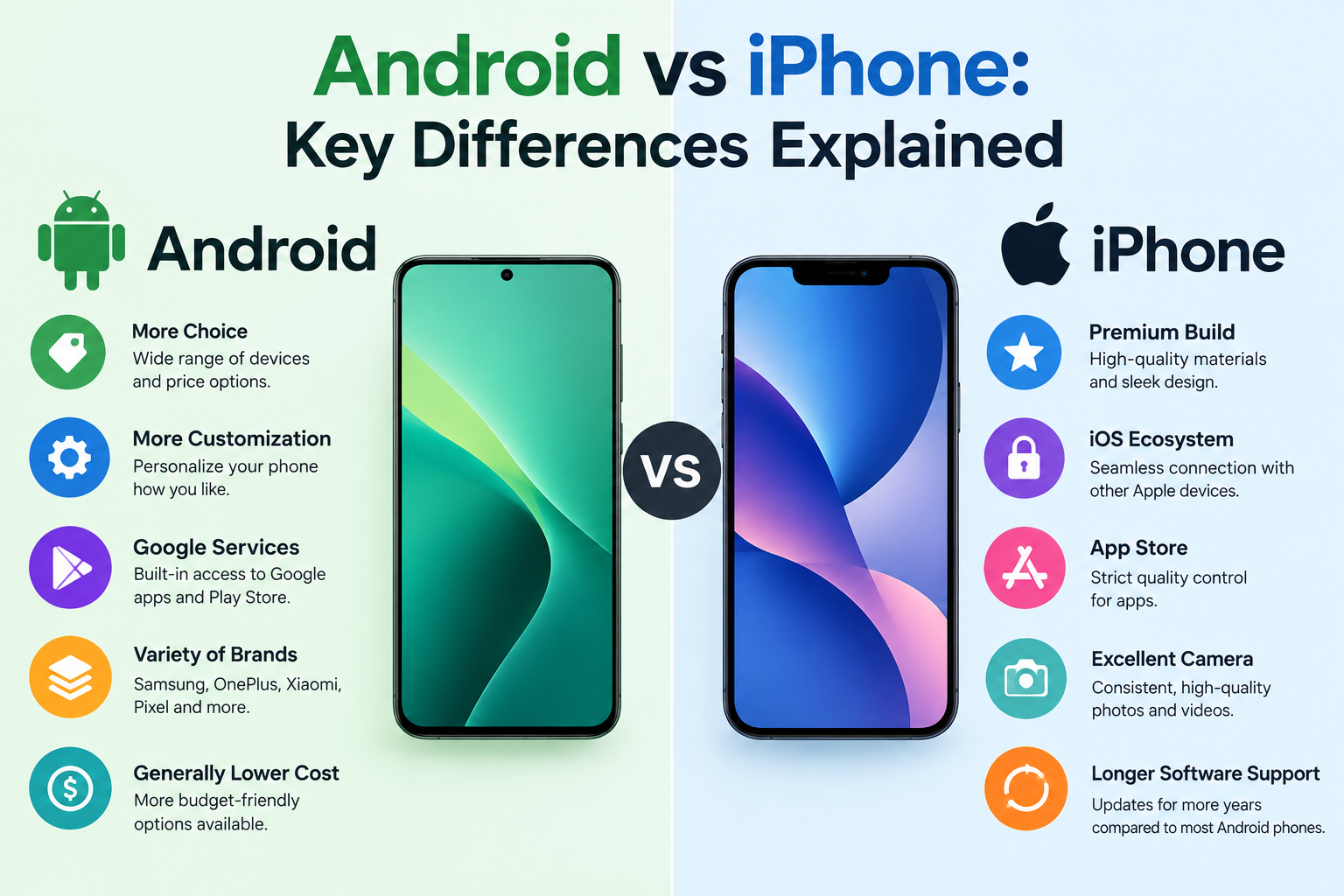
Introduction
The two biggest choices in the smartphone world are Android and iPhone. Android is an open-source operating system made by Google and used by many different phone manufacturers. iPhone runs iOS, which is Apple’s own exclusive operating system available only on Apple hardware. The key differences between Android and iPhone include how much each platform can be customized, how apps are distributed and managed, how security updates are delivered, how each platform handles privacy, and how each fits into a broader device ecosystem. Understanding these differences helps you choose the right smartphone for your needs.
This guide covers every major difference between Android and iPhone in clear and practical terms so you can make a confident and informed decision.
What Are Android and iPhone?
Before comparing the two platforms, it helps to understand what each one actually is.
Android is an open-source operating system developed by Google. Because it is open source, any smartphone manufacturer can use it and build on it. This means Android runs on hundreds of different phone models from brands including Samsung, Google, OnePlus, Motorola, Sony, and many others. Each manufacturer may customize the Android interface with their own software layer on top of the base system.
iPhone is a smartphone made exclusively by Apple. It runs iOS, which is Apple’s own proprietary operating system. iOS is not available on any other manufacturer’s devices. Apple designs both the hardware and software of every iPhone, which gives the company complete control over the experience.
This fundamental difference shapes nearly everything else about how the two platforms work. To understand more about how Android phones are structured and how they differ from iPhones at a hardware and software level, it is worth exploring what makes each platform unique from the ground up.
Both Android phones and iPhones are types of smartphones that share common capabilities like calling, messaging, web browsing, photography, and app use. The differences lie in how each platform delivers those capabilities.
Operating System: Android vs iOS
The operating system is the foundation of any smartphone experience. Android and iOS take very different approaches.
What Is Android?
- Developed by Google and released as open source
- Used by many different manufacturers across hundreds of device models
- Highly customizable at both the user level and the manufacturer level
- Major Android versions are typically released annually with monthly security patches
- Manufacturers often apply their own interface on top of Android such as Samsung One UI, OnePlus OxygenOS, or Motorola’s near-stock Android experience
- Software update timelines vary depending on the manufacturer and carrier
What Is iOS?
- Developed exclusively by Apple and available only on iPhone hardware
- Provides a consistent interface and experience across all current iPhone models
- Apple controls both hardware and software resulting in tight integration between the two
- iOS updates are delivered directly by Apple to supported devices
- Apple typically provides software updates for iPhones for five or more years after release
- Interface and core features remain consistent regardless of which iPhone model you use
Key Operating System Differences
| Feature | Android | iPhone iOS |
|---|---|---|
| Developer | Apple | |
| Device Availability | Many manufacturers | Apple only |
| Customization | Highly customizable | More controlled |
| Update Delivery | Varies by manufacturer | Direct from Apple |
| Open Source | Yes | No |
| Interface Consistency | Varies by manufacturer | Consistent across all iPhones |
| Long-Term Software Support | Varies by manufacturer | Consistently long from Apple |
Apps: Android vs iPhone
Both Android and iPhone give users access to millions of apps covering every category from social media and gaming to productivity and health tracking.
- Android uses the Google Play Store as its primary app marketplace
- iPhone uses the Apple App Store as its exclusive app marketplace
- Both stores contain most of the same major apps and the vast majority of popular apps are available on both platforms
Key App Differences
Understanding what an Android app is and how it differs from an iPhone app helps clarify why the two platforms handle app installation and management differently.
- Sideloading: Android allows users to install apps from outside the Google Play Store. This is known as sideloading. It gives more flexibility but also introduces more security risk if apps are downloaded from untrusted sources.
- App Store restriction: iPhone restricts app installation to the Apple App Store by default. Apple reviews all apps in its store before they are published, which it argues creates a safer and more consistent experience.
- Platform-first launches: Some apps have historically launched on iPhone before Android or vice versa. This gap has narrowed significantly and most major apps are now available on both platforms simultaneously.
- App design: App design and feature sets can sometimes differ between platforms. Some developers invest more in one platform than the other which can affect the quality or feature completeness of individual apps.
For a deeper look at how Android apps work and how they are distributed through the Google Play Store, it is worth understanding the structure of the Android app ecosystem separately from the iOS one.
App Permissions: Android vs iPhone
Both Android and iOS require apps to request permission before accessing sensitive device features such as the camera, microphone, location services, or contacts. Both platforms allow users to review and manage these permissions through device settings at any time.
Understanding app permissions matters for both platforms because permissions directly affect your privacy and security. Granting an app unnecessary access to your location or microphone can expose your personal data regardless of which platform you use.
iOS has historically been recognized for more granular and transparent permission prompts, including the ability to grant location access only while an app is in use rather than always. Android has improved its permission controls significantly in recent versions and now offers similar granular options.
Reviewing app permissions regularly on either platform is a good habit for maintaining your privacy.
Customization: Android vs iPhone
Customization is one of the clearest areas where Android and iPhone differ.
Android is widely recognized for offering significantly more customization than iPhone. Android users can change nearly every visual and functional aspect of their device’s interface.
iPhone has expanded its customization options meaningfully in recent iOS versions but still operates within more defined limits compared to Android.
What Android Lets You Customize
- Home screen layout including grid size and icon placement
- Default system apps for browser, email, phone dialer, and more
- Complete launcher replacement giving users an entirely different home screen experience
- Custom icon packs to change the visual appearance of all app icons system-wide
- System-level settings and developer options for advanced users
- Widgets with flexible placement anywhere on the home screen
What iPhone Lets You Customize
- Home screen widget placement and sizing
- App icon appearance through the Shortcuts app though this requires manual setup for each icon
- Focus modes to control which notifications and apps appear in different contexts
- Lock screen appearance including widgets, wallpaper, and font styles introduced in iOS 16
- Control Center layout allowing users to add and rearrange quick-access controls
- Standby mode display for when the iPhone is charging
If deep system customization is important to you Android offers more freedom. If you prefer a consistent and predictable interface that works well without configuration iPhone is the more straightforward choice.
Security and Privacy: Android vs iPhone
Security and privacy are among the most important considerations when choosing a smartphone platform.
Apple controls both the iPhone hardware and iOS software. This tight integration allows Apple to deliver security updates directly to all supported iPhones quickly and consistently. When Apple identifies a security vulnerability it can patch it across the entire supported iPhone lineup without waiting for a third party.
Android’s open and distributed nature means security updates depend on the device manufacturer and sometimes the mobile carrier before reaching the user’s device. This has historically led to inconsistency in how quickly Android devices receive security patches. Google Pixel phones are an exception as they receive security updates directly from Google. Many other manufacturers have improved their update delivery significantly in recent years but the gap still exists compared to Apple’s centralized approach.
Privacy Features Comparison
| Feature | Android | iPhone iOS |
|---|---|---|
| App Permission Controls | Yes, granular in recent versions | Yes, granular |
| App Tracking Transparency | Varies by manufacturer and version | Built-in App Tracking Transparency prompt |
| Private Browsing | Yes, Chrome Incognito and others | Yes, Safari Private Browsing |
| Security Update Speed | Varies by manufacturer | Direct and consistent from Apple |
| Malware Risk from Sideloading | Higher if sideloading from unknown sources | Lower, App Store only by default |
| Platform Data Collection | Google collects significant usage data | Apple collects less personal data by stated policy |
Neither platform is completely immune to security risks. User behavior plays a significant role in security on both platforms. Installing apps from unknown sources, clicking suspicious links, and using weak passwords create risk regardless of whether you use Android or iPhone. For guidance specific to your device, refer to support.apple.com for iPhone or android.com for Android devices.
Camera: Android vs iPhone
Camera quality is one of the top factors driving smartphone purchasing decisions and both platforms offer strong options at the premium tier.
iPhone cameras are consistently ranked among the best in the industry. Apple’s image processing, video stabilization, and consistency across different shooting conditions make iPhone cameras a reliable choice for most users regardless of their photography skill level.
High-end Android phones, particularly from Google and Samsung, deliver camera performance that directly competes with iPhone. Mid-range and budget Android phones vary significantly in camera quality depending on the manufacturer and specific model, which is an important consideration if budget is a factor.
Camera Comparison Summary
- iPhone: Known for natural color processing, excellent video quality and stabilization, consistent performance in low light, and a straightforward camera experience
- Google Pixel Android: Known for computational photography, strong low-light performance through software processing, and clear natural images
- Samsung Galaxy Android: Known for versatile zoom capabilities, vivid and punchy color processing, and a wide range of manual camera controls
- Mid-range Android: Camera quality varies widely. Some mid-range Android phones offer excellent cameras while others are significantly behind flagship devices
The best camera for you depends on your budget, specific photography preferences, and how you plan to use your photos. If you shoot and edit photos frequently, exploring the best photo editing apps available on both Android and iPhone can help you get more from whichever camera you choose.
App Data and Storage Management: Android vs iPhone
How each platform handles app data and storage is a practical difference that affects everyday use.
Android generally gives users more direct access to the file system. Users can navigate to folders, move files between apps and storage locations, and use a file manager app to organize content much like a computer. This openness makes Android more flexible for users who want direct control over their files.
iPhone uses a more closed file system. Individual app data is stored in app-specific containers and is not directly accessible to users in the same way. The Files app on iPhone provides some file management capability but it operates within more defined limits compared to Android.
Understanding what app data is and how it is stored helps explain why Android and iPhone feel different when managing storage. On Android you can often see and interact directly with the data an app stores. On iPhone that data is more contained and managed at the system level.
Both platforms allow users to manage storage through device settings including viewing how much storage each app is using and deleting apps or their data to free up space. Understanding what app cache is is also relevant here because Android allows users to clear an individual app’s cache directly through settings while iPhone manages cache more automatically without a direct per-app cache clearing option for most apps.
Price and Hardware Choice: Android vs iPhone
Price range and hardware variety are two of the most practically significant differences between Android and iPhone.
Android is available across an extremely wide price range. Users can find capable Android devices at very low price points as well as premium flagship phones at the highest end of the market. This range makes Android accessible to buyers with almost any budget.
iPhone starts at a higher minimum price than entry-level Android devices. Apple does offer older iPhone models at reduced prices and its iPhone SE line at a lower price point, but the starting cost of a new iPhone is generally higher than the most affordable Android options.
Price and Hardware Overview
| Category | Android | iPhone |
|---|---|---|
| Entry Level | Available from very low cost | Higher starting price |
| Mid Range | Wide selection across many brands | Limited options |
| Premium Flagship | Multiple brands competing | Top-tier Apple models |
| Hardware Variety | Hundreds of models and designs | Limited model lineup per year |
| Physical Design Options | Wide variety of sizes and form factors | Consistent Apple design language |
iPhone’s limited model lineup is actually an advantage for some buyers. Fewer choices means a simpler decision with less research required. Android’s wide range of models benefits buyers who have specific requirements around screen size, battery capacity, camera configuration, or price.
Ecosystem: Android vs iPhone
The ecosystem surrounding a smartphone platform refers to how well it connects with other devices and services you already use.
Apple Ecosystem
- iPhone integrates deeply with other Apple devices including Mac computers, iPad, Apple Watch, Apple TV, and AirPods
- Features like AirDrop for instant file sharing, iMessage, FaceTime, Handoff for continuing tasks across devices, and Universal Clipboard work seamlessly across Apple devices
- iCloud provides integrated backup, photo library storage, document syncing, and cross-device continuity
- The Apple ecosystem is highly convenient for users who already own multiple Apple devices
- It also creates some degree of platform lock-in since many of these features do not work with non-Apple devices
Android and Google Ecosystem
- Android integrates with Google services including Gmail, Google Drive, Google Photos, Google Meet, Google Assistant, and Google Maps
- Android connects with Google smart home devices, Chromebooks, and Google TV devices
- Google’s ecosystem is available across many platforms including Windows computers and even iPhone making it more platform-agnostic than Apple’s ecosystem
- Samsung Android phones include their own additional ecosystem features like Samsung DeX for desktop mode, Samsung SmartThings for smart home control, and seamless connection with Samsung tablets and laptops
- Users already invested in Google services will find Android integrates naturally with those tools
Switching Between Android and iPhone
Many users consider switching between platforms at some point. Both Apple and Google provide tools to make the transition easier.
Switching from Android to iPhone:
- Apple provides the official Move to iOS app for Android devices
- Move to iOS transfers contacts, message history, photos, videos, bookmarks, mail accounts, and calendars wirelessly
- App purchases made on Google Play do not transfer. Apps must be re-downloaded from the Apple App Store, and paid apps must be purchased again
Switching from iPhone to Android:
- Google provides guides for transferring Google account data to a new Android device
- Some Android manufacturers include their own transfer tools, such as Samsung Smart Switch
- Users must deactivate iMessage on their iPhone before switching to Android to ensure text messages are received correctly on the new device
- App purchases made on the Apple App Store do not transfer to Google Play
Key things to consider before switching:
- iMessage works only between Apple devices. Switching to Android means losing iMessage
- Contacts, photos, and calendar data transfer well with the right tools
- Some apps have different features or interface designs between platforms, so the experience of certain apps may feel different after switching
Android vs iPhone: Full Comparison Table
| Feature | Android | iPhone |
|---|---|---|
| Operating System | Android by Google | iOS by Apple |
| Hardware Makers | Many manufacturers | Apple only |
| Price Range | Very wide, low to premium | Mid to premium |
| Customization | Very high | Moderate |
| App Marketplace | Google Play Store | Apple App Store |
| Sideloading Apps | Yes | No, by default |
| Security Updates | Varies by manufacturer | Consistent directly from Apple |
| Privacy Controls | Good, improving | Very good |
| Ecosystem Integration | Google and manufacturer ecosystems | Apple ecosystem |
| File Management | More open file access | More closed file system |
| App Cache Control | Direct per-app clearing in Settings | System-managed, less direct |
| Camera | Varies widely by device and price | Consistently strong across models |
| iMessage | Not available | Available |
| Software Support Duration | Varies by manufacturer | Long multi-year support from Apple |
| Hardware Variety | Hundreds of models | Limited lineup per year |
| Repairability | Generally varies by manufacturer | Varies by model |
Which Is Better: Android or iPhone?
Neither platform is objectively better for everyone. Each has genuine strengths and real trade-offs. The right choice depends entirely on your personal priorities, budget, and how you plan to use your device.
Choose Android If:
- You want more control over how your phone looks and behaves
- You have a specific budget that rules out current iPhone pricing
- You want to choose from a wide variety of hardware designs, sizes, and feature sets
- You are already using Google services and want them integrated natively
- You prefer more open access to your files and app data
- You want the flexibility to install apps from outside an official app store
Choose iPhone If:
- You want consistent long-term software updates and security patches delivered directly to your device
- You already use other Apple devices and want seamless integration between them
- You prefer a tightly controlled and consistent app store experience
- You value Apple’s approach to privacy and App Tracking Transparency
- You want a device that works well from the start without significant configuration
- You prefer fewer hardware choices and a simpler buying decision
Frequently Asked Questions
What is the main difference between Android and iPhone?
The main difference is that Android is an open-source system made by Google and used by many manufacturers, while iPhone runs iOS, Apple’s exclusive operating system available only on Apple hardware. This affects customization, app distribution, update delivery, and ecosystem integration.
Is Android or iPhone more secure?
Both platforms offer strong security. iPhone benefits from Apple controlling both hardware and software, allowing faster and more consistent security updates across all supported devices. Android security varies depending on the manufacturer. Google Pixel phones receive updates directly from Google. Neither platform is completely immune to risk, and user behavior affects security on both.
Which has better apps: Android or iPhone?
Both platforms offer millions of apps and most major apps are available on both. App quality and feature availability can vary by platform for specific titles. Historically some apps launched on iPhone first but this gap has largely closed.
Can you get the same apps on both Android and iPhone?
Most popular apps are available on both platforms through the Google Play Store and the Apple App Store. Some apps are exclusive to one platform or have features that differ between the two versions.
Is Android cheaper than iPhone?
Android devices are available at a much wider range of price points including very affordable entry-level options. iPhones generally start at a higher minimum price. At the premium flagship level both platforms offer devices at similar price points.
Which has a better camera: Android or iPhone?
At the premium level both platforms offer excellent cameras. iPhone cameras are known for consistency and video quality. Google Pixel Android phones are known for computational photography and low-light performance. Samsung Galaxy phones offer versatile zoom and vivid color. Mid-range Android camera quality varies significantly by device.
Can you switch from Android to iPhone easily?
Yes. Apple’s Move to iOS app transfers contacts, photos, messages, and other data wirelessly. App purchases do not transfer and must be re-purchased on the App Store.
Can you switch from iPhone to Android easily?
Yes, with some preparation. Deactivating iMessage before switching is important to ensure text messages route correctly to your new Android phone. Google and many Android manufacturers provide transfer tools for contacts, photos, and account data.
Which is easier to use: Android or iPhone?
iPhone is generally considered easier to use for beginners due to its consistent interface and straightforward setup. Android offers more flexibility but can require more configuration. Both platforms are accessible to users of all experience levels.
Which is better for privacy: Android or iPhone?
iPhone is generally considered stronger on privacy due to Apple’s App Tracking Transparency feature, consistent policy of collecting less user data, and faster security updates. Android has improved its privacy controls significantly in recent versions. Both platforms allow users to manage app permissions in settings.
Do Android phones get the same apps as iPhone?
Most popular apps are available on both. Some apps launch on one platform before the other and a small number of apps remain exclusive to one platform. For the vast majority of everyday use the app availability on both platforms is comparable.
What is the difference between Google Play Store and Apple App Store?
The Google Play Store is Android’s primary app marketplace managed by Google. The Apple App Store is iPhone’s exclusive app marketplace managed by Apple. Both offer millions of apps. Apple reviews all App Store submissions before publishing. Android also allows sideloading apps from outside the Play Store.
Which platform is better for gaming?
Both platforms support a wide range of games. iPhone has historically been a strong gaming platform due to Apple’s optimized hardware and software integration. Android offers more hardware variety including some devices specifically designed with gaming features. Most major mobile games are available on both platforms.
Does Android work with Apple products?
Android phones can access some Apple services such as iCloud through a web browser and some Apple apps are available on Android. However deep integration features like AirDrop, iMessage, FaceTime, and Handoff work exclusively within the Apple ecosystem.
Which smartphone platform is more popular?
Android holds a larger share of the global smartphone market by volume due to its availability across many price points and manufacturers worldwide. iPhone holds a larger share in certain markets including the United States. Both platforms have large and active user bases globally.
Disclaimer
This article is intended for educational and informational purposes and provides a general comparison of Android and iPhone platforms for everyday consumers and technology users. Specifications, features, and interface options described in this article reflect general platform characteristics at the time of writing. Specific features may vary between individual Android device manufacturers, Android versions, and iOS versions. Always refer to the official support documentation for your specific device at support.apple.com or android.com for the most accurate guidance. This article does not constitute an endorsement of any specific smartphone brand, manufacturer, operating system, or third-party app or service mentioned in this guide. Pricing information referenced in this article is for general context only. Actual prices vary by region, retailer, and model. Always check current pricing directly with manufacturers and retailers.