
 By Saad Qureshi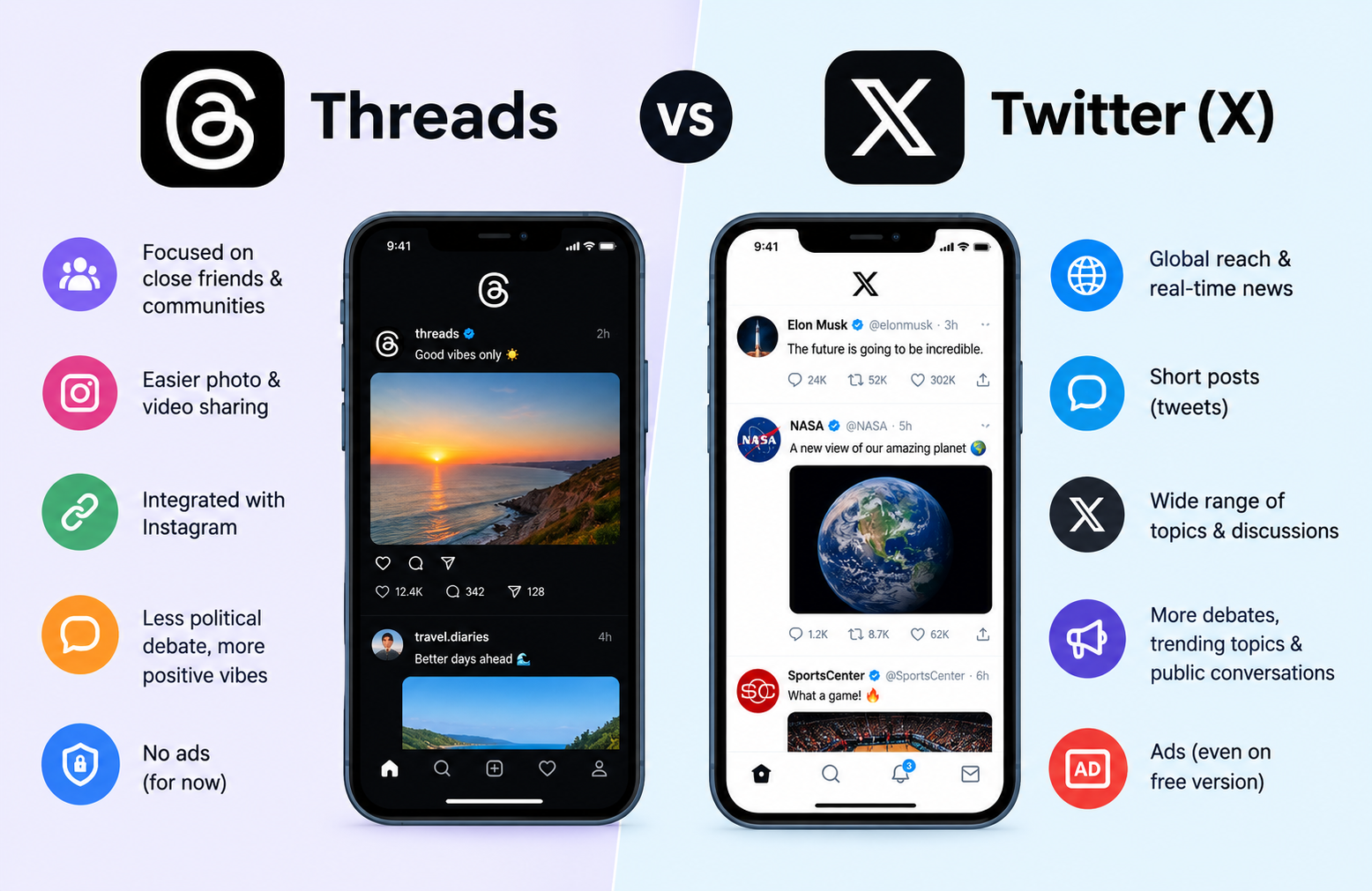
Introduction
Threads and Twitter are both text-based social media platforms built around public conversation, but they differ significantly in ownership, history, features, audience, and design philosophy. The short answer: Twitter, now officially rebranded as X, is an established platform built around real-time news and public discourse with comprehensive search and hashtag tools. Threads is a newer Meta platform closely tied to Instagram, with a longer character limit, a generally lighter community atmosphere, and a growing feature set that is still maturing.
This guide breaks down every major difference between the two platforms to help you decide which one fits your needs, or whether using both makes sense for you.
What Is Twitter?
Twitter, now officially rebranded as X, is one of the world’s most established social media platforms. Founded in 2006, it built its reputation as the go-to destination for short, text-based posts called tweets, real-time public conversation, breaking news, and trending topics.
At its core, Twitter is a platform where public discourse happens in real time. When a major news event breaks, when a sporting moment unfolds, or when a cultural conversation ignites, Twitter has historically been where those conversations happen first and fastest. The platform’s public-by-default nature, combined with its follower model and trending topics system, made it uniquely suited to rapid information spread and broad public debate.
Users on Twitter can post text, images, videos, GIFs, links, and polls, and engage with other users through likes, reposts, replies, and quote posts. Twitter Spaces allows users to host and participate in live audio conversations, a feature that gained significant popularity for real-time discussions around news and niche topics.
Twitter introduced a paid subscription tier called X Premium, previously known as Twitter Blue, which provides additional features including longer post character limits, account verification with a checkmark, reduced advertising, and ad revenue sharing for eligible creators. The verification system changed significantly under new ownership, moving from editorially granted verification for notable figures to a subscription-based model available to any paying user.
Twitter has long been a primary platform for journalists, politicians, celebrities, researchers, brands, and everyday users who want to participate in public conversations that extend well beyond their immediate social circle.
What Is the Threads App?
Threads is a text-based social media platform launched by Meta in July 2023. It was designed and positioned as a direct competitor to Twitter, arriving at a moment when significant numbers of users were expressing dissatisfaction with changes happening on Twitter following its 2022 acquisition.
What made Threads’ launch distinctive was its deep integration with Instagram. Rather than requiring users to build a new social network from scratch, Threads allows users to sign up using their existing Instagram account and instantly import their Instagram username, profile picture, bio, and follower connections. For the many hundreds of millions of people already using Instagram, this dramatically lowered the barrier to joining a new platform.
Threads is designed around public conversation and text-based posts in a format that is conceptually similar to Twitter, but with its own approach to features, content policies, and community tone. The platform allows posts of up to 500 characters, longer than Twitter’s standard 280-character limit, and supports images, videos, links, and GIFs.
One technically significant aspect of Threads is its commitment to supporting the ActivityPub protocol, which is the open standard that underpins decentralized social networks. This positions Threads differently from Twitter in terms of its long-term platform philosophy, a distinction covered in more detail later in this article.
Because of its Instagram connection, Threads attracted an enormous number of users in the days immediately following its launch, representing one of the fastest initial growth periods for any social application. Whether those users remained consistently active on the platform is a separate and evolving question.
If you want foundational context on what apps are before diving into the comparison, this overview of what an app is covers the basics clearly.
Threads App vs Twitter: Key Differences at a Glance
| Feature | Threads | Twitter (X) |
|---|---|---|
| Developer | Meta | X Corp (formerly Twitter Inc) |
| Launch Year | 2023 | 2006 |
| Sign-Up Method | Requires Instagram account | Independent account creation |
| Character Limit | Up to 500 characters | Up to 280 characters free; longer for X Premium subscribers |
| Platform Focus | Text-based conversation with Instagram community | Real-time public conversation, news, trending topics |
| Verification | Meta Verified subscription | X Premium subscription |
| Algorithm | Interest and engagement-based feed | Chronological and algorithmic feed options |
| Direct Messages | Available | Available |
| Hashtags | Limited hashtag support | Core feature with trending hashtags |
| Advanced Search | Limited | More comprehensive |
| Monetization for Creators | Limited at time of writing | Ad revenue sharing for eligible creators |
| Desktop Experience | Available | Comprehensive desktop platform |
| Data and Privacy | Collects extensive data through Meta ecosystem | Collects significant user data |
| Decentralization | ActivityPub protocol support in progress | Centralized platform |
| Chronological Feed | Available option | Available option |
| Third-Party Apps | Limited API access | API access available with developer fees |
This overview reflects current general understanding. Both platforms continue to add and modify features regularly, so always check official platform information for current capabilities before making decisions based on specific features.
Ownership and Background
Twitter’s History and Current Ownership
Twitter was founded in 2006 by Jack Dorsey, Noah Glass, Biz Stone, and Evan Williams. Over the following decade and a half, it grew into one of the world’s most influential social media platforms, becoming a central venue for public figures, journalists, and everyday users to share thoughts, breaking news, and real-time reactions.
In October 2022, Elon Musk completed his acquisition of Twitter, and the platform underwent substantial changes in the months that followed. These changes included significant workforce reductions, policy modifications, the introduction of paid verification through X Premium, a restructured API access model that introduced fees for third-party developers, and modifications to content moderation approaches that generated considerable public debate.
In 2023, Musk rebranded the platform from Twitter to X as part of a stated vision to develop it into a broader “everything app” rather than a microblogging service. The rebrand was widely discussed and the name Twitter continues to be used informally by many users despite the official change.
Threads’ Background and Meta Ownership
Threads was developed and launched by Meta, the parent company of Instagram, Facebook, and WhatsApp. Meta launched Threads in July 2023, a period during which many Twitter users were publicly voicing dissatisfaction with the platform’s changes following its acquisition.
Meta’s decision to tie Threads directly to Instagram gave it a built-in distribution advantage that few new social platforms ever have. Rather than starting with zero users, Threads could tap into Instagram’s established global user base from day one, and users could carry their existing social connections directly into the new platform.
As a platform that launched in 2023, Threads is still in an active development phase. Several features that established platforms have offered for years are still being built out or refined on Threads, which is an important consideration for users who rely on specific functionality.
Sign-Up and Account Creation
Creating a Twitter Account
Twitter allows anyone to create an independent account using an email address or phone number. No existing account on any other platform is required. Users choose their own username, which operates independently of any other social media identity they may have.
Twitter accounts can be set to public, where all posts are visible to anyone, or protected, where only approved followers can see posts. This flexibility makes Twitter accessible to users who want full public visibility and those who prefer a more controlled audience.
Creating a Threads Account
Threads takes a different approach to account creation. An existing Instagram account is required to join. When setting up a Threads profile, users can import their Instagram username, profile photo, and bio, making the initial setup very quick for people who are already on Instagram.
Users can also choose to automatically follow the same accounts they follow on Instagram when setting up Threads, which means a new Threads user can have a populated, relevant feed from the moment they join.
The Instagram account requirement is a meaningful consideration for anyone who does not currently use Instagram. Without an existing Instagram account, creating a standalone Threads account is not possible.
There is also an important account deletion consideration that users should understand. Deactivating a Threads account can be done without affecting your Instagram account. However, fully deleting a Threads account requires deleting the associated Instagram account as well. This is a significant commitment that users should be aware of before creating a Threads account they may later want to remove.
Post Format and Character Limits
Twitter Post Format
Twitter is built around short-form text posts. The original character limit of 140 characters was doubled to 280 characters for standard accounts as the platform evolved. X Premium subscribers can post significantly longer text content, though the standard 280-character limit remains the baseline for free accounts.
Posts on Twitter can include text, images, videos, GIFs, links, and polls. Twitter threads, where multiple posts are connected into a sequential chain, became a popular format for users who wanted to share longer thoughts within the platform’s character constraints. The threading format gave rise to a distinctive style of content that became strongly associated with the platform’s culture.
Threads Post Format
Threads allows posts of up to 500 characters, which gives users meaningfully more space to express a complete thought than Twitter’s standard limit allows. For users who frequently find themselves bumping against Twitter’s character limit, the extra space on Threads can feel genuinely useful.
Posts on Threads can include text, images, videos, links, and GIFs. Threads also supports threaded replies, allowing conversations to develop in connected chains in a way that is conceptually similar to Twitter’s reply structure. The longer character limit is one of the most frequently cited practical differences between the two platforms in everyday use.
Features Comparison in Detail
Hashtags and Discoverability
Twitter Hashtags
Hashtags are a core and foundational feature of Twitter, woven into the platform’s culture since its early years. Clicking a hashtag shows all public posts using that tag across the entire platform. Twitter maintains trending topics lists showing which hashtags and subjects are generating the most discussion at any given moment, regionally and globally.
For content discovery, Twitter’s hashtag system is a significant tool. Users can find posts from accounts they do not follow simply by searching or clicking a relevant hashtag, making it a genuinely useful mechanism for reaching new audiences and finding relevant conversations.
Threads Hashtags
Threads introduced hashtag support but the implementation has been more limited than Twitter’s in the platform’s early phase. Threads relies more heavily on algorithmic content discovery than on hashtag-based browsing as a primary discovery mechanism. Users who depend on hashtags to find content and build audience will find Twitter’s hashtag ecosystem considerably more developed at the time of writing.
Search Functionality
Twitter Search
Twitter offers comprehensive search functionality allowing users to search for posts, accounts, topics, and trends across the full breadth of the platform’s public content. Advanced search options allow filtering by date range, specific account, engagement level, and other parameters, making it a genuinely powerful tool for researchers, journalists, and anyone tracking real-time conversations.
Threads Search
Threads search has been more limited, particularly in the platform’s early phases. Meta has been improving search functionality progressively, but as a general comparison Twitter currently offers more comprehensive and granular search capabilities. For users who rely heavily on search to navigate social media, this is a meaningful practical difference.
Direct Messages
Both platforms offer direct messaging, allowing users to send private messages to each other. Twitter’s direct messaging has been available for years and X Premium subscribers have access to additional messaging features. Threads added direct messaging functionality and users can also continue personal conversations through Instagram’s direct messaging system, which operates separately but within the same Meta ecosystem.
Feed and Algorithm
Twitter Feed
Twitter gives users the option to switch between two feed modes: an algorithmic For You feed that surfaces content based on interests and engagement patterns, and a Following feed that shows posts from accounts the user follows in reverse chronological order. The ability to choose between these feed types is valued by users who want control over whether they see curated recommendations or a straightforward chronological view of followed accounts.
Threads Feed
Threads also offers both an algorithmic feed and a following feed option. The Threads algorithm tends to surface content from accounts outside the user’s current following list, which can aid discovery of new voices and topics but may feel less predictable than a strictly chronological following feed. Users who prefer tight control over what appears in their feed may need some adjustment time with Threads’ default algorithmic approach.
Verification and Paid Features
Twitter X Premium
Twitter offers X Premium, a paid subscription that provides access to longer post character limits, reduced advertising, account verification with a checkmark, ad revenue sharing for eligible accounts, and other features. The verification checkmark through X Premium is available to any paying subscriber regardless of whether the account represents a notable person, organization, or business. This represents a significant change from Twitter’s original editorially granted verification system.
Meta Verified on Threads
Meta offers a Meta Verified subscription that provides verification badges across Instagram and Threads along with additional support features. Like X Premium, Meta Verified is a paid subscription rather than an editorial designation. Users who want a verification badge on Threads can obtain one through this subscription, subject to Meta’s eligibility requirements.
Audience and Community Feel
Twitter’s Community and Culture
Twitter has built a distinct and complex culture over nearly two decades of operation. The platform is known for fast-moving conversation around news events, political discourse, sports commentary, pop culture reactions, and industry-specific discussions. Established communities have developed on Twitter around technology, journalism, finance, sports, entertainment, and many other topics, each with their own norms and influential voices.
For breaking news, Twitter has historically been the first place where information surfaces, shared, and debated. This real-time information speed is a core part of the platform’s identity and a primary reason many users continue to use it.
The platform has undergone significant cultural shifts since its 2022 acquisition, and user perceptions of those changes vary considerably depending on individual values, political views, and content preferences. Some users describe the post-acquisition environment as more open, while others have found it less appealing. This variation in experience is worth acknowledging honestly.
Threads’ Community and Culture
Threads’ community is closely shaped by its origin in the Instagram ecosystem. The platform’s user base tends to skew toward topics that are popular on Instagram including lifestyle, creativity, fashion, food, travel, fitness, and visual culture. The tone in Threads’ early period has generally been characterized by users and observers as lighter and more conversational than Twitter, with less intense political debate.
This is partly by design. Meta has made deliberate decisions to limit the algorithmic amplification of political content on Threads, which shapes the nature of conversations that organically dominate the platform. Whether this approach is a positive or a limitation depends significantly on what you are looking for in a social media platform.
As Threads continues to mature, its community character will continue to evolve and diversify beyond its Instagram-adjacent origins.
Privacy and Data Collection
Twitter Data Collection
Twitter collects significant user data including profile information, posting activity, browsing behavior on and off the platform, location data, device information, and engagement patterns. This data is used for targeted advertising and platform personalization.
Changes to Twitter’s privacy practices since the 2022 acquisition have been the subject of ongoing attention from regulators and privacy researchers. Users who are concerned about data practices should review Twitter’s current privacy policy directly, as this is an area where practices and policies have continued to evolve.
Understanding app data and how social platforms collect and use it is helpful background for any user making informed decisions about which platforms to use and what information to share.
Threads Data Collection
Threads operates within Meta’s broader data ecosystem, which encompasses Instagram, Facebook, and WhatsApp. Meta’s advertising business is built on the extensive collection and use of user data across its platforms, and Threads participates in this ecosystem. Data collected through Threads can inform advertising targeting across Meta’s advertising network.
The depth of data collection across the Meta ecosystem is a genuine consideration for privacy-conscious users. When you sign up for Threads using your Instagram account, your activity on Threads becomes part of a larger cross-platform data profile.
Threads was initially unavailable in the European Union when it launched due to data privacy regulatory concerns related to its data practices under GDPR. Availability in specific regions has evolved since launch and may continue to change. Always review the current privacy policy of any platform you are considering joining.
Both platforms collect significant user data through their mobile apps, and understanding app permissions on your device is a useful first step toward understanding what access you are granting when you install either platform.
For Content Creators: Threads vs Twitter
Twitter for Creators
Twitter has established creator monetization features including ad revenue sharing for qualifying accounts through X Premium. The platform’s comprehensive search, trending topics, and well-developed hashtag system make it easier for creators to be discovered by users outside their existing audience, which is a meaningful practical advantage for growing a following.
Twitter Spaces gives creators the ability to host live audio conversations with followers, which has become a notable format for interviews, discussions, and community building. The platform’s established niche communities around technology, finance, sports, and journalism mean that well-positioned creators can build engaged and targeted audiences within active topic communities.
Threads for Creators
Threads offers creators with existing Instagram audiences a quick path to establishing a presence with a familiar audience that is already inclined to engage with their content. The friction of building from zero is significantly lower for creators who are already active on Instagram.
Monetization options for creators on Threads have been more limited compared to Twitter in the platform’s early period, though Meta has signaled plans to develop creator tools and monetization features over time. Creators for whom monetization is a current priority should research the current state of Threads’ creator program directly.
The algorithmic feed can help surface creator content to new audiences beyond existing followers, which can support organic growth for creators who produce engaging content that the algorithm favors.
For Businesses and Brands: Threads vs Twitter
Twitter for Businesses
Twitter has an established advertising platform that allows businesses to run targeted campaigns with a range of objective types and audience targeting options. The platform’s real-time and news-focused character makes it useful for brands that want to participate in trending conversations and timely cultural moments.
Customer service through Twitter has been a widely used practice, with many brands operating dedicated support accounts that handle public service interactions visible to other users. The public nature of these interactions can be both an asset for demonstrating responsiveness and a risk if service issues are not handled well.
Some brands have reassessed their Twitter advertising and presence strategy since the platform’s changes from 2022 onward, citing concerns about brand safety in a changing content environment. This reassessment is ongoing across the marketing industry.
Threads for Businesses
Threads has been progressively building out its business tools and advertising capabilities. Businesses with strong Instagram presences can extend their community to Threads relatively easily given the shared account structure and overlapping audience.
The platform’s generally lighter and less politically charged atmosphere may suit brands that prefer an environment with less controversy-adjacent content surrounding their posts. As Threads continues to develop its advertising and business features, the options for brands will expand. Businesses evaluating Threads should check current platform capabilities directly as the toolset continues to develop.
Decentralization and the Fediverse
This is one of the most meaningful philosophical differences between Threads and Twitter, even if it is not something most everyday users think about in their daily social media use.
Threads has committed to supporting the ActivityPub protocol, which is an open technical standard that allows different social media platforms to communicate with each other. The collection of platforms that support this protocol is collectively referred to as the fediverse, and it includes platforms like Mastodon, a decentralized alternative to Twitter with its own user base.
In practical terms, Threads’ ActivityPub support means it is building toward a future where users on other compatible platforms can follow and interact with Threads users across platform boundaries, without everyone needing to be on the same service. This is somewhat analogous to how email works: you can send a message from a Gmail account to an Outlook account because both use compatible protocols, even though they are different services.
Twitter is a centralized proprietary platform. All activity happens within Twitter’s own infrastructure and there is no interoperability with other social platforms. What happens on Twitter stays on Twitter.
For most everyday users, decentralization is not an immediate daily consideration. But it represents a genuinely different approach to what a social platform is and who controls it. Users who value open standards, data portability, and the ability to maintain connections across platforms may find Threads’ fediverse commitment meaningful as a long-term consideration, even if the practical benefits are still developing.
Pros and Cons of Each Platform
Threads App Pros and Cons
| Pros | Cons |
|---|---|
| Quick and easy setup for existing Instagram users | Requires an Instagram account to join, no standalone option |
| Longer 500-character post limit than Twitter’s standard | More limited search and hashtag functionality currently |
| Generally positive and lighter community atmosphere | Limited creator monetization options at time of writing |
| Strong integration with existing Instagram following | Deleting Threads account also deletes Instagram account |
| Meta Verified subscription available for verification | Extensive data collection through the Meta ecosystem |
| ActivityPub decentralization support in progress | Still a maturing platform with features catching up to competitors |
| Algorithmic feed can support discovery of new content | Less established as a destination for breaking news and real-time events |
Twitter Pros and Cons
| Pros | Cons |
|---|---|
| Established platform with nearly two decades of history and culture | Significant platform changes since 2022 acquisition affect user experience |
| Comprehensive search including advanced filtering options | Standard posts limited to 280 characters for free accounts |
| Real-time news and live event coverage as a core strength | API access requires developer fees, limiting third-party tool development |
| Established creator monetization features for eligible accounts | Significant data collection for advertising purposes |
| Twitter Spaces for live audio content and community conversations | Verification tied to paid subscription rather than editorial designation |
| Active niche communities across technology, finance, sports, journalism, and more | Ongoing changes to policies and features create uncertainty |
| Independent account creation without requiring another platform | Platform culture shifts create different experiences for different users |
Which Platform Should You Use?
Choose Threads If
Threads is likely the better fit if you are already active on Instagram and want to extend your social presence without learning an entirely new ecosystem from scratch. The setup process is very quick and your existing connections transfer directly.
It is also a strong choice if you prefer a social media environment that is lighter in tone and less dominated by political debate and controversy. The platform’s 500-character limit may also appeal to users who regularly feel constrained by Twitter’s shorter standard limit.
If you are interested in being part of a platform that is still developing its identity and growing its features, Threads offers the experience of building on a platform early in its development.
Choose Twitter If
Twitter is the better choice if real-time breaking news and live event conversation are central to why you use social media. No other mainstream platform currently matches Twitter’s established infrastructure for real-time public information.
If comprehensive search, trending topics, and robust hashtag functionality are important to how you discover and engage with content, Twitter’s more developed toolset in these areas is a meaningful advantage.
Twitter is also the better option if you do not have or want an Instagram account, since Threads requires one. And if creator monetization is a current priority, Twitter’s established ad revenue sharing program for eligible creators is more developed than what Threads currently offers.
Consider Using Both If
Many creators, journalists, brands, and engaged social media users maintain a presence on both platforms and adapt their content approach for each platform’s distinct audience and character. Cross-posting identical content to both platforms without adaptation tends to underperform compared to tailoring content to each platform’s norms and community.
Monitoring both platforms during the current period of social media landscape change can be valuable for organizations that want visibility across different user communities without committing exclusively to a single platform whose future trajectory involves some uncertainty.
How to Get Started on Threads
Step 1: Check Your Instagram Account
Ensure you have an existing active Instagram account before trying to join Threads. If you do not have an Instagram account, you will need to create one first before you can sign up for Threads.
Step 2: Download the Threads App
Download the Threads app from the relevant store for your device. For Android users, Threads is available as an Android app through the Google Play Store. For iPhone users, the iPhone app is available through the Apple App Store.
Step 3: Sign In with Instagram
Open the Threads app and sign in using your Instagram credentials. Choose whether to import your Instagram profile information including your username, profile photo, and bio. You can also choose to follow your existing Instagram connections on Threads at this stage.
Step 4: Start Posting and Engaging
Write your first post, using up to 500 characters to introduce yourself or share something relevant to your interests. Explore the feed, follow accounts that interest you, and engage with posts through likes, replies, and reposts to begin building your presence on the platform.
How to Get Started on Twitter
Step 1: Create an Account
Visit twitter.com or download the Twitter app from the Google Play Store or Apple App Store. Create an account using your email address or phone number. No existing account on another platform is required. Choose a username that represents you clearly whether as an individual or a brand.
Twitter is available as both an Android app and an iPhone app, and both versions are free to download. As with any mobile app, the app will request certain permissions on your device during setup.
Step 2: Set Up Your Profile
Add a profile photo, header image, bio, and any other relevant profile information. A complete profile gives other users context about who you are and increases the likelihood they will choose to follow you. For brands, a clear and consistent profile that matches your identity elsewhere online is particularly important.
Step 3: Follow Accounts and Topics
Use Twitter’s search to find accounts, hashtags, and topics relevant to your interests. Follow a meaningful number of accounts in your areas of interest before spending time in your home feed so that the feed reflects content you actually care about from the beginning.
Step 4: Post and Engage
Write your first tweet within the 280-character standard limit. Explore trending topics and relevant hashtags to find active conversations to join. Engage with other users through replies, likes, and reposts. Consistent engagement with others is one of the most effective ways to grow an audience on Twitter over time.
Frequently Asked Questions
What is the difference between Threads and Twitter?
Threads is a newer Meta platform tied to Instagram with a 500-character post limit, a lighter community tone, and a still-developing feature set. Twitter is an established platform known for real-time news, comprehensive search, trending topics, and an 18-year history of public conversation. Both are text-based social media platforms but they differ significantly in ownership, audience, culture, and features.
Is Threads a Twitter replacement?
Threads was positioned as a Twitter alternative at launch, but whether it serves as a direct replacement depends on how you use social media. For breaking news and real-time event coverage, Twitter currently remains more established. For lifestyle and Instagram-adjacent communities, Threads may be more relevant. Many users use both rather than treating them as mutually exclusive options.
Do I need Instagram to use Threads?
Yes. Creating a Threads account requires an existing Instagram account. There is no option to create a standalone Threads account without one.
What is the character limit on Threads vs Twitter?
Threads allows posts of up to 500 characters. Twitter allows posts of up to 280 characters for standard free accounts. X Premium subscribers on Twitter can post significantly longer content.
Which platform is better for content creators: Threads or Twitter?
Twitter has more developed creator monetization features including ad revenue sharing for eligible accounts. Threads offers creators with existing Instagram audiences a quick path to audience extension. The better choice depends on where your existing audience is and whether current monetization is a priority.
Which platform is better for businesses: Threads or Twitter?
Twitter has a more established advertising platform and is better suited for real-time marketing and customer service. Threads is still developing its business tools but offers easy extension for brands with strong Instagram presences. Many businesses maintain both.
Is Threads owned by Meta?
Yes. Threads is owned and operated by Meta, the parent company of Instagram, Facebook, and WhatsApp.
Who owns Twitter now?
Twitter, now officially branded as X, is owned by Elon Musk following his acquisition of the company in October 2022. The platform is operated by X Corp.
Can I use both Threads and Twitter?
Yes. Many users, creators, and brands maintain active accounts on both platforms and adapt their content approach to each platform’s audience and culture.
What is Twitter X Premium?
X Premium is Twitter’s paid subscription tier that provides features including longer post character limits, reduced advertising, account verification with a checkmark, and ad revenue sharing for eligible accounts. It was previously known as Twitter Blue.
What is Meta Verified on Threads?
Meta Verified is a paid subscription that provides a verification badge across Instagram and Threads along with additional account support features. Like X Premium, it is a subscription-based program rather than an editorial designation.
How does the Threads algorithm work?
Threads uses an interest and engagement-based algorithm that surfaces content from both followed accounts and accounts the user does not follow based on relevance and engagement signals. Users can switch to a following-only feed if they prefer a more controlled view of content from accounts they have chosen to follow.
Is Threads available worldwide?
Threads has expanded its availability significantly since launch. It was initially unavailable in the European Union due to regulatory concerns, though availability has evolved. Specific regional availability may vary. Check the official Threads information for current availability in your region.
What is the fediverse and how does Threads relate to it?
The fediverse is a collection of social media platforms that can communicate with each other through a shared open protocol called ActivityPub. Threads has committed to supporting ActivityPub, meaning it is building toward future interoperability with other compatible platforms like Mastodon. Twitter is a centralized platform with no equivalent interoperability.
What happens if I delete my Threads account?
Deactivating a Threads account does not affect your Instagram account. However, fully deleting your Threads account requires deleting your associated Instagram account as well. This is an important distinction to understand before creating a Threads account.
Which platform has better search features: Threads or Twitter?
Twitter currently offers more comprehensive search functionality including advanced filtering by date, account, and engagement level. Threads search has been more limited in its early phase, though Meta continues to develop this feature.
What are hashtags like on Threads compared to Twitter?
Hashtags are a foundational and well-developed feature on Twitter, central to content discovery and trending topics. Threads introduced hashtag support but it is more limited than Twitter’s implementation, with Threads relying more on algorithmic discovery than hashtag-based browsing.
Which platform is better for following breaking news: Threads or Twitter?
Twitter is significantly more established as a destination for breaking news and real-time event coverage. Its speed, search capabilities, and established communities of journalists and news organizations make it the stronger choice for users whose primary interest in social media is real-time information.
DISCLAIMER
This article is intended for educational and informational purposes and provides a general comparison of the Threads app and Twitter for everyday users, content creators, and businesses. Both Threads and Twitter are actively evolving platforms. Features, policies, character limits, monetization options, and availability may change over time. Always refer to the official Threads and Twitter support pages for the most current and accurate information. The author and publisher are not affiliated with Meta, Threads, Twitter, or X Corp. This article does not constitute an endorsement of either platform. Feature availability on both platforms may vary by region, account type, and subscription tier. Always review the terms of service and privacy policies of any social media platform before creating an account or sharing personal information.
About the Author
Saad is a technology writer and content creator focused on smartphones, apps, software, gadgets, gaming, and emerging technology. He specializes in breaking down complex technical topics into clear, practical, and easy-to-understand guides for everyday technology users. His work covers product explainers, technology trends, app guides, reviews, troubleshooting tips, and practical how-to content, helping readers make informed decisions and get more from the technology they use every day.