
 By Saad Qureshi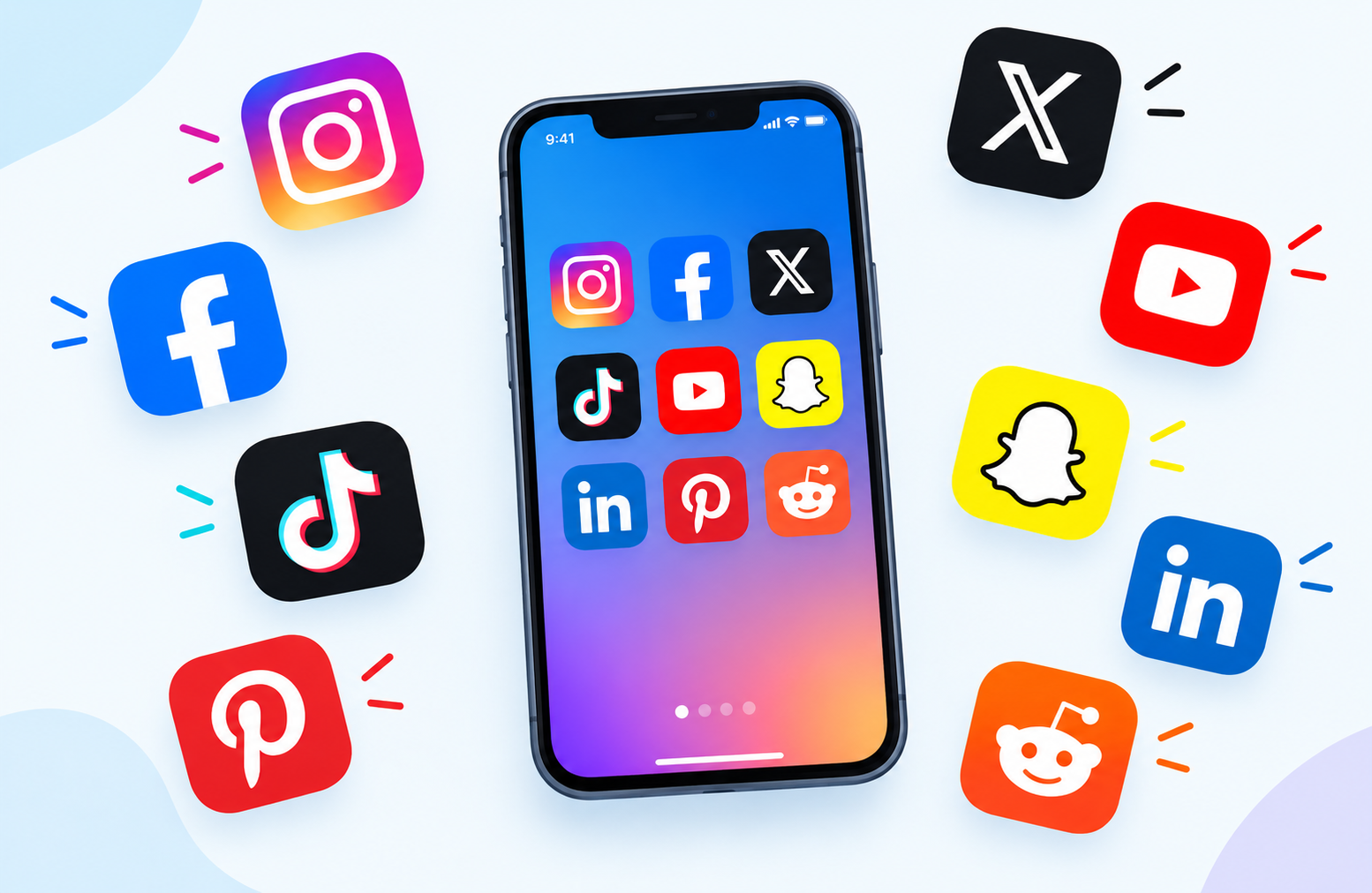
A social media app is a mobile application that allows users to create profiles, share content, connect with other people, and participate in online communities through a smartphone or other mobile device. Social media apps are the mobile counterparts of social media websites and are designed specifically for use on touchscreen devices, taking advantage of smartphone capabilities like cameras, location services, push notifications, and always-on connectivity to deliver real-time social experiences wherever users are.
Social media apps are among the most downloaded and most frequently used applications in the world. They serve as digital spaces where people share moments from their lives, discover news and entertainment, follow their interests, communicate with friends and family, build professional networks, and engage with communities organized around shared topics, hobbies, beliefs, and experiences.
Understanding what a social media app is requires understanding what distinguishes it from other types of apps. A social media app is not simply a communication app or a content app. It combines elements of both while adding the defining social layer of community, connection, and user-generated content that creates the networked social environment people associate with platforms like Instagram, TikTok, Facebook, Twitter, LinkedIn, and Snapchat.
Social media apps are a category of mobile apps that have grown from simple online networking tools into complex platforms that influence culture, commerce, communication, and public discourse on a global scale.
How Social Media Apps Work
Social media apps operate through a combination of client-side software running on the user’s smartphone and server-side infrastructure managed by the platform company. Understanding both sides of this system helps explain why social media apps behave the way they do and why they require the permissions and data they request.
The Client Side: The App on Your Phone
The social media app installed on a smartphone is the client software. It handles everything the user directly interacts with including the visual interface, content feed, posting tools, messaging features, notification display, and navigation. The app communicates constantly with the platform’s servers to fetch new content, deliver posts, send messages, and synchronize all activity across devices.
Social media apps are available as Android apps on the Google Play Store and as iPhone apps on the Apple App Store. Both versions provide essentially the same core social experience but are built using different programming frameworks suited to each platform. Users download social media apps through their device’s app store and install them on their device just like any other mobile application.
The Server Side: The Platform Infrastructure
Behind every social media app is a massive infrastructure of servers, databases, content delivery networks, and software systems operated by the platform company. These servers store all user content including photos, videos, text posts, profile information, and relationship data. They run the algorithms that determine what content appears in each user’s feed, process searches, deliver notifications, and power all of the platform’s core functions.
When a user opens a social media app and sees their feed loading the app is making requests to the platform’s servers which respond by sending personalized content selected by ranking algorithms. This constant communication between the app and the servers is why social media apps require an internet connection to function and why they use mobile data continuously during active use.
Algorithms and Content Ranking
One of the most distinctive and influential aspects of how social media apps work is the algorithmic ranking of content. Rather than showing all content from all followed accounts in simple chronological order most major social media platforms use complex machine learning algorithms to rank and filter content for each individual user.
These algorithms consider hundreds of signals to determine what content to show each user including:
- The user’s past engagement history including what they have liked, commented on, shared, and spent time viewing
- The recency of content and how quickly it is gaining engagement from other users
- The relationship strength between the user and the content creator based on past interactions
- Content type preferences based on whether the user engages more with video, photos, or text
- The overall quality and engagement signals the content has accumulated since posting
The result is a personalized feed where each user sees different content even when following the same accounts, tailored to maximize their engagement with the platform based on their individual behavior patterns.
Types of Social Media Apps
Social media apps are not a single uniform category. They span a wide range of platform types that serve different social purposes, content formats, and community structures. Understanding the distinct types helps users find platforms that match their interests and communication preferences.
Social Networking Apps
Social networking apps are the broadest category and the original form of social media. They focus on connecting people with their existing real-world networks of friends, family, colleagues, and acquaintances. Users create profiles that represent their identity, share updates about their lives, and interact with the content shared by people in their network.
The defining characteristic of social networking apps is the reciprocal relationship model where connections are mutual. Both parties must agree to be connected, creating a network of trusted relationships that differs from the one-directional following model of other social media types.
Examples: Facebook, LinkedIn, Google Plus (discontinued)
Facebook remains the largest social networking platform in the world with billions of monthly active users across all demographics. LinkedIn applies the social networking model specifically to professional relationships, career development, and business networking.
Photo Sharing Apps
Photo sharing apps center the social experience around visual content. Users capture, edit, and share photographs and visual content as the primary mode of expression and communication. The feed is organized around images rather than text, and the community interactions of liking, commenting, and sharing apply to visual posts.
Modern photo sharing apps have expanded significantly beyond simple photo uploading to include Stories formats that disappear after 24 hours, Reels or short video formats, shopping features, live streaming, and extensive creative editing tools built directly into the app.
Examples: Instagram, Pinterest, Flickr, VSCO
Instagram is the dominant photo sharing platform globally, having evolved from a simple filter-based photo app into a comprehensive visual social media platform. Pinterest functions as a visual discovery and bookmarking platform where users collect and organize images around interests and projects rather than sharing personal moments.
Short-Form Video Apps
Short-form video apps represent the fastest-growing and most culturally influential category of social media in recent years. These platforms are built entirely around brief video content typically ranging from fifteen seconds to several minutes. The content discovery model often prioritizes showing users content from creators they do not follow through powerful recommendation algorithms that surface videos based on predicted interest rather than existing social relationships.
Short-form video apps feature distinctive interfaces optimized for vertical video consumption where users scroll through a continuous stream of full-screen videos by swiping upward. The algorithm-driven discovery model has enabled unknown creators to reach massive audiences quickly, creating a fundamentally different creator economy compared to older social media models.
Examples: TikTok, Instagram Reels, YouTube Shorts, Snapchat Spotlight
TikTok pioneered and defined the modern short-form video format and remains the category leader. Its For You Page recommendation algorithm is widely considered among the most effective content recommendation systems ever built for a social media platform.
Microblogging Apps
Microblogging apps are social platforms centered around short text-based posts that users share publicly with their followers and the broader platform community. The defining constraint of microblogging is brevity, with character limits that force concise expression and make rapid consumption of large volumes of posts practical.
Microblogging platforms have become primary venues for real-time public conversation about news events, sports, entertainment, politics, and trending topics. The public nature of most microblogging content distinguishes these platforms from more private social networks where content sharing is limited to established connections.
Examples: Twitter now called X, Mastodon, Tumblr, Threads
Twitter transformed how breaking news spreads and how public figures communicate with audiences. Threads, launched by Meta in 2023, entered the microblogging space as a direct competitor built on Instagram’s user base.
Messaging and Chat Apps
Messaging apps focus on private or small-group communication rather than public content broadcasting. While they share some characteristics with social media including user profiles, status sharing, and community features, their core purpose is direct communication between individuals and groups rather than broadcasting to a broad audience.
The line between messaging apps and social media apps has blurred significantly as messaging platforms have added social features like Stories, channels, communities, and public profiles, while traditional social media platforms have added robust direct messaging capabilities.
Examples: WhatsApp, Telegram, Signal, Facebook Messenger, WeChat
WhatsApp is the most widely used messaging app globally, particularly popular in markets outside North America. Telegram has grown rapidly due to its large group capabilities, channel broadcasting features, and strong privacy controls. Signal is favored by privacy-conscious users for its end-to-end encryption of all communications.
Video Streaming and Community Apps
Long-form video platforms combine content creation and distribution with community features that allow viewers to interact with creators and each other. These platforms support videos of any length from short clips to multi-hour documentaries and live streams, with community interaction through comments, likes, subscriptions, and live chat during streams.
Examples: YouTube, Twitch, Vimeo
YouTube is the world’s largest video platform and second largest search engine. Twitch dominates live game streaming and has expanded to include creative, music, and general live streaming content.
Professional Networking Apps
Professional networking apps apply social media principles specifically to career development, business networking, and professional community building. Users create profiles that function as digital resumes listing work experience, education, skills, and accomplishments. The platform facilitates job searching, recruitment, professional knowledge sharing, and business development.
Examples: LinkedIn, Xing, Alignable
LinkedIn is the dominant professional social network globally, used by individuals for career development and job searching and by businesses for recruiting, brand building, and B2B marketing.
Interest-Based Community Apps
Interest-based community apps organize social interaction around specific topics, hobbies, and shared interests rather than around personal social networks. Users join communities dedicated to specific subjects and interact with others who share those interests regardless of whether they have any real-world connection.
Examples: Reddit, Quora, Discord, Nextdoor
Reddit organizes its community into thousands of topic-specific subreddits covering virtually every conceivable interest and subject. Discord began as a gaming communication platform but has evolved into a general community platform supporting interest-based servers with text, voice, and video communication features.
Core Features of Social Media Apps
Despite the significant differences between social media app types most share a common set of core features that define the social media experience across platforms.
User Profile
Every social media app begins with a user profile that represents the user’s identity on the platform. Profiles typically include a username or display name, a profile photo, a short biography or description, and links to other profiles or websites. More elaborate profiles on professional platforms like LinkedIn include detailed work history, education, skills, and recommendations.
The profile is the foundational unit of identity on a social media platform. It is the page other users visit to learn about someone, view their content history, and decide whether to follow or connect with them.
Content Feed
The content feed is the central interface of most social media apps. It is the continuously updating stream of content that users see when they open the app, drawn from the accounts they follow and the content the algorithm has selected to show them based on their interests and engagement history.
The feed design varies by platform. Some feeds are organized vertically with users scrolling downward through posts. Short-form video platforms use a vertical full-screen format where users swipe upward to advance to the next video. Some platforms offer both chronological and algorithmic feed options allowing users to choose their preferred content ordering.
Content Creation and Posting Tools
Social media apps provide built-in tools for creating and publishing content directly within the app. These tools vary significantly by platform type:
- Photo apps include camera integration, filters, editing tools, and caption writing
- Video apps include camera access, video recording and editing, sound libraries, effects, and text overlay tools
- Microblogging apps include text composition with character counting, media attachment, and topic tagging tools
- Messaging apps include text composition, voice messaging, photo and video sharing, file sending, and reaction tools
The quality and sophistication of built-in creation tools has increased dramatically across platforms as competition for creator attention has intensified. Many platforms now offer professional-grade editing capabilities that previously required dedicated software.
Reactions, Likes, and Comments
Social interaction with content on social media apps happens primarily through reaction systems and comments. The Like button pioneered by Facebook became a universal social media paradigm and variations of it appear on virtually every platform. Different platforms have expanded beyond simple likes to include multiple reaction types that express specific emotions or responses.
Comments allow users to add text responses to content, creating threaded conversations beneath posts. The ability to reply to specific comments creates nested conversation structures. Comment sections have become significant social spaces in their own right where communities form and conversations develop around shared content.
Sharing and Reposting
The ability to share content from one user to another or from one context to another is a fundamental social media mechanic that enables content to spread virally beyond the original poster’s direct audience. Twitter’s Retweet, Facebook’s Share, Instagram’s Repost, and TikTok’s Share all serve the same fundamental function of amplifying content by distributing it to new audiences through existing social connections and discovery mechanisms.
Direct Messaging
Private communication between users through direct messaging is now a standard feature across virtually all social media platforms. Direct messaging allows users to have private conversations separate from the public feed, share content privately, conduct group conversations, and communicate in ways that are not visible to the broader platform community.
The integration of direct messaging into social media platforms has blurred the distinction between social media and messaging apps, creating hybrid platforms that serve both broadcast and private communication purposes.
Notifications
Push notifications are a core mechanism through which social media apps maintain user engagement and drive return visits to the platform. Notifications alert users to new likes on their content, new comments, new followers, direct messages, mentions, and various other platform-specific events that are relevant to the user.
Managing notification settings within social media apps is important for users who want to control how frequently they are alerted. Most social media apps provide notification management within their in-app settings. The device-level settings app on Android and iPhone also provides notification controls for all installed apps including social media applications, allowing users to manage permission for different types of alerts at the operating system level.
Search and Discovery
Search and discovery features allow users to find new content, creators, communities, and topics beyond their existing network and followed accounts. Discovery features include hashtag browsing, trending topic lists, explore pages curated by platform algorithms, creator recommendation systems, and keyword search across all platform content.
Discovery is one of the most strategically important features on social media platforms because it drives new user connections, exposes users to new content types, and is a primary mechanism through which creators grow their audiences beyond their initial follower base.
Stories and Ephemeral Content
The Stories format, pioneered by Snapchat and adopted by Instagram, Facebook, WhatsApp, YouTube, and many other platforms, presents content that is visible for a limited time period typically 24 hours before disappearing automatically. Stories appear at the top of the app interface and are consumed by tapping through them sequentially rather than scrolling.
The ephemeral nature of Stories content encourages more casual, unpolished sharing compared to permanent posts and creates a sense of urgency through the time-limited availability. Stories have become one of the most heavily used content formats on platforms that offer them.
Live Streaming
Live streaming allows users to broadcast real-time video to their followers and the broader platform community. Viewers can watch the live stream as it happens and interact through real-time comments and reactions that the streamer can see and respond to during the broadcast.
Live streaming has enabled new forms of direct creator-audience interaction and created significant new categories of social media content including live gaming, live shopping, live events coverage, and real-time Q and A sessions with public figures and creators.
How Social Media Apps Are Distributed and Installed
Social media apps reach users through the same distribution channels as all other mobile applications. Understanding this distribution process helps users find, install, and manage social media apps on their devices.
Downloading from App Stores
The primary way users obtain social media apps is by downloading them from their device’s official app store. Android users download social media apps from the Google Play Store. iPhone users download them from the Apple App Store. Both app stores provide the complete catalogs of major social media platforms and use review processes to verify app safety before making them available to users.
Downloading a social media app from an official app store is the safest and most straightforward installation method. The app store handles the download, installation, and future update delivery automatically, ensuring users always have access to the latest version of their chosen platform.
App Permissions Required by Social Media Apps
When a social media app is installed and opened for the first time it typically requests access to several device capabilities that it needs to provide its full feature set. Common permission requests from social media apps include:
- Camera: Required for taking photos and videos directly within the app using the device camera
- Microphone: Required for recording video with audio, sending voice messages, and using live streaming features
- Photos and Media Storage: Required for accessing the device’s photo library to upload existing photos and videos
- Contacts: Sometimes requested to help users find friends who are also on the platform
- Location: Sometimes requested for location tagging of posts or to show locally relevant content
- Notifications: Required for delivering push notifications about platform activity
Users can manage which permissions each social media app has access to through the device’s settings. On Android, permissions can be reviewed and modified through Settings, then Apps, then the specific app, then Permissions. On iPhone, permissions are managed through Settings, then the specific app name.
How Social Media Apps Store Data on Your Device
Social media apps store data on your device in two categories that are important to understand for managing storage space and app performance.
App Cache in Social Media Apps
When you scroll through a social media feed the app downloads images, videos, profile photos, and other content from the platform’s servers and stores copies of this content temporarily in the app’s cache. The cache allows the app to display previously seen content instantly when you scroll back through your feed without downloading it again from the server, and it pre-loads content you are likely to see next to make the scrolling experience smooth and seamless.
Social media apps are among the heaviest users of app cache on smartphones because they continuously load large volumes of image and video content. The cache of active social media apps can grow to several gigabytes over time, consuming significant device storage space.
Cache data is temporary and expendable. Clearing the cache of a social media app removes the stored media files but does not delete any personal data, account information, posted content, messages, or saved settings. The app will rebuild its cache from scratch during the next active session, starting the accumulation process again. Clearing social media app cache is a useful way to free up storage space on a device when storage is running low.
App Data in Social Media Apps
Beyond the cache social media apps store app data on the device that includes account login credentials, app preferences and settings, offline saved content, draft posts that have not yet been published, downloaded content for offline access on platforms that support it, and other personalized information specific to the user’s account and usage patterns.
Unlike cache, clearing app data for a social media app is a significant action that resets the app to its state at first installation. After clearing app data the user will be required to log back into their account, reconfigure their notification and display preferences, and lose any locally stored draft content or offline downloads that were not also saved to the platform’s servers.
Clearing app data for a social media app should only be done intentionally when the goal is to fully reset the app, when the app is experiencing serious performance problems that have not been resolved by clearing cache alone, or when transferring the app to a new device and wanting to start with a clean local state.
How Social Media Apps Make Money
Understanding how social media platforms generate revenue explains many of the design decisions, features, and practices that shape how these apps work and how they use the data users share.
Advertising Revenue
Advertising is the primary revenue model for most major social media platforms. Platforms sell advertising space within the content feed, between Stories, before and during videos, and in other high-visibility locations within the app interface. Advertisers pay to have their promotional content shown to targeted audiences selected based on demographic data, interest categories, and behavioral signals derived from user activity on the platform.
The effectiveness of social media advertising compared to traditional advertising comes from the precision of this targeting. A small business selling handmade jewelry can show their advertisements specifically to users who have demonstrated interest in jewelry, fashion, handmade goods, and similar topics rather than paying to reach a broad general audience that includes many people with no interest in their product.
This advertising model means that user attention and user data are the fundamental resources that social media platforms monetize. Understanding this helps explain why platforms invest heavily in features that maximize time spent in the app and why they collect extensive data about user behavior.
Premium Subscriptions
Many social media platforms have introduced optional premium subscription tiers that offer enhanced features in exchange for a monthly or annual fee. Premium features commonly offered through social media subscriptions include:
- Removal of advertising from the platform experience
- Access to exclusive content or creator tools
- Enhanced profile visibility or reach
- Verification badges or identity indicators
- Extended content length limits
- Priority customer support
- Additional storage for uploaded content
Twitter’s Blue subscription and its successor X Premium, YouTube Premium, LinkedIn Premium, Snapchat Plus, and similar offerings represent the growing premium subscription layer of the social media business model.
In-App Purchases
In-app purchases within social media apps include virtual gifts and tokens used to tip or reward creators during live streams, emoji packs and custom stickers, promotional boosts that increase the reach of specific posts, and digital goods within gaming or entertainment features embedded in social platforms.
TikTok’s virtual coin and gift system, Instagram’s badge purchases during live streams, and Facebook’s Stars for live streamers are examples of in-app purchase economies within social media platforms.
Creator Economy and Platform Fees
Many social media platforms now operate creator monetization programs that allow popular creators to earn money directly through the platform based on content performance, viewer subscriptions, or tipping mechanics. These programs typically involve the platform taking a percentage fee on creator earnings, creating a revenue stream alongside advertising.
YouTube’s Partner Program revenue share, Twitch’s subscription revenue split, and Patreon-integrated platform monetization tools are examples of how creator economy mechanics generate revenue for platforms.
Popular Social Media Apps: Key Examples
Facebook is the world’s largest social media platform by total user count. It offers a comprehensive social media experience including personal profiles, news feed, groups, events, marketplace, Stories, Reels, live streaming, and direct messaging through both Facebook Messenger and integrated in-app messaging. Facebook’s demographic reach spans all age groups globally though younger users in many markets have shifted toward other platforms.
Instagram is a photo and video sharing platform owned by Meta the same company that owns Facebook. It offers a visual feed of photos and videos from followed accounts, Stories, Reels short-form video, Instagram Live, direct messaging, a shopping layer, and an Explore page for content discovery. Instagram is particularly influential in fashion, travel, food, fitness, and lifestyle content categories.
TikTok
TikTok is a short-form video platform that has become one of the most influential social media apps globally since its international launch in 2018. Its For You Page algorithm delivers an endlessly personalized stream of short videos from creators across the entire platform rather than limiting content to followed accounts. TikTok has transformed how music is discovered, how trends spread, and how content creators build audiences.
Twitter and X
Twitter, now rebranded as X under ownership by Elon Musk, is a microblogging platform where users post short text updates called tweets alongside photos, videos, and links. Twitter has historically been the primary venue for real-time public conversation about news, politics, sports, and entertainment. Its open public nature and the ease of following public figures and journalists has made it a significant platform for information distribution and public discourse.
YouTube
YouTube is the world’s largest video platform and is owned by Google. It hosts videos of any length from any creator on virtually any topic. YouTube combines the characteristics of a video streaming platform, a social media platform with channels, subscriptions, comments, and community posts, and a search engine for video content. YouTube Shorts added a short-form video format to compete with TikTok.
LinkedIn is the dominant professional social networking platform. It functions as a digital resume platform, a professional content publishing platform, a job board, and a business networking tool. LinkedIn is the primary social media platform for B2B marketing, professional development content, and career-related networking.
Snapchat
Snapchat pioneered the disappearing content model with its ephemeral photo and video messaging. Its core feature of content that vanishes after being viewed or after 24 hours created a new social media paradigm adopted by nearly every major platform since. Snapchat’s user base skews young and the platform continues to innovate in augmented reality filters and features.
Pinterest is a visual discovery and bookmarking platform where users collect and organize images called Pins into thematic boards. Unlike most social media platforms Pinterest functions more as a visual search engine and inspiration tool than as a social communication platform. It is particularly popular for home design, recipes, fashion, wedding planning, and DIY project inspiration.
Reddit is an interest-based community platform organized into thousands of topic-specific subreddits covering every conceivable subject. Reddit combines social voting mechanics where users upvote or downvote content and comments with threaded discussion formats. Its community-driven moderation model and anonymity culture create a distinct social environment compared to identity-based social networks.
WhatsApp is the world’s most widely used messaging application with particularly strong adoption in markets across Europe, Latin America, Africa, and Asia. While primarily a messaging platform WhatsApp has added status updates similar to Stories, channel broadcasting for one-to-many content distribution, and community organization features that bring it closer to broader social media functionality.
Benefits of Social Media Apps
Staying Connected with Friends and Family
Social media apps allow people to maintain relationships across geographic distances. Sharing life updates, photos, and messages through social platforms keeps people connected with friends and family members who live in different cities, countries, or time zones in ways that were not possible before social media existed.
Discovering News and Information
Social media has become a primary news discovery channel for large portions of the population. Following news organizations, journalists, subject matter experts, and interest-aligned accounts delivers a personalized stream of relevant information directly to users.
Building Communities Around Shared Interests
Interest-based social media platforms and community features within broader platforms allow people with niche interests to find each other and build communities regardless of geographic proximity. People with rare conditions, specialized hobbies, unusual professional expertise, or minority perspectives can find others who share their experiences in ways that were not possible before social media connected people at global scale.
Supporting Small Businesses and Creators
Social media has democratized the ability of individuals and small businesses to reach audiences. A small business can build a customer community, a creator can develop a professional following, and an independent artist can distribute their work to a global audience without requiring the gatekeepers and large capital investments that traditional media distribution required.
Entertainment and Creative Expression
Social media apps are significant entertainment platforms. Short-form video content, live streaming, creator content across every imaginable category, and the social commentary and humor that emerges from platform communities provide entertainment that competes directly with traditional media for user attention.
Risks and Considerations of Social Media Apps
Privacy and Data Collection
Social media apps collect extensive data about users including content interactions, search behavior, time spent on specific content types, location data, device information, and behavioral patterns. This data is used primarily for advertising targeting. Understanding what data a social media app collects and how it is used is important for informed use of these platforms.
Reviewing the privacy settings within each social media app and within the device’s settings app allows users to control what data they share and how apps can access device features like location and contacts.
Mental Health and Screen Time
Research has associated heavy social media use with increased anxiety, depression, body image concerns, and reduced sleep quality particularly among younger users. The comparison dynamics inherent in viewing curated highlights of other people’s lives, the social validation mechanics of likes and followers, and the algorithmically optimized engagement design of social media apps all contribute to patterns of use that can negatively affect mental health.
Setting screen time limits, taking intentional breaks from social media, and being mindful of how social media consumption affects mood and wellbeing are important practices for healthy social media use.
Misinformation and Content Quality
The speed at which content spreads on social media and the algorithmic amplification of emotionally engaging content regardless of its accuracy create conditions where misinformation, false claims, and misleading content can spread widely before corrections are made. Developing critical evaluation skills for social media content and consulting multiple sources before accepting claims as accurate is essential for responsible social media consumption.
Account Security
Social media accounts can be targeted by hackers and phishing attacks. Using strong unique passwords for each social media platform, enabling two-factor authentication wherever available, being cautious about suspicious messages and links received through social media, and regularly reviewing which third-party apps have access to social media accounts are important security practices.
How to Manage Social Media Apps on Your Smartphone
Controlling Notifications
Social media apps are among the most aggressive users of push notifications, sending alerts for likes, comments, follows, messages, and various other events. Managing these notifications to a reasonable level prevents notification overload while ensuring important alerts are still received.
Notification settings for social media apps can be managed both within the app itself and through the device operating system. Within each social media app look for notification settings in the account or privacy settings section. At the operating system level the settings app provides control over all notifications from every installed app, allowing users to disable specific notification types or all notifications from a specific app without uninstalling it.
Managing Storage Used by Social Media Apps
Social media apps accumulate significant app cache over time because they constantly download images and videos to display in the content feed. On devices with limited storage this accumulation can become a significant problem as social media cache competes with photos, music, and other content for available space.
Periodically clearing the cache of heavily used social media apps through Settings, then Apps, then the specific app, then Storage, then Clear Cache frees up storage space without affecting account data or personal content. This is safe to do regularly and the cache will rebuild naturally during normal use.
Understanding the difference between app cache which is safe to clear and app data which resets the app to its initial state is important before performing any storage management on social media apps.
Updating Social Media Apps
Social media platforms release updates to their apps frequently, sometimes weekly, delivering new features, performance improvements, security fixes, and bug corrections. Keeping social media apps updated through the app store ensures access to the latest features, the best performance, and the most current security protections.
Most app stores can be configured to update apps automatically in the background so users always have the current version without manually checking for updates.
Reviewing App Permissions
Periodically reviewing what permissions social media apps have been granted on the device is a good privacy and security practice. Social media apps may request permissions that are not strictly necessary for their core functionality. Reviewing and revoking unnecessary permissions through the device settings reduces the data these apps can access.
On Android devices permissions for individual apps are reviewed through Settings, then Apps, then the specific app, then Permissions. Permissions can be individually enabled or disabled for each app from this menu.
Social Media Apps vs Other App Types
Understanding how social media apps differ from related app categories helps users make informed decisions about which apps serve their specific communication and entertainment needs.
Social Media Apps vs Messaging Apps
Messaging apps like WhatsApp, Signal, and Telegram focus primarily on private one-to-one and small group communication. Social media apps focus primarily on broadcasting content to followers and engaging with content from the broader platform community. The distinction has blurred as both categories have added features from the other, but the primary orientation of each type remains different.
A mobile app that focuses on private conversations is primarily a messaging app. An app that focuses on public content creation, discovery, and community engagement is primarily a social media app even if it also includes messaging features.
Social Media Apps vs Content Streaming Apps
Content streaming apps like Netflix, Spotify, and Apple Music are primarily content consumption platforms. Users consume professionally produced content created by established media companies and artists. Social media apps center user-generated content where ordinary users are both the creators and consumers of most content on the platform. The social layer of connections, follows, comments, and community is central to social media apps but absent from pure content streaming apps.
Social Media Apps vs News Apps
News apps deliver professionally reported journalism from established news organizations. Social media apps deliver a mix of news content alongside entertainment, personal updates, and creator content from the platform’s user base. News apps curate content through editorial judgment. Social media apps curate content through algorithms and social signals. The distinction matters for understanding the reliability and editorial standards of content encountered through each channel.
Frequently Asked Questions About Social Media Apps
What is a social media app in simple terms?
A social media app is a smartphone application that lets you create a profile, share content like photos and videos, connect with other people, and participate in online communities. Popular examples include Instagram, TikTok, Facebook, and Twitter.
What are the most popular social media apps?
The most widely used social media apps globally include Facebook, YouTube, WhatsApp, Instagram, TikTok, Telegram, Snapchat, Pinterest, Twitter and X, LinkedIn, and Reddit. Popularity varies significantly by region and demographic group.
How do social media apps make money?
Most social media apps generate revenue primarily through targeted advertising shown within the content feed and other prominent locations in the app. Additional revenue comes from premium subscription tiers, in-app purchases, creator monetization programs, and commerce features.
Are social media apps free to use?
Most social media apps are free to download and use for their core features. Revenue is generated through advertising rather than user payment for the basic experience. Some platforms offer optional premium subscriptions with enhanced features for a monthly or annual fee.
How much storage do social media apps use on my phone?
Social media apps themselves are relatively small but their app cache can grow very large over time as the apps store downloaded images and videos locally. Active social media apps can accumulate cache of several gigabytes. Clearing the cache periodically through the device settings helps manage storage consumption without affecting account data.
Is it safe to download social media apps?
Downloading social media apps from official app stores such as the Google Play Store for Android or the Apple App Store for iPhone is safe. Both app stores review apps for security before making them available. Once installed social media apps should be used with awareness of their privacy implications and the data they collect.
How do I find and download social media apps?
Open your device’s app store, search for the name of the social media platform you want to join, tap the app in the search results, and tap Install or Get to download and install it. The app will appear on your home screen after installation completes.
Can I use social media apps on any smartphone?
Most major social media apps are available as both Android apps on the Google Play Store and as iPhone apps on the Apple App Store. Some regional platforms may be available only on one platform. Most mainstream international social media apps support both Android and iPhone.
What data do social media apps collect?
Social media apps typically collect data including your profile information, content you post and interact with, search queries within the app, time spent on specific content, location data if permission is granted, device information, and behavioral patterns derived from your activity on the platform. This data is used primarily for advertising targeting and platform improvement.
How do I delete a social media account?
Each social media platform provides account deletion options within the app’s settings or through the platform’s website. The location of account deletion options varies by platform. Look in the account settings or privacy settings sections of the app. Note that account deletion is typically permanent and irreversible, removing all posted content and connections from the platform.
What is the difference between deactivating and deleting a social media account?
Deactivating a social media account temporarily hides the profile and content from other users but preserves the account data so it can be reactivated later. Deleting an account permanently removes all data and content associated with the account with no option to recover it. Most platforms offer both options in their account settings.
How do I stop social media apps from using too much battery?
Social media apps consume significant battery because they maintain constant server connections, load continuous media content, and deliver frequent notifications. Reducing battery consumption from social media apps involves limiting background app refresh in device settings, reducing notification frequency, reducing the time spent actively using the apps, and using battery saver modes that restrict background activity.
Disclaimer
This article is intended for educational and informational purposes and provides a general guide to social media apps for everyday smartphone users. Information about specific social media platforms, their features, policies, and practices reflects general knowledge available at the time of writing and is subject to change. Social media platform features, privacy policies, monetization models, and terms of service evolve frequently. Always refer to the official help center and terms of service of any specific social media platform for the most current and accurate information before using the platform or making decisions based on its features. This article does not constitute an endorsement of any social media platform, application, or service mentioned in this guide.