
 By Saad Qureshi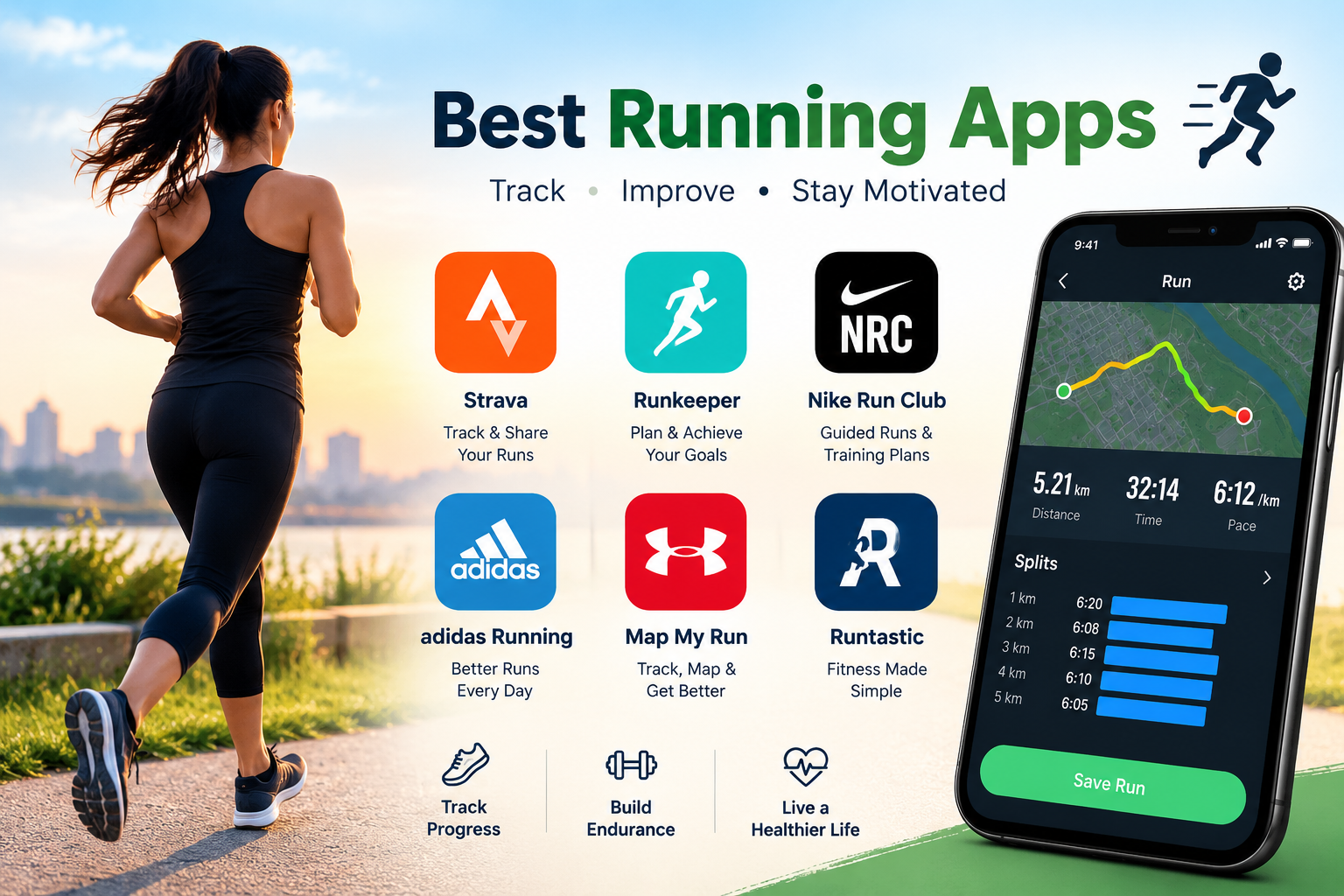
Introduction
The best running apps for tracking your runs turn your smartphone into a personal coach, GPS tracker, and training log all at once. Whether you are lacing up for the first time or preparing for a marathon, a good running app gives you real-time pace and distance data, structured training plans, audio coaching, and the ability to look back at months of progress in a single screen.
This guide covers the ten best running apps available right now, how they compare, and exactly which one suits your goals.
What Is a Running Tracking App and Why Do You Need One?
A running tracking app is a mobile application that uses your smartphone’s GPS, accelerometer sensors, or both to record information about your runs. Depending on the app, it can capture your distance, pace, time, route, elevation changes, calories burned, and heart rate when connected to compatible hardware.
Think of it as a personal running coach and performance tracker that fits in your pocket. These are mobile apps that run directly on your smartphone, meaning you do not need any additional equipment to start tracking. If you are new to apps in general and want foundational context before diving in, this guide on what an app is covers the basics clearly.
Key benefits of using a running tracking app:
-
Track your distance, pace, and time accurately during every run
-
See your improvement over weeks and months through your activity history
-
Stay motivated with goal setting, achievement badges, and milestone rewards
-
Follow structured training plans designed for specific goals like completing a first 5K or preparing for a marathon
-
Connect with a community of runners for social accountability and encouragement
-
Receive real-time audio coaching through your headphones so you do not need to check your screen mid-run
-
Analyze your route, elevation, and performance data after each session
Most running apps work on both Android and iPhone, making them accessible to almost anyone with a smartphone.
What to Look for in a Running Tracking App
Before choosing from the best options available, it helps to understand what features actually matter and which ones you are likely to use.
GPS Tracking Accuracy
GPS accuracy is the most important technical factor in any running app. Accurate GPS tracking is what gives you reliable distance and pace data. GPS performance can be affected by factors including tree cover, tall buildings, cloud cover, and the quality of your phone’s GPS hardware. No app can guarantee perfect accuracy in every condition, but the best apps minimize error through consistent, well-tested GPS implementation.
Pace and Distance Tracking
A good running app shows your current pace, average pace, and total distance in real time so you always know where you stand during a run. Pace is typically shown as minutes per kilometer or minutes per mile and can usually be switched in settings based on your preference.
Training Plans
Built-in training plans are particularly valuable for beginners who need guided progression. Instead of guessing what to run each day, a structured plan tells you exactly what to do on each training day, balancing easy runs, rest days, and harder efforts to build fitness progressively toward a goal.
Audio Coaching and Guidance
Audio coaching delivers real-time feedback through your headphones during the run. Updates on your pace, distance milestones, encouragement, and technique tips arrive without you needing to look at your phone. For beginners especially, audio cues that tell you when to run and when to walk make the early weeks of building a running habit significantly easier.
Social and Community Features
Social features let you follow other runners, share your completed runs, join challenges, and receive encouragement from a community. For many runners, the accountability and motivation that come from a social running community are the difference between staying consistent and falling off the routine.
Heart Rate Monitoring
Some apps integrate with smartwatches and fitness trackers to display heart rate data during runs. Training in specific heart rate zones helps you build fitness more efficiently by ensuring you are working at the right intensity for each session rather than running too hard or too easy every time.
Free vs Paid Features
Most running apps offer a free tier with core tracking features and a paid subscription that unlocks advanced analytics, all training plans, and premium coaching content. For many runners the free version is entirely sufficient, so it is worth testing the free experience before committing to a subscription.
Platform Compatibility
Check that the app is available for your specific device. If you have an Android phone, you need an Android app that is optimized for your device. If you are on iPhone, you need an iPhone app that works well with iOS. Many apps also integrate with smartwatch platforms like Apple Watch and Wear OS for additional wrist-based tracking.
The 10 Best Running Apps for Tracking Your Runs
The following ten running apps represent the most widely used and highly regarded options available for both Android and iPhone users. Each has been selected based on its tracking features, user experience, availability, and value for different types of runners. Features and pricing are subject to change, so always check the official app listing for current details.
1. Strava
What Is Strava?
Strava is one of the most popular running and cycling tracking apps in the world, used by runners of all levels from casual joggers to competitive athletes. It has earned a reputation as the social network for athletes, combining detailed GPS performance tracking with one of the most active and engaged fitness communities available on any platform.
Key Features
- GPS tracking of runs with detailed route maps saved and viewable after each activity
- Segment tracking that compares your performance on specific sections of routes against your own personal records and other Strava users who have run the same segment
- A social activity feed where you can follow other runners, give kudos (Strava’s equivalent of a like), and leave comments on activities
- Segment leaderboards ranking your performance on specific route sections against the broader Strava community
- Clubs where runners join groups based on location, shared interests, or training goals
- Structured training plans and workouts available through the paid subscription
- Beacon live location sharing that sends your real-time location to designated contacts for safety during solo runs
Free vs Paid
The free version of Strava provides GPS tracking, activity logging, and core social features. The paid subscription unlocks detailed training analysis, full segment leaderboard access, heart rate zone analysis, training load tracking, and advanced performance insights that serious runners will find genuinely useful.
Best For
- Runners who want a strong social community alongside performance tracking
- Competitive runners motivated by segment leaderboards and personal records
- Cyclists and triathletes who also run and want one app for all outdoor activities
Availability
Available on Android and iPhone. Official website: strava.com
2. Nike Run Club
What Is Nike Run Club?
Nike Run Club is Nike’s official running app, offering GPS tracking, guided runs, and training plans with a genuine focus on motivation and coaching. It is widely regarded as one of the best free running apps available, particularly for beginners who want structured guidance without paying a subscription.
Key Features
- GPS run tracking with pace, distance, and time recorded automatically during every run
- Guided runs narrated by Nike coaches and athletes that provide real-time motivation, pacing tips, and encouragement throughout the workout
- Training plans designed for different goals including completing a first 5K, running a 10K, and preparing for a half marathon
- Achievement badges and milestone rewards that recognize consistency and personal records
- Weekly and monthly challenge features that motivate users to hit distance goals
- Integration with Apple Watch for wrist-based tracking without needing to hold or carry a phone
- Audio-synced music playlists designed to match the energy of different run types
Free vs Paid
Nike Run Club is largely free with the vast majority of its core features available without a subscription. This makes it one of the strongest value propositions in the running app category for runners who want quality guided training at no ongoing cost.
Best For
- Beginners who want guided runs and structured training plans without a subscription fee
- Runners motivated by coaching audio and milestone recognition
- iPhone and Apple Watch users who want seamless ecosystem integration
Availability
Available on Android and iPhone. Official website: nike.com/nrc
3. Garmin Connect
What Is Garmin Connect?
Garmin Connect is the companion app for Garmin GPS watches and fitness devices. It also functions as a standalone smartphone-based running tracker, though its most powerful features are unlocked when paired with Garmin hardware. For runners who use or plan to use a Garmin device, it is the natural and most comprehensive platform for managing training data.
Key Features
- Deep integration with Garmin GPS watches delivering the most detailed run data available on the platform
- Comprehensive performance metrics including VO2 max estimation, training load, training status, and recommended recovery time
- Detailed activity history with long-term performance trend analysis across weeks and months
- Structured workout creation allowing users to design custom interval sessions, tempo runs, and other workout types
- Health monitoring features including sleep tracking, stress levels, body battery energy measurement, and heart rate variability when used with compatible Garmin devices
- Garmin Coach training plans for 5K, 10K, and half marathon goals with adaptive scheduling that adjusts based on your performance
Free vs Paid
Garmin Connect is free to use. Full access to the most detailed metrics requires a compatible Garmin GPS watch or fitness device. The app alone provides useful tracking but delivers its full value as part of the Garmin ecosystem.
Best For
- Runners who own or are considering a Garmin GPS watch
- Serious runners who want the most comprehensive and detailed performance data available
- Triathletes and multi-sport athletes who use Garmin hardware across multiple disciplines
Availability
Available on Android and iPhone. Official website: connect.garmin.com
4. Runkeeper
What Is Runkeeper?
Runkeeper, developed by ASICS, is one of the longest-established running apps in the category. It is known for its clean, straightforward interface and its beginner-friendly approach to run tracking and training plan guidance. It has been helping runners track their progress for well over a decade and remains a solid choice for those who value simplicity alongside useful training features.
Key Features
- GPS tracking with a clear, easy-to-read display of distance, pace, and time during runs
- Audio cues providing distance and pace updates at regular intervals so you always know how you are doing without looking at your screen
- Training plans covering beginner run-walk programs through to 5K, 10K, and marathon preparation for more experienced runners
- Activity history showing progress over time with weekly and monthly distance summaries
- Integration with popular fitness platforms for data sharing
- Goal setting for weekly distance or frequency targets to maintain consistency
Free vs Paid
The free version covers GPS tracking and basic training plan access. The Runkeeper Go subscription unlocks additional training plans, advanced analytics, and further features for runners who want more from the platform.
Best For
- Beginners looking for a simple, no-fuss run tracker with a clean interface
- Runners who want structured training plan guidance without complex features to navigate
Availability
Available on Android and iPhone. Official website: runkeeper.com
5. Adidas Running by Runtastic
What Is Adidas Running?
Adidas Running, formerly known as Runtastic, is Adidas’s official running app. It combines GPS tracking with audio-guided training sessions and a library of structured workout plans ranging from beginner to advanced levels. For fans of the Adidas brand or users of Adidas connected products, it is a natural choice.
Key Features
- GPS tracking with real-time display of pace, distance, and elevation data during runs
- Audio coaching sessions that guide runners through structured workouts with motivational commentary and technique tips
- Training plans covering beginner through advanced levels for various race distances
- Integration with Adidas connected products including shoes with embedded sensor technology for step data
- Activity history and performance trends displayed in a clear and organized dashboard
- Routes feature allowing users to plan and save specific running routes in advance before heading out
Free vs Paid
A free version provides basic GPS tracking and limited features. The premium subscription unlocks the full library of training plans, all audio coaching sessions, and advanced analytics for runners who want the complete experience.
Best For
- Runners who enjoy audio-guided training sessions with motivational coaching
- Adidas brand enthusiasts and users of Adidas connected footwear and products
Availability
Available on Android and iPhone. Official website: runtastic.com
6. MapMyRun by Under Armour
What Is MapMyRun?
MapMyRun is a running app developed by Under Armour that puts particular emphasis on route mapping, route discovery, and nutrition tracking alongside standard GPS run tracking. For runners who love exploring new routes or who want to track their nutrition alongside their training, it offers a combination of features not all running apps provide.
Key Features
- GPS run tracking with detailed route mapping showing your exact path with distance and pace overlaid on the map
- Route discovery allowing users to find popular running routes in their area that have been shared by other MapMyRun users
- Nutrition tracking that lets runners log meals and monitor calorie intake alongside their training data
- Audio coaching providing real-time feedback on pace and distance milestones during runs
- Integration with a wide range of fitness devices and health platforms for comprehensive data sharing
- Training plans for various distances and fitness levels
- Community challenges and virtual events to keep motivation high
Free vs Paid
The free version provides GPS tracking, route mapping, and access to basic features. The MapMyRun MVP subscription unlocks heart rate zone analysis, advanced training plans, and deeper coaching features for more dedicated runners.
Best For
- Runners who frequently explore new areas and want to discover popular running routes nearby
- Runners who want to track both their training and nutrition in one place
Availability
Available on Android and iPhone. Official website: mapmyrun.com
7. Apple Fitness Plus and Apple Health Running Tracking
What Is Apple Fitness and Health Running Tracking?
Apple provides built-in running tracking through the Apple Health app and the Workout app on Apple Watch without requiring any third-party download. Apple Fitness Plus is a separate paid subscription service that adds guided workout content including outdoor running workouts with audio coaching from certified trainers.
Key Features
- Automatic workout detection on Apple Watch that can identify and begin tracking a run without requiring manual input from the user
- GPS tracking of outdoor runs with route maps stored in Apple Health for review after each session
- Comprehensive health data including heart rate, heart rate zones, VO2 max estimation, and running cadence
- Activity rings in the Apple Watch Workout and Fitness apps providing daily movement goals and visual motivation
- Apple Fitness Plus subscription provides guided outdoor run workouts with audio coaching from certified trainers synced to Apple Music
- Seamless integration with third-party fitness apps through HealthKit, allowing data from Apple Health to flow into other running platforms
Free vs Paid
Basic running tracking through Apple Health and the Apple Watch Workout app is free. Apple Fitness Plus requires a monthly or annual subscription for access to guided workout content.
Best For
- iPhone and Apple Watch users who want seamless built-in tracking without installing additional apps
- Users already committed to the Apple ecosystem who prefer a fully integrated experience
Availability
iPhone and Apple Watch only. Official website: apple.com/apple-fitness-plus
8. Google Fit
What Is Google Fit?
Google Fit is Google’s health and activity tracking platform for Android devices. It offers basic running and walking tracking using your smartphone’s sensors and GPS, with a simple and accessible design that prioritizes ease of use over advanced features. For Android users who want a no-cost, no-subscription tracking option that integrates naturally with Google’s ecosystem, it is a straightforward choice.
Key Features
- Activity tracking using phone sensors and GPS for outdoor run tracking
- Heart Points and Move Minutes metrics based on World Health Organization physical activity recommendations, offering a simple and health-focused goal framework
- Integration with Android smartwatches running Wear OS for wrist-based activity tracking
- Connection to a wide range of third-party fitness apps through Google Fit’s open platform
- Workout history and basic activity trends displayed in a clean and simple dashboard
- Calorie and step tracking alongside running activities for a broader view of daily movement
Free vs Paid
Google Fit is completely free with no paid subscription tier. Every feature available on the platform is accessible at no cost.
Best For
- Android users who want a simple, free activity tracker integrated with Google’s ecosystem
- Runners who want basic tracking without complex features, social elements, or subscription decisions
Availability
Primarily Android. Also available on iPhone with more limited features. Official website: google.com/fit
9. Polar Flow
What Is Polar Flow?
Polar Flow is the companion app for Polar GPS sports watches and heart rate monitoring hardware. It is designed for runners who take their training seriously and want detailed heart rate zone data, recovery tracking, and long-term training analysis. Like Garmin Connect, it delivers its full value when paired with compatible Polar hardware.
Key Features
- Deep integration with Polar GPS watches and heart rate monitors for comprehensive training data
- Training Load Pro feature tracking cardio load, muscle load, and perceived load to help manage training intensity and avoid overtraining
- Detailed heart rate zone analysis helping runners understand exactly how hard they are working in each session
- Sleep tracking and recovery status data when used with compatible Polar devices
- Training diary with comprehensive history of all sessions and long-term performance trends
- Nightly Recharge recovery metric showing how well the body recovered overnight, relevant context before each run
- Route planning and navigation features when used with Polar GPS watches
Free vs Paid
Polar Flow is free to use. Full access to the most detailed metrics and training insights requires a compatible Polar device.
Best For
- Runners who own or plan to purchase a Polar GPS watch or heart rate monitor
- Runners focused on heart rate zone training, recovery management, and structured load tracking
Availability
Available on Android and iPhone. Official website: flow.polar.com
10. Couch to 5K (C25K)
What Is Couch to 5K?
Couch to 5K, commonly known as C25K, is a beginner-specific running app built around the famous Couch to 5K training program originally developed by Josh Clark and popularized by the UK’s National Health Service. The program is designed to take complete beginners from zero running experience to running a continuous 5K over approximately nine weeks through a structured run-walk interval approach.
If you have never run before or are returning after a long time away, this is the most purpose-built option available. Every session, every cue, and every progression in the app exists to serve the beginner runner.
Key Features
- A structured nine-week run-walk interval training program that progressively builds running endurance from short running intervals to continuous running
- Audio cues that tell you exactly when to run and when to walk during each session, removing all guesswork from the early stages
- Choice of audio coaches with different voices and motivational styles to suit personal preferences
- GPS tracking of each session with distance and pace recorded automatically
- Progress tracker showing completed weeks and sessions to maintain motivation through the full program
- Music integration allowing you to listen to your own playlist while receiving coaching cues through the same earphones
Free vs Paid
A free version provides access to the core nine-week program. A paid version removes advertising and may unlock additional features depending on the specific version available on your platform.
Best For
- Complete beginners who have never run before and need a fully guided step-by-step program with no prior knowledge required
- People returning to running after illness, injury, or an extended period of inactivity
- Anyone who finds starting a running routine difficult without clear structure and guidance
Availability
Available on Android and iPhone. The original NHS version of the Couch to 5K program is available at nhs.uk/live-well/exercise/couch-to-5k-week-by-week
Side-by-Side Comparison of the 10 Best Running Apps
| App | Platform | Free Version | Paid Subscription | GPS Tracking | Training Plans | Audio Coaching | Social Features | Best For |
|---|---|---|---|---|---|---|---|---|
| Strava | Android and iPhone | Yes | Yes | Yes | Yes (paid) | No | Excellent | Social runners and competitive tracking |
| Nike Run Club | Android and iPhone | Yes | Mostly free | Yes | Yes | Yes | Good | Beginners and guided runs |
| Garmin Connect | Android and iPhone | Yes | No subscription | Yes | Yes | Limited | Moderate | Garmin watch users |
| Runkeeper | Android and iPhone | Yes | Yes | Yes | Yes | Yes | Moderate | Beginners and simplicity |
| Adidas Running | Android and iPhone | Yes | Yes | Yes | Yes | Yes | Moderate | Audio coaching fans |
| MapMyRun | Android and iPhone | Yes | Yes | Yes | Yes | Yes | Good | Route discovery and nutrition |
| Apple Fitness | iPhone only | Yes | Yes (Fitness Plus) | Yes | Limited | Yes (Fitness Plus) | Moderate | Apple ecosystem users |
| Google Fit | Android primary | Free only | No | Yes | No | No | Limited | Basic free Android tracking |
| Polar Flow | Android and iPhone | Yes | No subscription | Yes | Yes | No | Limited | Polar device users |
| C25K | Android and iPhone | Yes | Yes | Yes | Yes (structured) | Yes | Limited | Absolute beginners |
Best Running Apps by Category
Best Running App for Absolute Beginners
Couch to 5K is the top recommendation for complete beginners. Every element of the app is purpose-built for someone with no running experience, and the run-walk interval structure removes the intimidation of starting from zero. If you have never run before, this is your starting point.
Nike Run Club is the best free alternative for beginners who want guided runs and training plans with audio coaching at no subscription cost. It offers more variety than C25K once you have built initial fitness and want to continue developing beyond the 5K distance.
Best Free Running App
Nike Run Club offers the strongest combination of free features available in the category, including GPS tracking, guided runs, training plans, and achievement tracking, all without a required subscription. For Android users who want a completely free option with no premium tier at all, Google Fit provides straightforward basic tracking at zero cost.
Best Running App for Social Motivation
Strava is the clear leader for community and social features. Its activity feed, segment leaderboards, clubs, kudos system, and challenge functionality create a genuinely engaging social environment around running. If community accountability and a competitive social element are important to your motivation, Strava is the platform built for that experience.
Best Running App for Serious Runners
Garmin Connect paired with a compatible Garmin GPS watch provides the most comprehensive performance data available in any running app, including VO2 max estimation, training load, training status, and detailed recovery metrics. For runners whose training is highly data-driven, this combination offers more analytical depth than any smartphone-only solution.
Polar Flow with a compatible Polar device is an excellent alternative with particularly strong heart rate zone training tools and recovery monitoring features through its Nightly Recharge and Training Load Pro metrics.
Best Running App for iPhone Users
Apple Fitness and the built-in Apple Watch Workout app provide seamless tracking for iPhone users without any additional downloads. For those who want a third-party option with richer features, Nike Run Club and Strava both integrate well with iPhone and Apple Watch and offer tracking experiences that complement the Apple ecosystem.
Best Running App for Android Users
Google Fit integrates naturally with Android devices and Wear OS smartwatches for basic free tracking. For Android app users who want more comprehensive tracking, social features, and structured training, Strava and Runkeeper are both excellent third-party choices that are well-optimized for Android devices.
Best Running App for Route Discovery
MapMyRun stands out for its route discovery feature that surfaces popular running routes in your area shared by other users, which is particularly useful when running in unfamiliar cities or neighborhoods. Strava also offers route discovery and segment-based navigation for premium subscribers who want to run mapped segments they have identified in advance.
Tips for Getting the Most Out of Your Running App
Getting the best results from any running tracking app requires a few practical habits beyond simply pressing the start button.
- Always secure your phone during runs using a running armband or belt pouch so GPS can track continuously without interruption from an unstable device
- Before starting your run, open the app and wait for the GPS indicator to confirm a signal lock. Starting before GPS locks can result in inaccurate early distance readings
- Grant location permission to your running app and set it to allow while using the app at minimum. Without location access, GPS tracking will not function. Understanding app permissions helps you make informed decisions about what access to grant
- Keep your running app updated regularly. App updates frequently include GPS improvements, bug fixes, and new features that improve tracking accuracy
- Sync your completed run data immediately after finishing each session so your activity is saved and backed up to the app’s servers
- Review your pace and route data after each run rather than only looking at the total distance. Understanding where you slowed down or sped up gives you useful feedback for future sessions
- Follow your training plan consistently. Random unstructured running produces slower improvement than progressive structured training
- If your running app becomes sluggish, crashes more frequently, or behaves unexpectedly, clearing the app cache can resolve many common performance issues without losing your training data
- Connect your running app to your preferred music streaming service so you can listen to motivating playlists while receiving coaching cues through the same pair of earphones
Running App Privacy and Permissions
Running apps require several device permissions to function correctly. Understanding which permissions your chosen app requests and why is important for both the app’s performance and your personal privacy.
Common permissions running apps request:
- Location permission: Essential for GPS tracking. Should be set to allow while using the app at minimum, or always if you want background tracking to function. This is the most important permission for any running app to work correctly
- Physical activity permission: Allows the app to access step count and motion data from your phone’s built-in sensors alongside GPS
- Microphone permission: Required for apps that offer audio coaching features to deliver spoken cues through your device
- Storage permission: Needed to save run data, offline maps, and audio coaching files locally on your device
- Notification permission: Required for the app to send run reminders, achievement alerts, and challenge updates
For a thorough understanding of app permissions and how they work on your device, that resource covers the topic in practical detail.
An important privacy consideration specific to running apps: Many running apps with social features default to making your run routes publicly visible. Public route data reveals not only where you run but where you start and finish your runs, which often means your home address or workplace. Review the privacy settings in any running app that has social features and consider setting your runs to followers-only or private if you have any concern about route visibility. This applies particularly to Strava, where segment leaderboards and public activities are visible to other users by default.
Only grant the permissions a running app genuinely needs for the tracking features you plan to use, and review each app’s privacy policy before signing up.
Running App vs Smartwatch: Do You Need Both?
A common question for runners considering a running app is whether they also need a smartwatch, or whether a smartphone alone is sufficient.
A running app on your smartphone uses your phone’s GPS to track your run, which means carrying your phone throughout the session. For most runners this is perfectly manageable with a running armband or belt, and it costs nothing beyond the app itself.
A GPS smartwatch like an Apple Watch or a Garmin watch can track runs independently without your phone present, storing the data to sync later. This is more convenient for runners who prefer not to carry their phone and also provides wrist-based metrics like heart rate and cadence that a phone alone cannot measure directly.
The most effective setup for dedicated runners who want maximum data and convenience is a combination of both: the smartwatch handles real-time on-wrist tracking during the run, and the companion app on a larger smartphone screen provides detailed post-run analysis, training plan management, and social features.
For beginners and casual runners, a smartphone running app is a completely capable and cost-effective starting point. A smartwatch adds genuine convenience and additional metrics but is not a requirement for effective, meaningful run tracking. Starting with an app and adding hardware later if you want more capability is a sensible progression for most people.
How to Download and Get Started with a Running App
Step 1: Choose Your App
Use the recommendations in this guide to select the app that best matches your current goals and experience level. If you are a complete beginner with no running history, start with Couch to 5K or Nike Run Club. If social features and community motivation are important to you, start with Strava. If you have a Garmin or Polar device, use the companion app designed for it.
Step 2: Download the App
Download your chosen app from the official Google Play Store for Android or Apple App Store for iPhone. Understanding what an app store is helps if you are new to finding and installing apps on your device. Always download from official app stores to ensure you are getting the genuine, verified version of the app rather than an unofficial copy.
Step 3: Create Your Account
Sign up using your email address or connect through an existing account where the app provides that option. Set up your profile including age, weight, and fitness goals where prompted. This information helps the app provide training recommendations and calorie estimates that are more relevant to your individual profile.
Step 4: Grant Required Permissions
When the app requests permissions during setup, review each one and grant those the app genuinely needs to function correctly. Location permission must be allowed while using the app at minimum for GPS tracking to work during your runs. Understanding app permissions before you start the setup process helps you make these decisions confidently rather than tapping through without thinking.
Step 5: Start Your First Tracked Run
Open the app, select start run or start workout, and wait for the GPS indicator to show a confirmed signal before you begin moving. Most apps will provide audio cues or on-screen notifications during your run so you do not need to keep the screen on or look at it while running. When you finish, tap stop or end run, save the activity, and take a moment to review your results before closing the app.
Frequently Asked Questions
What is the best running app for tracking runs?
Strava is the most widely used running app overall due to its combination of accurate GPS tracking, detailed performance data, and strong social community. Nike Run Club is the best free option for guided training and coaching.
What is the best free running app?
Nike Run Club offers the best balance of free features including GPS tracking, guided runs, training plans, and achievement tracking at no cost. Google Fit is the best completely free option for Android users who want basic tracking with no subscription model at all.
Which running app is best for beginners?
Couch to 5K is purpose-built for complete beginners with its structured nine-week run-walk program and audio cues guiding every session. Nike Run Club is the best free alternative for beginners who want coaching and training plans beyond the initial 5K program.
Do running apps work without a smartwatch?
Yes. All of the apps in this guide work using your smartphone’s GPS and sensors without requiring a smartwatch. A smartwatch adds convenience and additional metrics but is not required to track your runs effectively.
How accurate are running app GPS trackers?
GPS accuracy varies depending on your phone’s hardware, your environment, and conditions including tree cover and tall buildings. Most modern smartphones provide GPS accuracy that is sufficient for meaningful pace and distance tracking, though no app guarantees perfect accuracy in all conditions.
What is the best running app for iPhone?
Apple Fitness with Apple Watch provides seamless built-in tracking for iPhone users. Nike Run Club and Strava are the leading third-party options for iPhone users who want richer features and community elements.
What is the best running app for Android?
Strava and Runkeeper are both excellent third-party options for Android app users. Google Fit is the best purely free option that integrates naturally with Android and Wear OS devices.
Is Strava free to use?
Strava offers a free version that includes GPS tracking, activity logging, and core social features. A paid subscription unlocks detailed training analysis, full segment leaderboard access, heart rate analysis, and advanced performance insights.
What is the Couch to 5K app?
Couch to 5K is a beginner running app based on the structured nine-week program that takes complete beginners from no running experience to running a continuous 5K through a progressive run-walk interval training approach with audio coaching throughout.
Which is better for beginners: Strava or Nike Run Club?
Nike Run Club is the better choice for beginners because it offers guided audio coaching runs and structured training plans specifically designed for those new to running, most of which are available for free. Strava is a stronger choice once you have some running experience and want social features and segment tracking.
Do I need to carry my phone for a running app to track my run?
Yes, if you are using a smartphone-only running app, your phone must be carried for GPS tracking to work. A GPS smartwatch can track runs without your phone present, but a smartphone app requires the phone to be with you.
Which running app has the best training plans?
Nike Run Club and Runkeeper both offer strong structured training plans for beginners. Garmin Connect with a Garmin device and Polar Flow with a Polar device offer the most sophisticated adaptive training plans for experienced and serious runners.
Can running apps track indoor treadmill runs?
Most running apps have a treadmill or indoor run mode that uses your phone’s accelerometer to estimate distance from your stride rather than GPS. Accuracy varies more than outdoor GPS tracking, but most apps provide a reasonable estimate for treadmill sessions.
What permissions do running apps need?
Running apps typically require location permission for GPS tracking, physical activity permission for sensor data, microphone permission for audio coaching, storage permission for saving data, and notification permission for reminders and alerts. Location permission is the most critical for accurate run tracking.
Is it safe to use public social features on running apps?
Public run data on apps like Strava can reveal your regular routes including where you start and end runs. Review privacy settings in any running app with social features and consider setting runs to followers-only or private if you have any concern about route visibility or personal safety.
Which running app works best with Apple Watch?
Apple Fitness with the Apple Watch Workout app provides the most seamless native integration. Nike Run Club and Strava also integrate well with Apple Watch for runners who prefer a third-party app experience on the platform.
Which running app works best with Android smartwatches?
Strava and Google Fit both integrate with Wear OS smartwatches. Garmin Connect and Polar Flow work with their respective branded devices. Check specific compatibility for your smartwatch model before downloading.
How do I choose the right running app for my goals?
Match the app to what matters most to you. Choose Couch to 5K or Nike Run Club if you are a beginner. Choose Strava if social community motivates you. Choose Garmin Connect or Polar Flow if you want the most detailed data and already use or plan to buy compatible hardware. Choose Google Fit if you want something simple and completely free.
DISCLAIMER
This article is intended for informational and educational purposes and provides a general overview of popular running apps for everyday users and fitness enthusiasts. App features, pricing, subscription costs, availability, and platform compatibility may change over time. Always refer to the official app page on the App Store or Google Play and the app’s official website for the most current and accurate information. The author and publisher are not affiliated with any of the apps mentioned in this article. This article does not constitute an endorsement of any specific app or service. GPS tracking accuracy varies depending on device hardware, location, weather conditions, and software. No app can guarantee perfectly accurate distance or pace measurements in all conditions. Consult a qualified healthcare or fitness professional before starting a new running or exercise program, particularly if you have existing health conditions.