
 By saman zahra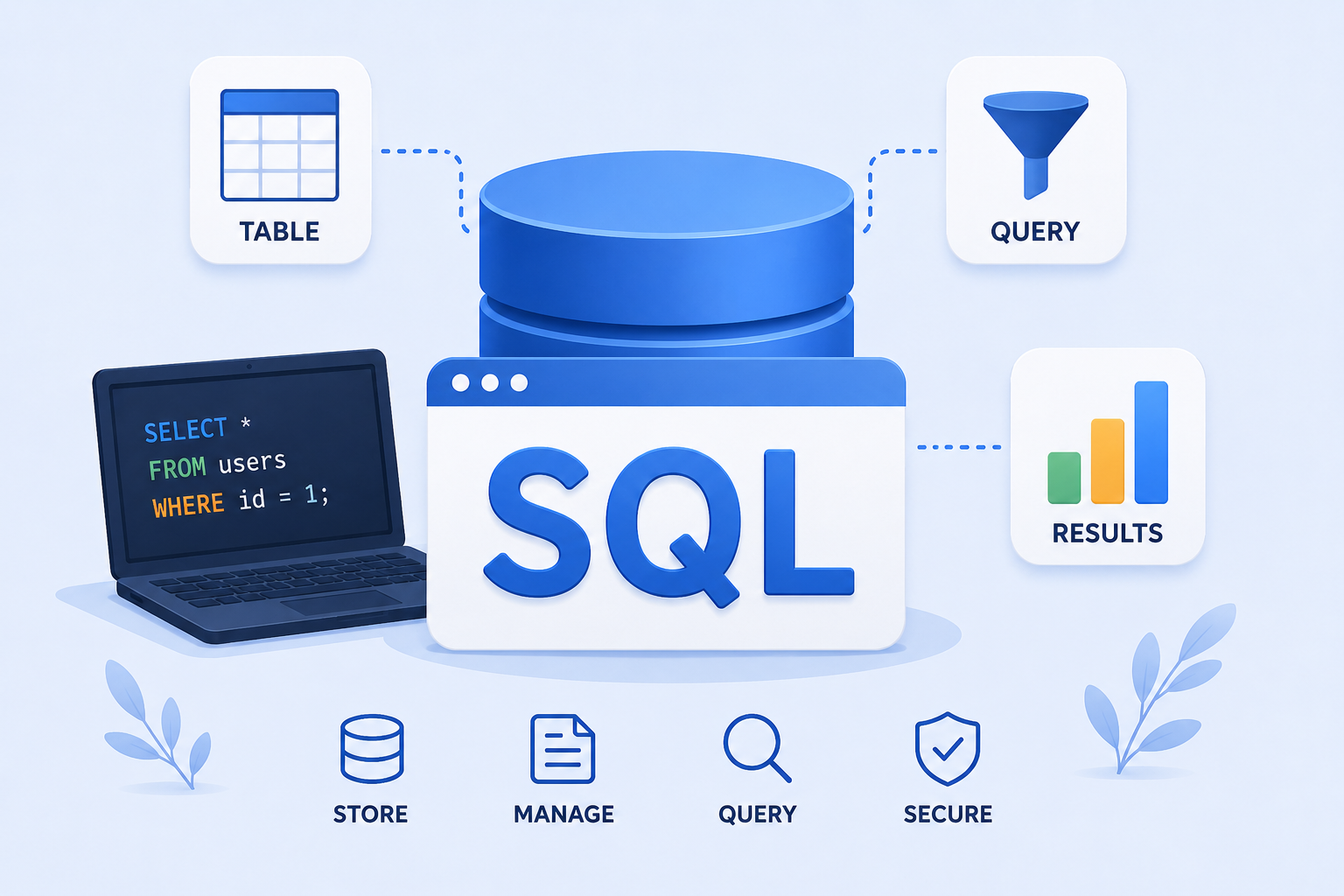
Introduction
Imagine you run an online store with thousands of customers, products, and orders. Every time a customer logs in, the website needs to find their account. When they place an order, the system needs to record it. When you want to know which products sold best last month, something needs to calculate that for you. All of this happens through a database, and the language most commonly used to communicate with that database is SQL.
So what is SQL? SQL, or Structured Query Language, is the standardized language used to interact with relational databases. It allows users, developers, and applications to retrieve, store, update, and delete data efficiently. Understanding what is SQL provides a foundation for working with almost any data-driven system, from small websites to large enterprise applications.
SQL is not a database itself. It is a language used to communicate with database systems. This distinction matters and will be explained clearly throughout this guide.
Quick Answer: What Is SQL?
SQL, which stands for Structured Query Language, is a standardized language used to query, insert, update, delete, and manage structured data stored in relational database systems. SQL allows users and applications to communicate with a database management system (DBMS) to retrieve or modify data. It is used across web applications, business systems, data analysis, and many other technology contexts.
What Is SQL?
SQL, pronounced either as “sequel” or by spelling out the letters “S-Q-L,” is a standardized language designed specifically for working with relational databases. It provides a structured way for users and applications to communicate with a database management system to retrieve, modify, and manage data.
SQL is not a general-purpose programming language. It is a domain-specific language built around the needs of relational data management. Its commands are designed to be readable and logical, which is part of why SQL has remained the dominant language for relational database interaction for decades.
A SQL statement expresses what operation you want to perform on data and what data you want to work with. The database system then figures out the most efficient way to carry out that operation. This separation between what you request and how the database executes it is one of SQL’s defining characteristics.
SQL is used in a remarkably wide range of contexts, from small personal projects to the backend systems of major banks, social media platforms, and healthcare organizations.
What Does SQL Stand For?
SQL stands for Structured Query Language. Each word in that name carries specific meaning.
Structured refers to the way relational databases organize data. Information is stored in structured tables with defined columns and rows, and relationships between different tables are established through keys. This structure is what makes the data predictable and queryable in an organized way.
Query refers to a request directed at the database. When you ask a database to find all customers whose accounts were created after a certain date, or to return all products below a certain price, you are writing a query. The word query also extends to operations beyond reading data. Inserting new records, updating existing records, and deleting records are all expressed as SQL statements.
Language refers to the fact that SQL has defined syntax, keywords, and rules. It is not a natural human language, but it is structured in a way that is considerably more readable than many other technical notations. SQL keywords like SELECT, FROM, WHERE, INSERT, and UPDATE are intentionally worded to convey their meaning in plain terms.
What Is SQL Used For?
SQL is used across an enormous range of applications wherever structured data needs to be stored and managed.
Retrieving data is the most fundamental use. A SELECT query asks the database to return specific records or fields based on conditions you define.
Inserting data allows new records to be added to a database. When a user creates an account on a website, an INSERT statement typically records their information in the database.
Updating data modifies existing records. When a customer changes their email address, an UPDATE statement reflects that change in the database.
Deleting data removes records that are no longer needed. A DELETE statement removes specific rows from a table.
Creating and modifying database structures is done through SQL statements like CREATE TABLE, ALTER TABLE, and DROP TABLE, which define and change how data is organized.
Filtering and sorting data allows applications to retrieve exactly the records they need in a specified order.
Joining related data from multiple tables is one of SQL’s most powerful capabilities. A customer’s name might be stored in one table while their orders are stored in another, and a JOIN brings them together.
Aggregating information with functions like COUNT, SUM, and AVG allows SQL to calculate totals, averages, and counts across large datasets.
Controlling access to database objects is supported by many database systems through SQL commands that grant or revoke permissions for specific users or roles.
How Does SQL Work?
The process of using SQL follows a consistent pattern from the initial request to the final result.
Step 1: A user or application writes an SQL statement expressing what they want to do. This might be retrieving data, inserting a new record, or updating existing information.
Step 2: The SQL statement is sent to the database management system. This might happen through a database client tool, through application code, or through an API.
Step 3: The DBMS parses the SQL statement and checks it for syntax errors. If the statement is valid, the DBMS builds an execution plan.
Step 4: The database engine executes the statement against the stored data. For a SELECT query, it finds and retrieves the matching records. For an INSERT, it writes the new data. For an UPDATE or DELETE, it modifies or removes the relevant records.
Step 5: The results or a confirmation of the operation are returned to the user or application.
Here is a simple example. A shopping website needs to find all products priced below $50:
SELECT name, price
FROM products
WHERE price < 50;
This query tells the database to retrieve the name and price columns from the products table, but only for rows where the price is less than 50. The database processes this request and returns the matching product names and prices.
What Is a SQL Database?
SQL itself is not a database. This is one of the most important distinctions for beginners to understand.
A useful analogy helps clarify the relationship between three separate concepts.
A database is the organized collection of stored data. Think of it as the filing cabinet that holds information.
A database management system (DBMS) is the software that manages the database, handling storage, retrieval, security, and performance. Think of it as the librarian who manages the filing cabinet and knows how to find things efficiently.
SQL is the language you use to tell the librarian what you need. You give instructions in SQL, the DBMS understands those instructions, and it retrieves or modifies the data in the database.
When people talk about a “SQL database,” they typically mean a relational database that is managed by a DBMS that supports SQL. MySQL, PostgreSQL, Microsoft SQL Server, Oracle Database, and SQLite are all relational database management systems that support SQL, but they are not SQL itself.
What Is a Relational Database?
A relational database is a type of database that organizes data into tables, where each table represents a specific type of information. Tables consist of rows and columns, and different tables can be connected through defined relationships.
Tables hold collections of related data. A database for a bookstore might have a books table, a customers table, and an orders table.
Rows, also called records, represent individual entries in a table. Each row in the customers table represents one customer.
Columns, also called fields, represent specific attributes of the data. The customers table might have columns for id, name, email, and registration_date.
Relationships connect data between tables. A customer’s order connects the customers table to the orders table through a shared identifier.
Primary keys uniquely identify each row in a table. No two rows in a table should have the same primary key value.
Foreign keys reference the primary key of another table, establishing the relationship between tables.
This structure allows complex information to be organized without unnecessary repetition, and it allows related data to be joined together when needed.
What Is a SQL Table?
A SQL table is a structured collection of data organized into rows and columns, similar to a spreadsheet.
Here is a simple example of what a users table might look like:
| id | name | |
|---|---|---|
| 1 | Alex | alex@example.com |
| 2 | Sarah | sarah@example.com |
| 3 | James | james@example.com |
Each column represents an attribute: id, name, and email. Each row represents one user record. The id column serves as the unique identifier for each row.
A database can contain many tables, each storing a different type of information, with relationships between them defined through keys.
What Is a SQL Query?
A SQL query is a statement written in SQL that is sent to a database management system to retrieve or manipulate data. The word query most broadly refers to any SQL statement, though it is sometimes used specifically to describe SELECT statements that retrieve data.
Here is a simple query:
SELECT name
FROM users;
Breaking this down:
SELECTtells the database what operation to perform, in this case retrieving datanamespecifies which column to retrieveFROMindicates which table to retrieve data fromusersis the name of the table
This query returns the names of all users stored in the users table.
Basic SQL Syntax
SQL statements follow a defined syntax with several key components.
Keywords are reserved SQL words like SELECT, FROM, WHERE, and INSERT that tell the database what type of operation to perform. SQL keywords are not case-sensitive by convention, though writing them in uppercase is a widely used practice that improves readability.
Table names and column names identify which data to work with.
Clauses are the distinct sections of an SQL statement. SELECT, FROM, WHERE, ORDER BY, and GROUP BY are all clauses.
Conditions in the WHERE clause define filters that determine which rows are affected.
Semicolons mark the end of a SQL statement in most contexts.
Here is a slightly more detailed example:
SELECT name, email
FROM users
WHERE age > 18;
This query retrieves the name and email of all users where the age column contains a value greater than 18. The SELECT clause specifies the columns, the FROM clause identifies the table, and the WHERE clause filters the results.
Basic SQL Commands
SQL commands are typically grouped by their function. Here is an overview of the most important ones.
Image suggestion: SQL commands infographic | ALT: “SQL commands explained”
| SQL Command | Purpose |
|---|---|
| SELECT | Retrieve data from one or more tables |
| INSERT | Add new rows of data into a table |
| UPDATE | Modify existing data in a table |
| DELETE | Remove rows from a table |
| CREATE | Create database objects such as tables or indexes |
| ALTER | Modify the structure of an existing database object |
| DROP | Remove a database object entirely |
| TRUNCATE | Remove all rows from a table without removing the table itself |
Commands that modify data or structure (INSERT, UPDATE, DELETE, CREATE, ALTER, DROP) are sometimes grouped under the categories of Data Manipulation Language (DML) and Data Definition Language (DDL), though the exact categorizations can vary between references.
What Is SELECT in SQL?
SELECT is the most frequently used SQL statement. It retrieves data from one or more tables based on conditions you specify.
Selecting one column:
SELECT name FROM users;Selecting multiple columns:
SELECT name, email FROM users;Selecting all columns:
SELECT * FROM users;The asterisk * means “all columns.” While convenient for quick exploration, using SELECT * in application code is generally not ideal because it retrieves more data than may be needed, which can affect performance and create maintenance challenges if table structures change.
Sorting results with ORDER BY:
SELECT name, email
FROM users
ORDER BY name ASC;
This returns users sorted alphabetically by name. ASC means ascending order. DESC means descending.
What Is WHERE in SQL?
The WHERE clause filters rows so that only records meeting a specified condition are returned or affected.
SELECT *
FROM users
WHERE age > 18;
This returns only users whose age is greater than 18.
WHERE supports a range of comparison operators and logical operators:
=equals>greater than<less than>=greater than or equal to<=less than or equal to<>or!=not equal toANDboth conditions must be trueOReither condition must be trueINvalue must match one in a listBETWEENvalue must fall within a rangeLIKEmatches a pattern, often used with%as a wildcard
SELECT name
FROM users
WHERE age BETWEEN 18 AND 30
AND city = 'London';
This returns names of users aged between 18 and 30 who are located in London.
INSERT, UPDATE, and DELETE
INSERT adds new rows to a table:
INSERT INTO users (name, email)
VALUES ('Alex', 'alex@example.com');
This adds a new row to the users table with the specified name and email values.
UPDATE modifies existing rows:
UPDATE users
SET email = 'new@example.com'
WHERE id = 1;
This changes the email address for the user with id equal to 1.
DELETE removes rows from a table:
DELETE FROM users
WHERE id = 1;
This removes the row where id equals 1.
The WHERE clause is critically important with both UPDATE and DELETE. Omitting WHERE in an UPDATE statement will modify every row in the table. Omitting it in a DELETE statement will remove every row. These are among the most common and damaging mistakes beginners make in SQL. Always verify your WHERE condition before running UPDATE or DELETE statements against important data.
What Are SQL Data Types?
Every column in a SQL table is defined with a data type that specifies what kind of data it can hold. Common SQL data types include:
INTEGER stores whole numbers without decimal points, such as a user ID or a count.
DECIMAL or NUMERIC stores numbers with decimal precision, suitable for monetary values where precision matters.
VARCHAR(n) stores variable-length text up to a specified maximum character length. Used for names, email addresses, and other text fields.
TEXT stores longer blocks of text without a fixed maximum length in many database systems.
DATE stores calendar dates without time information.
TIMESTAMP stores both date and time information.
BOOLEAN stores true or false values, though the exact implementation varies between database systems.
It is important to understand that available data types and their exact syntax vary between database systems. A type available in PostgreSQL may have a different name or behavior in MySQL or SQLite. Always consult the documentation for the specific database system you are using.
What Are Primary Keys and Foreign Keys?
Image suggestion: SQL primary key and foreign key | ALT: “SQL primary key and foreign key”
A primary key is a column or combination of columns that uniquely identifies each row in a table. Every table should have a primary key, and no two rows can share the same primary key value. Primary key values also cannot be null.
A foreign key is a column in one table that references the primary key of another table, establishing a relationship between the two tables.
Here is a simple example. A customers table has a primary key column called customer_id. An orders table has its own primary key order_id and also has a customer_id column that serves as a foreign key referencing the customers table.
This relationship means every order is connected to a specific customer, and the database can enforce that you cannot have an order referring to a customer that does not exist.
This kind of referential integrity is one of the defining strengths of relational databases.
What Are SQL Constraints?
Constraints are rules applied to columns or tables that enforce data integrity by preventing invalid data from being stored.
PRIMARY KEY ensures that the column uniquely identifies each row and cannot be null.
FOREIGN KEY enforces the relationship between tables, ensuring referenced rows exist.
NOT NULL prevents a column from storing null values. A name column marked NOT NULL means every row must have a name.
UNIQUE ensures that all values in a column are distinct across rows, even if the column is not the primary key.
CHECK enforces a condition on the values that can be stored. A CHECK (age >= 0) constraint prevents negative age values.
DEFAULT specifies a default value for a column when no value is explicitly provided during an INSERT.
Constraints are defined when creating or modifying tables and are enforced by the DBMS automatically, providing a reliable layer of data quality protection.
What Are SQL Joins?
A JOIN combines rows from two or more tables based on a related column between them. JOINs are essential for working with data spread across multiple related tables.
INNER JOIN returns only the rows where there is a matching value in both tables.
SELECT customers.name, orders.order_id
FROM customers
INNER JOIN orders
ON customers.id = orders.customer_id;
This retrieves the customer name alongside their order ID, but only for customers who have placed at least one order.
LEFT JOIN returns all rows from the left table and the matching rows from the right table. Rows from the left table with no match in the right table are included with null values for the right table’s columns.
RIGHT JOIN works in the opposite direction, returning all rows from the right table regardless of whether they have a match in the left table.
FULL OUTER JOIN returns all rows from both tables, with nulls where there is no matching row on either side. Note that not all database systems implement every JOIN type in the same way, and some systems handle certain types differently.
JOINs are one of the more conceptually challenging aspects of SQL for beginners, but they are also one of the most powerful because they allow data from multiple tables to be brought together in a single query result.
What Is GROUP BY in SQL?
GROUP BY organizes the rows returned by a query into groups based on the values in one or more columns. It is typically used with aggregate functions to calculate summaries for each group.
SELECT department, COUNT(*)
FROM employees
GROUP BY department;
This query counts how many employees are in each department. The COUNT(*) function counts all rows in each group, and GROUP BY department defines the groups.
Without GROUP BY, the COUNT(*) would return a single count for the entire table. With GROUP BY, you get a separate count for each unique department.
What Is HAVING in SQL?
HAVING filters groups created by GROUP BY, in contrast to WHERE, which filters individual rows before grouping.
WHERE filters rows before they are grouped.
HAVING filters groups after they have been formed.
SELECT department, COUNT(*)
FROM employees
GROUP BY department
HAVING COUNT(*) > 5;
This returns only the departments that have more than five employees. The HAVING clause applies after the grouping, so it can reference aggregate function results like COUNT.
What Are SQL Aggregate Functions?
Aggregate functions perform calculations across a set of rows and return a single result.
COUNT() counts the number of rows.
SELECT COUNT(*) FROM orders;SUM() calculates the total of a numeric column.
SELECT SUM(price) FROM orders;AVG() calculates the average value.
SELECT AVG(price) FROM products;MIN() returns the smallest value.
SELECT MIN(price) FROM products;MAX() returns the largest value.
SELECT MAX(price) FROM products;These functions are frequently used with GROUP BY to calculate summaries for different categories of data.
What Is a SQL Index?
An index is a database structure that can help the DBMS find data more efficiently for certain types of queries. Think of it as a book index that helps you jump directly to the relevant page rather than reading every page to find what you need.
When a column is frequently used in WHERE clauses, JOIN conditions, or ORDER BY clauses, adding an index on that column may allow the DBMS to locate matching rows more efficiently than scanning the entire table.
However, indexes are not universally beneficial. Every index requires additional storage space. More importantly, indexes must be updated whenever data in the indexed columns changes, which adds overhead to INSERT, UPDATE, and DELETE operations. In scenarios with frequent writes and infrequent reads on a particular column, an index may not be beneficial and could even reduce overall performance.
Effective indexing depends on the specific queries being run, the distribution of data in the columns, the overall workload pattern, and the database system’s query planner. Good index design requires understanding how data is accessed rather than simply adding indexes to every column.
What Are SQL Transactions?
A transaction is a logical unit of work that groups one or more SQL operations that should be treated as a single, all-or-nothing operation.
Consider a bank transfer. Moving money from one account to another involves two operations: reducing the balance of one account and increasing the balance of another. If one operation succeeds but the other fails, the data is left in an inconsistent state. A transaction ensures that either both operations complete successfully, or neither of them does.
COMMIT saves all the operations in the current transaction to the database permanently.
ROLLBACK undoes all the operations in the current transaction, restoring the data to its state before the transaction began.
BEGIN;

UPDATE accounts SET balance = balance - 100 WHERE id = 1;
UPDATE accounts SET balance = balance + 100 WHERE id = 2;

COMMIT;
If anything goes wrong between BEGIN and COMMIT, a ROLLBACK can undo both changes. This is the basis of the atomicity principle in database reliability, ensuring that partial updates do not corrupt the data.
SQL and Database Security
Security in SQL database environments involves several interconnected practices.
Authentication verifies the identity of users or applications attempting to connect to the database. Most database systems require a username and password, and some support certificate-based authentication.
Authorization controls what authenticated users are permitted to do. A user might be allowed to read data from certain tables but not modify them, or may only have access to specific databases.
Least privilege is the principle of granting users and applications only the permissions they genuinely need. An application that only needs to read data should not have INSERT, UPDATE, or DELETE permissions.
Secure configuration includes keeping the database software updated, disabling unnecessary features, and ensuring that database ports are not exposed to the internet unnecessarily.
Parameterized queries and prepared statements in application code are essential for preventing SQL injection, which is discussed in the following section.
What Is SQL Injection?
SQL injection is a type of security vulnerability that occurs when user-supplied input is incorporated directly into a SQL statement without proper handling, allowing an attacker to manipulate the SQL query.
For a conceptual example, imagine an application constructs a query like this, inserting user input directly into the SQL string:
SELECT * FROM users WHERE username = '[user input]'If an attacker provides carefully crafted input that includes SQL syntax, they may be able to alter the structure of the query in ways the developer did not intend, potentially bypassing authentication, retrieving unauthorized data, or modifying database content.
The most reliable defense against SQL injection is using parameterized queries or prepared statements, where user input is passed as a parameter separate from the SQL query structure rather than embedded directly in the query string. The database treats the parameter as data rather than as part of the SQL instruction.
Least privilege also limits the damage possible from a successful injection attack. An application account that can only read specific tables is far less dangerous to compromise than one with full database access.
SQL injection is consistently listed among the most critical web application security risks. The OWASP (Open Web Application Security Project) maintains resources on preventing SQL injection and other common web vulnerabilities. For broader context on cybersecurity principles, the TechOriginHub guide to what is cybersecurity provides foundational understanding of how security threats and defenses operate.
Popular SQL Databases
Many database management systems support SQL, each with their own features, extensions, and design goals.
| Database | Description | Common Uses |
|---|---|---|
| MySQL | Widely used open-source relational database management system | Web applications, content management systems |
| PostgreSQL | Open-source relational database system known for standards compliance and extensibility | Web applications, data systems, enterprise workloads |
| Microsoft SQL Server | Relational database management system from Microsoft | Business and enterprise applications, .NET environments |
| Oracle Database | Enterprise relational database system | Large-scale business and financial systems |
| SQLite | Lightweight, self-contained, embedded relational database engine | Mobile applications, desktop applications, embedded systems |
| MariaDB | Open-source relational database management system, a fork of MySQL | Web and server applications |
Different systems implement SQL with varying degrees of compliance to the SQL standard and with their own extensions. A query that works perfectly in PostgreSQL may require modification to work correctly in MySQL, and vice versa. Always refer to the documentation for the specific database system you are working with.
SQL vs MySQL
This is one of the most common points of confusion for SQL beginners.
| SQL | MySQL |
|---|---|
| A standardized language | A relational database management system |
| Used to communicate with relational databases | A software product that uses SQL to manage data |
| Defines query syntax and database operations | Implements SQL with its own features and extensions |
| Not software you install | Software installed and operated on a server |
SQL is the language. MySQL is a database management system that uses SQL as its query language, along with its own MySQL-specific features.
Other relational database systems such as PostgreSQL, Microsoft SQL Server, Oracle Database, and SQLite also use SQL, each with their own extensions and implementation details. Knowing SQL provides a transferable foundation for working with any of these systems, even though specific syntax details differ.
SQL vs Database
SQL is a language. A database is a collection of organized data.
A simple analogy: a database is like a spreadsheet workbook, containing the organized information. SQL is like the commands you use to interact with that workbook, asking it questions, adding new rows, updating cells, or removing data.
You need SQL to communicate with a relational database, but SQL itself does not store anything. The database stores the data. SQL is the means of accessing and manipulating it.
SQL vs DBMS
These three terms describe different layers of the same system.
SQL is the language used to write queries and statements that interact with a database.
DBMS (Database Management System) is the software that manages the database, processes SQL statements, maintains the stored data, handles security, and manages performance.
Database is the actual stored collection of data, organized into tables, indexes, and other structures.
When you write a SQL query, you submit it to the DBMS. The DBMS processes your SQL, executes the appropriate operations against the database, and returns results to you.
MySQL, PostgreSQL, and Microsoft SQL Server are all examples of database management systems. They all accept SQL queries. The data they manage is the database.
SQL vs NoSQL
SQL databases and NoSQL databases are designed for different types of data and different workloads. Understanding the distinction helps you choose the right tool for a given situation.
| Feature | SQL Databases | NoSQL Databases |
|---|---|---|
| Data structure | Structured tables with defined columns | Documents, key-value pairs, graphs, or wide columns |
| Schema | Fixed schema defined in advance | Often flexible or schema-less |
| Relationships | Defined through foreign keys and JOINs | Often managed within the application |
| Query language | SQL | Varies by system |
| Consistency | Strong consistency and ACID guarantees in many systems | Often prioritizes availability and scalability |
| Typical use cases | Transactional systems, business applications, analytics | Large-scale web data, real-time applications, unstructured data |
| Flexibility | Schema changes can be complex | Generally more flexible for evolving data structures |
SQL databases are well-suited for systems where data integrity, complex relationships, and transactional reliability are important. NoSQL databases are often used when data structures are highly variable, data volumes are extremely large, or flexible horizontal scaling is a priority.
Neither type is universally better. The right choice depends on the specific requirements of the application and the nature of the data being managed.
What Is SQL Used for in the Real World?
SQL powers a remarkably wide range of real-world systems.
E-commerce websites use SQL to store product catalogs, customer accounts, shopping cart contents, and order histories. Every search for a product and every checkout process typically involves SQL queries.
Banking systems rely on SQL for managing accounts, transactions, balances, and financial records, where data integrity and transactional reliability are critical.
Social media platforms use SQL to store user profiles, posts, connections, and activity data.
Healthcare systems use SQL to manage patient records, appointment schedules, prescriptions, and medical histories.
School management systems track student records, grades, enrollment, and scheduling through database-backed applications that use SQL.
Business applications of all sizes use SQL to manage inventory, sales records, employee data, and financial reporting.
Mobile applications often use SQLite, a lightweight embedded database, for local data storage on the device.
Data analytics and reporting use SQL to query large datasets and extract insights, summaries, and aggregated statistics that inform business decisions.
Who Uses SQL?
SQL is used by a broad range of professionals in technology and related fields.
Software developers and backend developers write SQL queries in the applications they build, using SQL to store and retrieve application data. The TechOriginHub guide to what is programming provides broader context on how programming and database work connect.
Web developers incorporate SQL into backend web application logic to handle user data, content, and application state. Understanding how JavaScript works and how APIs connect application code to databases is relevant context for web development database work.
Data analysts use SQL to query databases and extract the data they need for analysis, reporting, and business intelligence work.
Data engineers design and maintain the database systems and data pipelines that power analytics and data-driven applications.
Database administrators (DBAs) manage database systems, handling performance optimization, security, backups, and administration.
Business intelligence professionals use SQL to build reports, dashboards, and data summaries that help organizations understand their performance.
Cybersecurity professionals sometimes use SQL to query security logs and investigate incidents, and they need SQL security knowledge to understand and prevent SQL injection vulnerabilities.
Is SQL a Programming Language?
SQL is generally classified as a domain-specific language rather than a general-purpose programming language.
A general-purpose programming language like Python or JavaScript can express virtually any computational logic, including variables, loops, conditions, functions, and complex data structures. The TechOriginHub guides to what is Python programming and what is JavaScript illustrate the full breadth of what general-purpose languages can do.
SQL, by contrast, is designed specifically for communicating with relational database systems. Its commands express operations on data such as retrieving records, inserting rows, and performing aggregations. While some database systems support stored procedures and functions that add more programming-like capabilities, the core SQL language is focused on data operations rather than general computation.
This distinction is meaningful but does not diminish SQL’s importance. Domain-specific languages are highly effective within their intended domain, and SQL’s design for relational data management has made it one of the most enduring technologies in the computing industry.
Is SQL Difficult to Learn?
Basic SQL is often approachable for beginners because many of its core commands read naturally in English.
SELECT name FROM users WHERE age > 18;Even without prior database knowledge, the intent of this query is relatively clear: get names from the users table where age is over 18. This readability makes the initial learning curve gentler than many programming languages.
Where SQL becomes more challenging:
Complex JOINs across multiple tables with specific conditions require careful reasoning about relationships and result sets. Subqueries, which are queries nested inside other queries, add another layer of complexity. Window functions, which perform calculations across related rows, are powerful but conceptually demanding for beginners. Query optimization, understanding why a query is slow and how to improve it, requires knowledge of indexes, execution plans, and database internals. Database design, deciding how to structure tables and relationships effectively, is a skill that develops with experience.
The practical reality is that most people can write useful SQL queries within a relatively short learning period. Becoming genuinely proficient with complex queries, database design, and performance optimization takes considerably more practice and experience.
How to Learn SQL
The following roadmap provides a practical sequence for learning SQL from scratch.
- Learn what databases are. Understanding the fundamental concepts of tables, rows, columns, and relational structure before writing any SQL. The TechOriginHub guide to what is database software provides useful foundational context.
- Understand tables, rows, and columns. Get comfortable with how data is organized before writing queries.
- Learn SELECT. Start with retrieving data from a single table.
- Learn WHERE. Practice filtering results with conditions.
- Learn ORDER BY. Sort your results.
- Learn INSERT. Add new data to tables.
- Learn UPDATE. Modify existing data.
- Learn DELETE. Remove data, always using WHERE carefully.
- Learn aggregate functions. Practice COUNT, SUM, AVG, MIN, and MAX.
- Learn GROUP BY and HAVING. Work with grouped data and filtered groups.
- Learn JOINs. Start with INNER JOIN and expand to LEFT JOIN.
- Learn subqueries. Write queries that use the results of other queries.
- Learn database design basics. Understand how to structure tables and relationships effectively.
- Learn indexes. Understand when and why to use them.
- Practice with real datasets. Apply your knowledge to realistic data rather than trivial examples.
- Build small database projects. Create simple applications that involve designing and querying a database.
SQL connects naturally with programming work. Developers often use SQL from within Python, JavaScript, or other languages through database libraries and drivers, making SQL knowledge directly applicable alongside other programming skills.
Common SQL Mistakes Beginners Make
Forgetting WHERE in UPDATE or DELETE is the most consequential beginner mistake. Without WHERE, every row in the table is modified or deleted. Always double-check your WHERE clause before executing these statements.
Using SELECT * unnecessarily retrieves all columns even when only a few are needed. This wastes resources and can create problems if table structures change.
Confusing SQL with MySQL is extremely common. SQL is the language. MySQL is one of many database systems that use SQL.
Ignoring NULL values causes confusion because NULL behaves differently from zero or empty string. A comparison WHERE column = NULL does not work as expected. Instead, use WHERE column IS NULL.
Not understanding JOINs leads to incorrect results. Getting the join condition wrong can produce cartesian products or missing rows. Practice JOINs with small datasets until the behavior is clear.
Using incorrect data types for columns creates data integrity issues and can affect query performance.
Ignoring indexes on large tables can lead to slow queries, but adding indexes to every column is also counterproductive.
Writing unnecessarily complex queries when simpler approaches exist makes code harder to read and maintain.
Not using transactions when multiple related operations should succeed or fail together can leave data in inconsistent states.
Building SQL queries unsafely in application code by embedding user input directly into query strings creates SQL injection vulnerabilities. Always use parameterized queries.
Benefits of Learning SQL
SQL remains one of the most consistently valuable technical skills across a wide range of roles.
Working with databases is relevant to nearly every type of software application. Understanding SQL means you can work directly with the data layer of applications rather than depending entirely on pre-built abstractions.
Retrieving and analyzing information from structured data sources is a capability that benefits developers, analysts, and many other professionals who work with data regularly.
Understanding backend systems is improved by SQL knowledge. Many system behaviors that seem mysterious become clear when you understand how data is stored and retrieved.
Building data-driven applications requires SQL for storing and retrieving user data, content, transactions, and application state.
Supporting data analysis alongside tools like Python makes SQL particularly valuable for professionals working in data-related roles.
Improving technical communication between developers, analysts, and database administrators is easier when everyone has foundational SQL knowledge.
Real-World SQL Examples
Finding customers in a specific city:
SELECT name, email
FROM customers
WHERE city = 'New York';
Calculating total sales:
SELECT SUM(amount) AS total_sales
FROM orders;
Counting orders per customer:
SELECT customer_id, COUNT(*) AS order_count
FROM orders
GROUP BY customer_id;
Finding the most expensive product:
SELECT name, price
FROM products
ORDER BY price DESC
LIMIT 1;
Joining customers and their orders:
SELECT customers.name, orders.order_id, orders.amount
FROM customers
INNER JOIN orders ON customers.id = orders.customer_id;
Updating a customer’s email:
UPDATE customers
SET email = 'updated@example.com'
WHERE id = 42;
Each of these examples demonstrates how SQL expresses real data operations in a structured and readable way.
How SQL Connects With Other Technologies
SQL does not exist in isolation. It connects with a wide range of technologies that together form modern software systems.
Programming languages like Python, JavaScript, and others interact with SQL databases through database drivers, libraries, and object-relational mapping (ORM) frameworks. Understanding both SQL and a programming language like Python allows you to build complete data-driven applications. The TechOriginHub guide to what is Python programming covers Python’s capabilities including database interaction.
Web development involves SQL extensively on the backend. When a web application stores user accounts, posts, orders, or any persistent data, SQL is typically involved. The web technologies HTML, CSS, and JavaScript that create the front-end experience rely on backend systems powered by SQL databases. The TechOriginHub guides to what is HTML, what is CSS, and what is JavaScript cover those front-end technologies.
APIs frequently serve as the interface between front-end applications and SQL databases. A web API might accept a request, execute SQL queries to retrieve the relevant data, and return the results in a format the front-end can use.
Cloud computing platforms provide managed database services that run SQL databases in cloud infrastructure without requiring users to manage the underlying servers. This makes SQL databases accessible to a much wider range of applications and organizations. The TechOriginHub guide to what is cloud computing covers how cloud services work.
Software development more broadly depends on SQL for the data persistence layer of applications. Understanding SQL is a meaningful component of the software development skill set described in the TechOriginHub guide to what is software and how it works.
Version control with Git is relevant for database development as well, particularly for managing database migration scripts and schema changes. The TechOriginHub guides to what is Git and what is GitHub cover version control fundamentals.
Development environments like Visual Studio Code support SQL with extensions for syntax highlighting, query execution, and database exploration. The TechOriginHub guide to what is Visual Studio Code covers this widely used editor.
Frequently Asked Questions
What is SQL in simple terms?
SQL is a language used to communicate with relational databases. It allows you to retrieve, add, update, and delete data stored in database tables using structured statements.
What does SQL stand for?
SQL stands for Structured Query Language.
Is SQL the same as MySQL?
No. SQL is a language. MySQL is a relational database management system that uses SQL. Other database systems like PostgreSQL, Oracle Database, and Microsoft SQL Server also use SQL.
What is a SQL query?
A SQL query is a statement written in SQL that asks the database to perform an operation, such as retrieving data that matches certain conditions.
Is SQL a programming language?
SQL is generally classified as a domain-specific language designed for working with relational data, rather than a general-purpose programming language. It does not support general computation in the same way that languages like Python or JavaScript do.
What is the most commonly used SQL command?
SELECT is the most frequently used SQL command. It is used to retrieve data from one or more database tables.
What is the difference between WHERE and HAVING?
WHERE filters individual rows before grouping. HAVING filters groups of rows after a GROUP BY clause has organized them.
What is SQL injection?
SQL injection is a security vulnerability where an attacker manipulates a SQL query by inserting malicious input into an application that builds SQL statements unsafely. Using parameterized queries prevents this type of attack.
Is SQL difficult to learn?
Basic SQL is relatively approachable. Core commands like SELECT, WHERE, INSERT, UPDATE, and DELETE can be learned and applied fairly quickly. Advanced topics like complex JOINs, subqueries, window functions, and query optimization take more time and practice to master.
What is a primary key in SQL?
A primary key is a column or combination of columns that uniquely identifies each row in a database table. No two rows can share the same primary key value.
Conclusion
SQL, or Structured Query Language, is the foundational language for working with relational databases and remains one of the most widely used and durable technologies in the software industry. Understanding what is SQL means understanding the language that powers the data layer of web applications, business systems, financial platforms, healthcare records, and countless other data-driven systems.
Learning SQL is an investment that pays dividends across many technology roles. Whether you are a developer building applications, an analyst working with data, or someone beginning their technology journey, SQL provides a practical and transferable skill that connects directly to how modern software systems store and manage information.
Start with the basics: SELECT, WHERE, INSERT, UPDATE, and DELETE. Build your understanding of tables, keys, and relationships. Practice with real data. Then expand into JOINs, aggregate functions, and more advanced topics as your confidence grows. The official documentation for your chosen database system, whether PostgreSQL, MySQL, SQLite, or another, is always your most reliable reference for current and accurate syntax details.
References
- PostgreSQL Global Development Group. PostgreSQL Documentation. Retrieved from https://www.postgresql.org/docs/
- Oracle Corporation. MySQL Documentation. Retrieved from https://dev.mysql.com/doc/
- Microsoft. SQL Server and Transact-SQL Documentation. Retrieved from https://learn.microsoft.com/en-us/sql/
- Oracle Corporation. Oracle Database Documentation. Retrieved from https://docs.oracle.com/en/database/
- SQLite Development Team. SQLite Documentation. Retrieved from https://www.sqlite.org/docs.html
- OWASP. SQL Injection Prevention Cheat Sheet. Retrieved from https://cheatsheetseries.owasp.org/cheatsheets/SQL_Injection_Prevention_Cheat_Sheet.html
- MariaDB Foundation. MariaDB Documentation. Retrieved from https://mariadb.com/kb/en/documentation/
- ISO/IEC. ISO/IEC 9075 SQL Standard. International Organization for Standardization. Retrieved from https://www.iso.org/
Technology Disclaimer
This article is for educational and informational purposes. SQL syntax, database systems, tools, and development practices can vary and change over time. Always consult the current official documentation for the database system you are using.
Author: TechOriginHub Editorial Team
Author Bio: TechOriginHub Editorial Team covers practical technology, programming, software, cybersecurity, cloud computing, databases, and internet topics with a focus on clear and useful guidance.