
 By saman zahra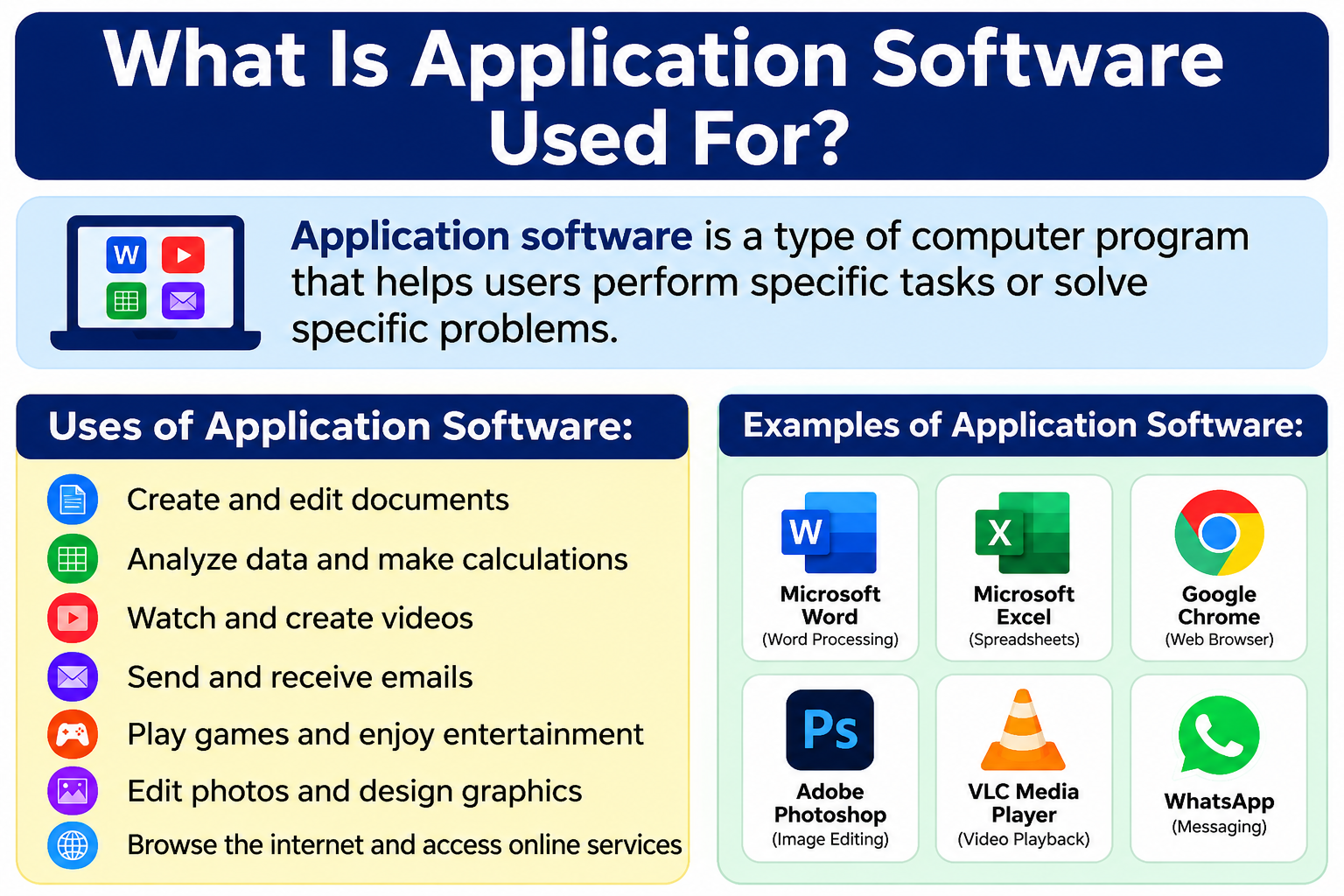
Every day, you open your phone or computer and use apps to write documents, browse websites, send emails, or watch videos. These apps are examples of application software. Most people use application software without ever thinking about it by name. Understanding what is application software used for helps you make better choices about the tools you use at work, school, or home.
Application software includes programs like Microsoft Word, Google Chrome, Zoom, Spotify, Photoshop, and accounting tools. These programs help you accomplish real-world tasks on your device. Whether you are a student, a business owner, or a casual user, application software plays a role in your daily digital life.
Quick Answer: What Is Application Software Used For?
Application software is used to help users complete specific tasks on a computer or mobile device. These tasks include writing documents, browsing the internet, sending emails, editing photos, managing projects, learning online, and running business operations. Unlike system software, application software is designed directly for the end user’s needs and goals.
What Is Application Software?
Application Software Definition
Application software is a type of computer program that helps users perform specific tasks. It sits on top of the operating system and gives you tools to get real work done. In simple terms, it is any software you use directly to accomplish something — whether that is typing a letter, making a video call, or playing music.
The word “application” comes from the idea of applying technology to a real-world purpose. When you open Microsoft Word to write a report, you are using application software. When you open Netflix to watch a movie, that is application software too.
Application Software Meaning in Everyday Terms
Think of your computer as a building. The system software (like Windows or macOS) is the foundation and structure. The application software is everything inside the rooms — the furniture, appliances, and tools that you actually use. Without application software, your computer would be able to run, but you would have nothing useful to do with it.
Application programs are designed to serve the user, not the machine. They connect human needs with computing power in a practical way.
How Application Software Differs From System Software
System software manages and controls the hardware and core functions of a computer. Examples include Windows, macOS, Linux, and Android. Users rarely interact with system software directly.
Application software, on the other hand, is built for direct use. You open it, click buttons, type text, and see results on your screen. It depends on system software to run but focuses entirely on helping the user complete a task.
What Is Application Software Used For?
Application software serves an enormous range of purposes. Here is a look at the most common uses:
Writing documents: Word processors like Microsoft Word allow users to type, format, and save documents. This is one of the most common uses of application software in offices and schools.
Creating spreadsheets: Spreadsheet tools organize data into rows and columns. You can perform calculations, build budgets, and create charts automatically.
Making presentations: Presentation software lets students and professionals create visual slideshows. These are useful for classroom projects, business meetings, and pitches.
Browsing the internet: Web browsers are a type of application software. They allow you to access websites, search for information, watch videos online, and shop.
Sending emails: Email clients and webmail apps let you compose, send, and receive messages. Gmail, Microsoft Outlook, and Apple Mail are popular examples.
Communication and video calls: Apps like Zoom, Microsoft Teams, and Google Meet let people hold face-to-face conversations over the internet. This became essential for remote work and online learning.
Watching videos and listening to music: Media players such as VLC Media Player let you play video and audio files. Streaming apps like YouTube and Spotify also fall into this category.
Editing photos and videos: Creative software allows users to modify images, add filters, cut video clips, and produce professional-looking content.
Managing projects: Project management apps help teams organize tasks, set deadlines, and track progress together in real time.
Accounting and finance: Business accounting software tracks income, expenses, invoices, and payroll. This saves businesses hours of manual work.
Education: Educational applications support online classes, homework, research, and test preparation. Students of all ages use these tools every day.
Business management: Companies use specialized software to manage customers, inventory, marketing campaigns, and internal communication.
Programming: Developers use code editors, testing tools, and version control software as part of their daily work.
Cloud collaboration: Cloud-based apps let multiple users work on the same file at the same time from different locations.
File management: Apps help users organize, compress, convert, and share files across devices and storage platforms.
How Does Application Software Work?
Application software follows a straightforward process each time you use it. Here is how it works step by step:
- You give an instruction. You open Microsoft Word and start typing a sentence.
- The application processes your request. Word receives your keystrokes and interprets them as text input.
- The operating system provides resources. Windows or macOS allocates memory, processor time, and storage to support the task.
- Hardware performs the operation. The keyboard sends signals, the processor handles the data, and the storage drive saves your file.
- The application displays the result. You see your typed text appear neatly on the screen.
This entire process happens in milliseconds. Most users never see any of it. They simply experience a smooth, responsive tool that responds to their actions.
The same basic process applies to any application — whether you are editing a photo in Photoshop, attending a Zoom call, or playing a game. The application sends instructions, the operating system handles resources, and the hardware executes the work.
Types of Application Software
Word Processing Software
Word processing software lets you create, edit, format, and save text documents. It is one of the most widely used types of application software in the world. Students use it for essays, businesses use it for reports, and professionals use it for contracts and proposals.
Popular examples include Microsoft Word, Google Docs, and LibreOffice Writer. If you want to understand the full suite of tools that comes with Microsoft’s productivity platform, read [What Is Microsoft Office?] for a complete overview.
Spreadsheet Software
Spreadsheet software organizes data into a grid of rows and columns. You can enter numbers, apply formulas, and let the software calculate results automatically. It is perfect for budgets, financial planning, data analysis, and academic research projects.
Microsoft Excel and Google Sheets are the two most widely used spreadsheet tools today. They also allow you to create charts and graphs that make complex data easier to understand.
Presentation Software
Presentation software helps you build visual slideshows. Students use it for classroom presentations, and professionals use it for business meetings, investor pitches, and training sessions.
Microsoft PowerPoint, Google Slides, and Canva are leading options. These tools let you add text, images, charts, animations, and videos to your slides. Even beginners can create polished presentations in minutes.
Web Browsers
A web browser is a type of application software that lets you access the internet. Without a browser, you could not visit websites, stream videos, use web apps, or shop online.
Popular browsers include Google Chrome, Mozilla Firefox, Microsoft Edge, and Safari. Browsers interpret the code on websites and display them as readable pages. They also support extensions that add extra features like password managers, ad blockers, and translation tools.
Communication Software
Communication software covers any application that lets people connect and exchange information. This includes email clients, instant messaging apps, and video conferencing platforms.
Microsoft Teams, Zoom, Google Meet, and Slack are widely used examples. These tools are essential for remote teams, online learners, and anyone who needs to collaborate across distances. They support text chat, voice calls, video meetings, and file sharing all in one place.
Multimedia Software
Multimedia software handles video playback, music, audio recording, and video editing. It allows users to consume and create audio-visual content with ease.
VLC Media Player is a free and highly popular tool for playing almost any video or audio file format. For content creators who need to record their screen or live stream, [What Is OBS Studio?] explains everything you need to know about one of the most powerful free recording tools available.
Graphic Design Software
Graphic design software gives users tools to create and edit images, illustrations, and marketing materials. Designers, photographers, marketers, and content creators rely on these tools every day.
Adobe Photoshop is the industry standard for photo editing. Adobe Illustrator is preferred for vector graphics and digital illustrations. Canva offers a beginner-friendly alternative that requires no design experience. These tools help users produce everything from social media posts to professional branding materials.
PDF Software
PDF software lets you read, create, edit, sign, and convert PDF files. PDFs are the most common format for sharing formal documents because they look the same on every device.
If you regularly work with PDF files for contracts, reports, or forms, read [What Is Adobe Acrobat?] to understand how one of the most trusted PDF tools works and what features it offers.
Note-Taking Software
Note-taking software helps students and professionals capture, organize, and retrieve information quickly. These tools are more flexible than paper notebooks and allow you to search, tag, and share notes digitally.
Notion, Microsoft OneNote, and Google Keep are popular choices. If you want to explore one of the most versatile note-taking and productivity platforms available, [What Is Notion?] provides a thorough introduction to its features and use cases.
Project Management Software
Project management software helps individuals and teams plan work, assign tasks, set deadlines, and track progress. It keeps everyone on the same page and helps projects finish on time.
Trello, Asana, and ClickUp are widely used tools in this category. Trello uses a visual card-and-board system that is easy for beginners to pick up. To learn more about how it works, [What Is Trello?] gives you a full breakdown of its features and who it is best suited for.
Educational Software
Educational software supports learning at every level. Students use it to attend online classes, complete assignments, conduct research, and study for exams. Teachers use it to create digital classrooms and share course materials.
Platforms like Khan Academy, Duolingo, Google Classroom, and Coursera are popular examples. These tools make education more accessible and flexible, allowing learners to study from anywhere at their own pace.
Business Software
Business software covers a wide range of tools that help organizations operate efficiently. This includes accounting programs like QuickBooks and FreshBooks, customer relationship management (CRM) tools like Salesforce, and inventory management systems.
Businesses also use payroll software, point-of-sale systems, and marketing automation platforms. These specialized applications help companies reduce errors, save time, and serve customers better.
Application Software Examples
| Software | Type | Main Use | Common Users |
|---|---|---|---|
| Microsoft Word | Word Processing | Creating and editing documents | Students, professionals, businesses |
| Google Docs | Word Processing | Online document creation and collaboration | Students, remote teams |
| Microsoft Excel | Spreadsheet | Data analysis, budgets, calculations | Accountants, analysts, students |
| Google Sheets | Spreadsheet | Online data management and collaboration | Teams, students, small businesses |
| Microsoft PowerPoint | Presentation | Building slideshows and visual presentations | Students, professionals |
| Google Slides | Presentation | Collaborative online presentations | Students, educators, teams |
| Google Chrome | Web Browser | Browsing the internet | General users |
| Mozilla Firefox | Web Browser | Private and secure internet browsing | General users |
| Zoom | Communication | Video conferencing and online meetings | Businesses, students, educators |
| Microsoft Teams | Communication | Team messaging, calls, and file sharing | Businesses, remote teams |
| Slack | Communication | Team messaging and collaboration | Professionals, startups |
| VLC Media Player | Multimedia | Playing video and audio files | General users |
| Adobe Photoshop | Graphic Design | Photo editing and image creation | Designers, photographers |
| Canva | Graphic Design | Creating visual content and graphics | Students, marketers, small businesses |
| Adobe Acrobat | PDF Software | Reading, editing, and signing PDF files | Professionals, businesses |
| Notion | Note-Taking | Notes, project planning, and databases | Students, professionals |
| Microsoft OneNote | Note-Taking | Digital notebooks and note organization | Students, educators |
| Trello | Project Management | Task boards and project tracking | Teams, freelancers |
| Asana | Project Management | Task management and team collaboration | Businesses, project managers |
| QuickBooks | Business/Accounting | Financial management and invoicing | Small businesses, accountants |
| Duolingo | Educational | Language learning | Students, general users |
| OBS Studio | Multimedia | Screen recording and live streaming | Content creators, educators |
| Visual Studio Code | Developer Tool | Writing and editing code | Developers, programmers |
| Spotify | Multimedia | Music and podcast streaming | General users |
| Google Meet | Communication | Video calls and online meetings | Businesses, students |
Application Software for Students
Students today rely on application software for nearly every aspect of their academic life. From writing essays to attending online classes, the right tools make a significant difference in performance and organization.
For assignments and document creation, a word processor is essential. Microsoft Word remains the most widely used tool in academic settings. If you are new to it, [What Is Microsoft Office?] explains the full suite of tools included in the package and how students can take advantage of them.
For research and online collaboration, cloud-based platforms are invaluable. Google Workspace offers Docs, Sheets, Slides, and Gmail all in one place. Students can work together on group projects from different locations in real time. [What Is Google Workspace?] covers all the tools included and explains how they work together.
For staying organized, note-taking apps play a major role. Students can use Notion to manage class notes, reading lists, assignment deadlines, and study schedules in one organized workspace. Read [What Is Notion?] to see how this tool can transform the way you manage academic information.
For group projects with multiple tasks and deadlines, project management software keeps everything structured. [What Is Trello?] explains how students can use this visual task tool to organize group assignments and track progress easily.
For students looking for a broader selection of tools, the [Best Software for Students] guide on TechOriginHub offers curated recommendations across all categories.
Application Software for Businesses
Businesses of every size depend on application software to operate efficiently and stay competitive. The right tools help companies save time, reduce costs, and serve customers more effectively.
For accounting and finance, software like QuickBooks and FreshBooks automates invoicing, expense tracking, payroll, and tax preparation. These tools replace manual bookkeeping and reduce the risk of human error.
For customer management, companies use CRM software like Salesforce or HubSpot. These platforms track customer interactions, sales pipelines, and support tickets in one central system.
For communication, businesses use platforms like Microsoft Teams, Zoom, and Slack. These tools keep remote and in-office teams connected through chat, video calls, and shared file systems.
For document creation and data analysis, productivity suites are standard in most workplaces. Employees create reports, analyze sales data, and build presentations using word processors and spreadsheet tools daily.
For marketing, businesses use email marketing platforms, social media scheduling tools, and design software to run campaigns and track performance.
For collaboration and project delivery, project management tools help managers assign work, monitor deadlines, and ensure accountability across departments.
Application Software for Developers
Developers use a specific set of application software tools to write, test, debug, and deploy software. These tools are as important to a developer as a hammer is to a carpenter.
For writing code, a code editor is the first essential tool. Visual Studio Code (VS Code) is one of the most popular free code editors in the world. It supports dozens of programming languages and offers features like syntax highlighting, code completion, and built-in debugging. [What Is Visual Studio Code?] explains what it offers and why developers around the world prefer it.
For version control and collaboration on code projects, developers use GitHub Desktop. This tool makes it easy to manage code changes, track version history, and collaborate with other developers without needing to use complex command-line instructions. [What Is GitHub Desktop?] breaks down how this tool works for beginners and experienced developers alike.
For testing software in isolated environments without affecting their main system, developers use virtual machine software. [What Is Oracle VirtualBox?] explains how this free virtualization tool allows developers to run multiple operating systems on one computer. For enterprise-level virtualization needs, [What Is VMware?] covers a more advanced alternative. If you are comparing options, the [Free Virtualization Software] guide offers a helpful overview.
Application Software vs System Software
| Feature | Application Software | System Software |
|---|---|---|
| Purpose | Helps users complete specific tasks | Manages computer hardware and resources |
| Main Users | End users (students, professionals, businesses) | The computer itself; rarely interacted with directly |
| Examples | Microsoft Word, Zoom, Photoshop, Chrome | Windows, macOS, Linux, Android, iOS |
| How It Works | Runs on top of the operating system | Runs directly with or on the hardware |
| Installation | Installed by the user after the OS | Usually pre-installed with the device |
| User Interaction | High — users interact with it constantly | Low — mostly runs in the background |
| Dependency | Depends on system software to function | Does not depend on application software |
| Goal | Task completion for the user | System stability and resource management |
In summary, application software is built for people, and system software is built for machines. Both are necessary, but they serve very different roles.
Application Software vs Utility Software
Utility software is a third category that sits between application software and system software. It is worth understanding the difference.
Utility software performs maintenance tasks that keep the computer running well. Examples include antivirus programs, disk cleanup tools, file compression utilities, and backup software. These programs serve the system rather than help users complete creative or productive tasks directly.
| Feature | Application Software | Utility Software |
|---|---|---|
| Primary purpose | Complete user tasks | Maintain and optimize the system |
| Examples | Word, Chrome, Photoshop, Zoom | Windows Defender, WinRAR, CCleaner |
| User focus | High | Medium |
| Task type | Creative, productive, communicative | Technical, maintenance-oriented |
| Typical users | General users | General users and IT professionals |
The key difference is intent. Application software helps you create and communicate. Utility software helps your device stay healthy and organized.
Benefits of Application Software
Application software offers an impressive range of advantages for individuals, students, and businesses alike.
- Saves time: Tasks that once took hours — like manual calculations — are completed in seconds with the right software.
- Improves productivity: Users accomplish more in less time with organized, purpose-built tools.
- Automates repetitive tasks: Software handles routine jobs like data entry, email responses, and invoice generation automatically.
- Makes communication easier: Video calling, messaging, and email apps connect people instantly regardless of location.
- Supports remote collaboration: Cloud-based apps allow multiple users to work together on the same project from different places.
- Organizes information: Note-taking, database, and file management tools keep data structured and easy to find.
- Supports education: Students gain access to learning resources, classroom tools, and research databases at any time.
- Enables creativity: Design, video editing, and music software give users professional-grade creative tools.
- Simplifies complex tasks: Accounting software makes financial management accessible even for people without accounting knowledge.
- Reduces errors: Automated calculations and spell-check features minimize human mistakes.
- Scales with your needs: Many applications offer different plans that grow with your usage requirements.
- Improves accessibility: Software with accessibility features helps people with disabilities use technology more effectively.
- Provides data security: Many business applications include built-in security features to protect sensitive information.
- Enhances customer service: CRM and support tools help businesses respond to customers faster and more accurately.
- Supports better decision-making: Analytics and reporting tools help users understand data and make informed choices.
Limitations of Application Software
Despite its benefits, application software also comes with limitations that users should understand.
Cost: Premium software can be expensive. Subscription-based pricing models mean users pay monthly or annually to maintain access. This can add up quickly for individuals or small businesses using multiple tools.
Compatibility issues: Not all software works on every operating system or device. A program designed for Windows may not run on macOS or Linux without additional workarounds.
Security risks: Poorly designed or outdated software can become a target for malware, data breaches, or unauthorized access. Understanding [What Is Cybersecurity?] is helpful for anyone concerned about the risks that come with using software online.
Privacy concerns: Many free applications collect user data in exchange for their services. It is important to read privacy policies carefully before installing software that handles personal information. [What Is Cloud Security?] provides useful context for anyone storing data in cloud-based applications.
Learning curve: Some applications require significant time to learn before users can use them effectively. Enterprise tools in particular can feel overwhelming for beginners.
Frequent updates: While updates often improve software, they can also change interfaces, introduce bugs, or require additional disk space and bandwidth.
Hardware requirements: Demanding software like video editors or 3D design tools may not run well on older or lower-spec computers.
Software dependency: Relying heavily on a single application can create problems if the software is discontinued, changes its pricing, or experiences extended outages.
How to Choose the Right Application Software
Choosing software is an important decision. The wrong tool wastes time and money. Here are 12 practical tips to help you choose wisely.
- Define your purpose first. Be specific about what task you need the software to perform before you start searching.
- List the features you need. Separate must-have features from nice-to-have ones. Avoid paying for features you will never use.
- Check compatibility. Make sure the software works on your operating system, device, and any existing tools you use.
- Set a realistic budget. Determine how much you are willing to spend monthly or annually and look for options within that range.
- Prioritize ease of use. If a tool has a steep learning curve and you are a beginner, look for alternatives with better user interfaces.
- Assess security features. Check whether the software encrypts your data, offers two-factor authentication, and follows strong security practices.
- Read the privacy policy. Understand what data the software collects and how it is used, especially for free tools.
- Check for regular updates. Actively maintained software receives security patches and feature improvements. Avoid abandoned tools.
- Look for customer support. Good software comes with documentation, tutorials, email support, or live chat options.
- Test before you commit. Use free trials or free tiers before purchasing a paid subscription.
- Read independent reviews. Look at user reviews on platforms like G2, Capterra, or Trustpilot for honest feedback from real users.
- Compare free and paid versions. Understand exactly what you gain by upgrading. Sometimes the free version is enough for your needs.
Free vs Paid Application Software
Many applications offer both free and paid versions. Understanding the differences helps you make smarter decisions.
| Feature | Free Software | Paid Software |
|---|---|---|
| Cost | No monetary cost | Monthly or annual subscription, or one-time fee |
| Features | Basic or limited features | Full feature set with advanced options |
| Customer support | Community forums, limited help | Dedicated support teams, priority assistance |
| Updates | Infrequent or community-driven | Regular, professionally managed updates |
| Security | Variable; may have vulnerabilities | Generally stronger security practices |
| Ads | Often ad-supported | Usually ad-free |
| Best for | Students, personal users, beginners | Professionals, businesses, power users |
| Examples | Google Docs, VLC, LibreOffice | Adobe Creative Cloud, Microsoft 365, Salesforce |
Free software is often excellent for personal use, learning, and simple tasks. For professional or business environments where reliability, advanced features, and support matter, paid software usually offers better value in the long run.
Common Problems With Application Software
Even the best software occasionally runs into problems. Here are common issues and simple solutions.
Software not opening: Try restarting your computer. If the problem persists, uninstall and reinstall the application. Check that your operating system meets the software’s minimum requirements.
Application crashing: Save your work regularly to avoid data loss. Update the software to the latest version. Close other programs running in the background to free up memory.
Slow performance: Check if your device meets the hardware requirements. Clear the application’s cache if that option is available. Upgrade your RAM or storage if the issue affects multiple programs.
Installation errors: Make sure you have enough storage space. Run the installer as an administrator on Windows. Download the installer again in case the original file was corrupted.
Compatibility problems: Check the software’s system requirements before installing. Look for an older version of the software that supports your operating system, or consider switching to a compatible alternative.
Missing updates: Enable automatic updates in the software settings. Manually check the developer’s website for the latest version. Some updates require restarting your device to complete installation.
Permission errors: On Windows, right-click the application and select “Run as administrator.” On macOS, check Security and Privacy settings to allow the app. Make sure your user account has the correct permissions on shared or managed devices.
Frequently Asked Questions
What is application software?
Application software is any computer program designed to help a user perform specific tasks. Examples include word processors, web browsers, email clients, and media players.
What is application software used for?
Application software is used for a wide range of tasks including writing documents, browsing the internet, sending emails, editing photos, managing projects, running businesses, learning online, and communicating with others.
What are 5 examples of application software?
Five common examples are Microsoft Word (word processing), Google Chrome (web browser), Zoom (video conferencing), Adobe Photoshop (graphic design), and Microsoft Excel (spreadsheet).
What are the main types of application software?
The main types include word processing software, spreadsheet software, presentation software, web browsers, communication software, multimedia software, graphic design software, educational software, and business software.
Is Microsoft Word application software?
Yes. Microsoft Word is one of the most widely used examples of application software. It is a word processing program used to create and edit text documents.
Is Google Chrome application software?
Yes. Google Chrome is a web browser, which is a type of application software. It allows users to access websites and web-based applications through the internet.
Is Microsoft Office application software?
Yes. Microsoft Office is a suite of application software that includes Word, Excel, PowerPoint, Outlook, and other productivity tools.
What is the difference between application software and system software?
Application software helps users complete specific tasks like writing or browsing. System software manages the computer’s hardware and core functions. Windows and macOS are system software. Microsoft Word and Chrome are application software.
Is a web browser application software?
Yes. Web browsers such as Google Chrome, Mozilla Firefox, Microsoft Edge, and Safari are all examples of application software.
Is antivirus software application software?
Antivirus software is generally classified as utility software rather than application software. Utility software handles system maintenance and protection tasks rather than user-facing productive tasks. However, some definitions include it under the broader application software category.
What is business application software?
Business application software includes programs used to manage business operations. Examples include accounting tools like QuickBooks, CRM systems like Salesforce, project management tools like Asana, and communication platforms like Microsoft Teams.
What is educational application software?
Educational application software includes programs that support learning. Examples include Khan Academy, Duolingo, Google Classroom, and Coursera. These tools help students learn, practice skills, and attend online courses.
What is productivity application software?
Productivity application software includes tools that help users complete work more efficiently. Common examples include Microsoft Office, Google Workspace, Notion, and Trello.
Can application software work without system software?
No. Application software requires system software to run. The operating system provides the resources — such as memory, processing power, and storage access — that application software needs to function.
Why is application software important?
Application software is important because it allows computers and devices to be genuinely useful to people. Without it, computers could only run basic system functions. Application software gives users tools to work, learn, communicate, create, and manage information effectively.
Final Thoughts
Application software is one of the most important parts of your daily digital experience. Every time you open a browser, type a document, join a video call, edit a photo, or check your budget, you are using application software.
This guide has covered the application software definition, its meaning in practical terms, how it works, the main types, and real-world examples across categories. You have also seen how it serves students, businesses, and developers in different ways, and how it compares to system software and utility software.
Understanding what is application software used for gives you the knowledge to choose better tools, troubleshoot problems confidently, and get more value from the technology you use every day. Whether you are a student writing your first essay, a freelancer managing clients, or a business owner running a team, the right application software makes a measurable difference.
Start by identifying the tasks you do most often. Then look for the best tools that match your needs, budget, and skill level. The options available in 2026 are more powerful and accessible than ever before.
Disclaimer
This article is for educational and informational purposes only. Software features, pricing, compatibility, and availability may change over time. Always check the official software website for the most current information.