
 By saman zahra
Every time you log in to a WordPress blog, add something to an online cart or fill out a contact form, there is a good chance PHP is doing the work behind the scenes. PHP is one of the oldest and most widely used languages on the web, and it still powers most of the websites you visit.
In this guide, we explain what PHP is in simple words, how it works, its main features, what people build with it, and some easy code examples. We have checked the latest version and usage numbers, so everything here is current as of October 2026.
Quick Info
| Detail | Information |
|---|---|
| Full name | PHP: Hypertext Preprocessor |
| Type | Server-side scripting language |
| Created by | Rasmus Lerdorf |
| First released | 1995 |
| Maintained by | The PHP Group, with funding support from The PHP Foundation |
| File extension | .php |
| Runs on | Windows, macOS, Linux and most web servers |
| Price | Free and open source |
| Web usage | About 69% of websites with a known server-side language (W3Techs, October 2026) |
| Popular projects | WordPress, Laravel, Drupal, Joomla, Magento |
| Best for | Websites, blogs, online stores, web apps and APIs |
Key Takeaways
- PHP is a server-side language. It runs on the web server and sends finished HTML to your browser.
- It is free, open source and easy to start with, which makes it great for beginners.
- PHP powers WordPress, the most popular website builder in the world.
- Modern PHP 8 is much faster and safer than the old PHP 5 many people still remember.
- Frameworks like Laravel and Symfony make PHP a strong choice for modern web apps.
- Always use a supported PHP version, because old versions no longer get security fixes.
What Is PHP?
PHP is a free, open-source server-side scripting language made for building websites and web apps. “Server-side” means the code runs on the web server, not in your browser. The server runs the PHP code, builds a normal HTML page, and sends only that finished page to you.
This is why you can never see PHP code when you right-click a web page and choose “View Page Source.” You only see the HTML result.
The name PHP is a little funny. It once stood for “Personal Home Page.” Today it officially stands for PHP: Hypertext Preprocessor, which is a recursive acronym, meaning the name contains itself.
A Short History of PHP
- 1994 to 1995: Rasmus Lerdorf wrote a few small tools to track visits to his online resume. He released them as “Personal Home Page Tools” in 1995.
- 1998: PHP 3 was rebuilt by Andi Gutmans and Zeev Suraski and became much more powerful.
- 2004: PHP 5 added proper object-oriented programming.
- 2015: PHP 7 arrived and was roughly twice as fast as PHP 5 for many apps.
- 2020 onward: PHP 8 added a JIT compiler, named arguments, enums, readonly properties and many modern features.
- 2021: The PHP Foundation was formed to fund core developers and keep the language healthy.
How Does PHP Work?
PHP follows a simple request and response cycle:
- You type a web address or click a link, for example
example.com/profile.php. - Your browser sends a request to the web server (such as Apache or Nginx).
- The server sees a
.phpfile and passes it to the PHP engine. - PHP runs the code. It may read from a database like MySQL, check a login, or do some math.
- PHP outputs plain HTML.
- The server sends that HTML back to your browser, which shows the page.
Because PHP builds the page fresh on each visit, the same file can show different content to different people. That is how one profile.php file can show your profile to you and someone else’s profile to them.
PHP Examples for Beginners
PHP code goes between <?php and ?> tags. Every statement ends with a semicolon, and variables start with a $ sign.
Example 1: Hello World
<?php
echo "Hello, World!";
?>
echo prints text to the page. When you open this file through a web server, you will see “Hello, World!”
Example 2: Variables and Text
<?php
$name = "Saad";
$age = 25;
echo "My name is $name and I am $age years old.";
?>
PHP lets you put variables straight into text that uses double quotes.
Example 3: If and Else
<?php
$hour = date("H");

if ($hour < 12) {
    echo "Good morning!";
} else {
    echo "Good afternoon!";
}
?>
This shows a different greeting based on the server’s current time.
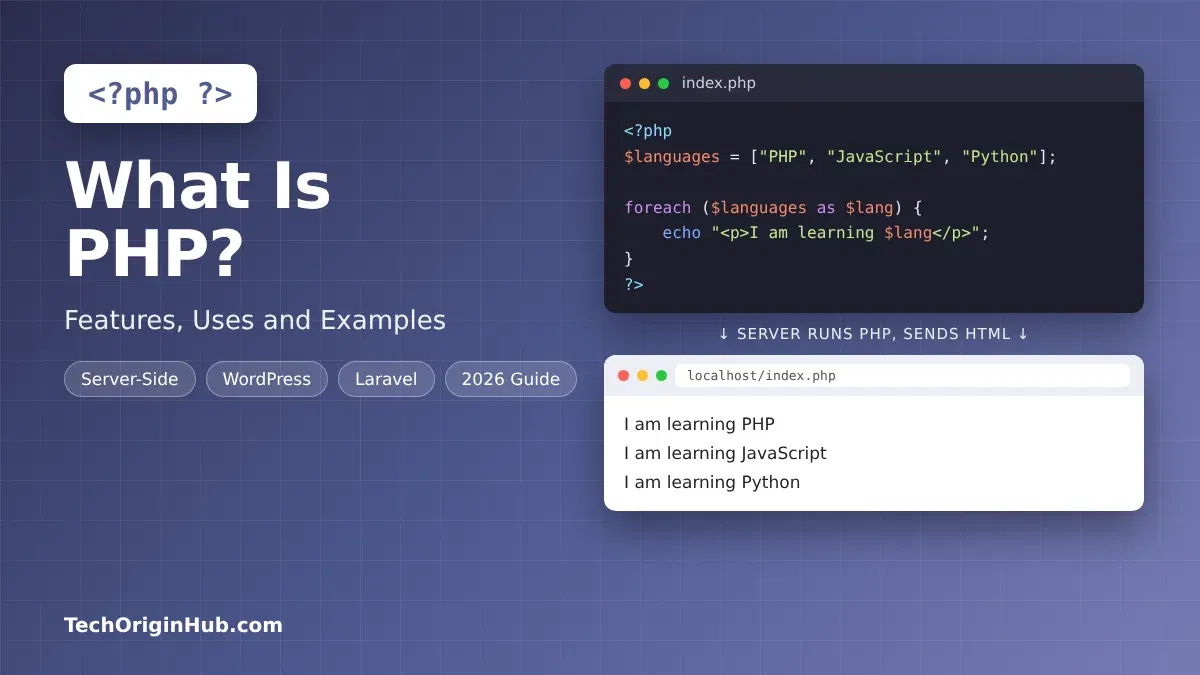
Example 4: Loop Through a List
<?php
$languages = ["PHP", "JavaScript", "Python"];

foreach ($languages as $lang) {
    echo "<p>I am learning $lang</p>";
}
?>
The foreach loop goes through each item and prints an HTML paragraph for it.
Example 5: Reading a Simple Form
<form method="post">
  <input type="text" name="username" placeholder="Your name">
  <button type="submit">Send</button>
</form>

<?php
if ($_SERVER["REQUEST_METHOD"] === "POST") {
    $user = htmlspecialchars($_POST["username"]);
    echo "Welcome, $user!";
}
?>
This reads what the user typed in the form. The htmlspecialchars() function cleans the input so attackers cannot inject harmful code into your page. Always clean user input like this.
Example 6: A Simple Function
<?php
function add(int $a, int $b): int {
    return $a + $b;
}

echo add(5, 10); // 15
?>
Modern PHP supports type declarations like int, which help catch mistakes early.
Key Features of PHP
- Easy to learn: The syntax is simple and forgiving, so beginners can build a working page on day one.
- Free and open source: No license fees, and anyone can use it for personal or business projects.
- Works inside HTML: You can mix PHP and HTML in the same file, which makes building pages quick.
- Cross-platform: PHP runs on Windows, macOS and Linux, and on servers like Apache, Nginx and LiteSpeed.
- Database support: It connects easily to MySQL, MariaDB, PostgreSQL, SQLite and more, using tools like PDO. A basic understanding of SQL helps a lot here.
- Cheap hosting everywhere: Almost every shared hosting plan supports PHP out of the box.
- Object-oriented programming: Classes, interfaces, traits and enums let you build large, organized apps.
- Fast modern versions: PHP 8 includes OPcache and a JIT compiler for better speed.
- Huge ecosystem: Composer, the PHP package manager, gives access to hundreds of thousands of free packages through Packagist.
- Big community: Decades of tutorials, forums and answers mean help is easy to find.
What Is PHP Used For?
| Use Case | What PHP Does | Real Examples |
|---|---|---|
| Content management systems | Runs blogs and websites you can edit without code | WordPress, Drupal, Joomla |
| Online stores | Handles products, carts, payments and orders | WooCommerce, Magento (Adobe Commerce), PrestaShop |
| Custom web apps | Builds dashboards, booking systems and portals | Apps built with Laravel or Symfony |
| APIs | Sends data to mobile apps and front ends | Laravel, Symfony, Slim |
| Forms and logins | Processes forms, sessions and user accounts | Contact forms, member areas |
| Forums and communities | Powers discussion boards | phpBB, Flarum |
| Command-line scripts | Runs scheduled jobs like backups and emails | Cron jobs, Laravel Artisan |
| Large platforms | Serves huge numbers of users | Wikipedia (MediaWiki), Slack’s back end in its early years, Facebook’s early versions |
Facebook started on PHP and later built Hack, its own language based on PHP. Wikipedia still runs on MediaWiki, which is written in PHP.
Popular PHP Frameworks
- Laravel: The most popular PHP framework. It has clean syntax, built-in login, queues and an easy database layer.
- Symfony: A stable, enterprise-friendly framework. Many other projects, including Laravel and Drupal, use Symfony components.
- CodeIgniter: Lightweight and simple, good for small projects and beginners.
- Yii and CakePHP: Mature frameworks with strong built-in tools.
PHP Versions in 2026
PHP releases a new version every year, usually in late November. Each version gets bug fixes first, then a period of security-only fixes, and then reaches end of life.
| Version | Released | Status (October 2026) |
|---|---|---|
| PHP 8.6 | Expected November 19, 2026 | In testing (Release Candidates) |
| PHP 8.5 | November 20, 2025 | Supported, latest stable |
| PHP 8.4 | November 21, 2024 | Supported |
| PHP 8.3 | November 23, 2023 | Security fixes only |
| PHP 8.2 | December 8, 2022 | Security fixes only |
| PHP 8.1 and older | 2021 and earlier | End of life, no updates |
What is coming in PHP 8.6: Partial function application, a built-in clamp() function, readonly properties with default values, and a new Time\Duration class are among the planned changes.
According to W3Techs (October 2026), about 65.8% of PHP websites run PHP 8, 26.5% still use PHP 7, and 7.6% still use PHP 5. PHP 7 and PHP 5 are no longer supported, so those sites miss out on security fixes.
Advantages and Disadvantages of PHP
| Advantages | Disadvantages |
|---|---|
| Easy for beginners | Older code online can teach bad habits |
| Runs most of the web, so jobs and freelance work are common | Mixing PHP and HTML can get messy without a framework |
| Very cheap hosting | Less popular for new startups than JavaScript or Python |
| Strong frameworks like Laravel | Not designed for heavy real-time apps out of the box |
| PHP 8 is fast and modern | Some function names are inconsistent |
| Huge community and documentation | Many sites still run old, unsafe versions |
PHP vs Other Web Languages
| Feature | PHP | JavaScript (Node.js) | Python |
|---|---|---|---|
| Main use on the web | Websites, CMS, e-commerce | APIs, real-time apps, full-stack | APIs, data apps, AI |
| Beginner friendly | Very easy | Easy | Very easy |
| Shared hosting support | Almost everywhere | Limited | Limited |
| Popular frameworks | Laravel, Symfony | Express, Next.js | Django, Flask |
| Best known for | WordPress | Modern web apps | Data science and AI |
If you want to compare further, read our guides on JavaScript and Python.
How to Get Started With PHP
- Install a local server: Download a free package like XAMPP, Laragon (Windows) or MAMP (macOS). These include PHP, Apache and MySQL in one install.
- Find the web folder: In XAMPP, this is the
htdocsfolder. Files you put here can be opened in your browser. - Create your first file: Make a file called
index.phpand add<?php echo "Hello, World!"; ?>. - Open it in the browser: Start Apache, then visit
http://localhost/index.php. - Learn the basics: Practice variables, arrays, loops, functions, forms and sessions.
- Connect a database: Learn MySQL and the PDO extension to save and read data safely.
- Try a framework: Once you are comfortable, start a project in Laravel using Composer.
Tip: Check your PHP version by running php -v in the terminal. Always install a supported version, like PHP 8.4 or 8.5.
Frequently Asked Questions
Is PHP still used in 2026?
Yes. According to W3Techs, PHP is used by about 69% of all websites whose server-side language is known. WordPress alone keeps PHP in heavy use.
Is PHP frontend or backend?
PHP is a backend (server-side) language. It runs on the server and sends HTML, CSS and JavaScript to the browser, which handles the front end.
Is PHP easy to learn?
Yes. PHP is one of the easiest web languages to start with. If you know a little HTML, you can write useful PHP code within a few days.
What does PHP stand for?
PHP stands for “PHP: Hypertext Preprocessor.” It originally meant “Personal Home Page.”
Is PHP free?
Yes. PHP is free and open source. You can use it for personal and commercial projects without paying anything.
Is WordPress built with PHP?
Yes. WordPress core, themes and plugins are mainly written in PHP, with JavaScript used for parts of the editor and front end.
What is the latest PHP version?
As of October 2026, PHP 8.5 is the latest stable version. PHP 8.6 is in testing and is expected around November 19, 2026.
Should I learn PHP or JavaScript first?
If you want to build or customize WordPress sites and work with cheap hosting, start with PHP. If you want to build interactive front ends or real-time apps, start with JavaScript. Many web developers learn both.
Final Thoughts
PHP has been around for more than 30 years, and it still runs most of the web. It is easy to learn, free, supported by almost every hosting company, and powers giants like WordPress and Wikipedia.
Modern PHP 8 is fast, safe and full of modern features, so it is still a smart skill to learn in 2026. Install a local server, try the examples above, and build a small project like a contact form or a to-do list. That is the quickest way to understand how PHP works.
References
- W3Techs, “Usage statistics of PHP for websites”: https://w3techs.com/technologies/details/pl-php
- PHP.Watch, “PHP Versions”: https://php.watch/versions
Disclaimer
This article is for general information and learning purposes only. PHP version details and usage statistics were checked on October 31, 2026, and can change. Always confirm the latest support status on the official PHP website before choosing a version for a live project. TechOriginHub is not affiliated with The PHP Group, The PHP Foundation or any company mentioned. Names and trademarks belong to their owners.