
 By saman zahra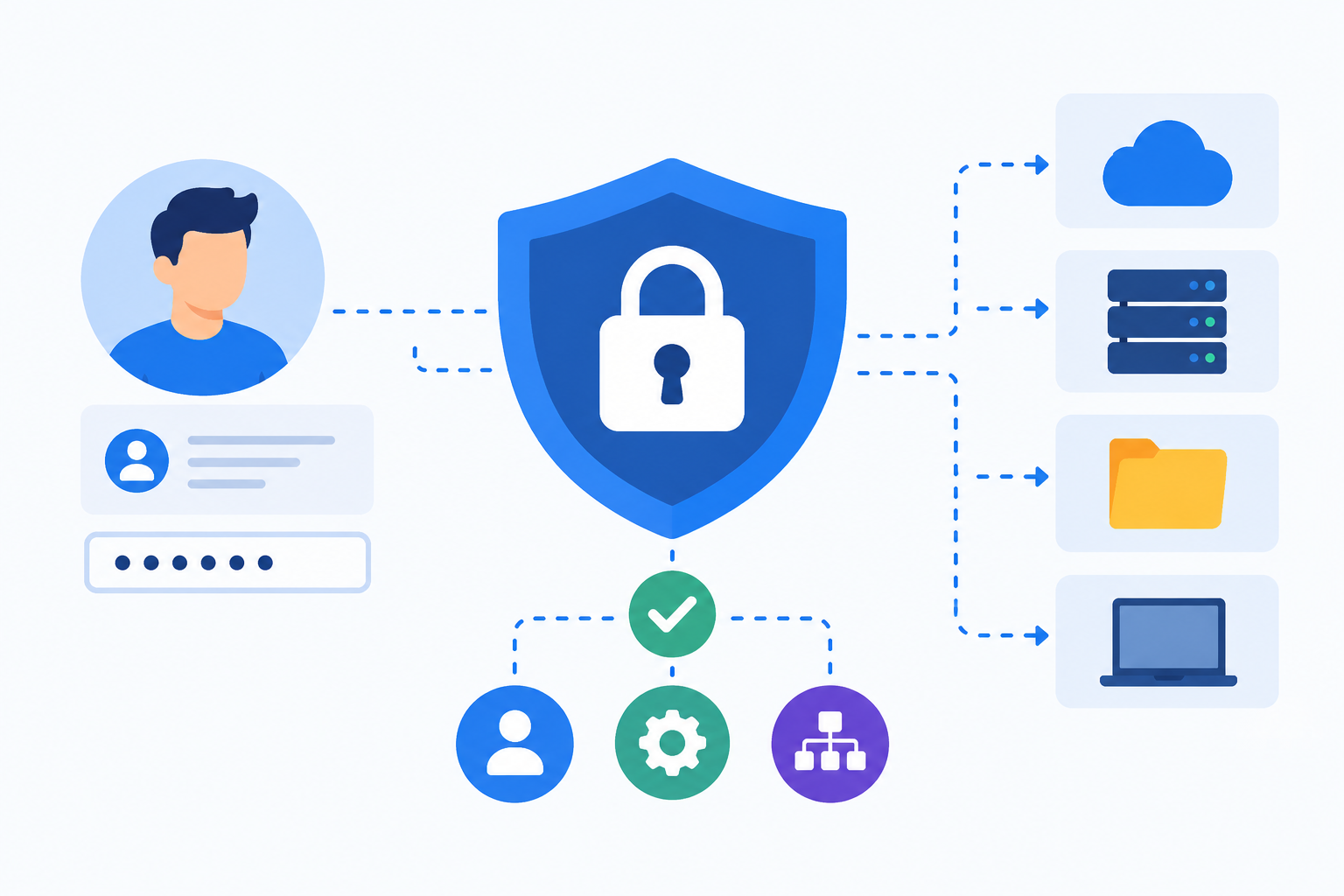
Introduction
Every day, millions of employees log into corporate systems, cloud applications, and shared databases. Every one of those interactions raises the same fundamental security questions: Who is this person? Are they who they claim to be? And what should they be allowed to do? Identity and access management exists to answer those questions systematically and securely across an entire organization.
This guide explains what identity and access management is, why it matters, how its core components work, and what organizations and IT professionals need to know to get started.
What Is Identity and Access Management?
Identity and access management, commonly referred to as IAM, is a framework of policies, processes, and technologies that ensures the right people and systems have the right access to the right resources at the right time and for the right reasons within an organization.
IAM encompasses two core concepts that work together:
Identity management deals with establishing, maintaining, and verifying who someone or something is in a digital system. This covers creating user accounts, managing credentials, and confirming identity at the point of login. Every employee, contractor, service account, and automated process that interacts with organizational systems has a digital identity that needs to be managed.
Access management deals with controlling what an authenticated identity is permitted to do and access within systems and applications. After identity is confirmed, access management determines whether that identity can read a file, modify a database record, access a cloud resource, or perform an administrative function.
A simple analogy makes this concrete. Think of IAM like the security system at a large office building. Identity management is the process of issuing employee ID badges that prove who you are. Access management is the system of doors, key readers, and locks that determines which floors, rooms, and areas each employee’s badge can open based on their role in the organization. A visitor badge opens the lobby. An engineer’s badge opens the server room. A finance employee’s badge opens the accounts floor. No single badge opens everything.
Real-world examples of IAM in everyday use:
- An employee logging into their company laptop using corporate credentials and only being able to access the files and applications relevant to their specific role
- A new employee receiving access to the systems they need on their first day and having that access removed entirely when they leave the organization
- A hospital system that ensures doctors can access patient clinical records while billing staff can only access financial and administrative information
- A cloud platform restricting which administrators can modify which resources based on their assigned roles and the permissions attached to those roles
IAM is a foundational pillar of cybersecurity in every organization that manages digital systems and data. Understanding what it is and how it works is essential for anyone responsible for protecting organizational resources.
Why Is Identity and Access Management Important?
Identity-based attacks are among the most common and damaging in modern cybersecurity. Compromised credentials are a primary method attackers use to gain unauthorized access to systems and data. When an attacker successfully steals or guesses valid credentials, they can often move through systems while appearing to be a legitimate user, making detection far more difficult.
Without effective IAM, organizations face a predictable set of serious problems:
- Unauthorized access: External attackers and insider threats can access systems and data they have no legitimate reason to reach
- Over-privileged accounts: Employees accumulate more access than their role requires over time, creating excessive risk if those accounts are compromised
- Compliance failures: Regulatory frameworks increasingly require organizations to demonstrate strict access controls and detailed audit trails
- Slow or failed deprovisioning: Former employees retain active credentials that remain valid long after they have left, creating exploitable dormant accounts
- Poor visibility: Organizations often have no clear picture of who has access to what across their systems, making it impossible to manage risk effectively
Effective IAM reduces the impact of a credential compromise by ensuring that even if an attacker obtains valid credentials, the access available through those credentials is limited to only what that identity was specifically permitted. This is the practical security value of least privilege and tight access controls working together.
IAM also directly supports regulatory compliance with frameworks that organizations must demonstrate adherence to. GDPR requires demonstrable control over who accesses personal data. HIPAA mandates access controls and audit logging for electronic health records. PCI DSS requires strict access controls for payment card data environments. SOX requires controlled access to financial systems and records. Without IAM, meeting these requirements consistently and demonstrably is extremely difficult.
IAM is a critical discipline within the broader spectrum of cybersecurity practices that organizations must implement, and it is one of several essential types of cybersecurity controls that together protect organizational assets from both external and internal threats.
Key Components of Identity and Access Management
Authentication
Authentication is the process of verifying that someone or something is who or what they claim to be. When you enter a username and password, the system is authenticating you by checking those credentials against its stored records.
Authentication answers the core question: Are you who you say you are?
Modern IAM systems use multiple forms of authentication to provide stronger assurance of identity than a password alone can offer. Passwords can be stolen, guessed, or leaked. Additional authentication factors raise the bar significantly for any attacker attempting to impersonate a legitimate user.
Authorization
Authorization determines what an authenticated user or system is permitted to do and access after their identity has been confirmed. Authentication and authorization are distinct and sequential: authentication comes first, authorization follows.
Authorization answers the core question: What are you allowed to do?
An employee may be fully authenticated as a valid user of the organization’s systems, but their authorization level determines whether they can read a file, edit it, delete it, share it, or have no access to it at all. These permissions are enforced through access control policies, roles, and rules defined by the organization.
Identity Lifecycle Management
Identity lifecycle management covers the complete process of managing a digital identity from its creation through every change it undergoes to its eventual deactivation or deletion.
Key stages of the identity lifecycle include:
- Provisioning: Creating a new identity and granting appropriate initial access when a new employee joins the organization or a new service account is needed
- Modification: Updating access rights when a user’s role changes, they take on new responsibilities, or they move between departments
- Deprovisioning: Removing or disabling access when a user leaves the organization, changes roles in a way that no longer requires previous access, or when a service account is retired
Prompt and accurate deprovisioning is one of the most critical and frequently neglected aspects of identity lifecycle management. Accounts belonging to former employees that remain active after departure are a documented attack vector that organizations regularly expose themselves to through slow or incomplete offboarding processes.
Single Sign-On
Single sign-on, commonly called SSO, allows users to authenticate once and then access multiple applications and systems without needing to log in separately for each one. After a single authentication event, the user’s verified identity is asserted to other connected applications through trusted protocols.
SSO improves both security and user experience simultaneously. Security improves because users manage fewer passwords, which reduces password reuse and simplifies enforcement of strong password policies across the organization. User experience improves because employees do not need to remember and enter separate credentials for each of the many applications they use throughout their workday.
SSO is implemented through established protocols such as Security Assertion Markup Language, known as SAML, and OAuth, which allow trusted identity providers to assert a user’s verified identity to multiple connected service providers.
Multi-Factor Authentication
Multi-factor authentication, or MFA, requires users to verify their identity using two or more different factors drawn from different categories. Relying on a single factor, typically a password, is no longer considered sufficient for most organizational systems.
The three authentication factor categories are:
- Something you know: A password, passphrase, or PIN
- Something you have: A smartphone authenticator app, a hardware security token, or a one-time code sent to a registered device
- Something you are: A biometric characteristic such as a fingerprint, face scan, or voice pattern
MFA significantly increases security because compromising one factor alone is not sufficient to gain access. An attacker who steals a password still cannot authenticate without the second factor, which they are far less likely to possess.
For a detailed explanation of how two-factor authentication works and why it matters, this guide on two-factor authentication provides practical context for implementing this core IAM control.
Directory Services
A directory service is a centralized repository that stores and manages information about users, devices, and resources within an organization. Directory services serve as the authoritative source of identity information that IAM systems query to verify credentials and retrieve the access permissions associated with a given identity.
Common directory service technologies include Microsoft Active Directory, widely used in enterprise environments, and Lightweight Directory Access Protocol, known as LDAP, which is used by many directory implementations to organize and query identity data.
Access Control Policies
Access control policies are the rules that define who can access which resources under which conditions. These policies are enforced by IAM systems to ensure that authentication and authorization decisions are made consistently, predictably, and auditably across the organization.
Policies can be based on user roles, individual attributes, time of day, network location, device type, and other contextual factors. Well-designed policies translate the organization’s security requirements into enforceable technical rules that the IAM system can apply automatically without requiring manual intervention for each access decision.
Types of Access Control in IAM
| Access Control Model | How It Works | Best Used For |
|---|---|---|
| Role-Based Access Control (RBAC) | Access is granted based on the user’s assigned role within the organization | Large organizations with well-defined job roles and predictable access patterns |
| Attribute-Based Access Control (ABAC) | Access decisions are based on attributes of the user, the resource, and the environment | Complex environments needing fine-grained, context-sensitive access control |
| Mandatory Access Control (MAC) | Access is controlled by a central authority based on security classifications applied to users and resources | High-security environments such as government, defense, and intelligence |
| Discretionary Access Control (DAC) | Resource owners control who has access to their own resources | Small teams and environments with trusted users and less complex access needs |
| Policy-Based Access Control (PBAC) | Access is determined by dynamic policies that can evaluate multiple factors simultaneously | Modern zero trust and cloud environments requiring adaptive access decisions |
Role-Based Access Control
RBAC is the most widely deployed access control model in enterprise environments. Users are assigned roles that correspond to their job function, such as administrator, analyst, manager, or viewer. Each role is granted a predefined set of permissions that allow access to the resources that role requires to perform its function.
When a user’s job changes, their role assignment is updated rather than having to individually adjust dozens or hundreds of individual permissions. This makes RBAC significantly more manageable at organizational scale. Permissions are managed at the role level and applied to all users assigned that role, which simplifies both administration and auditing.
Attribute-Based Access Control
ABAC evaluates multiple attributes simultaneously to make access decisions. These attributes can include user attributes such as department, job title, and clearance level; resource attributes such as data classification and sensitivity level; and environmental attributes such as time of day, geographic location, and network type.
ABAC provides more granular and context-sensitive access control than RBAC and is well-suited to complex environments where the same user may need different access levels depending on the circumstances of the request.
Principle of Least Privilege
The principle of least privilege is a foundational security concept in IAM that states every user, system, and process should have only the minimum access necessary to perform its intended function, and no more.
Over-privileged accounts represent unnecessary and avoidable risk. If an account with excessive permissions is compromised, the attacker inherits all of those permissions and can cause far greater damage than they could through an appropriately scoped account. Applying least privilege effectively requires initial access design discipline and ongoing access reviews to identify and remove permissions that have accumulated beyond what is genuinely needed.
The National Institute of Standards and Technology (NIST) addresses the principle of least privilege in its Special Publication 800-63 Digital Identity Guidelines and across its Cybersecurity Framework, both of which provide foundational technical guidance for identity management programs.
Privileged Access Management
Privileged access management, known as PAM, is a specialized area of IAM focused specifically on securing and managing accounts with elevated permissions. This includes system administrators, database administrators, network engineers, and other users whose accounts have significantly greater capabilities than a standard employee account.
Privileged accounts are the highest-value targets for attackers. Compromising a standard user account gives an attacker limited access. Compromising a privileged account can give an attacker the ability to modify systems, access all data, disable security controls, and create new accounts for persistent access.
PAM controls include:
- Just-in-time access: Privileged permissions are granted only for the specific period needed to complete a task and automatically revoked when the task is done, rather than remaining permanently assigned
- Session monitoring and recording: All activity during privileged sessions is logged and recorded for audit and detection purposes, creating accountability and enabling forensic investigation
- Credential vaulting: Privileged credentials are stored in a secure vault rather than being known to individual users, with automated rotation to prevent long-term credential exposure
- Approval workflows: Access to privileged functions requires review and authorization from a designated approver before it is granted, creating a checkpoint that reduces the risk of unauthorized privileged activity
Privileged accounts should be subject to the most rigorous IAM controls available in the organization, including mandatory multi-factor authentication, comprehensive activity logging, and regular review of what privileged access exists and whether it remains justified.
IAM and Zero Trust Security
Zero trust is a security model built on the principle of never trust, always verify. No user, device, or system is automatically trusted based on its network location, previous authentication history, or organizational affiliation. Every access request must be explicitly verified.
IAM is the operational foundation of a zero trust architecture. Zero trust’s core requirement, that every access request be authenticated, authorized, and continuously validated, can only be fulfilled through a robust and well-implemented IAM system. Without strong IAM, zero trust is a principle without an enforcement mechanism.
In a zero trust model, IAM systems must:
- Verify the identity of every user and device before granting access to any resource, regardless of where the request originates
- Enforce least privilege access so that compromised identities have a minimized impact on the organization
- Continuously re-evaluate access during sessions rather than trusting an established session indefinitely after initial authentication
- Incorporate contextual signals such as device health, user location, behavioral patterns, and access time into real-time access decisions
The Cybersecurity and Infrastructure Security Agency (CISA) has published zero trust maturity model guidance that explicitly identifies identity as one of the five core pillars of zero trust architecture, reinforcing how central IAM is to implementing this security model effectively.
Understanding zero trust security in depth is essential for any organization designing modern IAM systems, because zero trust principles shape how authentication, authorization, and continuous validation should be implemented. IAM and zero trust security are not separate concerns but deeply interconnected requirements of a mature security program.
IAM in Cloud Environments
As organizations move workloads to cloud environments, IAM becomes even more critical. Cloud resources are accessible over the internet rather than protected by a traditional network perimeter, which means identity becomes the primary security boundary rather than network location.
Cloud IAM involves several distinct responsibilities:
- Managing diverse identity types: Cloud environments involve not only human users but also service accounts, automated processes, serverless functions, and machine identities, all of which require managed access controls
- Controlling cloud resource access: IAM policies determine which cloud services, storage buckets, databases, and compute resources each identity can access and what actions they can perform on those resources
- Preventing misconfiguration: Cloud IAM configurations that are overly permissive are one of the most common causes of cloud data breaches. Granting broad permissions for convenience rather than necessity creates significant exposure
- Managing federation: Many organizations connect their on-premises identity directories to cloud identity providers through federation, allowing employees to use their existing corporate credentials to access cloud resources
Cloud providers including AWS, Microsoft Azure, and Google Cloud each offer native IAM services for managing access to resources within their platforms. However, the shared responsibility model means that while the cloud provider manages the underlying infrastructure security, the organization is fully responsible for configuring and managing the IAM policies that govern access to the resources they deploy.
Cloud security and IAM are inseparable in cloud-native and hybrid environments. Organizations that understand cloud security principles are better equipped to design IAM policies that reflect the shared responsibility model and avoid the common misconfiguration mistakes that lead to unintended data exposure.
IAM and Endpoint Security
Endpoint security protects the devices that users use to access organizational systems and applications. In modern security architectures, the security state of a device is increasingly considered as part of the access decision rather than simply verifying the identity of the user attempting to log in.
Device health checks that verify whether a device is compliant with organizational security policies, such as having current operating system patches, enabled disk encryption, and active endpoint protection software, can be integrated into IAM access decisions. An authenticated user attempting to access a sensitive resource from a device that fails compliance checks can be denied access, directed to a more limited access experience, or prompted to remediate the compliance issue before access is granted.
This integration of device posture into access decisions is a key element of modern conditional access frameworks and a practical implementation of zero trust principles at the device level.
Endpoint security and IAM together create a more complete access control picture than either provides alone: IAM verifies who is making the request, and endpoint security contributes information about whether the device making the request can be trusted.
IAM and Network Security
Network security controls protect the infrastructure and communication pathways through which users access organizational systems. IAM and network security are complementary disciplines that together create layered access protection.
Network controls can restrict which networks and IP ranges are permitted to initiate access requests to organizational systems, reducing the attack surface before the IAM system even evaluates the request. IAM then determines whether the specific authenticated identity making the request from that network is authorized for the specific resource they are requesting.
Network segmentation can limit which systems are reachable from which network zones, while IAM determines whether an authenticated user in that zone can access specific resources within it. These controls reinforce each other: an attacker blocked at the network level faces no opportunity to attempt IAM bypass, and an attacker who bypasses network controls still faces IAM authentication and authorization requirements.
Network security is an important complement to IAM, and organizations building mature security programs need to understand how network controls and identity controls interact to provide defense in depth across the access control architecture.
Common IAM Security Risks and Challenges
Weak or Compromised Credentials
Weak passwords, password reuse across accounts, and credentials stolen through phishing attacks are among the most common causes of identity-based breaches. Once an attacker has valid credentials, they can often access systems while appearing entirely legitimate to security monitoring tools.
IAM systems should enforce strong password policies, require multi-factor authentication to limit the impact of stolen passwords, and monitor for indicators of credential compromise such as logins from unusual locations or at unusual times.
Phishing attacks specifically targeting user credentials represent one of the primary real-world threats that IAM programs must be designed to mitigate. Multi-factor authentication is the single most effective control for reducing the impact of credential theft through phishing, because a stolen password alone is not sufficient to complete authentication.
Over-Privileged Accounts
Accounts with more permissions than their role requires represent unnecessary and often invisible risk. Over-privilege accumulates naturally over time as employees take on new responsibilities without old permissions being removed, as role boundaries blur, or as temporary access grants become permanent through inattention.
If an over-privileged account is compromised, the attacker inherits every permission that account holds. Regular access reviews are essential to identify and remediate over-privileged accounts before they become exploitable vulnerabilities.
Orphaned and Dormant Accounts
Orphaned accounts are accounts belonging to users who have left the organization or changed roles but whose access was not properly deprovisioned. Dormant accounts that show no active use are particularly difficult to monitor because anomalous activity is harder to detect against a baseline of no activity at all.
Automated deprovisioning workflows that trigger when HR systems record a departure or role change, combined with regular account audits that identify accounts with extended periods of inactivity, are the primary controls for preventing orphaned account accumulation.
Insider Threats
IAM must protect against not only external attackers who have obtained credentials but also insider threats from employees, contractors, and business partners who misuse their legitimate access. Insider threats are particularly difficult to detect because the activity appears to originate from authorized identities using normal access patterns.
Least privilege access limits what any single insider can access and do. Activity monitoring surfaces behavioral anomalies that may indicate misuse. Regular access reviews identify access that is no longer appropriate for a user’s current role or relationship with the organization.
Shadow IT and Unmanaged Identities
When employees use unauthorized applications and create accounts outside of the organization’s managed IAM framework, those identities and their access cannot be monitored, controlled, or deprovisioned through normal IAM processes. Applications accessed through shadow IT may handle sensitive organizational data without the security controls that managed applications enforce.
Strong IAM governance, clear acceptable use policies, and user education about why managed identity systems exist and why they matter are the primary approaches to reducing shadow IT and its associated identity management gaps.
IAM Misconfiguration
Incorrectly configured IAM policies, particularly in cloud environments, can result in unintended access permissions that expose sensitive resources to anyone who knows how to reach them. Overly permissive cloud IAM policies are consistently cited as a leading cause of cloud data breaches.
Regular IAM configuration audits, automated policy validation tools, and careful peer review of IAM policy changes help organizations identify and correct misconfigurations before they are discovered by attackers.
IAM Best Practices
Enforce the Principle of Least Privilege
Every user, service account, and system should have only the minimum access necessary to perform its function. Design initial access grants to reflect actual role requirements rather than granting broad access for convenience. Conduct regular access reviews to identify and remove permissions that have accumulated beyond what is currently needed.
Implement Multi-Factor Authentication
MFA should be mandatory for all users, with the strongest requirements applied to privileged accounts, remote access connections, and access to systems handling sensitive data. MFA significantly reduces the risk of account compromise even when credentials are stolen or leaked.
Two-factor authentication is one of the most effective and immediately deployable security improvements any organization can make to its IAM posture, and it should be a non-negotiable baseline requirement rather than an optional enhancement.
Automate Provisioning and Deprovisioning
Automated workflows for granting and revoking access reduce the risk of human error, eliminate delays in access changes, and ensure that deprovisioning happens immediately when triggered by an employee departure or role change rather than depending on manual processes that may be slow or inconsistent.
Integrating IAM with HR information systems so that employee lifecycle events automatically trigger corresponding access changes is one of the highest-impact improvements organizations can make to their identity lifecycle management.
Conduct Regular Access Reviews
Periodic reviews of who has access to what across the organization help identify over-privileged accounts, orphaned accounts, and access rights that no longer reflect current business needs. Access reviews should be conducted at a frequency that reflects the sensitivity of the resources being governed, with more frequent reviews for systems handling the most sensitive data.
ISACA and other governance frameworks recommend treating access reviews as a formal, documented process with clear ownership, defined frequency, and documented outcomes rather than an informal periodic check.
Apply Zero Trust Principles
Design IAM systems to verify every access request rather than relying on implicit trust based on network location, previous authentication, or organizational affiliation. Incorporate device health, user behavior, location, and other contextual signals into access decisions to detect and respond to anomalous access attempts in real time.
Zero trust security principles are increasingly the reference standard for modern IAM design, and organizations that build IAM systems aligned with these principles are better positioned to handle the diverse and distributed access patterns of modern work environments.
Implement Comprehensive Logging and Monitoring
Log all authentication events, authorization decisions, and administrative IAM changes including policy modifications, account creations, and permission grants. Store logs securely in a location that cannot be modified by the identities being monitored.
Monitor logs for anomalous patterns such as repeated authentication failures, access at unusual times or from unusual locations, access to sensitive resources by identities that have no documented need, and privilege escalation attempts. Rapid alerting on suspicious IAM activity enables faster detection and response to identity-based attacks.
Secure Privileged Accounts
Apply the most rigorous IAM controls available to privileged accounts. Mandatory MFA, just-in-time access grants, session recording, regular credential rotation, and strict approval workflows should all be standard requirements for any account with administrative or elevated permissions.
Privileged accounts should never be used for routine non-administrative tasks. Administrators should have separate standard user accounts for everyday activities and use privileged credentials only when specifically required for an administrative function.
Maintain a Complete Identity Inventory
Keep a current inventory of all identities in the organization, including human user accounts, service accounts, system accounts, and machine identities such as certificates and API keys. Include account status, assigned roles, access rights, and last activity date in the inventory to support access reviews and anomaly detection.
An organization that does not know what identities exist in its environment cannot effectively manage the risk those identities represent.
IAM vs PAM vs IGA: Understanding the Differences
| Discipline | Focus | Primary Function | Key Use Case |
|---|---|---|---|
| Identity and Access Management (IAM) | All identities and their access to organizational resources | Authentication, authorization, and identity lifecycle management | Managing all user access across the organization consistently and securely |
| Privileged Access Management (PAM) | High-privilege accounts and administrative access specifically | Securing, monitoring, and tightly controlling elevated access | Protecting administrator, root, and service accounts from misuse and compromise |
| Identity Governance and Administration (IGA) | Policy governance, regulatory compliance, and access certification | Access reviews, entitlement management, policy enforcement, and audit reporting | Demonstrating compliance with regulatory requirements and managing access entitlements at scale |
IAM, PAM, and IGA are complementary disciplines that together provide comprehensive identity security coverage across different dimensions of the access management challenge. IAM provides the foundational framework for managing all identities and access. PAM applies the most stringent controls to the highest-risk accounts. IGA provides the governance layer that ensures policies are followed, access remains appropriate over time, and compliance obligations are met.
Most mature organizations implement all three as components of a unified identity security program. Smaller organizations and those earlier in their security maturity journey typically begin with foundational IAM capabilities and progressively add PAM and IGA capabilities as their program develops. The SANS Institute’s identity security resources provide practical guidance for organizations planning this maturity progression.
How to Implement IAM in an Organization: Getting Started
Implementing IAM is a significant organizational undertaking that requires both technical and process planning. The steps below provide a practical starting framework. Organizations should work with qualified cybersecurity and IT professionals when designing and deploying IAM systems for their specific environment.
Step 1: Inventory All Identities and Access Rights
Begin by developing a comprehensive understanding of who currently has access to what across the organization. Document all human user accounts, service accounts, shared accounts, and machine identities. Include the systems and applications each identity can access and the permissions associated with each account.
This inventory is the foundation for every subsequent IAM decision. Without it, organizations are managing identity risk without visibility into the full scope of what they are managing.
Step 2: Define Roles and Access Policies
Work with business stakeholders across departments to define the roles that exist in the organization and the specific access each role requires to perform its function. Document access policies that will govern which identities can access which resources under which conditions.
This process often surfaces significant over-privilege and access that has accumulated without deliberate design. The goal is to replace organic access accumulation with intentional access design based on actual business requirements.
Step 3: Implement Strong Authentication
Deploy multi-factor authentication for all users, starting with the accounts that carry the greatest risk if compromised: privileged accounts, remote access, and accounts with access to sensitive data systems. Enforce strong password policies and evaluate whether passwordless authentication options are appropriate for specific use cases.
Step 4: Deploy Directory Services and SSO
Centralize identity management in a directory service that serves as the authoritative source of identity information for the organization. Implement single sign-on to reduce password sprawl, simplify access management, and improve both security and the daily user experience for employees who use multiple applications.
Step 5: Automate Provisioning and Deprovisioning
Integrate IAM systems with HR information systems so that employee lifecycle events automatically trigger corresponding identity management actions. New hire processes should automatically provision appropriate initial access. Departure processes should immediately trigger account deprovisioning without depending on manual notification and action.
Step 6: Implement Monitoring and Regular Reviews
Deploy comprehensive logging for all authentication events and access decisions. Establish monitoring that alerts on anomalous patterns. Define a regular schedule for access reviews that ensures the principle of least privilege is maintained over time rather than only at the point of initial provisioning.
IAM Compliance and Regulatory Requirements
IAM is not purely a security concern. It is also a compliance requirement for organizations in many industries and jurisdictions. Regulatory frameworks increasingly require organizations to demonstrate not only that access controls exist but that they are effective, consistently enforced, and regularly reviewed.
Key regulatory requirements that IAM directly addresses:
- GDPR requires organizations to control and demonstrate who has access to personal data of EU residents, with the ability to provide audit evidence of access controls on request
- HIPAA requires healthcare organizations to implement access controls, user activity auditing, and automatic logoff for systems containing electronic protected health information
- PCI DSS requires strict access controls for all systems involved in payment card processing, including requirement for unique identifiers for each user, restriction of access based on need to know, and audit logging of all access
- SOX requires publicly traded companies to demonstrate controlled access to financial systems and data, with particular attention to the separation of duties between those who initiate and those who approve financial transactions
IAM systems provide the authentication, authorization, audit trails, access reviews, and policy enforcement capabilities needed to demonstrate compliance with these requirements in an auditable way. Without IAM, meeting these regulatory demands in a consistent and demonstrable manner is extremely difficult in any organization of meaningful scale.
Application security and IAM intersect at the application access layer, where IAM-enforced controls determine which users can access which application functions and data, contributing directly to both security and compliance posture. Organizations assessing web application security should include IAM controls such as authentication strength, session management, and authorization enforcement as core components of that assessment.
Security testing of IAM systems, including penetration testing of authentication mechanisms, authorization bypass scenarios, and privilege escalation paths, is an important component of IAM assurance. Ethical hacking professionals can systematically test IAM implementations to identify weaknesses before attackers discover them.
Frequently Asked Questions
What is identity and access management?
Identity and access management is a framework of policies, processes, and technologies that ensures the right people and systems have the right access to the right resources at the right time within an organization. It covers who users are, how their identity is verified, and what they are permitted to do.
What does IAM stand for?
IAM stands for Identity and Access Management.
Why is identity and access management important?
IAM is important because identity-based attacks are among the most common causes of data breaches. IAM reduces the risk of unauthorized access, limits the damage from compromised credentials, supports regulatory compliance, and gives organizations visibility and control over who can access their systems and data.
What are the main components of IAM?
The main components of IAM include authentication, authorization, identity lifecycle management, single sign-on, multi-factor authentication, directory services, and access control policies.
What is the difference between authentication and authorization?
Authentication verifies who you are. Authorization determines what you are permitted to do after your identity has been confirmed. Authentication always comes before authorization.
What is single sign-on in IAM?
Single sign-on allows users to authenticate once and then access multiple applications and systems without logging in separately to each one. It reduces password sprawl and simplifies access management.
What is multi-factor authentication and how does it relate to IAM?
Multi-factor authentication requires users to verify their identity using two or more factors from different categories: something they know, something they have, and something they are. MFA is a core IAM component that significantly reduces the risk of account compromise when passwords are stolen.
What is role-based access control?
Role-based access control is an access control model where users are assigned roles corresponding to their job function, and each role is granted a predefined set of permissions. Access is managed at the role level rather than individually for each user.
What is the principle of least privilege?
The principle of least privilege states that every user, system, and process should have only the minimum access necessary to perform its intended function. It reduces the potential damage from compromised accounts and limits the scope of insider threats.
What is privileged access management?
Privileged access management is a specialized IAM discipline focused on securing accounts with elevated permissions, such as system administrators. PAM controls include just-in-time access, session monitoring, credential vaulting, and approval workflows.
What is the difference between IAM and PAM?
IAM covers all identities and their access across the organization. PAM is a specialized subset focused specifically on securing and controlling the highest-privilege accounts, which represent the greatest risk if compromised.
How does IAM work in cloud environments?
Cloud IAM manages access for human users, service accounts, and automated processes to cloud resources. Organizations are responsible for configuring cloud IAM policies under the shared responsibility model, and misconfigured cloud IAM is a common cause of cloud data breaches.
What are common IAM security risks?
Common IAM security risks include compromised credentials from phishing and weak passwords, over-privileged accounts, orphaned accounts from failed deprovisioning, insider threats, shadow IT creating unmanaged identities, and IAM misconfiguration.
What are IAM best practices for organizations?
IAM best practices include enforcing least privilege, requiring MFA for all users, automating provisioning and deprovisioning, conducting regular access reviews, applying zero trust principles, implementing comprehensive logging, and applying the most rigorous controls to privileged accounts.
How does zero trust relate to IAM?
Zero trust requires that every access request be authenticated, authorized, and continuously validated regardless of origin. IAM is the operational foundation that makes zero trust possible by providing verified identity and enforced authorization for every access decision.
What is identity lifecycle management?
Identity lifecycle management covers the complete process of managing a digital identity from creation through every role change to deprovisioning when the identity is no longer needed. Prompt deprovisioning of departing employees is particularly critical.
What are orphaned accounts and why are they a security risk?
Orphaned accounts are accounts belonging to users who have left the organization or changed roles but whose access was not properly removed. They represent a security risk because they can be compromised and used for unauthorized access without detection, as no legitimate user is expected to be logging in.
How does IAM help with regulatory compliance?
IAM provides the access controls, audit trails, access reviews, and policy enforcement capabilities that regulatory frameworks such as GDPR, HIPAA, PCI DSS, and SOX require organizations to demonstrate. Without IAM, meeting these compliance requirements consistently and in an auditable way is extremely difficult.
DISCLAIMER
This article is intended for educational purposes and provides a general overview of identity and access management for beginners, IT professionals, and business owners. IAM is a broad and rapidly evolving field. Specific technologies, tools, and best practices described in this article reflect current general understanding and may change as the field develops. This article does not provide specific IAM implementation advice for any particular organization or system. Always consult a qualified cybersecurity or IT professional for IAM assessments and recommendations specific to your environment. Implementing IAM solutions may require significant technical expertise and organizational planning. Organizations should work with qualified professionals when designing and deploying IAM systems. This article does not constitute an endorsement of any specific IAM product, tool, or vendor.