
 By saman zahra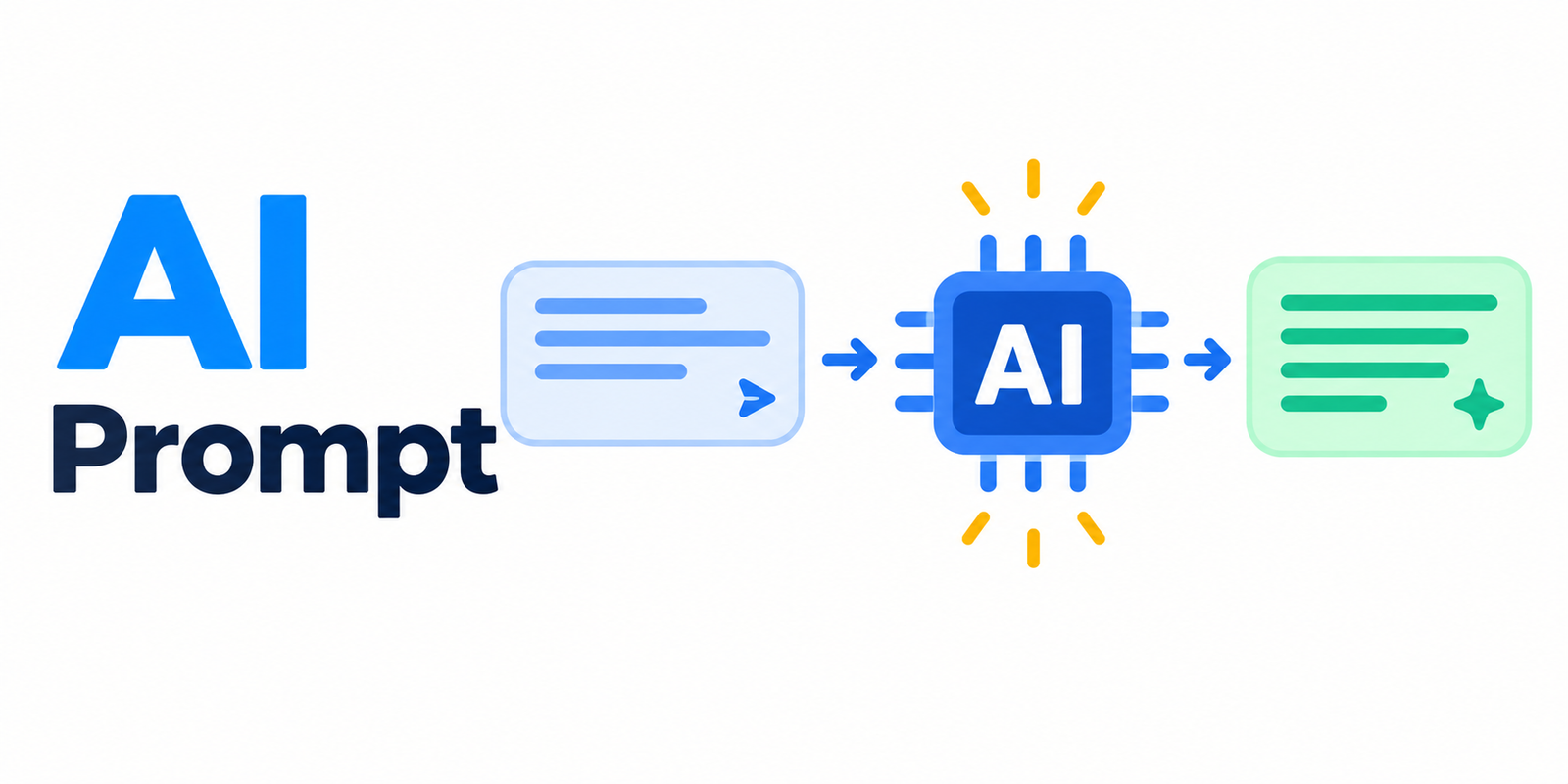
Introduction
When people start using AI tools for the first time, one question comes up almost immediately: why is the AI giving me such unhelpful answers? The answer is usually in the prompt. An AI prompt is the instruction or input you give to an AI tool to tell it what you want. Learning how to write a clear, specific, and well-structured prompt is the single most effective thing you can do to improve the results you get from any AI tool. This guide explains what an AI prompt is, how it works, what makes a prompt effective, and how to write better prompts starting today.
What Is an AI Prompt?
An AI prompt is the input or instruction a user provides to an AI tool to tell it what to do or what to create. It is how you communicate your request to the AI. The AI reads your prompt, processes it, and generates a response or output based on what you asked.
A prompt can take several forms depending on the type of AI tool you are using:
-
A question: “What are the benefits of regular exercise?”
-
A command: “Write a friendly email inviting coworkers to a team lunch.”
-
A description: “A watercolor painting of a mountain lake at sunset.”
-
A piece of text to work with: “Summarize this article in three bullet points: [paste text here].”
-
In some multimodal AI tools, a prompt can include an image combined with a written instruction.
Think of writing an AI prompt like giving instructions to a highly capable but very literal assistant. This assistant will do exactly what you ask, but it cannot read your mind. The clearer and more specific your instructions, the more likely you are to get the result you actually want. If you ask vaguely, you will get a vague result. If you ask precisely, you have a much better chance of getting exactly what you need.
The quality and clarity of a prompt directly affects the quality of the AI’s output. This is true across all types of AI tools, from text assistants to image generators to code helpers.
How Do AI Prompts Work?
When you type a prompt into an AI tool, the underlying AI model processes your input and uses the patterns it learned during training to generate an output it predicts will match what you asked for.
The AI model does not understand your prompt the way a human does. It does not think about your needs or consider your feelings. It processes your prompt statistically, identifying patterns in your words and matching them against patterns learned from vast amounts of training data. It then generates a response that fits those patterns as closely as possible.
This is why the specific words, structure, and detail in your prompt matter so much. The model is working with exactly what you give it. Small changes in how you phrase a prompt can produce noticeably different outputs, not because the AI is being difficult, but because different phrasing activates different patterns in the model’s training.
For a deeper understanding of how AI models process prompts and generate outputs at a technical level, the guide on AI models explains this clearly in beginner-friendly terms.
The Relationship Between Prompts and AI Models
The AI model is the trained system that does the actual processing and generation. The prompt is the input you provide to direct that model. These two things work together. A strong prompt cannot compensate for a model that was not trained for your task, and a powerful model will still produce poor results if given a vague or unclear prompt.
Different AI models respond to prompts differently based on how they were trained and what they were designed to do. A model trained primarily on conversational text will respond differently to the same prompt than a model trained on technical documentation or creative writing. Understanding that your prompt is your primary way of directing an AI model helps you write prompts more deliberately and effectively. The article on AI models is a useful resource for understanding the systems that process your prompts.
Prompts and Generative AI
Prompts are especially central to generative AI tools, which create new content such as text, images, audio, and video in response to user inputs. With generative AI, the prompt is the primary and often the only lever the user has to shape and control what the AI creates. A descriptive, detailed prompt gives a generative AI tool far more to work with than a brief and vague one.
The guide on generative AI provides a comprehensive explanation of how generative AI tools use prompts to create content across different media types, and is a valuable resource for anyone who wants to understand this area in depth.
Why Are AI Prompts Important?
The prompt is the single most important factor within a user’s control that determines the quality of an AI tool’s output. The AI model, the platform, and the underlying technology are fixed. Your prompt is the variable you can change.
A well-written prompt can produce accurate, relevant, and genuinely useful results. A vague or unclear prompt typically produces generic, off-target, or unhelpful outputs. The same AI tool, given the same task described in two different ways, can produce dramatically different results.
Learning to write effective prompts matters for several practical reasons:
- It allows you to get significantly more value from AI tools without any technical or programming knowledge.
- It saves time by reducing how many attempts it takes to get a useful result.
- It becomes increasingly valuable as AI tools are used more widely in work, education, and everyday life.
- It gives you greater control over the quality and format of AI-generated content.
The good news is that effective prompting is a skill anyone can learn with practice. It does not require a technical background. It requires clarity, specificity, and a willingness to refine your approach based on the results you receive.
Types of AI Prompts
AI prompts come in several recognizable types, each suited to different goals. Understanding these types helps you deliberately choose and combine them to get the output you need.
| Prompt Type | What It Does | Example |
|---|---|---|
| Question Prompt | Asks the AI for information or an explanation | “What are the benefits of regular exercise?” |
| Instruction Prompt | Tells the AI to perform a specific task | “Write a professional resignation letter.” |
| Descriptive Prompt | Describes content to generate, common for images | “A photorealistic image of a red vintage car on a coastal road.” |
| Completion Prompt | Provides partial content for the AI to continue | “Continue this story: The door creaked open and…” |
| Role-Based Prompt | Asks the AI to respond as a specific role or persona | “Act as a career coach and give me interview tips.” |
| Formatting Prompt | Specifies how the output should be structured | “List five healthy breakfast ideas as a numbered list.” |
| Contextual Prompt | Provides background information the AI should use | “Here is my draft email. Make it more polite and concise.” |
Many effective prompts combine several of these types within a single instruction. For example, a single prompt might include a role, a specific instruction, relevant context, and a formatting requirement all at once. A prompt like “Act as a professional editor. Rewrite the following paragraph to make it clearer and more concise. Present the revised version followed by a brief explanation of the changes you made: [paste text]” uses a role, an instruction, a contextual input, and a formatting requirement simultaneously.
Understanding prompt types gives you a vocabulary and a toolkit for building prompts more deliberately.
What Makes a Good AI Prompt?
Effective prompts share a set of consistent qualities. Understanding each one and seeing it applied in real examples makes it much easier to put into practice.
Clarity
A good prompt clearly states what you want the AI to do. Ambiguous language leads to ambiguous outputs. When the AI has to guess at your intent, it often guesses wrong.
- Weak: “Tell me about dogs.”
- Strong: “Explain the three most important things a first-time dog owner should know about caring for a puppy.”
The strong version tells the AI exactly what kind of information you want, how many points to cover, and who the information is for.
Specificity
The more specific your prompt, the more targeted the output. Vague prompts produce generic responses that may technically answer your question but miss what you actually needed.
- Weak: “Write a social media post.”
- Strong: “Write a short upbeat Instagram caption for a coffee shop announcing a new autumn pumpkin latte, including two relevant hashtags.”
The strong version specifies the platform, the tone, the subject, the specific product, and a formatting detail.
Context
Providing background information helps the AI generate a more relevant and appropriate response. Without context, the AI has to make assumptions about your audience, purpose, and constraints.
- Weak: “Write an email.”
- Strong: “Write a polite email to a client apologizing for a shipping delay and offering a ten percent discount on their next order. Keep the tone professional and empathetic.”
The strong version gives the AI the situation, the purpose, the relationship between the parties, the specific content to include, and the tone required.
Desired Format
Specifying the format you want helps the AI structure its output in a way that is immediately useful to you. Without format guidance, the AI will choose its own structure, which may not suit your needs.
- Example: “Summarize the following text in exactly three bullet points, each no longer than one sentence.”
Specifying format saves editing time because the output arrives in the structure you need.
Tone and Style
Telling the AI what tone or style you want shapes how the output reads, which matters when the content needs to match a particular audience or context.
- Example: “Explain quantum computing in a fun, casual tone suitable for a curious teenager who has never studied physics.”
Without tone guidance, the AI defaults to a neutral register that may not fit your use case.
Constraints
Setting clear boundaries helps keep outputs focused and prevents the AI from including things you do not want.
- Example: “Write a product description for a water bottle in under 50 words without using the word ‘amazing’ or any superlatives.”
Constraints are particularly useful when you need outputs to fit specific length, style, or content requirements.
How to Write an Effective AI Prompt: Step-by-Step
This framework gives beginners a clear, repeatable process for building effective prompts from the ground up.
Step 1: Define Your Goal
Before writing anything, be clear about what a successful output would look like. Ask yourself what you actually need and what the output should accomplish. This clarity shapes everything that follows.
Step 2: State the Task Clearly
Begin with a direct action verb that tells the AI exactly what to do. Words like write, explain, summarize, list, compare, rewrite, translate, suggest, or create give the AI a clear starting point.
Step 3: Add Relevant Details and Context
Include information about the subject, the intended audience, the purpose, and any specific requirements. The more relevant detail you provide, the better the AI can tailor its output to your actual needs.
Step 4: Specify the Format and Length
Tell the AI how you want the output structured. Do you want bullet points, numbered lists, paragraphs, a table, or a specific word count? Stating this explicitly prevents you from having to reformat the output manually.
Step 5: Set the Tone or Style
Indicate the tone that fits your needs. Options include formal, casual, professional, friendly, persuasive, technical, simple, encouraging, or neutral. Matching the tone to your audience and purpose is often the difference between output you can use immediately and output you have to significantly edit.
Step 6: Review and Refine
Look at what the AI produced and identify what could be improved. Is it too long? Too generic? Missing a key element? Adjust your prompt accordingly and try again. Effective prompting is almost always an iterative process. The first prompt rarely produces the perfect result, and that is completely normal.
Building a prompt through refinement:
- Starting point: “Write about healthy eating.”
- After adding a task and topic: “Write a blog introduction about healthy eating.”
- After adding audience and length: “Write a 300-word blog introduction about healthy eating for busy professionals.”
- After adding tone and content requirements: “Write a 300-word blog introduction about healthy eating for busy professionals. Use a friendly, encouraging tone and include three practical tips for eating well with limited time.”
The final version gives the AI everything it needs to produce something genuinely useful from the first attempt.
AI Prompt Examples by Use Case
The best way to understand what makes a prompt effective is to see many practical examples across different types of tasks. Here are concrete prompts you can adapt for your own use.
Prompts for Writing and Content Creation
- “Write a professional LinkedIn post announcing that I have started a new job as a marketing manager. Keep it under 100 words and include a note of gratitude to my previous team.”
- “Draft a blog outline about beginner gardening tips with five main sections and two subpoints under each.”
- “Rewrite the following paragraph to make it more concise and professional, removing any repetition: [paste text].”
- “Write three alternative headlines for a news article about a local community garden project. Each headline should be under ten words and highlight a different angle.”
- “Generate five email subject line options for a newsletter about a weekend flash sale. Make them compelling and curiosity-driven without being clickbait.”
Prompts for Learning and Explanation
- “Explain how the stock market works using a simple analogy a twelve-year-old would understand.”
- “Give me a step-by-step explanation of how to solve a quadratic equation, assuming I have basic algebra knowledge.”
- “Summarize the key points of the following article in five bullet points. Focus on the main argument and the supporting evidence: [paste text].”
- “What is the difference between a virus and a bacterium? Explain it simply without using medical jargon.”
- “Explain the water cycle in three short paragraphs suitable for a middle school science student.”
Prompts for AI Image Generation
Image generation prompts benefit from a different approach than text prompts. They work best when you describe the subject, the visual style, the mood, the lighting, the color palette, and the composition with specific and evocative language.
- “A photorealistic image of a golden retriever puppy sitting in a field of sunflowers during golden hour, soft natural lighting, shallow depth of field.”
- “A minimalist flat illustration of a coffee cup and an open laptop on a wooden desk, warm earth tones, clean lines, white background.”
- “A watercolor painting of a quiet Japanese garden with a small wooden bridge over a koi pond, soft muted colors, peaceful atmosphere.”
- “A dramatic oil painting of a lone lighthouse on a rocky cliff during a storm, dark clouds, crashing waves, moody lighting.”
- “A clean, modern infographic-style illustration of the solar system with each planet labeled, white background, bold colors.”
The level of descriptive detail in image prompts directly shapes the visual output. Including style, mood, lighting, and composition details gives the AI image model significantly more direction than simply naming a subject.
For a deeper understanding of how generative AI image tools turn descriptive prompts into images, the guide on generative AI covers the underlying technology and its applications in accessible detail.
Prompts for Productivity and Work
- “Create a meeting agenda for a one-hour team planning session covering project status updates, upcoming deadlines, and open questions. Format it with time allocations for each item.”
- “Turn these rough notes into a clear, professional summary paragraph suitable for sharing with senior management: [paste notes].”
- “Write three subject line options for a marketing email promoting a weekend sale. Make them specific, urgent, and under eight words each.”
- “Review the following project proposal and identify three potential weaknesses or risks the author should address: [paste text].”
- “Create a simple checklist for onboarding a new team member during their first week, covering administrative, technical, and social elements.”
Prompts for Everyday Tasks
- “Suggest a week of simple dinner ideas for a family of four with a limited budget. Include one meal that uses leftovers from another.”
- “Help me write a polite message to cancel a dentist appointment and ask to reschedule for sometime next week.”
- “Create a packing checklist for a three-day business trip that includes both work essentials and personal items.”
- “Write a thank-you note to a neighbor who looked after my cat while I was away. Keep it warm and genuine, around fifty words.”
- “Suggest five conversation starter questions I could use at a professional networking event.”
Common AI Prompt Mistakes to Avoid
Knowing what does not work is just as useful as knowing what does. These are the most common mistakes beginners make when writing prompts, along with practical fixes for each.
Being Too Vague
Vague prompts give the AI almost no useful direction, so it defaults to the most generic possible interpretation of your request.
- Mistake: “Write something about travel.”
- Fix: “Write a 200-word blog introduction about solo travel in Southeast Asia for first-time travelers, focusing on why it is more manageable than people expect.”
Asking for Too Many Things at Once
Overloading a single prompt with multiple unrelated requests can confuse the AI and produce a disorganized or incomplete response.
- Mistake: “Write me a cover letter, explain what a cover letter is, and also give me tips for job interviews.”
- Fix: Break this into three separate focused prompts, one for each task.
Not Providing Enough Context
Without context the AI has to guess at your purpose, audience, and requirements. It usually guesses toward a generic middle ground.
- Mistake: “Write a speech.”
- Fix: “Write a three-minute speech for a colleague’s retirement party. The tone should be warm and celebratory, with one light-hearted anecdote and a sincere closing.”
Not Specifying the Format
If you do not specify how you want the output structured, the AI will choose a format that may not suit your needs at all.
- Mistake: “Give me information about sleep hygiene.”
- Fix: “List seven evidence-based sleep hygiene tips as a numbered list, with a one-sentence explanation for each.”
Assuming the AI Knows Unstated Details
The AI only knows what is in your prompt and its training data. It cannot access your personal context, your previous work, your organization’s style guide, or any other information you have not explicitly provided.
- Mistake: “Make my email sound better.” (without including the email)
- Fix: “Rewrite the following email to make it more professional and concise while keeping the main message intact: [paste email].”
Not Reviewing and Refining
Accepting the first output without reflection often leaves significantly better results within reach.
- Fix: Treat prompting as a conversation. Read the output, identify what is missing or off, and send a follow-up prompt that adjusts your instructions. For example: “That is a good start. Now shorten it by half and make the opening line more engaging.”
What Is Prompt Engineering?
Prompt engineering is the practice of designing and refining prompts to get the best possible results from AI tools. It involves understanding how AI models interpret language and systematically crafting prompts that produce accurate, relevant, and useful outputs.
Despite the technical-sounding name, the core of prompt engineering is accessible to anyone. It comes down to being clear, specific, and intentional about how you communicate with AI tools, and then learning from the results you get.
Prompt engineering has become a recognized and valuable skill in professional contexts as organizations integrate AI tools into their workflows. IBM and other technology organizations have highlighted prompt engineering as a practical skill for working effectively with large language models.
Basic prompt engineering techniques that any beginner can start using right away include:
- Providing clear, direct instructions
- Including examples of the type of output you want
- Breaking complex tasks into individual steps
- Assigning the AI a relevant role or persona
- Specifying constraints such as length, format, and tone
- Iterating and refining based on the outputs you receive
Advanced Prompting Techniques for Better Results
Once you are comfortable with the basics, these techniques can take your prompting noticeably further.
Providing Examples in Your Prompt
Including one or more examples of the style or format you want helps the AI understand your expectations with much greater precision than a description alone.
- Example: “Write product taglines in this style: ‘Fuel your day. Anytime, anywhere.’ Now write three taglines for a healthy snack bar targeting office workers.”
Assigning a Role or Persona
Asking the AI to respond as a specific type of expert shapes the tone, depth, and framing of the response in useful ways.
- Example: “Act as an experienced financial advisor speaking to a twenty-five-year-old who has just started their first full-time job. Explain the basics of building an emergency fund in plain language.”
Breaking Tasks into Steps
For complex tasks, asking the AI to work through the problem step by step often produces more thorough and better-organized results.
- Example: “Explain step by step how to set up a basic monthly budget for someone who has never done it before. Start from identifying income and end with tracking spending.”
Specifying What to Avoid
Telling the AI what not to include can be just as useful as telling it what to include, particularly when you want to avoid jargon, a particular tone, or specific content.
- Example: “Explain climate change in simple terms for a general audience. Do not use technical scientific terminology. Do not refer to political debates. Focus only on what it is and why it happens.”
Iterative Refinement
Building on previous outputs through follow-up prompts lets you progressively shape the result toward exactly what you need, rather than trying to get everything right in a single prompt.
- First prompt: “Write a short product description for a reusable coffee cup.”
- Follow-up: “That is good. Now shorten it to under 40 words and add a line about its environmental benefit.”
- Second follow-up: “Change the tone to be more playful and energetic.”
This back-and-forth approach is often faster and more effective than trying to write one perfect prompt from the start.
How Prompts Differ Across AI Tool Types
Prompting is not a one-size-fits-all skill. The most effective approach varies depending on the type of AI tool you are using.
Text-Based AI Tools
Conversational AI assistants and writing tools respond best to clear instructions that include context, specified format, and tone guidance. These tools handle nuanced language well, so detailed and specific prompts tend to produce the best results. Providing the text you want the AI to work with, whether an email, a paragraph, or a document, directly in the prompt makes the output much more relevant.
AI Image Generation Tools
Image generation tools respond to a fundamentally different type of prompting. Rather than instructions and context, they respond to descriptive visual language. Effective image prompts typically specify the subject, the artistic style, the mood, the lighting, the color palette, and the compositional framing. Words that describe visual qualities, such as dramatic, soft, minimalist, vibrant, shallow depth of field, or aerial perspective, are particularly effective.
The approach to prompting an image tool is meaningfully different from prompting a text tool, and developing a feel for visual descriptive language makes a significant difference in results. For readers wanting to understand how generative AI image tools process these descriptions and create images, the guide on generative AI provides a clear explanation of the underlying technology.
AI Video and Audio Tools
Video and audio generation tools may accept text prompts, reference images, or audio inputs depending on the specific tool. Prompts for video tools often specify motion type, pacing, visual style, mood, duration, and the relationship between elements in the scene. Audio prompts typically describe genre, mood, instrumentation, tempo, and the intended use of the audio content.
AI Code Tools
Code generation tools respond best to prompts that clearly describe the desired functionality in plain language, specify the programming language, and include any specific constraints or requirements. Providing an example of the input the code will receive and the expected output, where relevant, helps the model generate more accurate and functional code.
Because different underlying AI models respond to prompts differently based on their training and design, it is worth experimenting to understand how a specific tool interprets your prompting style. The article on AI models explains why different models respond differently and how their training shapes their behavior.
Tips for Getting the Best Results from AI Prompts
These practical tips apply across all AI tool types and can be put into practice immediately.
- Start simple, then add detail. Begin with a clear basic prompt and refine based on what the initial output is missing.
- Be specific about your desired outcome, including the format, length, tone, and intended audience.
- Provide all the context and background information the AI would need to understand your situation.
- Use examples in your prompt to show the AI the style, structure, or tone you want.
- Break complex or multi-part requests into separate focused prompts rather than combining everything into one.
- Iterate. Treat prompting as a back-and-forth conversation rather than a single one-shot request.
- Always review AI outputs for factual accuracy before using them. A well-written prompt improves the quality and relevance of outputs but does not guarantee correctness.
- Experiment with different phrasings. Small changes in wording can produce noticeably different results, and discovering what works best with a specific tool takes some exploration.
- Keep a note of prompts that produce good results so you can reuse and adapt them for similar tasks in the future.
- Avoid including sensitive personal, financial, or confidential information in prompts submitted to AI tools. Reviewing how a platform handles submitted data is good practice from a cybersecurity standpoint before submitting anything sensitive.
Limitations of AI Prompts
Understanding what prompts cannot do is just as important as understanding what they can do. A realistic view of prompt limitations helps you use AI tools more effectively and avoid placing too much trust in outputs that need verification.
- Even a perfectly written prompt cannot guarantee a perfect output. AI models can produce inaccurate, biased, or unexpected results regardless of how carefully the prompt was constructed.
- AI tools can generate confident-sounding but factually incorrect information. This is known as hallucination, and it occurs regardless of prompt quality. Always verify important facts independently before acting on AI-generated information.
- Different AI tools interpret the same prompt differently. A prompt that produces excellent results on one platform may produce mediocre results on another because the underlying models were trained differently.
- Some tasks are genuinely beyond what current AI tools can do reliably, no matter how well the prompt is written. Recognizing these boundaries prevents frustration and wasted effort.
- AI models have knowledge limitations based on their training data. They may not have information about recent events, highly specialized topics, or proprietary information they were not trained on.
- Prompts requesting content that violates a platform’s acceptable use policies will typically be refused or deflected. Each AI platform has its own content guidelines that apply regardless of how the prompt is phrased.
These limitations are connected to the underlying capabilities of the AI model itself, not just to the quality of the prompt. The article on AI models explains these model-level limitations in clear, practical terms that help users calibrate their expectations appropriately.
Frequently Asked Questions
What is an AI prompt?
An AI prompt is the input or instruction a user provides to an AI tool to tell it what to do or create. It can be a question, a command, a description, a piece of text to work with, or in some tools a combination of text and images.
How does an AI prompt work?
The AI model processes your prompt using statistical patterns learned during training and generates an output it predicts best matches your request. The model does not understand your prompt the way a human does. It works with the words and structure you provide, which is why clarity and specificity matter so much.
Why are AI prompts important?
The prompt is the primary factor within a user’s control that determines the quality of an AI tool’s output. A clear, specific, well-structured prompt significantly increases the relevance and usefulness of what the AI produces compared to a vague or ambiguous one.
What makes a good AI prompt?
A good AI prompt is clear, specific, provides relevant context, specifies the desired format and length, indicates the appropriate tone or style, and includes any relevant constraints. Strong prompts give the AI everything it needs without being unnecessarily complicated.
What are the different types of AI prompts?
The main types are question prompts, instruction prompts, descriptive prompts, completion prompts, role-based prompts, formatting prompts, and contextual prompts. Many effective prompts combine several of these types.
How do I write an effective AI prompt?
Define your goal, state the task clearly with a direct action verb, add relevant context and details, specify the format and length you want, set the appropriate tone, and then review and refine based on the output you receive.
What is prompt engineering?
Prompt engineering is the practice of deliberately designing and refining prompts to get the best possible results from AI tools. It involves understanding how AI models process language and systematically crafting prompts for accuracy and relevance. It is accessible to anyone willing to practice and iterate.
How do I write prompts for AI image generators?
Image generation prompts work best when they include descriptive visual details about the subject, artistic style, mood, lighting, color palette, and composition. Visual language and specific descriptors produce better results than brief subject-only prompts.
How do I write prompts for AI text tools?
Text tool prompts work best when they include a clear task instruction, relevant context about the subject and audience, a specified output format, a requested length, and a tone or style direction.
Why is my AI prompt not giving good results?
The most common causes are being too vague, not providing enough context, not specifying the format, asking for too many things at once, or not refining the prompt based on the initial output. Try adding specific details, breaking the request into focused parts, and iterating based on what the initial response is missing.
Can a good prompt guarantee accurate AI output?
No. A well-written prompt significantly improves the relevance and quality of AI outputs but cannot guarantee factual accuracy. AI models can still produce incorrect information regardless of prompt quality. Always verify important factual claims independently.
What is a role-based prompt?
A role-based prompt instructs the AI to respond as a specific type of expert or persona, such as “Act as an experienced nutritionist” or “Respond as a patient customer service representative.” This technique shapes the tone, depth, and framing of the AI’s response.
What is the difference between a vague and a specific prompt?
A vague prompt gives the AI minimal direction and produces generic output. A specific prompt includes clear task instructions, context, format requirements, and tone guidance, which produces more targeted and useful output.
How long should an AI prompt be?
A prompt should be as long as it needs to be to communicate your request clearly, and no longer. Short prompts work fine for simple tasks. Complex tasks that require context, format, tone, and constraint specifications naturally require longer prompts. There is no universal ideal length.
Do different AI tools need different prompts?
Yes. Different AI tools and the underlying models that power them interpret prompts differently based on their training and design. Image generation tools require descriptive visual language. Text tools respond to clear instructions and context. Code tools need functional specifications. Experimenting with each tool helps you learn its particular prompting preferences.
What are common AI prompt mistakes to avoid?
The most common mistakes are being too vague, asking for too many things at once, not providing context, not specifying the format, assuming the AI knows information you have not provided, and not refining based on the initial output.
Can I use examples in my AI prompts?
Yes, and using examples is one of the most effective prompting techniques. Providing an example of the type of output you want, or the style you are aiming for, gives the AI a concrete target to match and typically improves results significantly.
How do I get better at writing AI prompts?
Practice consistently, observe how different phrasings produce different results, refine your prompts based on outputs, keep a record of prompts that work well, and treat every AI interaction as an opportunity to learn what the tool responds to effectively.
Disclaimer
This article is intended for educational purposes and provides a general overview of AI prompts and prompt writing for beginners and everyday users. The way AI tools interpret and respond to prompts varies between platforms, models, and versions. Prompt techniques that work well on one AI tool may produce different results on another. AI tools generate outputs based on the prompts they receive, but their outputs can still contain errors, inaccuracies, or biases regardless of how well a prompt is written. Always review AI-generated content carefully before use. The examples in this article are for illustration. Actual results will vary depending on the specific AI tool and model being used. This article does not constitute an endorsement of any specific AI tool or platform.
About the Author
Zahra is a technology writer and research contributor covering AI, programming, software, cybersecurity, cloud computing, and the latest developments in technology. She focuses on creating clear, practical, and well-researched content that makes complex tech topics easy to understand.