
 By saman zahra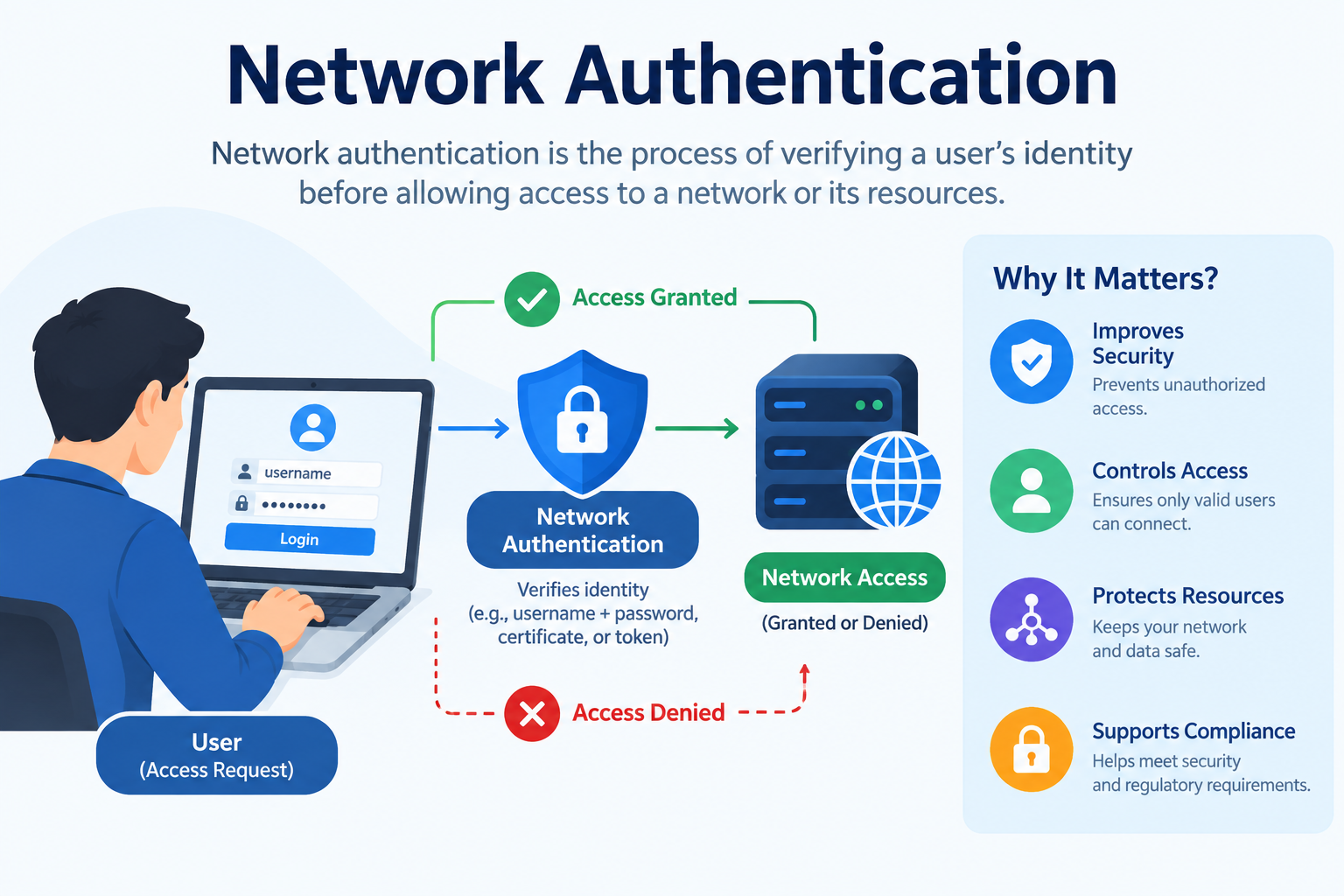
Introduction
Every time you connect to a corporate Wi-Fi network, log into a company VPN from home, or access a shared file server at work, network authentication is happening in the background. It is the process that determines who is allowed onto a network and who is kept out. For individuals it might be as simple as entering a Wi-Fi password. For organizations it can involve complex protocols, digital certificates, and centralized identity management systems that control access for thousands of users and devices simultaneously. This guide explains what network authentication is, how it works, what methods and protocols are used, and what best practices protect networks from unauthorized access.
What Is Network Authentication?
Network authentication is the process of verifying the identity of a user, device, or system before allowing it to connect to or access resources on a network. It is the mechanism that ensures only authorized entities can join a network, communicate with other systems on it, or access the resources it provides.
Network authentication answers the fundamental security question at the boundary of a network: are you who you claim to be, and are you permitted to be here?
Understanding network authentication in context means understanding how it relates to authentication more broadly. Authentication in any context verifies identity before granting access. Network authentication applies this principle specifically to the network layer, controlling who and what can connect to network infrastructure and resources.
Simple real-world examples of network authentication include:
-
Entering a password to join a home or office Wi-Fi network
-
Connecting to a corporate VPN from home, which requires credentials before access to company resources is granted
-
A printer on an office network authenticating to the file server before it can receive print jobs
-
An employee’s laptop automatically authenticating to the corporate network using a digital certificate stored on the device
-
A remote server authenticating to a cloud service using an API key before it can retrieve or send data
-
A network switch verifying a connecting device’s credentials before granting it access to the network segment
In each case, the authentication step happens before access is permitted, ensuring that the network’s resources are available only to verified and authorized parties.
Why Is Network Authentication Important?
Without network authentication, any device within range of a wireless network or physically connected to a wired network could join it and access everything on it. The consequences of an unauthenticated or poorly authenticated network are significant.
An attacker who gains access to a network can:
- Intercept communications between devices on the network, capturing sensitive data including credentials and confidential files
- Access shared resources such as file servers, databases, and internal applications that are not designed to be publicly accessible
- Move laterally through the network, using access to one system as a stepping stone to reach others with higher value
- Install malware on connected devices or inject malicious traffic into network communications
- Disrupt network operations by consuming bandwidth, corrupting data, or taking systems offline
Network authentication is a foundational component of network security, which encompasses all the controls used to protect network infrastructure and the data that flows through it. It is also directly relevant to cybersecurity at the organizational level, where compromised network access is frequently the starting point for larger breaches.
Regulatory frameworks and industry standards including NIST, HIPAA, PCI DSS, and GDPR all place requirements on organizations to implement appropriate authentication controls for network access, reflecting the recognized importance of this control across regulated industries.
How Does Network Authentication Work?
Network authentication follows the same fundamental process as other forms of authentication but applies it specifically at the point where a user or device attempts to connect to a network or access network resources.
Step 1: Connection Request
A user, device, or system attempts to connect to a network or access a network resource. This might be a laptop attempting to join a Wi-Fi network, a remote employee trying to connect through a VPN, or a server making a connection to another server over the network.
Step 2: Identity Claim
The connecting entity presents an identity claim. This might be a username, a device identifier, a digital certificate, or another form of identifying information depending on the authentication method in use.
Step 3: Credential Submission
The connecting entity provides credentials to support its identity claim. Depending on the authentication method, these credentials might be a password, a digital certificate, a token, a biometric verification, or a cryptographic response to a challenge issued by the authentication system.
Step 4: Verification by the Authentication System
The authentication system, which might be a dedicated authentication server, a directory service, or a network device configured for authentication, verifies the submitted credentials against its records. It checks whether the identity is known, whether the credentials are valid, and in many systems whether the authenticated entity is permitted to access the specific resource being requested.
Step 5: Access Decision
If authentication succeeds and any applicable authorization checks pass, the connecting entity is granted access to the network or the specific resource. If authentication fails, access is denied and the rejection may be logged for security monitoring purposes.
Step 6: Session Maintenance and Monitoring
Once authenticated, the session is maintained and monitored. Many network authentication systems implement session timeouts, requiring re-authentication after a defined period of inactivity. Security monitoring systems watch for unusual behavior from authenticated sessions that might indicate account compromise or insider threat activity.
Types of Network Authentication
Network authentication can be implemented through several distinct approaches, each suited to different network environments, security requirements, and use cases.
Username and Password Authentication
The simplest and most familiar form of network authentication requires users to provide a username and a secret password before network access is granted. This is the method most home users encounter when connecting to a Wi-Fi network with a shared password or when logging into a network resource with personal credentials.
While straightforward to implement, username and password authentication has the same fundamental weaknesses as password authentication in any context. Passwords can be stolen, guessed, shared, or exposed in breaches. For corporate networks handling sensitive data, password-only network authentication is generally considered insufficient as a standalone control.
Certificate-Based Authentication
Certificate-based authentication uses digital certificates issued by a trusted Certificate Authority to verify identity. Rather than relying on a password that could be stolen and reused, certificate-based authentication uses cryptographic key pairs that are mathematically linked but cannot be derived from one another.
When a device or user presents a certificate during network authentication, the receiving system verifies that the certificate was issued by a trusted authority, has not expired, and has not been revoked. If all checks pass, the identity is confirmed without any password being transmitted.
Certificate-based authentication is widely used in enterprise environments for both user and device authentication. It is particularly effective because certificates are difficult to steal and use on an unauthorized device, and they can be centrally revoked if a device is lost or compromised.
Token-Based Authentication
Token-based network authentication issues a digital token to a user or device after an initial successful authentication. This token is then presented in subsequent network access requests to prove the authenticated status without requiring full credential submission each time.
Tokens have defined expiry times, limiting the window of risk if a token is compromised. They are widely used in modern network architectures, particularly in cloud environments and for API authentication between network services.
Multi-Factor Authentication for Network Access
Adding multiple independent authentication factors to network access significantly reduces the risk of unauthorized connection even when credentials are compromised. Many corporate VPN systems and network access control solutions support or require MFA, combining a password with a one-time code from an authenticator app or a hardware security key.
The guide on multi-factor authentication explains the methods and implementation of MFA in detail. Applying MFA to network access is a particularly high-value use of this control because network access typically provides entry to a wide range of internal resources.
Biometric Authentication for Network Access
Some enterprise network environments combine biometric verification with network authentication, particularly for access to highly sensitive network segments or physical locations with network connectivity. Biometric authentication uses unique physical characteristics to verify identity, adding an inherence factor to the authentication process.
Device-Based Authentication
In many corporate environments, the device itself, not just the user, must be authenticated before network access is granted. Device authentication verifies that the connecting device is a known and approved corporate asset before it is permitted to join the network, regardless of the credentials the user provides.
This approach ensures that even an employee with valid credentials cannot connect a personal or unauthorized device to the corporate network. Device certificates, device registration, and endpoint compliance checks are common mechanisms for device authentication.
Key Network Authentication Protocols
Protocols are the standardized technical rules that govern how network authentication is performed. Understanding the major protocols helps clarify how network authentication is actually implemented across different environments.
RADIUS
Remote Authentication Dial-In User Service, known as RADIUS, is one of the most widely used network authentication protocols. It provides centralized authentication, authorization, and accounting for users connecting to a network.
RADIUS works by having network access devices such as wireless access points, VPN concentrators, and network switches forward authentication requests to a central RADIUS server. The RADIUS server verifies the credentials against a user database and returns an access grant or denial to the network device.
RADIUS is extensively used for Wi-Fi authentication in enterprise environments, for VPN authentication, and for dial-up and broadband network access control. Its centralized design means that authentication policies can be managed in one place and applied consistently across the entire network.
DIAMETER
DIAMETER is a more modern authentication protocol designed as a successor to RADIUS, addressing several of its limitations. It provides enhanced reliability, better error handling, and improved support for mobile and roaming authentication scenarios.
DIAMETER is widely used in telecommunications networks, including mobile network authentication, and in environments that require the scalability and reliability improvements it offers over RADIUS.
LDAP
Lightweight Directory Access Protocol, or LDAP, is a protocol used to access and manage directory information, which typically includes user accounts, groups, and network resources. LDAP is widely used for network authentication by enabling systems to query a central directory, most commonly Microsoft Active Directory or OpenLDAP, to verify user credentials.
When a user attempts to access a network resource, the authenticating system queries the LDAP directory to verify that the user exists and that the provided credentials are correct. LDAP serves as the backbone of authentication in many enterprise environments, connecting user accounts stored in a central directory to authentication requests from across the network.
Kerberos
Kerberos is a network authentication protocol that uses tickets to allow nodes communicating over a non-secure network to prove their identity securely. It was developed at MIT and is the default authentication protocol for Microsoft Windows Active Directory environments.
Kerberos works through a trusted third party called the Key Distribution Center. When a user logs in, the Key Distribution Center issues an encrypted ticket granting ticket. When the user wants to access a specific network resource, they present this ticket to obtain a service ticket for that specific resource, which is then presented to the resource server for authentication.
Kerberos provides strong authentication and avoids transmitting passwords across the network. Its ticket-based design means that credentials are verified once and tickets are then used for subsequent resource access within their validity period.
IEEE 802.1X
IEEE 802.1X is a network access control standard that provides authenticated access to wired and wireless networks. It works by blocking all network access from a connecting device until that device has been successfully authenticated.
The 802.1X framework involves three components. The supplicant is the software on the connecting device that provides credentials. The authenticator is the network device, such as a Wi-Fi access point or network switch, that controls access to the network. The authentication server, typically a RADIUS server, verifies the credentials and makes the access decision.
802.1X is widely used in enterprise Wi-Fi deployments and for controlling access to wired network ports, ensuring that only authenticated devices can connect to the network at the infrastructure level.
EAP
Extensible Authentication Protocol, or EAP, is a framework that works within 802.1X to support multiple different authentication methods. Rather than defining a single authentication method, EAP provides a structure within which various authentication methods can be used.
Common EAP methods include EAP-TLS, which uses mutual certificate-based authentication and is considered one of the most secure EAP methods, EAP-PEAP which tunnels other authentication methods within a TLS encrypted channel, and EAP-TTLS which provides similar tunneled protection.
The choice of EAP method significantly affects the security of the 802.1X authentication process. EAP-TLS with mutual certificate authentication is generally considered the gold standard for enterprise wireless network authentication.
OAuth and OpenID Connect
While primarily associated with web application authentication, OAuth and OpenID Connect are increasingly relevant to network authentication in cloud and API-driven environments. OAuth provides a framework for delegated authorization, allowing services to access resources on behalf of users without the user sharing their credentials directly. OpenID Connect builds on OAuth to provide authentication, confirming who the user is rather than just what they are permitted to do.
These protocols are central to the authentication infrastructure of cloud platforms and software-as-a-service applications that are accessed over networks and that form an increasing proportion of the resources that network authentication must protect.
Network Authentication Protocols Comparison Table
| Protocol | Primary Use | Authentication Type | Key Strength | Common Deployment |
|---|---|---|---|---|
| RADIUS | Network access control centralization | Username and password, certificates | Centralized management, wide compatibility | Enterprise Wi-Fi, VPN, network switches |
| DIAMETER | Advanced network access and mobile | Multiple methods | Improved reliability over RADIUS | Telecommunications, mobile networks |
| LDAP | Directory-based credential verification | Username and password | Central directory integration | Enterprise environments with Active Directory |
| Kerberos | Windows domain and internal network auth | Ticket-based cryptographic | No password transmitted over network | Windows Active Directory domains |
| IEEE 802.1X | Wired and wireless network access control | Multiple via EAP | Blocks access until authentication completes | Enterprise Wi-Fi and LAN access control |
| EAP-TLS | Wireless authentication within 802.1X | Certificate-based mutual authentication | Strongest EAP method, phishing resistant | High-security enterprise Wi-Fi |
| OAuth / OIDC | Cloud and API authentication | Token-based delegated authorization | Federated identity, cloud native | Cloud platforms, SaaS applications |
Network Authentication in Wi-Fi Networks
Wi-Fi network authentication is the most commonly encountered form of network authentication for everyday users. Understanding how it works helps clarify the differences between home and enterprise wireless security.
WPA2 and WPA3 Personal Mode
In home and small business environments, Wi-Fi authentication typically uses WPA2 or WPA3 Personal mode, also called Pre-Shared Key mode. A single shared password is configured on the wireless access point and all authorized users use this same password to connect.
WPA3 Personal introduced improvements over WPA2 including stronger encryption and protection against offline dictionary attacks on captured handshakes. However, the fundamental limitation of shared passwords remains. If the password is shared widely it becomes difficult to revoke access for individual users without changing the password for everyone.
WPA2 and WPA3 Enterprise Mode
Enterprise Wi-Fi uses WPA2 or WPA3 Enterprise mode with 802.1X authentication. Rather than a shared password, each user authenticates with their own individual credentials, typically a username and password verified against a RADIUS server and central directory, or a device certificate.
Enterprise mode provides individual accountability for network connections, allows access to be revoked for specific users without affecting others, and supports stronger authentication methods including certificate-based authentication. It is the appropriate standard for corporate wireless networks handling sensitive data.
Guest Network Authentication
Many organizations provide separate guest Wi-Fi networks with limited access to internal resources. Guest network authentication typically uses simpler shared password or captive portal methods that provide basic access without granting access to corporate systems or data.
Network Authentication in VPNs
Virtual Private Networks use network authentication to verify the identity of remote users before granting them access to internal network resources over an encrypted tunnel.
VPN authentication is particularly critical because remote connections originate from outside the organizational network perimeter and must be verified carefully before internal resources are made accessible. Common VPN authentication approaches include username and password combined with MFA, certificate-based authentication for device verification, and combinations of both user and device authentication.
The zero trust security model challenges the traditional VPN approach by treating even authenticated remote connections as potentially untrusted and applying continuous verification rather than granting broad network access after a single authentication event. Zero trust network access solutions are increasingly replacing or supplementing traditional VPNs in enterprise environments.
Network Authentication for IoT Devices
The proliferation of Internet of Things devices connected to corporate and home networks introduces significant network authentication challenges. IoT devices including smart sensors, cameras, environmental controls, and industrial equipment often have limited capabilities for implementing strong authentication.
Common IoT network authentication weaknesses include the use of default credentials that are never changed, the use of hardcoded credentials embedded in firmware, limited support for certificate-based authentication, and insufficient mechanisms for credential rotation and management.
Addressing IoT network authentication requires network segmentation that isolates IoT devices from critical systems, enforcement of credential changes from defaults before devices are permitted to connect, and where possible the use of certificate-based or token-based authentication approaches designed for constrained devices.
Single Sign-On and Federated Network Authentication
Single sign-on, or SSO, allows users to authenticate once to a central identity provider and then access multiple network resources and applications without re-authenticating to each one individually. In enterprise environments, this is typically implemented through integration between a central directory service such as Active Directory and the various network resources and applications that users need to access.
Federated authentication extends this concept across organizational boundaries, allowing users from one organization to authenticate to resources controlled by another organization using their own organization’s identity credentials. This is particularly relevant for cloud services, partner applications, and multi-organization collaboration platforms.
The security consideration with SSO and federated authentication is that the central identity provider becomes a critical security asset. Compromising the SSO account provides access to all connected resources, making strong authentication at the SSO layer, including multi-factor authentication and two-factor authentication, essential.
Network Authentication and Zero Trust Security
Traditional network security operated on a perimeter model: authenticate once at the network boundary, and then trust everything inside the perimeter. Zero trust security challenges this model fundamentally.
The zero trust security model operates on the principle of never trust, always verify. In a zero trust network architecture, authentication is not a one-time gate at the network perimeter. Every access request to every resource is verified individually, regardless of whether it originates from inside or outside the traditional network boundary.
This has direct implications for network authentication. In a zero trust model:
- Authentication is required for every resource access, not just network entry
- Device health and compliance are verified alongside user identity
- Access is granted to specific resources only, not to the broader network
- Continuous verification monitors for anomalous behavior throughout sessions
- Lateral movement within the network is prevented by requiring authentication for each resource independently
Zero trust network access solutions implement these principles in practice and are increasingly being adopted by organizations seeking to improve security beyond what traditional perimeter-based network authentication provides.
Common Network Authentication Attacks
Understanding how attackers target network authentication helps in designing and maintaining effective defenses.
Credential Stuffing Against Network Services
Attackers use lists of usernames and passwords from previous data breaches to attempt authentication to network services including VPNs, remote desktop services, and web-based network management interfaces. Unique, strong credentials and MFA directly defend against this attack. Understanding phishing attacks that generate the credential lists used in these campaigns is also relevant.
Pass-the-Hash Attacks
In Windows network environments using certain authentication protocols, attackers can capture the hashed version of a user’s credentials from memory and use it directly to authenticate to other network resources without needing to recover the original password. This attack exploits how credential material is handled in memory and how some authentication protocols work.
Man-in-the-Middle Attacks on Network Authentication
An attacker positioned between a client and an authentication server can intercept authentication exchanges, capture credentials, or replay authentication tokens to gain unauthorized network access. Strong encryption of authentication traffic and mutual authentication, where both parties verify each other’s identity, defend against this attack.
Rogue Access Points
An attacker can set up a wireless access point that mimics a legitimate corporate Wi-Fi network. Users who connect to the rogue access point may submit their credentials to the attacker’s system or have their network traffic intercepted. Certificate-based enterprise Wi-Fi authentication with server certificate validation helps defend against this attack because the client verifies the authentication server’s certificate before submitting credentials.
Brute Force Against Network Authentication Services
Automated tools can attempt large numbers of credential combinations against network authentication services that do not implement rate limiting or account lockout. Account lockout policies, rate limiting on authentication attempts, and MFA all defend against brute force attacks.
Network Authentication vs Application Authentication
Network authentication and application authentication address different layers of access control and work together to provide comprehensive protection.
| Dimension | Network Authentication | Application Authentication |
|---|---|---|
| What it controls | Access to the network itself and network resources | Access to specific application features and data |
| Where it operates | Network infrastructure layer | Application layer |
| Who it authenticates | Users and devices connecting to the network | Users accessing application functionality |
| Typical methods | RADIUS, 802.1X, Kerberos, certificates | Passwords, MFA, SSO, OAuth |
| Examples | VPN login, Wi-Fi authentication, network switch port control | Website login, banking app authentication |
| Relationship | First layer, controls network entry | Second layer, controls application access |
Effective security requires both layers to be properly implemented. An attacker who bypasses network authentication can potentially access applications that rely solely on application-layer authentication. An attacker who compromises application authentication may be limited if network authentication prevents them from reaching sensitive internal systems directly.
The relationship between network authentication and application security is complementary. Network authentication controls who reaches the network. Application security controls what authenticated network users can do within applications.
Network Authentication Best Practices
These recommendations reflect current guidance from NIST, CISA, and the broader security community for securing network authentication.
- Implement centralized authentication management using a directory service and RADIUS or equivalent infrastructure rather than managing credentials individually on each network device.
- Use certificate-based authentication for devices where possible, particularly for enterprise Wi-Fi and VPN access, to eliminate the risks associated with shared passwords.
- Require multi-factor authentication for all remote network access including VPN connections. Apply two-factor authentication as a minimum standard for network access from outside the organizational perimeter.
- Deploy 802.1X authentication for enterprise Wi-Fi rather than shared Pre-Shared Key authentication to provide individual user accountability and granular access control.
- Implement network access control solutions that verify device compliance and health alongside user identity before granting network access.
- Segment networks to limit the impact of a compromised credential. An attacker who gains access to one network segment should not automatically have access to all others.
- Monitor authentication logs for unusual patterns including multiple failed attempts, logins from unexpected locations, and authentication to unusual network resources.
- Apply account lockout and rate limiting on all network authentication services to defend against brute force and credential stuffing attacks.
- Change all default credentials on network devices and access points immediately after deployment.
- Review and revoke network access credentials promptly when employees leave the organization or change roles.
- Adopt zero trust security principles to move beyond perimeter-based trust and toward continuous verification of every access request.
- Keep authentication infrastructure including RADIUS servers, directory services, and VPN concentrators updated and patched promptly.
Network Authentication and Endpoint Security
Even the strongest network authentication can be undermined if the device used to authenticate is compromised. Malware on an endpoint can capture credentials before they are submitted to the network authentication system, intercept tokens after authentication is complete, or use an authenticated session to exfiltrate data or attack network resources.
Endpoint security complements network authentication by protecting the devices used to connect to networks. Network access control solutions that verify endpoint health and compliance before granting network access address this by ensuring that only devices meeting defined security standards, such as having current security software and operating system patches, are permitted to authenticate to the network.
The combination of strong network authentication and endpoint security provides a more complete barrier than either control alone. A compromised device that cannot authenticate to the network cannot reach internal resources even if the attacker has valid credentials.
Frequently Asked Questions
What is network authentication?
Network authentication is the process of verifying the identity of a user, device, or system before allowing it to connect to or access resources on a network. It ensures that only authorized entities can join the network or reach the resources it provides.
Why is network authentication important?
Without network authentication, any device within range or physical reach of a network could connect to it and potentially access all resources on it. Network authentication prevents unauthorized access, protects sensitive data, and reduces the risk of attackers using network access as a starting point for broader attacks.
What is RADIUS authentication?
RADIUS, or Remote Authentication Dial-In User Service, is a widely used network authentication protocol that provides centralized authentication, authorization, and accounting for network access. Network devices forward authentication requests to a central RADIUS server which verifies credentials and returns an access decision.
What is 802.1X authentication?
IEEE 802.1X is a network access control standard that blocks all network access from a connecting device until it has been successfully authenticated. It is widely used for enterprise Wi-Fi and wired network port access control, working with RADIUS servers and EAP authentication methods.
What is Kerberos authentication?
Kerberos is a network authentication protocol that uses encrypted tickets issued by a trusted Key Distribution Center to allow users to authenticate to network resources without transmitting passwords over the network. It is the default authentication protocol in Microsoft Windows Active Directory environments.
What is the difference between WPA2 Personal and WPA2 Enterprise?
WPA2 Personal uses a single shared password for all users. WPA2 Enterprise uses 802.1X authentication with individual credentials for each user, providing better security and individual accountability. Enterprise mode is appropriate for corporate networks handling sensitive data.
How does VPN authentication work?
VPN authentication verifies the identity of a remote user before establishing an encrypted tunnel and granting access to internal network resources. Authentication typically uses credentials such as a username and password combined with MFA, or certificate-based authentication.
What is the difference between network authentication and application authentication?
Network authentication controls access to the network itself and network-level resources. Application authentication controls access to specific applications and their features. Both layers work together to provide comprehensive access control.
What is certificate-based network authentication?
Certificate-based network authentication uses digital certificates issued by a trusted Certificate Authority to verify identity without requiring a password. The device or user presents a certificate that is cryptographically verified, providing strong authentication that is difficult to steal and reuse.
What is EAP-TLS?
EAP-TLS is an EAP authentication method used within 802.1X that performs mutual certificate-based authentication, where both the client and the authentication server verify each other’s certificates. It is considered one of the most secure enterprise Wi-Fi authentication methods.
How does zero trust relate to network authentication?
Zero trust security requires that every access request to every resource be individually authenticated and verified, rather than trusting entities based solely on their presence within the network perimeter. This moves network security beyond one-time perimeter authentication toward continuous verification.
What are common network authentication attacks?
Common attacks include credential stuffing using breached passwords, pass-the-hash attacks in Windows environments, man-in-the-middle interception of authentication exchanges, rogue access points that mimic legitimate Wi-Fi networks, and brute force attacks against authentication services without rate limiting.
How can organizations improve network authentication security?
Key steps include implementing MFA for all remote access, deploying 802.1X for enterprise Wi-Fi, using certificate-based device authentication, implementing network access control with endpoint compliance verification, segmenting networks, monitoring authentication logs, and adopting zero trust principles.
What is the role of Active Directory in network authentication?
Microsoft Active Directory is a directory service that stores user accounts, group memberships, and computer accounts for an organization. It serves as the central identity store for Kerberos authentication in Windows environments and is commonly queried via LDAP for authentication by many network services and applications.
Should home users be concerned about network authentication?
Home users should ensure their Wi-Fi uses WPA3 or WPA2 with a strong unique password, change default credentials on routers and other network devices, and use VPN with MFA when connecting to sensitive services over public networks. While home network authentication is simpler than enterprise implementations, the same fundamental principles apply.
Disclaimer
This article is intended for educational purposes and provides a general overview of network authentication for beginners, IT professionals, and business owners. Network authentication methods, protocols, and best practices evolve as technology and security threats develop. Always refer to official documentation and qualified security professionals for guidance specific to your environment and infrastructure. This article does not constitute specific security advice for any particular system, network, or organization. Consult a qualified cybersecurity professional for recommendations tailored to your needs. This article does not constitute an endorsement of any specific network authentication product, tool, or vendor.
About the Author
Zahra is a technology writer and research contributor covering AI, programming, software, cybersecurity, cloud computing, and the latest developments in technology. She focuses on creating clear, practical, and well-researched content that makes complex tech topics easy to understand.