
 By saman zahra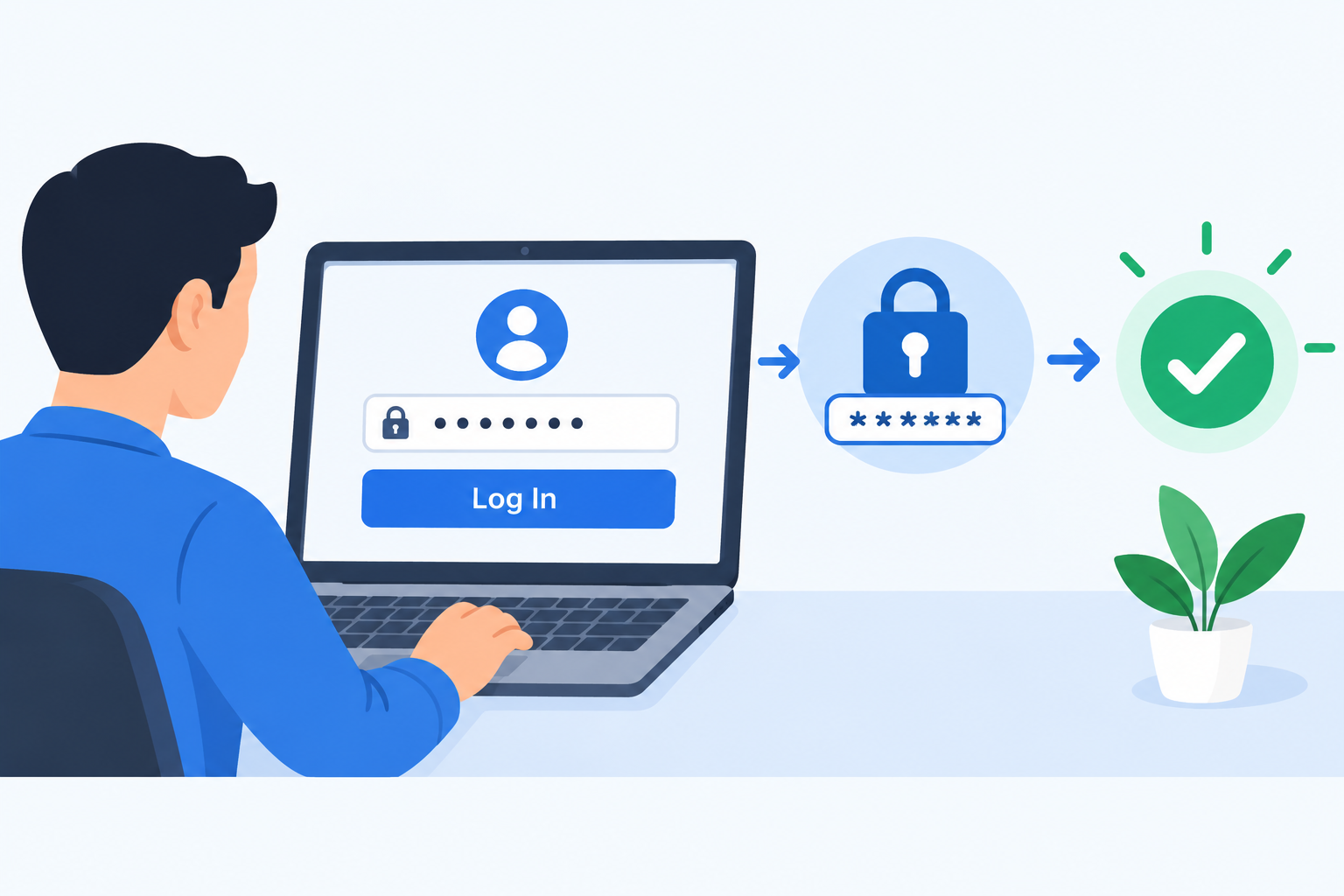
Introduction
Passwords are the most widely used form of account protection on the internet, and yet they are also one of the most commonly exploited security weaknesses. Understanding exactly how password authentication works, what happens to your password when you create an account, and what makes some passwords far safer than others gives you a practical advantage in protecting your accounts. This guide explains password authentication from the ground up, including the technical process that happens behind the scenes, the most common ways passwords are attacked, and the steps you can take today to use passwords more securely.
What Is Password Authentication?
Password authentication is the process of verifying a user’s identity by requiring them to provide a username and a secret password that matches a record stored by the system. When the submitted password matches what the system has on record for that username, the user is authenticated and granted access to the account.
Password authentication is the most widely used form of authentication because it is straightforward to implement, simple for users to understand, and works across every type of device and platform without requiring special hardware or software.
The password functions as a shared secret. In theory, only the legitimate account holder knows it. When the user provides the correct password, the system treats this as sufficient evidence that they are who they claim to be.
A simple analogy helps make this clear. A password is like a secret code that only you and the lock know. If you can produce the correct code, the lock opens. Anyone who does not know the code stays locked out.
Everyday examples of password authentication include:
- Entering a password to access an email account
- Typing a password to log into a social media profile
- Using a PIN to access a banking app on a smartphone
- Providing a password to log into a work computer or company system
Password authentication is just one part of the broader landscape of identity verification.
The guide on authentication explains the full range of authentication methods available, of which password authentication is the most common but not always the strongest.
How Does Password Authentication Work?
The process of password authentication involves several steps that happen both when you create an account and when you log in. Understanding this process explains why passwords are stored the way they are and why simply knowing someone’s password is often not the whole story.
Step 1: Account Creation and Password Setting
When you create an account and choose a password, the service does not store your actual password. Instead, it processes the password through a one-way mathematical function called a hash function. This produces a fixed-length string of characters called a hash value, and it is this hash value that is stored in the database.
The crucial detail is that a hash function is one-directional. You can put a password in and get a hash out, but you cannot reverse the process to recover the original password from the hash. This means that even the service itself cannot look up and read your password. It only has the hash.
Step 2: Login Attempt
When you return to log in, you enter your username and password. The system takes the password you have just entered, runs it through the same hash function that was used when you created the account, and produces a new hash value.
Step 3: Verification and Access Decision
The system compares the newly produced hash against the hash stored in the database for your account. If the two hash values match, the passwords are the same and authentication succeeds. If they do not match, the password is incorrect and access is denied.
At no point in this process is your original password stored anywhere or directly compared in plain text. The comparison is always between two hash values.
What Is Password Hashing and Why Does It Matter?
Password hashing is one of the most important concepts in understanding how password authentication actually protects accounts, and it is also where the difference between good and poor security implementation becomes most significant.
Hashing converts a password into a fixed-length string using a mathematical function designed so the process cannot be reversed. The same input always produces the same output, which is why the login comparison works. But the output gives an attacker no practical way to recover the input.
Why does this matter? If a service’s database is breached and attackers obtain the stored data, they get hash values rather than passwords. If the hashing is implemented well, these hashes are not immediately useful to an attacker. They cannot simply read the passwords out of the data they have stolen.
However, not all hashing is equally secure. Older hash functions such as MD5 and SHA-1 were not designed for password storage. They are fast to compute, which means automated tools can attempt billions of guesses per second to find which input produced a given hash. These algorithms are no longer considered adequate for password storage, as noted in OWASP’s Password Storage Cheat Sheet at owasp.org.
Modern password security uses algorithms specifically designed for this purpose. Bcrypt, Argon2, and scrypt are the primary recommended options. These algorithms are intentionally slow to compute and can be tuned to become slower as hardware improves, which makes brute force cracking attempts dramatically more expensive in time and resources.
What Is Salting?
Even with strong hashing, a problem remains. If two users happen to choose the same password, their stored hashes would be identical. An attacker who cracks one hash would instantly know every other account using that password.
Salting addresses this. A salt is a unique random string of data generated for each user and added to their password before it is hashed. Because each user’s salt is different, two users with identical passwords produce entirely different hash values.
Salting also defeats rainbow table attacks. A rainbow table is a precomputed database mapping hash values back to the passwords that produced them. Because each hash in a properly salted system includes a unique random component, precomputed tables are useless. Every account would need to be attacked individually from scratch.
Modern password storage combines hashing and salting, and this combination is the foundation of responsible password storage. NIST Special Publication 800-63B at nist.gov provides detailed guidance on secure credential storage for service providers.
Why Is Password Authentication So Widely Used?
Despite its limitations, password authentication remains dominant across the internet for several practical reasons.
- Simplicity. Password authentication requires no special hardware, apps, or additional devices. Any user with a keyboard or touchscreen can use it immediately.
- Universal familiarity. Virtually every internet user understands the concept of a username and password. No training or explanation is needed.
- Low implementation cost. Password authentication is straightforward for developers to implement compared to more complex methods such as hardware tokens or certificate-based systems.
- Flexibility. Passwords can be changed by the user if forgotten or compromised. Unlike biometric characteristics, a compromised password can be replaced.
- Wide compatibility. Passwords work across every type of device and operating system without requiring specific hardware or platform support.
These advantages explain why password authentication remains the default starting point for most digital services. The challenge is that human behavior around passwords frequently undermines the theoretical security the system offers.
What Makes a Strong Password?
A strong password is one that is difficult for both humans and automated tools to guess or crack within a practical timeframe. Several characteristics contribute to password strength.
Length
Length is the single most important factor in password strength. Each additional character multiplies the number of possible combinations that a brute force attack would need to try. NIST Special Publication 800-63B recommends passwords of at least eight characters as a minimum, with longer being substantially better. Security practitioners generally recommend 12 characters or more for most accounts, and even longer for high-value accounts.
A passphrase consisting of four or five random unrelated words is both long enough to be strong and more memorable than a complex short string. Its length provides strong protection even without elaborate character mixing.
Complexity
Using a mix of uppercase letters, lowercase letters, numbers, and special characters adds to password strength. However, NIST guidance notes that mandatory complexity rules often lead to predictable patterns. Users who must include a number frequently add it at the end, and those required to add a special character often choose the same few options. Length is a more reliable strength indicator than complexity requirements alone.
Unpredictability
Passwords should avoid predictable patterns. Names, birthdays, pet names, common words, sequential numbers, and keyboard patterns such as qwerty or 123456 are the first targets in any password attack. Lists of the most commonly used passwords are publicly known and incorporated into attack tools used against real accounts every day.
Uniqueness
Every account should have a completely different password. This single practice has an outsized impact on account security. If you reuse the same password across ten accounts and one of those services is breached, every account sharing that password is immediately at risk. Unique passwords ensure that a breach of one service cannot cascade into compromised access across your entire digital life.
| Characteristic | Weak Password Example | Strong Password Approach |
|---|---|---|
| Length | 6 characters | 16 or more characters |
| Predictability | password123 | Random unrelated words or characters |
| Reuse | Same password everywhere | Unique password for every account |
| Personal information | Name and birth year | No personal information of any kind |
| Common patterns | qwerty, 111111 | No keyboard or sequential patterns |
| Complexity | Only lowercase letters | Mix of character types or long passphrase |
Common Weaknesses of Password Authentication
Password authentication has genuine and well-documented weaknesses. Being honest about these helps users make better decisions about how to protect their accounts.
Password Reuse
Password reuse is the single most dangerous and most common password behavior. When users reuse the same password across multiple services, a breach of any one of those services puts every other account at risk. Attackers routinely take credential lists from one breach and systematically try them against other popular services in a technique called credential stuffing.
Weak Password Choices
Many users choose passwords that prioritize memorability over security, resulting in short, simple passwords based on personal information or common words. These choices are among the first tested in automated attacks. The most commonly used passwords in the world are well known to attackers and incorporated into attack tools.
Phishing
Phishing attacks are one of the most effective ways attackers obtain passwords. A convincing fake login page that looks identical to a legitimate service tricks users into entering their credentials, which are then captured by the attacker. The user has not been hacked in a technical sense. They have simply been deceived into handing their password directly to someone who should not have it.
Understanding phishing attacks in detail is essential for anyone who relies on password authentication to protect their accounts.
Data Breaches
When a service suffers a database breach, stored password hashes may be obtained by attackers. If hashing was implemented poorly, using an outdated algorithm such as MD5, or if the passwords were weak and common, attackers may be able to recover the original passwords through cracking. Breached credential sets are frequently sold and traded on criminal forums and become the raw material for subsequent credential stuffing campaigns.
Password Sharing
A password that is shared with another person is no longer truly a secret known only to the account holder. Once shared, the password can be used by anyone who received it, intentionally or inadvertently, and the original account holder loses exclusive control of their credential.
Forgotten Passwords and Recovery Risks
When users follow strong password advice and use unique complex passwords for every account, they frequently forget them. Account recovery mechanisms such as security questions and recovery email access introduce additional attack surface. If a recovery email account is not well protected, it becomes a path to compromising every account that lists it for recovery.
How Attackers Target Passwords
Understanding how passwords are attacked helps explain why specific security practices matter and what threats they are designed to defend against.
Brute Force Attacks
Brute force attacks use automated tools to systematically try every possible combination of characters until the correct password is found. Short passwords can be exhausted very quickly with modern hardware. Defenses include account lockout policies after a defined number of failed attempts, rate limiting, and using passwords long enough to make exhaustive search impractical.
Dictionary Attacks
Dictionary attacks use wordlists containing common words, phrases, and previously breached passwords to attempt authentication. Rather than trying every possible combination, these attacks focus on likely candidates. Because many users choose common words or predictable patterns, dictionary attacks are often effective against poorly chosen passwords.
Credential Stuffing
Credential stuffing takes username and password combinations from one data breach and tries them against other services. Because many users reuse passwords across multiple accounts, these attacks succeed at a meaningful rate against real accounts. The defense is straightforward: use a unique password for every account.
Rainbow Table Attacks
A rainbow table is a precomputed database that maps hash values to the passwords that produced them. If an attacker obtains a list of password hashes and the hashing was done without salting, they can look up hashes in a rainbow table to quickly find corresponding passwords for common inputs. Proper salting renders rainbow tables ineffective because every hash is unique even for identical passwords.
Keylogging
Malware installed on a user’s device can record keystrokes as they are typed, capturing passwords at the moment of entry before they are even sent to the server. This attack bypasses all server-side password storage security because the password is captured in plain text on the device. Keeping devices updated and using reputable security software reduces the risk of keylogger infection.
Social Engineering
Social engineering attacks manipulate users into revealing their passwords through deception. Attackers may impersonate technical support staff, colleagues, or service providers to create a scenario in which the user feels they should provide their credentials. The defense is consistent: no legitimate service will ever ask you to share your password. If someone asks for it, treat this as a serious warning sign regardless of how credible they appear.
Password Authentication vs Other Authentication Methods
Password authentication is the most common authentication method, but it is not the only one and not always the most appropriate. Understanding how it compares to other methods helps in deciding when a password alone is sufficient and when stronger measures are needed.
| Method | How It Works | Key Advantage | Key Weakness | Best For |
|---|---|---|---|---|
| Password only | User enters a secret string | Simple and universally familiar | Easily stolen, guessed, or reused | Low-risk accounts only |
| Password + 2FA | Password plus a second independent factor | Much harder to compromise even if password is stolen | Slightly more steps at login | Most accounts including email and banking |
| Biometric | Physical characteristic scan | Convenient and difficult to replicate remotely | Cannot be reset if biometric data is compromised | Devices and high-convenience scenarios |
| Passkey / Passwordless | Cryptographic device-based verification | Phishing-resistant with no reusable shared secret | Requires compatible device and platform support | Growing consumer and enterprise adoption |
| Hardware security key | Physical cryptographic device | Extremely phishing-resistant with strong assurance | Requires carrying the physical key | High-security accounts requiring maximum protection |
Password authentication remains practical for many everyday accounts when combined with strong, unique passwords managed with a password manager. For important accounts, relying on a password alone is increasingly considered insufficient by security professionals and organizations including CISA.
The comprehensive guide on authentication covers the full range of authentication methods in detail, including how each factor type works and where each method is most appropriate.
How to Use Password Authentication More Securely
Improving how you use password authentication does not require technical expertise. These steps are practical for any user.
Use a Password Manager
A password manager generates, stores, and automatically fills complex unique passwords for every account. It removes the burden of remembering many different passwords and eliminates the temptation to reuse simple ones. The user only needs to remember one strong master password to access the password manager.
CISA and NIST both recommend password managers as a practical solution to the password reuse problem. Using one is among the single highest-impact steps an individual user can take to improve their account security across the board.
Create Unique Passwords for Every Account
Never use the same password on more than one account. If this seems impractical without a password manager, that is precisely the problem a password manager solves. With a password manager, using completely unique passwords for every account requires no additional effort.
Use Long Passphrases
A passphrase consisting of four or five random unrelated words is both strong and easier to remember than a shorter complex string. Its length provides substantial protection against brute force attacks even without elaborate character mixing. For accounts where you need to remember the password without a manager, a passphrase is a practical approach.
Enable Two-Factor Authentication
Adding a second authentication factor to a password-protected account significantly reduces the risk from password compromise. Even if an attacker obtains your password through a breach, phishing, or other means, they cannot access the account without also having the second factor.
Two-factor authentication is the most practical and immediately available improvement for most users and is supported by the vast majority of important services including email providers, banks, and social media platforms.
Enabling two-factor authentication on any account that offers it should be a priority, particularly for email, banking, and workplace accounts.
Never Share Passwords
A password is effective only as long as it remains a secret known exclusively to the account holder. Sharing a password with anyone, even someone trusted, removes that exclusivity. Never share passwords verbally, in writing, through messaging apps, or by any other means.
Change Passwords After a Suspected Breach
If a service notifies you of a data breach, or if you notice unusual activity on an account, change the password immediately. You can check whether your email address has appeared in known data breaches by using Have I Been Pwned at haveibeenpwned.com. This free service alerts you to breaches that may have exposed your credentials so you can act before an attacker does.
Avoid Common Password Mistakes
- Do not use names, birthdays, pet names, or other personal information that others might know or find through social media.
- Do not use common words, phrases, or pop culture references.
- Do not use sequential numbers or keyboard patterns such as 123456 or qwerty.
- Do not recycle old passwords when updating a compromised or expired password.
How Should Services Store Passwords Securely?
Password security is a shared responsibility between users and the services they use. Services that handle passwords have critical security obligations, and understanding them helps users evaluate whether a service is handling their credentials responsibly.
Services should never store passwords in plain text. If a service stores plain text passwords and suffers a database breach, every stored password is immediately readable to the attacker. There is no technical defense against this failure after the fact.
Services should use modern password hashing algorithms specifically designed for credential storage. The OWASP Password Storage Cheat Sheet at owasp.org recommends bcrypt, Argon2id, and scrypt as the current standard options. These algorithms are computationally expensive to run, which makes brute force cracking far more difficult and time-consuming than with faster general-purpose hash functions.
Services should salt every password hash with a unique random value generated at the time the password is set. This prevents rainbow table attacks and ensures that two users with identical passwords have entirely different stored hashes.
Services should implement account lockout policies or rate limiting on login attempts to prevent brute force and credential stuffing attacks from succeeding through sheer volume of guesses.
Services should notify users promptly and clearly if a breach is detected so that users can change their passwords before attackers exploit the compromised credentials.
Secure password storage is a fundamental responsibility of application security. When services fail this obligation, users suffer the consequences even when their own password choices were strong.
Evaluating whether a service takes application security seriously, through its disclosed security practices and its breach history, is a reasonable consideration when deciding which services to trust with sensitive accounts.
Is Password Authentication Still Relevant?
Password authentication remains the most widely used authentication method on the internet, and for many everyday accounts it remains a practical and adequate approach when used correctly. However, the security industry broadly recognizes that passwords alone are increasingly insufficient for protecting important accounts against modern threats.
The direction of the authentication landscape is clear. Multi-factor authentication, which adds a second independent verification step, is now widely available and strongly recommended by cybersecurity authorities including CISA. Passwordless authentication using methods such as passkeys, which use cryptographic key pairs stored on the user’s device, is gaining adoption among major platform providers and eliminates the risks associated with shared secrets entirely. The FIDO Alliance at fidoalliance.org has driven the development of the passkey standards that underpin this shift.
For low-risk accounts with no access to sensitive data or financial systems, a strong unique password managed by a password manager remains a practical approach. For high-value accounts including email, banking, social media, workplace systems, and any account that stores sensitive personal information, combining a strong unique password with two-factor authentication is the minimum standard that security professionals recommend.
The future direction of authentication is toward methods that retain the accessibility of passwords while eliminating their most significant weaknesses. Password authentication is not disappearing immediately, but it works most safely as part of a layered approach rather than as a standalone defense.
The comprehensive resource on authentication covers the full landscape of authentication methods available today and the considerations that guide choosing between them.
Password Authentication and Cybersecurity
Password authentication sits at the intersection of user behavior and technical security, which makes it one of the most challenging elements of cybersecurity to get right across a large organization or a diverse user base. The technical infrastructure for secure password storage can be implemented correctly by a service, and users can still undermine that security through poor password choices or reuse.
OWASP consistently identifies identification and authentication failures, including those caused by weak or compromised passwords, as one of the most critical security risks to web applications. Poor password practices by users combined with poor password storage by services creates a compounding risk that attackers actively exploit.
Strong password practices, including using unique complex passwords and enabling multi-factor authentication, by users combined with proper hashing, salting, and rate limiting by services, significantly reduce the attack surface available to adversaries targeting accounts through authentication.
Zero trust security models, explained in the guide on zero trust security, go further by treating every authentication attempt as potentially suspicious regardless of whether it originates from inside or outside the network perimeter. This approach reduces reliance on the password as the sole gating mechanism and adds continuous verification as a second layer of assurance.
Frequently Asked Questions
What is password authentication?
Password authentication is the process of verifying a user’s identity by requiring them to provide a username and a secret password that matches a record stored by the system. When the submitted password matches the record, access is granted.
How does password authentication work?
When you create an account, your password is processed through a hash function and the resulting hash is stored. When you log in, the system hashes the password you enter and compares it to the stored hash. If they match, authentication succeeds. Your actual password is never stored.
Why is password hashing important?
Hashing means that even if a service’s database is breached, attackers obtain hashed values rather than plain text passwords. If hashing is implemented well using modern algorithms, recovering the original passwords from hashes is extremely difficult and time-consuming.
What is salting in password security?
Salting adds a unique random value to each password before hashing. This ensures that two users with identical passwords have different stored hashes and prevents attackers from using precomputed rainbow tables to quickly crack hashed passwords.
What makes a strong password?
A strong password is long, ideally 16 or more characters, unpredictable, unique to the account, and contains no personal information or common patterns. A passphrase of several random unrelated words is an effective approach.
What are the biggest weaknesses of password authentication?
The most significant weaknesses are password reuse across accounts, weak password choices, vulnerability to phishing, and the risk from data breaches that expose stored credential data.
How do attackers crack passwords?
Common methods include brute force attacks trying all combinations, dictionary attacks using wordlists, credential stuffing using breached passwords on other services, rainbow table lookups against poorly stored hashes, keylogging malware, and social engineering.
What is credential stuffing?
Credential stuffing uses username and password combinations from one data breach to attempt logins on other services, exploiting the common habit of reusing passwords across accounts. Using unique passwords for every account is the direct defense.
What is the difference between password authentication and two-factor authentication?
Password authentication uses a single factor, the password, to verify identity. Two-factor authentication adds a second independent factor, such as a one-time code from an authenticator app, so that both must be compromised for an attacker to gain access.
Should I use a password manager?
Yes. A password manager generates and stores complex unique passwords for every account, removing the burden of memorization and eliminating the temptation to reuse simple passwords. CISA and NIST both recommend password managers as a practical security measure.
How do I know if my password has been breached?
Visit haveibeenpwned.com and enter your email address to check whether it has appeared in known data breaches. If it has, change the password for the relevant service immediately and any other accounts that used the same password.
Is password authentication safe?
Password authentication is safe when implemented correctly by services using modern hashing and salting, and when used responsibly by users with strong unique passwords and multi-factor authentication enabled. On its own, without these practices, it is one of the most exploited security weaknesses on the internet.
How should services store passwords?
Services should never store plain text passwords. They should use modern hashing algorithms such as bcrypt, Argon2id, or scrypt, salt every hash with a unique value, and implement rate limiting and account lockout to prevent automated attacks.
What is the difference between password authentication and passwordless authentication?
Password authentication uses a shared secret that must be transmitted and stored. Passwordless authentication, such as passkeys, uses cryptographic key pairs where the private key never leaves the user’s device and no reusable secret is shared with the service, making it more resistant to phishing and server-side breaches.
How can I improve my password security today?
Enable two-factor authentication on your most important accounts, start using a password manager to generate and store unique passwords, check your accounts at haveibeenpwned.com for known breaches, and replace any reused passwords immediately.
Disclaimer
This article is intended for educational purposes and provides a general overview of password authentication for beginners and everyday users. Password security practices and recommendations evolve as threats change. Always refer to guidance from authoritative security organizations for the most current recommendations. This article does not constitute specific security advice for any particular system or organization. Consult a qualified cybersecurity professional for tailored security recommendations. This article does not constitute an endorsement of any specific password manager, authentication product, or vendor.
About the Author
Zahra is a technology writer and research contributor covering AI, programming, software, cybersecurity, cloud computing, and the latest developments in technology. She focuses on creating clear, practical, and well-researched content that makes complex tech topics easy to understand.