
 By saman zahra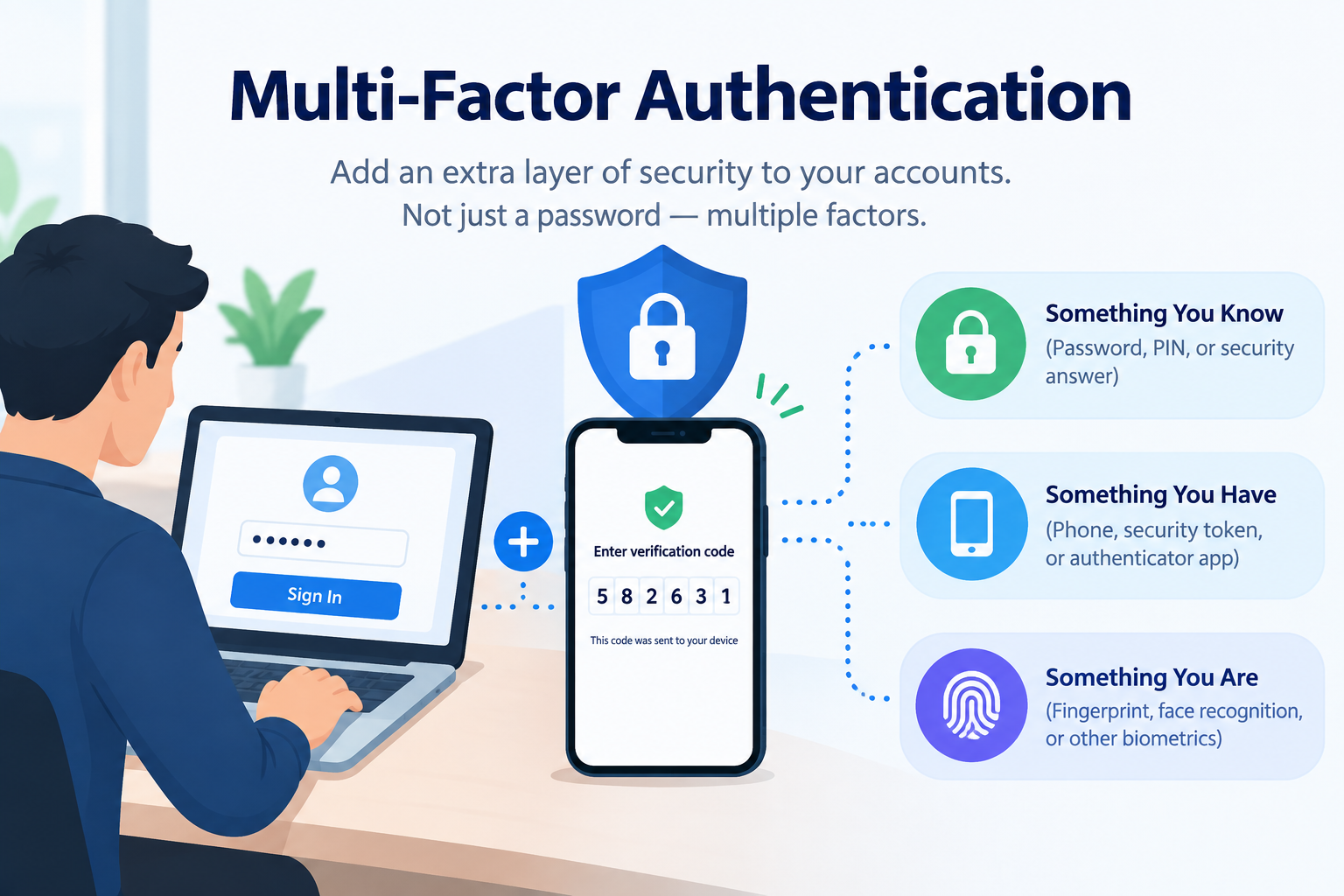
Introduction
Passwords alone are no longer enough to reliably protect most online accounts. When a password is stolen, guessed, or exposed in a data breach, a second layer of verification can be the difference between a secure account and a compromised one. Multi-factor authentication adds that extra layer, and it is one of the most effective and practical security steps available to any user. This guide explains what multi-factor authentication is, how it works, how it differs from two-factor authentication, what methods are available, and how to start using it across your most important accounts.
What Is Multi-Factor Authentication?
Multi-factor authentication, commonly abbreviated as MFA, is a security process that requires users to verify their identity using two or more independent pieces of evidence before they are granted access to an account, system, or application. Each piece of evidence comes from a different category of authentication factor, meaning that compromising one factor alone is not enough to gain access.
The core principle of MFA is straightforward. If a single lock can be picked, add a second lock of a completely different type. An attacker who steals your password still cannot access your account if they also need a one-time code from your phone, a biometric scan, or a physical hardware key that only you possess.
MFA builds directly on the foundational concept of authentication, which is the process of verifying that someone is who they claim to be before granting them access to protected resources.
Simple everyday examples of MFA in action include:
-
Entering a password on a banking website and then approving a push notification sent to your smartphone
-
Logging into a work account with a password and then entering a six-digit code from an authenticator app
-
Using a password to begin a login and then touching a hardware security key plugged into your computer to complete it
-
Providing a password followed by a fingerprint scan to access a high-security application
In each case, two completely independent pieces of evidence from different categories must be provided. Stealing the password does not help without the second factor, and having the second factor does not help without the password.
Why Is Multi-Factor Authentication Important?
Password authentication has well-documented weaknesses. Passwords are frequently reused across accounts, chosen for ease of memory rather than security, shared carelessly, or exposed in data breaches. Once an attacker has a valid password, single-factor authentication offers no further barrier to access.
MFA addresses this fundamental problem by ensuring that a compromised password alone is not sufficient to take over an account. The attacker must also compromise a second and entirely independent factor, which typically requires a different and more difficult type of attack.
CISA, the Cybersecurity and Infrastructure Security Agency, consistently identifies MFA as one of the most impactful security controls available to individuals and organizations. NIST Special Publication 800-63B at nist.gov provides detailed technical guidance on authentication assurance levels, with MFA required for higher assurance applications.
The consequences of accounts without MFA that are protected only by passwords are well understood across the cybersecurity community:
- Account takeover through credential stuffing using breached password databases
- Business email compromise where attackers gain access to corporate email accounts and use them to conduct fraud
- Unauthorized access to financial accounts leading to fraudulent transactions
- Compromise of work systems through stolen employee credentials
- Identity theft using access gained through a single compromised password
MFA does not make accounts completely immune to attack, but it significantly raises the cost and complexity of a successful compromise for an attacker.
The Three Factors of Authentication
MFA draws from three classic categories of authentication evidence, called factors. For authentication to qualify as multi-factor, the methods used must come from at least two different categories. Using two passwords, for example, is not MFA because both come from the same category.
Something You Know
This factor covers knowledge-based evidence. Examples include passwords, PINs, passphrases, and answers to security questions. This is the most familiar authentication factor and the one that most people use as their first layer of defense.
Its weakness is that knowledge can be stolen, guessed, phished, or exposed in data breaches. Once an attacker knows your password, this factor is fully compromised.
Something You Have
This factor covers possession-based evidence. Examples include a smartphone that receives one-time codes, a hardware security key, a smart card, or a software authenticator app installed on a trusted device.
This factor requires the attacker to physically possess the device or key, which adds a meaningful real-world barrier. Its weakness is that physical items can be lost, stolen, or in some cases digitally cloned through attacks on weaker implementations such as SMS interception.
Something You Are
This factor covers biometric evidence, which relies on unique physical or behavioral characteristics. Examples include fingerprints, facial geometry, iris patterns, and voice recognition.
Biometrics are convenient and difficult to replicate remotely. Their primary limitation is that biometric data cannot be changed if it is ever compromised, unlike a password that can simply be replaced.
A Fourth Factor: Somewhere You Are
Some modern systems add location as an additional verification signal, allowing or requiring login only from specific geographic areas, known IP addresses, or recognized networks. This is typically used as a supplementary signal alongside other factors rather than as a primary factor on its own.
What Is Two-Factor Authentication?
Two-factor authentication, or 2FA, is the most common and widely available implementation of MFA. As the name indicates, it uses exactly two independent factors from different categories to verify identity.
The relationship between 2FA and MFA is straightforward: 2FA is a specific form of MFA. All 2FA is MFA, but not all MFA is 2FA. MFA can require two, three, or more factors. 2FA always uses exactly two.
The complete guide on two-factor authentication explains the specific methods and setup process in detail. For most everyday users and most account types, 2FA represents the practical starting point for stronger authentication.
MFA vs 2FA: What Is the Difference?
The distinction between MFA and 2FA is frequently misunderstood, partly because the terms are sometimes used interchangeably in casual conversation. Understanding the actual difference helps clarify what level of protection is being provided.
| Dimension | Two-Factor Authentication (2FA) | Multi-Factor Authentication (MFA) |
|---|---|---|
| Number of factors | Exactly two | Two or more |
| Factor categories required | Two different categories | Two or more different categories |
| Is one a subset of the other? | 2FA is a specific type of MFA | MFA is the broader category |
| Common examples | Password plus authenticator app code | Password plus authenticator app plus hardware key |
| Typical use | Consumer accounts, most business accounts | High-security enterprise and government systems |
| User experience | One additional step beyond password | May involve multiple additional steps |
| Security level | Significantly stronger than password alone | Stronger still with three or more factors |
For most individuals and most everyday accounts, 2FA provides substantial and practical improvement over password-only protection. Higher-security environments such as financial institutions, government systems, and critical infrastructure may require three or more factors for access to the most sensitive resources.
The key point is that both 2FA and MFA are meaningful improvements over relying on a password alone. The question of how many factors to require depends on the sensitivity of the resource being protected and the risk appetite of the organization or individual involved.
Common MFA Methods
MFA and 2FA can be implemented through a variety of methods, each with different characteristics in terms of security strength, convenience, and resistance to specific attack types.
SMS One-Time Codes
An SMS one-time code sends a short numeric code to the user’s registered mobile phone number via text message. The user enters this code alongside their password to complete authentication.
SMS-based 2FA is widely available and familiar to most users. It is significantly better than no second factor at all. However, it has a known weakness: SIM swapping attacks, in which an attacker convinces a mobile carrier to transfer the victim’s phone number to a SIM card under the attacker’s control, allowing them to intercept SMS codes. NIST guidance notes this limitation and recommends authenticator apps or hardware keys for higher-security applications.
Authenticator Apps
Authenticator apps installed on a smartphone generate time-based one-time passwords, commonly called TOTP codes. These six-digit codes change every 30 seconds and are valid only briefly, generated locally on the device using a shared secret established during setup.
Authenticator apps are more secure than SMS codes because they are not transmitted over the phone network and are therefore not vulnerable to SIM swapping. They are widely recommended by security organizations as the preferred second factor for most consumer accounts. Popular authenticator apps are available from multiple providers including open-source options.
Hardware Security Keys
Hardware security keys are physical devices, typically connecting via USB or NFC, that use cryptographic protocols to verify identity. When prompted during login, the user inserts or taps the key to complete authentication.
Hardware keys are among the strongest and most phishing-resistant MFA methods available. Because the key performs a cryptographic challenge-response that verifies the legitimacy of the website being accessed, it will not respond to a fake phishing site even if the user is deceived into visiting one. FIDO2 and WebAuthn are the standards underlying modern hardware security key implementations, documented by the FIDO Alliance at fidoalliance.org.
Push Notifications
Push notification authentication sends a request to a registered authenticator app on the user’s smartphone. The user approves or denies the login attempt by tapping a button in the notification. This is convenient and requires no code entry.
The primary weakness of push notification MFA is MFA fatigue, also called prompt bombing. Attackers who have obtained a valid password can send repeated push notifications hoping the user will approve one out of confusion or frustration. Using number matching, where the user must confirm a specific number shown on the login screen before approving, significantly mitigates this risk.
Biometric Authentication
Biometric MFA uses fingerprints, facial recognition, or other biological characteristics as a factor. It is widely used on smartphones and is increasingly available in enterprise and financial applications. Biometrics are convenient and fast for users. Their limitation is that biometric data cannot be changed if compromised.
Email-Based One-Time Codes
Some services send a one-time code to the user’s registered email address as a second factor. This method is less secure than authenticator apps because its security depends entirely on the security of the email account being used as the second factor. If the email account itself is compromised, the second factor provides no additional protection.
Passkeys
Passkeys are a passwordless authentication method built on the FIDO2 standard. They use a cryptographic key pair where the private key is stored securely on the user’s device. Passkeys can serve as both the first and second factor simultaneously, providing strong phishing-resistant authentication in a single step. The FIDO Alliance has driven adoption of passkeys across major platforms as a successor to traditional password-plus-second-factor authentication.
MFA Methods Comparison Table
| Method | Factor Type | Security Strength | Phishing Resistance | Ease of Use | Best For |
|---|---|---|---|---|---|
| SMS One-Time Code | Something you have | Medium | Low | High | Basic second factor where authenticator apps are not available |
| Authenticator App (TOTP) | Something you have | Medium-High | Medium | Medium-High | Most consumer and business accounts |
| Hardware Security Key | Something you have | Very High | Very High | Medium | High-security accounts, enterprise, administrators |
| Push Notification | Something you have | Medium-High | Medium | Very High | Consumer accounts with number matching enabled |
| Biometric | Something you are | Medium-High | High | Very High | Device unlock, banking apps, mobile applications |
| Email One-Time Code | Something you have | Low-Medium | Low | High | Low-risk accounts only |
| Passkey | Something you have and are | Very High | Very High | High | Growing consumer and enterprise adoption |
How Does MFA Work Step by Step?
Understanding the exact process that occurs during an MFA login helps clarify both how the protection works and why it is effective.
Step 1: First Factor Submission
The user navigates to the login page and enters their username and password. This is the first authentication factor, something they know. The system verifies that the password matches the stored record for that account.
Step 2: Second Factor Challenge
After the first factor is verified, the system does not immediately grant access. Instead, it issues a challenge for the second factor. Depending on the method configured, this might mean sending an SMS code, prompting the user to check their authenticator app, sending a push notification to an approved device, or requesting that the user insert a hardware key.
Step 3: Second Factor Verification
The user provides the second factor. For an authenticator app, they read the current six-digit TOTP code and enter it. For a hardware key, they touch or insert the device. For a push notification, they approve the request on their smartphone. For biometrics, they provide the biometric sample.
The system verifies that the second factor is correct and valid. For time-based codes, validity is assessed against the current time window. For hardware keys, the cryptographic response is verified against the registered key.
Step 4: Access Granted
Once both factors are verified, authentication is complete and access is granted. A session is established that represents the authenticated state. Most systems remember trusted devices for a defined period so that MFA is not required on every single login from the same device.
Step 5: Session Management
The established session has an expiry time and should be invalidated when the user logs out or after a defined period of inactivity. For high-security systems, MFA may be required again for access to particularly sensitive functions even within an active session.
How to Set Up MFA on Your Accounts
Setting up MFA on the accounts that matter most is one of the most impactful security steps any user can take. The process is broadly similar across most services.
Step 1: Access Your Account Security Settings
Log into the account and navigate to the security or privacy settings. Look for options labeled Two-Factor Authentication, Two-Step Verification, Multi-Factor Authentication, or similar. Most major platforms including email providers, social media, banking apps, and workplace tools now offer MFA.
Step 2: Choose Your Second Factor Method
Select the MFA method you want to use. If an authenticator app option is available, this is generally preferable to SMS. If a hardware security key option is available and you have a key, this provides the strongest protection. Follow the on-screen setup instructions for the method you choose.
Step 3: Save Backup Codes
Most services generate a set of single-use backup codes during MFA setup. These codes allow you to access your account if you lose access to your second factor device. Store these codes securely in a safe location, such as a password manager’s secure notes feature or physical secure storage. Never store them in an unsecured location.
Step 4: Test the Setup
Log out of the account and log back in to confirm that MFA is working correctly before relying on it for security.
Step 5: Prioritize Your Most Important Accounts
If you are enabling MFA across multiple accounts, prioritize based on importance and sensitivity. Email accounts are the highest priority because they are commonly used for account recovery on other services. Banking and financial accounts, workplace accounts, and social media accounts with large followings or sensitive information should follow.
The complete step-by-step guide on two-factor authentication provides detailed instructions for enabling 2FA across specific platforms and account types.
MFA in Business and Enterprise Environments
Multi-factor authentication is not only for individual users. It is a foundational security control for organizations of every size, and its importance grows with the sensitivity of the systems and data being protected.
Why Organizations Need MFA
Employees access organizational systems, applications, and data using credentials that are frequent targets for attackers. Business email compromise, ransomware delivered through compromised accounts, and data breaches initiated through stolen employee credentials are common attack patterns that MFA directly addresses.
CISA strongly recommends that organizations implement MFA for all users and enforce it for administrators and privileged accounts without exception. Access to cloud services, VPNs, email systems, financial systems, and any system containing sensitive customer or business data should be protected with MFA as a minimum standard.
Centralized MFA Management
Organizations typically manage MFA through centralized identity and access management platforms that enforce MFA policies across all connected applications. Single sign-on systems combined with MFA enforcement provide a balance between user convenience and security, requiring strong authentication once to gain access to multiple connected applications.
Adaptive MFA
Advanced enterprise MFA implementations use adaptive or risk-based authentication, which adjusts the authentication requirements dynamically based on contextual signals. A login from a recognized device on the corporate network might require less verification than a login from an unfamiliar location or device at an unusual time. Adaptive MFA applies zero trust security principles by continuously evaluating risk rather than assuming trust based on a single authentication event.
Privileged Access
Accounts with administrative or privileged access to systems require particularly strong MFA. NIST and CISA guidance both emphasize that privileged accounts represent high-value targets and should use the strongest available authentication methods, typically hardware security keys or equivalent cryptographic solutions.
Common MFA Attacks and How to Defend Against Them
MFA significantly raises the bar for attackers, but it does not make accounts completely immune to compromise. Understanding the attacks used against MFA helps users and organizations choose and configure their MFA implementations effectively.
MFA Fatigue (Prompt Bombing)
An attacker who has obtained valid credentials generates repeated MFA push notification requests, hoping the user will eventually approve one to stop the notifications. This attack exploits the approval mechanism of push-based MFA.
Defense: Enable number matching on push notifications, which requires the user to confirm a specific number shown on the login screen before approving. Treat unexpected MFA prompts that you did not initiate as a signal that your password has been compromised and change it immediately.
SIM Swapping
An attacker convinces a mobile carrier to transfer the victim’s phone number to a SIM card under the attacker’s control, enabling them to receive SMS authentication codes.
Defense: Use authenticator apps or hardware security keys rather than SMS-based codes for accounts where higher security is needed. Contact your mobile carrier to add additional account security controls that make unauthorized SIM transfers more difficult.
Phishing for MFA Codes
Sophisticated phishing attacks use real-time relay techniques where the attacker captures the user’s password and MFA code through a fake login page and immediately uses them to authenticate to the real service before the short-lived code expires. This is called a real-time phishing or adversary-in-the-middle attack.
Defense: Use hardware security keys or passkeys, which are cryptographically bound to the legitimate domain and will not authenticate to a fake site even if the user has been deceived into visiting one. The guide on phishing attacks explains these deception techniques in detail.
Malware on the Authenticated Device
Malware installed on the device used for authentication can capture credentials and session tokens after authentication is complete, bypassing MFA entirely by attacking the established session rather than the authentication process itself.
Defense: Keep all devices updated and use reputable security software. This is where endpoint security complements authentication security by protecting the device used to access accounts.
MFA and Application Security
From a developer and organizational perspective, implementing MFA within applications is an application security requirement for any system handling sensitive data or providing access to significant resources.
OWASP identifies identification and authentication failures as a critical application security risk at owasp.org. Implementing MFA within applications protects both the application’s users and the organization operating it by ensuring that account compromise requires more than a stolen password.
Applications handling financial data, personal health information, authentication to other systems, or any data subject to regulatory requirements should treat MFA implementation as a non-negotiable security requirement rather than an optional feature.
MFA Best Practices
These recommendations reflect current guidance from CISA, NIST, and the broader security community.
- Enable MFA on every account that supports it, prioritizing email, banking, workplace, and social media accounts.
- Choose an authenticator app over SMS codes wherever the option is available. Authenticator apps are not vulnerable to SIM swapping attacks.
- Use hardware security keys for your highest-value accounts, particularly email, financial services, and administrative accounts.
- Store backup codes securely. Without them, losing access to your second factor device could lock you out of your account permanently.
- Treat unexpected MFA prompts you did not initiate as a security warning. Change your password immediately if you receive MFA requests you did not trigger.
- Enable number matching on push notification MFA wherever available to protect against MFA fatigue attacks.
- Do not approve MFA prompts while helping someone else or when asked to do so through an unsolicited communication.
- Apply zero trust security principles by requiring MFA re-authentication for access to particularly sensitive functions, not just at initial login.
- For organizations: enforce MFA for all users through policy rather than making it optional, and use the strongest available methods for privileged accounts.
MFA and the Broader Security Landscape
Multi-factor authentication is one component of a layered security approach. It significantly strengthens access control, but it works most effectively when combined with other security measures.
Strong password authentication remains the first layer for most accounts. MFA adds the second independent layer. Endpoint security protects the devices used to authenticate and access accounts. Application security ensures that the systems users are authenticating to are themselves protected against attack. Zero trust security frameworks tie these elements together by requiring continuous verification rather than assuming trust based on a single authentication event.
The full context of how authentication, including MFA, fits within cybersecurity strategy is explored in the guide on types of cybersecurity controls and disciplines that organizations deploy together.
Frequently Asked Questions
What is multi-factor authentication?
Multi-factor authentication is a security process that requires users to verify their identity using two or more independent pieces of evidence from different factor categories before being granted access. It significantly reduces the risk of account compromise compared to password-only authentication.
What is the difference between MFA and 2FA?
2FA uses exactly two independent factors from different categories. MFA is the broader concept encompassing any authentication system requiring two or more independent factors. All 2FA is MFA, but MFA can require more than two factors.
What are the three factors of authentication?
The three classic factors are something you know such as a password, something you have such as an authenticator app or hardware key, and something you are such as a fingerprint or face scan. A fourth factor, somewhere you are, uses location as an additional signal.
How much more secure is MFA than a password alone?
MFA substantially increases account security by requiring an attacker to compromise multiple independent factors simultaneously. A stolen password alone is insufficient to gain access, meaning the attacker must also overcome a second barrier of a completely different type.
What is the best MFA method?
Hardware security keys offer the highest security and strongest phishing resistance. Authenticator apps are the recommended choice for most users and accounts. SMS codes are better than no second factor but are less secure than authenticator apps due to SIM swapping vulnerability.
What is MFA fatigue?
MFA fatigue, also called prompt bombing, is an attack where an attacker who has obtained valid credentials sends repeated push notification MFA requests hoping the user will approve one. Enabling number matching on push notifications defends against this attack.
Can MFA be defeated?
MFA significantly raises the barrier to account compromise but is not completely immune to attack. Real-time phishing attacks, SIM swapping, and malware on authenticated devices can bypass some MFA methods. Hardware security keys and passkeys provide the strongest protection against phishing-based bypasses.
What is an authenticator app?
An authenticator app generates time-based one-time password codes that change every 30 seconds. These codes serve as the second factor in 2FA and MFA setups. They are more secure than SMS codes because they are generated locally and are not transmitted over the phone network.
Do I need MFA on every account?
Enabling MFA on every account that supports it is the recommended approach. Prioritize email, banking, workplace, and social media accounts as the highest priority, since compromise of these accounts has the most significant consequences.
What happens if I lose access to my second factor?
Most services provide backup codes during MFA setup that can be used to regain access if you lose your second factor device. Store these codes securely. Some services also offer account recovery through identity verification. This is why saving backup codes at setup is essential.
Is SMS two-factor authentication worth enabling?
Yes. SMS-based 2FA is significantly better than no second factor at all. While it has weaknesses compared to authenticator apps, enabling it substantially raises the bar compared to password-only authentication for the vast majority of everyday threat scenarios.
What is a hardware security key?
A hardware security key is a physical device that uses cryptographic protocols to verify identity. It connects via USB or NFC and completes authentication without entering a code. It is highly phishing-resistant because it cryptographically verifies the legitimacy of the site before responding.
What are backup codes?
Backup codes are single-use codes generated when you set up MFA. They allow you to access your account if you lose access to your regular second factor. They should be stored securely and each code can only be used once.
What is adaptive MFA?
Adaptive MFA adjusts authentication requirements based on contextual risk signals such as login location, device recognition, time of access, and behavior patterns. Higher-risk logins trigger additional verification steps while lower-risk logins from recognized devices may require less friction.
How do I start using MFA today?
Go to the security settings of your most important accounts, particularly email and banking, and look for two-factor or multi-factor authentication options. Enable an authenticator app where available. Save your backup codes securely. The complete guide on two-factor authentication provides step-by-step instructions for the most common platforms.
Disclaimer
This article is intended for educational purposes and provides a general overview of multi-factor authentication for beginners and everyday users. MFA methods, standards, and best practices evolve as technology and threats change. Always refer to official documentation and qualified security professionals for guidance specific to your environment and systems. This article does not constitute specific security advice for any particular system or organization. Consult a qualified cybersecurity professional for security recommendations tailored to your needs. This article does not constitute an endorsement of any specific MFA product, tool, or vendor.
About the Author
Zahra is a technology writer and research contributor covering AI, programming, software, cybersecurity, cloud computing, and the latest developments in technology. She focuses on creating clear, practical, and well-researched content that makes complex tech topics easy to understand.