
 By saman zahra
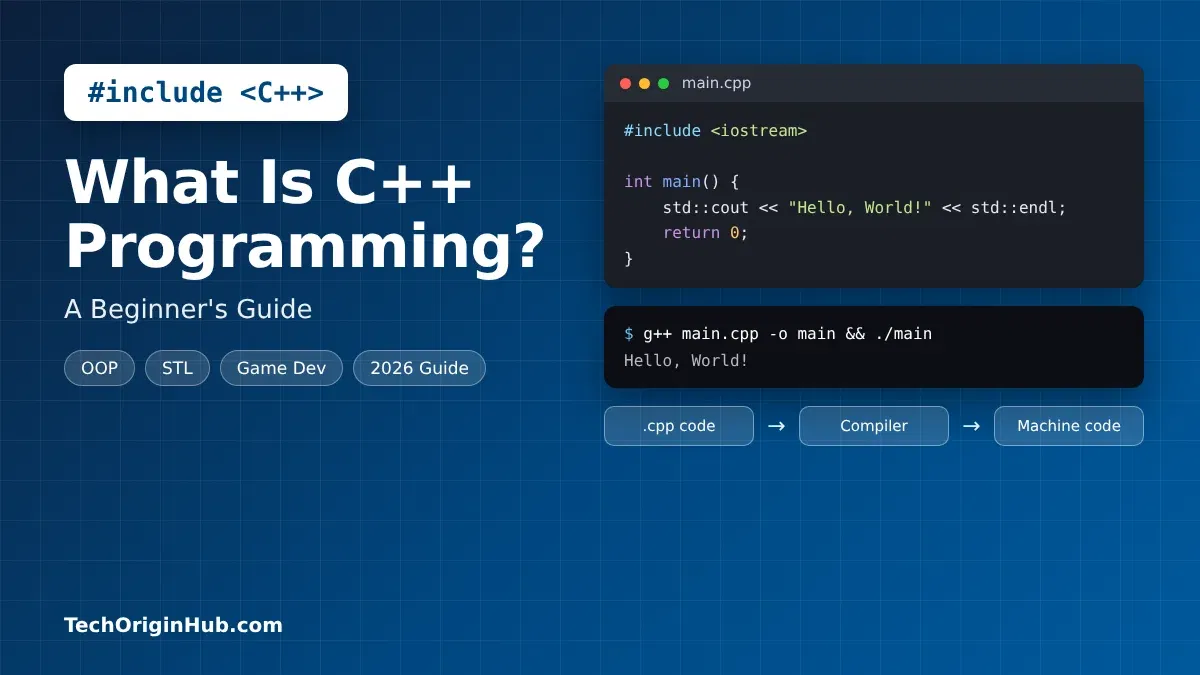
The games you play, the web browser you are using right now and even parts of your phone’s operating system all have one thing in common: they are built, at least in part, with C++. C++ is the language developers choose when they need maximum speed and full control over a computer’s hardware.
If you are new to programming and keep hearing that C++ is “hard” or “powerful,” this guide is for you. We explain what C++ is in simple words, how it works, its main features, where it is used, and how to write your first program. The version details are checked and current as of October 2026.
Quick Info
| Detail | Information |
|---|---|
| Name | C++ (pronounced “C plus plus”) |
| Type | General-purpose, compiled, multi-paradigm programming language |
| Created by | Bjarne Stroustrup |
| First released | 1985 (first commercial release) |
| Based on | The C programming language |
| Standardized by | ISO (the C++ committee, known as WG21) |
| File extensions | .cpp, .h, .hpp |
| Popular compilers | GCC, Clang, Microsoft Visual C++ (MSVC) |
| Runs on | Windows, macOS, Linux, consoles, phones and embedded devices |
| Price | Free (the language and major compilers are free to use) |
| Best for | Games, browsers, operating systems, high-speed apps and embedded systems |
Key Takeaways
- C++ is a fast, compiled language that turns your code directly into machine code.
- It grew out of C and added classes, objects and many modern features.
- C++ gives you direct control over memory, which is powerful but needs care.
- It powers game engines, web browsers, databases, finance systems and robots.
- C++ is harder to learn than Python, but it teaches you how computers really work.
- The language keeps improving, with a new standard about every three years.
What Is C++ Programming?
C++ is a general-purpose programming language used to build fast, efficient software. It is a compiled language, which means your code is turned into machine code before it runs. This makes C++ programs very fast.
C++ is also called a multi-paradigm language. In simple words, it lets you write code in more than one style:
- Procedural: Step-by-step instructions, like in C.
- Object-oriented: Organizing code into classes and objects.
- Generic: Writing code once with templates and reusing it for many data types.
The name has a fun meaning. In C, ++ is the operator that adds 1 to a value. So “C++” means “one step beyond C.”
C vs C++: What Is the Difference?
| Feature | C | C++ |
|---|---|---|
| Style | Procedural only | Procedural, object-oriented and generic |
| Classes and objects | No | Yes |
| Standard library | Small | Large (STL with vectors, maps, strings and more) |
| Memory handling | Manual (malloc, free) |
Manual plus smart pointers that free memory automatically |
| Common uses | Operating system kernels, firmware, small devices | Games, browsers, desktop apps, finance, engines |
Most C code can be used inside C++ programs, but C++ adds many tools that make large programs easier to build.
A Short History of C++
- 1979: Danish computer scientist Bjarne Stroustrup started working on “C with Classes” at Bell Labs.
- 1983: The language was renamed C++.
- 1985: The first commercial version and the book The C++ Programming Language were released.
- 1998: The first official ISO standard, C++98, was published.
- 2011: C++11 was a huge update that brought “modern C++” with
auto, smart pointers and lambdas. - 2014 to 2023: New standards (C++14, C++17, C++20, C++23) arrived about every three years.
- 2026: The C++ committee finished the technical work on C++26, one of the biggest updates in years.
How Does C++ Work?
A C++ program goes through a few steps before it runs:
- You write source code in a file ending in
.cpp, such asmain.cpp. - The preprocessor handles lines starting with
#, like#include <iostream>, which bring in library code. - The compiler (such as GCC, Clang or MSVC) translates your code into machine code, called object files.
- The linker joins your object files and the libraries you used into one program, like
main.exeon Windows. - You run the program, and the computer’s processor executes the machine code directly.
Because there is no virtual machine or interpreter in the middle, C++ programs start fast and run fast. The trade-off is that you must compile your program again for each operating system.
C++ Examples for Beginners
Example 1: Hello World
#include <iostream>

int main() {
    std::cout << "Hello, World!" << std::endl;
    return 0;
}
#include <iostream> adds the input and output library. std::cout prints text to the screen. Every C++ program starts running from the main() function.
Example 2: Variables and User Input
#include <iostream>
#include <string>

int main() {
    std::string name;
    int age;

    std::cout << "Enter your name: ";
    std::cin >> name;
    std::cout << "Enter your age: ";
    std::cin >> age;

    std::cout << "Hi " << name << ", you are " << age << " years old." << std::endl;
    return 0;
}
std::cin reads what the user types. Like Java, C++ is statically typed, so each variable has a fixed type such as int or std::string.
Example 3: If, Else and a Loop
#include <iostream>

int main() {
    for (int i = 1; i <= 5; i++) {
        if (i % 2 == 0) {
            std::cout << i << " is even" << std::endl;
        } else {
            std::cout << i << " is odd" << std::endl;
        }
    }
    return 0;
}
This loop counts from 1 to 5 and checks whether each number is even or odd.
Example 4: A Function
#include <iostream>

int add(int a, int b) {
    return a + b;
}

int main() {
    std::cout << "5 + 10 = " << add(5, 10) << std::endl;
    return 0;
}
Example 5: A Class and an Object
#include <iostream>
#include <string>

class Car {
public:
    std::string color;

    Car(std::string c) : color(c) {}

    void start() {
        std::cout << "The " << color << " car has started." << std::endl;
    }
};

int main() {
    Car myCar("blue");
    myCar.start();
    return 0;
}
Car is a class (a blueprint), and myCar is an object built from it.
Example 6: Using a Vector From the Standard Library
#include <iostream>
#include <vector>

int main() {
    std::vector<int> scores = {85, 92, 78};
    scores.push_back(88);

    for (int s : scores) {
        std::cout << s << " ";
    }
    return 0;
}
A std::vector is a list that can grow. Modern C++ code uses tools like this instead of raw arrays, which makes programs safer and easier to write.
Key Features of C++
- High performance: Code is compiled straight to machine code, so it runs very fast with little overhead.
- Low-level memory control: You can work directly with memory using pointers and references when you need full control.
- Object-oriented programming: Classes, inheritance, polymorphism and encapsulation help organize big projects.
- Templates and generic programming: Write one function or class that works with many data types.
- Standard Template Library (STL): Ready-made containers (vector, map, set), algorithms (sort, find) and strings save a lot of time.
- Smart pointers and RAII: Modern C++ tools like
std::unique_ptrfree memory automatically, reducing memory leaks. - Portable: The same C++ code can be compiled for Windows, macOS, Linux, game consoles and tiny chips.
- Compatible with C: You can use existing C libraries directly.
- Multithreading: Built-in support for running tasks in parallel.
- Zero-cost abstractions: High-level features usually do not slow the program down compared to hand-written low-level code.
Common Uses of C++
| Use Case | Why C++ Is Used | Real Examples |
|---|---|---|
| Game development | Fast graphics and physics at high frame rates | Unreal Engine, many AAA games |
| Web browsers | Speed and control over memory | Google Chrome, Mozilla Firefox (parts) |
| Operating systems | Close to the hardware | Parts of Windows, macOS and Android |
| Databases | Handling huge amounts of data quickly | MySQL, MongoDB |
| Finance and trading | Microsecond-level speed matters | High-frequency trading systems |
| Desktop software | Heavy, fast desktop apps | Adobe Photoshop, Microsoft Office (parts) |
| Embedded systems and IoT | Runs on small devices with little memory | Cars, medical devices, smart appliances |
| Robotics | Real-time control | ROS (Robot Operating System) |
| AI and machine learning engines | The fast core under Python tools | TensorFlow and PyTorch back ends |
| Compilers and tools | Speed and portability | LLVM/Clang, GCC |
Many popular tools in other languages also rely on C++ under the hood. For example, when you use Python for AI, much of the heavy math is actually done by C++ code.
C++ Standards in 2026
C++ does not have “versions” like apps do. Instead, an international ISO committee releases a new standard about every three years. Compilers like GCC, Clang and MSVC then add support for it.
| Standard | Year | Main Highlights |
|---|---|---|
| C++26 | Finished by the committee in March 2026, official ISO approval delayed | Reflection, contracts, safer standard library, std::execution |
| C++23 | Published in 2024 (latest official standard) | std::print, std::expected, more ranges features |
| C++20 | 2020 | Concepts, modules, coroutines, ranges |
| C++17 | 2017 | std::optional, std::variant, structured bindings |
| C++14 | 2014 | Small improvements to C++11 |
| C++11 | 2011 | auto, lambdas, smart pointers, move semantics |
| C++98 | 1998 | First official standard |
What Is Happening With C++26?
The C++ committee (WG21) approved the technical work on C++26 on March 28, 2026, in London. It is one of the biggest updates since C++11. Its main features include:
- Compile-time reflection: Code can look at and generate other code while it is being compiled, with no slowdown at runtime.
- Contracts: Rules that say what must be true before and after a function runs.
- Safer code: A hardened standard library and safer handling of uninitialized variables.
std::execution: A new framework for running tasks in parallel and asynchronously.
However, in October 2026, the C++26 draft reportedly failed its final ISO ballot (called the DIS ballot), mainly because several countries objected to the contracts feature. This is reported to be the first time a C++ draft has failed this vote. C++26 is not cancelled, but its official publication is delayed while the committee responds.
What this means for beginners: Not much right now. Compilers such as GCC 16 already support many C++26 features, and most courses still teach C++17 or C++20, which work perfectly.
Advantages and Disadvantages of C++
| Advantages | Disadvantages |
|---|---|
| One of the fastest programming languages | Harder to learn than Python or JavaScript |
| Full control over memory and hardware | Memory mistakes can cause crashes and security bugs |
| Used in games, browsers, finance and more | Long, confusing error messages for beginners |
| Huge standard library and ecosystem | Slower to write than higher-level languages |
| Skills transfer to C, Java, C# and Rust | Build tools and package management can be complicated |
| Strong job demand in high-performance fields | Very large language with many features to learn |
C++ vs Other Popular Languages
| Feature | C++ | C | Java | Python | Rust |
|---|---|---|---|---|---|
| Speed | Very fast | Very fast | Fast | Slower | Very fast |
| Memory management | Manual plus smart pointers | Manual | Automatic (garbage collector) | Automatic | Ownership system, checked by compiler |
| Object-oriented | Yes | No | Yes | Yes | Partly (traits, no classes) |
| Beginner friendly | Hard | Hard | Medium | Very easy | Hard |
| Best known for | Games, browsers, engines | OS kernels, firmware | Enterprise, Android | AI, data, scripts | Safe systems software |
How to Start Learning C++
- Install a compiler and editor:
- Windows: Install Visual Studio Community (free) with the “Desktop development with C++” option.
- macOS: Run
xcode-select --installin Terminal to get the Clang compiler. - Linux: Install GCC with your package manager, for example
sudo apt install g++.
- Pick an editor: VS Code with the C/C++ extension, Visual Studio or CLion all work well.
- Write your first program: Save the Hello World example above as
main.cpp. - Compile and run it: Type
g++ main.cpp -o mainand then./main(ormain.exeon Windows). - Learn the basics in order: Variables, data types, if/else, loops, functions, arrays and vectors, then strings.
- Move to core C++ topics: Classes and objects, references and pointers, the STL and smart pointers.
- Practice problem-solving: C++ is very popular for coding challenges. Learning about algorithms and solving small problems will sharpen your skills fast.
- Build small projects: Try a calculator, a number guessing game, a student grade manager or a simple text-based game.
Tip: When your program does not work, do not panic. Read the first error message carefully and learn basic debugging with breakpoints. It is the most useful skill for any C++ beginner.
Frequently Asked Questions
Is C++ good for beginners?
C++ is harder than Python, but it is still a good first language if you are patient. It teaches how memory and computers really work, which makes learning other languages easier later.
Is C++ still used in 2026?
Yes. C++ is still widely used in game engines, web browsers, databases, trading systems, robotics and embedded devices. The language keeps getting new features, with C++26 being one of its biggest updates.
How long does it take to learn C++?
Most beginners can learn the basics in 2 to 3 months with regular practice. Becoming truly skilled at C++ usually takes a year or more, because the language is large.
What is the difference between C and C++?
C is a smaller, procedural language. C++ is built on C and adds classes, objects, templates and a large standard library. Most C code can work inside C++ programs.
Is C++ free?
Yes. The C++ language is an open standard, and popular compilers like GCC, Clang and Visual Studio Community are free to use.
Which is better, C++ or Python?
Neither is better in every case. C++ is much faster and better for games, engines and systems. Python is easier and better for AI, data analysis and quick scripts. Many developers learn both.
Is C++ used for game development?
Yes. C++ is the main language for many game engines, including Unreal Engine, and for most big-budget games, because it runs fast and gives control over hardware.
What is the latest version of C++?
The latest official ISO standard is C++23, published in 2024. C++26 was finished by the committee in March 2026, but its final ISO approval was delayed after a failed ballot in October 2026.
Final Thoughts
C++ has been around for over 40 years, and it is still the go-to language when speed and control matter most. It powers games, browsers, databases and many of the tools we use every day, including the engines behind popular AI libraries.
Yes, C++ takes more effort to learn than some languages. But once you understand it, almost every other language feels easier. Install a free compiler, try the examples in this guide, and build small projects one step at a time.
References
- The Register, “C++26 approved”: https://www.theregister.com/2026/03/31/cplusplus26_approved
- El Solitario, “C++26 DIS Ballot: What Happened and Why It Failed”: https://elsolitario.org/en/2026/10/26/according-to-seacord-cpp26-fails-dis-ballot-12-of-20/
Disclaimer
This article is for general information and learning purposes only. Details about C++ standards, including the status of C++26, were checked on October 31, 2026, and may change as the ISO process continues. Always confirm the latest information from official ISO C++ sources. TechOriginHub is not affiliated with ISO, the C++ standards committee or any company or product mentioned. All trademarks belong to their owners.