
 By saman zahra
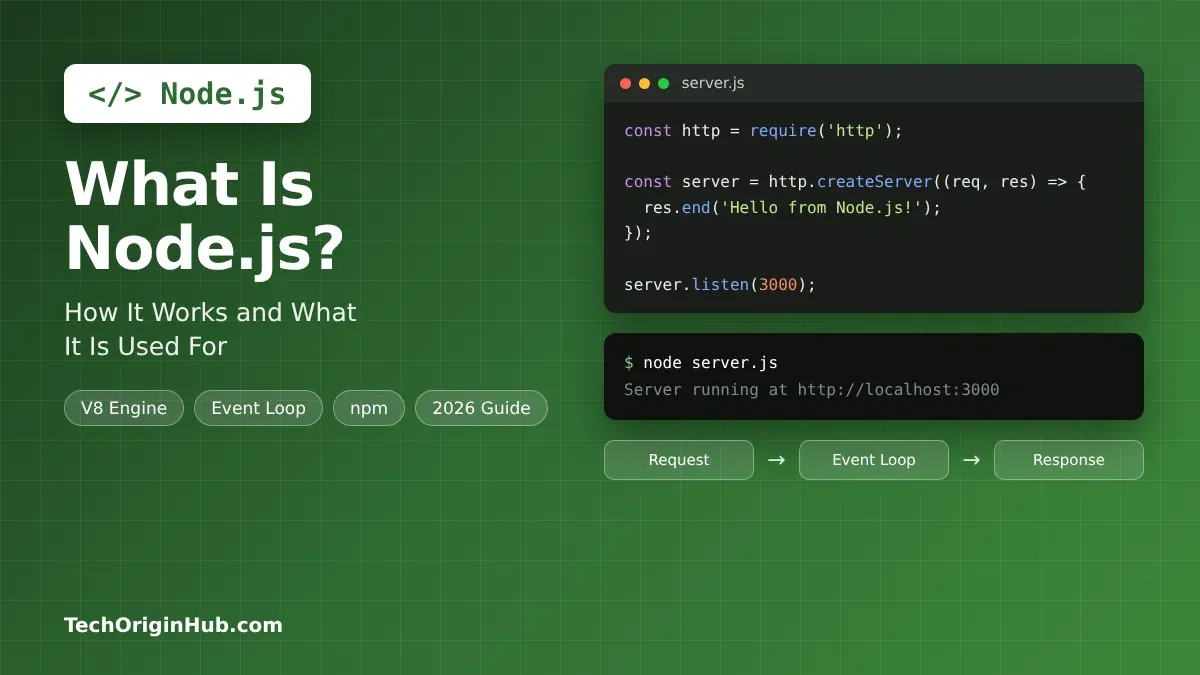
If you have ever wondered how JavaScript, the language that makes buttons and menus work in your browser, also runs servers, chat apps and command-line tools, the answer is usually Node.js. Node.js takes JavaScript out of the browser and lets it run directly on a computer or server.
In this guide, we explain what Node.js is in plain words, how it works behind the scenes, what people build with it, and how you can start using it today. We have also checked the latest version details, so the information is current as of October 2026.
Quick Info
| Detail | Information |
|---|---|
| Name | Node.js |
| Type | JavaScript runtime environment (not a language, not a framework) |
| Created by | Ryan Dahl |
| First released | 2009 |
| Managed by | OpenJS Foundation |
| Engine | Google’s V8 JavaScript engine |
| Written in | C, C++ and JavaScript |
| Runs on | Windows, macOS, Linux and more |
| Package manager | npm (included with Node.js) |
| Price | Free and open source (MIT license) |
| Newest LTS line | Node.js 26 “Lithium” (became LTS on October 28, 2026) |
| Best for | APIs, web servers, real-time apps, tools and scripts |
Key Takeaways
- Node.js is a runtime, which means it is a program that runs JavaScript code outside a web browser.
- It uses Google’s V8 engine, the same engine that powers Chrome, so it runs JavaScript fast.
- Its event loop and non-blocking I/O let one Node.js process handle thousands of connections at once.
- It is popular for APIs, real-time chat, streaming, microservices and developer tools.
- It is not ideal for heavy CPU work like video encoding, unless you use worker threads.
- For most people in late 2026, an LTS version (Node.js 24 or the new Node.js 26) is the safe choice.
What Is Node.js?
Node.js is a free, open-source JavaScript runtime environment. In simple words, it is a program that can read and run JavaScript code on your computer or on a server, without needing a web browser.
Before Node.js, JavaScript mostly lived inside browsers. If you wanted to build the server side of a website, you had to use another language like PHP, Java or Python. Node.js changed that. Now one developer can use JavaScript for both the front end (what users see) and the back end (the server that stores data and answers requests).
A common mix-up is calling Node.js a programming language or a framework. It is neither:
- JavaScript is the language.
- Node.js is the runtime that runs that language outside the browser.
- Express, NestJS and Fastify are frameworks built on top of Node.js.
A Short History
Ryan Dahl introduced Node.js in 2009. He was frustrated that popular web servers of the time handled many connections slowly, because each connection waited in line. His idea was to build a server that never sits idle while waiting.
The npm package manager arrived in 2010 and quickly became the largest software registry in the world. Today, Node.js is run by the OpenJS Foundation, with support from many companies and volunteers.
How Does Node.js Work?
You do not need to understand every internal detail to use Node.js. But knowing these four building blocks will help you see why it is so fast for web work.
1. The V8 Engine
Node.js uses V8, the open-source JavaScript engine built by Google for Chrome. V8 turns your JavaScript into machine code that the computer’s processor can run directly. This is why Node.js code runs much faster than older script interpreters.
2. Single Thread With an Event Loop
Your JavaScript code in Node.js runs on one main thread. Think of it like one very fast waiter in a restaurant.
A slow waiter takes one order, walks to the kitchen and stands there until the food is ready. A smart waiter takes an order, passes it to the kitchen, and serves other tables while the food cooks. When a dish is ready, the kitchen rings a bell and the waiter delivers it.
The event loop is that smart waiter. It keeps checking for finished tasks and runs the code that should happen next.
3. Non-Blocking I/O
I/O means input and output, such as reading a file, querying a database or calling an API. These jobs are slow compared to the processor.
In Node.js, these jobs are non-blocking. Node.js starts the job, moves on to other work, and comes back when the result is ready. A helper library called libuv handles this waiting in the background using the operating system and a small pool of threads.
Here is the flow in simple steps:
- A user sends a request, for example “show my profile.”
- Node.js asks the database for the data and does not wait.
- Meanwhile, it accepts and starts other users’ requests.
- The database answers, and the event loop queues a callback.
- Node.js runs that callback and sends the profile back to the user.
4. Modules and npm
Node.js code is split into modules, which are small files or packages that each do one job. Node.js comes with built-in modules like fs (files), http (web servers), path and crypto.
For everything else, there is npm (Node Package Manager). It is installed with Node.js and gives you access to millions of free packages. With one command, such as npm install express, you can add a complete web framework to your project.
A Simple Node.js Example
This small program creates a working web server using only built-in modules:
const http = require('http');

const server = http.createServer((req, res) => {
  res.writeHead(200, { 'Content-Type': 'text/plain' });
  res.end('Hello from Node.js!');
});

server.listen(3000, () => {
  console.log('Server running at http://localhost:3000');
});
Save it as server.js, run node server.js in your terminal, and open http://localhost:3000 in your browser. You will see the message “Hello from Node.js!”
Key Features of Node.js
- Fast execution: V8 compiles JavaScript to machine code.
- Asynchronous by default: Most built-in functions do not block the program while waiting.
- One language everywhere: Front end, back end and tools can all use JavaScript or TypeScript.
- Huge package ecosystem: npm offers ready-made packages for almost any task.
- Cross-platform: The same code runs on Windows, macOS and Linux.
- Built-in tools: Recent versions include
fetch, a test runner (node --test), watch mode (node --watch) and.envfile loading (--env-file), so you need fewer extra packages. - TypeScript support: Modern Node.js can run many
.tsfiles directly by stripping type annotations. It does not check types, so you still usetscfor type checking. - Streams: Node.js can process large files and video piece by piece instead of loading everything into memory.
What Is Node.js Used For?
Node.js shines when an app does a lot of waiting on networks, files or databases. Here are its most common uses:
| Use Case | Why Node.js Fits | Popular Tools |
|---|---|---|
| REST and GraphQL APIs | Handles many small requests quickly | Express, Fastify, NestJS |
| Real-time apps (chat, live dashboards, games) | Keeps thousands of connections open | Socket.IO, ws |
| Full-stack web apps | Server-side rendering with JavaScript | Next.js, Nuxt, Remix |
| Microservices | Lightweight and quick to start | Fastify, NestJS |
| Streaming services | Sends data in small chunks | Built-in streams |
| Command-line tools | Easy to write and share via npm | Commander, Yargs |
| Desktop apps | JavaScript plus native features | Electron (used by VS Code) |
| Build and developer tools | Fast scripting for web projects | Vite, ESLint, Prettier |
| IoT and automation | Event-driven style suits sensors | Johnny-Five, Node-RED |
Big companies such as Netflix, PayPal, LinkedIn and Uber have publicly shared how they use Node.js in parts of their systems. Many small startups pick it because one team can build the whole product in one language.
When Node.js Is Not the Best Choice
Because your JavaScript runs on one main thread, long CPU-heavy tasks can freeze everything else. Examples include video encoding, large image processing, complex math and machine learning training. For these jobs, developers either use worker threads in Node.js or pick languages like Python, Go, Rust or C++.
Node.js vs JavaScript in the Browser
| Feature | Browser JavaScript | Node.js |
|---|---|---|
| Where it runs | Inside a web browser | On a computer or server |
| Main job | Interactive web pages | Servers, APIs, tools, scripts |
| Access to web page (DOM) | Yes (document, window) |
No |
| Access to files and system | No, for security | Yes (fs, os, process) |
| Global object | window |
global / globalThis |
| Packages | Script tags or bundlers | npm |
| Who controls the version | The user’s browser | You, the developer |
Node.js Versions in 2026: Which One Should You Use?
Node.js has two kinds of releases. Current releases get the newest features first. LTS (Long-Term Support) releases are stable and receive security fixes for a long time. For real projects, always choose an LTS version.
| Version | Codename | Status (October 2026) | Supported Until |
|---|---|---|---|
| Node.js 26 | Lithium | Active LTS (since October 28, 2026) | End of April 2029 |
| Node.js 24 | Krypton | LTS | End of April 2028 |
| Node.js 22 | Jod | Maintenance LTS | End of April 2027 |
| Node.js 20 and older | Various | End of life | No longer supported |
Big change coming: Starting with Node.js 27, the project moves from two major releases a year to one per year. New majors will arrive each April, become LTS in October, and every release will become LTS. Version numbers will also follow the calendar year, so Node.js 27 ships in 2027 and Node.js 28 in 2028. An Alpha channel for early testing started in October 2026.
Advantages and Disadvantages of Node.js
| Advantages | Disadvantages |
|---|---|
| Very fast for I/O-heavy apps | Weak for CPU-heavy tasks on the main thread |
| One language for front end and back end | Callback and async code can confuse beginners |
| Massive npm ecosystem | Some npm packages are poorly maintained or risky |
| Easy to scale with microservices | Frequent updates mean regular upgrade work |
| Free, open source, big community | Dynamic typing can hide bugs (TypeScript helps) |
| Great for real-time features | Deep dependency trees can bloat projects |
How to Get Started With Node.js
- Download Node.js: Go to the official nodejs.org website and download the LTS installer for your operating system. npm is included.
- Check the install: Open Terminal or Command Prompt and type
node -vandnpm -v. You should see version numbers. - Write your first file: Create
app.jswithconsole.log('Hello, Node.js!');and runnode app.js. - Start a project: In a new folder, run
npm init -yto create apackage.jsonfile that tracks your project and packages. - Install a package: Try
npm install expressand build a small API. - Learn the basics: Focus on modules,
async/await, promises, thefsmodule and error handling. - Use version control: Track your code with Git so you can undo mistakes and share your work.
Tip: If you work on several projects, a version manager like nvm (macOS and Linux) or nvm-windows lets you switch between Node.js versions easily.
Frequently Asked Questions
Is Node.js a programming language?
No. Node.js is a runtime environment. The language you write is JavaScript (or TypeScript). Node.js is the program that runs that code outside the browser.
Is Node.js frontend or backend?
Node.js is mainly used for the backend, such as servers and APIs. However, many frontend tools, like Vite and ESLint, also run on Node.js.
Is Node.js free?
Yes. Node.js is free and open source under the MIT license. You can use it for personal and commercial projects.
Is Node.js hard to learn?
If you already know basic JavaScript, Node.js is fairly easy to start. The trickiest part for beginners is asynchronous code, but async/await makes it much simpler.
What is the difference between Node.js and npm?
Node.js runs your JavaScript code. npm is the package manager that installs and manages the extra libraries your project uses. npm comes bundled with Node.js.
Which Node.js version should I install in 2026?
Choose an LTS version. As of October 2026, Node.js 24 and Node.js 26 are both solid LTS choices. Node.js 26 has the longest support window, until April 2029.
Can Node.js run TypeScript?
Yes. Modern Node.js versions can run many TypeScript files directly by removing type annotations. It does not check types, so run tsc --noEmit for that. Some features, like enum, need an extra flag or a build step.
Is Node.js good for big websites?
Yes. Many large companies use Node.js for parts of their platforms. It works best for I/O-heavy services like APIs, real-time features and streaming.
Final Thoughts
Node.js took JavaScript out of the browser and made it a full tool for building servers, APIs, real-time apps and developer tools. Its event loop and non-blocking design make it fast for apps that spend a lot of time waiting on networks and databases.
If you already know some JavaScript, Node.js is one of the quickest ways to start building real back-end projects. Install the latest LTS version, try the small server example above, and grow from there. Pair it with a database skill like SQL and you will be ready to build complete web apps.
References
- Node.js Blog, “Evolving the Node.js Release Schedule”: https://nodejs.org/blog/announcements/evolving-the-nodejs-release-schedule
- LinuxCompatible, “Node.js 26.13.0 Lithium Reaches LTS, Support Through April 2029”: https://www.linuxcompatible.org/story/nodejs-26130-lithium-reaches-lts-support-through-april-2029/
Disclaimer
This article is for general information and learning purposes only. Version numbers, release dates and support periods were checked on October 30, 2026, and may change. Always confirm the latest details on the official Node.js website before making decisions for production projects. TechOriginHub is not affiliated with the OpenJS Foundation or the Node.js project. Company names mentioned are used for reference only.