
 By saman zahra
If you have spent any time around web developers, you have probably heard someone say, “Just use TypeScript.” It shows up in job listings, framework docs, and almost every modern JavaScript project. But if you are new to coding, it is fair to wonder what it actually is and why so many people swear by it.
Here is the short version: TypeScript is JavaScript with types. It lets you describe what kind of data your code expects, so mistakes get caught while you are writing code instead of after your users find them.
In this guide, we will walk through what TypeScript is, how it works, its main features, real code examples, where it is used, its pros and cons, and what changed in 2026 with TypeScript 7. No heavy jargon, just a clear explanation you can actually use.
Quick Info: TypeScript at a Glance
| Detail | Quick Answer |
|---|---|
| What it is | A programming language that adds static types to JavaScript |
| Created by | Microsoft |
| First released | 2012 |
| Relationship to JavaScript | A superset: valid JavaScript is also valid TypeScript |
| File extension | .ts (and .tsx for React components) |
| How it runs | Compiled or stripped into plain JavaScript |
| Latest major version | TypeScript 7.0 (released July 8, 2026), with a new native compiler written in Go |
| Cost | Free and open source |
| Main benefit | Catches many bugs before your code runs |
| Popular uses | Web apps, React, Angular, Vue, Node.js back ends, large codebases |
Key Takeaways
- TypeScript is JavaScript plus types. You describe the shape of your data, and TypeScript checks it.
- It does not replace JavaScript. Your TypeScript becomes normal JavaScript before it runs.
- Types help you catch errors early, get better autocomplete, and refactor safely.
- TypeScript 6.0 (March 2026) was the last version built in JavaScript, and TypeScript 7.0 (July 2026) moved the compiler to Go, with builds reported to be roughly 8 to 12 times faster.
- Node.js can now run many TypeScript files directly, though it does not check types while running.
- It is ideal for medium and large projects, teams, and anyone who wants fewer runtime surprises.
What Is TypeScript?
TypeScript is a programming language developed by Microsoft that builds on top of JavaScript. It keeps everything JavaScript can do and adds one big extra: static types.
In plain JavaScript, a variable can hold anything. A value can start as a number, become text, and later turn into undefined, and JavaScript will not complain until something breaks while the program is running.
TypeScript lets you say up front, “this value should be a number” or “this object must have a name and an email.” If your code tries to do something that does not match, your editor flags it immediately.
If you are new to JavaScript itself, it helps to start there. Our guide on what JavaScript is explains how it powers almost every interactive website.
Why is it called a “superset”?
A superset means TypeScript includes all of JavaScript, plus more. You can rename a .js file to .ts and, in most cases, it will still work. That makes it easy to adopt gradually, one file at a time.
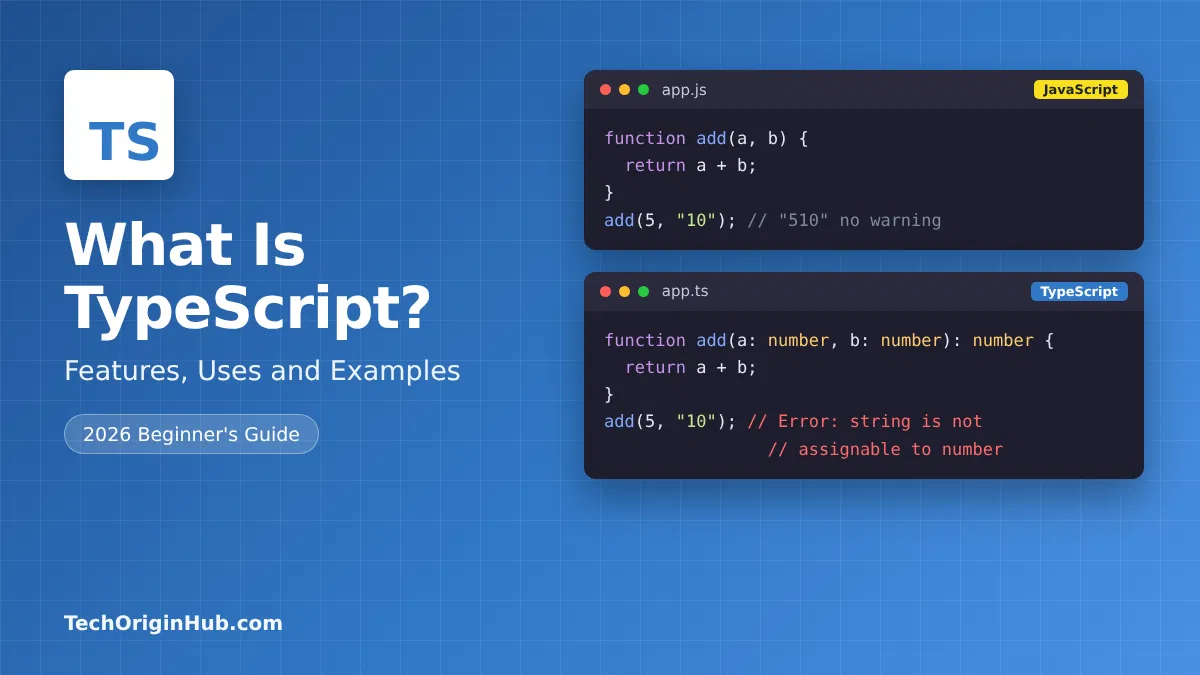
A Simple Example: JavaScript vs TypeScript
Here is a tiny JavaScript function:
function add(a, b) {
  return a + b;
}

add(5, "10"); // returns "510" instead of 15
JavaScript happily joins the number and the text into "510". No error, just a wrong answer that might slip into production.
Now the same function in TypeScript:
function add(a: number, b: number): number {
  return a + b;
}

add(5, "10"); // Error: Argument of type 'string' is not assignable to parameter of type 'number'.
The : number parts are type annotations. TypeScript sees that "10" is text and warns you before the code ever runs. That one small check is the whole idea behind TypeScript.
How Does TypeScript Work?
Browsers and Node.js understand JavaScript, so TypeScript needs to become JavaScript before it runs. There are two main ways this happens:
- Compiling with tsc. The TypeScript compiler (
tsc) checks your types and outputs plain JavaScript files. - Type stripping. Tools (and now Node.js itself) remove the type annotations and run the remaining JavaScript, while type checking happens separately in your editor or a build step.
The important thing to understand is this: types exist to help you while you write code. Once your code runs, the types are gone. TypeScript does not slow down your app at runtime.
Running TypeScript directly in Node.js
According to the official Node.js documentation, since Node.js v22.18.0, “type stripping” is enabled by default. That means you can run many .ts files with a simple node file.ts command.
There are two catches worth knowing:
- Node.js does not check your types when it runs the file. The Node.js docs recommend running
tsc --noEmitseparately to catch type errors. - Some TypeScript features need real code generation, such as
enum, parameter properties, and namespaces with runtime code, so they are not handled by type stripping alone.
Key Features of TypeScript
1. Static typing
You can add types to variables, function parameters, and return values:
let username: string = "Saad";
let age: number = 28;
let isAdmin: boolean = false;
2. Type inference
You do not have to label everything. TypeScript is smart enough to figure out many types on its own:
let city = "Lahore"; // TypeScript knows this is a string
city = 42;           // Error: Type 'number' is not assignable to type 'string'.
3. Interfaces and type aliases
These let you describe the shape of an object:
interface User {
  id: number;
  name: string;
  email: string;
  isActive?: boolean; // the ? means optional
}

const user: User = {
  id: 1,
  name: "Ayesha",
  email: "ayesha@example.com",
};
If you forget email or misspell name, TypeScript tells you right away.
4. Union types
A value can be one of several types:
let orderId: number | string;
orderId = 1024;     // OK
orderId = "A-1024"; // also OK
5. Generics
Generics let you write reusable code that still keeps types safe:
function firstItem<T>(items: T[]): T | undefined {
  return items[0];
}

const firstNumber = firstItem([10, 20, 30]); // type: number | undefined
const firstName = firstItem(["Ali", "Sara"]); // type: string | undefined
6. Classes with access modifiers
TypeScript adds public, private, and protected to classes:
class BankAccount {
  private balance: number = 0;

  deposit(amount: number): void {
    this.balance += amount;
  }

  getBalance(): number {
    return this.balance;
  }
}
7. Enums and literal types
Enums give names to a set of values, while literal types restrict a value to specific options:
type Status = "pending" | "shipped" | "delivered";

let orderStatus: Status = "pending";
orderStatus = "lost"; // Error
If you plan to run TypeScript directly in Node.js, literal types or as const objects are often preferred over enum, since enums require code generation.
8. Great editor support
Because your editor knows your types, you get accurate autocomplete, inline errors, jump to definition, and safe renaming across your whole project. For many developers, this alone is reason enough to switch.
Real-World Example: Typing an API Response
One of the most practical uses of TypeScript is describing data from an API so you know exactly what you are working with:
interface Product {
  id: number;
  title: string;
  price: number;
  inStock: boolean;
}

async function getProduct(id: number): Promise<Product> {
  const response = await fetch(`https://api.example.com/products/${id}`);
  return response.json() as Promise<Product>;
}

const product = await getProduct(7);
console.log(product.title); // autocomplete knows 'title' exists
console.log(product.cost);  // Error: Property 'cost' does not exist on type 'Product'.
Now your editor knows every field, and typos like cost instead of price get caught instantly. One honest caution: TypeScript trusts the type you give it here. It does not check the real data coming back from the server at runtime, so for important data, many teams also use a validation library. If you want to understand how APIs send data back and forth, our guide on what an API is explains it with real examples.
What Is TypeScript Used For?
| Use case | How TypeScript helps |
|---|---|
| Front-end web apps | Safer components and props in React, Angular, Vue, and Svelte |
| Back-end services | Typed APIs and server code with Node.js, Deno, and Bun |
| Full-stack apps | Shared types between front end and back end |
| Large codebases | Easier to understand, maintain, and refactor |
| Libraries and packages | Clear, self-documenting public APIs |
| Mobile apps | React Native projects |
| Desktop apps | Electron apps such as code editors and chat tools |
| Teams | Fewer misunderstandings about what data looks like |
Angular uses TypeScript by default, and most popular frameworks offer first-class TypeScript support or TypeScript project templates.
What Changed in 2026: TypeScript 6 and TypeScript 7
2026 was a big year for TypeScript.
- TypeScript 6.0 (March 2026) was the final version of the compiler written in JavaScript. It acted as a bridge, introducing new defaults and deprecating older options.
- TypeScript 7.0 (released July 8, 2026) is the first stable release with a native compiler written in Go. InfoQ reports Microsoft’s figures of typical full-build speedups between 8x and 12x.
A few practical points:
- The language itself did not change dramatically. The Go version was ported from the existing compiler, so your TypeScript code works the same way.
- You still install it from npm with
npm install -D typescript. - TypeScript 7.0 turned TypeScript 6.0’s deprecations into errors, and options like
strictbecame defaults, so upgrading from 6.0 first is recommended. - Some tools that relied on the old programmatic API may need updates, since a stable API was planned for a later 7.x release.
For beginners, the takeaway is simple: TypeScript got much faster, especially on big projects, and your code and skills carry over.
Advantages of TypeScript
- Catches bugs early, before code reaches users
- Better autocomplete and editor help, which speeds up coding
- Safer refactoring, since the compiler tells you everything a change affects
- Self-documenting code, because types explain what functions expect
- Easier teamwork on shared codebases
- Gradual adoption, one file at a time
- Huge ecosystem with type definitions for most popular libraries
- Faster tooling with the TypeScript 7 native compiler
Disadvantages of TypeScript
- Learning curve, especially generics and advanced types
- Extra setup compared to plain JavaScript (although tools make this much easier now)
- More code to write in some cases
- Types are not checked at runtime, so data from APIs or users still needs validation
- Overkill for tiny scripts or quick experiments
- Type errors can feel confusing at first, especially with complex libraries
TypeScript vs JavaScript
| JavaScript | TypeScript | |
|---|---|---|
| Type system | Dynamic, checked at runtime | Static, checked before running |
| Error detection | Many errors appear while running | Many errors caught while writing |
| Runs directly in browsers | Yes | No, becomes JavaScript first |
| Runs in Node.js | Yes | Yes, many files run via type stripping (no type checking) |
| Learning curve | Easier to start | Slightly steeper |
| Best for | Small scripts, quick prototypes | Medium to large apps, teams |
| Editor support | Good | Excellent |
It is not really “TypeScript or JavaScript.” TypeScript is JavaScript with a safety net. If you know JavaScript, you already know most of TypeScript.
How to Get Started With TypeScript
Step 1: Try it in your browser
The official TypeScript Playground on the TypeScript website lets you write TypeScript and see the JavaScript output instantly, with no installation.
Step 2: Install it in a project
If you have Node.js installed:
npm install -D typescript
npx tsc --init
The second command creates a tsconfig.json file, which holds your TypeScript settings.
Step 3: Write your first file
Create hello.ts:
function greet(name: string): string {
  return `Hello, ${name}!`;
}

console.log(greet("TechOriginHub reader"));
Step 4: Check and run it
npx tsc --noEmit   # checks types without creating files
node hello.ts      # runs it directly on Node.js v22.18.0 or later
Or compile it to JavaScript with npx tsc and run the generated .js file.
Step 5: Turn on strict mode
In tsconfig.json, keep "strict": true. It catches more mistakes and is now the default in TypeScript 7.
Beginner Tips for Learning TypeScript
- Learn JavaScript basics first. TypeScript makes much more sense once you understand JavaScript.
- Start small. Add types to function parameters and objects before diving into generics.
- Let inference work. You do not need to label every variable.
- Avoid
anywhen possible. It turns off type checking. Useunknownif you are unsure. - Read error messages slowly. They often tell you exactly what is wrong.
- Convert one file at a time when moving an existing JavaScript project.
Type errors are really just early bug reports. Learning to read and fix them is a big part of becoming a confident developer. Our guide on what debugging is in programming covers the habits that make fixing errors much easier.
Frequently Asked Questions
What is TypeScript in simple words?
TypeScript is JavaScript with types. It lets you describe what kind of data your code uses, so mistakes are caught before the code runs.
Who created TypeScript?
TypeScript was created by Microsoft and first released in 2012. It is free and open source.
Is TypeScript a programming language or a framework?
It is a programming language. Specifically, it is a superset of JavaScript that compiles or is stripped into JavaScript.
Is TypeScript better than JavaScript?
Not better in every case. TypeScript is usually better for medium and large projects and teams, while plain JavaScript is fine for small scripts and quick experiments.
Does TypeScript run in the browser?
Not directly. It must become JavaScript first, usually through a compiler or build tool.
Can Node.js run TypeScript?
Yes. Since Node.js v22.18.0, type stripping is enabled by default, so many .ts files can run with node file.ts. Node.js does not check types, so run tsc --noEmit separately.
What is the latest version of TypeScript?
TypeScript 7.0 was released on July 8, 2026, with a native compiler written in Go that is reported to be about 8 to 12 times faster on full builds.
Is TypeScript hard to learn?
If you know JavaScript, the basics are quite easy. Advanced features like generics take more time, but you can be productive quickly.
Do I need to learn JavaScript before TypeScript?
It is strongly recommended. TypeScript is built on JavaScript, so understanding JavaScript first makes everything easier.
Is TypeScript free?
Yes. TypeScript is free and open source.
Final Thoughts
TypeScript is not a completely new language you have to learn from scratch. It is JavaScript with a helpful layer of types that catches mistakes early, makes your editor smarter, and keeps big projects manageable. With TypeScript 7’s much faster compiler and Node.js now able to run TypeScript files directly, there has never been an easier time to start.
If you already know some JavaScript, try converting a small project or open the TypeScript Playground and experiment. Most developers find that once they get used to types, going back feels like coding without a seatbelt.
References
- InfoQ: Microsoft Releases TypeScript 7.0 with a Native Go Compiler
- Node.js: Running TypeScript Natively
Disclaimer
This article is for general educational purposes. Programming tools change quickly, so version numbers, defaults, and features may change after publication. Code examples are simplified for learning and may need adjustments for production use. Always refer to the official TypeScript and Node.js documentation for the latest details. TechOriginHub is not affiliated with Microsoft or the Node.js project, and this article is not sponsored.