
 By saman zahra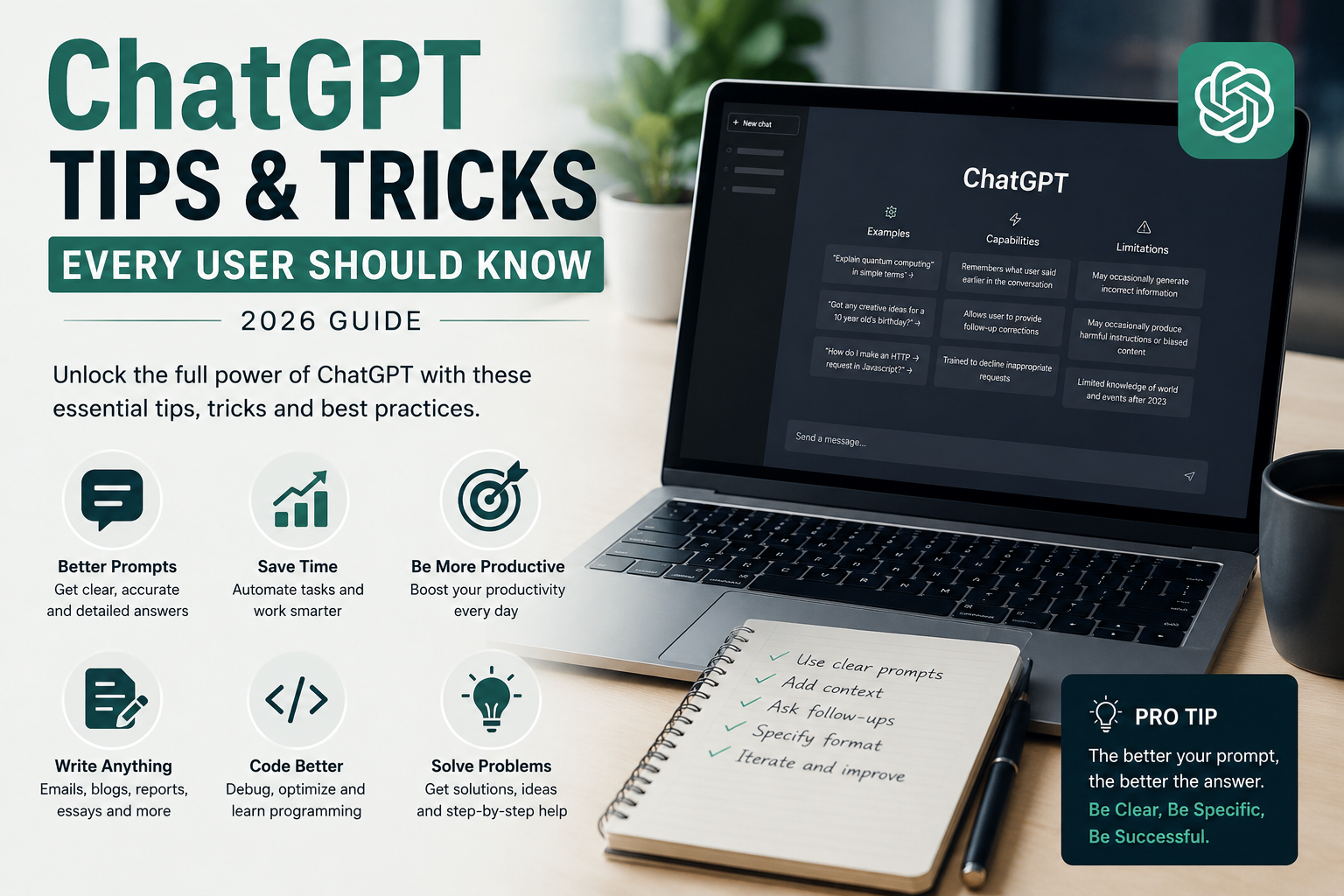
Introduction
Most people who use ChatGPT regularly are getting a fraction of what it is capable of delivering. They type a quick question, read the response, and either accept it as-is or feel vaguely disappointed that it was not quite what they needed. The gap between a mediocre ChatGPT experience and a genuinely transformative one is almost entirely explained by how you interact with it — the structure of your prompts, the context you provide, and the techniques you apply.
Knowing the right ChatGPT tips and tricks changes that equation completely. The same tool that produces generic, forgettable answers to poorly constructed prompts will produce publication-ready content, precise code, insightful analysis, and exactly the output you needed — when you know how to ask for it properly.
This guide covers everything from the essentials that beginners should master immediately to the advanced techniques that professionals use to build entire workflows around ChatGPT. Every tip is practical, immediately applicable, and tested in real scenarios — not theoretical advice about what might work.
Quick Answer — Featured Snippet
The most important ChatGPT tips include writing specific, detailed prompts rather than vague questions, providing context about your purpose and audience, specifying the format and tone you want, using role prompting to frame expert responses, iterating with follow-up instructions rather than starting over, and always verifying factual claims independently. These techniques dramatically improve response quality across any use case.
What Is ChatGPT?
ChatGPT is an AI chatbot developed by OpenAI that uses a large language model to understand natural language and generate human-like responses. You interact with it through a conversational interface — you type a message, and it responds with text that can range from simple answers to complex documents, working code, detailed analysis, and creative content.
In 2026, ChatGPT is powered by GPT-4o on its paid Plus plan, with GPT-4o mini available on the free tier. It can process text, images, files, and voice input — and generate text, code, data analysis, and images in return. It is one of the most capable and widely deployed AI tools in history.
For a complete overview of how ChatGPT works technically, read our guide: [What Is ChatGPT and How Does It Work?].
Why Learn ChatGPT Tips and Tricks?
The difference between a beginner and an expert ChatGPT user is not access to a better version — it is knowing how to communicate with the tool effectively. Understanding ChatGPT tips and tricks creates measurable improvements across multiple dimensions of your work.
Better answers. A well-structured prompt reliably produces a more useful, accurate, and specific response than a vague one. The quality ceiling for any ChatGPT output is determined almost entirely by the quality of the prompt that generated it.
Faster workflow. Users who know how to structure prompts, chain requests, and iterate efficiently accomplish in five minutes what users without these skills take thirty minutes to achieve — often with better results.
Higher productivity. When you know exactly how to use ChatGPT for writing, research, coding, analysis, and planning tasks, it becomes a genuine force multiplier for your daily work output rather than an occasionally useful novelty.
Time savings. Eliminating the back-and-forth of repeatedly rephrasing requests, starting conversations over, and editing disappointing outputs saves significant time across a week of regular use.
Better prompt writing. Prompt engineering — the skill of communicating effectively with AI systems — is becoming an increasingly valuable professional skill. These tips build that capability directly.
Essential ChatGPT Tips for Beginners
Write Clear Prompts
The single most impactful thing any beginner can do is move from vague to specific. Vague prompts produce generic outputs. Specific prompts produce targeted, useful ones.
Compare these two prompts: “Tell me about social media marketing” versus “Explain three specific strategies for increasing Instagram engagement for a small fitness business with under five thousand followers, targeting adults aged twenty-five to forty.” The second prompt produces dramatically more useful output — not because ChatGPT is more capable, but because it knows exactly what you need.
Before submitting any prompt, ask yourself: could ChatGPT reasonably produce ten different answers to this question? If yes, add more specificity until the answer to that question is no.
Give Enough Context
ChatGPT knows nothing about your situation unless you tell it. Who are you writing for? What is the purpose of this content? What do you already know about the topic? What constraints are you working within?
A prompt that provides context gets a response calibrated to your actual situation. A prompt without context gets a response calibrated to the most generic possible interpretation of your question.
Try this: “I am a high school biology teacher preparing a lesson for sixteen-year-old students who have just learned about cell division for the first time. Explain meiosis in simple terms that connect to what they already know about mitosis.”
Ask Follow-Up Questions
One of ChatGPT’s strongest capabilities is maintaining conversational context — it remembers everything said earlier in a conversation. This means you do not have to start a new conversation every time you want to refine an output.
If the first response is close but not quite right, say exactly what needs to change: “That is good. Now make it shorter and more conversational.” Or: “Add a section about the environmental impact.” Or: “Rewrite the third paragraph to be more specific about cost savings.”
This iterative approach almost always produces better final results than repeatedly generating new responses from fresh prompts.
Specify Output Format
Tell ChatGPT exactly what you want the response to look like. Without format instructions, it will choose a structure — and that structure may not match what you need.
Be explicit: “Respond in bullet points,” “Write this as a numbered step-by-step guide,” “Format this as a table with three columns,” “Write two short paragraphs of no more than three sentences each,” or “Give me the answer in one concise paragraph.”
Format specification eliminates much of the editing work that follows an initial response.
Use Examples
If you have a specific style, structure, or quality level in mind, show it rather than just describing it. ChatGPT responds remarkably well to examples.
You can paste in a sample and say: “Write something similar to this in tone and structure but about [your topic].” Or describe the example in detail: “Write in the style of a professional LinkedIn post — first-person, punchy sentences, practical insight, ending with a question to the reader.”
Ask for Step-by-Step Explanations
For any complex topic, process, or how-to task, explicitly asking for a step-by-step explanation produces significantly clearer and more usable output than an open-ended question.
Try: “Walk me through this step by step, explaining each step in plain English as if I am completely new to this topic.” This is especially powerful for technical topics, workflows, and learning new skills.
Request Tables
Tables organize information in a way that makes comparison, reference, and scanning significantly easier than prose for many types of content. ChatGPT generates markdown tables that render cleanly in most platforms.
Use prompts like: “Present this information as a comparison table,” “Create a table showing the pros and cons of each option,” or “Summarize these five tools in a table comparing their features, pricing, and best use case.”
Ask for Summaries
ChatGPT is exceptionally good at summarizing. Long documents, complex articles, research papers, dense reports — paste the content and ask for a summary calibrated to your specific needs.
Be specific about the summary: “Summarize this in three bullet points for an executive audience,” “Give me a one-paragraph summary a ten-year-old could understand,” or “Extract the five most important conclusions from this research.”
Change Tone and Style
One of ChatGPT’s most underused capabilities is its ability to adjust tone dramatically. The same information can be delivered in a formal academic register, casual conversational prose, persuasive marketing copy, or dry technical documentation — from the same starting content.
Specify the tone explicitly: “Write this in a warm, encouraging tone,” “Make this sound more professional and authoritative,” “Rewrite this to be more conversational and friendly,” or “Match the tone of a Harvard Business Review article.”
Save Your Best Prompts
As you discover prompts that consistently produce excellent results for your specific use cases, save them. Create a personal prompt library in Notion, a simple document, or any note-taking tool you use regularly.
Having a collection of proven prompt templates dramatically reduces the time you spend on prompt crafting for recurring tasks — and ensures consistency in the quality of outputs you generate regularly.
Advanced ChatGPT Tricks
Role Prompting
Role prompting tells ChatGPT to adopt a specific expert persona before responding. This frames the model’s knowledge and communication style around the expertise level and perspective most useful for your task.
Effective role prompts look like: “You are an experienced tax attorney advising a freelance graphic designer,” “You are a senior software engineer doing a code review,” “You are a marketing director reviewing this campaign brief,” or “You are a patient and encouraging math tutor for a ten-year-old.”
Role prompting consistently produces more focused, appropriately calibrated responses than generic prompts on the same topic.
Chain Prompting
Chain prompting involves breaking a complex task into a sequence of related prompts, using each response as input for the next. This is particularly powerful for multi-stage creative or analytical work.
For example, to write a complete blog post: Prompt 1 generates an outline. Prompt 2 expands each section of the outline. Prompt 3 writes an introduction using the expanded content. Prompt 4 adds a conclusion. Prompt 5 refines the full draft. Each step builds on the previous one, producing a result that is significantly better than attempting everything in one large prompt.
Prompt Templates
Prompt templates are reusable prompt structures with placeholder variables that you fill in differently for each task. Building a library of templates for your most common tasks eliminates the cognitive work of prompt crafting on demand.
A blog post template might look like: “Write a [word count]-word blog post for [target audience] about [specific topic]. Use a [tone descriptor] tone. Include [specific sections or elements]. The primary goal is to [desired outcome].”
Fill in the brackets, submit, and get consistently structured outputs across different topics.
Brainstorming Techniques
ChatGPT is an exceptional brainstorming partner — but only if you frame brainstorming requests correctly. The key is to explicitly ask for volume and variety, then evaluate rather than immediately implementing.
Try: “Give me twenty different angle ideas for a blog series about sustainable cooking for busy parents,” or “List fifteen potential names for a digital marketing agency that emphasize speed and results,” or “Brainstorm ten unconventional ways a solopreneur could use AI to compete with larger agencies.”
After receiving the list, follow up: “Of these, which three have the most differentiated potential? Explain your reasoning.”
Debugging Code
For debugging, give ChatGPT the complete relevant code, the error message, and a description of what the code is supposed to do. The more complete the context, the more accurate the diagnosis.
A strong debugging prompt: “Here is my Python function. It should [describe expected behavior]. Instead, I am getting this error: [paste exact error]. Can you identify what is causing the error and provide a corrected version with an explanation of what went wrong?”
Always test generated code in your development environment before deployment, and ask ChatGPT to explain any change it makes so you understand the fix rather than just accepting it.
Content Planning
ChatGPT is an excellent content strategist when given the right framing. Use it to generate complete content calendars, editorial strategies, and topic clusters.
Try: “Create a three-month blog content calendar for a B2B SaaS company selling project management software to small construction firms. Include one pillar post per month and four supporting posts per week that address specific pain points at different stages of the buyer journey.”
Then use each content idea as a prompt template for future content production.
Learning New Skills
ChatGPT is remarkably effective as a personalized tutor when you engage it conversationally rather than as an information retrieval tool.
Rather than “Explain Python,” try: “I want to learn Python specifically for data analysis. I have no programming background but I am comfortable with Excel formulas. Create a three-week learning path for me, assuming I can spend forty-five minutes per day, and give me my first practice exercise right now.”
This kind of structured learning engagement produces a genuinely personalized educational experience.
Business Automation Ideas
Ask ChatGPT to audit your workflow and identify automation opportunities. This requires providing real context about your actual work processes.
Try: “I am a freelance graphic designer who sends client proposals manually by email, tracks project status in a spreadsheet, invoices through PayPal, and follows up on late payments manually. Identify five specific processes I could automate using AI tools or simple workflows, and explain exactly how each automation would work.”
Data Analysis Tips
When you upload a data file on ChatGPT Plus, you can ask it to analyze the data in natural language without writing any code.
Effective data analysis prompts: “Identify the top three trends in this dataset,” “Which month had the highest revenue and what factors in the data might explain it,” “Create a summary table of key metrics by region,” or “Highlight any outliers in this data that warrant further investigation.”
For complex analysis, ask ChatGPT to explain its methodology so you understand the analytical approach, not just the output.
Productivity Workflows
One of the highest-leverage applications of advanced ChatGPT use is building automated writing workflows that handle entire content production pipelines. Research, outline, draft, refine, optimize for SEO, generate social media promotion — all within a single chained conversation.
Document the specific chain of prompts that produces your best results for recurring content types, then use those documented workflows consistently.
Best ChatGPT Prompts for Everyday Tasks
| Task | Example Prompt |
|---|---|
| Writing | “Write a [length] piece about [topic] for [audience] in a [tone] style. Focus on [specific angle or message].” |
| Blogging | “Write an SEO-optimized introduction for a blog post about [topic] targeting [audience]. Include the keyword [keyword] naturally in the first paragraph.” |
| SEO | “Generate ten long-tail keyword ideas for a blog about [niche], ranked by likely search intent.” |
| Coding | “Write a [language] function that [describes function]. Include comments explaining each step.” |
| Email Writing | “Write a professional follow-up email to a potential client I met at a conference. Keep it under one hundred words, warm but direct, and include a clear call to action.” |
| Resume | “Rewrite this bullet point from my resume to emphasize quantifiable impact: [paste bullet point].” |
| Study | “Create ten practice quiz questions about [topic] at [difficulty level] with answers and explanations.” |
| Research | “Summarize the main arguments for and against [topic] as presented in recent academic thinking.” |
| Business | “Write an executive summary for a business proposal for [product or service] targeting [market]. Keep it under two hundred words.” |
| Marketing | “Write three versions of an ad headline for [product/service], each targeting a different emotional motivation: fear of missing out, desire for status, and desire for convenience.” |
| Social Media | “Write five LinkedIn posts about [topic] for a [job title] audience. Each post should be under two hundred words, end with a question, and present one practical insight.” |
ChatGPT Tips for Students
Students have a particular opportunity and a particular responsibility when using ChatGPT. The opportunity is access to an always-available tutor, research assistant, writing coach, and study aid. The responsibility is ensuring that AI assistance supports rather than replaces the learning process — because the learning is the point.
Use ChatGPT to understand difficult concepts by asking it to explain them at your level and in terms that connect to what you already know. “Explain Keynesian economics using an example from everyday household budgeting” is far more effective than “Explain Keynesian economics.”
Generate practice questions before exams. “Create fifteen multiple-choice questions about the causes of World War I, at A-level difficulty, with detailed explanations for each correct answer.” Test yourself and use the explanations to identify gaps in your understanding.
Ask ChatGPT to critique your drafts before submission. “Here is my essay draft. Please identify the three weakest arguments and suggest how each could be strengthened. Do not rewrite the essay — only provide specific feedback.”
Use it for research orientation, not research completion. Ask ChatGPT to identify the key debates in a field, the most important scholars, and the primary sources you should look for — then find and read those sources yourself.
Always check your institution’s AI usage policy before incorporating ChatGPT assistance into assessed work.
ChatGPT Tips for Professionals
Professional users get the most value from ChatGPT when they integrate it consistently into their daily workflow rather than using it occasionally for ad hoc tasks.
For communication-heavy roles, use ChatGPT to draft emails, reports, proposals, and presentations as first drafts that you then edit and personalize. The time saved on drafting frees mental energy for the editing, judgment, and personalization that constitute genuinely high-value professional contribution.
Use custom instructions to store your professional context permanently. Set your role, industry, typical tasks, preferred communication style, and any recurring details ChatGPT should know about your work. This context is automatically applied to every conversation, eliminating the need to re-establish it each time.
Set ChatGPT as a thinking partner for complex problems. Talk through a challenge you are facing, provide the relevant context, and ask it to challenge your assumptions, identify risks you might be overlooking, or suggest approaches you have not considered.
For research-intensive work, use ChatGPT to synthesize information from documents you upload, identify themes across multiple sources, and structure findings into clear frameworks — then verify the most important claims against primary sources independently.
ChatGPT Tips for Bloggers
For bloggers, ChatGPT is most valuable as a drafting and ideation accelerator — not a replacement for your editorial voice and subject matter expertise.
Develop a content brief template and use it consistently. Include target audience, primary keyword, target word count, article structure, tone, and specific points to cover. Submit this brief to ChatGPT and use the output as a first draft that you then rewrite, fact-check, and infuse with your own examples and perspective.
Use ChatGPT for SEO optimization. Paste your draft and ask: “Identify five natural opportunities to include the keyword [keyword] in this article without disrupting the reading experience.”
Generate title variations at volume. “Write twenty alternative headlines for this blog post about [topic]. Include options that emphasize curiosity, benefit, specificity, and urgency respectively.”
Use ChatGPT to repurpose content across formats. Paste a blog post and ask: “Convert this into five social media posts for LinkedIn, each highlighting a different key insight.”
ChatGPT Tips for Developers
Developers who use ChatGPT effectively treat it as an always-available pair programmer rather than a search engine replacement.
Always include the complete relevant context in coding requests: the programming language, version, the framework you are using, what the code should do, what it is currently doing, and the specific error if one exists. Incomplete context produces unusable code.
Use ChatGPT for code explanation when working with unfamiliar codebases. Paste a block of code and ask: “Explain exactly what this code does, line by line, as if explaining to a developer who knows the language but is not familiar with this specific pattern.”
Ask for test cases alongside generated code: “Write the unit tests for this function, covering edge cases, expected inputs, and error handling.”
Use ChatGPT for documentation drafting. Paste a function or module and ask: “Write a comprehensive docstring for this code following [your preferred documentation standard].”
Ask for refactoring suggestions: “Here is my working code. How would you refactor this to improve readability and performance while maintaining the same behavior?”
ChatGPT Tips for Small Businesses
Small business owners are among the users who benefit most from ChatGPT because they are most often operating without the specialist team members — writers, marketers, data analysts — that larger organizations employ.
Build a business context prompt that you use at the start of every business-related ChatGPT session. Include your business type, target customer, value proposition, tone of voice, and any specific product or service details ChatGPT will need. Paste this at the beginning of relevant conversations.
Use ChatGPT for customer communication templates. Generate email templates for common scenarios — new customer welcome, order confirmation, follow-up after purchase, response to complaint, and request for review — then customize them for your business’s voice.
Generate frequently asked questions for your website or customer service team. “Based on this description of my [product/service], generate the twenty most likely questions a potential customer might ask before purchasing, with concise answers.”
Common Mistakes to Avoid
| Mistake | Why It Matters | Better Approach |
|---|---|---|
| Vague prompts | Produces generic, unhelpful responses | Add specificity about audience, purpose, format, and context |
| Blindly trusting AI | ChatGPT generates confident-sounding incorrect information | Verify all specific facts, statistics, and dates independently |
| Ignoring fact-checking | Errors propagate if outputs are not checked | Treat all factual claims as starting points for verification |
| Sharing sensitive information | Personal, financial, or confidential data can be mishandled | Review privacy settings and never share information you would not share publicly |
| Using outdated prompts | ChatGPT’s capabilities have evolved significantly | Revisit and test prompts regularly against current model capabilities |
| Not iterating | First responses are rarely optimal | Refine within the conversation using specific follow-up instructions |
| Starting over instead of refining | Loses valuable conversation context | Build on existing conversation with targeted improvement instructions |
| Accepting the wrong format | Output requires excessive reformatting | Specify format requirements in the original prompt |
| Using too long a single prompt | Very long, complex prompts often produce confused outputs | Break complex tasks into a chain of shorter, focused prompts |
| Forgetting custom instructions | Re-establishing context wastes time every session | Set custom instructions to provide persistent context automatically |
ChatGPT Free vs ChatGPT Plus Tips
| Feature | ChatGPT Free | ChatGPT Plus ($20/month) |
|---|---|---|
| Primary AI Model | GPT-4o mini with occasional GPT-4o | Priority GPT-4o access always |
| Response Speed | Standard — slower during peak periods | Priority processing, consistently faster |
| Usage Limits | Limited — reduced during peak periods | Significantly higher usage limits |
| File Uploads | Limited document analysis | Full document, PDF, spreadsheet uploads |
| Image Generation | Not included by default | DALL-E image generation included |
| Voice Mode | Basic voice input | Advanced Voice Mode — natural conversation |
| Data Analysis | Not available | Code interpreter and data analysis |
| Custom GPTs | Limited access | Create and use custom GPTs |
| Memory | Basic | Extended memory across conversations |
| Web Browsing | Limited | Real-time web browsing |
| Best For | Casual and occasional use | Regular professional and business workflows |
| Prompt Tip | Focus on clear, concise prompts to maximize free model performance | Use file uploads, custom instructions, and chain prompting to leverage full capability |
Keyboard Shortcuts and Productivity Tricks
ChatGPT’s web and desktop interfaces support several keyboard shortcuts and workflow features that meaningfully speed up regular use.
On the web interface, pressing Shift plus Enter creates a new line within your message without submitting it — useful for writing multi-paragraph prompts. Simply pressing Enter submits the message.
Use the sidebar efficiently. Your conversation history is organized chronologically in the sidebar. Use descriptive first messages to make conversations easy to find later — they serve as the conversation title. Rename important conversations by clicking the conversation name in the sidebar.
The custom instructions feature in settings is one of the most productivity-enhancing options in ChatGPT. Navigate to Settings, then Custom Instructions, and set persistent context about yourself and how you want ChatGPT to respond. This context applies automatically to every new conversation, eliminating the repetitive work of re-establishing who you are, what you do, and what tone you prefer.
Pin frequently used conversations to keep them accessible in the sidebar. For conversations that function as ongoing work sessions — a running project, a recurring task type, a learning journey — pinning keeps them visible without searching.
Use ChatGPT’s memory feature on Plus by periodically telling it important things about your work and preferences: “Remember that I prefer responses in British English,” “Remember that I am a veterinarian writing for pet owners,” “Remember that I always want three alternatives for any headline suggestion.” It will apply these preferences automatically in future conversations.
Generate content in segments for very long projects. Rather than asking for a complete long document in one prompt — which often results in rushed or inconsistent later sections — request it section by section, reviewing and approving each before moving to the next.
Future of ChatGPT
The development roadmap for ChatGPT in 2026 and beyond makes several improvements particularly likely and worth anticipating.
Agentic capability is the most significant near-term evolution. Future ChatGPT interactions will involve the model autonomously completing multi-step tasks — not just answering questions within a conversation, but taking actions across multiple tools and applications to complete complex workflows independently. Early versions of this are already visible in Operator features and API agent tools.
Memory will become more comprehensive and more sophisticated. Rather than storing discrete facts you explicitly tell it, future memory will build a richer, more contextually nuanced understanding of your preferences, work patterns, and goals — producing an experience that feels genuinely personalized across many sessions.
Multimodal capability will expand. The integration of text, image, audio, and video processing within conversations will continue to develop, making ChatGPT a more complete multimedia thinking partner rather than primarily a text-based tool.
The GPT Store ecosystem will mature, producing increasingly capable and specialized custom AI assistants for niche professional and creative applications — effectively giving individual users access to AI tools specifically tuned for their exact domain.
Real-time voice interaction quality will continue to improve, making ChatGPT Advanced Voice Mode an increasingly natural and low-friction way to interact with the tool in situations where typing is impractical.
Frequently Asked Questions
How do I get better answers from ChatGPT?
The most reliable way to improve ChatGPT answers is to improve prompt quality. Be specific about what you need, who it is for, what format you want, and what context is relevant. Use role prompting to frame the response appropriately. Iterate with follow-up instructions rather than starting over. Specify tone and length. Provide examples of the style or quality you want. Each of these adjustments reliably improves output quality.
What are the best ChatGPT prompts?
The best ChatGPT prompts are specific, contextual, and formatted. They specify who you are, what you need, who the output is for, what format to use, and any constraints or preferences. The prompt templates provided in this guide cover the most common everyday use cases. Your best prompts will be the ones you develop and refine over time for your specific recurring tasks.
Is ChatGPT free?
Yes. ChatGPT has a free plan available at chat.openai.com that provides access to GPT-4o mini with occasional GPT-4o access. The free plan is genuinely useful for a wide range of tasks. ChatGPT Plus at twenty dollars per month provides consistent GPT-4o access, higher usage limits, file uploads, DALL-E image generation, Advanced Voice Mode, and data analysis capability.
How can ChatGPT improve productivity?
ChatGPT improves productivity by handling the drafting, research synthesis, formatting, and organization tasks that consume significant professional time. For regular users, the most significant time savings come from email and communication drafting, document summarization, first-draft content generation, code generation and debugging, and structured brainstorming — tasks that collectively can represent hours of daily work.
Can ChatGPT replace Google?
ChatGPT is not a replacement for Google Search for most research purposes. Google indexes the live web and provides links to source material. ChatGPT synthesizes from training data, which has a knowledge cutoff and no live citation system in its base interface. ChatGPT with browsing enabled can access current information, but it is better used as a thinking and drafting partner than as a primary information retrieval system.
How do professionals use ChatGPT?
Professionals use ChatGPT most effectively as a drafting assistant for communications, reports, and proposals — producing first drafts they edit and personalize. They use it for research synthesis when analyzing documents or summarizing complex information. Developers use it for code generation and debugging. Marketers use it for copy generation and campaign brainstorming. Most professionals integrate it as a consistent part of their daily workflow rather than using it occasionally.
What are ChatGPT custom instructions?
Custom instructions are persistent context settings that automatically apply to every new ChatGPT conversation. You set them once in Settings under Custom Instructions, and they eliminate the need to re-establish who you are, what you do, and how you want ChatGPT to respond in every conversation. They can include your professional role, industry, preferred tone, output format preferences, and any recurring context ChatGPT needs to produce appropriately calibrated responses.
Can ChatGPT help students?
Yes, significantly — when used as a learning tool rather than a shortcut. ChatGPT can explain complex concepts at the right level, generate practice questions for exam preparation, provide feedback on essay drafts, help with research orientation, and serve as a patient tutor that never runs out of time or patience. Students should always verify important factual information independently and use ChatGPT in compliance with their institution’s academic integrity policy.
Is ChatGPT safe?
ChatGPT is broadly safe for general use with appropriate precautions. Review and adjust privacy settings to control whether your conversations are used for model training — this option is in Settings under Data Controls. Avoid sharing personally sensitive, legally privileged, or confidential business information. Do not rely on ChatGPT alone for medical, legal, or financial decisions. Use enterprise plans with stronger privacy guarantees for sensitive professional data.
What should I never share with ChatGPT?
Avoid sharing passwords, financial account details, social security numbers or national identification numbers, confidential client information without reviewing the privacy policy and terms of service, proprietary business trade secrets, personally identifiable information about third parties without their consent, legally privileged communications, and medical information you would not want stored or analyzed by a third-party platform.
Is ChatGPT Plus worth it?
For regular users who interact with ChatGPT daily for professional tasks, the answer is typically yes. The priority GPT-4o access, higher usage limits, file uploads, DALL-E image generation, Advanced Voice Mode, and data analysis capability collectively deliver substantially more practical value than the free plan for consistent professional use. For occasional or casual use, the free plan is often sufficient.
What are the biggest ChatGPT mistakes?
The most consequential mistakes are: accepting AI-generated facts without verification, using vague prompts and accepting mediocre results, sharing sensitive information without checking privacy settings, using ChatGPT for high-stakes medical, legal, or financial decisions without professional consultation, and submitting AI-generated academic work as your own in violation of academic integrity policies. The most common productivity mistake is not iterating — stopping at the first response rather than refining it to something excellent.
ChatGPT Tips Summary Table
| Category | Key Tip | Impact Level |
|---|---|---|
| Prompt Writing | Be specific — include audience, purpose, format, and context | Very High |
| Iteration | Refine with follow-up instructions rather than starting over | Very High |
| Role Prompting | Assign an expert role to frame responses appropriately | High |
| Chain Prompting | Break complex tasks into a sequence of focused prompts | High |
| Custom Instructions | Set persistent context to eliminate repetitive setup | High |
| Format Specification | Always specify the output format you need | Medium-High |
| Fact Verification | Verify all specific factual claims independently | Very High |
| Privacy | Review privacy settings before sharing sensitive content | Very High |
| Templates | Build a personal library of proven prompt templates | Medium-High |
| Tone Control | Specify tone and style explicitly for every content task | Medium |
Final Thoughts
The gap between users who find ChatGPT marginally useful and those who call it genuinely transformative is almost entirely explained by how well they apply the ChatGPT tips and tricks covered in this guide. The tool itself is the same. The difference is in the prompts, the context, the iteration, and the workflow integration.
Start with the beginner essentials — clear prompts, sufficient context, format specification, and follow-up iteration. Master those first, and you will immediately notice the improvement in what you get back. Then build into the advanced techniques — role prompting, chain prompting, custom instructions, and structured workflow automation — as those earlier habits become second nature.
The most important single habit to develop is verification. ChatGPT is a powerful thinking and drafting partner, but it is not an authoritative source of fact. Every specific claim, statistic, date, and technical detail it produces deserves independent verification before being relied upon or published.
Used with skill, discipline, and appropriate critical judgment, ChatGPT in 2026 is one of the most capable productivity tools available. The users who invest in learning to use it well get results that make that investment look extremely sound.
For more on getting the most from AI tools, explore our related guides: [What Is ChatGPT and How Does It Work?].
References
- ChatGPT — Official ChatGPT platform for current features and plan details.
https://chatgpt.com - OpenAI ChatGPT — Official OpenAI product documentation and updates.
https://openai.com/chatgpt - OpenAI Platform Documentation — Technical API documentation and developer resources.
https://platform.openai.com/docs - OpenAI Help Center — Official support documentation for ChatGPT features, privacy settings, and account management.
https://help.openai.com - OpenAI — Official OpenAI organization website for research, safety, and company information.
https://openai.com
Author Bio
TechOriginHub Editorial Team
The TechOriginHub Editorial Team consists of experienced technology journalists, AI productivity experts, and SEO content strategists dedicated to producing accurate, practical, and immediately useful content about AI tools and emerging technologies. With extensive hands-on experience using ChatGPT across professional writing, software development, research, content creation, and business workflows, the team delivers tips and guidance grounded in real-world daily use rather than theoretical capability. Every recommendation in TechOriginHub guides is tested in actual workflows and verified against official OpenAI documentation.
Disclaimer
Disclaimer: This article is for informational and educational purposes only. ChatGPT features, supported models, pricing, and capabilities may change over time. Always verify the latest information on the official OpenAI website before relying on specific features or subscription plans.