
 By saman zahra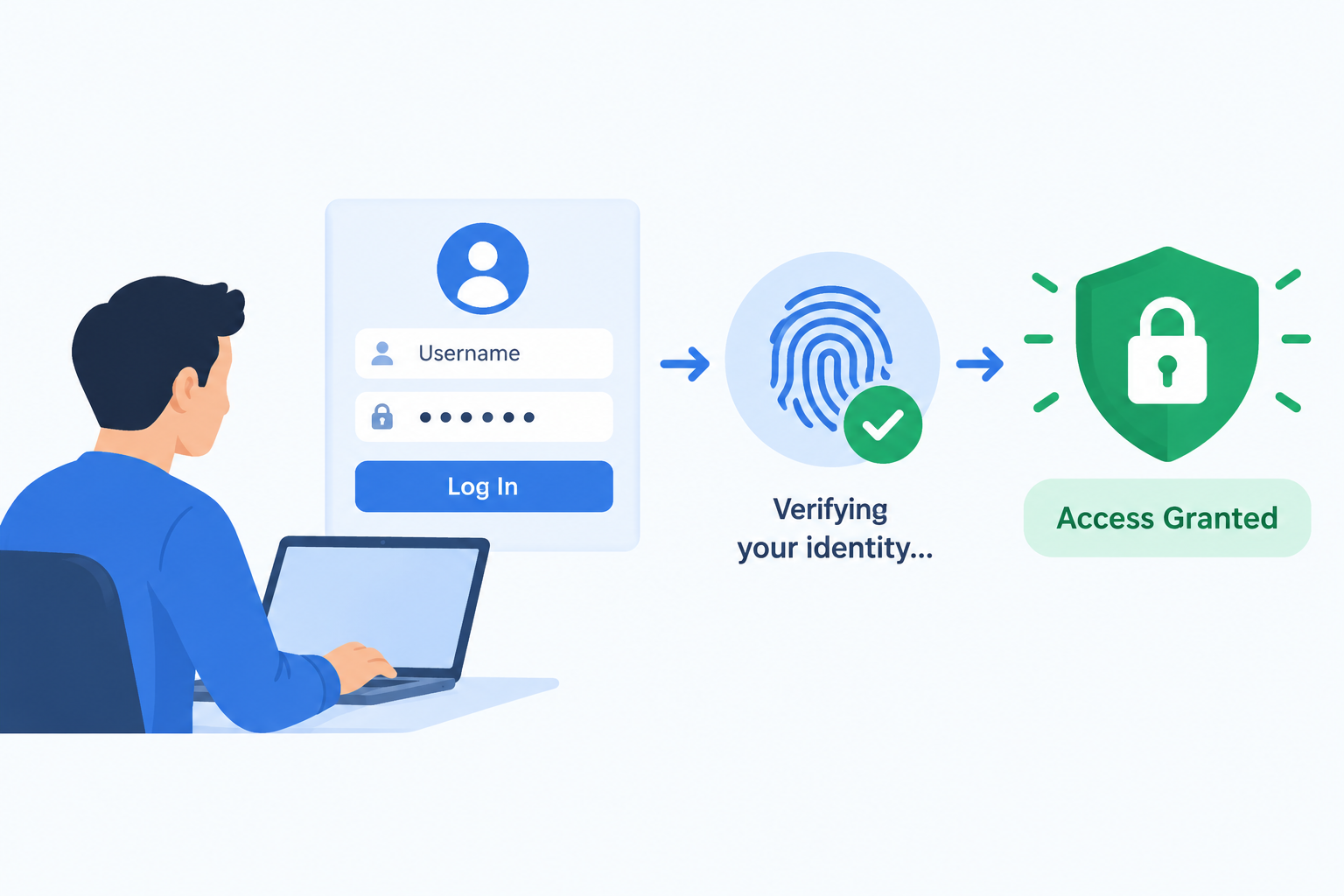
Introduction
Every time you log into an email account, unlock a smartphone, or confirm a bank transaction with a code, you are going through authentication. It is one of the most fundamental security processes in digital life, and yet most people interact with it dozens of times a day without thinking about what is actually happening. This guide explains what authentication is, how it works step by step, what the different types are, what makes some methods stronger than others, and how to protect yourself with better authentication practices.
What Is Authentication?
Authentication is the process of verifying that someone or something is who or what it claims to be. In digital systems, authentication is the mechanism that confirms a user’s, device’s, or system’s identity before granting access to an account, application, system, or resource.
Put simply, authentication answers one question before access is granted: “Are you really who you say you are?”
A familiar real-world analogy helps make this concrete. When you arrive at an airport border checkpoint, you present your passport. The border officer examines it to confirm that the document is genuine and that you are the person named in it. That process of checking and confirming your identity is authentication. You are not allowed to proceed until your identity is verified.
Digital authentication works on the same principle. The system checks whether the evidence you provide, such as a password, a fingerprint, or a one-time code, genuinely corresponds to the account or identity you are claiming.
Everyday examples of authentication include:
-
Entering a username and password to access an email account
-
Using a fingerprint to unlock a smartphone
-
Entering a one-time code sent by SMS to confirm a bank login
-
Using a face scan to access a banking or payment app
-
Clicking a confirmation link in an email to verify ownership of a new account
Why Is Authentication Important?
Without authentication, anyone could claim to be anyone and gain access to resources, data, and systems they have no right to access. Authentication is the first and most critical line of defense in access control. It is the gate that must be passed before any other security measure can meaningfully apply.
When authentication fails or is weak, the consequences can be severe:
- Unauthorized access to personal or business accounts, allowing attackers to read, modify, or steal data
- Data breaches that expose sensitive personal information, financial records, or confidential business data
- Financial fraud carried out through compromised accounts where attackers make transactions or transfers
- Identity theft using stolen credentials to impersonate victims in financial or legal contexts
- Compliance violations under data protection regulations such as GDPR, HIPAA, and PCI DSS, which impose specific authentication requirements on organizations
Strong authentication is foundational to cybersecurity because every other security control depends on reliably knowing who is accessing a system. An attacker who successfully authenticates as a legitimate user inherits that user’s access privileges, making all downstream access controls irrelevant.
Authentication vs Authorization: What Is the Difference?
Authentication and authorization are closely related but distinct concepts, and they are frequently confused. Understanding the difference is essential for understanding how access control systems work.
Authentication verifies identity. It answers the question “Who are you?” Authorization determines what an authenticated identity is permitted to do. It answers the question “What are you allowed to do?”
A simple analogy clarifies the distinction. At a hotel, showing your ID at the reception desk to confirm you are the guest who made the booking is authentication. The key card you receive that opens your specific room but not other rooms is authorization. The key card only works because authentication has already established who you are.
| Dimension | Authentication | Authorization |
|---|---|---|
| Question it answers | Who are you? | What are you allowed to do? |
| Purpose | Verify identity | Control access to specific resources |
| When it happens | Before authorization | After authentication |
| Example | Logging in with a password | Being permitted to view but not edit a document |
| What happens if it fails | Access denied entirely | Access to the specific resource or action denied |
Authentication and authorization always work together in secure systems. You cannot meaningfully authorize access to resources without first confirming the identity of who is requesting that access. In application security, both authentication and authorization are implemented as distinct controls that together govern who can do what within an application.
The Three Factors of Authentication
Authentication factors are the categories of evidence that can be used to verify identity. Security professionals have long organized these into three classic categories, with a fourth increasingly recognized in modern systems.
Something You Know
This is knowledge-based authentication. It relies on information that only the legitimate user should know. Examples include passwords, PINs, passphrases, and the answers to security questions. This is the most familiar and widely used form of authentication.
Its primary weakness is that knowledge can be stolen, guessed, shared, forgotten, or exposed in a data breach. Once an attacker knows your password, they have everything they need to authenticate as you using this factor alone.
Something You Have
This is possession-based authentication. It relies on the user having a specific physical or digital item. Examples include a smartphone that receives a one-time code, a hardware security key, a smart card, or a software token generator.
Its weakness is that the physical or digital item can be lost, stolen, or in some cases cloned. If an attacker obtains the item, they gain this factor.
Something You Are
This is inherence-based authentication using biometric characteristics that are unique to the individual. Examples include fingerprints, facial geometry, iris patterns, and voice recognition.
Biometrics are convenient and difficult for an attacker to replicate remotely. However, they raise a significant and unique concern: biometric data cannot be changed if it is compromised. If your password is stolen you can change it. If your fingerprint data is stolen you cannot change your fingerprints. This makes the security of biometric data storage critically important.
A Fourth Factor: Somewhere You Are
Some modern authentication systems use location as an additional verification signal. This might mean restricting logins to specific geographic locations, known IP addresses, or recognized networks. Location is generally used as a supplementary signal to support other factors rather than as a primary authentication factor on its own.
Types of Authentication Methods
Different authentication methods implement one or more of the factors described above. Understanding each method helps in evaluating which is appropriate for different situations and risk levels.
Password Authentication
Password authentication is the most widely used method, relying on a secret string of characters that only the legitimate user should know. The user provides a username and password, and the system compares these against stored records.
Passwords should be complex, long, and unique for each account. On the service provider side, passwords must never be stored in plain text. They should be stored as hashed values using strong, purpose-built hashing algorithms so that even if the stored data is compromised, the original passwords are not immediately exposed.
The fundamental weakness of password authentication is human behavior. Passwords are frequently reused across multiple accounts, chosen for ease of memory rather than security, and exposed in the enormous volume of data breaches that have occurred over the years. This makes passwords the most commonly exploited authentication weakness in practice.
Multi-Factor Authentication (MFA)
Multi-factor authentication requires users to provide two or more independent factors from different categories to verify identity. Because the factors are independent, an attacker who compromises one, for example stealing a password, still needs to compromise at least one other independent factor to gain access.
CISA and NIST both strongly recommend MFA as a critical control for protecting accounts, particularly those with access to sensitive data or administrative capabilities. An example of MFA is entering a password and then approving a push notification on a trusted smartphone, combining something you know with something you have.
Enabling two-factor authentication is the most practical and immediately available form of MFA for most users and is widely supported by consumer and enterprise services.
Two-Factor Authentication (2FA)
Two-factor authentication is the most common implementation of MFA, using exactly two independent factors. Common 2FA combinations include:
- A password combined with an SMS one-time code
- A password combined with a time-based code from an authenticator app
- A password combined with a hardware security key
The comprehensive guide on two-factor authentication explains how each of these methods works and how to implement them. 2FA is widely recommended as a minimum standard for protecting important accounts including email, banking, and workplace systems.
Biometric Authentication
Biometric authentication uses unique physical or behavioral characteristics to verify identity. The system captures a biometric sample from the user and compares it against a stored template. Common implementations include fingerprint scanners on smartphones, facial recognition for device unlock or payment authorization, and iris scanners used in high-security environments.
Biometrics are convenient because users do not need to remember anything or carry a separate device. They are also difficult to replicate remotely. However, because biometric characteristics are permanent, the compromise of biometric data stored by a system is a more serious long-term risk than the compromise of a password, which can simply be changed.
Token-Based Authentication
Token-based authentication issues a digital token after an initial successful login. This token is then included in subsequent requests to prove that the user is authenticated, without requiring the user to re-enter credentials with every request.
JSON Web Tokens, commonly known as JWTs, are a widely used token format in modern web and mobile applications. Tokens have an expiry time, which limits the window of opportunity if a token is stolen. Tokens must be securely stored on the client side and transmitted only over encrypted connections. Token-based authentication is particularly common in web application APIs where sessions need to be managed across distributed systems.
Certificate-Based Authentication
Certificate-based authentication uses digital certificates issued by a trusted Certificate Authority to verify identity. A digital certificate contains the holder’s public key and identity information, cryptographically signed by the Certificate Authority to confirm its legitimacy.
This method is widely used for server-to-server authentication, VPN access, and in enterprise environments where high-assurance identity verification is required. A familiar consumer-facing example is the HTTPS padlock that appears in a browser’s address bar, indicating that the website holds a valid certificate that has been verified by a trusted Certificate Authority. This is certificate-based authentication working to verify the website’s identity to your browser.
Single Sign-On (SSO)
Single sign-on allows users to authenticate once to a central identity provider and then access multiple connected applications without separately logging into each one. In a business context, an employee might log into their company’s SSO system in the morning and then access email, project management tools, HR systems, and collaboration platforms throughout the day without being asked to log in again.
SSO significantly improves user experience and simplifies authentication management for IT teams. The security consideration is that the SSO account becomes a high-value target. If the SSO account is compromised, all connected applications become potentially accessible to the attacker, making strong authentication on the SSO account itself critical.
Passwordless Authentication
Passwordless authentication verifies identity without requiring a traditional password. Methods include magic links sent to a verified email address, biometric verification, hardware security keys, and passkeys.
Passkeys in particular represent a significant advancement in authentication technology. A passkey uses a cryptographic key pair where the private key is stored securely on the user’s device and the public key is registered with the service. When authenticating, the device uses the private key to respond to a challenge from the service, proving identity without transmitting any secret. The FIDO Alliance, which has driven the development of passkey standards, provides detailed technical resources at fidoalliance.org. Major technology platforms and an increasing number of websites now support passkeys as a more secure and convenient alternative to passwords.
Knowledge-Based Authentication (KBA)
Knowledge-based authentication uses questions whose answers are presumed known only to the legitimate user. Static KBA uses pre-configured questions such as the name of a first pet or a childhood school. Dynamic KBA generates questions from the user’s personal history data, such as details drawn from financial or government records.
KBA is generally considered a weak authentication method. Answers to static questions are often publicly available through social media or other sources, and dynamic KBA data can be found through data breaches or social engineering. NIST’s Digital Identity Guidelines, published at nist.gov, explicitly deprecate certain forms of KBA due to their demonstrated weaknesses.
Authentication Methods Comparison Table
| Method | Factor Type | Strength | Common Use | Main Weakness |
|---|---|---|---|---|
| Password | Something you know | Low to medium | Universal | Easily stolen, guessed, or reused |
| 2FA / MFA | Multiple factors | High | Banking, email, enterprise | Adds some friction; SMS codes can be intercepted |
| Biometric | Something you are | Medium to high | Smartphones, banking apps | Cannot be reset if biometric data is compromised |
| Token-based | Something you have | Medium to high | Web apps, APIs | Token theft if improperly secured or stored |
| Certificate-based | Something you have | High | Enterprise, servers, VPNs | Complexity of certificate lifecycle management |
| Single Sign-On | Depends on underlying method | Medium to high | Enterprise environments | Single point of failure if SSO account is compromised |
| Passwordless / Passkeys | Something you have or are | High | Growing consumer and enterprise adoption | Requires compatible device and platform support |
| Knowledge-Based (KBA) | Something you know | Low | Account recovery only | Answers often publicly discoverable |
How Does the Authentication Process Work?
Understanding the steps the authentication process follows makes it easier to understand both how it protects access and where it can fail.
Step 1: Identity Claim
The user begins by claiming an identity, typically by entering a username, email address, or employee identifier. This identification step tells the system which account to attempt to verify. Identification alone grants nothing. It simply tells the system where to look.
Step 2: Credential Submission
The user provides the credential or credentials that will be used to verify the claimed identity. Depending on the authentication method, this might be a password, a biometric scan, a one-time code from an authenticator app, or a hardware security key response.
Step 3: Credential Verification
The authentication system compares the submitted credential against the stored record for the claimed identity. For passwords, this process involves hashing the submitted password using the same algorithm used when the password was originally stored, then comparing the resulting hash against the stored hash value. Plain text passwords are never stored by properly designed systems, meaning the verification process never requires access to the original password.
For biometrics, the system compares a mathematical representation of the submitted biometric sample against stored templates, using a matching algorithm that accounts for natural variation in biometric readings.
Step 4: Authentication Decision
If the submitted credential matches the stored record within acceptable parameters, authentication succeeds. If it does not match, authentication fails and access is denied. Most systems implement policies around repeated failures, such as account lockout after a defined number of incorrect attempts or progressive delays between attempts, to protect against brute force attacks.
Step 5: Session or Token Establishment
Following successful authentication, the system establishes a session or issues a token that represents the authenticated state. This session or token allows the user to navigate the application and access permitted resources without re-authenticating with every individual request during the session.
Sessions and tokens have expiry times. They should be invalidated completely when the user logs out, and should expire automatically after a defined period of inactivity to limit the window of risk if a session is left unattended or a token is compromised.
Authentication in Cybersecurity
Authentication is a foundational control within cybersecurity, underpinning access management across every type of digital system. Without reliable authentication, every other security control is weakened because the system cannot reliably know whose requests it is responding to.
OWASP, which publishes the widely referenced OWASP Top Ten list of critical security risks at owasp.org, consistently identifies identification and authentication failures as one of the most critical risk categories facing applications. Authentication failures allow attackers to impersonate legitimate users and access the same data, functions, and systems that those users can reach.
Within application security, authentication is implemented as a critical control layer that protects user accounts and determines who can reach sensitive application functionality. Strong authentication controls within an application directly reduce the attack surface available to unauthorized actors.
Common Authentication Attacks
Understanding how attackers target authentication helps explain why specific security practices matter and what they protect against.
Credential Stuffing
Credential stuffing attacks use large lists of username and password combinations obtained from previous data breaches to attempt logins on other services. These attacks exploit the widespread practice of reusing the same password across multiple accounts. If an attacker has your email and password from a breached service and you use the same combination on your bank’s website, they may gain access. Using unique passwords for every account directly defeats this attack.
Brute Force Attacks
Brute force attacks systematically try every possible combination of characters to guess a password. Simple and short passwords can be cracked this way with relative speed using automated tools. Defenses include account lockout policies that suspend access after a defined number of failed attempts, rate limiting, requiring long and complex passwords, and implementing MFA so that even a correctly guessed password is insufficient alone.
Phishing
Phishing attacks trick users into entering their credentials on a fake login page that is designed to look identical to a legitimate service. The attacker captures the credentials as they are entered.
Understanding phishing attacks in detail helps users recognize and avoid this persistent and effective attack vector. Hardware security keys are particularly resistant to phishing because they verify the legitimacy of the site before responding to an authentication challenge.
Man-in-the-Middle Attacks
In a man-in-the-middle attack, an attacker intercepts the communication between a user and a service, capturing credentials or session tokens as they pass. Encrypting all communication using HTTPS, validating certificates, and using secure token handling are the primary defenses against this attack type.
Pass-the-Hash Attacks
In certain systems that use specific authentication protocols, an attacker who captures the hashed version of a password can use that hash directly to authenticate without needing to recover the original password. This attack exploits weaknesses in how some legacy authentication protocols handle credential verification.
SIM Swapping
SIM swapping involves an attacker convincing a mobile carrier to transfer a victim’s phone number to a SIM card under the attacker’s control. Once successful, the attacker receives all SMS messages intended for the victim, including SMS-based one-time authentication codes. This is a significant weakness of SMS-based 2FA. Using an authenticator app or a hardware security key instead of SMS codes where higher security is needed substantially reduces this risk.
Authentication Best Practices
These practices are recommended by CISA, NIST, and other authoritative security organizations for individuals and organizations wanting to strengthen authentication.
- Use strong, unique passwords for every account. A reputable password manager generates and stores complex passwords, removing the need to remember them individually.
- Enable multi-factor authentication on every account that supports it, particularly for email, banking, social media, and workplace accounts. The guide on two-factor authentication explains how to do this across common platforms.
- Prefer an authenticator app or a hardware security key over SMS-based codes where higher security is required. Authenticator apps are not vulnerable to SIM swapping attacks.
- Use passwordless authentication or passkeys where they are available, as they combine strong cryptographic security with a streamlined user experience.
- Never reuse passwords across different accounts. A breach of one service immediately exposes every other account that shares that password.
- Be alert to phishing attempts. Verify that you are on the genuine website before entering any credentials, and be suspicious of unsolicited communications directing you to log in somewhere.
- Review active sessions and connected applications periodically and revoke access from any sessions or devices you do not recognize.
- Keep authentication apps, operating systems, and devices updated so that security patches are applied promptly.
- For organizations: enforce MFA for all users, apply particularly strong authentication requirements to privileged and administrative accounts, implement account lockout policies, and monitor for unusual login activity.
- Consider applying zero trust security principles, which treat every access request as requiring verification regardless of network location, significantly strengthening the access control posture.
Authentication in Different Contexts
Authentication applies across every type of digital interaction, with requirements and methods varying by context.
Authentication for End Users
Everyday users encounter authentication constantly when accessing email, social media, banking, shopping, healthcare portals, and workplace systems. Strong personal authentication habits, particularly using unique passwords and enabling MFA, substantially reduce the risk of account compromise and the consequences that follow.
Authentication in Enterprise and Business Environments
Organizations manage authentication at scale through centralized identity and access management systems. Enterprise authentication typically involves SSO for user convenience, MFA enforcement across all users, and integration with directory services such as Microsoft Active Directory. Privileged accounts with administrative access to systems require especially strong authentication controls given the elevated access they provide.
Authentication in APIs and Machine-to-Machine Communication
APIs and automated systems also require authentication to ensure that only authorized systems can communicate. A web application calling a payment API, for example, must authenticate to that API to prove it is an authorized caller. API authentication methods include API keys, OAuth tokens, and certificate-based authentication, each providing different levels of assurance appropriate to the sensitivity of the interaction.
Authentication in IoT Devices
Internet of Things devices, including smart home equipment, industrial sensors, and connected medical devices, also require authentication to ensure they communicate only with authorized systems and that their management interfaces are protected. A persistent and significant security risk in IoT is the use of default credentials that manufacturers set at the factory and that users never change. Default credentials are widely known and actively exploited by attackers. Any IoT device should have its default credentials changed before it is connected to a network.
The Future of Authentication
Passwords have been the dominant authentication method for the history of digital computing, but their limitations, ranging from poor user choices to mass credential theft in data breaches, are driving a significant shift in how authentication is designed and implemented.
Passkeys represent the most significant development in consumer authentication in years. Developed under the FIDO2 standard by the FIDO Alliance and adopted by major platform providers, passkeys use a cryptographic key pair where the private key never leaves the user’s device. This design eliminates the risk of credential theft through phishing or server-side breaches because there is no shared secret to steal. Detailed technical information is available at fidoalliance.org.
Behavioral biometrics, which analyze patterns in how users interact with devices such as typing cadence, mouse movement patterns, and touch pressure, are being used as continuous authentication signals. Rather than verifying identity only at login, these systems monitor behavior throughout a session to detect anomalies that might indicate account takeover.
Zero trust security models require continuous verification of identity and trust level throughout a session rather than establishing trust once at login and maintaining it indefinitely. This approach directly addresses the limitations of session-based authentication models where a compromised session token grants full access until it expires.
The zero trust security model is increasingly being adopted by organizations seeking to reduce the risk from compromised credentials and insider threats.
Regulatory requirements around authentication continue to strengthen, particularly in financial services, healthcare, and critical infrastructure, reflecting growing recognition among regulators that weak authentication is a systemic risk.
Frequently Asked Questions
What is authentication?
Authentication is the process of verifying that someone or something is who or what it claims to be. In digital systems, it confirms identity before granting access to accounts, systems, or resources.
Why is authentication important?
Authentication is the first line of defense in access control. Without it, anyone could claim any identity and access systems and data they are not entitled to. Weak authentication enables account takeover, data breaches, fraud, and identity theft.
What is the difference between authentication and authorization?
Authentication verifies identity by answering the question “Who are you?” Authorization determines what an authenticated identity is permitted to do. Authentication always happens before authorization. Together they control who can access what.
What are the three factors of authentication?
The three classic factors are something you know such as a password, something you have such as a hardware key or phone, and something you are such as a fingerprint or face scan. A fourth factor, somewhere you are, uses location as an additional signal.
What is multi-factor authentication?
Multi-factor authentication, or MFA, requires users to provide two or more independent factors from different categories to verify identity. Because multiple factors must be compromised independently, MFA is significantly more resistant to attack than single-factor authentication.
What is two-factor authentication?
Two-factor authentication, or 2FA, is the most common form of MFA using exactly two independent factors. A typical example is a password combined with a one-time code from an authenticator app.
What is the difference between 2FA and MFA?
2FA is a specific implementation of MFA that uses exactly two factors. MFA is the broader concept that encompasses any authentication system using two or more factors. All 2FA is MFA, but MFA can require more than two factors.
What is biometric authentication?
Biometric authentication uses unique physical or behavioral characteristics such as fingerprints, facial geometry, or iris patterns to verify identity. It offers convenience but raises unique concerns because biometric data cannot be changed if compromised.
What is token-based authentication?
Token-based authentication issues a digital token after initial login that is included in subsequent requests to prove authenticated status without re-entering credentials. JWT is a widely used token format in web applications and APIs.
What is single sign-on?
Single sign-on, or SSO, allows users to authenticate once to a central identity provider and then access multiple connected applications without separate logins. It improves user experience but makes the SSO account a critical target requiring strong protection.
What is passwordless authentication?
Passwordless authentication verifies identity without a traditional password, using methods such as magic links, biometrics, hardware security keys, or passkeys. It aims to remove the security risks associated with passwords while maintaining or improving usability.
What are passkeys?
Passkeys use a cryptographic key pair where the private key is stored securely on the user’s device and never shared. The device responds to an authentication challenge from the service using the private key, proving identity without transmitting any reusable secret. Passkeys are resistant to phishing and server-side credential theft.
What is the strongest form of authentication?
Hardware security keys and passkeys based on the FIDO2 standard are currently among the strongest forms of authentication for consumer and enterprise use, providing cryptographic verification that is highly resistant to phishing and credential theft. MFA using any combination of independent factors is substantially stronger than single-factor password authentication.
What are common authentication attacks?
Common attacks include credential stuffing using breached password lists, brute force guessing, phishing to capture credentials on fake sites, man-in-the-middle interception, pass-the-hash attacks against certain legacy protocols, and SIM swapping to intercept SMS codes.
How do I protect myself with strong authentication?
Use unique, complex passwords for every account managed with a password manager, enable two-factor authentication on all important accounts, prefer authenticator apps or hardware keys over SMS codes, use passkeys where available, and stay alert to phishing attempts.
What is certificate-based authentication?
Certificate-based authentication uses digital certificates issued by a trusted Certificate Authority to verify identity. The HTTPS padlock in a browser is a consumer-facing example. It is widely used for server authentication, VPN access, and enterprise identity verification.
What is knowledge-based authentication?
Knowledge-based authentication uses questions whose answers are presumed known only to the legitimate user, such as the name of a childhood pet. It is considered a weak method because answers are frequently discoverable through public information or data breaches, and NIST guidelines deprecate its use for higher-assurance scenarios.
How is authentication used in cybersecurity?
Authentication is a foundational cybersecurity control that underpins all access management. It determines who can reach systems, data, and applications. Strong authentication reduces the attack surface by ensuring that only verified identities can access protected resources, directly reducing the risk from credential theft and unauthorized access.
Disclaimer
This article is intended for educational purposes and provides a general overview of authentication for beginners and everyday users. Authentication methods, standards, and best practices evolve as technology and threats change. Always refer to official documentation and qualified security professionals for guidance specific to your environment. This article does not constitute specific security advice for any particular system or organization. Consult a qualified cybersecurity professional for security recommendations tailored to your needs. This article does not constitute an endorsement of any specific authentication product, tool, or vendor.
About the Author
Zahra is a technology writer and research contributor covering AI, programming, software, cybersecurity, cloud computing, and the latest developments in technology. She focuses on creating clear, practical, and well-researched content that makes complex tech topics easy to understand.