
 By saman zahra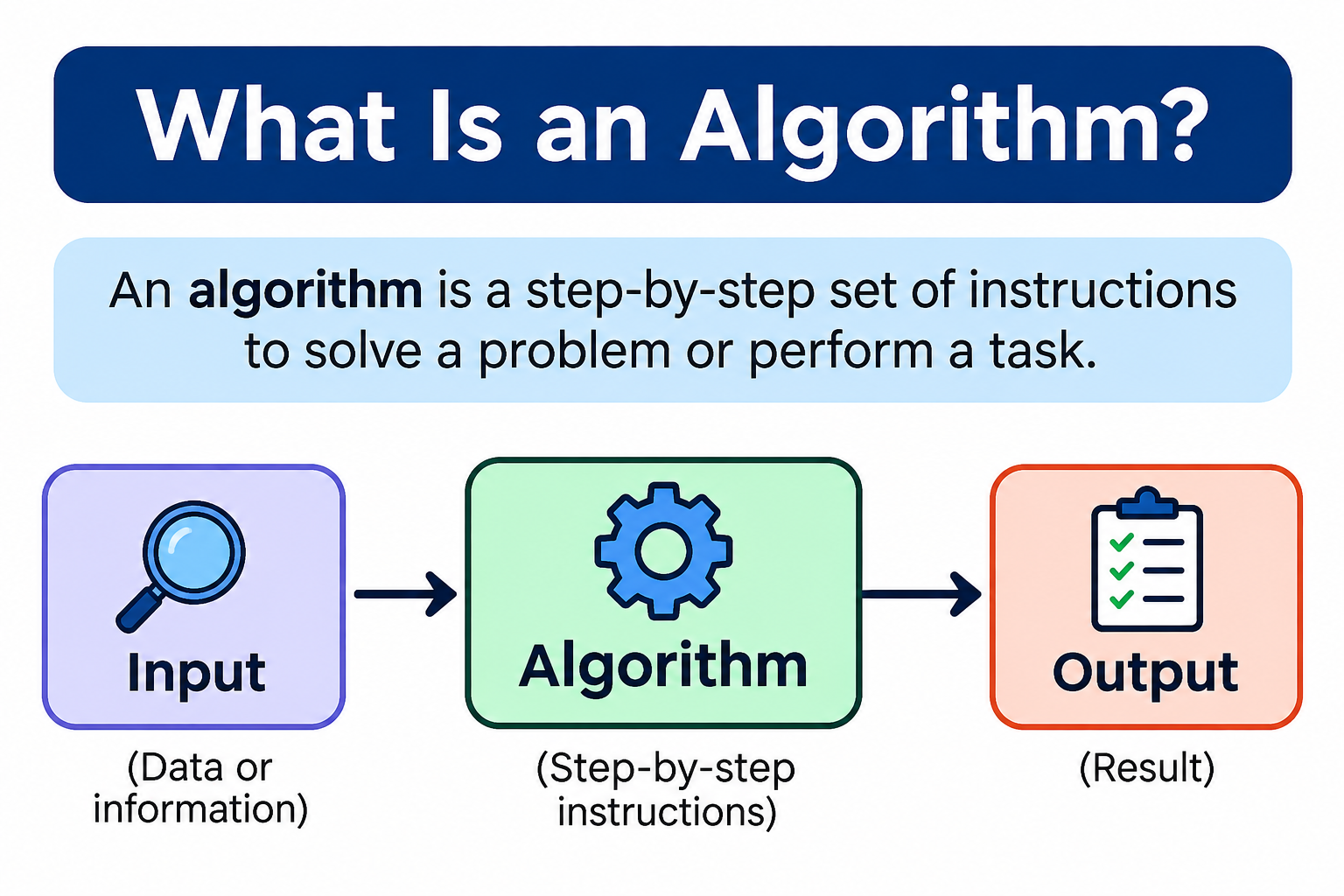
Introduction
Every time you follow a recipe, use a navigation app, or search for something online, you are interacting with a sequence of steps designed to produce a specific result. In computing and everyday life, these structured sequences have a name: algorithms.
So what is an algorithm, exactly? At its simplest, an algorithm is a finite, well-defined sequence of steps used to solve a problem or accomplish a task. It takes some input, processes it through a series of logical steps, and produces an output. Importantly, algorithms are not limited to computers. A recipe, a set of driving directions, and a method for long division are all algorithms in the broader sense.
In computer programming, algorithms are the logical backbone of nearly everything software does. Sorting a list, searching a database, routing network traffic, compressing a file: each of these relies on one or more algorithms working efficiently behind the scenes. Understanding algorithms is one of the most fundamental skills a programmer or computer science student can develop.
Quick Answer for Featured Snippet
An algorithm is a finite, well-defined sequence of steps or instructions used to solve a problem or complete a task. It takes defined inputs, processes them through logical steps, and produces a defined output. Algorithms are used in computer programs, mathematics, and everyday tasks, and they form the foundation of all software development.
What Is an Algorithm?
An algorithm is a clear, step-by-step procedure for solving a problem or completing a task. Each step in an algorithm is well-defined, meaning there is no ambiguity about what should happen at each stage. The algorithm takes in one or more inputs, processes them, and produces an output.
A useful way to think about an algorithm is through the idea of a recipe. A recipe tells you exactly what ingredients you need (inputs), gives you a sequence of instructions to follow (processing steps), and ends with a finished dish (output). Every good recipe is an algorithm.
Key properties of an algorithm:
- It has a clearly defined starting point.
- Each step is precise and unambiguous.
- It accepts defined inputs.
- It produces a defined output.
- It reaches a conclusion after a finite number of steps for any valid input.
That last point matters. A well-designed algorithm does not run forever on a given input. It has a stopping condition that ensures it terminates and produces a result. This is what distinguishes a purposeful algorithm from an infinite or undefined process.
What Is an Algorithm in Computer Science?
In computer science, an algorithm is a method for solving a computational problem. Programmers study, design, and implement algorithms to make software perform tasks correctly and efficiently.
An important distinction to make early: an algorithm is not the same thing as source code or a specific programming language. An algorithm describes the logic for solving a problem. It exists independently of any particular language or implementation. The same algorithm can be written in Python, JavaScript, Java, or any other language, and it will perform the same logical steps regardless of the language used.
Think of it this way: the algorithm is the plan, and the code is the execution of that plan. Programmers must first understand what steps are needed to solve a problem before they decide which language to use to express those steps.
Algorithm design is a core part of computer science education. Understanding how to develop efficient, correct algorithms for different types of problems is what separates thoughtful software development from simply writing code that happens to work most of the time.
How Do Algorithms Work?
Every algorithm follows a general process, even if the specific steps vary widely depending on the problem being solved. Here is a universal way to think about how algorithms work:
- Define the problem. Be clear about what you are trying to solve.
- Identify the required inputs. What information does the algorithm need to start?
- Determine the desired output. What result should the algorithm produce?
- Break the problem into steps. Divide the solution into logical, sequential actions.
- Execute the steps. Follow the instructions in order, making decisions where required.
- Produce the result. Generate the output defined in step 3.
- Stop. The algorithm terminates once the required condition is reached.
Simple example: Finding the largest number in a list
- Input: A list of numbers, such as [3, 7, 2, 9, 5]
- Steps: Start with the first number as the current largest. Compare each subsequent number. Replace the current largest when a bigger value is found. Continue until all numbers are checked.
- Output: 9
This process is easy to follow on paper and equally straightforward to translate into code. That is exactly what a well-designed algorithm looks like.
Characteristics of a Good Algorithm
Not every sequence of steps qualifies as a good algorithm. Here are the properties that define a well-designed one.
Clear and Unambiguous Steps
Every instruction in the algorithm must be precise. There should be no room for interpretation. A step that says “do something with the number” is not a valid algorithm step. A step that says “compare the current number with the stored maximum” is.
Defined Inputs
A good algorithm specifies what inputs it requires. This might be a list of numbers, a string of text, or a single value. The algorithm should be clear about the type and expected format of its inputs.
Defined Outputs
The algorithm must produce at least one result. The output should be clearly defined and consistent for a given set of inputs. The same inputs should always produce the same outputs.
Finiteness
A valid algorithm must terminate after a finite number of steps for any given input within its intended domain. An algorithm that runs forever without producing a result is not solving the problem.
Effectiveness
Each step in the algorithm must be basic enough that it can actually be carried out. Steps that are vague or physically impossible to execute are not effective.
Correctness
The algorithm must produce the right answer for all valid inputs, including edge cases. An algorithm that works for most inputs but fails on certain cases is not fully correct.
Efficiency
A good algorithm should use an appropriate amount of time and memory resources. Efficiency becomes especially important when dealing with large inputs. An algorithm that solves a problem correctly but takes far too long or uses too much memory may not be practical.
Simple Algorithm Examples
Making a Cup of Tea
Problem: Make a hot cup of tea.
Input: Water, tea bag, cup, kettle.
Steps:
- Fill the kettle with water.
- Boil the water.
- Place a tea bag in the cup.
- Pour the boiling water into the cup.
- Wait for the tea to steep.
- Remove the tea bag.
- Add milk or sugar if desired.
Output: A cup of tea.
Finding the Largest Number
Problem: Find the largest value in a list.
Input: [4, 12, 7, 3, 19, 6]
Steps: Set the first value as the current maximum. Compare each remaining number to the current maximum. Update the maximum when a larger number is found.
Output: 19.
Checking Whether a Number Is Even or Odd
Problem: Determine if a number is even or odd.
Input: A whole number.
Steps: Divide the number by 2. If the remainder is 0, the number is even. Otherwise, it is odd.
Output: “Even” or “Odd.”
Calculating an Average
Problem: Find the average of a list of numbers.
Input: [10, 20, 30, 40, 50]
Steps: Add all numbers together to get the total. Count how many numbers are in the list. Divide the total by the count.
Output: 30.
Searching for an Item in a List
Problem: Determine whether a specific value exists in a list.
Input: A list of values and a target value to find.
Steps: Check each item in the list from the beginning. If the current item matches the target, the item is found. If the end of the list is reached without a match, the item is not present.
Output: Found or not found.
Sorting a List of Numbers
Problem: Arrange a list of numbers in order from smallest to largest.
Input: [5, 3, 8, 1, 4]
Steps: Compare adjacent elements. Swap them if they are in the wrong order. Repeat until no more swaps are needed.
Output: [1, 3, 4, 5, 8].
Types of Algorithms
Algorithms are commonly grouped into categories based on their problem-solving strategy. These categories are not always mutually exclusive, and some techniques, such as recursion, can appear across multiple categories.
Brute-Force Algorithms
A brute-force algorithm tries every possible option until it finds a solution. It is the most straightforward approach and requires minimal cleverness in design. For small input sizes, brute force can be entirely practical and easy to implement correctly.
For example, finding a specific four-digit PIN by trying every combination from 0000 to 9999 is a brute-force approach. It will always find the answer, but it is not efficient for large-scale problems.
Divide and Conquer Algorithms
This strategy breaks a large problem into smaller subproblems, solves each subproblem, and combines the results into a solution for the original problem.
Merge sort is a classic example. It divides a list in half repeatedly until each piece contains only one element, sorts each piece, and then merges the sorted pieces back together. This approach is significantly more efficient than brute force for large datasets.
Greedy Algorithms
A greedy algorithm makes the locally best choice at each step, with the expectation that these local choices will lead to a globally good solution.
Greedy approaches work well for some problems but do not always produce the best possible result. A classic example is selecting activities to fill a schedule: always choosing the activity that finishes earliest can maximize the number of activities completed.
Dynamic Programming
Dynamic programming tackles problems that can be broken into overlapping subproblems. Rather than solving the same subproblem multiple times, it stores previously computed results and reuses them.
This is called memoization when the results are cached as they are computed (top-down approach) and tabulation when all results are computed iteratively from the smallest subproblems up (bottom-up approach). Calculating Fibonacci numbers efficiently is a common introductory example.
Backtracking Algorithms
Backtracking builds a solution step by step and abandons a path as soon as it determines that it cannot lead to a valid solution. It then goes back and tries a different option.
Solving a maze, placing queens on a chessboard (the N-Queens problem), and solving Sudoku puzzles are all examples where backtracking is commonly applied.
Recursive Algorithms
Recursion is a technique where a function calls itself to solve a smaller version of the same problem. Every recursive algorithm needs a base case, a condition at which the function stops calling itself and returns a result directly.
A simple example is calculating a factorial. The factorial of 5 (written 5!) is 5 × 4 × 3 × 2 × 1. A recursive algorithm computes this by defining factorial(n) as n × factorial(n-1), with factorial(0) = 1 as the base case.
Recursion is an implementation technique that can appear within divide and conquer, backtracking, and other algorithmic strategies. Understanding functions in programming is an important foundation before exploring recursion in depth.
Searching Algorithms
Searching algorithms locate a specific item within a collection of data.
Linear search checks each item one by one from the beginning of the list. It works on any list regardless of order, but it can be slow for large datasets because it may need to check every element.
Binary search repeatedly divides a sorted dataset in half. It compares the target to the middle element, eliminates half the remaining data based on the comparison, and repeats. Binary search is much faster than linear search for large sorted datasets, but it requires that the data be arranged in a suitable order to work correctly.
Sorting Algorithms
Sorting algorithms arrange data in a defined order, such as smallest to largest or alphabetical.
Bubble sort repeatedly compares adjacent elements and swaps them if they are in the wrong order. Simple to understand, but not efficient for large datasets.
Selection sort finds the smallest element and moves it to the front, then repeats for the remaining unsorted portion.
Insertion sort builds the sorted list one element at a time by inserting each new element into its correct position.
Merge sort uses divide and conquer to split the list, sort each half, and merge the results. Efficient and consistent.
Quicksort selects a pivot element, partitions the list around it, and recursively sorts each partition. Generally fast in practice, though its performance depends on pivot selection.
No single sorting algorithm is best in every situation. The right choice depends on the size of the data, whether it is partially sorted, memory constraints, and other factors.
Common Algorithm Examples in Computer Science
Algorithms appear throughout modern computing. Here are some important areas where they play a central role.
Search engines use algorithms to index web pages, rank results by relevance, and return the most useful pages for a given query. The complete search engine system involves many algorithms, data structures, and services working together.
Route planning applications use pathfinding algorithms to calculate the shortest or fastest route between two points on a map.
Recommendation systems use algorithms to analyze behavior and suggest relevant content, products, or connections based on patterns in data.
Sorting data is fundamental to database management, search results, and data presentation throughout computing.
Database queries rely on algorithms optimized for quickly retrieving, filtering, and joining records from large datasets.
File compression uses algorithms to reduce file sizes by identifying and encoding repeated patterns in data.
Cryptography depends on mathematical algorithms to encrypt and protect sensitive data in transit and storage.
Scheduling systems use algorithms to allocate tasks, processor time, and resources efficiently.
It is important to understand that real-world applications like search engines or recommendation platforms are complete systems combining many algorithms, data structures, engineering decisions, and other components. A single algorithm rarely describes an entire product.
Algorithm vs Program
An algorithm and a program are closely related but meaningfully different.
| Aspect | Algorithm | Program |
|---|---|---|
| Definition | A step-by-step logical procedure for solving a problem | An executable implementation of instructions written in a programming language |
| Purpose | Describes how to solve a problem | Executes those instructions on a computer |
| Form | Can be written in plain language, pseudocode, or a flowchart | Written in a specific programming language |
| Language dependency | Language-independent | Specific to the programming language used |
| Example | Steps for finding the largest number in a list | Python code that finds the largest number |
An algorithm describes what should be done and in what order. A program is what actually runs on a computer. You can have a correct algorithm and still write a program that implements it incorrectly. Distinguishing between the two helps programmers think clearly about problem-solving before and during coding.
Algorithm vs Code
The distinction between an algorithm and code follows the same pattern. An algorithm is the logical procedure, the reasoning behind the solution. Code is the specific implementation of that reasoning in a programming language.
One algorithm can be implemented in many different languages. A sorting algorithm, for example, can be written in Python, JavaScript, Java, or C++, and in each case it performs the same logical steps. The language determines the syntax and the tools available. The algorithm determines the approach.
It also works the other way: different algorithms can solve the same problem. Two programmers might both write code that sorts a list, but one uses bubble sort and the other uses merge sort. Both programs produce sorted output, but their underlying algorithms differ in efficiency and approach.
Understanding source code and how it relates to the logical instructions a programmer designs is an important part of understanding how software is built.
Algorithm vs Flowchart vs Pseudocode
When designing a solution, programmers often use different tools to represent their thinking before writing actual code.
| Representation | What It Is | When It Is Used | Example |
|---|---|---|---|
| Algorithm | A logical procedure described in steps | Designing and communicating a solution | Numbered steps for finding the maximum value |
| Flowchart | A visual diagram using shapes and arrows | Visualizing program flow and decision points | A diagram showing an if/else decision |
| Pseudocode | Structured, language-neutral text resembling code | Planning code before writing it in a specific language | IF number > max THEN max = number |
| Source code | Executable instructions in a programming language | Actual implementation | if num > max: max = num (Python) |
Each representation serves a different purpose. Flowcharts help visualize logic. Pseudocode bridges the gap between algorithm design and actual coding. Source code is what runs on a computer. Understanding all four helps developers plan more effectively before and during implementation.
How to Write an Algorithm
Writing an algorithm does not require advanced mathematics or programming experience. Here is a practical process:
- Understand the problem. Read the requirements carefully. Make sure you know exactly what the algorithm needs to do.
- Identify inputs. What information does the algorithm start with?
- Define the desired output. What should the algorithm produce?
- Break the solution into smaller steps. Think through the logic from start to finish.
- Write the steps in logical order. Organize them so each step follows naturally from the one before.
- Check edge cases. What happens with empty inputs, very large values, or unusual situations?
- Test the algorithm with sample inputs. Trace through the steps manually with specific examples.
- Improve the algorithm if necessary. Look for steps that are unclear, redundant, or inefficient.
- Convert it into code. Once the logic is clear, implement it in your chosen language.
This process applies whether you are writing a simple sorting routine or designing the logic for a complex system. Thinking through the algorithm first often saves significant time during debugging.
Example of Writing an Algorithm
Problem:
Find the largest number in a list.
Input:
A list of numbers, for example: [4, 12, 7, 3, 19, 6]
Process:
- Set the first number in the list as the current maximum.
- Compare the next number in the list to the current maximum.
- If the next number is larger than the current maximum, update the current maximum to that number.
- Move to the next number in the list.
- Repeat steps 2 through 4 until all numbers have been checked.
Output:
The largest number, which is 19 in this example.
Pseudocode:
SET maximum TO first number in list
FOR EACH number IN list
    IF number > maximum THEN
        SET maximum TO number
    END IF
END FOR
RETURN maximum
This pseudocode is intentionally language-neutral. It describes the logic clearly enough to implement in any programming language. The same steps would appear in Python, JavaScript, or Java, just using different syntax.
What Is Algorithm Complexity?
When developers talk about algorithm efficiency, they often refer to complexity: how an algorithm’s resource requirements grow as the size of the input increases.
Time complexity measures how the number of steps an algorithm takes changes relative to the input size.
Space complexity measures how much memory an algorithm uses relative to the input size.
Big O notation is the standard way to describe this relationship. It expresses the worst-case or upper-bound growth rate of an algorithm’s resource requirements as input size increases, which makes it useful for comparing algorithms at a high level. Here are the most common examples:
| Big O | Name | What It Means | Example |
|---|---|---|---|
| O(1) | Constant | The algorithm takes the same time regardless of input size | Accessing an element in an array by index |
| O(log n) | Logarithmic | Time grows slowly as input increases | Binary search |
| O(n) | Linear | Time grows proportionally with input size | Linear search |
| O(n log n) | Linearithmic | Faster than quadratic; common in efficient sorting | Merge sort, quicksort (average case) |
| O(n²) | Quadratic | Time grows with the square of input size | Bubble sort, selection sort |
Big O notation describes how resource requirements scale asymptotically as input size grows. It is a widely used tool for comparing algorithms, but it does not capture every aspect of real-world performance. Factors such as hardware, memory access patterns, and constant factors in the implementation also affect how fast an algorithm runs in practice.
Why Is Algorithm Efficiency Important?
For small inputs, most algorithms finish quickly enough that efficiency differences are invisible. As datasets grow larger, the difference between an O(n) algorithm and an O(n²) algorithm can become enormous.
Consider sorting a list of 10 items versus sorting a list of one million items. An efficient algorithm handles both cases gracefully. An inefficient one might complete the small task instantly but take impractically long on the large one.
Efficiency matters for several practical reasons:
- Faster algorithms reduce processing time for users and services.
- Lower memory usage makes applications run on more devices and configurations.
- Scalability becomes possible when algorithms handle growing data volumes without proportionally growing resource demands.
- Cost can be a factor in cloud and server environments where processing time translates directly to expense.
That said, Big O complexity alone does not determine real-world speed. A theoretically faster algorithm with a large constant factor might perform similarly to a simpler algorithm on small or medium datasets. Hardware, caching, and implementation details all play a role in actual performance.
Algorithms and Data Structures
Algorithms and data structures are closely connected. A data structure is a way of organizing and storing data so that it can be accessed and modified efficiently. The choice of data structure significantly affects how efficiently an algorithm can do its job.
Common data structures and their relationships to algorithms:
- Arrays store elements in a fixed sequence. Good for direct access by index, but inserting or deleting elements in the middle can be costly. Learn more in the TechOriginHub guide to arrays in programming.
- Lists (such as linked lists) are more flexible for insertions and deletions.
- Stacks follow a last-in, first-out order. Useful in algorithms involving backtracking and expression evaluation.
- Queues follow a first-in, first-out order. Useful in scheduling and breadth-first search algorithms.
- Hash tables provide very fast average-case lookup by mapping keys to values.
- Trees organize data hierarchically, enabling efficient searching and sorting in many contexts.
- Graphs represent relationships between items and are central to pathfinding and network algorithms.
Choosing the right data structure for a problem often matters as much as choosing the right algorithm. An efficient algorithm working with an inappropriate data structure may still perform poorly in practice.
Algorithms in Programming Languages
Algorithms can be implemented in virtually any programming language. The logic of the algorithm remains the same. The syntax and tools used to express it change.
Python is popular for learning algorithms because its syntax is clean and readable. Understanding Python programming makes it straightforward to implement and test algorithms without a lot of boilerplate code.
JavaScript is widely used for web-based applications and can implement the same algorithms, though it operates in a different environment. Exploring JavaScript alongside algorithms is practical for anyone interested in web development.
Java and C++ are commonly used in computer science education for algorithms and data structures courses, particularly when performance and memory control are important.
C# is used extensively in enterprise and game development contexts and supports the same algorithmic concepts.
No programming language is universally best for algorithms. The choice depends on the application, the team, performance requirements, and the developer’s familiarity with the language.
Algorithms in Everyday Technology
Algorithms work silently behind the technology most people use every day. Here are some familiar examples:
Search Engines
Every time you search online, algorithms index billions of web pages, rank results by relevance, and return a personalized list in fractions of a second. This involves multiple algorithms working together across massive infrastructure.
Navigation and Maps
Route planning applications calculate the fastest or shortest path between locations. These use graph-based pathfinding algorithms that evaluate thousands of possible routes and road conditions in real time.
Online Recommendations
Streaming services, online stores, and social platforms use algorithms to analyze your behavior and suggest content or products you are likely to find relevant.
Social Media Feeds
What appears in your social media feed is determined by ranking algorithms that weigh factors like recency, engagement, and your past behavior.
Online Shopping
Product search, price comparison, inventory management, and fraud detection in e-commerce all rely on algorithms operating across large datasets.
Banking and Fraud Detection
Banks use algorithms to monitor transactions for unusual patterns that might indicate fraud, often making decisions in milliseconds.
File Compression
Compression algorithms reduce the size of files by encoding repeated patterns more efficiently. This makes it practical to store and transmit images, videos, and other data.
Scheduling Systems
From hospital appointment systems to computer processor management, scheduling algorithms decide how to allocate limited resources across competing demands.
In every case, the real-world system is more than a single algorithm. It combines algorithms, data structures, network services, databases, and engineering decisions at scale.
Why Are Algorithms Important?
Algorithms are fundamental to computing and software development for several interconnected reasons.
Problem solving is at the heart of programming. Algorithms give programmers a systematic way to approach and solve problems, rather than writing code reactively.
Automation becomes possible when algorithms define how tasks should be performed without requiring constant human input.
Software development depends on algorithms for sorting, searching, validating, processing, and presenting data at every level of an application.
Data processing at scale requires efficient algorithms. Processing millions of records manually would be impossible. Well-designed algorithms make it routine.
Optimization helps systems make better use of limited resources such as time, memory, and bandwidth.
Decision-making systems in technology, from recommendation engines to fraud detection, are built on algorithmic logic.
Scalability relies on algorithms that remain practical as data volumes and user numbers grow.
Understanding algorithms makes you a more thoughtful programmer. It shifts your focus from “how do I make this work?” to “how do I make this work well?”
Common Algorithm Design Mistakes
Even experienced developers make mistakes in algorithm design. Being aware of common pitfalls helps you avoid them.
Unclear requirements lead to algorithms that solve the wrong problem or miss important cases. Always understand what you are actually trying to accomplish.
Missing edge cases cause algorithms to fail on unusual but valid inputs, such as empty lists, zero, or very large values.
Infinite loops occur when an algorithm has no terminating condition or the condition is never reached. Reviewing loops in programming helps build solid intuition for avoiding this.
Incorrect assumptions about input values or data types cause algorithms to break when those assumptions are violated.
Unnecessary complexity makes algorithms harder to understand, test, and maintain. A simpler correct solution is usually preferable to a complex one.
Ignoring input size leads to algorithms that work fine for small inputs but become impractical at scale.
Not testing the algorithm allows subtle errors to go undetected. Always trace through an algorithm manually with sample inputs before implementing it.
Choosing an inappropriate data structure can undermine an otherwise well-designed algorithm, causing unnecessary slowness or complexity.
Optimizing too early wastes time improving parts of an algorithm that are not actually causing performance problems. Get it correct first, then optimize where it genuinely matters.
Confusing the algorithm with its implementation leads to debugging code when the real problem is a flaw in the underlying logic.
How to Improve Your Algorithmic Thinking
Algorithmic thinking is the ability to approach problems systematically by breaking them into manageable steps and designing clear procedures for solving them. It is a skill that develops with practice.
Break large problems into smaller parts. Identify subproblems and solve each one in isolation before combining the solutions.
Identify patterns. Many algorithmic problems share underlying structures. Recognizing familiar patterns helps you apply known solutions more quickly.
Work through examples manually. Before writing any code, trace through your algorithm step by step with real data on paper.
Start with a simple correct solution. A working brute-force solution is a valuable starting point. You can optimize once you know the approach is correct.
Consider edge cases. What happens with the smallest possible input? The largest? An empty input? An input with repeated values?
Compare multiple approaches. There is often more than one way to solve a problem. Considering alternatives helps you make better design choices.
Analyze time and space requirements. Think about how your algorithm scales before committing to a particular approach.
Practice common problem types. Searching, sorting, graph traversal, and dynamic programming problems appear frequently. Regular practice builds fluency.
Learn basic data structures. Understanding arrays, lists, stacks, queues, and trees gives you more tools to work with when designing algorithms.
Test solutions systematically. Run your algorithm against a variety of inputs, including typical cases, edge cases, and unexpected inputs.
Algorithms for Beginners: Where to Start
Learning algorithms takes time and builds progressively. Here is a practical roadmap:
Step 1: Learn basic programming. If you are new to coding, start with the foundations of computer programming before focusing on algorithms specifically.
Step 2: Understand variables and data types. Algorithms work with data, and variables in programming are how data is stored and manipulated.
Step 3: Learn conditionals. Decisions in algorithms depend on conditions, such as “if this is true, do this; otherwise, do that.”
Step 4: Learn loops. Repetition is central to most algorithms. A solid understanding of loops is essential before tackling more complex algorithmic patterns.
Step 5: Learn functions. Functions let you organize and reuse algorithm logic. Recursion builds directly on the concept of functions.
Step 6: Learn arrays and lists. Most algorithms process collections of data. Understanding arrays gives you the foundation for working with data structures.
Step 7: Learn searching and sorting. These are the most fundamental algorithm categories and serve as the basis for more advanced study.
Step 8: Learn recursion. Recursive thinking is challenging at first but unlocks many powerful algorithmic strategies.
Step 9: Learn basic complexity. Understanding Big O notation gives you a vocabulary for discussing and comparing algorithmic efficiency.
Step 10: Practice algorithmic problems. Apply everything you have learned through regular problem-solving practice. Working with an IDE or using tools like Git to track your practice projects builds good habits alongside your algorithmic skills.
Frequently Asked Questions
What is an algorithm in simple words?
An algorithm is a set of step-by-step instructions for solving a problem or completing a task. It takes an input, processes it through a defined sequence of steps, and produces an output. A recipe and a set of directions are everyday examples.
What is an algorithm in programming?
In programming, an algorithm is a logical procedure for solving a computational problem. Programmers implement algorithms as code to make software perform specific tasks efficiently and correctly.
What are the 5 characteristics of an algorithm?
A well-designed algorithm has five key characteristics: it has defined inputs, produces defined outputs, consists of clear and unambiguous steps, terminates after a finite number of steps, and produces correct results for all valid inputs.
What are the main types of algorithms?
The main algorithmic strategies include brute-force, divide and conquer, greedy, dynamic programming, backtracking, and recursive approaches. Common categories also include searching algorithms and sorting algorithms.
What is a simple example of an algorithm?
Checking whether a number is even or odd is a simple algorithm. Divide the number by 2. If the remainder is 0, the number is even. If the remainder is 1, it is odd.
What is the difference between an algorithm and a program?
An algorithm is a language-independent logical procedure for solving a problem. A program is an executable implementation of that procedure written in a specific programming language.
What is the difference between an algorithm and code?
An algorithm is the logical plan or procedure. Code is the implementation of that plan in a specific programming language. The same algorithm can be expressed in many different programming languages.
Why are algorithms important in computer science?
Algorithms are the foundation of all software. They provide systematic, efficient methods for solving computational problems, processing data, automating tasks, and building scalable systems.
What is algorithm complexity?
Algorithm complexity describes how an algorithm’s resource requirements, typically time or memory, grow as the input size increases. It helps developers compare and select algorithms for different problem sizes.
What is Big O notation?
Big O notation is a mathematical notation that describes the upper-bound growth rate of an algorithm’s resource requirements as input size increases. It provides a standardized way to discuss and compare algorithmic efficiency.
What is the difference between searching and sorting algorithms?
Searching algorithms locate a specific item within a collection of data. Sorting algorithms arrange a collection of items in a defined order. Both are fundamental categories that appear throughout computing.
Can the same algorithm be written in different programming languages?
Yes. An algorithm describes a logical procedure that is independent of any specific language. The same algorithm can be implemented in Python, JavaScript, Java, or any other language using that language’s syntax.
How do beginners learn algorithms?
Beginners should start by learning basic programming concepts such as variables, conditionals, loops, and functions. From there, they can explore searching and sorting, then recursion, and gradually work toward more complex algorithmic strategies and complexity analysis.
What is the difference between an algorithm and pseudocode?
An algorithm is the logical procedure for solving a problem, which can be described in plain language. Pseudocode is a structured, language-neutral way of writing that logic in a format resembling code, used to plan implementation before writing actual source code.
References
- Cormen, T. H., Leiserson, C. E., Rivest, R. L., & Stein, C. Introduction to Algorithms, 4th Edition. MIT Press, 2022. A foundational academic reference for algorithm design and analysis.
- Python Documentation. Sorting HOW TO. Python Software Foundation. https://docs.python.org/3/howto/sorting.html
- MDN Web Docs. JavaScript Guide. Mozilla Developer Network. Reference for JavaScript fundamentals and implementation. https://developer.mozilla.org/en-US/docs/Web/JavaScript/Guide
- Microsoft Learn. Algorithm fundamentals. Microsoft developer learning resources. https://learn.microsoft.com/en-us/
- Khan Academy. Algorithms. Free educational content covering algorithm concepts for beginners. https://www.khanacademy.org/computing/computer-science/algorithms
- Oracle Java Documentation. Java SE Documentation. Oracle Corporation. Reference for Java implementation of algorithms and data structures. https://docs.oracle.com/en/java/
- Skiena, S. S. The Algorithm Design Manual, 3rd Edition. Springer, 2020. An accessible reference connecting algorithm theory to practical problem solving.
- ACM Digital Library. Association for Computing Machinery. Authoritative source for computer science research and algorithm literature. https://dl.acm.org/
- Python Documentation. Data Structures. Python Software Foundation. https://docs.python.org/3/tutorial/datastructures.html
This article is for educational and informational purposes. Computer science concepts, programming languages, and algorithmic best practices continue to evolve. Always consult current official documentation and reputable academic resources for the most accurate and up-to-date information.
Author: TechOriginHub Editorial Team
Author Bio: TechOriginHub Editorial Team covers practical technology, programming, software, cybersecurity, cloud computing, databases, and internet topics with a focus on clear and useful guidance.