
 By saman zahra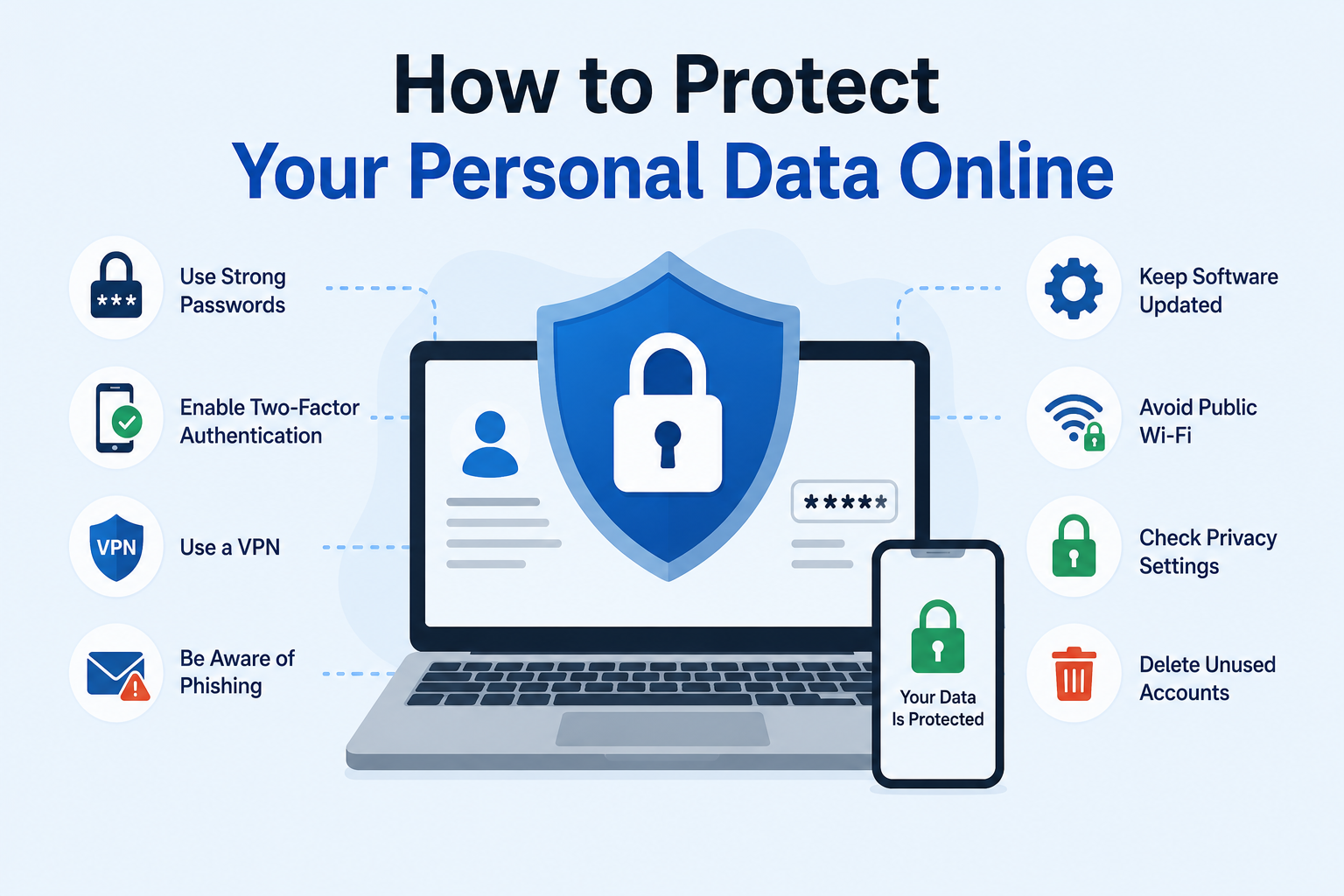
Introduction
Your personal data has become one of the most valuable assets in today’s digital world. Every time you log into social media, check your online banking account, shop on a website, or connect to public Wi-Fi on your smartphone, you leave a trail of personal information behind. Cybercriminals actively hunt for this data, and without the right protections in place, your privacy can be compromised in ways you might never even notice.
The challenge is that most people share far more information online than they realize. A single social media profile can reveal your full name, location, workplace, daily routine, and even your home address. Combined with the data collected by shopping websites, apps, and online services, your digital footprint is far larger than you might expect.
The good news is that learning how to protect personal data online does not require a technical background or expensive software. With practical knowledge and consistent habits, anyone can significantly reduce their risk of identity theft, financial fraud, and privacy violations. This guide gives you everything you need to get started today.
Quick Answer
How do you protect your personal data online? Use strong, unique passwords and enable two-factor authentication on all accounts. Avoid clicking suspicious links and never connect to unsecured public Wi-Fi without a VPN. Keep your software updated, review your privacy settings regularly, and monitor your financial accounts for unusual activity. These core habits dramatically reduce your risk of data theft and identity fraud.
What Is Personal Data?
Definition
Personal data is any information that can identify a specific individual, either on its own or when combined with other details. This covers everything from your name and email address to your medical records and browsing history. Data protection laws around the world, including the European Union’s GDPR and the California Consumer Privacy Act (CCPA), define and regulate how organizations can collect, store, and use personal data.
Types of Personal Data
Personal data comes in many forms, and understanding the different categories helps you recognize what needs the most protection. Some data is obviously sensitive, while other types seem harmless until they are combined with additional information.
Personal Data Types Table
| Category | Examples | Sensitivity Level | Risk if Exposed |
|---|---|---|---|
| Identifying Information | Full name, date of birth, national ID number | High | Identity theft, fraud |
| Contact Information | Email address, phone number, home address | High | Phishing, stalking, spam |
| Financial Data | Bank account numbers, credit card details, income | Very High | Financial fraud, theft |
| Login Credentials | Usernames, passwords, security questions | Very High | Account takeover, data breach |
| Health and Medical Data | Medical records, insurance details, prescriptions | Very High | Insurance fraud, discrimination |
| Location Data | GPS coordinates, travel history, home address | High | Physical stalking, burglary |
| Behavioral Data | Browsing history, purchase history, app usage | Medium | Targeted manipulation, profiling |
| Biometric Data | Fingerprints, facial recognition, voice data | Very High | Permanent identity compromise |
| Social Media Data | Posts, photos, connections, opinions | Medium to High | Reputation damage, phishing |
| Device Data | IP address, device ID, operating system | Medium | Tracking, hacking |
Sensitive vs Non-Sensitive Data
Sensitive personal data includes information like your medical records, financial details, and biometric data that could cause serious harm if exposed. Non-sensitive data includes things like your first name or general location, which seem harmless on their own. However, combining multiple pieces of non-sensitive data can create a detailed profile that becomes extremely dangerous in the wrong hands.
Real-World Example
Consider this scenario: a hacker knows your name, employer, and general neighborhood from your LinkedIn profile. They then find your email from a data breach and discover your pet’s name from your Instagram posts. Suddenly, they have enough information to guess your password, answer your security questions, and take over your accounts completely.
Why Protecting Personal Data Online Is Important
Identity Theft
Identity theft occurs when someone uses your personal information to impersonate you for financial gain or other malicious purposes. Criminals can open credit cards in your name, take out loans, file fraudulent tax returns, or even commit crimes using your identity. Recovering from identity theft can take years and cost thousands of dollars in legal fees, lost wages, and emotional stress.
Financial Fraud
Your banking credentials, credit card numbers, and financial account details are prime targets for cybercriminals worldwide. A single stolen credit card number can result in hundreds or thousands of dollars in fraudulent charges before you even notice the problem. Online security failures that expose financial data can devastate individuals and businesses alike.
Privacy Protection
Beyond financial loss, protecting your digital privacy means maintaining control over your own life and narrative. Corporations, advertisers, and governments increasingly collect personal data to track behavior, influence decisions, and monitor individuals. Strong personal data protection practices help you retain meaningful control over who knows what about you.
Reputation Damage
Stolen personal information can be used to impersonate you online, post damaging content, or manipulate your professional and personal relationships. A damaged online reputation can affect your career prospects, personal relationships, and mental health in significant ways. Moreover, repairing a damaged digital reputation is often far more difficult and time-consuming than preventing the breach in the first place.
Rising Cybercrime
Cybercrime is growing at an alarming rate globally. According to the Federal Trade Commission (FTC), identity theft reports in the United States alone reached millions of cases annually in recent years. As more of our daily lives move online, the amount of personal data at risk continues to grow exponentially.
Common Ways Personal Data Gets Stolen
Phishing Emails
Phishing emails are fraudulent messages designed to trick you into revealing personal information or clicking malicious links. Attackers disguise these emails to look like legitimate communications from banks, government agencies, or popular online services. For example, you might receive an email that appears to come from your bank, warning you that your account has been suspended and asking you to click a link and enter your login details immediately.
Fake Websites
Cybercriminals create convincing fake websites that mimic legitimate banks, retailers, and government portals. When you enter your credentials or payment information on these sites, the criminals capture it instantly. Always check the website URL carefully for subtle misspellings like “paypa1.com” instead of “paypal.com” before entering any personal details.
Public Wi-Fi
Free public Wi-Fi networks at coffee shops, airports, and hotels are convenient but notoriously insecure. Hackers can set up fake Wi-Fi hotspots or perform man-in-the-middle attacks to intercept data traveling between your device and the network. As a result, any personal information you transmit over an unsecured public network is potentially visible to nearby attackers.
Weak Passwords
Simple or reused passwords are one of the most common reasons personal accounts get compromised. Hackers use automated tools that can test millions of common passwords per second in what is known as a brute force attack. Additionally, if you use the same password across multiple accounts, a single breach can expose every account you own simultaneously.
Malware
Malicious software, or malware, can silently infect your device and steal personal data without any visible signs. Keyloggers record every keystroke you make, including passwords and credit card numbers. Spyware monitors your activities and transmits information back to cybercriminals, often for months before detection.
Data Breaches
Data breaches occur when hackers penetrate the security systems of companies that store your information. Even if you follow every personal security best practice, a breach at a company you trust can still expose your data. Major breaches at retailers, healthcare providers, and social media platforms have exposed billions of records over the past decade.
Social Engineering
Social engineering involves manipulating people psychologically rather than hacking technology directly. An attacker might call you pretending to be from your bank’s fraud department and convince you to provide your account details to prevent a supposed fraudulent charge. These attacks exploit trust, urgency, and fear to bypass even technically sophisticated security measures.
Oversharing on Social Media
Sharing too much personal information on social media platforms creates a detailed profile that cybercriminals can exploit. Information like your birthday, hometown, pet’s name, mother’s maiden name, and school name often appears directly in social media profiles and posts. Alarmingly, these same details are frequently used as security question answers on banking and email accounts.
How to Protect Personal Data Online
Use Strong and Unique Passwords
Why it matters: Weak passwords are the primary way hackers gain unauthorized access to personal accounts. A strong password dramatically reduces the risk of brute force attacks and credential stuffing.
How to do it: Create passwords that are at least 16 characters long and include a random mix of uppercase letters, lowercase letters, numbers, and special symbols. Never use personal information like birthdays or names in passwords.
Common mistake: Using the same password for multiple accounts means one breach compromises everything. Always use a unique password for every account you own.
Practical example: Instead of using “John1990,” use a password like “X#9mP2kL!qR7vN4j” and store it securely in a password manager.
Enable Two-Factor Authentication
Why it matters: Two-factor authentication (2FA) adds a second layer of security beyond your password, making account takeovers extremely difficult even if your password is stolen.
How to do it: Enable 2FA on every account that offers it, prioritizing email, banking, and social media accounts. Use an authenticator app rather than SMS-based codes whenever possible since SMS codes can be intercepted.
Common mistake: Many people skip 2FA because they find it inconvenient, but this single habit can prevent the vast majority of account takeover attacks.
Practical example: Even if a hacker steals your Gmail password, they cannot access your account without also having your phone to approve the authentication request.
Keep Software Updated
Why it matters: Software updates frequently include critical security patches that fix vulnerabilities hackers actively exploit. Running outdated software leaves known security holes wide open.
How to do it: Enable automatic updates for your operating system, browsers, apps, and antivirus software. Do not delay or dismiss update notifications, particularly for security-critical software.
Common mistake: Many people postpone updates indefinitely because they find them disruptive, not realizing that cybercriminals often launch attacks specifically targeting known unpatched vulnerabilities.
Practical example: The 2017 WannaCry ransomware attack devastated organizations worldwide by exploiting a Windows vulnerability for which Microsoft had already released a patch weeks earlier.
Avoid Clicking Suspicious Links
Why it matters: Phishing links are the most common way malware infects devices and credentials get stolen. One careless click can compromise your entire digital life.
How to do it: Hover over links to preview the destination URL before clicking. Be especially cautious with links in emails, text messages, and social media direct messages, even when they appear to come from people you know.
Common mistake: Trusting a link simply because the email looks professional or the sender appears to be familiar. Attackers routinely spoof legitimate email addresses and brand logos convincingly.
Practical example: You receive an email claiming your Amazon package could not be delivered, asking you to click a link and verify your address. The link actually leads to a fake site that steals your Amazon login credentials.
Use a VPN on Public Wi-Fi
Why it matters: A Virtual Private Network (VPN) encrypts your internet connection, preventing others on the same network from intercepting your personal data.
How to do it: Install a reputable VPN service on all your devices and activate it every time you connect to a public Wi-Fi network. Choose a VPN with a strict no-logs policy from a trusted provider.
Common mistake: Using free VPN services that may actually collect and sell your data to third parties, defeating the entire purpose of using a VPN for privacy.
Practical example: When you work from a coffee shop and connect to their free Wi-Fi without a VPN, anyone nearby with the right tools can potentially see your emails, logins, and browsing activity in real time.
Limit Personal Information Shared Online
Why it matters: Every piece of personal information you share online becomes potential ammunition for social engineering attacks and identity theft attempts.
How to do it: Think carefully before posting personal details on social media, filling out online forms, or responding to requests for information. Share only what is absolutely necessary for each specific purpose.
Common mistake: Filling in every optional field on social media profiles and websites, creating a comprehensive personal profile that cybercriminals can easily compile and exploit.
Practical example: You do not need to provide your real birthday or phone number to create a social media account. Using a pseudonym and minimal details significantly reduces your exposure.
Review Privacy Settings Regularly
Why it matters: Social media platforms and apps frequently change their privacy settings and default configurations, sometimes exposing more of your data than you realize.
How to do it: Check privacy settings on all your social media accounts, apps, and devices at least once every three months. Restrict who can see your posts, location, contact information, and personal details.
Common mistake: Setting up an account with privacy settings once and never checking them again as the platform evolves and updates its policies.
Practical example: Facebook regularly updates its privacy controls. A setting that restricted your profile to friends only might shift after an update, making your information visible to the public without any notification.
Download Apps Only from Trusted Sources
Why it matters: Malicious apps disguised as legitimate software can steal your personal data, track your location, and even activate your camera or microphone without your knowledge.
How to do it: Download apps exclusively from official stores like the Apple App Store or Google Play Store. Read app reviews, check the developer’s reputation, and scrutinize the permissions each app requests before installing.
Common mistake: Sideloading apps from unofficial websites or third-party stores, which carry a significantly higher risk of malware infection.
Practical example: A fake flashlight app that requests access to your contacts, camera, microphone, and location data is almost certainly collecting and transmitting your personal information for malicious purposes.
Encrypt Sensitive Files
Why it matters: Encryption converts your files into an unreadable format that only authorized users can access, protecting sensitive documents even if your device is stolen or your accounts are breached.
How to do it: Use built-in encryption tools like BitLocker on Windows or FileVault on Mac to encrypt your device’s storage. For individual files, use tools like VeraCrypt or encrypted cloud storage services.
Common mistake: Storing sensitive documents like tax returns, passport scans, and financial statements in plain text or unprotected folders on your devices.
Practical example: If your laptop is stolen but your hard drive is fully encrypted, the thief cannot access any of your personal files without your encryption password, keeping your data completely safe.
Back Up Important Data Regularly
Why it matters: Regular backups protect you from data loss caused by ransomware attacks, device failure, theft, or accidental deletion, ensuring you can recover your information quickly.
How to do it: Follow the 3-2-1 backup rule: keep three copies of your data, on two different types of storage media, with one copy stored offsite or in a secure cloud service.
Common mistake: Creating backups but never testing whether they can actually be restored, discovering the problem only when you desperately need to recover your data.
Practical example: A ransomware attack encrypts all files on your computer and demands payment. If you have a recent external hard drive backup, you can restore everything without paying the ransom and without losing your data.
Monitor Financial Accounts Frequently
Why it matters: Early detection of fraudulent transactions can limit financial damage and help you report fraud before it escalates further.
How to do it: Check your bank accounts and credit card statements at least weekly. Set up transaction alerts so you receive immediate notifications for every charge made to your accounts.
Common mistake: Checking financial statements only once a month when the bill arrives, giving criminals weeks to make additional fraudulent transactions before you notice.
Practical example: A small unauthorized charge of $1.99 might seem insignificant, but it often signals a test transaction by fraudsters checking whether a stolen card number is active before making larger purchases.
Lock Your Devices
Why it matters: An unlocked device left unattended for even a few minutes can give someone complete access to your emails, banking apps, passwords, and personal files.
How to do it: Enable screen lock with a strong PIN, password, or biometric authentication on all devices. Set your screen to lock automatically after 30 seconds or one minute of inactivity.
Common mistake: Using a simple four-digit PIN like “1234” or “0000” that offers virtually no real security protection against a determined attacker.
Practical example: Leaving your unlocked smartphone on a restaurant table while you visit the restroom gives anyone nearby thirty seconds or more to access your banking apps, email, and contacts.
Be Careful with Public USB Chargers
Why it matters: Juice jacking is a cyberattack where criminals install malicious software on public USB charging stations to steal data or install malware on your device when you plug in.
How to do it: Use your own charger and plug into an electrical outlet rather than a USB port. Alternatively, use a USB data blocker device that allows power to pass through while blocking data transfer.
Common mistake: Plugging your phone directly into public USB charging stations at airports, shopping malls, and hotels without any protection from potential data theft.
Practical example: The FBI issued a public warning in 2023 specifically advising people to avoid using free public USB charging stations due to the growing risk of juice jacking attacks in public spaces.
Secure Your Home Wi-Fi Network
Why it matters: An unsecured home Wi-Fi network allows neighbors and nearby strangers to access your internet connection and potentially intercept your personal data or launch attacks.
How to do it: Change your router’s default username and password immediately after setup. Use WPA3 encryption if available or WPA2 as a minimum. Additionally, create a separate guest network for visitors and smart home devices.
Common mistake: Leaving the factory default password on your router, which is often publicly available online for every router model, making it trivially easy for anyone to access your network.
Practical example: A neighbor who accesses your unsecured home Wi-Fi network could potentially monitor your browsing activity, intercept your login credentials, or use your connection for illegal activities that trace back to your address.
Delete Unused Accounts
Why it matters: Old, inactive accounts you no longer use still contain your personal data and remain vulnerable to breaches even years after you stop using the service.
How to do it: Identify all your online accounts using a service like Have I Been Pwned and systematically delete those you no longer need. Follow the platform’s account deletion process rather than simply abandoning accounts.
Common mistake: Creating accounts on countless websites and apps over the years and never closing them, leaving a growing trail of personal data scattered across hundreds of potentially insecure services.
Practical example: A dating app you created a profile on five years ago and completely forgot about may still hold your photos, location data, personal interests, and linked social media accounts in their database.
Use a Password Manager
Why it matters: A password manager generates, stores, and autofills strong, unique passwords for every account, solving the impossible challenge of remembering dozens of complex credentials.
How to do it: Choose a reputable password manager like Bitwarden, 1Password, or Dashlane. Secure it with a single strong master password and enable two-factor authentication on the manager itself.
Common mistake: Storing passwords in plain text documents, browser notes, or unsecured spreadsheets, which create a single point of failure that exposes every account at once if discovered.
Use Encrypted Messaging Apps
Why it matters: Standard SMS text messages are not encrypted and can be intercepted by network carriers, law enforcement, and sophisticated hackers with relative ease.
How to do it: Use end-to-end encrypted messaging apps like Signal or WhatsApp for private conversations. These apps ensure that only you and the intended recipient can read your messages.
Common mistake: Sending sensitive personal information like passwords, social security numbers, or banking details through regular SMS or unencrypted email.
Check What Data Apps Collect
Why it matters: Many apps collect far more personal data than they need to function, selling your information to data brokers and advertisers without your explicit knowledge.
How to do it: Review the privacy policies of apps you use regularly. Check app permission settings on your phone and revoke any access that is not strictly necessary for the app’s core function.
Common mistake: Accepting all app permissions automatically without reading what data each permission actually allows the app to collect and transmit.
Use Secure and Private Browsers
Why it matters: Popular browsers can track your browsing behavior, collect personal data, and share it with advertising networks that build detailed profiles about you.
How to do it: Consider using privacy-focused browsers like Firefox or Brave that block trackers by default. Additionally, install browser extensions like uBlock Origin to block ads and tracking scripts.
Common mistake: Using default browsers with default settings that allow extensive tracking without considering privacy-focused alternatives that are equally fast and user-friendly.
Opt Out of Data Broker Sites
Why it matters: Data brokers collect and sell your personal information including your address, phone number, income range, and family details to advertisers, employers, and sometimes criminals.
How to do it: Manually request removal from major data broker websites like Spokeo, Whitepages, and BeenVerified. Alternatively, use a service like DeleteMe to automate this process across hundreds of sites.
Common mistake: Being unaware that data broker sites exist and therefore never taking steps to remove personal information that is publicly and legally available to anyone willing to purchase it.
Enable Automatic Device Wiping
Why it matters: If your smartphone or tablet falls into the wrong hands, automatic wiping after repeated failed login attempts prevents unauthorized access to all stored data.
How to do it: Enable the “Erase data after failed attempts” setting on your iPhone or equivalent setting on Android devices. Also activate “Find My Device” features that allow remote wiping if the device is lost or stolen.
Common mistake: Relying only on screen lock without setting up remote wipe capability, leaving your data fully accessible if someone bypasses the lock or simply replaces the screen.
Be Cautious About What You Share in Forms
Why it matters: Online forms, surveys, and contests often request far more personal information than they legitimately need, collecting data for marketing or selling it to third parties.
How to do it: Before completing any online form, ask yourself why the organization needs each specific piece of information. Provide only the minimum required details and use a secondary email address for less important registrations.
Common mistake: Truthfully completing every field in online forms and surveys without questioning whether the organization actually needs or deserves that level of personal detail.
Use Disposable Email Addresses
Why it matters: Using your primary email address for every online registration means every website knows how to contact you, spam you, and potentially sell your contact details to third parties.
How to do it: Create a secondary email address specifically for website registrations, newsletters, and online shopping. Keep your primary email address private and reserved for trusted personal and professional communications.
Common mistake: Using your main email address for every account registration and wondering years later why you receive massive volumes of spam and targeted advertising.
Regularly Check Have I Been Pwned
Why it matters: The Have I Been Pwned website (haveibeenpwned.com) allows you to check whether your email address has appeared in any known data breaches, alerting you to compromised accounts.
How to do it: Visit haveibeenpwned.com regularly and enter your email addresses to check for breaches. Enable breach notifications so you receive an immediate alert whenever your email address appears in newly discovered breaches.
Common mistake: Assuming that because you have not heard of a breach affecting you, your data has never been compromised. Many breaches go unreported or unnoticed for months or even years.
Signs Your Personal Data May Be Compromised
Recognizing the warning signs of a data compromise early can significantly limit the damage to your finances and reputation. Watch for these red flags carefully.
Unexpected account lockouts or password reset emails you did not request are often the first sign someone is attempting to access your accounts. Similarly, unfamiliar charges appearing on your bank or credit card statements indicate that your financial details may have been stolen. Receiving strange emails, text messages, or calls referencing purchases or accounts you did not open suggests your identity may already be in use by criminals.
If you notice new accounts appearing on your credit report that you did not open yourself, contact your bank and the credit bureaus immediately. Also watch for friends reporting that they received unusual messages from your social media accounts, which typically indicates your account has been compromised and may be sending phishing links to your contacts.
What to do immediately: Change your passwords starting with your email and banking accounts. Enable two-factor authentication on all critical accounts. Contact your bank to report suspected fraud and freeze your credit if necessary. Additionally, run a full antivirus scan on all your devices to check for malware that may have facilitated the breach.
Best Privacy Tools
Privacy Tools Comparison Table
| Tool Category | Purpose | Recommended Options | Cost | Best For |
|---|---|---|---|---|
| Password Manager | Store and generate strong passwords | Bitwarden, 1Password, Dashlane | Free to $36/year | Everyone |
| VPN | Encrypt internet connections | NordVPN, ExpressVPN, ProtonVPN | $4–$12/month | Public Wi-Fi users, privacy advocates |
| Antivirus Software | Detect and remove malware | Malwarebytes, Bitdefender, Norton | Free to $60/year | All device users |
| Authenticator App | Generate 2FA codes securely | Google Authenticator, Authy, Microsoft Authenticator | Free | All account holders |
| Secure Browser | Block trackers and ads | Firefox, Brave, Tor Browser | Free | Privacy-conscious users |
| Encrypted Cloud Storage | Store files securely | ProtonDrive, Tresorit, Sync.com | Free to $15/month | Remote workers, professionals |
| Email Security | Encrypt email communications | ProtonMail, Tutanota | Free to $8/month | Privacy-focused communicators |
Password Managers store all your credentials in an encrypted vault, allowing you to use unique, complex passwords for every account without memorizing them. Bitwarden offers an excellent free tier that works across all major platforms and devices.
VPNs encrypt your internet traffic and hide your IP address from websites, advertisers, and potential eavesdroppers. ProtonVPN is particularly notable because it operates under strong Swiss privacy laws and offers a genuinely unlimited free plan.
Antivirus software continuously scans your device for malware, ransomware, spyware, and other malicious software. Modern antivirus solutions do far more than simply detect viruses, actively monitoring for suspicious behavior patterns in real time.
Authenticator apps generate time-based one-time codes for two-factor authentication that expire within thirty seconds, making them significantly more secure than SMS-based 2FA codes.
What to Do After a Data Breach
Data Breach Response Checklist
| Step | Action | Priority | Timeline |
|---|---|---|---|
| 1 | Change compromised passwords immediately | Critical | Within 1 hour |
| 2 | Enable 2FA on all affected accounts | Critical | Within 1 hour |
| 3 | Check other accounts using the same password | Critical | Within 2 hours |
| 4 | Contact your bank if financial data was exposed | Critical | Within 2 hours |
| 5 | Freeze your credit at all three bureaus | High | Within 24 hours |
| 6 | Monitor financial statements closely | High | Ongoing |
| 7 | Run a full malware scan on all devices | High | Within 24 hours |
| 8 | Check haveibeenpwned.com for additional exposure | Medium | Within 48 hours |
| 9 | Report identity theft to IdentityTheft.gov | Medium | Within 48 hours |
| 10 | Notify relevant authorities if fraud has occurred | Medium | Within 48 hours |
| 11 | Review and update security questions | Standard | Within 1 week |
| 12 | Consider credit monitoring services | Standard | Within 1 week |
Discovering that your personal data has been involved in a breach can feel overwhelming, but acting quickly and decisively minimizes the damage significantly. Start by changing every password associated with the breached account and any accounts sharing the same password. Then immediately enable two-factor authentication on all critical accounts to prevent unauthorized access even if your credentials were stolen.
Contact your bank immediately if your financial information was part of the breach. Request that they monitor your accounts for fraudulent activity and consider replacing any compromised cards. Furthermore, placing a credit freeze at the three major credit bureaus — Equifax, Experian, and TransUnion — prevents criminals from opening new credit lines in your name, even if they have your personal information.
Visit IdentityTheft.gov, the FTC’s official identity theft resource, to report the incident and receive a personalized recovery plan tailored to your specific situation.
Personal Data Protection for Families
Parents
Parents bear the responsibility of modeling good digital security habits and protecting their children’s personal data online. Set up parental controls on all devices your children use and review their social media activity regularly. Additionally, teach children from an early age never to share their full name, school name, home address, or daily routine with people they meet online.
Children and Teenagers
Young people are particularly vulnerable to online threats because they often share personal information freely without understanding the long-term consequences. Teach teenagers to think critically about privacy settings on every platform they join. Discuss the permanent nature of anything posted online and encourage them to keep their accounts private and limited to people they genuinely know in real life.
Older Adults
Older adults are frequently targeted by cybercriminals specifically because they may be less familiar with digital threats and more trusting of unexpected communications. Teach older family members to be skeptical of unsolicited phone calls, emails, and messages claiming to be from government agencies, banks, or tech companies. Setting up password managers and two-factor authentication for older relatives can make a significant difference in protecting their accounts and personal information.
Common Online Privacy Mistakes
- Reusing passwords across multiple accounts — One breach cascades into dozens of compromised accounts simultaneously.
- Ignoring software update notifications — Leaving known vulnerabilities unpatched for weeks or months creates easy opportunities for attackers.
- Oversharing on social media — Providing detailed personal information that answers common security questions publicly and permanently.
- Skipping two-factor authentication — Losing an enormous layer of protection because the extra step feels slightly inconvenient.
- Trusting public Wi-Fi blindly — Connecting to unsecured networks and conducting sensitive transactions without any protection.
- Clicking links in emails without checking — Falling victim to phishing attacks that could have been avoided with a few seconds of careful inspection.
- Using obvious security questions — Choosing questions with answers that are publicly discoverable from your social media profiles.
- Accepting every app permission — Granting apps unnecessary access to your location, contacts, camera, and microphone without questioning why they need it.
- Not monitoring credit reports — Missing signs of identity theft that appear on credit reports for months before being discovered.
- Storing passwords in browsers without a master password — Making saved credentials instantly accessible to anyone who gains physical access to your device.
- Assuming HTTPS means a site is safe — HTTPS encrypts your connection but does not guarantee the website itself is legitimate or trustworthy.
- Using personal devices on corporate networks without protection — Creating security risks for both personal data and employer systems simultaneously.
- Neglecting to delete old accounts — Leaving dormant accounts containing personal data on platforms that may experience future breaches.
- Ignoring breach notifications — Receiving breach notification emails and not taking immediate action to secure affected accounts.
- Trusting strangers on social media — Accepting friend requests or sharing personal information with accounts that may be fake profiles created for social engineering purposes.
Future of Online Privacy
AI-Powered Scams
Artificial intelligence is dramatically lowering the barrier to creating convincing phishing emails, fake websites, and fraudulent communications. AI can now generate perfectly grammatical, highly personalized phishing messages at massive scale, making traditional “look for spelling errors” advice significantly less reliable. Consequently, developing a skeptical mindset and verifying requests through official channels becomes even more critical in 2026 and beyond.
Deepfakes
Deepfake technology can create convincing fake audio and video content of real people, creating new vectors for identity fraud, financial scams, and reputational attacks. Criminals are already using AI-generated voice clones to impersonate executives and family members in phone-based fraud schemes. Being aware of this threat and establishing personal verification protocols with family and colleagues is increasingly important.
Passwordless Authentication
The technology industry is rapidly moving toward passwordless authentication systems that use biometrics, hardware security keys, and passkeys to verify identity without traditional passwords. Major platforms including Apple, Google, and Microsoft already support passkeys, which are more secure and far more convenient than passwords. This transition will significantly reduce the risk of credential-based attacks over the coming years.
Privacy Regulations
Governments worldwide are strengthening data protection regulations as public awareness of privacy issues grows. The EU’s GDPR continues to serve as a global model, with more countries and US states implementing similar comprehensive privacy laws. These regulations are forcing companies to collect less data, handle it more responsibly, and provide individuals with greater control over their personal information.
Digital Identity Protection
The concept of self-sovereign digital identity, where individuals control their own verified identity credentials without relying on centralized third parties, is gaining momentum. Blockchain-based identity solutions and digital wallets are emerging as potential alternatives to the current system where corporations hold and control your identity data. While these technologies are still maturing, they represent a promising direction for personal information security in the years ahead.
Frequently Asked Questions
1. How can I protect my personal data online?
Use strong, unique passwords with a password manager. Enable two-factor authentication on all accounts. Keep your software updated, use a VPN on public networks, and regularly review your privacy settings. These foundational habits together provide substantial protection against the most common threats.
2. What is personal data?
Personal data is any information that can identify you as a specific individual, including your name, email address, phone number, financial details, medical records, location data, and browsing history. Combining even seemingly harmless pieces of information can create identifying profiles that pose serious privacy risks.
3. Why is online privacy important?
Online privacy protects you from identity theft, financial fraud, reputational damage, and surveillance. It also gives you meaningful control over your own narrative, your relationships, and the decisions others make about you based on your personal information.
4. What is identity theft?
Identity theft occurs when someone steals your personal information and uses it to impersonate you, typically for financial gain. Criminals can open credit cards, take out loans, file tax returns, or commit crimes using your stolen identity, causing significant financial and personal harm.
5. How do hackers steal personal data?
Hackers steal personal data through phishing emails, fake websites, malware, data breaches, social engineering, weak password exploitation, and interception on unsecured public Wi-Fi networks. Often they combine multiple methods to gradually build a complete picture of their target.
6. Is public Wi-Fi safe?
Public Wi-Fi is generally not safe for transmitting sensitive personal information without additional protection. Always use a reputable VPN when connecting to public networks to encrypt your traffic and prevent interception by nearby attackers.
7. Should I use a VPN?
Yes, a VPN is strongly recommended especially when using public Wi-Fi. A VPN encrypts your internet connection, hides your IP address, and prevents third parties from monitoring your online activities. Choose a reputable paid VPN service with a strict no-logs policy for the best protection.
8. What makes a password safe?
A safe password is at least 16 characters long and includes a random combination of uppercase letters, lowercase letters, numbers, and special characters. It should never contain personal information, dictionary words, or patterns. Use a different password for every account and store them in a password manager.
9. How can I prevent phishing attacks?
Never click links in unsolicited emails or messages. Always navigate directly to websites by typing the URL into your browser. Verify unexpected requests by contacting the organization through their official phone number or website. Additionally, enable email spam filters and use browser extensions that warn about known phishing sites.
10. What should I do immediately after a data breach?
Change your passwords immediately starting with your email and banking accounts. Enable two-factor authentication on all critical accounts. Contact your bank if financial data was exposed, freeze your credit, and report the incident to IdentityTheft.gov for a personalized recovery plan.
11. How do I secure my smartphone?
Enable screen lock with a strong PIN or biometric authentication. Keep your operating system and apps updated. Download apps only from official stores and review permissions carefully. Enable remote wipe capability and use encrypted messaging apps for sensitive communications.
12. Is cloud storage safe for personal data?
Reputable cloud storage services with strong encryption like ProtonDrive, iCloud, and Google Drive are generally safe when configured correctly. Enable two-factor authentication on your cloud storage account and avoid storing extremely sensitive documents like unencrypted copies of passports or social security cards in the cloud.
13. What is digital privacy?
Digital privacy is your right and ability to control what personal information you share online, who can access it, and how it is used. It encompasses the protection of your personal data, browsing habits, communications, and digital identity from unauthorized collection, use, and exposure.
14. Can antivirus software protect my personal data?
Antivirus software provides important protection by detecting and removing malware that might steal your personal data. However, antivirus alone is not sufficient. It works best as part of a comprehensive security strategy that also includes strong passwords, two-factor authentication, software updates, and careful online habits.
15. What is the future of online privacy?
The future includes AI-powered scams and deepfakes creating new threats, while passwordless authentication, stronger privacy regulations, and self-sovereign digital identity systems offer new protections. Staying informed and adapting your personal security practices as technology evolves will be increasingly important for protecting your data effectively.
People Also Ask
How can I protect my personal data online?
Use strong unique passwords, enable two-factor authentication, keep software updated, use a VPN on public networks, review privacy settings regularly, and monitor your accounts for unauthorized activity. These habits together provide comprehensive protection against the most common data theft methods.
Why is personal data important?
Personal data is important because it reveals sensitive information about your identity, finances, health, and relationships. Criminals exploit this data for identity theft, financial fraud, and targeted scams. Controlling your personal data protects your financial security, reputation, and personal freedom.
What are the biggest online privacy risks?
The biggest risks include phishing attacks, data breaches at companies storing your information, malware infections, weak passwords, public Wi-Fi interception, social engineering attacks, and oversharing personal details on social media platforms.
Is public Wi-Fi safe?
Public Wi-Fi is not safe for sensitive online activities without additional protection. Hackers can intercept unencrypted data on public networks. Always use a VPN when connecting to public Wi-Fi to encrypt your traffic and protect your personal information from interception.
Should I use a VPN?
Yes, using a VPN is highly recommended for protecting your online privacy, especially on public networks. A good VPN encrypts your internet traffic, masks your IP address, and prevents tracking by advertisers, hackers, and internet service providers.
What should I do after a data breach?
Change affected passwords immediately, enable two-factor authentication, contact your bank if financial data was compromised, freeze your credit, monitor your accounts closely, run a malware scan, and report identity theft at IdentityTheft.gov if fraud has already occurred.
How can I avoid phishing attacks?
Never click links in unexpected emails or messages. Verify requests by contacting organizations through official channels. Look carefully at email addresses and URLs for subtle misspellings. Use anti-phishing browser extensions and enable spam filters on your email accounts.
What are the best privacy tools?
The best privacy tools include a reputable password manager, a no-logs VPN, an authenticator app for two-factor authentication, quality antivirus software, a privacy-focused browser, and encrypted cloud storage. Using all these tools together creates a comprehensive privacy protection strategy.
How do I secure my online accounts?
Use unique, complex passwords for every account. Enable two-factor authentication everywhere it is available. Review account activity regularly for suspicious logins. Remove access from apps and services you no longer use, and update your security settings and recovery information periodically.
What is digital privacy?
Digital privacy is your ability to control what personal information you share online and how others use it. It includes protecting your communications, browsing activity, financial details, and personal identity from unauthorized access, surveillance, and commercial exploitation by corporations and criminals.
Final Thoughts
Protecting your personal data online is one of the most important investments you can make in your digital life and overall security. The threats are real, constantly evolving, and increasingly sophisticated, but the good news is that the most effective protections are straightforward and accessible to everyone regardless of technical background.
Start with the fundamentals: use a password manager, enable two-factor authentication, keep your software updated, and think carefully about every piece of information you share online. These four habits alone will dramatically improve your security posture compared to the vast majority of internet users. Then gradually add more advanced protections like a VPN, privacy-focused browsers, and regular account audits as your confidence grows.
Remember that learning to protect personal data online is not a one-time task. Cyber threats evolve constantly, privacy settings change, and new vulnerabilities emerge regularly. Make security awareness a consistent part of your digital life rather than a project you complete once and forget. The few minutes you invest regularly in reviewing and improving your privacy practices can protect you from months or years of recovery from a serious data breach or identity theft incident.
Your personal data is valuable. Protect it accordingly.
References
- Cybersecurity and Infrastructure Security Agency (CISA). Protecting Personal Information. Available at: https://www.cisa.gov
- National Institute of Standards and Technology (NIST). Digital Identity Guidelines. Available at: https://www.nist.gov
- Federal Trade Commission (FTC). IdentityTheft.gov. Available at: https://www.identitytheft.gov
- Microsoft. Microsoft Security. Available at: https://www.microsoft.com/security
- Google. Google Safety Center. Available at: https://safety.google
- Open Web Application Security Project (OWASP). OWASP Top Ten. Available at: https://owasp.org
Technology Disclaimer
The information provided in this article is intended for general educational and informational purposes only. Cybersecurity threats, privacy tools, and data protection regulations evolve rapidly, and specific recommendations in this article may become outdated as technology and the threat landscape change. TechOriginHub strongly recommends consulting with a qualified cybersecurity professional for personalized security advice tailored to your specific situation. TechOriginHub is not responsible for any data loss, security incidents, identity theft, or other consequences arising from the use or misuse of information contained in this article. Always verify current best practices by consulting official sources including CISA, NIST, and your relevant regulatory bodies.
Published by TechOriginHub Editorial Team. Last reviewed and updated for accuracy in 2026.