
 By saman zahra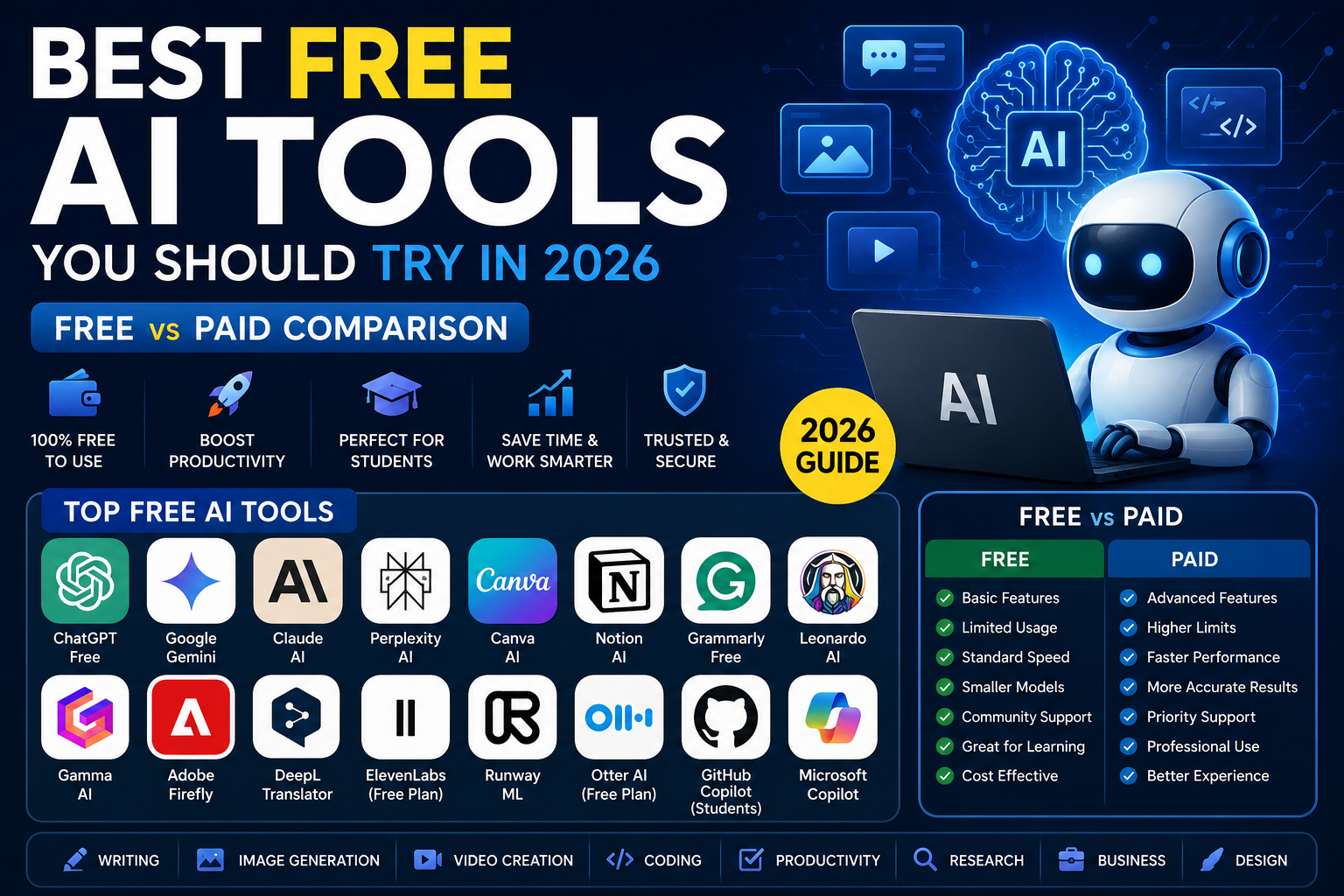
Introduction
Not long ago, access to powerful AI technology required either a computer science degree or a corporate budget. That has changed dramatically. In 2026, some of the most capable AI tools in the world offer genuinely useful free tiers that anyone can access with an email address and an internet connection.
The best free AI tools are being used by students writing research papers, freelancers producing client content, small business owners handling marketing, developers debugging code, and teachers building lesson materials. The question is no longer whether free AI tools are worth using — it is which ones deserve your time and attention, and where the free tier ends and the paid wall begins.
This guide reviews sixteen of the most useful free AI tools available in 2026, compares their free and paid plans honestly, and helps you identify which tool fits your specific needs and goals.
Quick Answer — Featured Snippet
The best free AI tools in 2026 include ChatGPT Free, Google Gemini, Microsoft Copilot, Claude AI, Perplexity AI, Canva AI, Notion AI, Grammarly, Leonardo AI, and Gamma AI. Each offers meaningful free access for writing, image generation, research, and productivity. The right choice depends on your specific use case, daily usage volume, and whether you need specialized features like coding assistance or image creation.
What Are AI Tools?
AI tools are software applications powered by artificial intelligence that help users complete tasks faster, more accurately, or at a higher quality than they could manage alone. They draw on machine learning models, large language models, computer vision systems, and other AI techniques to understand inputs and generate useful outputs.
The range of what AI tools can do has expanded significantly. In 2026, AI tools write articles, generate images, create videos, translate languages, summarize documents, answer research questions, debug code, build presentations, transcribe meetings, and much more.
Some AI tools are general-purpose platforms that handle many different types of tasks. Others are specialized for specific domains — design, coding, education, customer service, or content creation. Both types have strong free offerings worth knowing about.
To understand the technology powering these tools, visit our guide: [How Does Artificial Intelligence Work? Explained Simply](internal link).
Why Use Free AI Tools?
The case for starting with free AI tools is strong, regardless of your budget.
Save money while you evaluate. Paid AI subscriptions typically cost between ten and thirty dollars per month. Starting with a free tier lets you understand what a tool actually does before committing to a recurring cost. Many users discover that the free tier covers their needs entirely.
Improve productivity immediately. Free AI tools deliver real productivity gains from day one. Writing faster, researching more efficiently, generating design concepts in seconds — these benefits do not require a premium plan for most everyday use cases.
Learn before you pay. AI tools have learning curves. Understanding how to write effective prompts, when to trust AI outputs, and how to integrate AI into your workflow takes time. Free tiers let you develop these skills before investing in premium access.
Accessible for students and freelancers. For people working with limited budgets — students, freelancers, independent creators, early-stage startups — free AI tools provide access to capabilities that would otherwise be financially out of reach. The quality gap between free and paid tiers has narrowed considerably in 2026.
Best Free AI Tools in 2026
ChatGPT Free
Overview: ChatGPT, developed by OpenAI, remains the most recognized AI assistant in the world. The free tier, powered by GPT-4o mini with occasional access to GPT-4o, handles a remarkably wide range of tasks — writing, research, coding, analysis, brainstorming, summarization, and conversation.
Best Features: Conversational interface that feels natural, strong writing and editing assistance, capable code generation and debugging, broad general knowledge, and memory features that remember context across conversations on the free plan.
Free Limitations: Limited access to the most powerful GPT-4o model, with usage caps that can result in switching to a less capable model during peak periods. No image generation on the free tier in its standard form. File upload capabilities are restricted compared to the paid plan.
Paid Version Benefits: ChatGPT Plus at twenty dollars per month provides priority access to GPT-4o, significantly higher usage limits, access to advanced data analysis with file uploads, image generation via DALL-E, and access to the GPT store for specialized custom models.
Best For: General-purpose writing, research assistance, coding help, brainstorming, and learning how to work with AI assistants.
Pros: Extremely versatile, constantly improving, large community with abundant tutorials and prompt libraries, available on web and mobile.
Cons: Free tier has usage limits that interrupt workflows during heavy use, occasional hallucinations require verification, no built-in internet access by default on free tier.
Google Gemini Free
Overview: Google Gemini is Google’s flagship AI assistant, tightly integrated with Google’s ecosystem. The free tier runs on Gemini 1.5 Flash and provides multimodal capabilities — it understands and generates text, analyzes images, and integrates with Google Search for real-time information access.
Best Features: Real-time internet access built into the free tier (a significant advantage over some competitors), deep integration with Gmail, Google Docs, and Google Drive, strong multilingual support, and the ability to understand uploaded images in context.
Free Limitations: Does not run the most powerful Gemini Ultra model on the free plan. Advanced Workspace integration requires a Google One AI Premium subscription. Some features are only available in specific geographic regions.
Paid Version Benefits: Google One AI Premium at nineteen dollars and ninety-nine cents per month provides access to Gemini Advanced with the 1.5 Pro model, deeper integration across Google Workspace apps, and extended context windows for handling longer documents.
Best For: Users already working within the Google ecosystem, research tasks requiring current information, and multilingual content needs.
Pros: Real-time information access, excellent Google Workspace integration, genuinely useful multimodal capabilities on the free tier, available across platforms.
Cons: Less consistently strong than competitors on creative writing tasks, some advanced features locked behind paid plans, integration depth varies by region.
Claude AI Free
Overview: Claude, developed by Anthropic, is widely regarded as one of the most thoughtful and nuanced AI assistants available. The free tier provides access to Claude 3.5 Sonnet, one of the strongest models currently available for complex reasoning, writing quality, and instruction-following.
Best Features: Exceptional writing quality with a notably natural tone, very long context window that allows it to analyze long documents even on the free tier, strong reasoning and analysis capability, and a reputation for being more cautious about producing harmful or misleading content.
Free Limitations: Daily usage limits that reset every twenty-four hours, no image generation, and restricted file upload capabilities compared to the paid Claude Pro plan.
Paid Version Benefits: Claude Pro at twenty dollars per month provides significantly higher usage limits, priority access during peak times, and access to more experimental features as they are released.
Best For: Long-form writing, document analysis, complex reasoning tasks, and users who prioritize output quality and nuance over raw speed.
Pros: Outstanding writing quality, strong reasoning, large free context window, safety-conscious design.
Cons: Usage limits on the free tier can be frustrating for heavy users, no image generation, less integrated with third-party tools than some competitors.
Microsoft Copilot
Overview: Microsoft Copilot, available free at copilot.microsoft.com and integrated into Windows, offers access to GPT-4-class capabilities without a subscription fee. It combines conversational AI with Bing Search integration for real-time information and includes image generation via DALL-E in the free tier.
Best Features: Free image generation using DALL-E — one of the most significant free tier differentiators — real-time internet access through Bing, integration into Windows and Edge browser, and a generous daily usage allowance.
Free Limitations: The free tier has a limit on the number of image generations per day. Deep Microsoft 365 integration — Copilot inside Word, Excel, PowerPoint, and Outlook — requires a separate Microsoft 365 Copilot subscription, which is priced for enterprise users.
Paid Version Benefits: Microsoft 365 Copilot at thirty dollars per user per month adds Copilot directly inside Office applications, enabling document drafting in Word, data analysis in Excel, presentation generation in PowerPoint, and email summarization in Outlook.
Best For: Windows users who want free image generation, general research assistance with current information, and a capable AI assistant without a monthly fee.
Pros: Free image generation, real-time search integration, no subscription required for strong core capabilities, widely accessible.
Cons: Enterprise Copilot integration is expensive, image generation daily limits can be restrictive for heavy creative use, less specialized than purpose-built writing or coding tools.
Perplexity AI
Overview: Perplexity AI is best described as a research-focused AI search engine. Rather than delivering a list of links, it provides cited, conversational answers drawn from real-time web sources. In 2026, it has become a genuinely compelling alternative to traditional search for information-gathering tasks.
Best Features: Every answer includes cited sources, making it easy to verify claims and explore further. Real-time web access is available on the free tier. It handles follow-up questions naturally, maintaining context across a research session. A Spaces feature allows users to organize research by topic.
Free Limitations: The most powerful AI models — including Claude and GPT-4-class models — are only available on the Pro plan. The free tier limits the number of Pro searches per day, falling back to a less capable model for additional queries.
Paid Version Benefits: Perplexity Pro at twenty dollars per month provides access to more powerful AI models, higher daily Pro search limits, file upload capabilities, and image generation.
Best For: Research, fact-checking, current events, academic research, and anyone who values cited sources over pure AI generation.
Pros: Citations with every answer, real-time information, excellent for research and fact-checking, clean and intuitive interface.
Cons: Less suited for creative tasks, the most powerful model access requires a paid plan, not ideal for long-form content generation.
Canva AI
Overview: Canva has evolved from a design tool into a comprehensive creative platform powered by AI. Its free tier includes access to AI-powered design suggestions, background removal, text-to-image generation (with a limited monthly credit allowance), an AI writing assistant, and Magic Resize for adapting designs across different formats.
Best Features: The combination of AI design assistance with Canva’s enormous template library makes creating professional-quality visual content genuinely accessible for non-designers. The AI image generator, presentation builder, and social media post designer are all available in meaningful form on the free tier.
Free Limitations: Free tier users receive a limited number of AI generation credits per month. Many premium templates and brand kit features require Canva Pro. The most advanced AI features, including Magic Studio’s full suite, are Pro-only.
Paid Version Benefits: Canva Pro at around fifteen dollars per month unlocks unlimited AI credits, the full Magic Studio toolkit, brand kit functionality, background removal without limits, and access to the complete premium template library.
Best For: Small business owners, social media managers, content creators, students, and anyone who needs to produce professional-looking visual content without design expertise.
Pros: No design skills required, extensive template library, multiple AI tools integrated in one platform, available on all devices.
Cons: Monthly AI credit limits on the free plan, advanced features require Pro, some brand consistency tools are locked behind the paid tier.
Notion AI
Overview: Notion AI integrates AI writing assistance directly into the Notion workspace platform. For users already using Notion for notes, project management, or documentation, AI features are available as an add-on that enhances existing workflows rather than requiring a separate tool.
Best Features: AI assistance available directly within your existing notes and documents, strong summarization and action item extraction from meeting notes, writing improvement tools, and the ability to ask questions about your own Notion workspace content.
Free Limitations: Notion AI is a paid add-on at ten dollars per member per month on top of the base Notion plan. The basic Notion plan is free, but AI features are not included. A limited trial of Notion AI is available for new users.
Paid Version Benefits: The Notion AI add-on provides unlimited AI requests within Notion, access to all AI writing, summarization, and translation features, and autofill capabilities for databases.
Best For: Professionals and teams already using Notion for project management and documentation who want AI assistance integrated directly into their workspace.
Pros: Seamless integration with existing Notion workflows, strong summarization and extraction capabilities, no context-switching to a separate AI tool.
Cons: AI features are not free — they require a paid add-on, making Notion AI less accessible than other options on this list for budget-conscious users.
Grammarly Free
Overview: Grammarly is the most widely used AI-powered writing assistant in the world, with over thirty million daily active users. The free version provides real-time grammar, spelling, and punctuation correction across browsers, desktop apps, and mobile devices.
Best Features: Browser extension that works across virtually every website where you type — emails, social media, documents, forms. Real-time corrections with clear explanations of each suggestion. Tone detection that flags when writing might sound unintentionally harsh or unclear.
Free Limitations: The free tier provides grammar and spelling correction but locks more advanced features — clarity suggestions, vocabulary enhancement, full tone adjustments, and plagiarism detection — behind the Premium plan.
Paid Version Benefits: Grammarly Premium at around twelve dollars per month adds style suggestions, full clarity rewrites, vocabulary enhancement, plagiarism detection, and more sophisticated tone adjustment recommendations.
Best For: Students, professionals, non-native English speakers, and anyone who wants reliable grammar correction integrated into their daily writing without switching tools.
Pros: Works everywhere you type, genuinely improves writing quality, easy to use, free tier is useful without feeling artificially crippled.
Cons: Advanced writing style features require Premium, plagiarism checker is paid-only, AI generative writing features are limited on the free plan.
Leonardo AI
Overview: Leonardo AI is a powerful AI image generation platform that offers a generous free tier, making it one of the best options for creators who need high-quality AI images without paying for Midjourney or Adobe Firefly Pro.
Best Features: Daily free token allocation that resets every day, multiple AI model options including specialized models for photorealism, illustration, and concept art, image-to-image transformation tools, and a canvas editor for refining generated images.
Free Limitations: Free users receive a set number of tokens per day (currently around 150 daily tokens), which limits the number of images generated. Some of the most powerful generation models are reserved for paid subscribers. Generation speed may be slower during peak usage periods.
Paid Version Benefits: Paid plans starting at around twelve dollars per month provide more daily tokens, faster generation speeds, priority queue access, and additional advanced features including video generation.
Best For: Content creators, graphic designers, marketers, game developers, and anyone who needs AI-generated images regularly without committing to a premium subscription.
Pros: Generous free daily allocation, multiple specialized models, strong image quality, active community with shared prompts and inspiration.
Cons: Daily token limit can be restrictive for heavy use, premium models gated behind paid plans, interface has a steeper learning curve than simpler alternatives.
Gamma AI
Overview: Gamma AI is a presentation and document creation tool that uses AI to generate complete, professionally designed slide decks, documents, and web pages from a simple text prompt or outline. It has become a popular alternative to traditional PowerPoint workflows.
Best Features: Generates complete, visually designed presentations from a brief text description in seconds. Offers real-time editing and customization after generation. Produces web-ready documents that can be shared as live links rather than static files.
Free Limitations: Free users receive a one-time credit allocation for AI-generated content. After using initial credits, additional AI generations require a paid plan. Exported presentations include Gamma branding on the free tier.
Paid Version Benefits: Gamma Plus at around eight dollars per month removes branding, provides unlimited AI credits, and unlocks advanced analytics and custom domain features.
Best For: Professionals who frequently create presentations, educators building lesson materials, and anyone who wants to dramatically reduce the time spent on slide design.
Pros: Dramatically faster than building presentations manually, high-quality design output, shareable as live links, easy to edit after generation.
Cons: Limited free credits, branding on free exports, less control over fine-grained design details than traditional presentation tools.
Adobe Firefly
Overview: Adobe Firefly is Adobe’s AI image and creative content generation platform. Unlike many AI image generators, Firefly is trained on Adobe Stock images and public domain content, making its outputs commercially safe to use — a significant advantage for professional creators.
Best Features: Commercial usage rights on generated images, deep integration with Adobe Creative Cloud apps including Photoshop and Illustrator, generative fill and expand capabilities for photo editing, and strong text rendering in images.
Free Limitations: Free users receive a monthly generative credit allowance. After credits are exhausted, generation is paused until the next monthly reset. The most powerful generation models are available only with a Creative Cloud subscription.
Paid Version Benefits: Adobe Creative Cloud subscribers receive significantly more monthly generative credits and full integration with Photoshop, Illustrator, and other Creative Cloud applications.
Best For: Professional designers, photographers, and marketers who need commercially safe AI-generated images for client work or business use.
Pros: Commercial usage rights, integration with industry-standard Creative Cloud tools, high-quality output especially for photography and design, strong text generation.
Cons: Monthly credit limits, best features tied to Creative Cloud subscription, less flexible than some competitors for purely generative creative exploration.
DeepL Translator
Overview: DeepL is widely considered the most accurate AI-powered translation service available, consistently outperforming Google Translate in nuanced, context-aware translations across European languages and a growing number of other language pairs.
Best Features: Exceptional translation quality that preserves tone and context, the ability to upload documents for translation (with limits on the free plan), a browser extension for inline translation, and a writing improvement tool called DeepL Write.
Free Limitations: Document translations are limited in file size and number per month on the free plan. The API access, unlimited document translation, and glossary features require a DeepL Pro subscription.
Paid Version Benefits: DeepL Pro starting at around nine dollars per month provides unlimited document translation, data security guarantees, API access, and CAT tool integration for professional translators.
Best For: International content creators, businesses communicating across languages, researchers working with foreign-language sources, and professional translators who need a starting point for their work.
Pros: Superior translation quality compared to free alternatives, document translation on free tier, clean interface, strong European language support.
Cons: Document translation limits on free plan, API access requires paid subscription, language coverage less comprehensive than Google Translate for less common languages.
ElevenLabs
Overview: ElevenLabs is the leading AI voice generation platform, capable of creating remarkably natural-sounding speech from text in multiple languages and voices. The free tier provides access to a meaningful selection of voices and a monthly character limit for voice generation.
Best Features: Industry-leading voice quality that sounds genuinely human, voice cloning capabilities (on paid plans), a large library of pre-built voices across languages and styles, and an AI dubbing tool for video content.
Free Limitations: Free users receive ten thousand characters per month for voice generation — enough for short content but restrictive for regular podcast or video production. Commercial usage rights on free-generated content are limited. Voice cloning is a paid feature.
Paid Version Benefits: Starter plan at five dollars per month provides thirty thousand characters, commercial rights, and higher quality audio. Higher tiers provide voice cloning, API access, and more characters.
Best For: Content creators producing podcasts, videos, audiobooks, and educational content, as well as developers building voice-enabled applications.
Pros: Best-in-class voice quality, multilingual support, intuitive interface, genuinely useful free tier for small projects.
Cons: Monthly character limits are restrictive for high-volume production, voice cloning requires a paid plan, commercial usage rights limited on free tier.
Runway ML
Overview: Runway is a professional AI video creation and editing platform. It offers AI video generation, background removal, motion tracking, and a suite of creative video tools. The free tier provides a limited number of generation credits to explore the platform.
Best Features: Text-to-video and image-to-video generation, AI-powered green screen without a physical green screen, motion tracking, inpainting for video editing, and a growing suite of cinematic AI effects.
Free Limitations: Free users receive a limited one-time credit allocation. Video generation is computationally expensive, and credits deplete quickly during exploration. Generated videos on the free tier include Runway watermarks.
Paid Version Benefits: Runway Standard at twelve dollars per month provides more credits per month, watermark removal, higher resolution outputs, and faster generation speeds.
Best For: Video creators, filmmakers, social media content producers, and marketing teams who need AI-powered video tools without full production budgets.
Pros: Genuinely impressive video generation quality, broad suite of AI creative tools, professional-grade capabilities accessible to independent creators.
Cons: Free credits are limited, video generation is credit-intensive, watermarks on free outputs, complex projects require substantial credit investment.
Otter AI
Overview: Otter AI is an AI meeting transcription and note-taking tool that records conversations — in meetings, lectures, or interviews — and produces accurate transcripts with speaker identification, summaries, and action item extraction.
Best Features: Real-time transcription during live meetings, integration with Zoom, Google Meet, and Microsoft Teams, automatic meeting summary generation, action item identification, and a searchable transcript archive.
Free Limitations: Free users receive three hundred transcription minutes per month and are limited to thirty minutes per individual conversation. Advanced features like custom vocabulary and priority support require a paid plan.
Paid Version Benefits: Otter AI Pro at around seventeen dollars per month provides twelve hundred monthly transcription minutes, longer individual recording limits, advanced search, and team collaboration features.
Best For: Students recording lectures, professionals attending back-to-back meetings, journalists conducting interviews, and anyone who needs reliable meeting notes without manual transcription.
Pros: Accurate transcription, useful summaries and action item extraction, integrates with major video conferencing platforms, immediately practical free tier.
Cons: Monthly minute limits on free plan, accuracy drops with heavy accents or significant background noise, long meeting recording limited on free tier.
GitHub Copilot (Free for Students)
Overview: GitHub Copilot is an AI coding assistant developed by GitHub and OpenAI that suggests code completions, generates entire functions from comments, explains code, and assists with debugging directly within popular code editors including VS Code, JetBrains IDEs, and others.
Best Features: Context-aware code suggestions that understand your entire codebase, multi-language support covering Python, JavaScript, TypeScript, Go, Ruby, and many others, natural language to code generation, and code explanation capabilities that help developers understand unfamiliar code.
Free Limitations: GitHub Copilot is not free for general users — it costs ten dollars per month. However, it is free for verified students, teachers, and maintainers of popular open-source projects through the GitHub Education program, making it one of the most valuable free resources available to student developers.
Paid Version Benefits: Copilot Business at nineteen dollars per user per month adds enterprise-grade security controls, policy management, and audit logs for organizational deployments.
Best For: Students learning to code, developers looking to accelerate their workflow, and anyone working with code who wants AI assistance integrated directly into their development environment.
Pros: Excellent code suggestions across many languages, saves significant development time, free for students through GitHub Education, deeply integrated with VS Code and other popular editors.
Cons: Not free for non-students, can suggest incorrect or insecure code requiring careful review, requires internet connection, may generate code that depends on libraries not in your project.
Free vs Paid AI Tools Comparison
| Feature | Free Tier | Paid Tier |
|---|---|---|
| AI Model Quality | Standard or limited models | Latest, most powerful models |
| Daily Usage Limits | Restricted — varies by tool | High or unlimited |
| Generation Speed | Standard — may queue | Priority — faster processing |
| Image Generation | Limited credits or none | Generous credits or unlimited |
| File Uploads | Restricted or unavailable | Available with size limits |
| Internet Access | Available on some (Gemini, Copilot, Perplexity) | Available on most |
| Commercial Usage Rights | Limited on some tools | Included on most paid plans |
| Watermarks | Present on some outputs | Removed on paid plans |
| API Access | Not available | Available on most paid plans |
| Customer Support | Community and documentation | Priority or direct support |
| Coding Assistance | Limited (except GitHub Copilot for students) | Full access |
| Best For | Casual use, evaluation, learning | Professional and business use |
Best Free AI Tools by Category
| Category | Best Free Tool | Runner Up | Key Free Feature |
|---|---|---|---|
| Writing | ChatGPT Free | Claude AI Free | Drafting, editing, brainstorming |
| Image Generation | Microsoft Copilot | Leonardo AI | Free DALL-E images daily |
| Video Creation | Runway ML | Canva AI | AI video generation credits |
| Coding | GitHub Copilot (Students) | ChatGPT Free | In-editor code suggestions |
| Education | Perplexity AI | Google Gemini | Cited research answers |
| Productivity | Notion AI (Trial) | Otter AI | Meeting notes and summaries |
| Research | Perplexity AI | Google Gemini | Real-time sourced answers |
| Marketing | Canva AI | Gamma AI | Design and copy generation |
| Design | Canva AI | Adobe Firefly | AI design and image tools |
| Translation | DeepL Free | Google Gemini | High-accuracy translation |
| Voice Generation | ElevenLabs Free | Microsoft Copilot | Natural-sounding voice output |
| Business | Microsoft Copilot | Google Gemini | Research and document assistance |
Which Free AI Tool Is Best for Beginners?
For someone just starting with AI tools, the priority should be ease of use over feature depth. You want a tool that responds naturally to plain English instructions, gives you immediate, usable results, and does not require learning a complex interface.
ChatGPT Free is the strongest recommendation for absolute beginners. Its conversational interface requires no special knowledge. You type what you need — “help me write an email to my boss asking for a day off” or “explain how photosynthesis works simply” — and it responds immediately. The learning curve is essentially zero.
Google Gemini is a strong second choice, particularly if you already use Google products. It integrates with your existing Gmail and Google Docs environment, which reduces the friction of adopting a new tool.
Perplexity AI is worth recommending for beginners specifically interested in research, because its cited answers teach good information verification habits from the start.
Which AI Tool Is Best for Students?
Students have a distinct set of needs: research assistance, writing support, understanding complex topics, and often, a budget of approximately zero dollars.
Perplexity AI stands out for research because every answer comes with citations. This matters enormously in academic contexts where you need to trace information back to verifiable sources.
ChatGPT Free is invaluable for explaining complex concepts across any subject area, helping structure essays, brainstorming arguments, and reviewing writing for clarity.
GitHub Copilot, free through the GitHub Student Developer Pack, is arguably one of the most valuable free resources a computer science or software engineering student can access. Hands-on AI coding assistance during the learning process dramatically accelerates skill development.
Grammarly Free ensures that written work is grammatically correct and clearly structured, which matters across every subject area.
The combination of Perplexity for research, ChatGPT for understanding and writing, and Grammarly for final review covers the vast majority of student academic needs at zero cost.
Which AI Tool Is Best for Content Creators?
Content creators — bloggers, YouTubers, social media managers, podcasters, newsletter writers — need tools that help them produce content faster and at higher quality without sacrificing their authentic voice.
For written content, Claude AI Free produces the most natural-sounding prose of any free-tier AI assistant. Its output requires less editing than most alternatives, which genuinely saves time in a creator’s workflow.
For visual content, the combination of Canva AI for designed graphics and Leonardo AI for AI-generated images covers most social media and blog visual needs within the free tier limits.
For video creators, Runway ML’s free credits are worth exploring for short clips, and ElevenLabs’ free tier provides enough voice generation for short-form audio content.
For presentations and long-form visual content, Gamma AI generates beautiful slide decks in seconds — genuinely useful for creators who produce educational content or online courses.
Which AI Tool Is Best for Businesses?
Small businesses and startups need AI tools that improve efficiency, support customer communication, and help with marketing — ideally without adding significant recurring costs.
Microsoft Copilot’s free tier delivers real value for business users: research assistance, document drafting help, and free image generation cover a broad range of business communication needs.
Google Gemini integrates naturally into Google Workspace, which many small businesses already use, providing AI assistance within familiar tools at no additional cost on the free tier.
Canva AI is particularly valuable for businesses without dedicated design staff, enabling the production of professional-quality marketing materials, social media posts, and presentations.
Grammarly Free ensures professional-quality business communication across emails, proposals, and customer-facing content.
For businesses that hold regular meetings, Otter AI’s free tier provides enough transcription minutes to handle several meetings per month with automatic summaries and action item extraction.
Tips for Choosing the Right AI Tool
Start by defining your primary use case. There is no universally best AI tool — the right tool is the one that best fits the specific task you need to accomplish most frequently. A researcher has different needs than a graphic designer or a software developer.
Test before you commit. Every tool on this list has a free tier. Spend one week using a tool for your actual work before making any judgment about its value. Real-world workflow compatibility matters more than feature lists.
Pay attention to output quality for your specific use case. An AI tool that writes excellent marketing copy might produce mediocre technical documentation. Evaluate each tool on the exact type of content you need.
Consider the integration factor. An AI tool that works inside the applications you already use every day — your browser, your email client, your document editor — will get used far more consistently than a tool that requires you to open a separate application and switch contexts.
Check the usage limits carefully. Daily and monthly limits on free tiers vary enormously. Make sure the tool you choose can handle your actual volume before relying on it for important work.
Common Mistakes When Using Free AI Tools
Treating AI output as finished work is the most costly mistake users make. AI-generated content — whether text, code, or analysis — requires human review. AI tools hallucinate facts, misunderstand context, and produce plausible-sounding but incorrect information with some regularity. Every output should be verified before being used in a professional context.
Ignoring the privacy implications of what you share. Free AI tools are not always private. Avoid sharing sensitive personal information, client data, confidential business information, or intellectual property with AI tools whose data policies you have not reviewed.
Using a single tool for every task. Different AI tools have genuine strengths and weaknesses. Using ChatGPT for everything when Perplexity is better for research, or using a general-purpose assistant for image generation when Leonardo AI exists, means leaving significant quality on the table.
Getting frustrated during the learning curve and giving up. Effective AI tool use requires learning how to write good prompts. A poorly framed question produces a poor answer. Invest time in learning basic prompt writing techniques — the improvement in output quality is dramatic.
Assuming free tiers will remain unchanged. AI companies adjust their free tier offerings frequently — sometimes improving them, sometimes restricting them as they refine their business models. Check current plan details directly on each tool’s official website.
Future of Free AI Tools
The trajectory for free AI tools in 2026 and beyond is, on balance, positive for users. Competition among major AI providers is intense, and free tier availability is a significant factor in user acquisition strategies. This competitive dynamic creates ongoing pressure to maintain meaningful free access even as capabilities improve.
Several trends are shaping what free AI tools will look like in the coming years. On-device AI — running AI models directly on phones, laptops, and other personal devices rather than in the cloud — will enable new categories of AI features that are free by nature because they require no server infrastructure to deliver.
Specialization will continue. General-purpose AI assistants will remain important, but specialized AI tools built for specific industries, content types, and professional roles will proliferate. Many of these will launch with competitive free tiers to build their user base.
The quality gap between free and paid tiers may widen somewhat as the most powerful next-generation models are reserved for paying subscribers. However, the models available on free tiers will also continue to improve, meaning that free-tier capabilities in 2027 will likely exceed paid-tier capabilities of 2024.
Integration will deepen. AI features will become increasingly embedded in the tools people already use — productivity suites, design applications, development environments, content management systems — rather than requiring users to navigate to a separate AI platform.
Frequently Asked Questions
What is the best free AI tool?
The best free AI tool depends on your use case. For general writing and assistance, ChatGPT Free and Claude AI Free are the strongest options. For research with citations, Perplexity AI leads. For image generation, Microsoft Copilot offers free DALL-E access. For design, Canva AI provides the most integrated free creative suite. For coding, GitHub Copilot is free for verified students.
Is ChatGPT free?
Yes, ChatGPT has a free tier available at chat.openai.com that provides access to GPT-4o mini with occasional access to GPT-4o. The free tier is genuinely useful for a wide range of writing, research, and coding tasks. ChatGPT Plus at twenty dollars per month provides priority access to the most powerful models and higher usage limits.
Which AI tool is better than ChatGPT?
No single AI tool is universally better than ChatGPT — different tools excel in different areas. Claude AI often produces higher-quality long-form writing. Perplexity AI is better for research because it cites sources. Google Gemini integrates better with Google Workspace. Microsoft Copilot offers free image generation. The best choice depends on your specific task.
Are free AI tools worth using?
Yes, absolutely. Free AI tools deliver genuine productivity value for writing, research, design, coding, translation, and more. Many users find that free tiers fully cover their needs. The main limitations are usage volume caps, access to the most powerful models, and some commercial usage restrictions. For evaluation, learning, and moderate daily use, free AI tools are highly worthwhile.
What AI tool is best for students?
For students, the best combination is Perplexity AI for cited research, ChatGPT Free for concept explanation and writing assistance, GitHub Copilot (free through GitHub Education) for coding students, and Grammarly Free for writing quality. All of these are available at no cost and cover the core needs of academic work effectively.
Which AI tool creates images for free?
Microsoft Copilot offers the most generous free image generation through DALL-E integration, with a daily limit that resets regularly. Leonardo AI provides daily token allocations that reset every twenty-four hours. Adobe Firefly offers monthly generative credits. Canva AI includes limited AI image generation on its free plan. All four are worth exploring based on your specific image style preferences.
Which AI tool is best for coding?
GitHub Copilot is the most capable AI coding tool, and it is free for students through the GitHub Education program. For non-students, ChatGPT Free provides useful code generation and debugging assistance across many programming languages. Both tools support Python, JavaScript, TypeScript, and most other mainstream languages.
Can I use AI tools without paying?
Yes. Every tool reviewed in this guide offers meaningful free access. ChatGPT, Google Gemini, Microsoft Copilot, Perplexity AI, Claude, Grammarly, Leonardo AI, Canva AI, DeepL, and others all provide free tiers with genuine capabilities. The limitations are primarily around usage volume, access to the most powerful models, and some advanced features.
What is the safest AI tool?
Safety depends on your definition. For privacy, tools with clear data policies and optional data opt-out settings — such as those from established companies like Google, Microsoft, and Anthropic — are generally more trustworthy than newer, less transparent services. Claude, developed by Anthropic with an explicit focus on AI safety, is designed to minimize harmful outputs. Always review the privacy policy of any tool before sharing sensitive information.
Which AI tool is best in 2026?
In 2026, the strongest general-purpose free AI tools are ChatGPT Free, Google Gemini, Claude AI Free, and Microsoft Copilot. For specialized needs: Perplexity AI for research, Leonardo AI for image generation, GitHub Copilot for coding students, Runway ML for video, and ElevenLabs for voice. The “best” tool is always the one that best fits your specific workflow and use case.
How do I choose between so many free AI tools?
Start by identifying your top three most frequent tasks — the things you do repeatedly that consume the most time. Find the tool specifically strongest for those tasks, try it for a full week with real work, and evaluate based on actual results rather than feature lists. Most users ultimately settle on two or three complementary tools rather than trying to use a single tool for everything.
Will free AI tools always stay free?
Free tiers are not guaranteed to remain unchanged. AI companies adjust their offerings based on business needs, and what is free today may become paid tomorrow — or free tiers may become more generous as competition increases. The best approach is to take advantage of current free offerings while they are available, avoid deep dependence on any single tool’s free tier for mission-critical work, and check official pricing pages periodically for updates.
Final Thoughts
The best free AI tools available in 2026 represent a genuinely remarkable opportunity. The capabilities sitting behind free-tier access — from sophisticated language models to high-quality image generation to real-time research assistance — would have required significant professional infrastructure just a few years ago.
Whether you are a student trying to research more effectively, a freelancer looking to produce content faster, a small business owner managing marketing on a tight budget, or a developer wanting AI assistance while you learn — there are free tools on this list that will make a meaningful difference in what you can accomplish.
Start with one or two tools most directly relevant to your primary use case. Learn to use them well before adding more. Pay attention to output quality and verify AI-generated information before relying on it in important contexts. And as your needs grow and your comfort with AI tools develops, the paid tiers of the tools that have proven most valuable for your work will likely be worth the investment.
The barrier to benefiting from AI has never been lower. The best free AI tools make that access real, practical, and immediately useful.
References
- OpenAI Documentation — GPT model capabilities, ChatGPT features, and API documentation.
https://platform.openai.com/docs - Google AI — Official Google AI platform covering Gemini model capabilities and Workspace integration.
https://ai.google - Anthropic — Official Claude AI documentation, model details, and safety research.
https://www.anthropic.com - Microsoft AI — Microsoft Copilot features, pricing, and Microsoft 365 integration documentation.
https://www.microsoft.com/ai - Canva — Official Canva platform covering AI design features, Magic Studio, and pricing.
https://www.canva.com - Notion — Official Notion platform covering Notion AI features, pricing, and workspace integration.
https://www.notion.so - Grammarly — Official Grammarly platform covering writing assistant features and plan comparison.
https://www.grammarly.com - Adobe Firefly — Official Adobe generative AI platform covering features, credits, and Creative Cloud integration.
https://firefly.adobe.com - GitHub Copilot — Official GitHub Copilot documentation including student access and feature details.
https://github.com/features/copilot - Perplexity AI — Official Perplexity AI platform covering search capabilities, Pro features, and pricing.
https://www.perplexity.ai
Author Bio
TechOriginHub Editorial Team
The TechOriginHub Editorial Team consists of experienced technology journalists, AI researchers, software reviewers, and SEO content strategists committed to delivering accurate, practical, and genuinely useful content about emerging technologies. With hands-on experience testing AI tools across writing, design, coding, research, and productivity workflows, the team provides honest, balanced assessments grounded in real-world use. Every review and comparison on TechOriginHub is based on direct testing and verified against official product documentation. Our goal is to help readers make informed decisions about the technology they use every day.
Disclaimer
Disclaimer: This article is for informational and educational purposes only. AI tools, pricing, free plans, and features may change over time. Always verify the latest information from the official websites before choosing or purchasing any AI tool.