
 By Saad Qureshi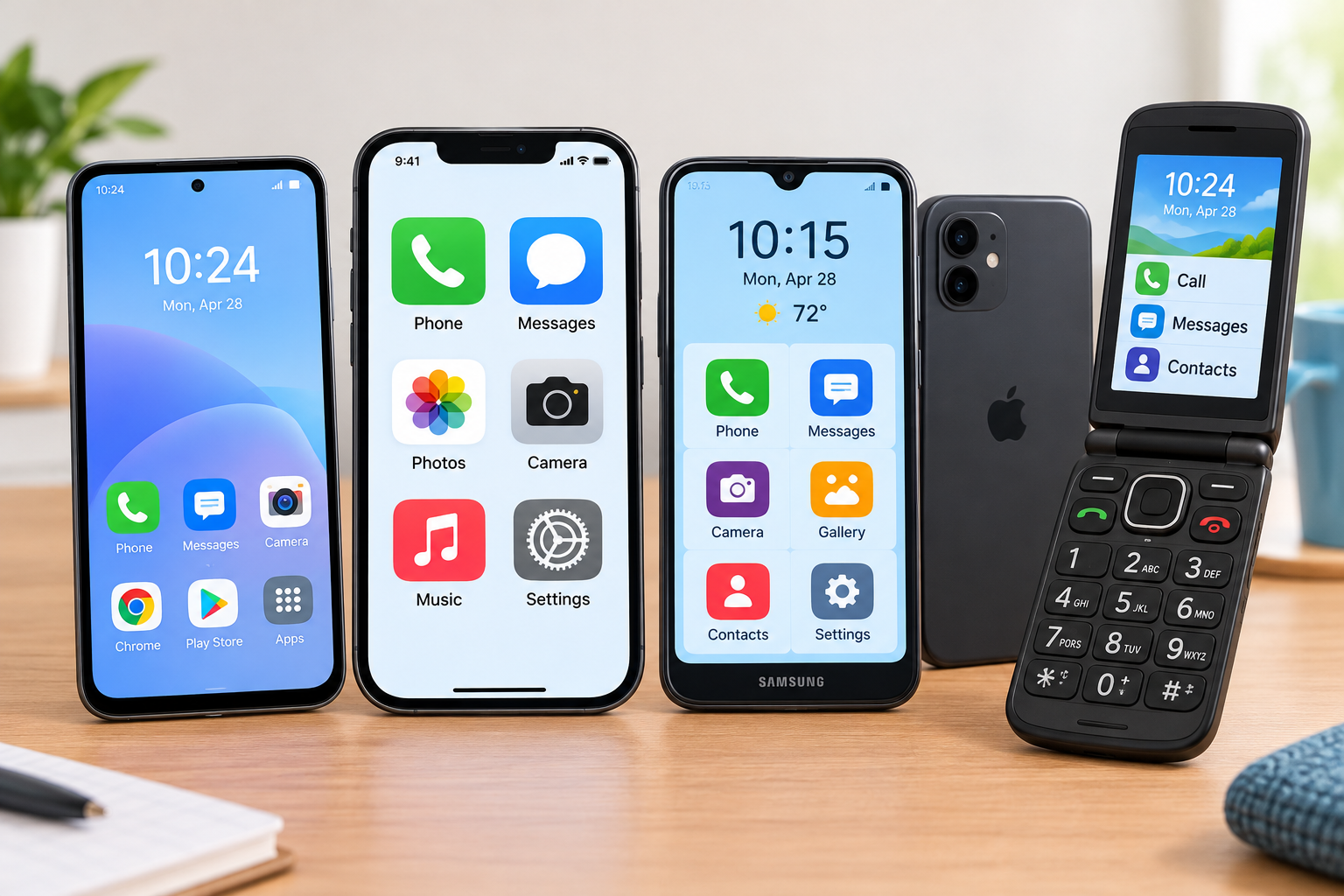
Buying a phone for an older parent or grandparent, or for yourself, can feel surprisingly stressful. Many modern phones are packed with features, tiny icons, and confusing menus. At the same time, older adults often need things that phone ads rarely mention: big, clear text, loud and clear calls, simple controls, and a reliable way to get help in an emergency.
The good news is that there is now a great phone for almost every kind of senior user. Some people want a simple flip phone just for calls. Others want a smartphone for video calls with the grandchildren, WhatsApp, and photos, but with fewer distractions.
In this guide, we compare the best phones for seniors in 2026, including senior-focused phones with emergency buttons, simple flip phones, and mainstream smartphones that can be set up to be easy to use. We also cover the features that matter most and how to set up any phone to be senior-friendly.
Quick Info: Best Phones for Seniors at a Glance
| Phone | Best for | Price (US) | Type |
|---|---|---|---|
| Lively Jitterbug Smart5 | Easiest smartphone with safety features | $119.99 (needs Lively plan) | Simple smartphone |
| Lively Jitterbug Flip3 | Simple flip phone with urgent help | $79.99 (needs Lively plan) | Flip phone |
| Apple iPhone (17e or newer) | Seniors who want an iPhone | Check current price | Smartphone |
| Google Pixel 10a | Best value Android and spam call protection | $499 | Smartphone |
| Samsung Galaxy A series | Budget Android with Easy Mode | Check current price | Smartphone |
| Consumer Cellular IRIS Easy Flip | Lowest-cost simple flip phone | Around $59 | Flip phone |
| RAZ Memory Cell Phone | Seniors with dementia or memory loss | Around $349 | Specialized phone |
Prices are typical US prices as of October 2026 and may change, vary by retailer, or need a specific carrier plan.
Key Takeaways
- For the simplest smartphone with emergency help: Lively Jitterbug Smart5.
- For calls and texts only: Lively Jitterbug Flip3 or IRIS Easy Flip.
- For seniors who already know iPhone: a current iPhone with Assistive Access turned on.
- For an affordable, smart Android: Google Pixel 10a, with excellent spam call screening.
- For memory loss or dementia: RAZ Memory Cell Phone.
- Any phone can be made easier with larger text, a simplified home screen, and emergency contacts.
- Check hearing aid compatibility if the user wears hearing aids.
What Makes a Phone Good for Seniors?
Before looking at specific phones, here are the features that make the biggest difference:
| Feature | Why it matters |
|---|---|
| Large, bright screen | Easier to read text, see photos, and tap the right buttons |
| Big text and icons | Reduces eye strain and mistakes |
| Loud, clear speaker | Helps with hearing loss and noisy rooms |
| Hearing aid compatibility | Works better with hearing aids (look for M and T ratings) |
| Simple menus or easy mode | Less confusion, fewer accidental changes |
| Emergency button or SOS | Fast help in a fall or medical emergency |
| Long battery life | Fewer missed calls from a dead phone |
| Spam call protection | Protects against scam calls targeting older adults |
| Caregiver features | Lets family help remotely and check location if agreed |
| Durable design | Survives drops |
1. Lively Jitterbug Smart5: Best Simple Smartphone for Seniors
Price: $119.99, and it requires a Lively service plan.
Lively (owned by Best Buy) makes phones designed specifically for older adults. The Jitterbug Smart5 is the newest version of its senior smartphone. According to Best Buy, it combines a large screen, big text, a simple menu, a 50MP camera, and 128GB of storage.
Instead of a grid of tiny app icons, the Smart5 uses a simple list menu with large words, which many first-time smartphone users find much easier.
What it does well
- Simple list-style menu with large, clear text
- Lively health and safety services available with certain plans, including urgent response help
- Lively Link app so family members or caregivers can stay updated (with the user’s permission)
- Good camera for sharing photos with family
Things to know
- Works only on Lively’s own service. It cannot be used with other carriers.
- Safety features like urgent response depend on the plan you choose.
Best for
Seniors who want a smartphone for photos, video calls, and texts, but with as little complexity as possible, and families who want extra peace of mind.
2. Lively Jitterbug Flip3: Best Flip Phone for Seniors
Price: $79.99, and it requires a Lively service plan.
The Jitterbug Flip3 is Lively’s 2026 flip phone. Best Buy describes it as Lively’s easiest phone yet, with a high-contrast screen, large text, simple menus, tactile buttons, speed dial, a loud speaker, and easy voice services.
What it does well
- Big, tactile buttons that are easy to press
- Loud speaker for clearer calls
- Simple menus with no confusing apps
- Urgent help features available with the right plan
Things to know
- Limited internet and app features, by design
- Works only on Lively’s network
Best for
Seniors who mainly want to make calls and send simple texts, and want an easy way to call for help.
Note: The older Jitterbug Flip2 and Smart4 are still sold by some retailers, often at lower prices. They are good budget options, but the Flip3 and Smart5 are the newest models.
3. Apple iPhone: Best for Seniors Who Want an iPhone
Price: Check current prices. The iPhone 17e is Apple’s lower-cost model, while the standard iPhone and Pro models cost more.
If the senior in your life already uses an iPad or their family all use iPhones, an iPhone can be a great choice. iPhones are known for their consistent, easy-to-learn design, strong security, and long software support.
Why it works for seniors
- Assistive Access: A built-in mode that turns the iPhone into a much simpler phone with big buttons and only the apps you choose, such as Calls, Messages, Camera, and Photos.
- Larger text and Display Zoom for easier reading.
- Emergency SOS to call for help quickly.
- FaceTime for easy video calls with family.
- Hearing aid support, including Made for iPhone hearing aids.
Things to know
- More expensive than senior-specific phones
- Can feel overwhelming without simplified settings
Best for
Seniors who are comfortable with technology or have family nearby who use iPhones and can help.
4. Google Pixel 10a: Best Value Android for Seniors
Price: $499 in the US
The Pixel 10a brings Google’s smart software to a mid-range price. It is a strong choice for seniors who want a modern smartphone without paying flagship prices.
Why it works for seniors
- Call Screen: Google’s assistant can answer unknown calls and ask who is calling, which helps block scam and spam calls, one of the biggest risks for older adults.
- Clear, reliable camera for family photos
- Long software support typical of Pixel phones, which keeps the phone secure for years
- Accessibility features like Live Caption and larger text
Things to know
- No dedicated telephoto camera
- Android can feel more complicated than a senior-focused phone without some setup
Best for
Seniors who want an affordable, secure Android phone with excellent spam protection.
5. Samsung Galaxy A Series: Best Budget Android With Easy Mode
Price: Check current prices. The Galaxy A series covers a range of affordable models.
Samsung’s affordable Galaxy A phones offer big screens, long battery life, and a feature called Easy Mode, which uses larger icons, bigger text, and a simpler layout.
Why it works for seniors
- Easy Mode for a simpler home screen
- Large displays on most models
- Long battery life
- Widely available at most carriers and stores
Things to know
- Some cheaper models get fewer years of updates than Pixels or iPhones
- Preinstalled apps can add clutter, so it helps to remove or hide them
Best for
Budget-conscious seniors who want a large-screen smartphone.
6. Consumer Cellular IRIS Easy Flip: Best Budget Flip Phone
Price: Around $59
The IRIS Easy Flip from Consumer Cellular is a simple, affordable flip phone with a large keypad and long standby time. Several senior-focused review sites rank it among the best and cheapest phones for older adults.
Why it works for seniors
- Very affordable
- Large keypad
- Long battery life
- Simple, familiar design
Best for
Seniors who want the simplest, lowest-cost phone for calls.
7. RAZ Memory Cell Phone: Best for Seniors With Dementia
Price: Around $349
The RAZ Memory Cell Phone is designed for people living with dementia, Alzheimer’s, or memory loss. It shows a single screen with photos of trusted contacts. The user simply taps a photo to call that person.
Why it works
- One simple screen with photo contacts
- Caregiver controls to manage settings remotely
- Fewer chances of accidental changes or confusing menus
Best for
Families caring for a loved one with memory loss who still want them to be able to call family easily.
Best Phones for Seniors Compared
| Feature | Jitterbug Smart5 | Jitterbug Flip3 | iPhone | Pixel 10a | IRIS Easy Flip |
|---|---|---|---|---|---|
| Type | Simple smartphone | Flip phone | Smartphone | Smartphone | Flip phone |
| Price (US) | $119.99 | $79.99 | Check price | $499 | Around $59 |
| Emergency help | Yes, with plan | Yes, with plan | Emergency SOS | Emergency SOS | Basic |
| Video calls | Yes | No | Yes (FaceTime) | Yes | No |
| Easy mode | Built in | Built in | Assistive Access | Accessibility settings | Built in |
| Spam protection | Basic | Basic | Silence or screen unknown callers | Call Screen | Basic |
| Carrier | Lively only | Lively only | Most carriers | Most carriers | Consumer Cellular |
Which Phone Should You Choose?
| If the person… | Choose |
|---|---|
| Only wants to make calls | Jitterbug Flip3 or IRIS Easy Flip |
| Wants a smartphone but finds them confusing | Jitterbug Smart5 |
| Already uses an iPad or iPhone | iPhone with Assistive Access |
| Gets lots of scam calls | Pixel 10a |
| Is on a tight budget but wants a smartphone | Samsung Galaxy A series |
| Has memory loss or dementia | RAZ Memory Cell Phone |
| Lives alone and wants emergency help | Jitterbug Smart5 or Flip3 with a safety plan |
How to Make Any Phone Easier for a Senior
Even a regular smartphone can become senior-friendly with the right setup.
On iPhone
- Turn on Assistive Access in Settings > Accessibility for a simplified layout.
- Increase text size in Settings > Display & Brightness > Text Size.
- Set up Emergency SOS and add emergency contacts in the Health app’s Medical ID.
- Silence or screen unknown callers in the Phone settings to reduce scam calls.
On Android
- Turn on Easy Mode or Simple Mode if your phone has it (for example, on Samsung phones).
- Increase font and display size in Settings > Display.
- Set up Emergency SOS and emergency information in Settings.
- Use Call Screen or a spam filter to block unwanted calls. Our guide to the best call blocker apps for Android phones covers more options.
For any phone
- Remove apps they will not use from the home screen.
- Add favorite contacts to speed dial or the home screen.
- Turn up the ringer and call volume. If calls still sound quiet or crackly, our guide on how to fix a phone speaker walks through simple fixes.
- Use a protective case with good grip.
- Set up a charging spot they will remember to use every night.
- Transfer their contacts from their old phone so everyone they know is already saved. Our guide on how to transfer contacts to a new phone shows how.
Safety Tips: Protecting Seniors From Phone Scams
Older adults are often targeted by scam calls and texts. Share these simple rules:
- Never share passwords, PINs, or bank codes with anyone who calls or texts, even if they say they are from the bank, police, or a family member.
- Hang up and call back using a number you already know if someone claims to be a relative in trouble.
- Do not click links in unexpected text messages.
- Turn on spam call filtering on the phone and with the carrier.
- Talk openly as a family about common scams so no one feels embarrassed to ask for help.
Do Seniors Need a Special Phone Plan?
Not always, but it can save money:
- Lively phones require Lively plans, which can include safety services.
- Consumer Cellular focuses on older customers and offers flexible plans.
- Major carriers often offer 55+ plans with discounts in some areas.
Always compare how much data the person will really use. Someone who only makes calls and sends a few texts does not need an expensive unlimited plan.
Frequently Asked Questions
What is the best phone for seniors in 2026?
For most seniors who want a simple smartphone, the Lively Jitterbug Smart5 is a great choice. For calls only, the Jitterbug Flip3 or IRIS Easy Flip are excellent. Seniors who know Apple products may prefer an iPhone with Assistive Access.
What is the easiest smartphone for seniors?
The Jitterbug Smart5 is designed for older adults with a simple list menu and big text. An iPhone with Assistive Access turned on is also very easy to use.
What is the best flip phone for seniors?
The Lively Jitterbug Flip3 is one of the best flip phones for seniors, with big buttons, a loud speaker, and urgent help features on certain plans.
Do Jitterbug phones work with any carrier?
No. Jitterbug phones work only on Lively’s own service and need a Lively plan.
What phone is best for seniors with dementia?
The RAZ Memory Cell Phone is designed for people with memory loss. It shows photos of trusted contacts that the user taps to call.
Can I make an iPhone easier for an elderly person?
Yes. Turn on Assistive Access, increase text size, set up Emergency SOS, and silence or screen unknown callers.
What is the best Android phone for seniors?
The Google Pixel 10a is a great value option with strong spam call protection. Samsung Galaxy A phones with Easy Mode are good budget choices.
Are senior phones hearing aid compatible?
Many are, but always check the hearing aid compatibility rating (M and T ratings) before buying if the user wears hearing aids.
How can I protect a senior from scam calls?
Turn on spam call filtering, use features like Call Screen or Silence Unknown Callers, and teach them never to share codes or passwords over the phone.
Final Thoughts
The best phone for a senior is the one they will feel confident using every day. If they just want to call family, a simple flip phone like the Jitterbug Flip3 or IRIS Easy Flip is perfect. If they want photos and video calls without the confusion, the Jitterbug Smart5 is hard to beat. And if they already know their way around a smartphone, an iPhone or Pixel 10a set up with larger text and simple layouts works beautifully.
Whatever you choose, take a little time to set it up together. A few small changes, like bigger text, favorite contacts, and spam protection, can make all the difference.
References
- Best Buy: Lively Jitterbug Flip3 Easy Prepaid Cell Phone
- The Senior List: Best Cell Phones for Seniors in 2026
Disclaimer
This article is for general information only. Phone features, prices, and plan options change often and vary by country, carrier, and retailer. Safety features such as urgent response or fall detection may require specific plans, devices, or subscriptions, and they are not a replacement for professional medical alert systems or emergency services. Always check the latest details with the manufacturer or carrier before buying. TechOriginHub is not affiliated with any brand or carrier mentioned, and this article is not sponsored and contains no affiliate links.