
 By Saad Qureshi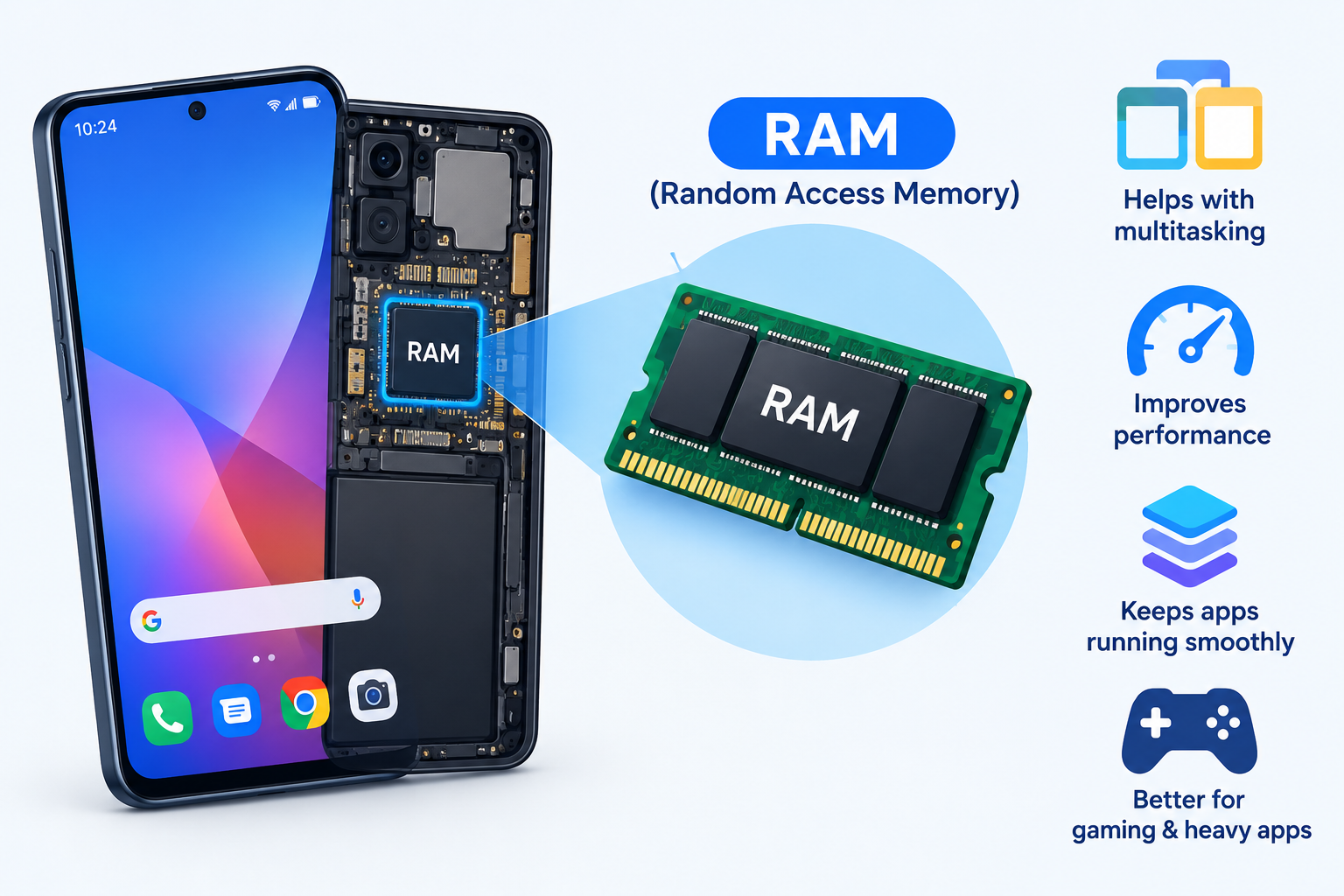
Some phones jump between apps without a hiccup, while others stutter or reload a page you just opened. A big part of that difference comes down to memory. Here is what RAM in a smartphone is, and how it works in plain terms.
Quick Info: The 60-Second Explainer
- RAM is your phone’s short-term memory, used for whatever you’re doing right now.
- When you open an app, its data is loaded from storage into RAM so the processor can reach it quickly.
- When you switch apps, the phone keeps recent ones in RAM so they reopen fast.
- When RAM fills up, the system closes older background apps to make room.
- When the phone powers off, RAM is cleared. Your photos and files stay safe in storage.
Key Takeaways
- Most people don’t need a huge amount. Many everyday phones today ship with roughly 6 GB to 12 GB, and the right amount depends on how you use your phone.
- Physical RAM is faster than Virtual RAM. Virtual RAM borrows storage space, which is slower than real memory chips.
- RAM uses power, but closing apps rarely saves battery. Android and iOS are designed to manage background apps for you.
- “RAM booster” apps don’t add memory. They can’t upgrade hardware, and constantly closing apps can make your phone reload them and work harder.
- RAM and storage are different. A phone can have lots of storage and little RAM, or the other way around.
How This Guide Was Verified
This guide explains established, widely documented concepts: how volatile memory works, how LPDDR memory is used in phones, and how Android and iOS manage memory. We did not run lab benchmarks or take hardware apart for this article. We also avoid naming specific phones as if we had tested them.
Specifications change between chipsets, brands, and software versions. For exact details on your phone, check your manufacturer’s spec sheet and support pages. You can also read the official Android core development guidelines and Apple’s official iOS architecture documentation for the technical background.
RAM vs. Internal Storage: Key Differences
These two are often confused, but they do different jobs.
| Technical Feature | Random Access Memory (RAM) | Internal Storage (UFS / Flash) |
|---|---|---|
| Data Persistence | Volatile. Data is lost when power is cut | Non-volatile. Data stays when the phone is off |
| Operational Speed | Ultra-fast | Fast, but slower than RAM |
| Primary Purpose | Active multitasking and running apps | Permanent file keeping |
| Typical Size | Several GB | Tens or hundreds of GB |
| What It Holds | Running apps, system services, temporary data | Apps, photos, videos, documents, the OS files |
Think of it as a workbench and a filing cabinet, which we explain next.
1. What Is Smartphone RAM and Why Does Your Device Need It?
RAM stands for Random Access Memory. It’s the space where your phone keeps everything it is actively using, so the CPU can reach it almost instantly.
The digital workbench
Imagine a workbench and a filing cabinet. The cabinet is your internal storage, which holds everything permanently. The workbench is RAM, where you place the tools and papers you’re working on right now.
A bigger workbench means you can spread out more projects without putting things away. A small one means the phone has to clear space more often.
What lives in RAM
- The operating system kernel and core system services
- Apps you have open or recently used
- Temporary data like game state, web pages, and camera previews
Volatile memory
RAM is volatile storage. It needs continuous electrical power to hold data. When the phone shuts down or restarts, everything in RAM is cleared.
That’s why a restart can fix a sluggish phone. It gives the system a clean workbench.
2. How Mobile RAM Works Natively During Active Daily Multitasking
Here’s what happens when you use your phone through a normal day.
Opening an app
- You tap an app icon.
- The system copies the needed data from internal storage into RAM.
- The CPU reads and writes that data directly in RAM while you use the app.
Switching apps
When you leave an app, your phone often keeps it in RAM, paused in the background. If you return soon, it reopens right where you left off.
If the system had to reload it from storage, it would take longer and the app might restart. That’s the “stutter” some people notice on phones with limited memory.
When RAM runs low
Android and iOS both manage memory automatically. When space is tight, the system closes or freezes background apps that you haven’t used recently.
Android also uses compressed memory (often called zRAM) to squeeze more into the space it has. iOS uses similar compression instead of writing memory out to flash.
Why background apps don’t always drain the battery
Apps held in RAM are generally idle, not running at full speed. Keeping them there costs little power, while reopening them from scratch can cost more.
Phone problems that look like memory issues
A phone that acts slow or crashes isn’t always short on RAM. A full storage drive, a problem app, or a software bug can cause the same symptoms. If you suspect an app, try How to Turn On and Turn Off Safe Mode on Android.
3. Understanding LPDDR Standards: What Makes Mobile RAM Unique
Phones don’t use the same memory as desktop PCs. They use LPDDR, which stands for Low-Power Double Data Rate.
What LPDDR is built for
- Low power use. It runs at lower voltages to protect battery life.
- High bandwidth. It moves a lot of data quickly, which helps gaming, photography, and AI features.
- Small size. It fits into a tiny space, often stacked close to the processor.
- Less heat. Lower power draw helps keep the phone from getting too hot.
LPDDR generations
Phone makers use versions such as LPDDR4X, LPDDR5, and LPDDR5X. Newer versions are designed to offer more bandwidth while staying efficient. The standards are published by the industry group JEDEC.
A phone with newer LPDDR memory is not automatically faster in daily use. The chipset, storage, and software also matter.
Why you can’t upgrade it
In nearly all phones, the memory is soldered or packaged right next to the processor. You can’t add or swap RAM like you can in some computers. This is also why a “RAM upgrade” app can’t give your phone real memory.
4. The Reality of Virtual RAM Expansion Protocols in Modern OS Designs
Some Android phones offer Virtual RAM, also called RAM Plus or Memory Extension. It’s a software feature that sets aside part of your internal storage to act as extra memory.
How it works
- You turn on the feature in settings, often under Settings > Battery and device care > Memory or a similar menu.
- The system reserves a block of flash storage, such as 2 GB to 8 GB on some models.
- When physical RAM gets full, less-used data is moved to that reserved space.
- When you return to that app, the data is brought back.
What it can and can’t do
- It can help keep more background apps alive, so fewer of them reload.
- It is slower than real RAM, because flash storage can’t match the speed of RAM chips.
- It uses storage, so you’ll have less free space for files.
- It isn’t a substitute for physical memory in heavy tasks like gaming or video editing.
What about iPhones?
iOS doesn’t offer a Virtual RAM option. It manages memory through compression and by closing background apps when needed.
Should you turn it on?
If your phone has limited RAM and you notice apps reloading often, it may help a little. If you already have plenty of RAM, the benefit is small. Menu names and options vary by brand, so check what your phone offers.
If your storage is already full, clean it up first. Before changing system settings, it’s smart to back up your data. Our guide on How to Back Up an Android Phone: Complete Step-by-Step Guide explains how.
Common Myths About Smartphone RAM You Should Ignore
- “Closing all background apps saves battery.” Usually it doesn’t. Android and iOS manage background apps, and reopening apps from scratch can use more power.
- “RAM booster apps add real memory.” They can’t. Memory is physical hardware, and these apps only close other apps.
- “Virtual RAM is as fast as real RAM.” It isn’t. It uses storage, which is slower than the memory chips.
- “More RAM always means a faster phone.” Not by itself. The chipset, storage speed, and software optimization all play a role.
- “Unused RAM is wasted.” Not really. Systems use free RAM to keep apps ready and cache data, which makes the phone feel faster.
- “RAM and storage are the same thing.” They’re separate. One holds temporary working data, and the other holds your files.
If your phone isn’t charging or acting strangely, don’t blame RAM first. See How to Fix a Phone That Is Not Charging: Causes and Solutions for hardware troubleshooting. If you’re planning to upgrade, you may also want to transfer contacts to a new phone with our guide, How to Transfer Contacts to a New Phone: Android, iPhone, and Everything in Between.
Frequently Asked Questions
How much RAM does a smartphone need?
For everyday use like messaging, browsing, and streaming, many phones with around 6 GB to 8 GB work well. Heavy gaming, multitasking, and photo editing may benefit from more. Software optimization matters too.
Does more RAM make my phone faster?
It can help with multitasking, because more apps stay ready in the background. But the processor, storage speed, and software also affect speed.
Is it bad to clear RAM or close background apps?
Usually it isn’t harmful, but it’s rarely needed. The system manages memory automatically, and constantly closing apps can make them reload and use more power.
What is the difference between RAM and storage?
RAM is fast, temporary memory for what you’re using right now. Storage is permanent space for your apps, photos, and files.
Is Virtual RAM worth using?
It can help phones with limited memory keep more apps open. It’s slower than physical RAM and uses storage space, so don’t expect a big boost.
Disclaimer:
This article is for general educational and informational purposes only. It explains established concepts from mobile hardware and software design. Technical specifications may vary based on your specific device brand, chipset configuration, or operating system build.